CronSequitur
MIDI Step Sequencer
Được thiết kế cho iPhone, iPad
Miễn phí · Mua hàng trong ứng dụng
- Độ tuổi4+
- Danh mụcNhạc
- Nhà phát triểnFortyFourSquirrels
- Ngôn ngữTiếng Anh
- Kích thước13,0 MB
Liên kết đến trang App Store chính thức
Download.org không lưu trữ tệp nào của CronSequitur. Nút này mở trang ứng dụng trên App Store, nơi FortyFourSquirrels phát hành ứng dụng. Trang được kiểm tra lần cuối: 18/11/2026.
Ảnh chụp màn hình

Giới thiệu
Nhà phát triển chưa cung cấp nội dung này bằng ngôn ngữ của bạn.
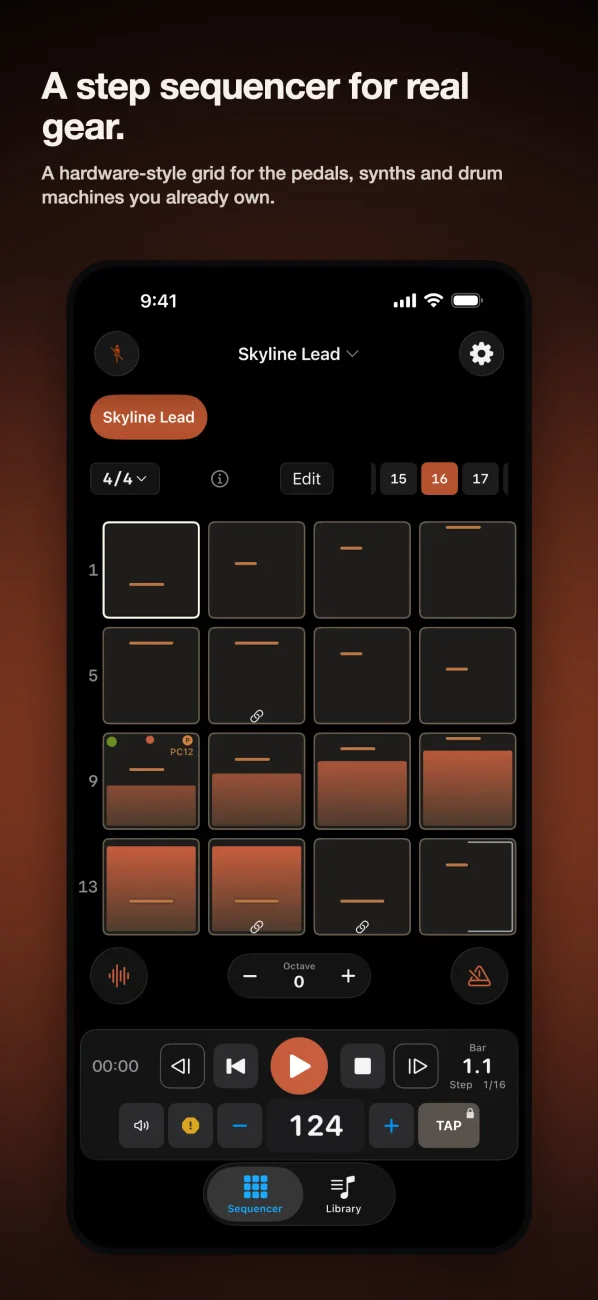
CronSequitur is a step sequencer with a grid layout that feels like real hardware, not a menu system with deeply nested functions you may never find.
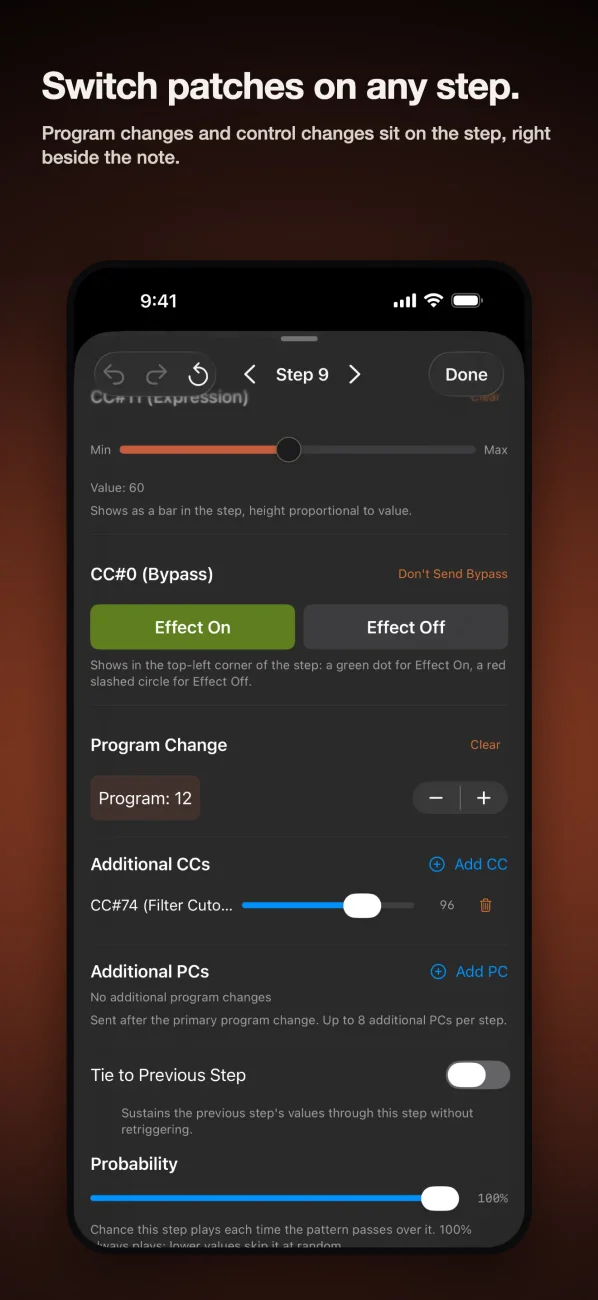
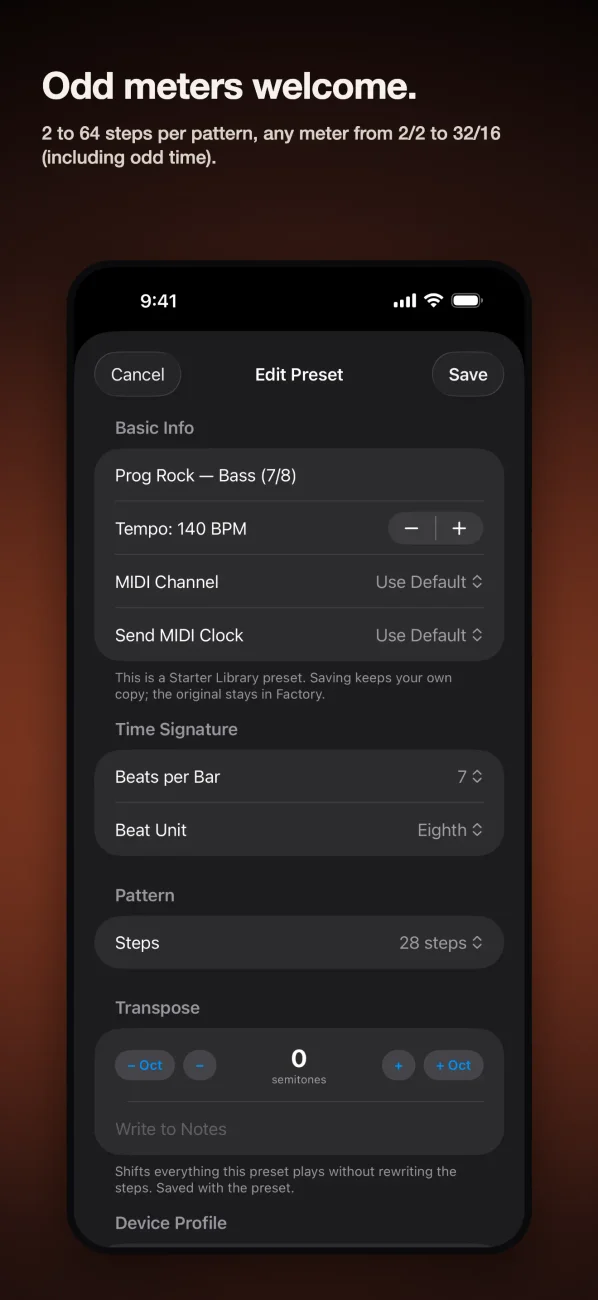
Every step can carry more than a note. Program changes and control changes sit right beside the note, not in a separate menu. A 2 to 64 step grid and full time-signature control make odd meters and unusual pattern lengths part of the design, not an afterthought.
The core app needs no purchase. Two optional in-app purchases add more: Standard, a one-time purchase, and Pro, a one-time purchase or an annual subscription. If you already own Standard, Pro's one-time purchase is offered to you as an upgrade. Each paid feature is listed below under the purchase that includes it; everything else described here is part of the core app.
CORE APP
• The step sequencer and step editor: program changes and control changes on any step, 2 to 64 steps per pattern, full time-signature control
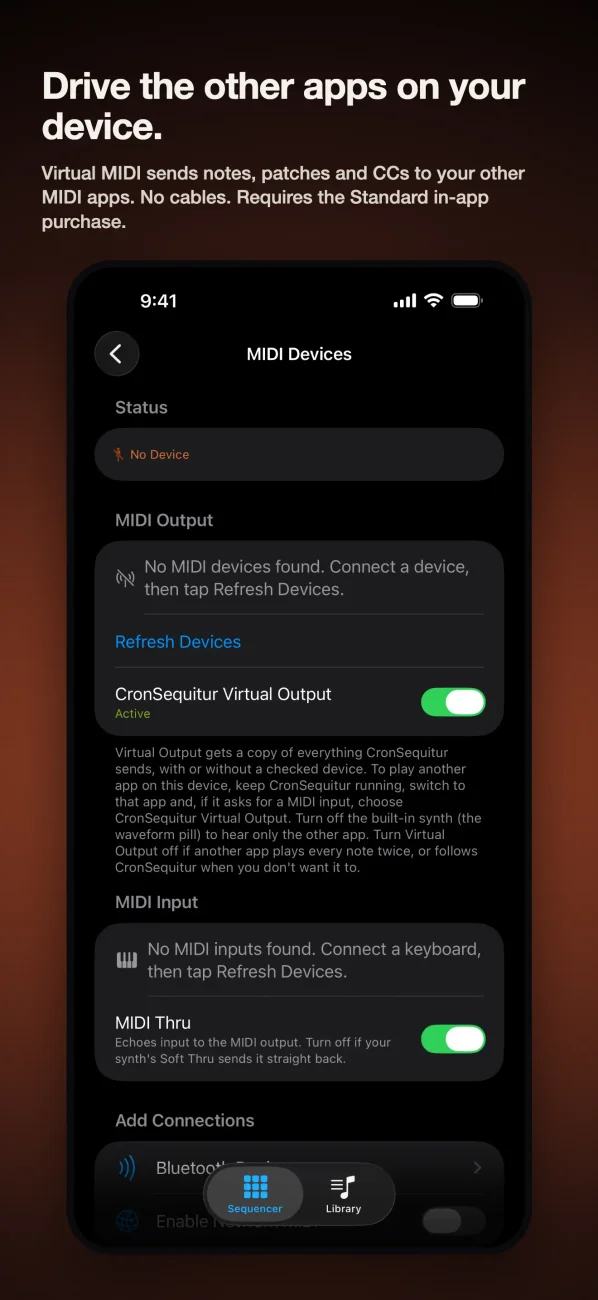
• MIDI output to your external gear
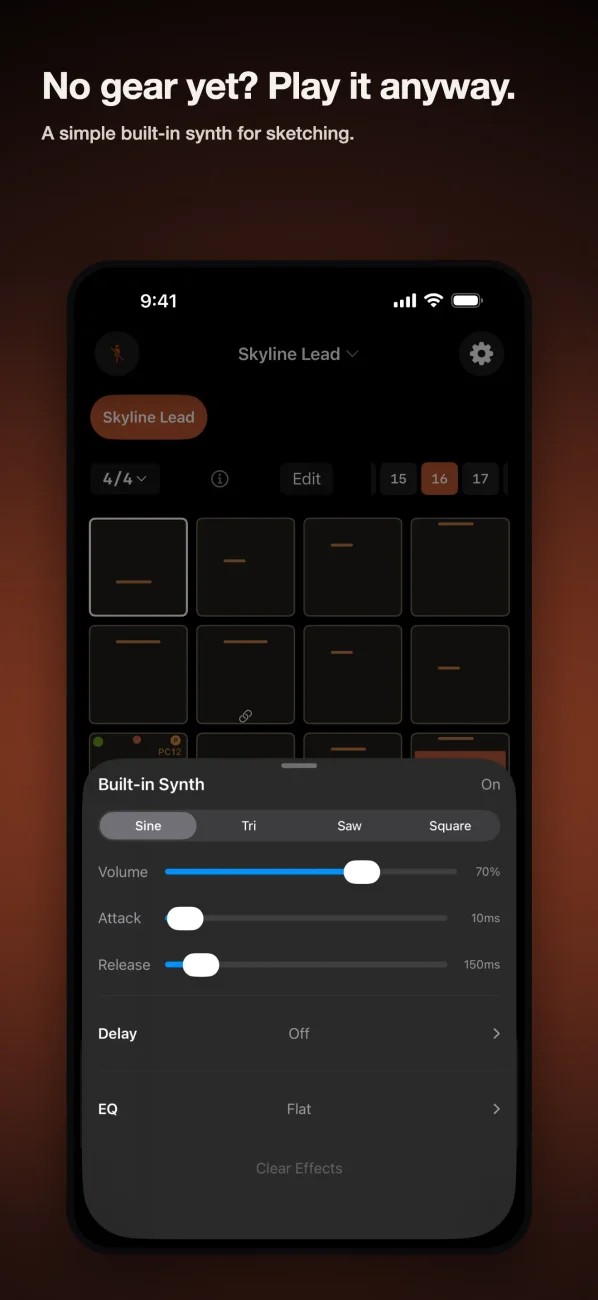
• The built-in synth, with a tempo-synced delay and a two-band EQ
• Transpose: shift a pattern to another key without rewriting its notes, saved with the preset
• Undo and redo for every edit, with no limit until you save
• Unlimited presets
• The metronome's audio click, visual beat indicators and count-in, and tap tempo
• Export, import and back up your presets and songs in CronSequitur's own file format
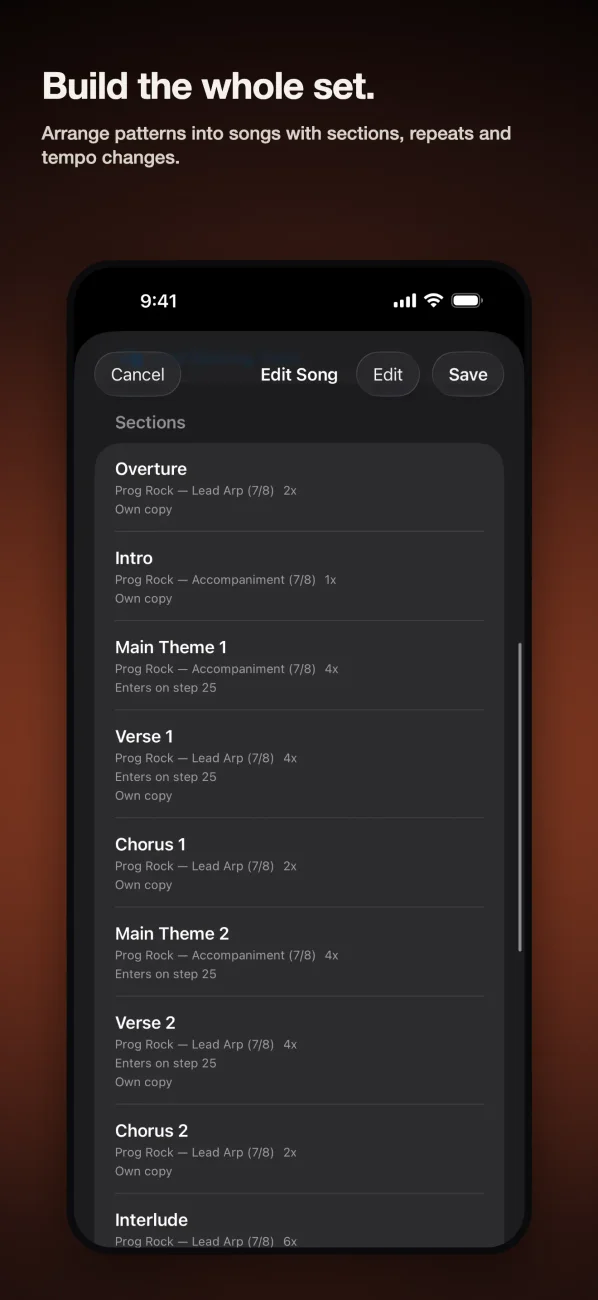
• Build and edit songs from your patterns, with sections, repeats and tempo changes
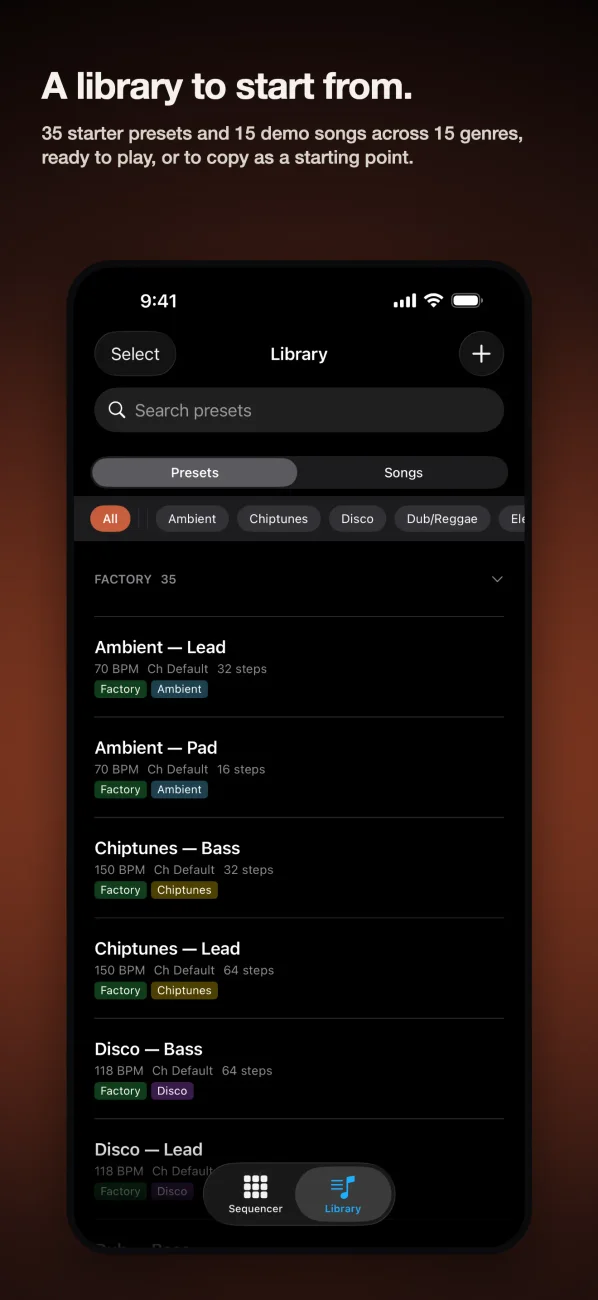
• Full playback of the demo songs in the Library's Factory section
• A preview of the first section of each song in My Songs, which holds the songs you build and any demo song you copy or edit. Full playback of these songs requires Pro (Song Playback, below).
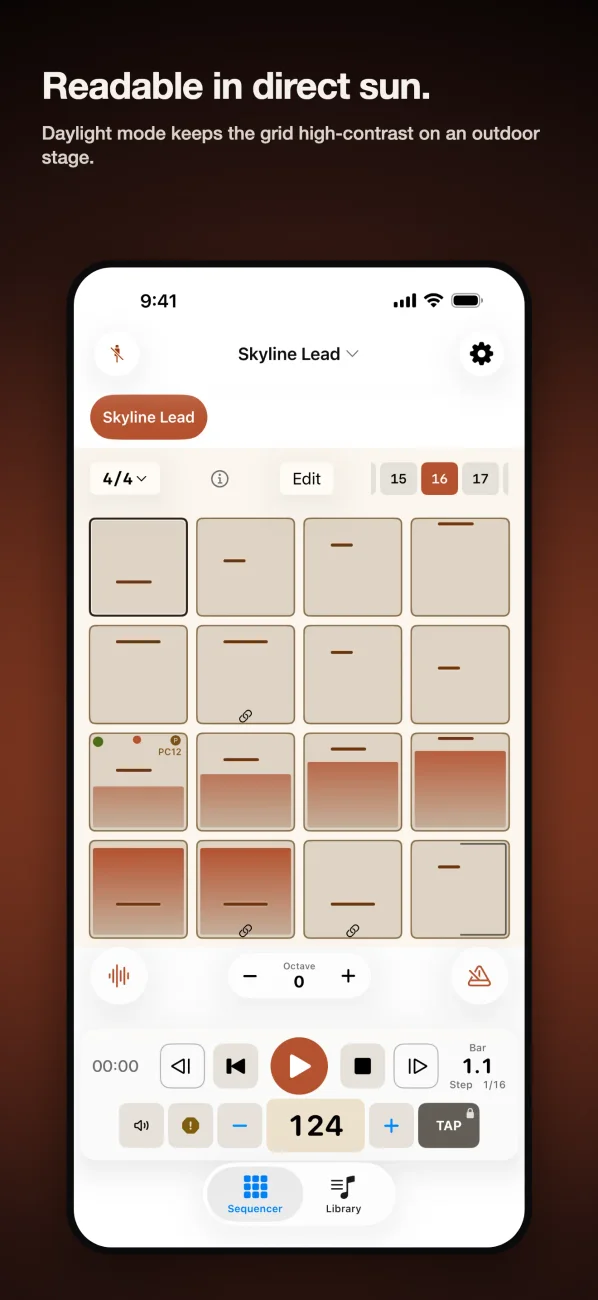
• Daylight mode, a high-contrast display for direct sun
STANDARD IN-APP PURCHASE (ONE-TIME)
• Virtual MIDI Output: send MIDI to other apps on the same device, no cables
• Tags: tag your presets and filter them by tag
• MIDI File Import & Export: standard MIDI files, to and from your DAW and other gear
• Device Profiles: built-in and custom profiles that show your gear's own controls and labels
• Screen Flash: a full-screen flash on each metronome beat
• Metronome Haptics: a vibration on each metronome beat (iPhone only)
• Tap Tempo Guard: TAP must be armed with one tap before it changes the tempo, so a stray touch mid-set does nothing
• Performance Octave: shift your pattern up to three octaves up or down, live, while you perform
PRO IN-APP PURCHASE (ONE-TIME OR ANNUAL SUBSCRIPTION)
Pro includes everything in Standard, plus:
• Song Playback: full playback of the songs in My Songs, start to finish, with every section, repeat and tempo change, a countdown to the next section and your own stage cues on screen
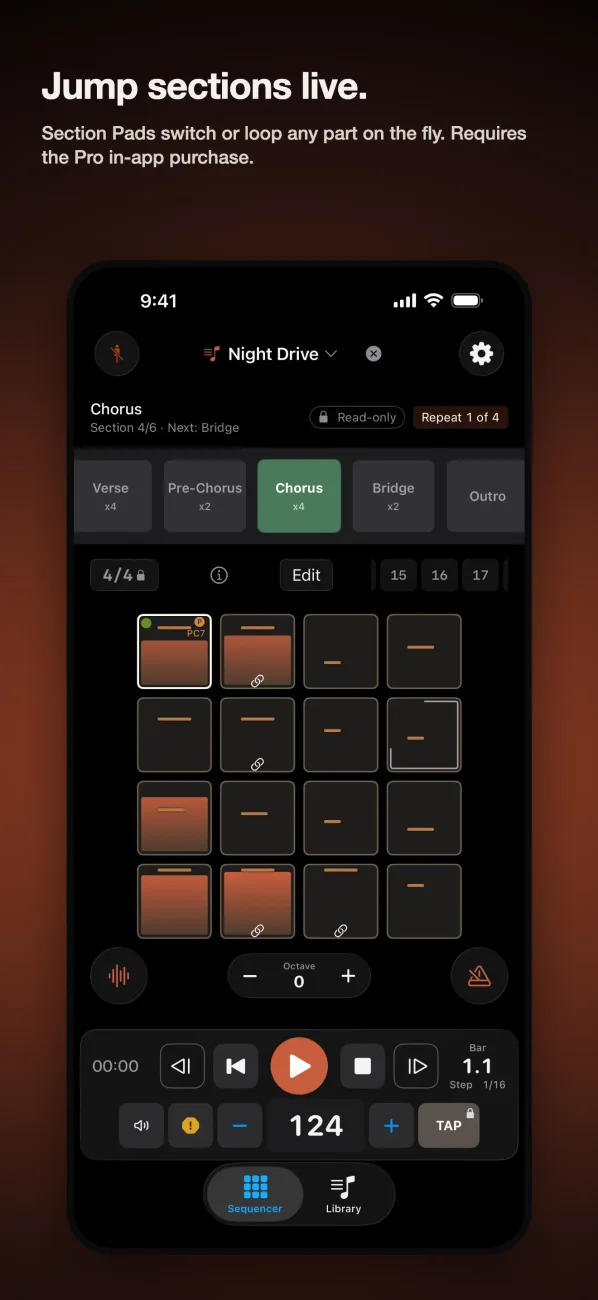
• Section Pads: jump to or loop any song section live
• Audio Backing Tracks: import audio files to play along with your songs
• Tempo-Locked Playback: backing tracks detect their tempo and stretch to match your song
• Group Sync: many musicians, one song. Each player runs their own part on their own device, and the whole band starts, stops, changes tempo and moves through the song together over local Wi-Fi. Every device in the session needs Pro.
• Section Audio Tracks: give each song section its own backing track
Independently made in Maine. Fair pricing, no dark patterns, no surprises, built by a musician who wanted this to exist.
Có gì mới
Phiên bản 1.1.0 · 27/10/2026
CORE APP
• Play starts from the step the playhead shows, and Step Back and Step Forward move the playback position. The count-in plays only when you start from bar 1, beat 1.
• Undo covers every change, including step count and time signature, and keeps your full history until you save. Deleting a preset or song from the Library can be undone too.
• A new Edit menu on the grid: Undo, Redo, Copy Pattern, Paste Pattern and Clear All Steps.
• Edit a song section's pattern on the grid: Edit Pattern, in the section's sheet, opens the section's own copy and leaves your presets as they are.
• Each song section shows whether its copy still matches its preset. Update from Preset brings in the preset's latest version, with Undo, and after you save a preset, the songs that use it can be updated in one step.
• Transpose a preset to another key from its edit sheet.
• Optional step numbers beside the grid (Settings → Playback).
• Every step indicator now shows at every grid size, drawn smaller on small cells.
• The built-in synth gains a delay and an EQ. New notes start at an 80% gate, adjustable with Default Gate in Settings → Playback.
• Note previews in the step editor sound even when the built-in synth is off.
• Beat Indicator is now two settings: Transport Bar Pulse and Flip Icon on Every Beat (Settings → Metronome).
• While playing, a swipe up from the bottom edge needs a second swipe to leave the app. Turn it off with Require Second Swipe to Leave in Settings → Playback.
• MIDI settings are reorganized, with your output listed first.
• The demo songs in the Library's Factory section are rebuilt to the length and form of their genres, and a Post-Metal genre is added. Your own presets and songs are unchanged.
• The User Guide is fully revised, and Settings opens the edition that matches your version.
• Faster song loading, smoother playback on older iPads, and many accessibility and reliability improvements.
STANDARD IN-APP PURCHASE (ONE-TIME)
• Performance Octave: shift a pattern up to three octaves up or down, live, from the Sequencer screen.
• Virtual MIDI Output can be switched off, and keeps its identity when switched back on, so other apps still find it.
• MIDI File Import & Export now matches what you hear: channel, bypass control and tempo.
PRO IN-APP PURCHASE (ONE-TIME OR ANNUAL SUBSCRIPTION)
• Song Playback: the header names the next section, the last four bars before it count down, and each section can show a one-line stage cue.
• Song Playback: every section starts on step 1, or on the step you set with Start on step.
• Song Playback: opening a song during playback stops it first, so the song starts cleanly from section one.
• Song Playback: Edit This Section, from the song's name, opens the current section's pattern on the grid.
• Group Sync: the master approves each device that asks to join, and the band stops together when the master opens or leaves a song.
• Group Sync: join a band from the new Join a Band screen. The master is asked on any screen, and can let several devices in at once with Allow All.
Quyền riêng tư của ứng dụng
Những gì FortyFourSquirrels khai báo trên App Store về cách ứng dụng này xử lý dữ liệu.
-
Dữ liệu không được thu thập
Nhà phát triển không thu thập bất kỳ dữ liệu nào từ ứng dụng này.
Phương thức đảm bảo quyền riêng tư có thể khác nhau, chẳng hạn như tuỳ theo các tính năng bạn sử dụng hoặc độ tuổi của bạn.
Thông tin
- Người bán
- FORTYFOURSQUIRRELS, LLC
- Danh mục
- Nhạc
- Phiên bản
- 1.1.0
- Cập nhật
- 27/10/2026
- Phát hành
- 29/09/2026
- Kích thước
- 13,0 MB
- Yêu cầu
- iOS 17.0 trở lên
- Độ tuổi
- 4+
- Giá
- Miễn phí
- Mua hàng trong ứng dụng
- Có
- Ngôn ngữ
- Tiếng Anh
- Bản quyền
- © 2026 FortyFourSquirrels LLC.