DanPraMuCam
Dance Practice, All in One
Được thiết kế cho iPhone
Miễn phí · Mua hàng trong ứng dụng
- Độ tuổi4+
- Danh mụcNhạc
- Nhà phát triểnHSC-Yamachan
- Ngôn ngữTiếng Anh+ 2 ngôn ngữ khác
- Kích thước15,7 MB
Liên kết đến trang App Store chính thức
Download.org không lưu trữ tệp nào của DanPraMuCam. Nút này mở trang ứng dụng trên App Store, nơi HSC-Yamachan phát hành ứng dụng. Trang được kiểm tra lần cuối: 24/11/2026.
Ảnh chụp màn hình

Giới thiệu
Nhà phát triển chưa cung cấp nội dung này bằng ngôn ngữ của bạn.
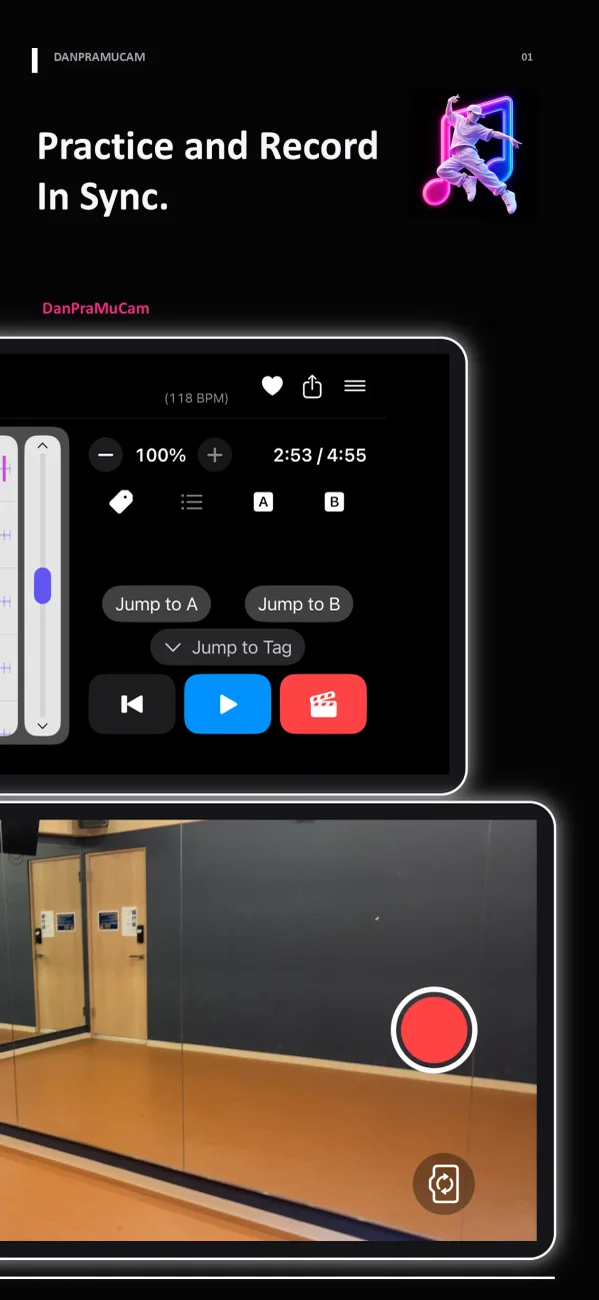
**Practice with music and record your dance—all in one app.**
DanPraMuCam (Dance Practice Music & Camera) is a music player and camera for dancers: loop sections, follow beat counts, and record without switching apps.
**Main Features**
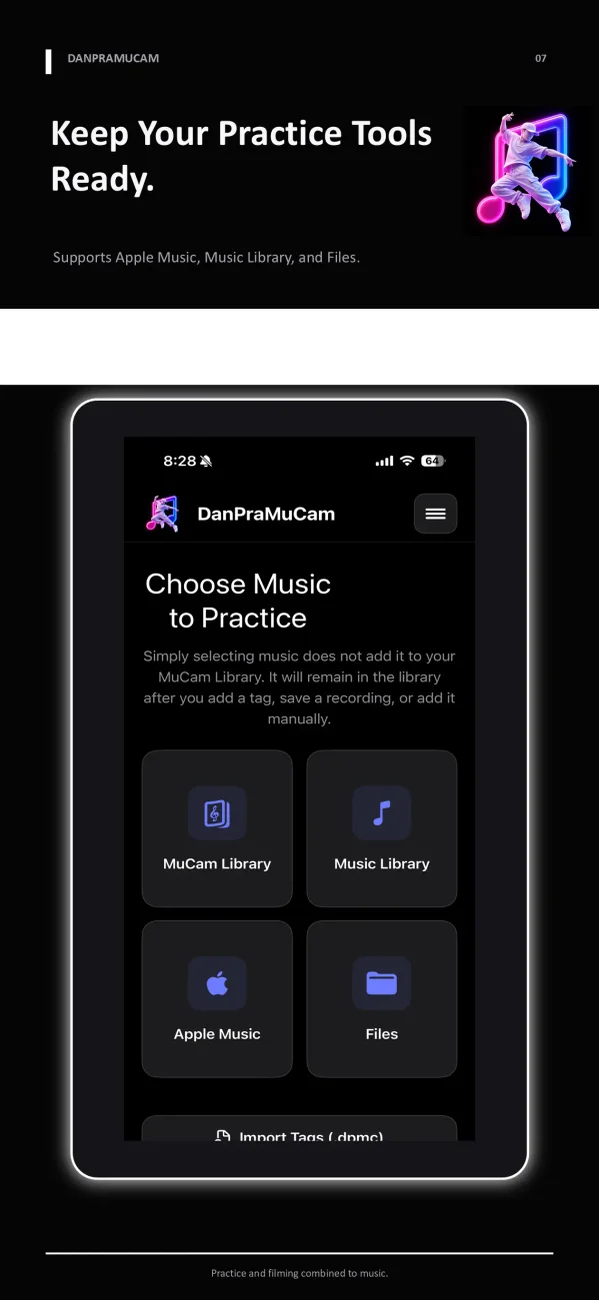
• Choose music from MuCam Library, Apple Music, Music Library, or Files
• Identify the song playing around you with Shazam from the Apple Music search screen
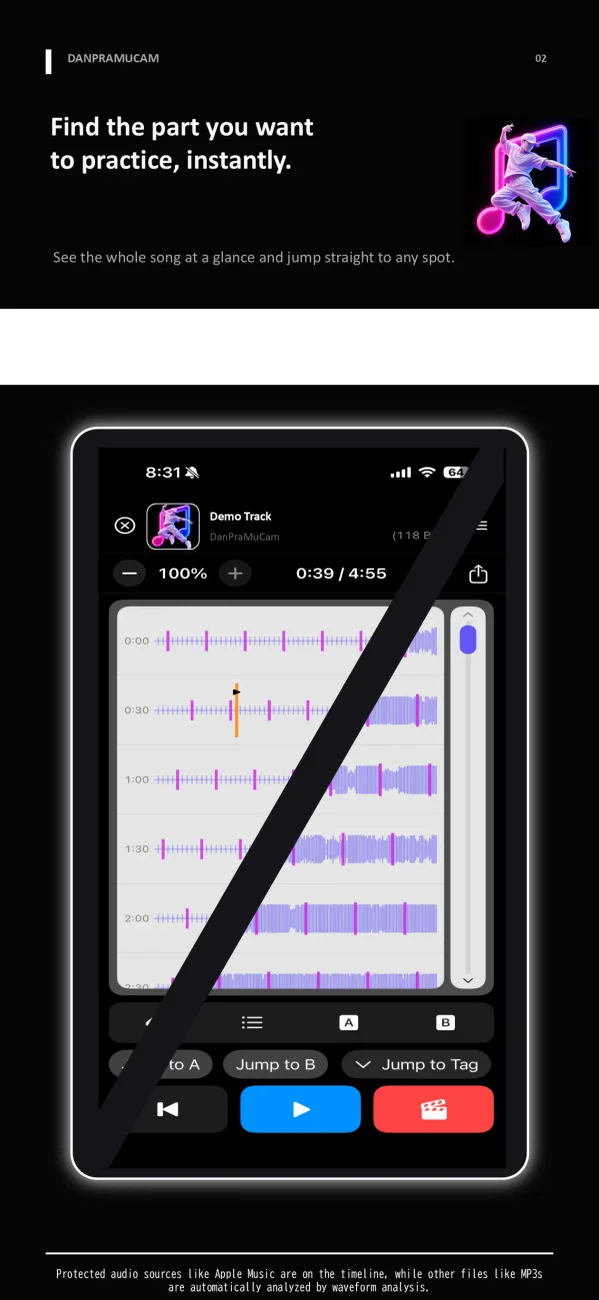
• See a timeline for every song, with waveforms for supported audio files
• Adjust playback speed from 60% to 100%
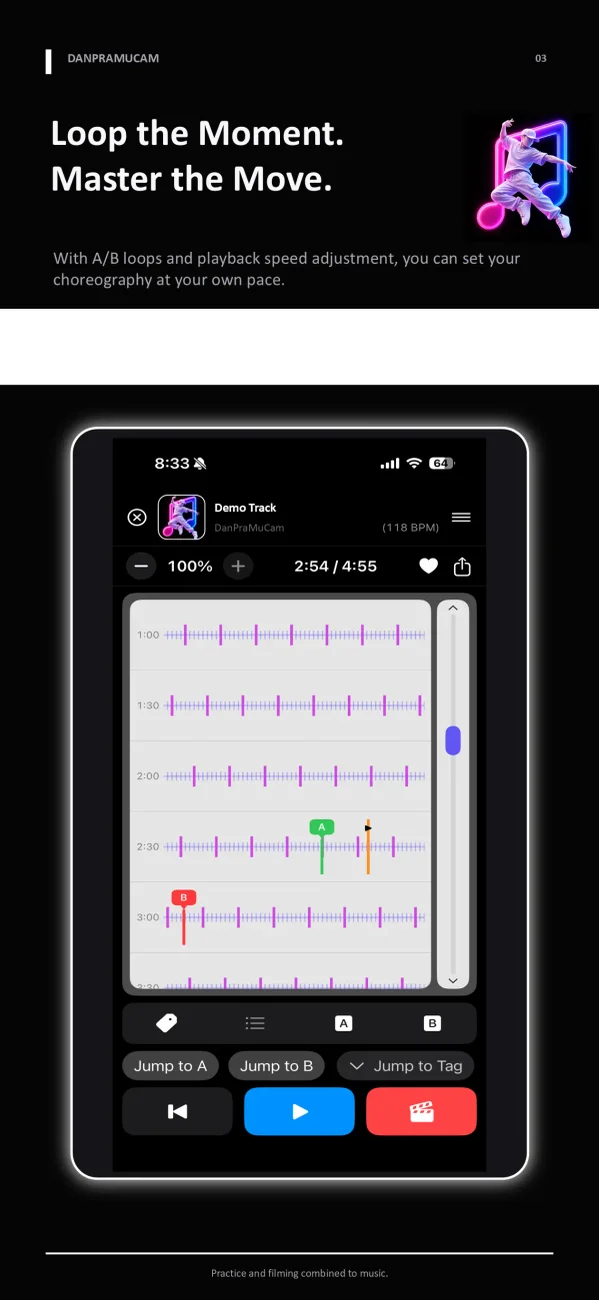
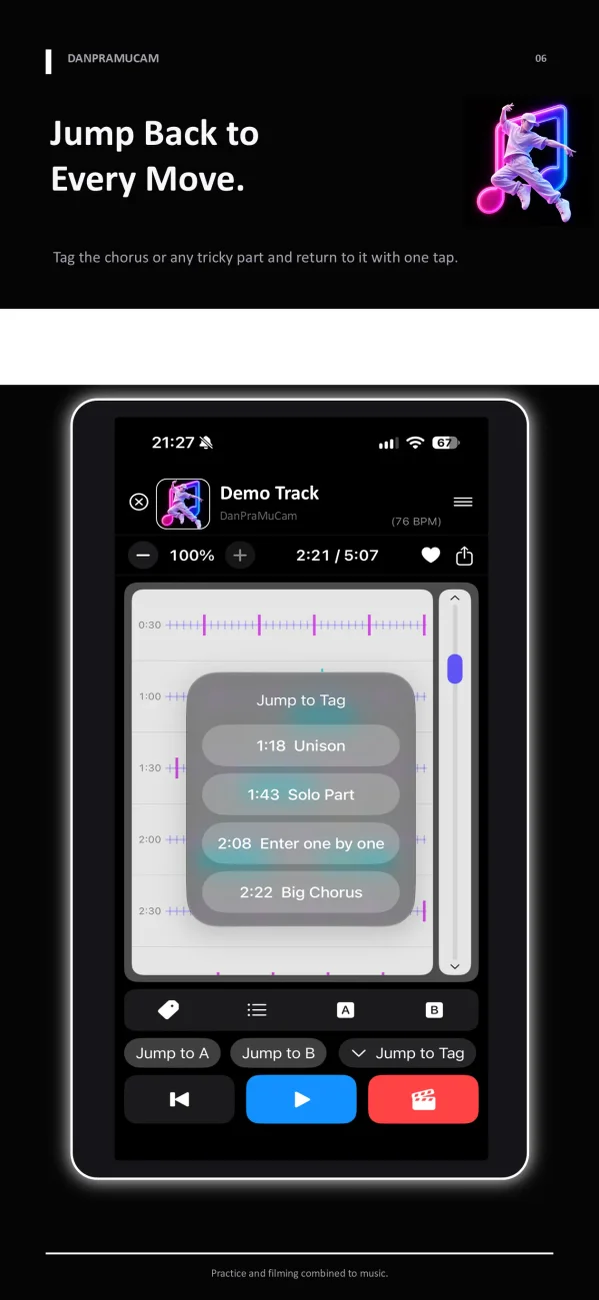
• Set A and B points to loop a section
• Set skip ranges that are skipped automatically during playback (new in v2.10)
• Add tags, jump to them, and save tag templates
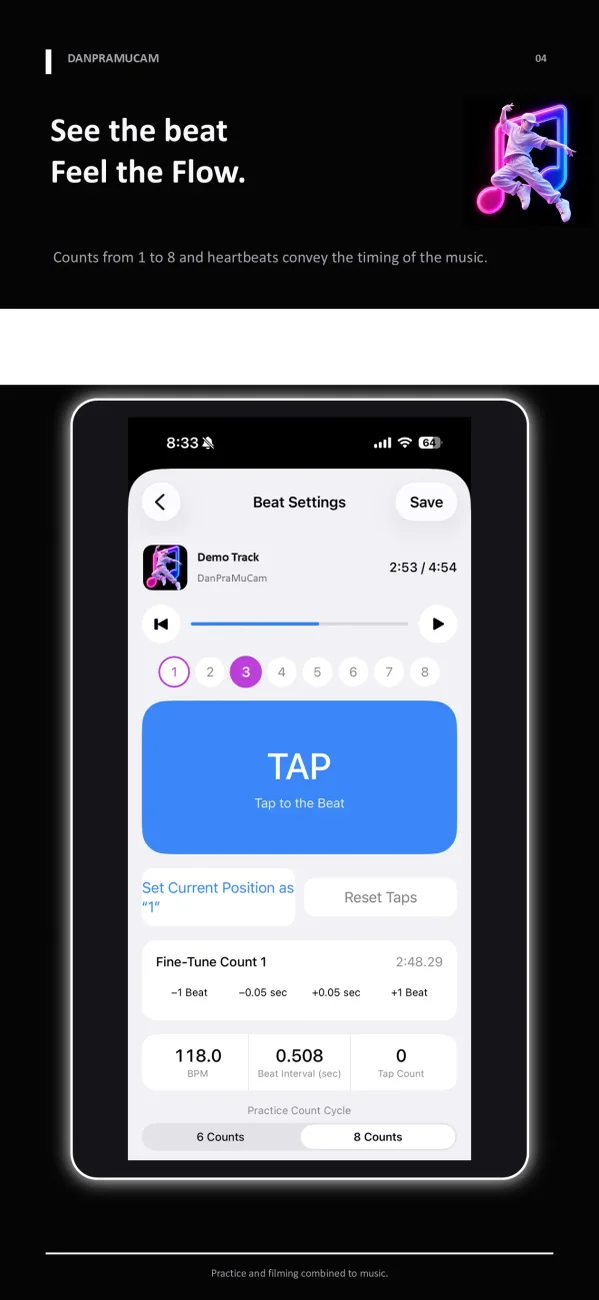
• Set BPM and beat interval by tap or automatic analysis
• Follow 1-to-8 counts in 6-count or 8-count cycles
• Record while the music plays, with front/back cameras and zoom
• Stop playback and recording at B
• Save recordings to Photos and share them
• Share tags and beats as .dpmc files or a LINE-ready ZIP
• Open recordings in the companion app DanPraTube
• Play through Bluetooth and AirPlay devices
• Control playback, recording, and screens with Siri
• Search for songs and change the speed with Siri
• Keep playing with the screen locked; control from the Lock Screen
• Control playback, loops, tags, and recording from your Watch
**Hands-Free with Siri**
Get into position and say "Start in MuCam" to start the song; on the camera screen, it starts recording instead. Say "Camera mode in MuCam" or "Practice mode in MuCam" to switch screens.
Say "Search in MuCam" to find a song, or "Slow down MuCam"/"Set MuCam to 80%" to change speed. After recording, it returns to point A in 10 seconds for a hands-free retake.
**Find the Song Playing in the Studio**
Tap the Shazam button on the Apple Music search screen to identify music playing nearby, then open it for practice. DanPraMuCam listens only while you use the button.
**Loop the Part You Need**
Set A and B to repeat a section, slow down to study choreography, then return to full speed. Tags like Intro, Verse, or Chorus jump straight to any part.
**Skip Parts You Don't Need (new in v2.10)**
Drag away from the A/B markers to set a skip range, shown in gray and skipped automatically. Adjust or delete it from the tag list. It's off by default — turn it on in the menu to use it. Skip ranges aren't shared in .dpmc files.
**Stay on the Beat**
Tap along or use automatic analysis to set the tempo and first count. Counts 1 to 8 move with the music. If they drift, mark a later "1" to realign the whole song.
**Practice, Then Record**
Record while the music plays. If B is set, playback and recording stop there. Open the video in DanPraTube for slow or loop playback.
**Control from Apple Watch**
Play, pause, set loops, jump to tags, change speed, and record from your wrist.
**Share with Your Team**
Share tags and beats as a .dpmc file, without the music.
**30-Day Free Trial. No Ads. No Subscription.**
Try every feature free for 30 days, then unlock full access with one restorable purchase.
**Please Note**
Apple Music features need Apple Music access and an internet connection; availability varies by song, region, and subscription.
Shazam search needs microphone and internet access. Captured sound may be sent to Apple to identify the song, and results not on Apple Music can't be opened.
Siri phrases work on iPhones without Siri AI too; other ways need Siri AI support. Siri song search covers your MuCam Library and Apple Music. Siri doesn't respond while recording, so stop at point B, at the end, or with the record button.
The share menu works with Apple Music songs, albums, and playlists. Songs imported from CDs can be chosen from Music Library in DanPraMuCam.
Waveforms appear for supported files; Apple Music uses a timeline with the same controls.
Apple Watch features need a paired iPhone.
You're responsible for the rights to music you use. DanPraMuCam doesn't include it in .dpmc files or distribute it.
Có gì mới
Phiên bản 2.10 · 23/11/2026
**Version 2.10**
• Drag the waveform or timeline, away from the A/B markers, to create a "skip range" that's automatically skipped during playback. The skipped part is shown in gray, even for sources without a waveform (like Apple Music).
• Skip ranges are off by default. To use them, turn on "Skip Playback" from the menu in the top right. While off, skip ranges aren't created, shown, or skipped during playback — but existing ones can still be adjusted or deleted from the tag list.
• Adjust the time of a skip range, or delete it, from the tag list. Deleting one half deletes its pair too.
• Skip ranges are a personal practice setting. Unlike tags and beat info, they aren't included when sharing .dpmc files.
• Fixed display issues and improved stability.
Quyền riêng tư của ứng dụng
Những gì HSC-Yamachan khai báo trên App Store về cách ứng dụng này xử lý dữ liệu.
-
Dữ liệu không được thu thập
Nhà phát triển không thu thập bất kỳ dữ liệu nào từ ứng dụng này.
Phương thức đảm bảo quyền riêng tư có thể khác nhau, chẳng hạn như tuỳ theo các tính năng bạn sử dụng hoặc độ tuổi của bạn.
Thông tin
- Người bán
- Tadashi Yamanaka
- Danh mục
- Nhạc
- Phiên bản
- 2.10
- Cập nhật
- 23/11/2026
- Phát hành
- 01/11/2026
- Kích thước
- 15,7 MB
- Yêu cầu
- iOS 26.0 trở lên
- Độ tuổi
- 4+
- Giá
- Miễn phí
- Mua hàng trong ứng dụng
- Có
- Ngôn ngữ
- Tiếng Anh, Tiếng Nhật, Tiếng Hàn
- Bản quyền
- © 2026, Tadashi Yamanaka