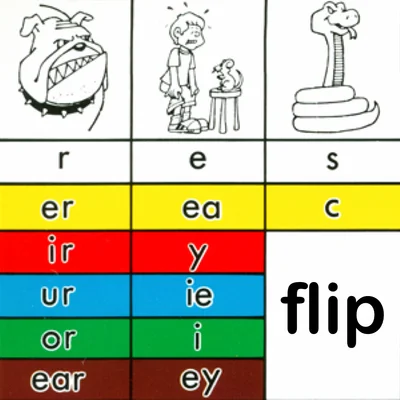
- Độ tuổi4+
- Danh mụcGiáo Dục
- Nhà phát triểnCenter for Innovation in Education
- Ngôn ngữTiếng Anh
- Kích thước8,8 MB
Liên kết đến trang App Store chính thức
Download.org không lưu trữ tệp nào của Decoding Chart - Flip. Nút này mở trang ứng dụng trên App Store, nơi Center for Innovation in Education phát hành ứng dụng. Trang được kiểm tra lần cuối: 17/11/2026.
Ảnh chụp màn hình
Giới thiệu
Nhà phát triển chưa cung cấp nội dung này bằng ngôn ngữ của bạn.
Center for Innovation in Education
Decoding Chart - Flip
Dekodiphukan
Description
The tenth of the fourteen apps that comprise the Baratta-Lorton Reading Program.
The Reading Program is a reading and writing curriculum for beginning readers and any child who has already experienced difficulty in learning to read.
99% unique – 100% effective - 100% free
Background for the fourteen apps
The Baratta-Lorton Reading Program also known as Dekodiphukan (pronounced decode if you can) was developed by the Center for Innovation in Education whose many other offerings include Mathematics Their Way, the first non-traditional math curriculum adopted in by the State of California.
Dekodiphukan has been in use in classrooms across the United States and Canada since 1985. The Program has been used to teach thousands of children to read and to write regardless of background or supposed lack of reading readiness.
To date, no child using the program in a classroom setting has ever failed to learn to read or to write.
This Dekodiphukan reading and writing curriculum is now a series of fourteen apps plus a parent-guide for the iPad that, within a period of six months to a year (or occasionally a bit longer for some special needs children), will enable every child using it to read and to write. Reading with enjoyment. Writing creatively.
Decoding Chart - FLIP
The tenth of the Fourteen Apps
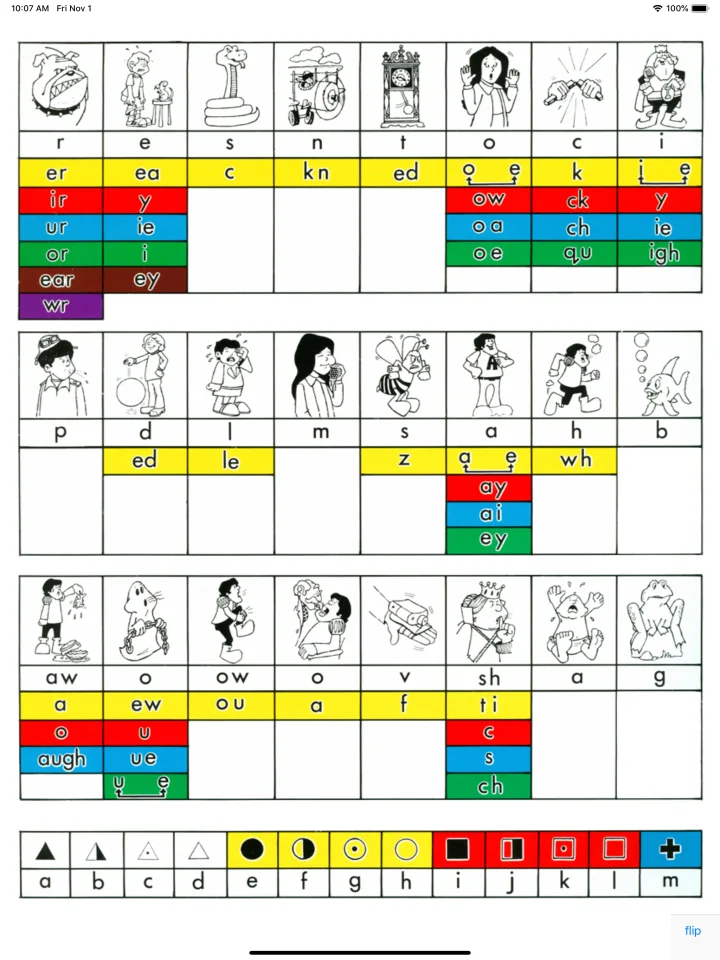
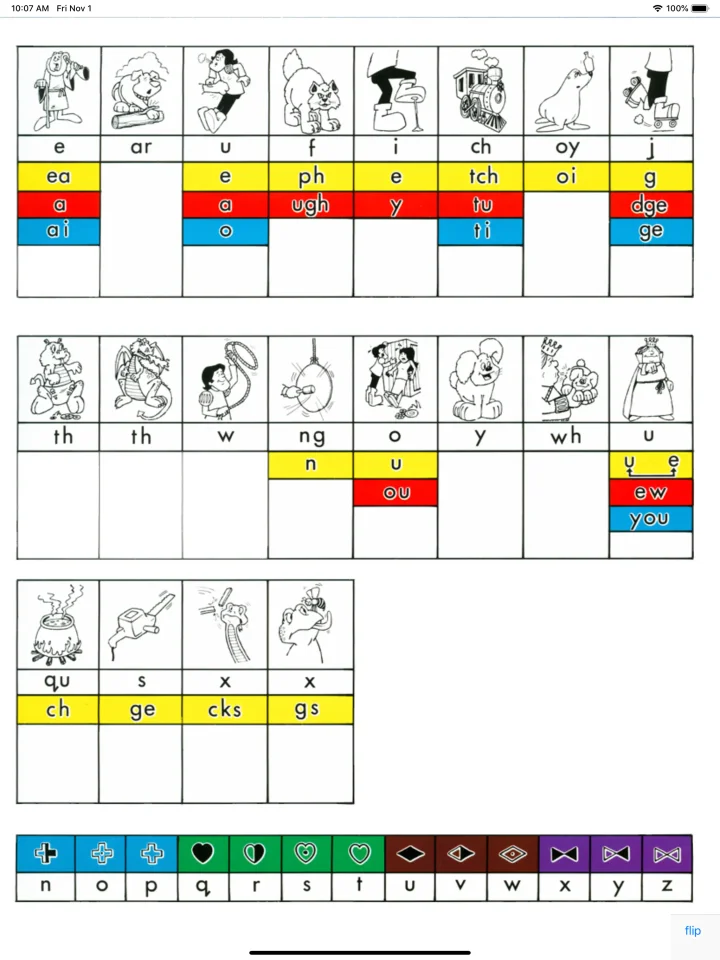
The Decoding Chart converts words written in sounds to words written in letters. It is the vehicle for transitioning the child from sounds to letters. Its use is introduced once the child can comfortably read and write phrases.
The Chart contains the pictures of all forty-four sounds arranged in the same rows and in the same order within each row as they are in the Stamping app. Beneath each sound picture are various ways that sound may be spelled. The spellings listed beneath each sound appear in order of frequency of occurrence in the words which beginning readers are most likely to encounter.
Each of the spellings that appear beneath the sound pictures are color coded. The first spelling of each sound is coded white. If a second spelling is listed, it is coded yellow. Third spellings are red, fourth spellings are blue, fifth are green, sixth are brown, and seventh are purple. The color codings indicate to the child which spelling is to be used to write the letters for a word.
The Decoding Chart does not contain all possible spellings for each sound. It does, however, contain the spellings that appear in ninety-five to ninety-eight percent of the words the child will encounter while learning to read and write.
A parent guide to how to use the Decoding Chart is included in The Guide instructions for the Writing Worksheets.
Two Apps and the Decoding Chart Download
Chart – Levels
The Decoding Chart-Levels app displays the chart in five different levels, each level matching one of the five levels of the Reading Program.
Chart - Flip
The Decoding Chart-Flip app displays half the chart on one side and half on the other side of a flip view.
Download
While the Decoding Chart is available in two app formats and moving between apps is possible with a double-click of the Home button on the iPad, the double-clicking process may not be easily managed by the child.
A more child-accessible version of the Decoding Chart can be downloaded from the Center’s website and printed out.
Decoding Chart
Converts words in sounds to words in letters
Introduced once the child can comfortably read phrases
Available in two different app forms
Also downloadable from the Center’s website
Instructions for its use are included in The Guide’s Writing Worksheet instructions
Có gì mới
Phiên bản 1.3 · 24/12/2025
- Bug Fixes and Improvements.
Quyền riêng tư của ứng dụng
Những gì Center for Innovation in Education khai báo trên App Store về cách ứng dụng này xử lý dữ liệu.
-
Dữ liệu không được thu thập
Nhà phát triển không thu thập bất kỳ dữ liệu nào từ ứng dụng này.
Phương thức đảm bảo quyền riêng tư có thể khác nhau, chẳng hạn như tuỳ theo các tính năng bạn sử dụng hoặc độ tuổi của bạn.
Thông tin
- Người bán
- Bob Baratta-Lorton
- Danh mục
- Giáo Dục
- Phiên bản
- 1.3
- Cập nhật
- 24/12/2025
- Phát hành
- 15/02/2012
- Kích thước
- 8,8 MB
- Yêu cầu
- iOS 15.6 trở lên
- Độ tuổi
- 4+
- Giá
- Miễn phí
- Ngôn ngữ
- Tiếng Anh
- Bản quyền
- © 2012 Center for Innovation in Education