DEHNwork
The app for the DEHNsense EFD.
Được thiết kế cho iPhone, iPod touch
Miễn phí
- Độ tuổi4+
- Danh mụcHiệu Suất
- Nhà phát triểnDEHN SE
- Ngôn ngữTiếng Đức+ 15 ngôn ngữ khác
- Kích thước26,4 MB
Liên kết đến trang App Store chính thức
Download.org không lưu trữ tệp nào của DEHNwork. Nút này mở trang ứng dụng trên App Store, nơi DEHN SE phát hành ứng dụng. Trang được kiểm tra lần cuối: 12/11/2026.
Ảnh chụp màn hình
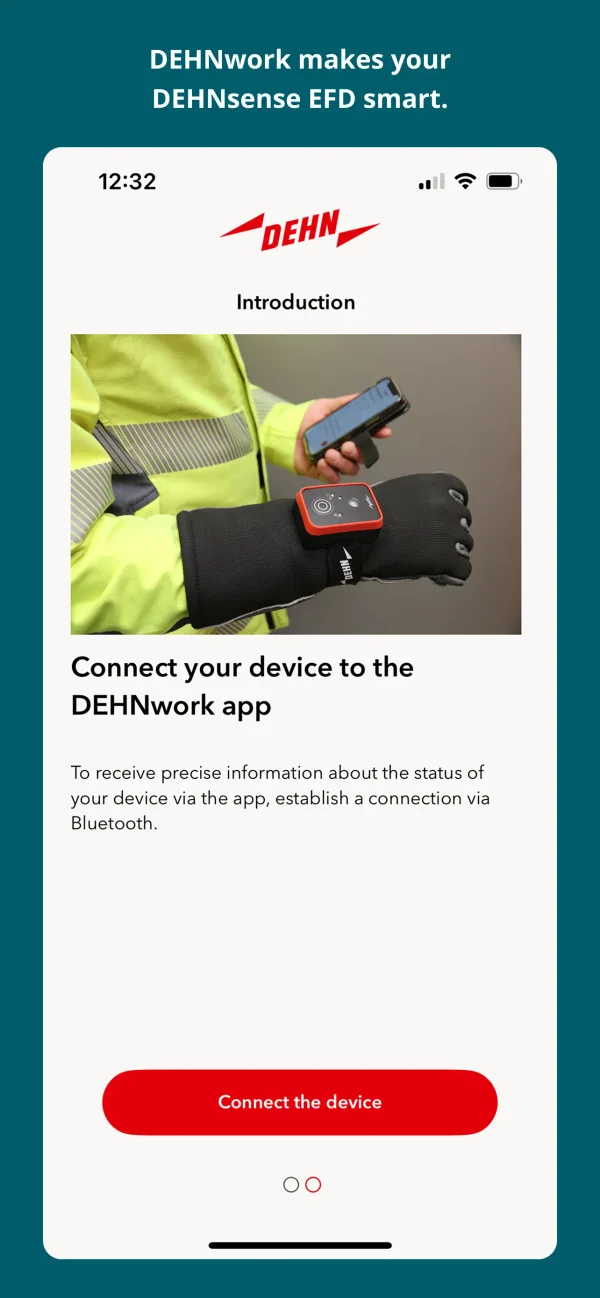


Giới thiệu
Nhà phát triển chưa cung cấp nội dung này bằng ngôn ngữ của bạn.
The DEHNwork app is an innovative application that is used in conjunction with the DEHNsense EFD (Electric Field Detector) voltage alarm. The DEHNsense EFD detects electric fields and provides adjustable visual, haptic and acoustic indicators whose frequency increases when an electric field is approached.
The DEHNwork app enables the DEHNsense EFD user to make settings and configurations and transfer them to the DEHNsense EFD. The following functions are available to users:
1. DEHNsense EFD pairing via BLE
Using BLE, DEHNsense EFD devices that are in the vicinity of your smartphone are recognised and can therefore be paired. To pair the two devices, a PIN is required, which you will find on the back of your DEHNsense EFD. After successful pairing, you can activate and use your DEHNsense EFD in the DEHNwork app.
2. Display of device data
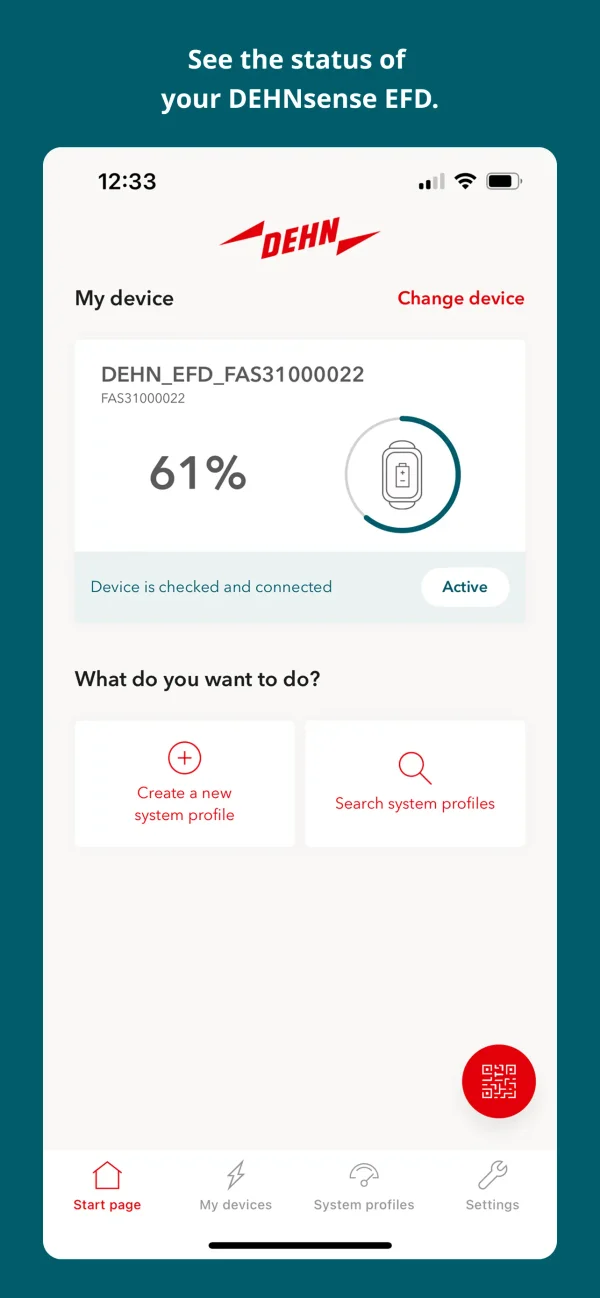
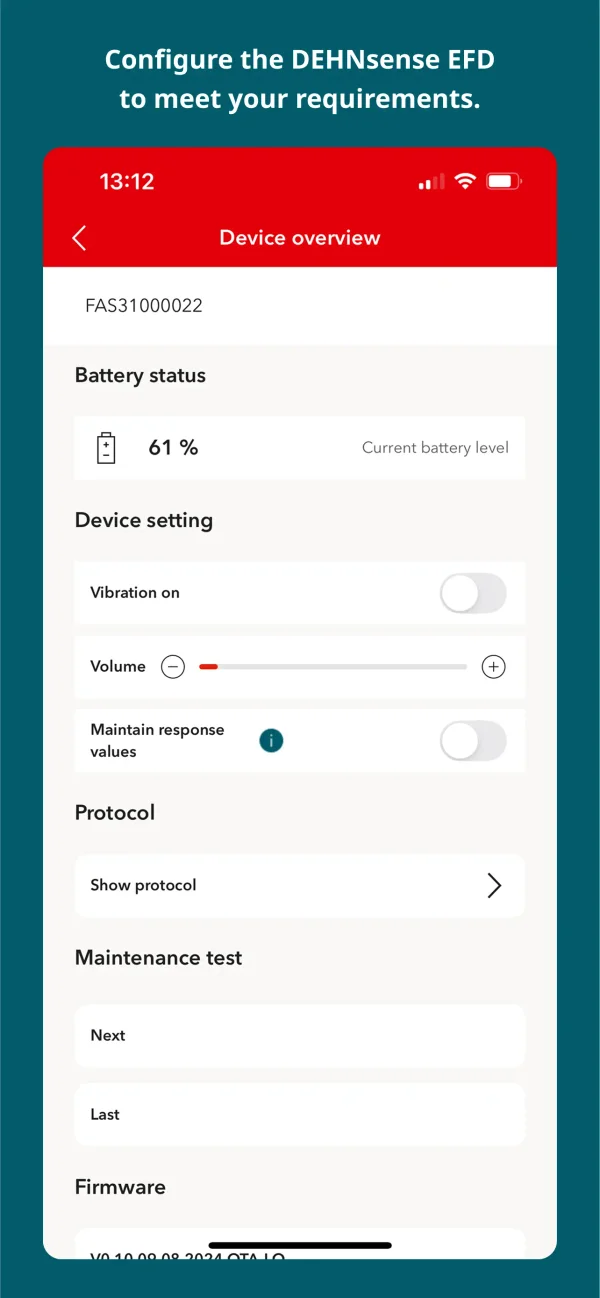
Your connected and active DEHNsense EFD provides you with a status display showing the battery level, performed device check and connection status.
3. Creating and editing system profiles
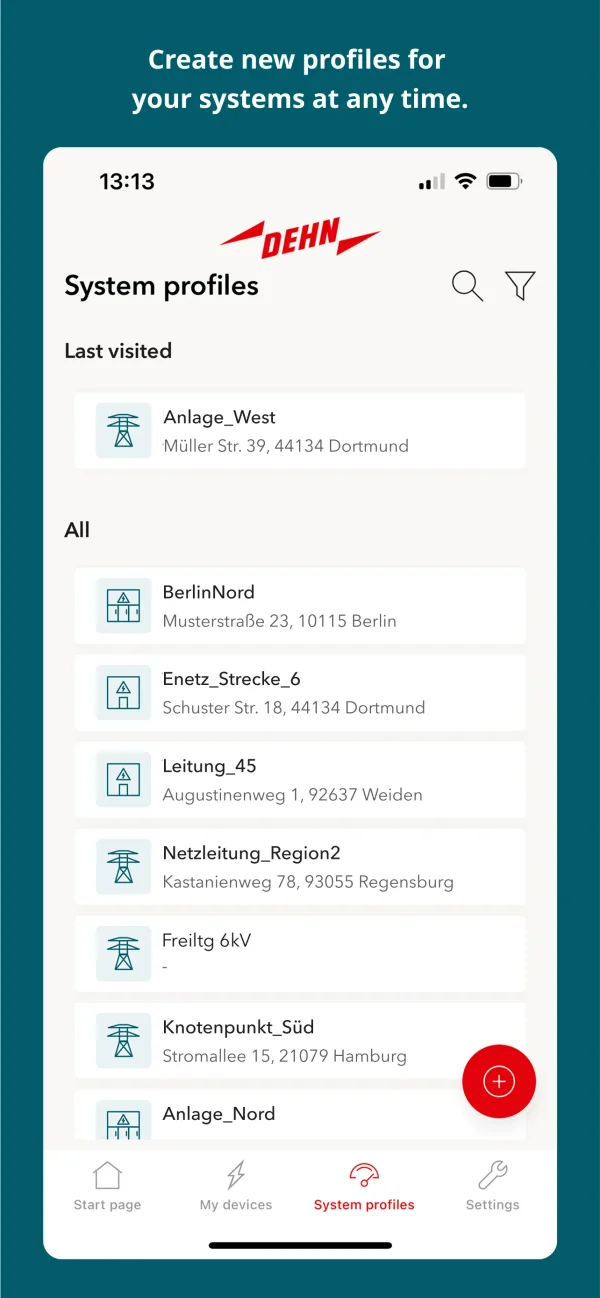
Once you have registered and logged in with your company email address, you can access all the system profiles that have already been created for your domain (@yourcompany.com). You can search, select and activate the system profiles.
Existing system profiles can also be edited. DEHNwork allows you to edit the system title and type. It is also possible to edit the location of the system and the voltage range. Finally, photos of the system can be added to a system profile.
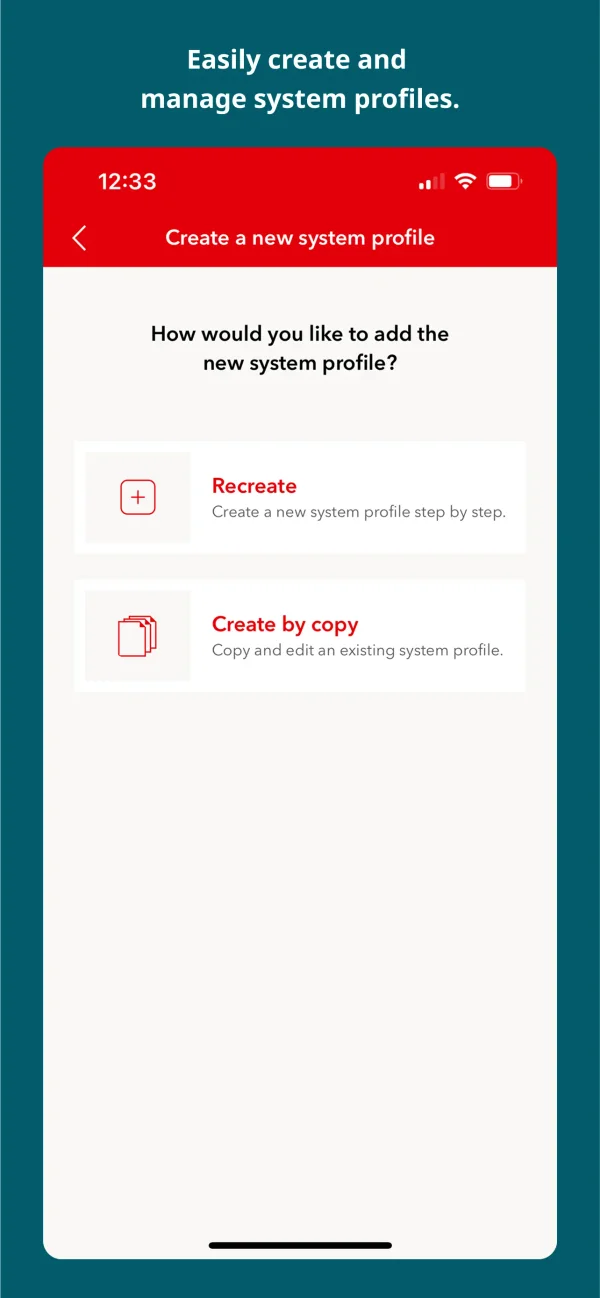
If an installation you require has not yet been created in the system, you can create it via DEHNwork. To do this, you can either copy an existing system profile and then edit it or create the system from scratch.
4. Synchronising system profiles
All system profiles available in DEHNwork can be activated and thus synchronised with your DEHNsense EFD. After successful synchronisation, the values stored in the profile are available in DEHNsense EFD.
The required system profile can also be activated by scanning a QR code. Immediately after scanning, you can activate the stored system profile and synchronise it with your DEHNsense EFD.
5. Warning sensitivity settings
You can use the DEHNwork app to adjust the response threshold to suit your working conditions. You can use a controller to set the distance to the live working zone smaller or larger. This always takes place within the framework of the stored system profiles and there are minimum distances that cannot be breached.
6. DEHNsense EFD response value customisation
After switching off or charging the DEHNsense EFD, the response values are normally automatically reset to more sensitive settings. You can deactivate this to retain the last set response values.
7. Implementation of DEHNsense EFD firmware updates
As soon as a firmware update is available for the DEHNsense EFD, you will receive a corresponding notification via the DEHNwork app. You can start the firmware update via the DEHNwork app. The DEHNwork app and DEHNsense EFD must be connected to do this.
Note:
The DEHNsense EFD is an additional hazard warning device that protects against the dangers of electric current. It is not a substitute for compliance with the 5 safety rules of DIN VDE 0105-100 (operation of electrical installations) or for ensuring a dead condition at the work location (3rd rule).
The DEHNsense EFD warns you when entering the vicinity zone and thus helps to prevent entering the live working zone.
Có gì mới
Phiên bản 1.0.6 · 06/10/2026
iOS 27 performance enhancements and bug fixes
Quyền riêng tư của ứng dụng
Những gì DEHN SE khai báo trên App Store về cách ứng dụng này xử lý dữ liệu.
-
Dữ liệu liên kết với bạn
Có thể được thu thập và liên kết với danh tính của bạn.
- Thông tin liên hệ
- Mã định danh
-
Dữ liệu không liên kết với bạn
Có thể được thu thập nhưng không liên kết với danh tính của bạn.
- Vị trí
- Thông tin liên hệ
- Mã định danh
Phương thức đảm bảo quyền riêng tư có thể khác nhau, chẳng hạn như tuỳ theo các tính năng bạn sử dụng hoặc độ tuổi của bạn.
Thông tin
- Người bán
- DEHN SE
- Danh mục
- Hiệu Suất
- Phiên bản
- 1.0.6
- Cập nhật
- 06/10/2026
- Phát hành
- 01/04/2025
- Kích thước
- 26,4 MB
- Yêu cầu
- iOS 15.0 trở lên
- Độ tuổi
- 4+
- Giá
- Miễn phí
- Ngôn ngữ
- Tiếng Đức, Tiếng Đan Mạch, Tiếng Anh, Tiếng Phần Lan, Tiếng Pháp, Tiếng Ý, Tiếng Hà Lan, Tiếng Bokmål Na Uy, Tiếng Ba Lan, Tiếng Thụy Điển, Tiếng Slovak, Slovenian + 4 ngôn ngữ khác
- Bản quyền
- © 2025 DEHN SE