
DevToolkit - SSH & FTP
SFTP, DNS, Ping, HTTP, Browser
Được thiết kế cho iPhone, iPad
Miễn phí
- Độ tuổi17+
- Danh mụcCông Cụ Nhà Phát Triển
- Nhà phát triểnOMER SEZGIN
- Ngôn ngữTiếng Anh+ 4 ngôn ngữ khác
- Kích thước51,8 MB
Liên kết đến trang App Store chính thức
Download.org không lưu trữ tệp nào của DevToolkit - SSH & FTP. Nút này mở trang ứng dụng trên App Store, nơi OMER SEZGIN phát hành ứng dụng. Trang được kiểm tra lần cuối: 12/11/2026.
Ảnh chụp màn hình
Giới thiệu
Nhà phát triển chưa cung cấp nội dung này bằng ngôn ngữ của bạn.
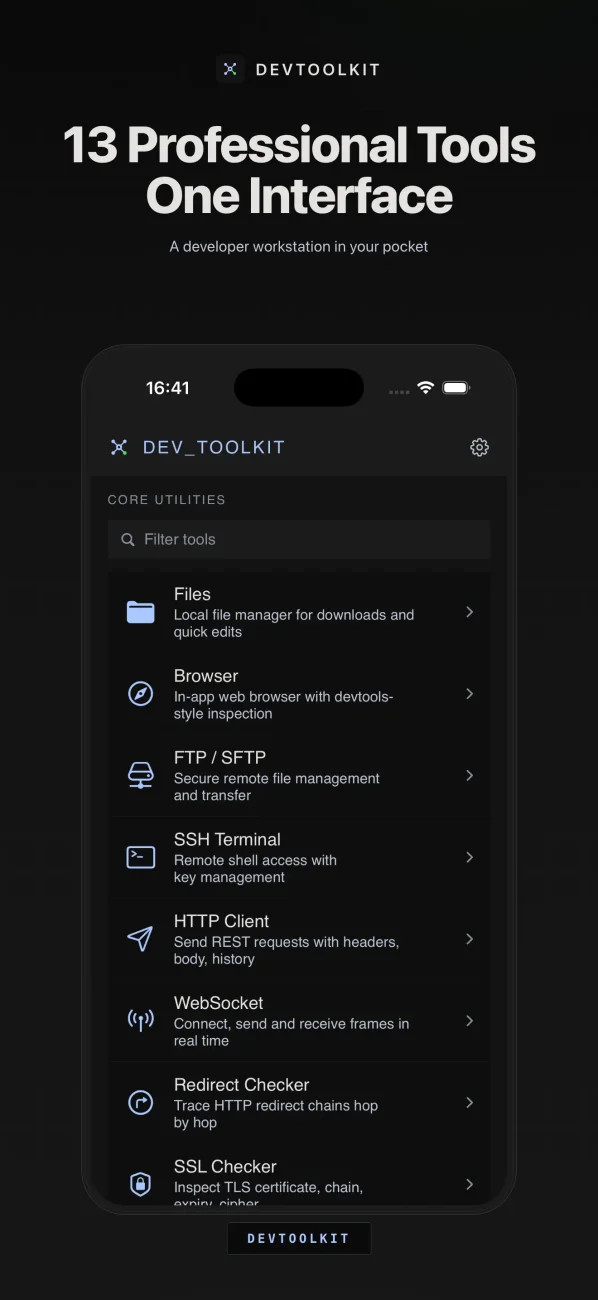
A developer's toolkit in your pocket. SSH, SFTP, FTP/FTPS, DNS, Ping, Traceroute, HTTP, WebSocket, SSL and more — all in one app, no accounts, no data sent to the cloud.
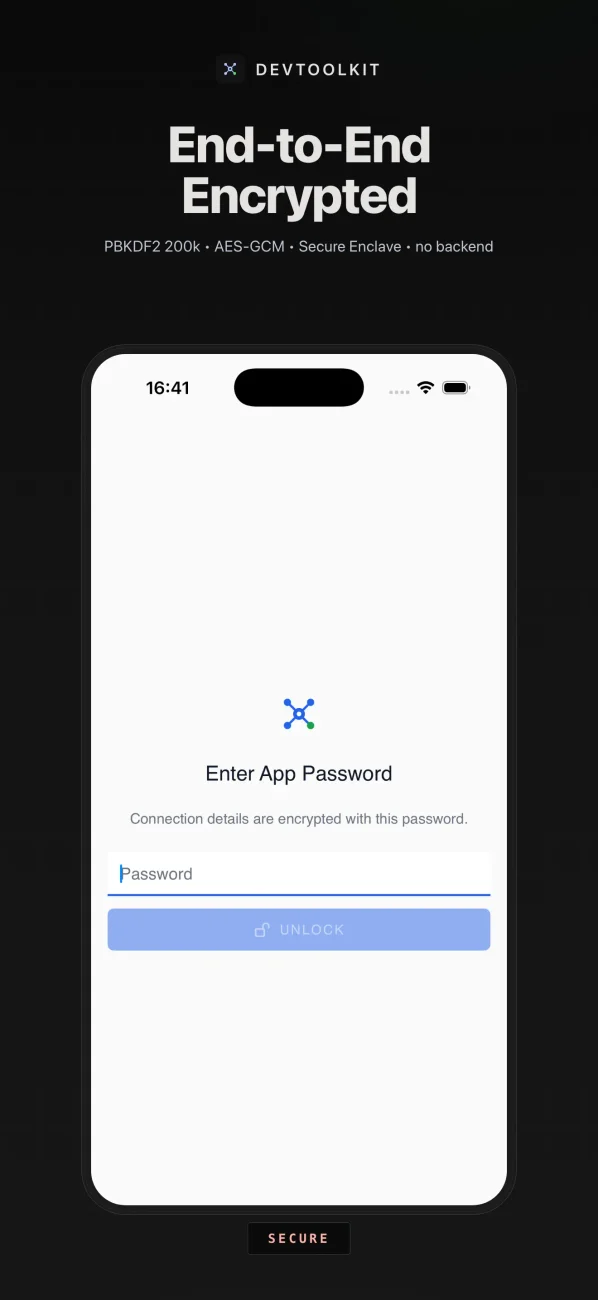
A single password encrypts everything and keeps it on your device. 13 professional tools, one interface. Native iOS 17 app; no ads, no tracking, no backend.
NETWORK DIAGNOSTIC TOOLS
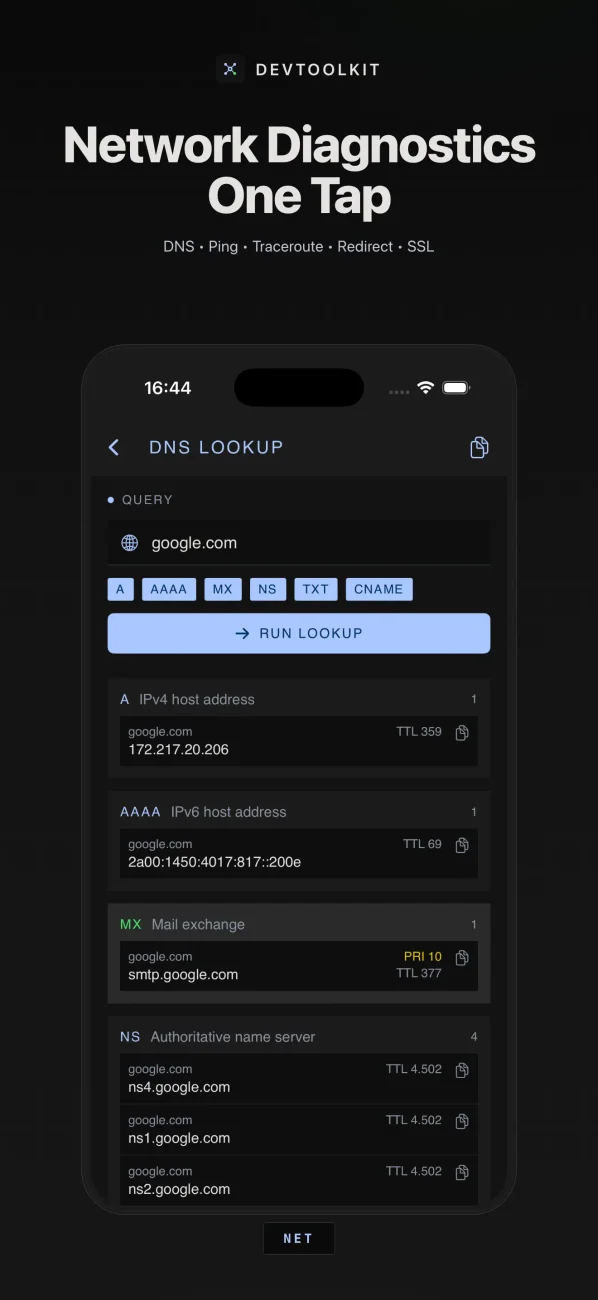
• DNS Lookup — A, AAAA, MX, NS, TXT, CNAME records; multiple types in one query
• Ping — live latency chart, avg/min/max and packet loss statistics
• Traceroute — UDP-based, per-hop latency with reverse DNS
• Redirect Checker — follows the HTTP redirect chain step by step; loop detection
• SSL Checker — TLS certificate, chain, expiration, cipher suite, SAN list
FILE TRANSFER (FTP/SFTP)
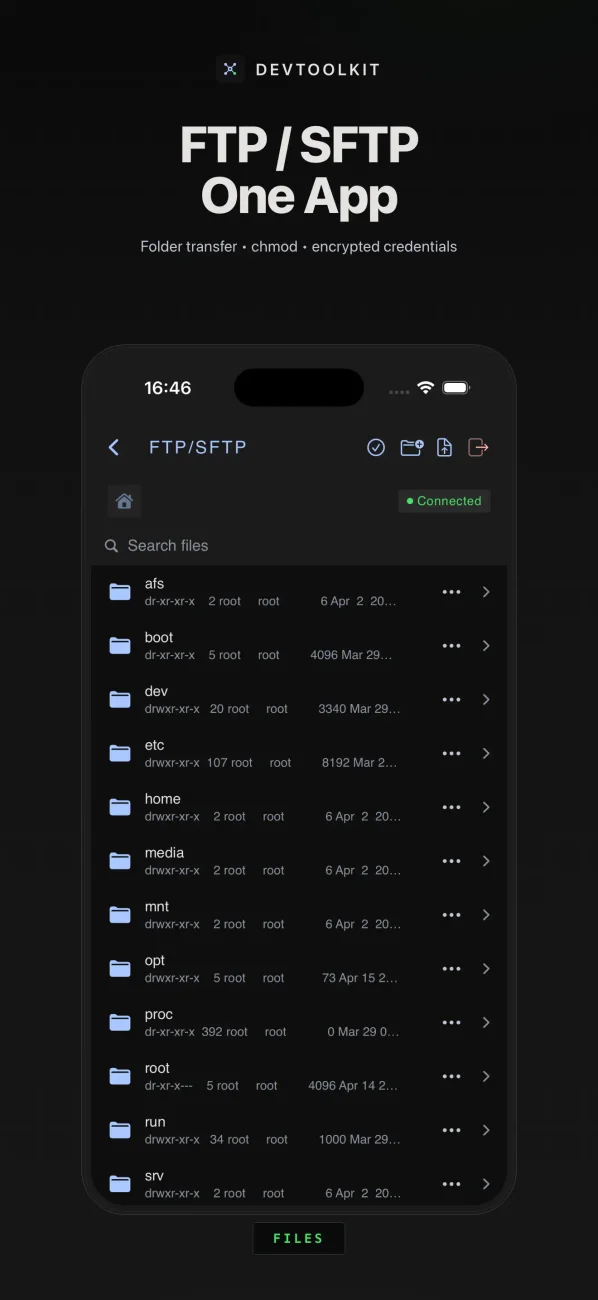
• FTP, FTPS and SFTP protocol support
• Folder upload and download (recursive, including subdirectories)
• File permissions (chmod) — numeric mode with preview
• Rename, move, copy, bulk delete
• Tappable breadcrumb for fast directory navigation
• Home icon jumps to the root directory in one tap
• Connection details and passwords stored encrypted
REMOTE SHELL (SSH)
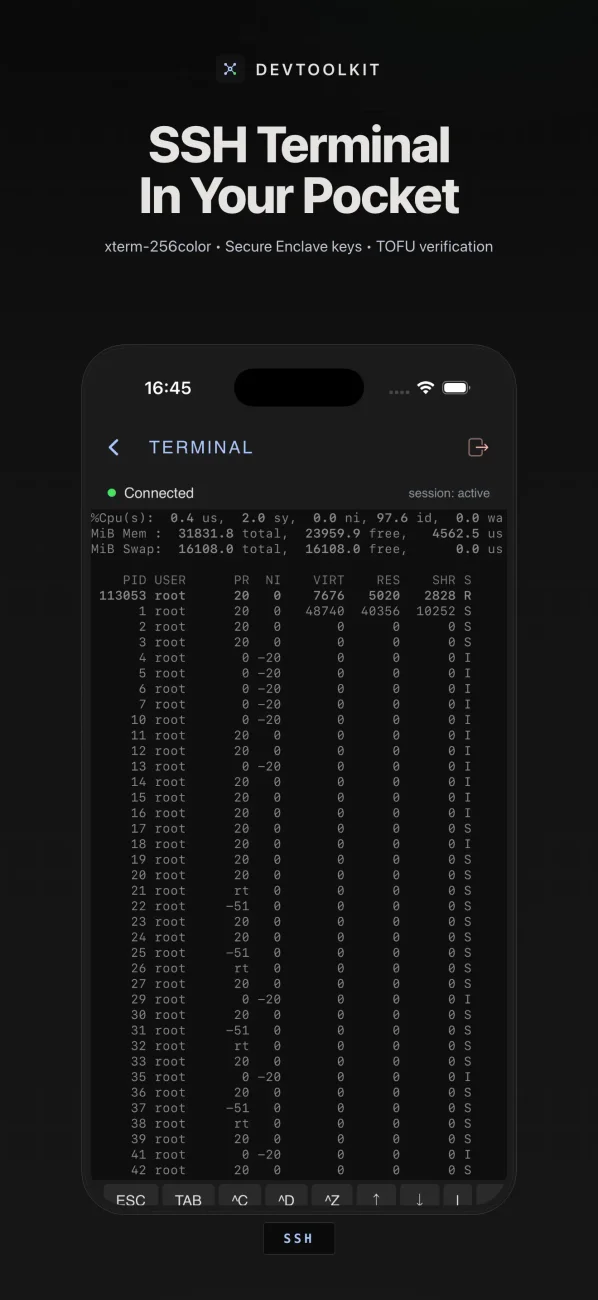
• xterm-256color emulation — top, htop, vim and other screen apps work smoothly
• Password, OpenSSH Ed25519 private key, and Secure Enclave-backed P-256 key auth
• TOFU host key verification; warns against MITM attacks
• Customizable keyboard shortcuts: Ctrl, Esc, Tab, arrow keys, pipe, tilde, slash
• Reorder shortcuts by drag and drop
• Active SSH sessions stay alive in the background
WEB DEVELOPMENT
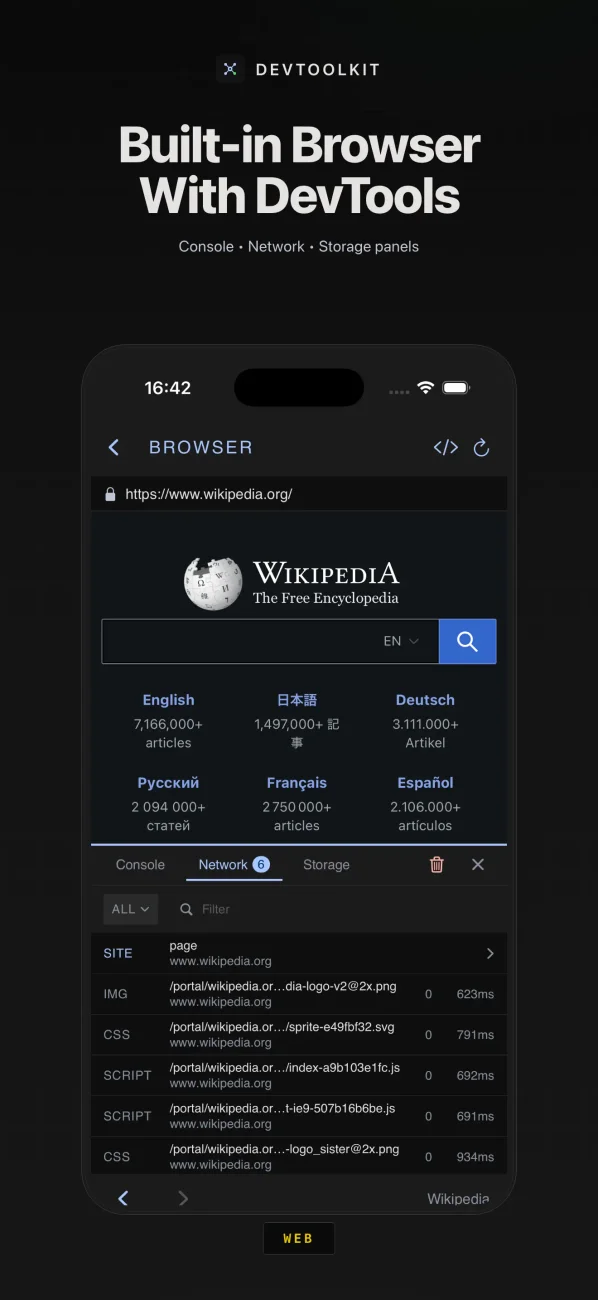
• Built-in browser — WKWebView with Console, Network, and Storage panels
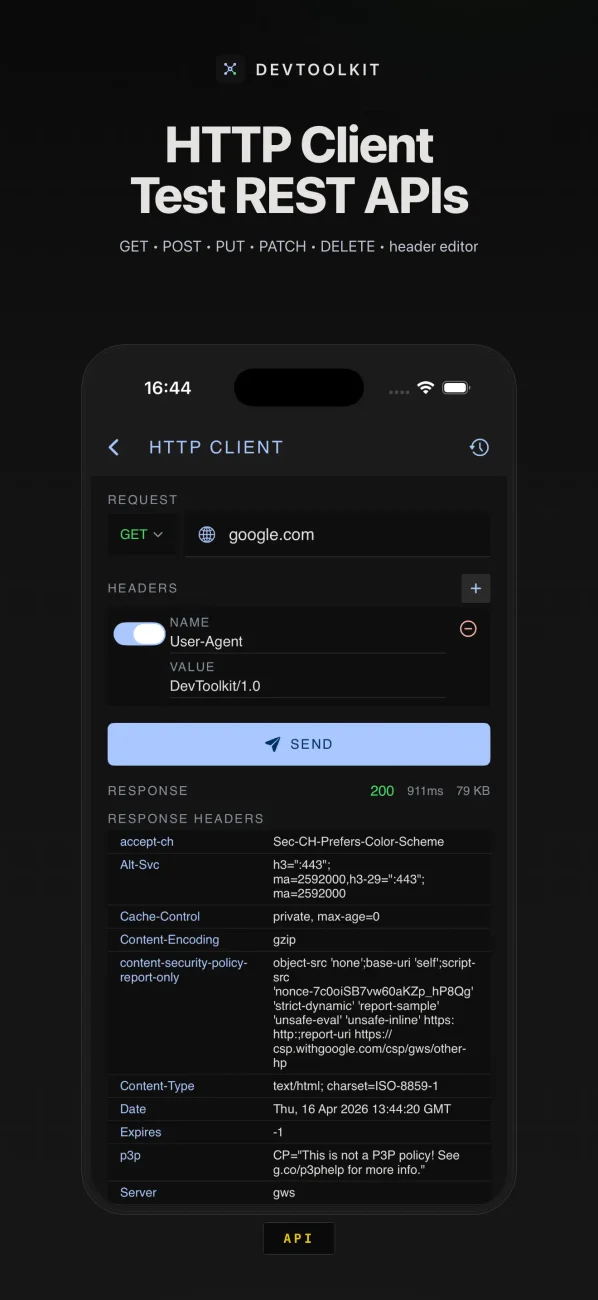
• HTTP client — GET, POST, PUT, PATCH, DELETE, HEAD, OPTIONS; header editor, JSON/Form/Raw body
• WebSocket — connect, send/receive text and binary frames, live log, 500-frame buffer
• History for previous requests (HTTP and WebSocket)
FILE MANAGER
• Local file browser with tappable breadcrumb
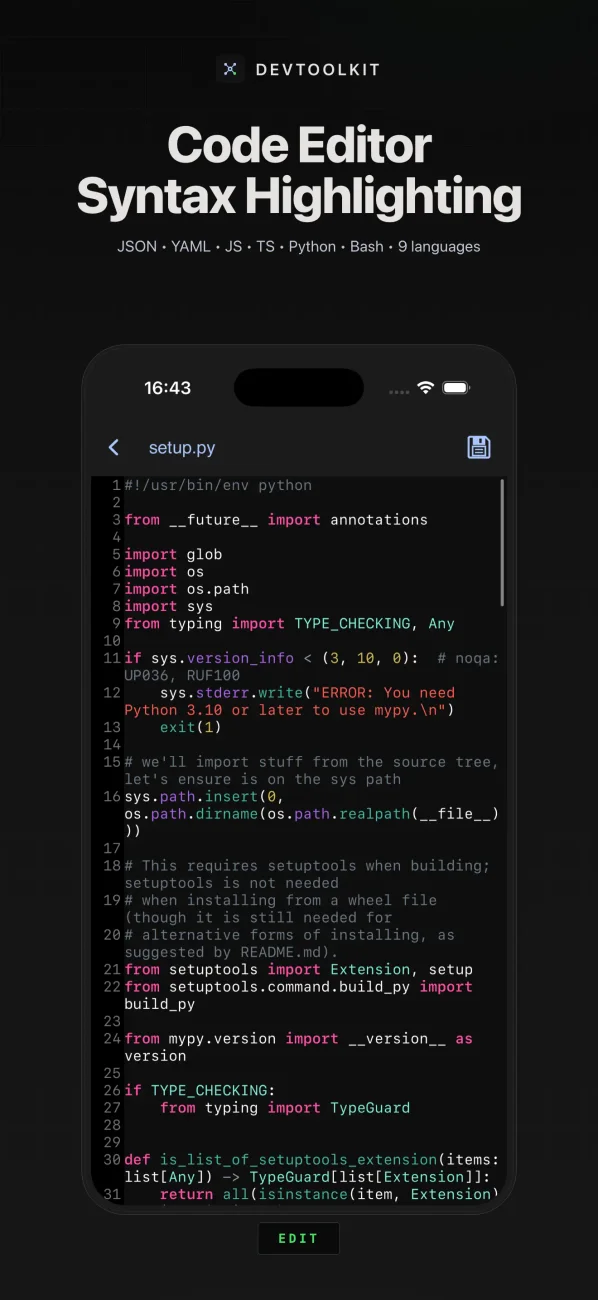
• Syntax-highlighted code editor: JSON, YAML, Markdown, JavaScript, TypeScript, Python, Bash, HTML, CSS
• Image viewer and editor — crop, resize, convert to PNG/JPG/WEBP/HEIC/GIF/ICO, quality control
• PDF reader
• Media player: MP4, M4V, MOV, MP3, AAC, WAV, MKV, WEBM, AVI, FLV, TS, OGG
• Archives: ZIP, TAR, GZIP, BZip2, XZ, 7Z, RAR extraction; ZIP compression
• Hardened against archive attacks like zip-slip
MEDIA PLAYER (from URL)
• MP4, MOV, MP3, M4A, AAC, WAV
• HLS live streams (.m3u8)
• Custom headers like Authorization and Cookie (HTTPS only)
• History of loaded streams
NOTES
• End-to-end encrypted notes — protected by your app password
• Attach photos and files
• Attachments open directly in the in-app viewers
SECURITY
• On-device PBKDF2 (200,000 iterations, SHA-256) and AES-GCM encryption
• All connections, passwords, SSH keys, notes, and history stored encrypted
• Atomic password change with automatic rollback on failure
• Auto-lock — immediate, 1 min, 5 min, 10 min, 30 min, 1 hour
• Auto-wipe after too many wrong password attempts (optional; 3, 5, 10, 15, 20)
• SSH private keys can be generated inside the Secure Enclave; the key never leaves the device
• No data is sent to any cloud. No backend. No account required.
WHO IS IT FOR?
System administrators, backend and web developers, DevOps and network engineers, and anyone who tinkers with servers and networks. One app, one password, fully local — a professional workstation in your pocket.
WHAT CAN YOU DO?
• Connect to a remote server via SSH, run commands, tail logs
• Transfer files and folders over SFTP, change permissions remotely
• Verify DNS, SSL, and redirect chains when launching a new domain
• Diagnose network issues with ping, traceroute, public/local IP
• Test a REST API, try a WebSocket endpoint
• Watch live console output and network traffic in the built-in browser
• Download a ZIP archive, extract it, edit the code inside with syntax highlighting
Quyền riêng tư của ứng dụng
Những gì OMER SEZGIN khai báo trên App Store về cách ứng dụng này xử lý dữ liệu.
-
Dữ liệu không được thu thập
Nhà phát triển không thu thập bất kỳ dữ liệu nào từ ứng dụng này.
Phương thức đảm bảo quyền riêng tư có thể khác nhau, chẳng hạn như tuỳ theo các tính năng bạn sử dụng hoặc độ tuổi của bạn.
Thông tin
- Người bán
- OMER SEZGIN
- Danh mục
- Công Cụ Nhà Phát Triển
- Phiên bản
- 1.0
- Cập nhật
- 20/04/2026
- Phát hành
- 19/04/2026
- Kích thước
- 51,8 MB
- Yêu cầu
- iOS 17.0 trở lên
- Độ tuổi
- 17+
- Giá
- Miễn phí
- Ngôn ngữ
- Tiếng Anh, Tiếng Đức, Tiếng Nga, Tiếng Trung Giản thể, Tiếng Thổ Nhĩ Kỳ
- Bản quyền
- © ÖMER SEZGİN
Có thể bạn cũng thích
-
 Control: AI Agent RemoteCông Cụ Nhà Phát Triển
-
 Nice SSHCông Cụ Nhà Phát Triển
-
 KaViewCông Cụ Nhà Phát Triển
-
 OpenVideCông Cụ Nhà Phát Triển
-
 PushwordCông Cụ Nhà Phát Triển
-
 MuxAgent: Remote CodingCông Cụ Nhà Phát Triển
-
 DevForge - Developer ToolsCông Cụ Nhà Phát Triển
-
 Tap Command RunnerCông Cụ Nhà Phát Triển
-
 DeviapCông Cụ Nhà Phát Triển
-
 OpsToolboxCông Cụ Nhà Phát Triển