DotMatrix Studio
Retro 1-bit dither camera
Được thiết kế cho iPhone, iPad, iPod touch
Miễn phí
- Độ tuổi4+
- Danh mụcẢnh & Video
- Nhà phát triểnJohn Darkwa
- Ngôn ngữTiếng Anh
- Kích thước24,1 MB
Liên kết đến trang App Store chính thức
Download.org không lưu trữ tệp nào của DotMatrix Studio. Nút này mở trang ứng dụng trên App Store, nơi John Darkwa phát hành ứng dụng. Trang được kiểm tra lần cuối: 08/11/2026.
Ảnh chụp màn hình

Giới thiệu
Nhà phát triển chưa cung cấp nội dung này bằng ngôn ngữ của bạn.
Your photos, run through a monitoring terminal.
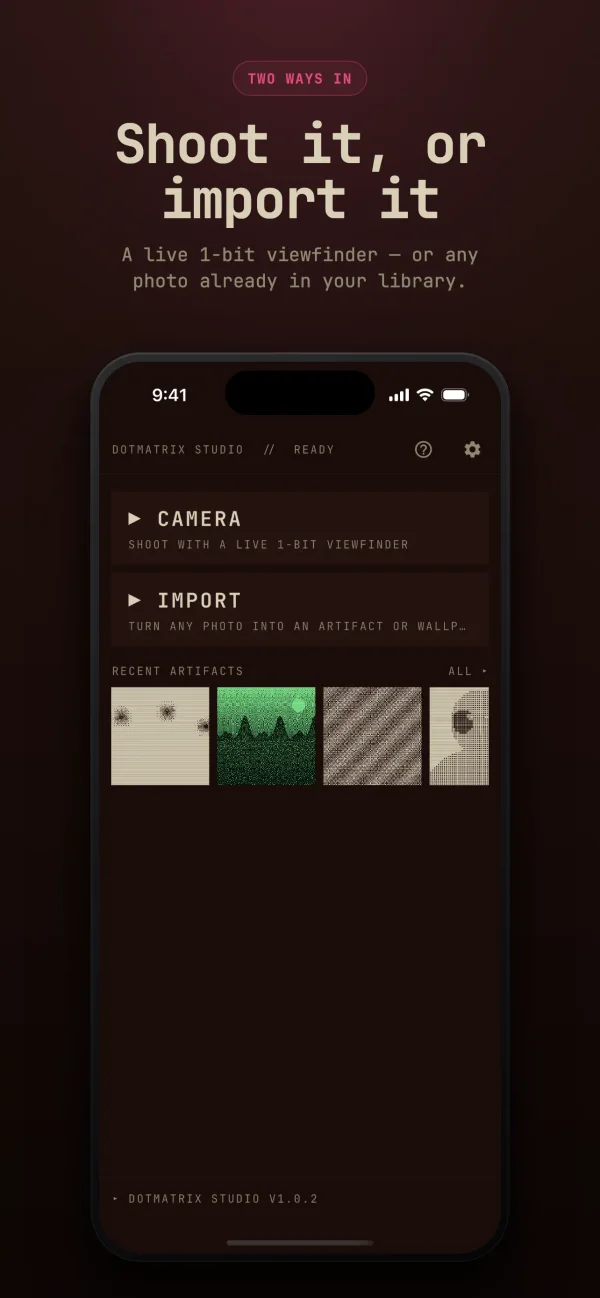
DotMatrix Studio turns anything you shoot or import into a 1-bit artifact — the dot-matrix look of VFD displays, old newsprint and station monitors. There is no preset carousel to scroll past: you dial the look in yourself and watch it render live.
SHOOT IN 1-BIT
A live dithered viewfinder shows you the look before the shutter, not after. Toggle between DOTMATRIX and NORMAL if you would rather frame with the plain camera first, adjust pixel size and palette on the rail, and flip between front and back cameras.
THREE FILM STOCKS
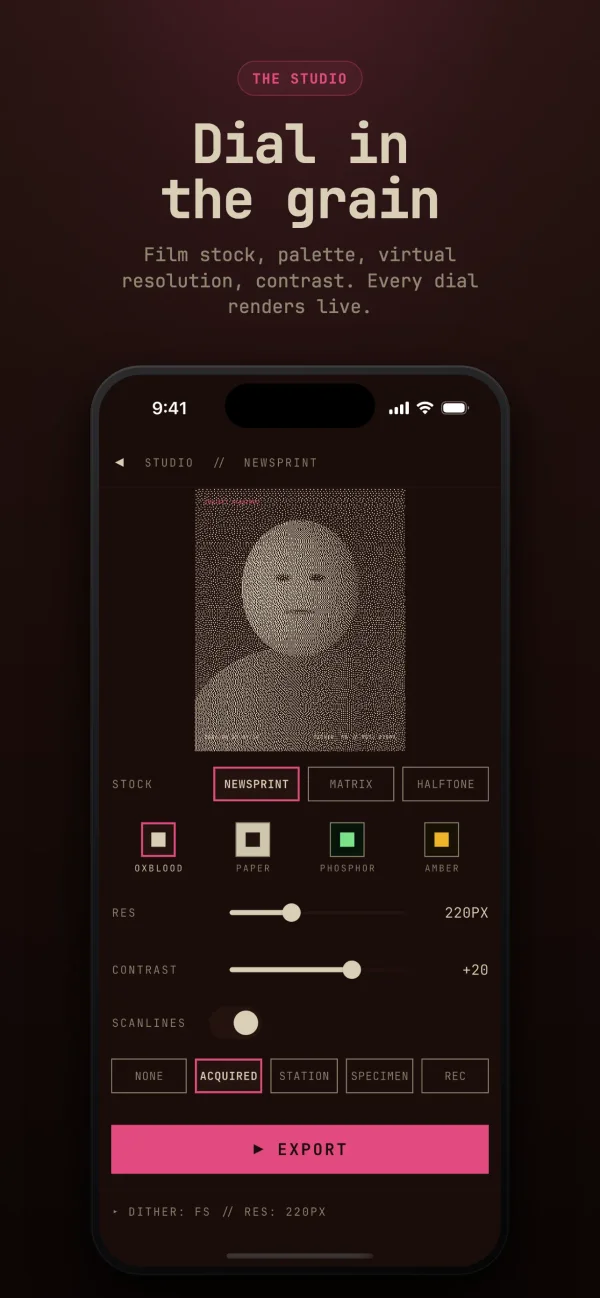
NEWSPRINT — Floyd–Steinberg error diffusion, the fine scattered grain of a printed photograph.
MATRIX — Bayer 8x8 ordered dithering, the regular weave of a hardware display.
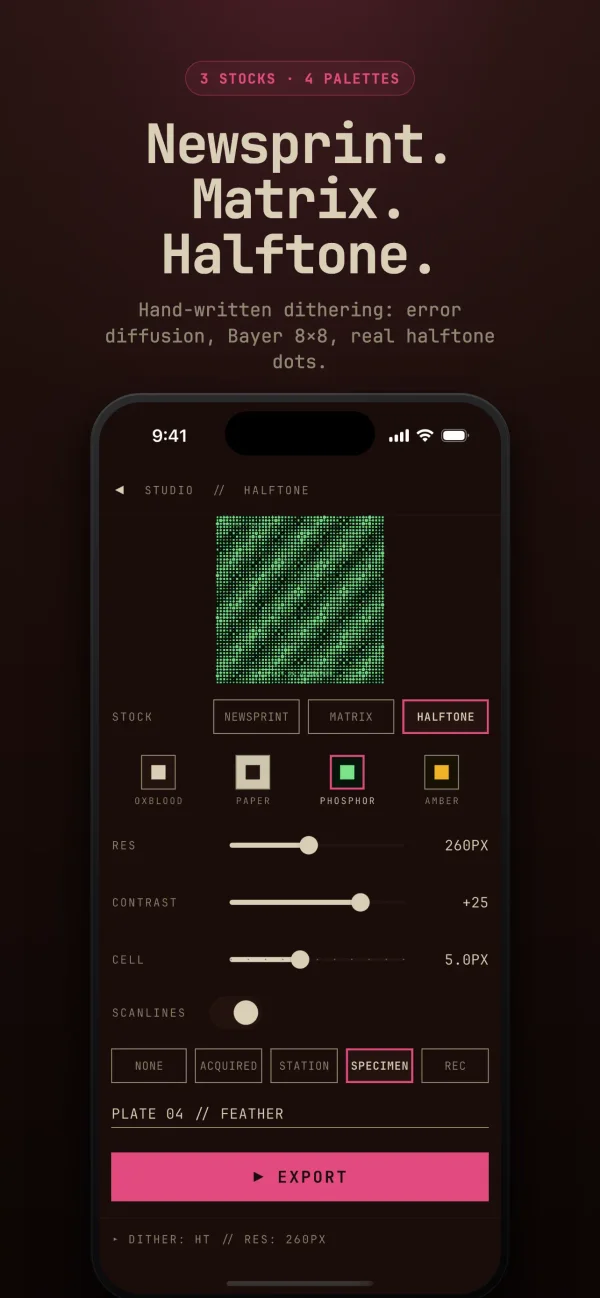
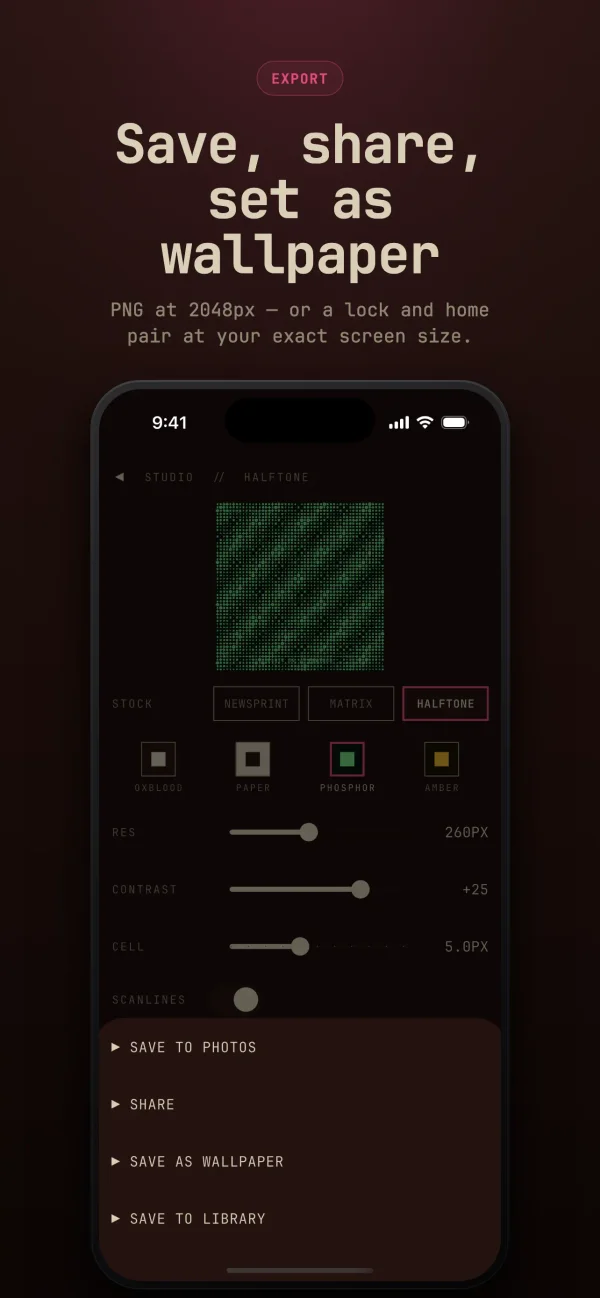
HALFTONE — real circular dots on a grid, with an adjustable cell size.
All three are written by hand for this app and tuned by eye, not borrowed from a library.
FOUR PALETTES
OXBLOOD, PAPER, PHOSPHOR and AMBER. Each is a two-colour stock with its own accent, from warm terminal red to green phosphor glow.
THE DIALS
Virtual resolution, 80 to 480 pixels wide, is the chunkiness itself: drop it and the image breaks into big honest dots, raise it and the detail creeps back. Contrast runs -50 to +50. Halftone cell size is adjustable. Scanlines darken every third row. Press and hold the preview to peek at the original underneath.
TELEMETRY FRAMES
Five frames — ACQUIRED, STATION, SPECIMEN, REC, or none — stamp your artifact with instrument chrome: dates, dither codes, resolution readouts, and a caption of your own. Frame text is drawn at full export resolution, so it is never a pixel-doubled smear.
WALLPAPERS
Render your artifact at your device's exact pixel size as a lock and home pair, then set it from the Photos app.
A LIBRARY THAT STAYS EDITABLE
Saved artifacts are parametric: the source photo and every setting are stored together, so reopening one restores the whole editing session. Change your mind about a palette a month later and nothing is lost.
EXPORT
PNG at 2048px on the long edge. Save to Photos, share anywhere, save as a wallpaper, or keep it in the library. Saving and sharing record the artifact automatically, so an exported image is never a dead end.
COMPLETELY OFFLINE
There is no network permission in this app at all. No account, no sign-in, no analytics, no ads, no location. Your photos never leave your device, because there is nowhere for them to go.
Quyền riêng tư của ứng dụng
Những gì John Darkwa khai báo trên App Store về cách ứng dụng này xử lý dữ liệu.
-
Dữ liệu không được thu thập
Nhà phát triển không thu thập bất kỳ dữ liệu nào từ ứng dụng này.
Phương thức đảm bảo quyền riêng tư có thể khác nhau, chẳng hạn như tuỳ theo các tính năng bạn sử dụng hoặc độ tuổi của bạn.
Thông tin
- Người bán
- John Darkwa
- Danh mục
- Ảnh & Video
- Phiên bản
- 1.0.5
- Cập nhật
- 24/08/2026
- Phát hành
- 24/08/2026
- Kích thước
- 24,1 MB
- Yêu cầu
- iOS 15.0 trở lên
- Độ tuổi
- 4+
- Giá
- Miễn phí
- Ngôn ngữ
- Tiếng Anh
- Bản quyền
- © 2026, CodeWithDarkwa
Có thể bạn cũng thích
-
 SmolcamẢnh & Video
-
 Tone Cam — Printed PhotosẢnh & Video
-
 Press PaperẢnh & Video
-
 ASCII Nyra: Sửa Ảnh ChữVideo ASCII, pixel và glitch
-
 Fracture Frame by FrameẢnh & Video
-
 PhotoShaders: Retro Photo ArtẢnh & Video
-
 TapeCam 8mmẢnh & Video
-
 CRASTiPIX-liteẢnh & Video
-
 PRINT DOT - Halftone RisoIn lưới, truyện tranh, retro
-
 Boltz: Strobe ArtẢnh & Video