Driver's Road
Customizable Vehicle Dashboard
Được thiết kế cho iPhone, iPod touch
Miễn phí
- Độ tuổi4+
- Danh mụcDẫn Đường
- Nhà phát triểnDaiki Nakano
- Ngôn ngữTiếng Nhật+ 1 ngôn ngữ khác
- Kích thước52,0 MB
Liên kết đến trang App Store chính thức
Download.org không lưu trữ tệp nào của Driver's Road. Nút này mở trang ứng dụng trên App Store, nơi Daiki Nakano phát hành ứng dụng. Trang được kiểm tra lần cuối: 15/11/2026.
Ảnh chụp màn hình



Giới thiệu
Nhà phát triển chưa cung cấp nội dung này bằng ngôn ngữ của bạn.
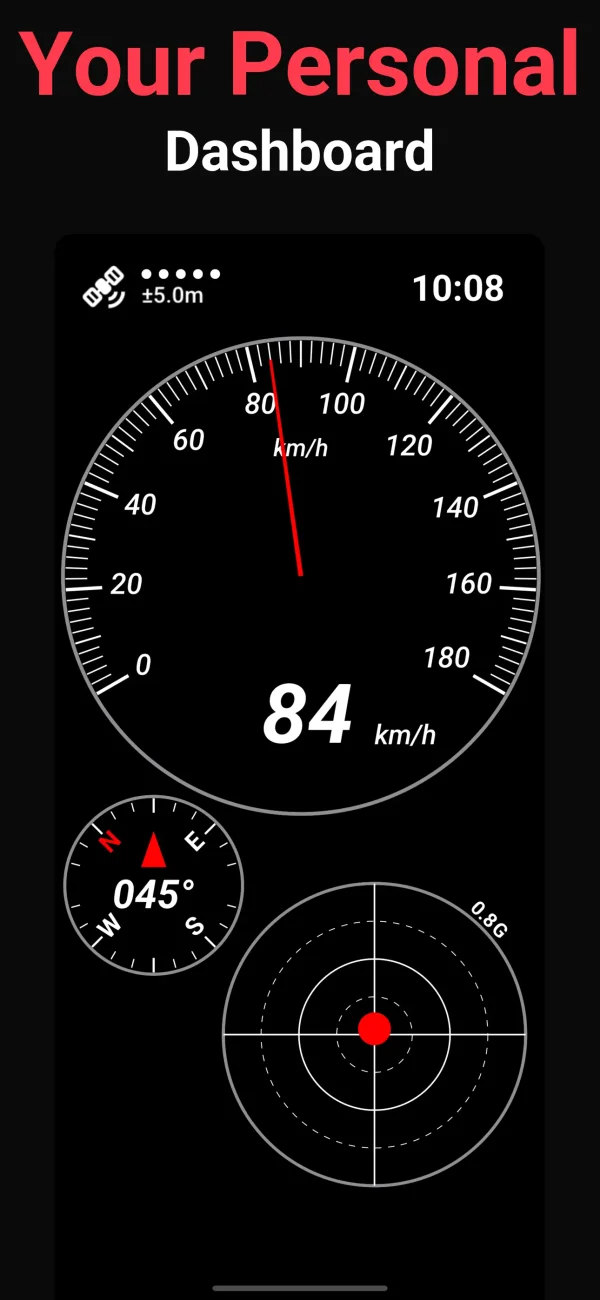
Driver's Road turns your smartphone into a feature-rich vehicle dashboard.
CUSTOMIZABLE WIDGETS
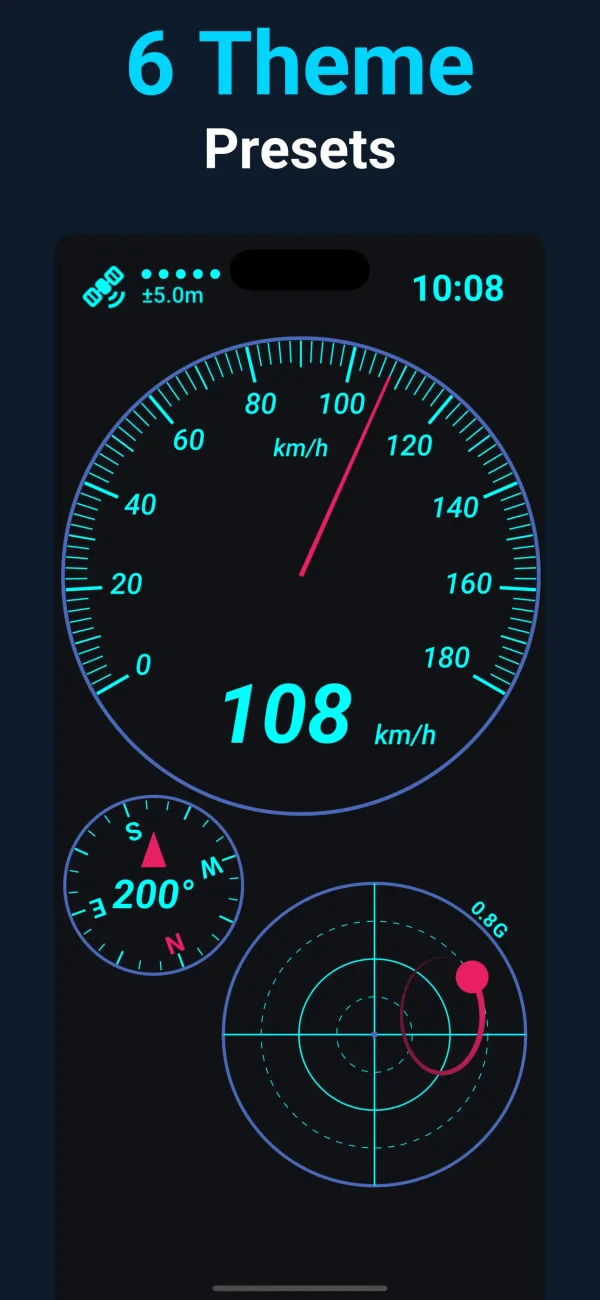
Freely arrange speedometers (digital, analog, 7-segment), compass, G-force meter, GPS status, odometer, road info, and clock widgets on your screen. Resize, reorder layers, and save up to three layouts — rename, duplicate, or delete them anytime.
THEMES
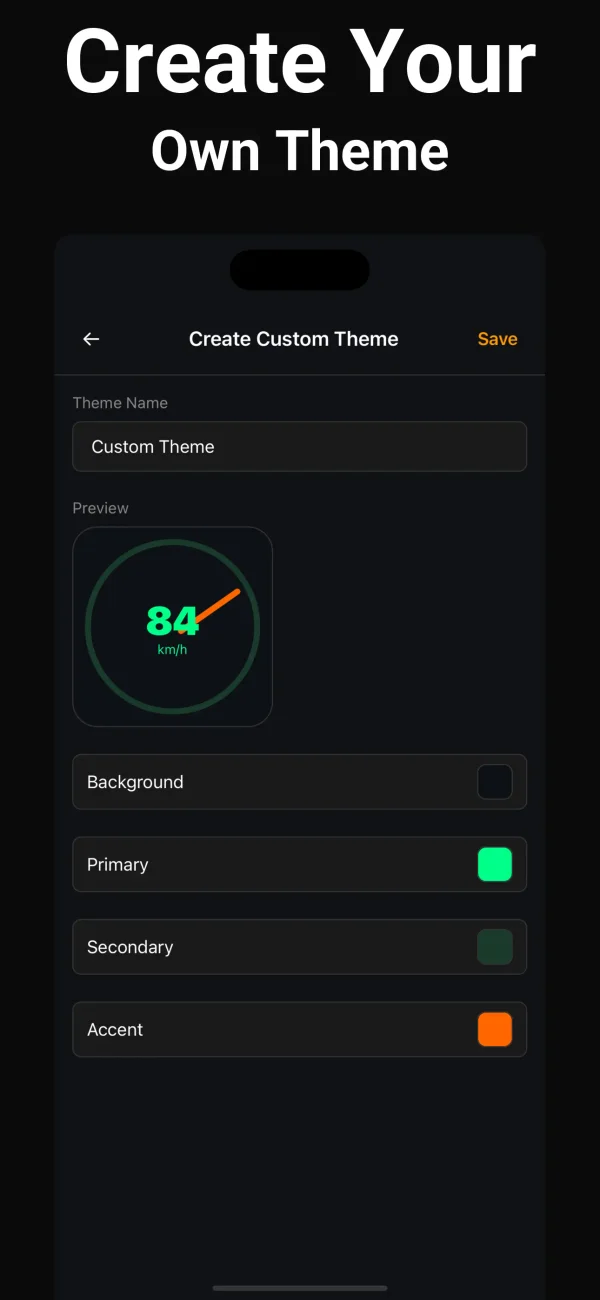
Choose between dark and light modes, or create your own custom theme for comfortable viewing day or night. You can also set a photo from your camera roll as the dashboard background, with opacity, blur, and tint controls to keep widgets readable. Each layout keeps its own background.
MY GARAGE
Register your car with its specs — model, year, color — and a photo. The photo you register can be used as the background of your dashboard or your share cards.
DRIVING LOG
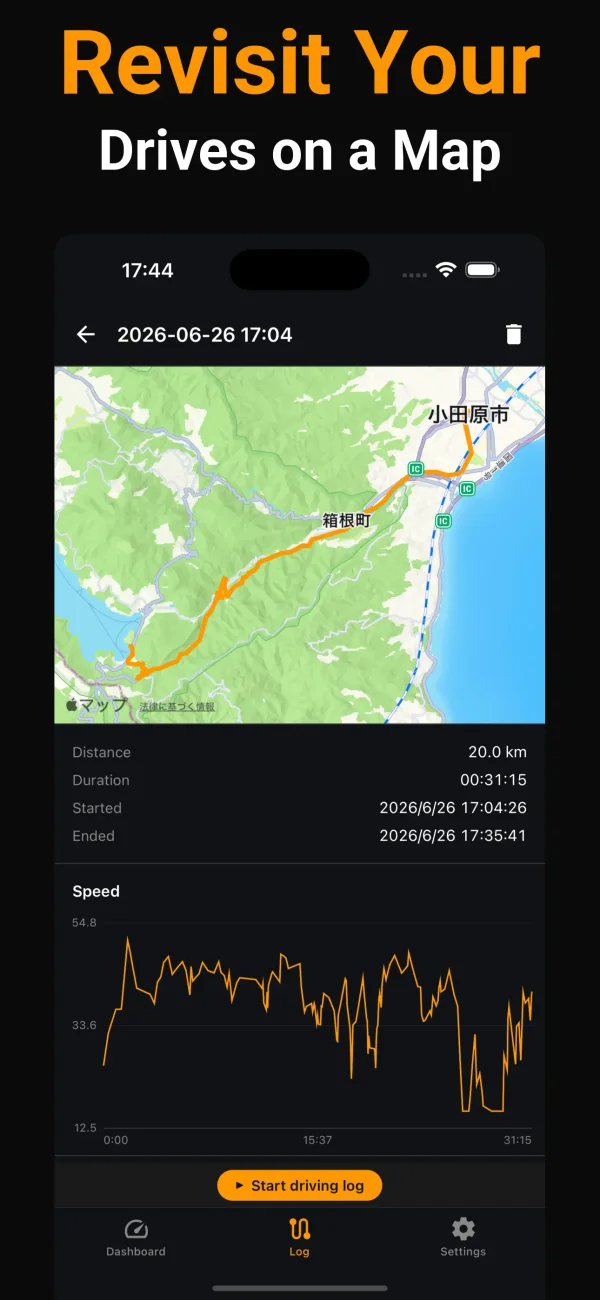
Start with one tap and Driver's Road tracks your route, distance, speed, and altitude — recording continues even while the app is in the background. Review past drives on a map with speed and altitude graphs. Top speed and average speed are calculated automatically for each drive, ready to show on the detail screen and on share cards. Each log automatically records the names of the places where your drive started and ended, making it easy to find a drive in the list. All logs are stored on your device.
PERIODIC REPORTS
See your drives summed up by week and by month: distance, time, and number of drives, plus a map of every route you covered in that period. Each report compares with the previous period and exports as one image.
ACHIEVEMENTS
Unlock achievements by hitting milestones — total distance, recording streaks, seasonal and time-of-day challenges. Where you drive counts too: the prefectures and municipalities you pass through, and the national routes and expressways you cover. A map of all 47 prefectures fills in as you go and can be shared as an image. New unlocks appear right after a drive and can become share cards.
LIVE MAP
Watch your route draw itself in real time as you drive. A dedicated full-screen map shows your current position, heading, and the track you have covered so far. Open it any time, not only while recording, and start or stop a recording straight from the map.
SHARE CARD
Turn a finished drive, a periodic report, or an achievement you unlocked into an image worth sharing. Pick a background from your photos, a bundled design, a map of your route, or a solid color, and swipe between photo, info, and map presets. Cards support 9:16, 4:5, and 1:1, and you choose which details appear and where. Save it to your camera roll or post it straight to social media.
DRIVE DATA RECORDING
Record GPS, accelerometer, gyroscope, and magnetometer data in CSV format for post-drive analysis.
SENSOR FUSION
Combines multiple sensors for accurate heading and attitude estimation, smoother and more stable than GPS alone.
ROAD INFO
The Road Info widget displays nearby road names and route numbers. The same road data drives the location achievements, so while the app is open your current location is sent to the OpenStreetMap Overpass API (and its public mirrors) to look it up. Only the coordinates of that moment are sent — the app itself does not store or share your location.
PRIVACY FIRST
Get started instantly — no account required. Your location leaves your device only for the road lookups behind Road Info and the road achievements (Overpass API), for place names in your logs and the area achievements (the OS's built-in reverse geocoding), and for a share card's map background (Mapbox). Your driving data stays on your device and is never sent unless you share it. Photos of your car and the backgrounds you pick are processed on your device only.
SAFETY
Shows a safety notice on first launch. Please have a passenger operate the app while driving.
LANGUAGES
English and Japanese.
Có gì mới
Phiên bản 1.7.1 · 28/09/2026
v1.7.1 の変更点:
- 複数路線が重複する区間で、すべての路線を走行履歴・アチーブメントに反映するよう改善
- 走行ログ停止時、末尾の停車していた時間を走行時間・距離・軌跡から除外するよう修正
- 一部UIの翻訳漏れを修正
Quyền riêng tư của ứng dụng
Những gì Daiki Nakano khai báo trên App Store về cách ứng dụng này xử lý dữ liệu.
-
Dữ liệu không liên kết với bạn
Có thể được thu thập nhưng không liên kết với danh tính của bạn.
- Vị trí
- Mã định danh
- Dữ liệu sử dụng
- Chẩn đoán
Phương thức đảm bảo quyền riêng tư có thể khác nhau, chẳng hạn như tuỳ theo các tính năng bạn sử dụng hoặc độ tuổi của bạn.
Thông tin
- Người bán
- Daiki Nakano
- Danh mục
- Dẫn Đường
- Phiên bản
- 1.7.1
- Cập nhật
- 28/09/2026
- Phát hành
- 07/04/2026
- Kích thước
- 52,0 MB
- Yêu cầu
- iOS 15.1 trở lên
- Độ tuổi
- 4+
- Giá
- Miễn phí
- Ngôn ngữ
- Tiếng Nhật, Tiếng Anh
- Bản quyền
- © 2026 Driver's Road