- Độ tuổi4+
- Danh mụcTiện Ích
- Nhà phát triểnHIROFUMI MARUO
- Ngôn ngữTiếng Nhật+ 1 ngôn ngữ khác
- Kích thước10,3 MB
Liên kết đến trang App Store chính thức
Download.org không lưu trữ tệp nào của DrvRec. Nút này mở trang ứng dụng trên App Store, nơi HIROFUMI MARUO phát hành ứng dụng. Trang được kiểm tra lần cuối: 12/11/2026.
Ảnh chụp màn hình
Giới thiệu
Nhà phát triển chưa cung cấp nội dung này bằng ngôn ngữ của bạn.
This drive recorder app is intended for practical use.
We aimed to use this app for day-to-day drive easily without constraint pursuing bare and really necessary functions thoroughly as a drive recorder.
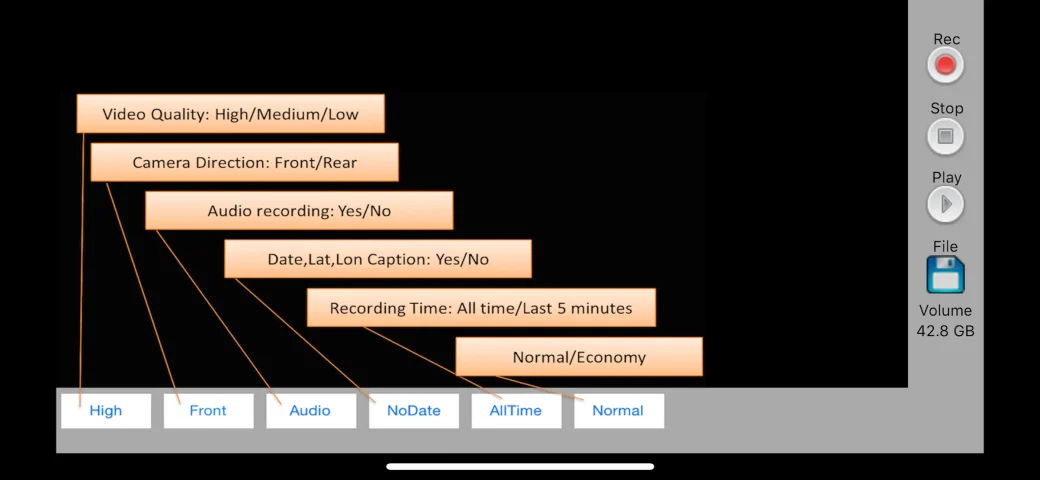
This drive recorder has the following functions.
a. It has two modes; the continuous recording mode and the latest recording mode that retains about 2 or 5 minutes long of the most recent recording.
b. It offers three recording qualities; high quality, medium quality and low quality.
c. The recording quality can correspond to the performance of each iPhone from iPhone4S to the latest.
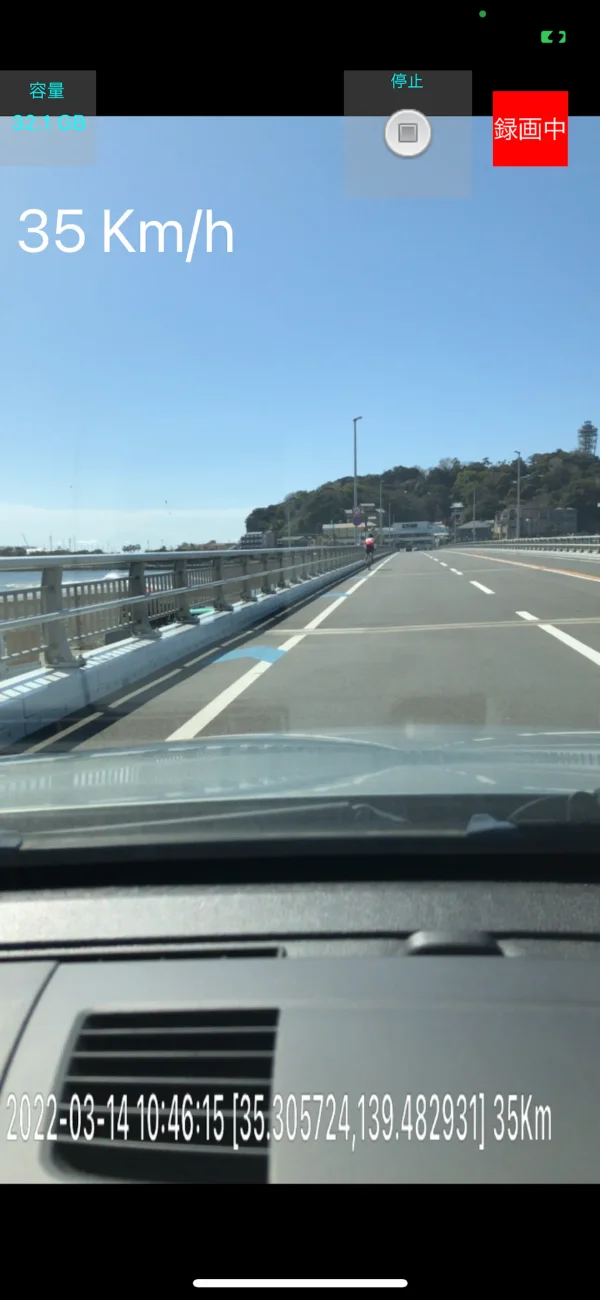
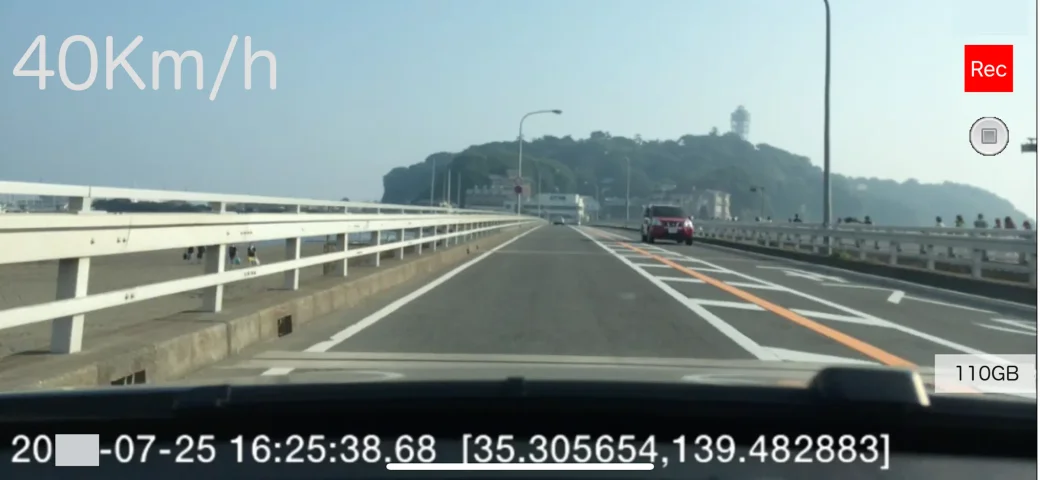
d. It marks all frames of the recording with the time and date and the longitude and latitude.
e. It can record using rear camera or face camera by switching them.
f. You can adjust the brightness of the rear video using face camera manually.
g. It stops recording in one minute after iPhone gets strong impulse.
h. Real-time display of the recording capacity.
i. Playback of recorded files.
j. The video file recorded will be saved locally and can be saved in the camera roll of the iPhone body.
k. Voice recording.
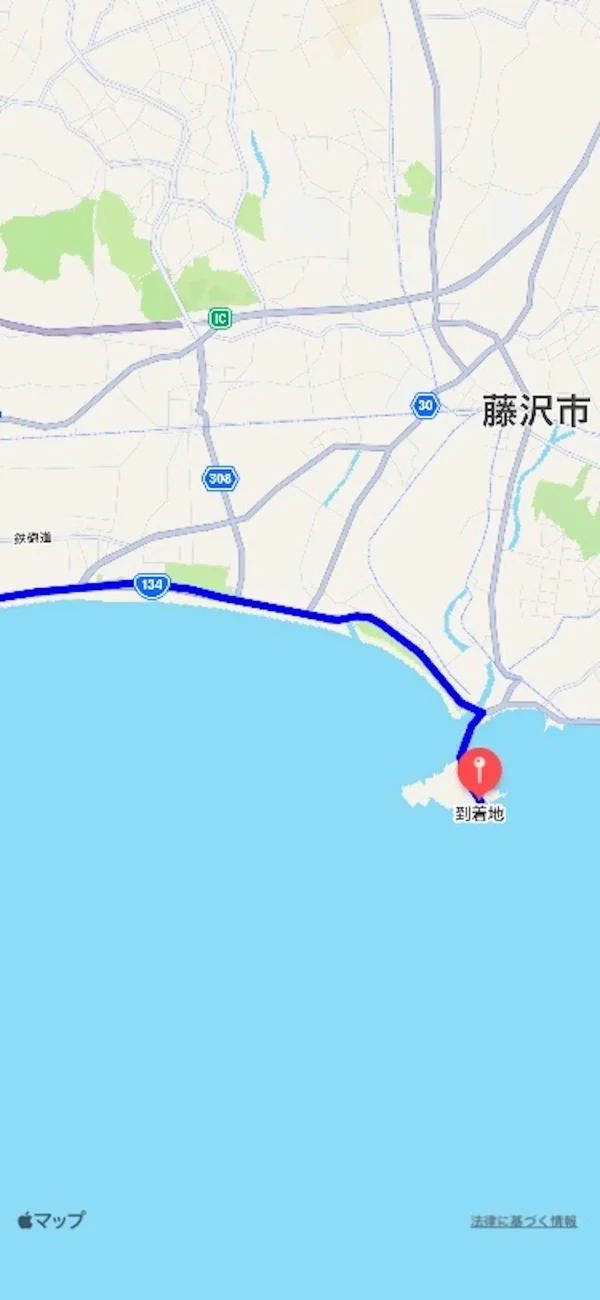
l. Displaying map and drived route.
m. To playback saved drive recorder video.
n. Eco-mode
It offers the continuous recording mode. It can keep all recording of the drive from departure to arrival in continuous recording mode.If you use it securely without worrying about recording capacity when the remaining memory capacity is small, you can select the latest recording mode.
The recording quality can be automatically controlled corresponding to the CPU’s performance of each iPhone model; and beside you can also select three (low, medium, high) recording qualities.
It marks all frames of recorded video with the time and date and the longitude and latitude. Since the video copied in the camera roll also has time and location information, you can reproduce and display the time and date and the longitude and latitude without depending on the playback application.
iPhone is equipped with two cameras; one as rear camera(the back of LCD) and other as face camera(LCD side). You can record using rear camera or face camera by switching them. The rear camera is assumed to take an image of the front direction of the car and the face camera takes the direction of the rear car.
When you shoot backward, it is usually too difficult to distinguish the image of the outside of the car because of the difference of the inside and outside brightness of the car. As this app can adjust the brightness of the rear video manually, it makes possible to distinguish the image by continuing to tap the bright part of the outside image.
When the iPhone catches a strong impulse, it stops recording in one minute after the impulse. You can keep a recorded video before and after the impulse.
As the recording capacity is being displayed at all times, you can monitor the capacity.
The video file is made in the memory area of this app at first. When you tap the play button, it plays back the video file in the memory.The memory area of this app is overwrote every recording.
This application uses following OSS.
AssetsAccessor(Copyright (c) 2013 Shintaro Morikawa)
[Note]
It does not guarantee reliably recording at any time in any case.
Even if you get strong impulse, there could be some possibility not to stop recording.
The operation may become unstable because the iPhone body gets very hot if it is exposed to direct sunlight.
Please set the iPhone to the place that does not interfere with driving or operation of the air bag.
This application uses the location-based services. Please activate the location-based services.
We are not able to compensate you for any damages or losses by any reason.
Có gì mới
Phiên bản 3.5 · 05/06/2026
- The code has been completely rewritten to improve stability.
- Recorded video playback and route map display can now be specified separately.
Quyền riêng tư của ứng dụng
Những gì HIROFUMI MARUO khai báo trên App Store về cách ứng dụng này xử lý dữ liệu.
-
Dữ liệu không được thu thập
Nhà phát triển không thu thập bất kỳ dữ liệu nào từ ứng dụng này.
Phương thức đảm bảo quyền riêng tư có thể khác nhau, chẳng hạn như tuỳ theo các tính năng bạn sử dụng hoặc độ tuổi của bạn.
Thông tin
- Người bán
- HIROFUMI MARUO
- Danh mục
- Tiện Ích
- Phiên bản
- 3.5
- Cập nhật
- 05/06/2026
- Phát hành
- 06/02/2014
- Kích thước
- 10,3 MB
- Yêu cầu
- iOS 12.0 trở lên
- Độ tuổi
- 4+
- Giá
- 29.000đ
- Ngôn ngữ
- Tiếng Nhật, Tiếng Anh
- Bản quyền
- © 2014-2026 Cariya Japan.