e-Conte Board
Storyboards anytime, anywhere
Được thiết kế cho iPad
Miễn phí · Mua hàng trong ứng dụng
- Độ tuổi4+
- Danh mụcĐồ Họa & Thiết Kế
- Nhà phát triểnSGA Works LLC
- Ngôn ngữTiếng Anh
- Kích thước3,0 MB
Liên kết đến trang App Store chính thức
Download.org không lưu trữ tệp nào của e-Conte Board. Nút này mở trang ứng dụng trên App Store, nơi SGA Works LLC phát hành ứng dụng. Trang được kiểm tra lần cuối: 17/11/2026.
Ảnh chụp màn hình



Giới thiệu
Nhà phát triển chưa cung cấp nội dung này bằng ngôn ngữ của bạn.
Main features of this storyboard app
-You can use various functions by switching between 3 modes.
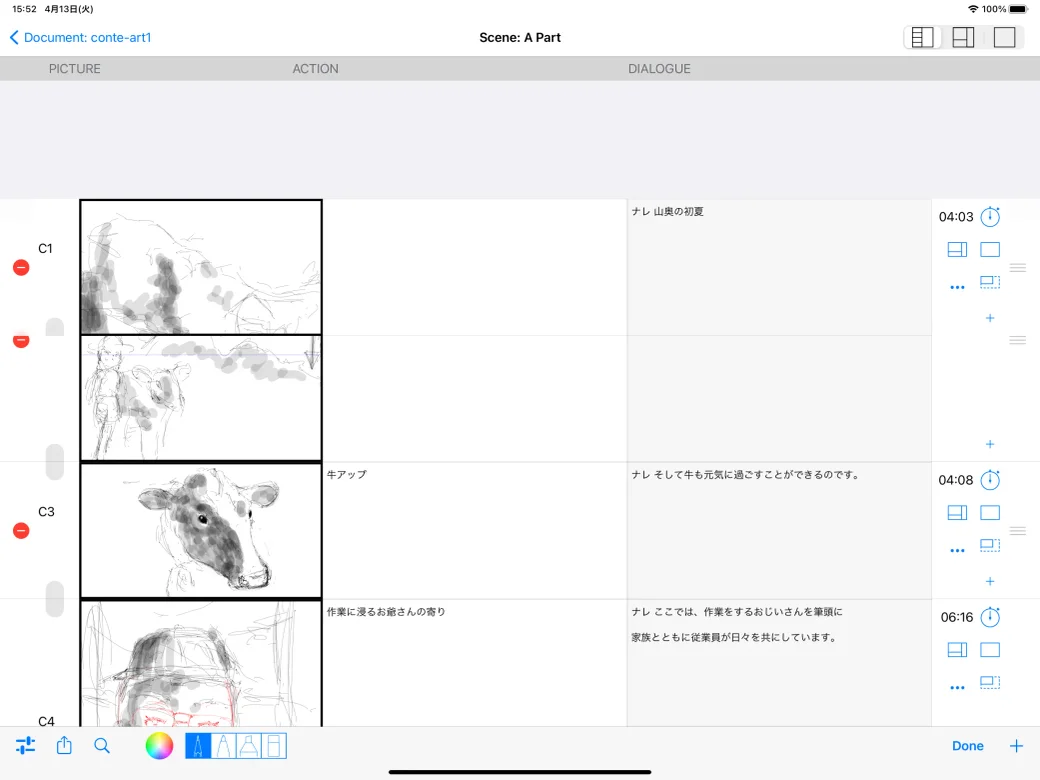
1st View
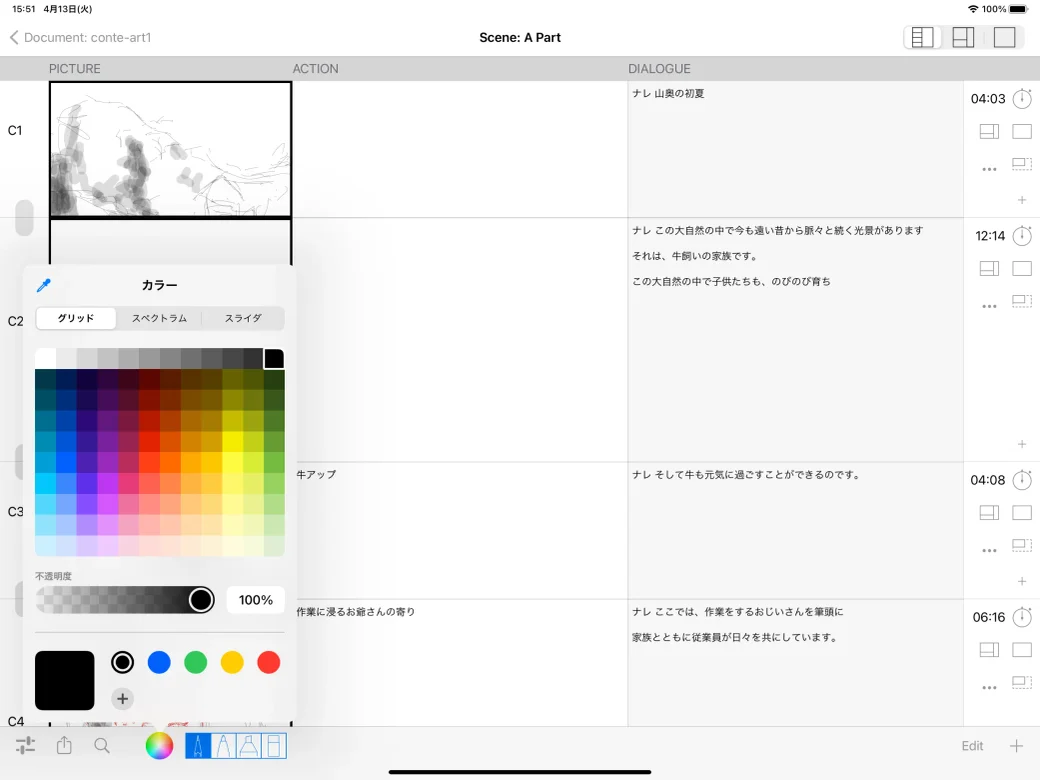
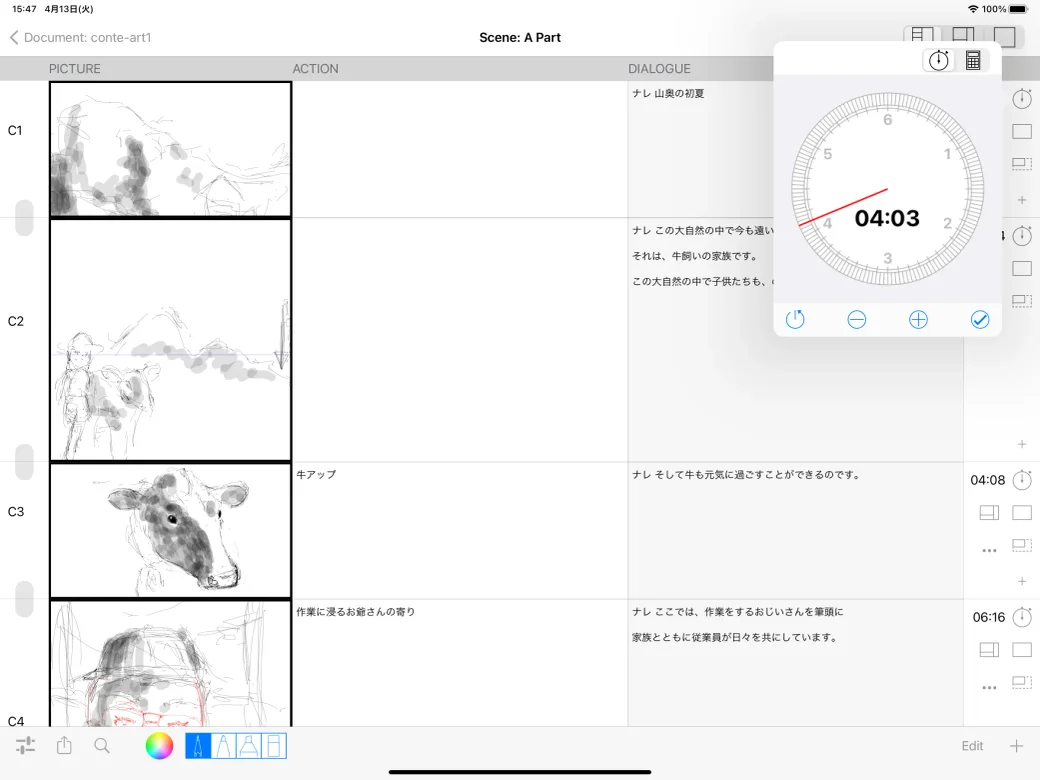
• A function similar to the storyboard style, inputting characters such as writing, and inputting the number of seconds
-You can draw from the moment you make a cut on the screen with the drawing function similar to Japanese storyboard style.
-You can use the keyboard and copy and paste to enter text and text.
-You can enter or directly specify the number of seconds with the stopwatch function.
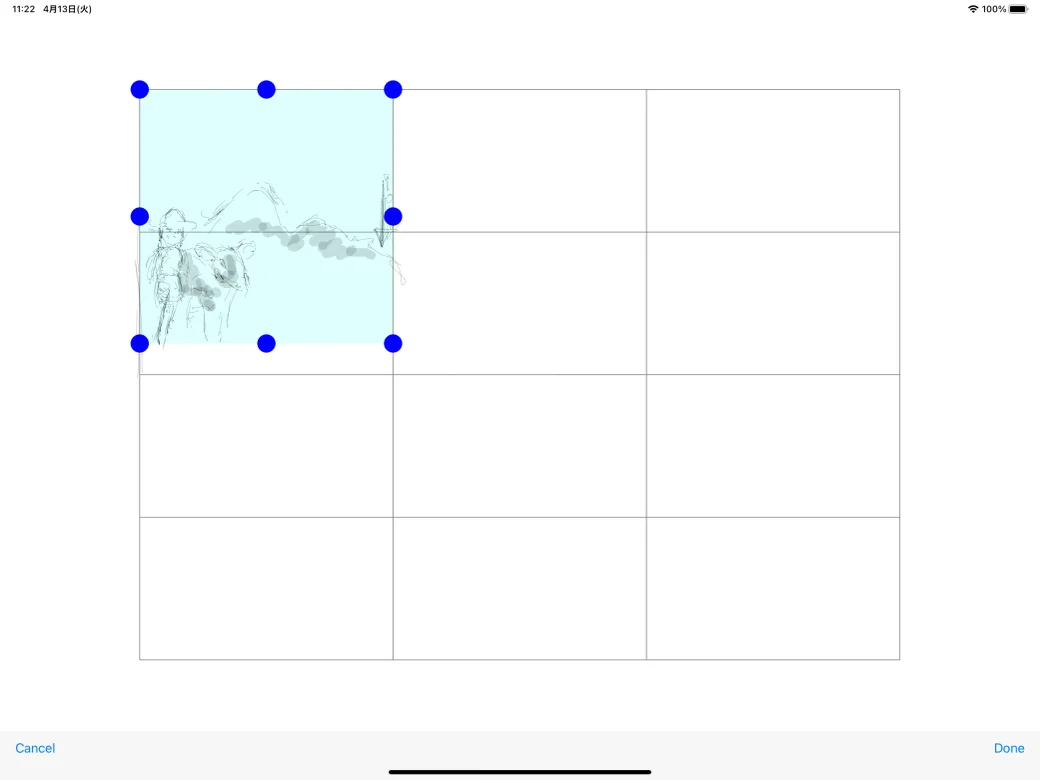
-You can freely specify the drawing size when using PAN, TB, large format, etc., and the size of the drawing area will increase according to that specification. The size is maintained even when outputting to PDF.
-You can edit each cut, such as changing the order of cuts, deleting, new insertion, and copy & paste, just like using a smartphone.
-If it is the same cut, you can handle it as the same cut without pressing the next cut by pressing the cut concatenation button.
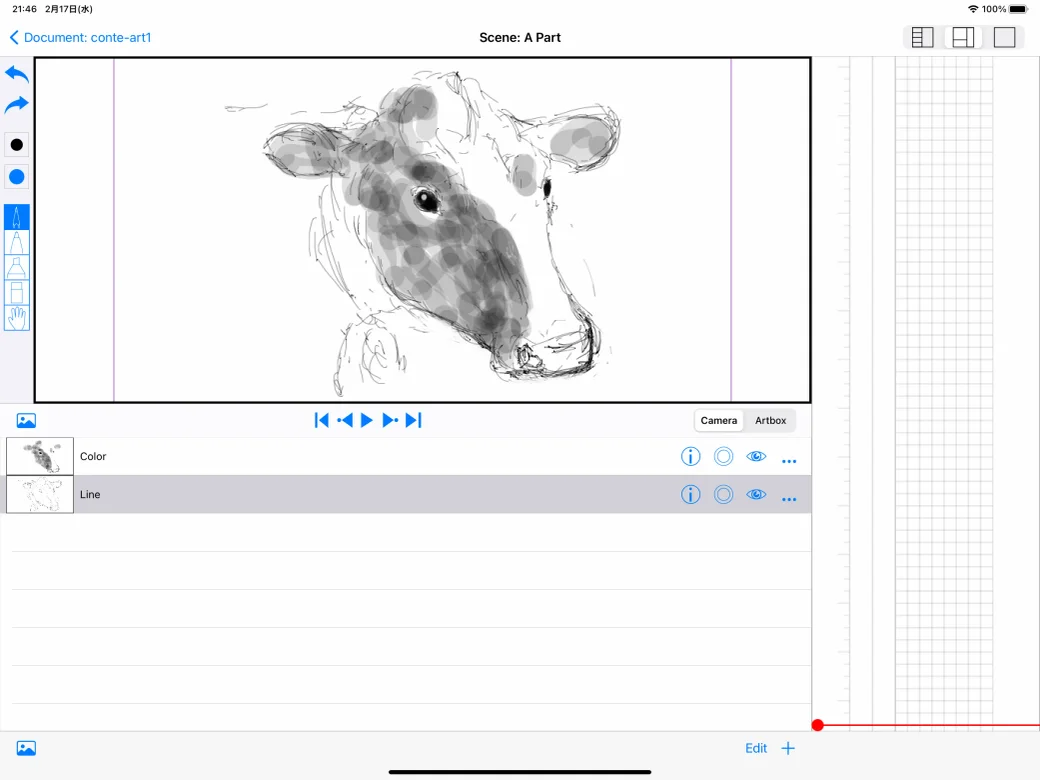
2nd View
• Toolbar function
-Several pen styles, pen colors, pen opacity and eraser features.
-Hand tools can be moved (tap & move) and scaled (pinch in & pinch out).
• Layer function
-Equipped with standard layer functions such as hiding layers, changing order, and deleting.
-You can select the layer to use the move and scale functions in conjunction with the hand tool on the toolbar. It is possible to select more than one at the same time.
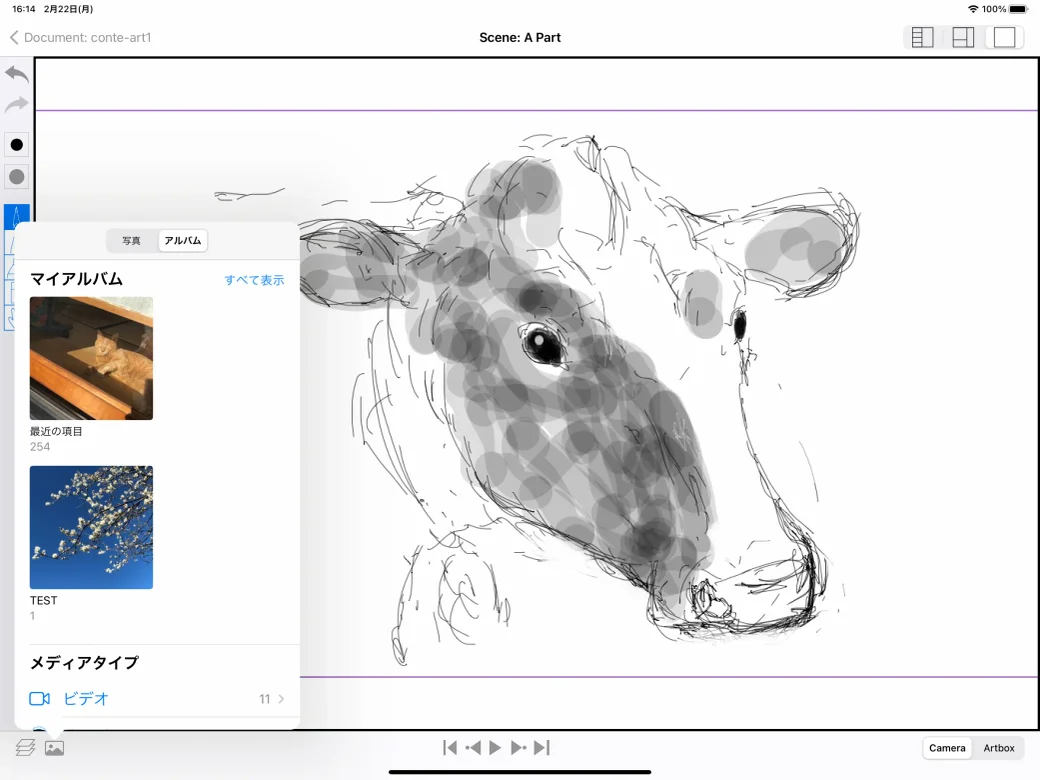
• Image import function
-You can import images from within the Photos app.
3rd View
• Full screen mode
-Full-screen video check function
-Equipped with a switching function between camera mode and full drawing mode, and layer function.
-Pinch in and pinch out to enlarge or reduce the screen.
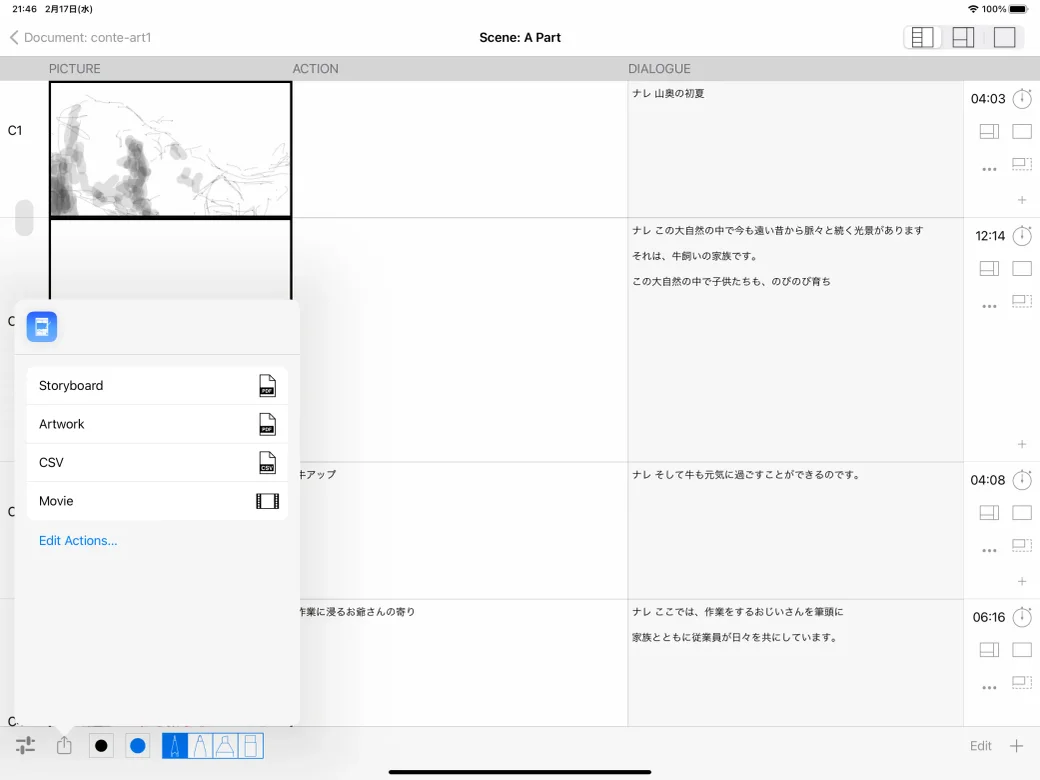
• Output function
-You can create a Japanese-style storyboard PDF, create a PDF for each cut, and output an mp4 format video.
-The total number of seconds is automatically calculated and entered when the PDF is output.
• Supports various screen aspect ratios and frame rates.
-4:3, 16:9 and other aspect ratios such as 1.85:1 and 2.35:1 are supported.
-The frame rate can be selected from 24 fps and 30 fps.
-You can also select the switching of the position of dialogue and G, and the correspondence to the serial number of cuts for each part and scene.
To use this application, a monthly or annual subscription must be purchased separately.
ver 1.5
-Fixes have been made to lighten the operation. The opacity of brushes is switched between the previous 1.4 version and the current one from 1.5 after 65. The higher the opacity (closer to 0), the higher the load, causing delays and slowness with the pencil and brush tools. If you want to avoid delays and slowdowns with the pencil and brush tools, it is recommended to use opacity as close to 100 as possible.
-The action of the Back button from the Edit screen has been changed to wait until saving is complete. Therefore, the Back button cannot be operated until saving is completed. Please note that this is not a malfunction.
-The behavior of the screen transition to the edit screen has been modified to be more stable.
-When Duplicating a video, there was a case that the video would not be saved and would be blank, but this has been corrected.
-Fixed some minor issues, such as canceling during video export.
-Safety has been improved.
How-to videos:https: //www.youtube.com/watch?feature=youtu.be&v=oKvQqb3aAZI&fbclid=IwAR0PlHlhl8ZzGiCjXBONcWaXvvV8RVsP1I-tL1LdJTBEOdk9HpE4HzeuqDM&app=desktop
End Use Lisence Agreement : https://www.apple.com/legal/internet-services/itunes/dev/stdeula/
Có gì mới
Phiên bản 1.5.3 · 04/03/2025
Fixed a problem where the Export popup window could not be canceled in the 1st View.
Quyền riêng tư của ứng dụng
Những gì SGA Works LLC khai báo trên App Store về cách ứng dụng này xử lý dữ liệu.
-
Dữ liệu không được thu thập
Nhà phát triển không thu thập bất kỳ dữ liệu nào từ ứng dụng này.
Phương thức đảm bảo quyền riêng tư có thể khác nhau, chẳng hạn như tuỳ theo các tính năng bạn sử dụng hoặc độ tuổi của bạn.
Thông tin
- Người bán
- SGA Works LLC
- Danh mục
- Đồ Họa & Thiết Kế
- Phiên bản
- 1.5.3
- Cập nhật
- 04/03/2025
- Phát hành
- 09/02/2020
- Kích thước
- 3,0 MB
- Yêu cầu
- iOS 14.0 trở lên
- Độ tuổi
- 4+
- Giá
- Miễn phí
- Mua hàng trong ứng dụng
- Có
- Ngôn ngữ
- Tiếng Anh
- Bản quyền
- © SGA Works LLC, Electricwoods LLC
Có thể bạn cũng thích
-
 ShotGlide: The Storyboard AppĐồ Họa & Thiết Kế
-
 Pose CroquisĐồ Họa & Thiết Kế
-
 Storyboard Creator AIAI Storyboard Generator
-
 Callipeg: 2D Animation AppĐồ Họa & Thiết Kế
-
 Linearity Move Motion GraphicsAnimation Design, Video Maker
-
 Cascadeur: 3D animationĐồ Họa & Thiết Kế
-
 Metaspace - 3D SketchbookĐồ Họa & Thiết Kế
-
 Mental Canvas DrawĐồ Họa & Thiết Kế
-
 MediBang Paletta:Ứng dụng vẽPhác thảo, Vẽ, Sơn
-
 RoughAnimator - animation appĐồ Họa & Thiết Kế