Elevation - Altimeter Map
Find your altitude on the map
Được thiết kế cho iPhone, iPad
Miễn phí · Mua hàng trong ứng dụng
- Độ tuổi4+
- Danh mụcDẫn Đường
- Nhà phát triểnMapnitude Company Limited
- Ngôn ngữTiếng Anh+ 13 ngôn ngữ khác
- Kích thước52,0 MB
Liên kết đến trang App Store chính thức
Download.org không lưu trữ tệp nào của Elevation - Altimeter Map. Nút này mở trang ứng dụng trên App Store, nơi Mapnitude Company Limited phát hành ứng dụng. Trang được kiểm tra lần cuối: 25/11/2026.
Ảnh chụp màn hình

Giới thiệu
Nhà phát triển chưa cung cấp nội dung này bằng ngôn ngữ của bạn.
Find your current elevation, altitude, and height above sea level easily with this altimeter/barometer app.
## Elevation Finder ##
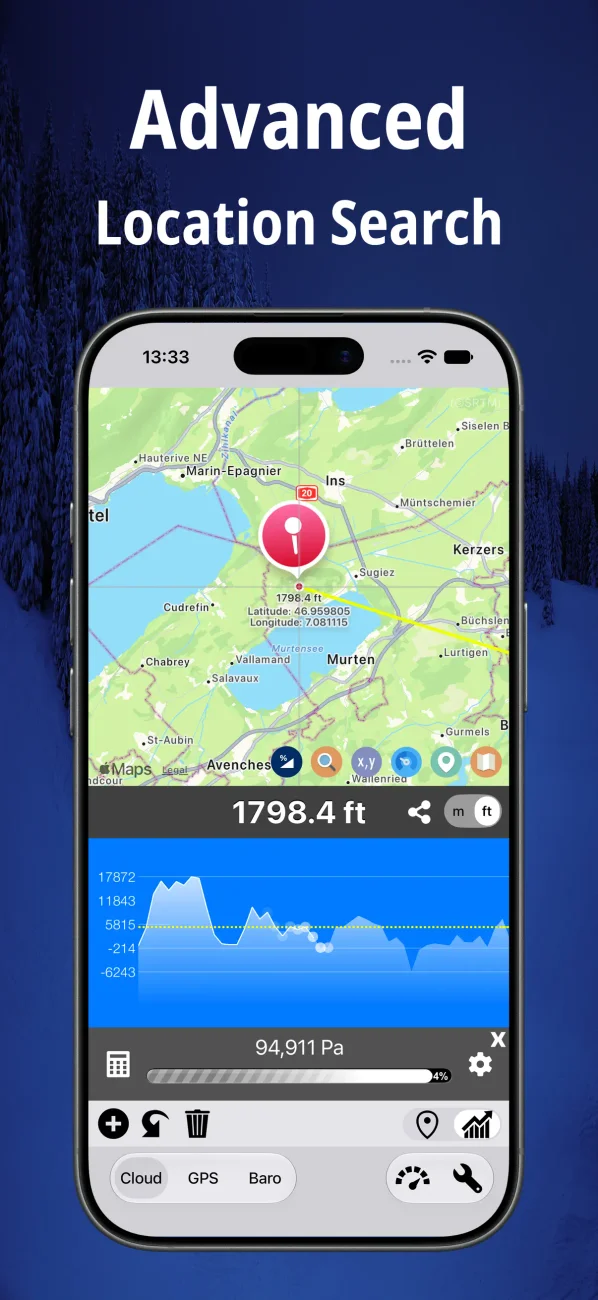
This app helps you observe the elevations of all locations on the surface of the earth by simply touch and move the map around, or input the address/location name. You can also find the elevation of your current location by using online database, built-in GPS, or barometer on your device.
Elevation data benefits flood prevention, prediction of water levels in rivers, lakes, and seas, etc. Thus, knowing the elevation of places is very crucial if you are looking for a flood-free house, or planning for a hiking trip, and more.
## Cloud-based Altitude Data ##
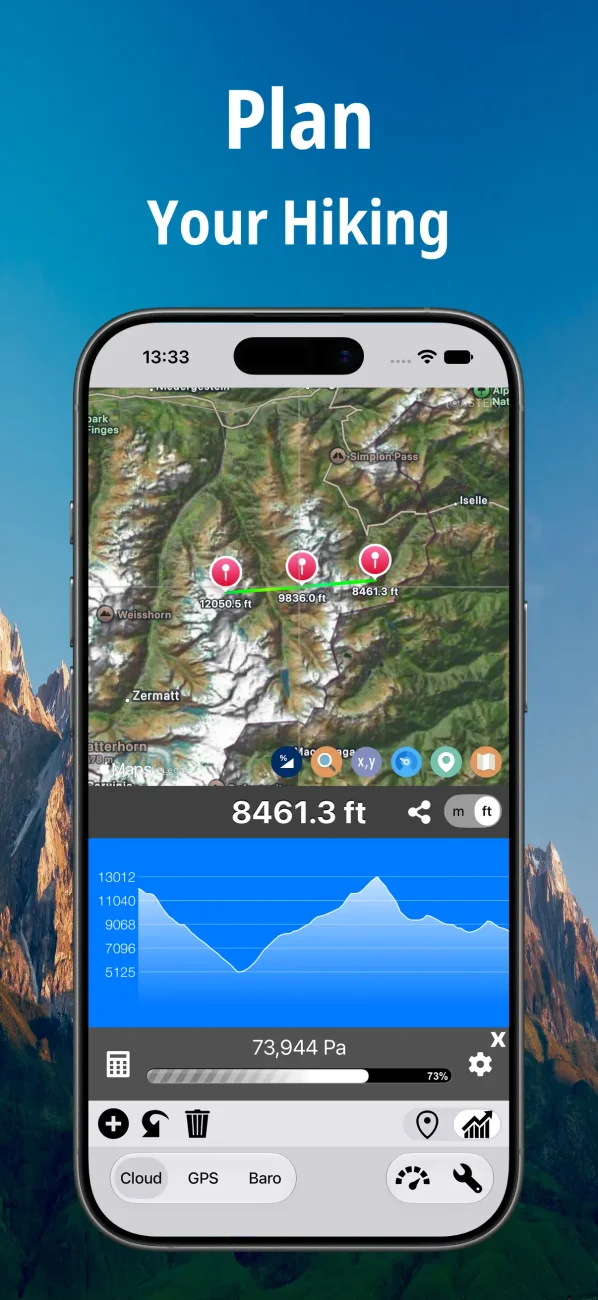
The easiest way to find altitude of any location on earth. By simply point on the screen, you can get the elevation data from a coordinate location point. “Range Mode” is available for altitude comparison (by graph and line) of each point between two selected locations.
## GPS Altitude Data ##
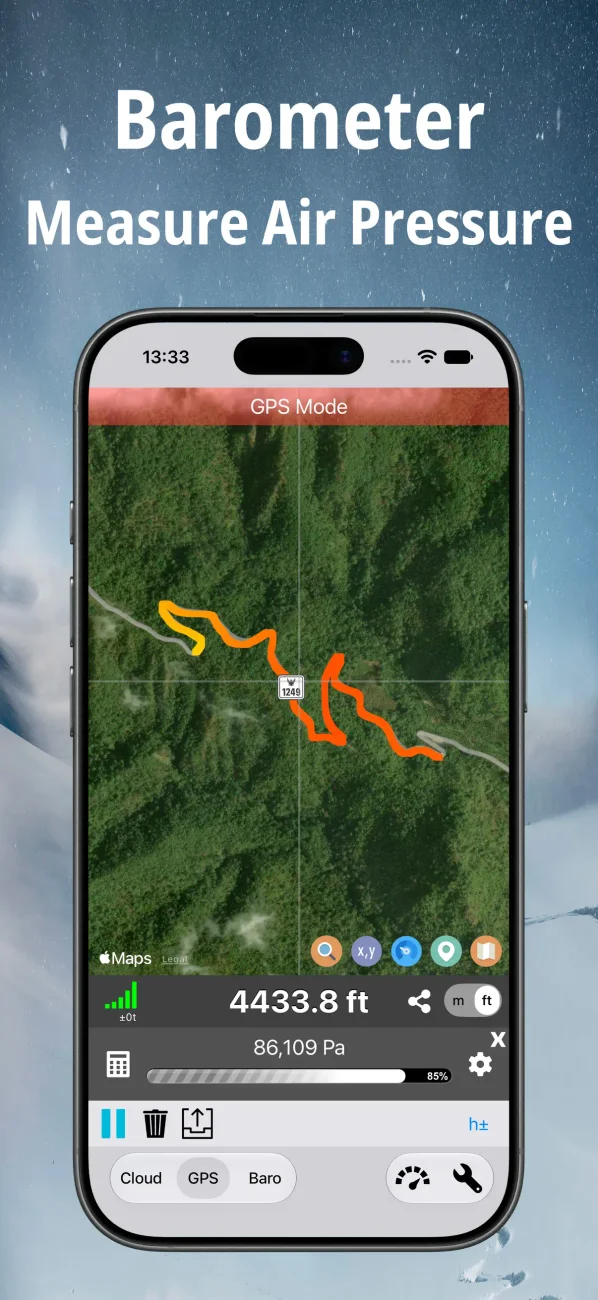
Use built-in GPS on your device to determine the altitude of your current location. The altitude data of the area you walked-through will be recorded and displayed as a multicolored line on the map. The colors presented on the line indicate different heights. Precision indicators (horizontal resolution and vertical resolution) are displayed on the screen.
## Barometric Altitude Data ##
Use built-in barometer on your device to determine the elevation of your current location. You can either measure the elevation from raw barometric data, or relative pressure from sea-level. Like GPS data, the result is displayed as a multicolored line.
To get the most accurate data, it is recommended to adjust the sea level pressure and temperature prior to the measurement, and set the offset or calibration value if necessary.
## Standalone Barometer ##
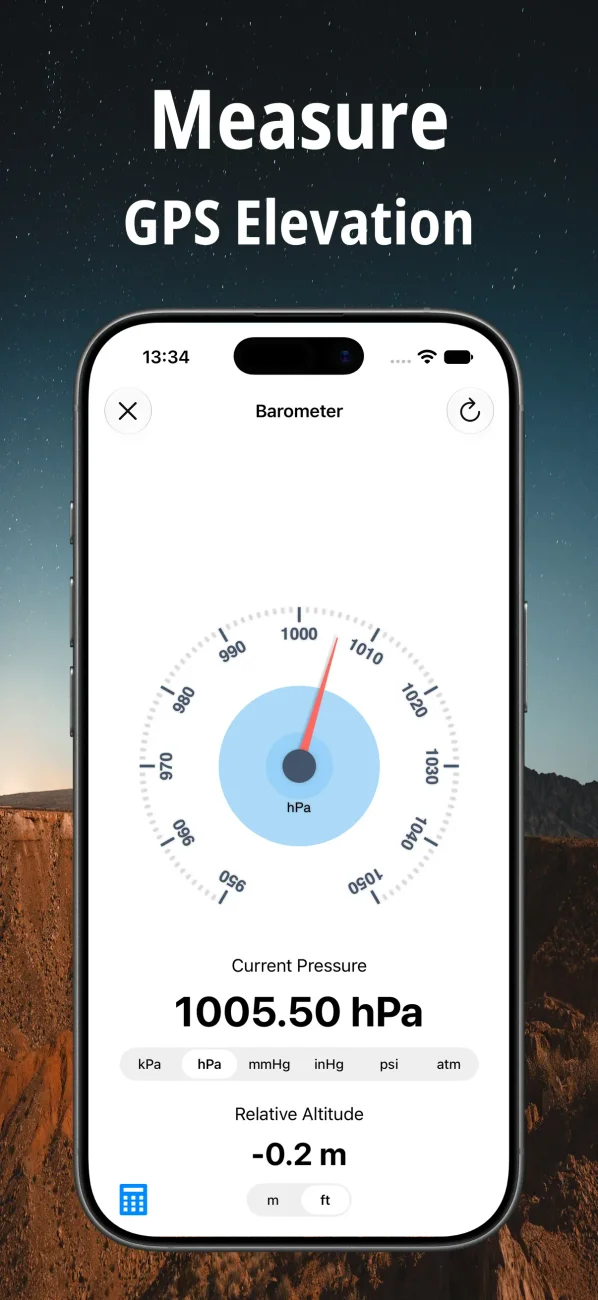
You can use this app as a standalone barometer.
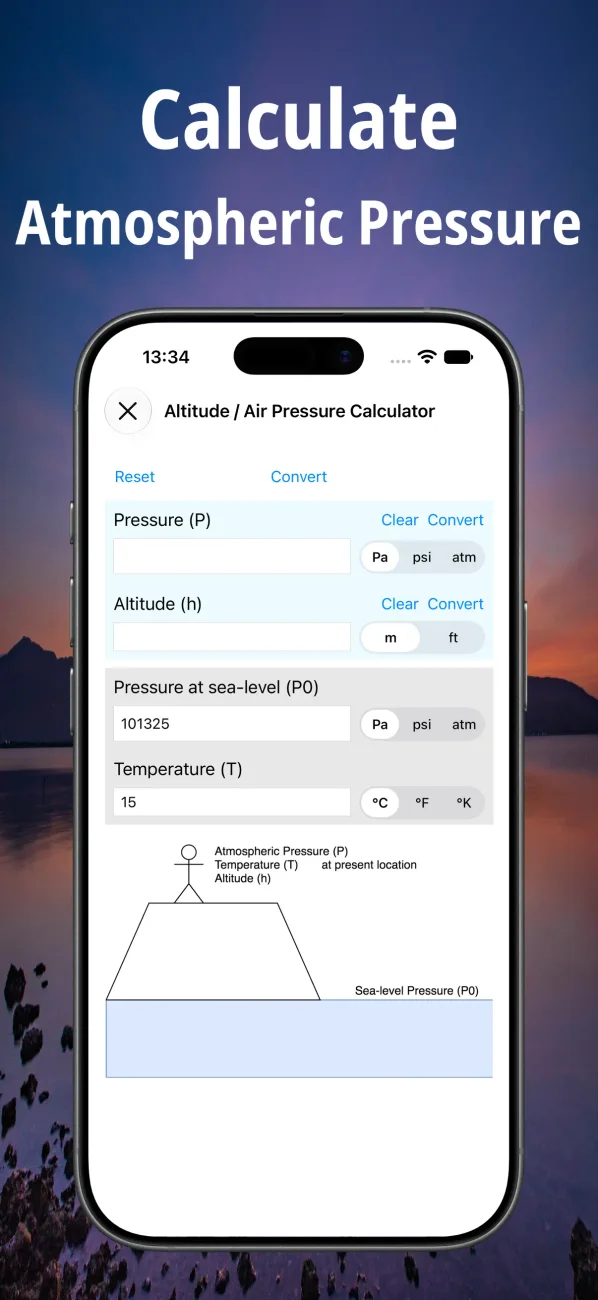
## Air Pressure / Altitude Calculator ##
Atmospheric pressure and/or altitude at your current location are calculated from known altitude, pressure of the location, temperature and/or sea level pressure.
## Support of Coordinate Formats ##
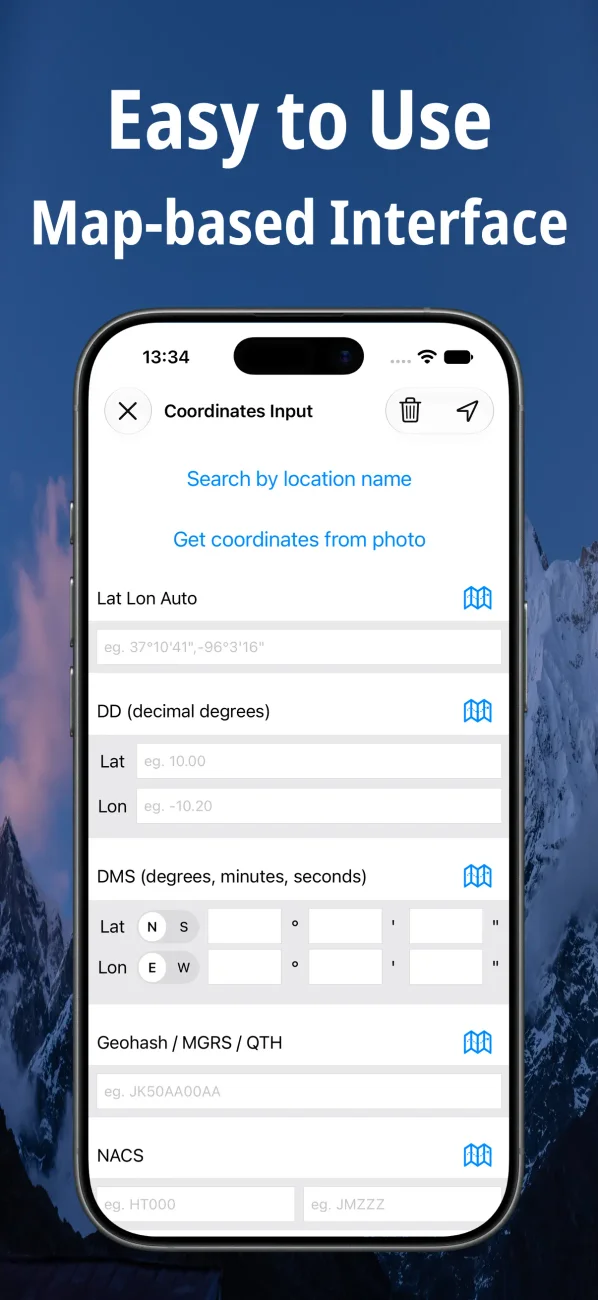
This app not only displays regular latitude and longitude data, but also supports many coordinate systems such as, Universal Transverse Mercator (UTM) coordinate system and Military Grid Reference System (MGRS) and more.
## Export of Data ##
From this app, you can export many useful information including timestamp, altitude, pressure, and coordinates.
Subscription
-------------
Elevation - Sea Level Map is completely free to use with all features. You can subscribe to this application to remove ads and reduce data retrieving delay by 50%.
Device subscriptions are available in these plan and will renew automatically each month, six months or year, unless cancelled.
(Per month) - $4.49
(Per six-months) - $25.99
(Per year) - $48.99
Pricing shown is for the United States store. Pricing in other stores will vary.
Payment for subscriptions will be charged to your iTunes Account at confirmation of purchase
Account will be charged for renewal within 24-hours prior to the end of the current period. Subscription automatically renews unless auto-renew is turned off at least 24-hours before the end of the current period
Subscriptions may be managed by going to your iTunes Account Settings after purchase or by clicking the “Purchase / Manage Subscription. Auto-renewal may be turned off by going to Account Settings after purchase.
Subscription cannot be cancelled during the active subscription period
More information: https://mapnitude.com/elevation
Privacy policy: https://mapnitude.com/privacy-policy
Terms of use: https://mapnitude.com/terms-of-service
Có gì mới
Phiên bản 4.17.1 · 24/11/2026
Updated Framework.
Various bug fixed.
Quyền riêng tư của ứng dụng
Những gì Mapnitude Company Limited khai báo trên App Store về cách ứng dụng này xử lý dữ liệu.
-
Dữ liệu được sử dụng để theo dõi bạn
Có thể được sử dụng để theo dõi bạn trên các ứng dụng và trang web do công ty khác sở hữu.
- Vị trí
- Mã định danh
- Dữ liệu sử dụng
- Chẩn đoán
-
Dữ liệu không liên kết với bạn
Có thể được thu thập nhưng không liên kết với danh tính của bạn.
- Vị trí
- Mã định danh
- Dữ liệu sử dụng
- Chẩn đoán
Phương thức đảm bảo quyền riêng tư có thể khác nhau, chẳng hạn như tuỳ theo các tính năng bạn sử dụng hoặc độ tuổi của bạn.
Thông tin
- Người bán
- Mapnitude Company Limited
- Danh mục
- Dẫn Đường
- Phiên bản
- 4.17.1
- Cập nhật
- 24/11/2026
- Phát hành
- 22/11/2011
- Kích thước
- 52,0 MB
- Yêu cầu
- iOS 17.0 trở lên
- Độ tuổi
- 4+
- Giá
- Miễn phí
- Mua hàng trong ứng dụng
- Có
- Ngôn ngữ
- Tiếng Anh, Tiếng Ả Rập, Tiếng Pháp, Tiếng Đức, Tiếng Do Thái, Tiếng Ý, Tiếng Nhật, Tiếng Hàn, Tiếng Bồ Đào Nha, Tiếng Nga, Tiếng Trung Giản thể, Tiếng Tây Ban Nha + 2 ngôn ngữ khác
- Bản quyền
- © 2011-2026 Mapnitude Co., Ltd.
Có thể bạn cũng thích
-
 Độ Cao và Cao Độ GPSĐộ cao so với bề mặt
-
 Altitude & ElevationDẫn Đường
-
 My AltitudeDẫn Đường
-
 Altimeter GPSfor wild people
-
 Altimeter - Altitude & CompassDu Lịch
-
 Altimeter: Elevation, CompassDẫn Đường
-
 Elevation Tracker: AltimeterDẫn Đường
-
 Topo Maps+: Topographic MapsDẫn Đường
-
 Terrain Radar AltimeterDẫn Đường
-
 Topo Maps USDẫn Đường