
Elf Studio®
AR & AI Christmas Elf Videos!
Được thiết kế cho iPhone, iPad
Miễn phí · Mua hàng trong ứng dụng
- Độ tuổi4+
- Danh mụcGiải Trí
- Nhà phát triểnNorth Pole Command Centre Limited
- Ngôn ngữTiếng Anh+ 14 ngôn ngữ khác
- Kích thước343,7 MB
Liên kết đến trang App Store chính thức
Download.org không lưu trữ tệp nào của Elf Studio®. Nút này mở trang ứng dụng trên App Store, nơi North Pole Command Centre Limited phát hành ứng dụng. Trang được kiểm tra lần cuối: 20/11/2026.
Ảnh chụp màn hình



Giới thiệu
Nhà phát triển chưa cung cấp nội dung này bằng ngôn ngữ của bạn.
Welcome to Elf Studio®! The latest marvel from the Software Elves here at the North Pole Command Center (Creators of Speak to Santa)!
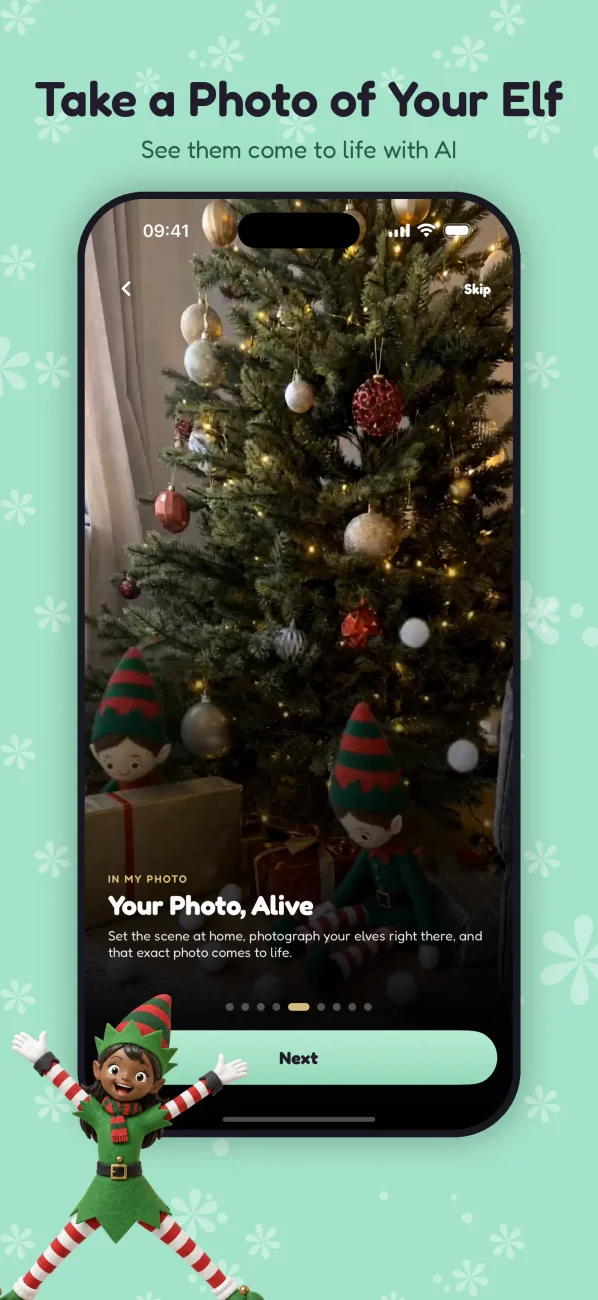
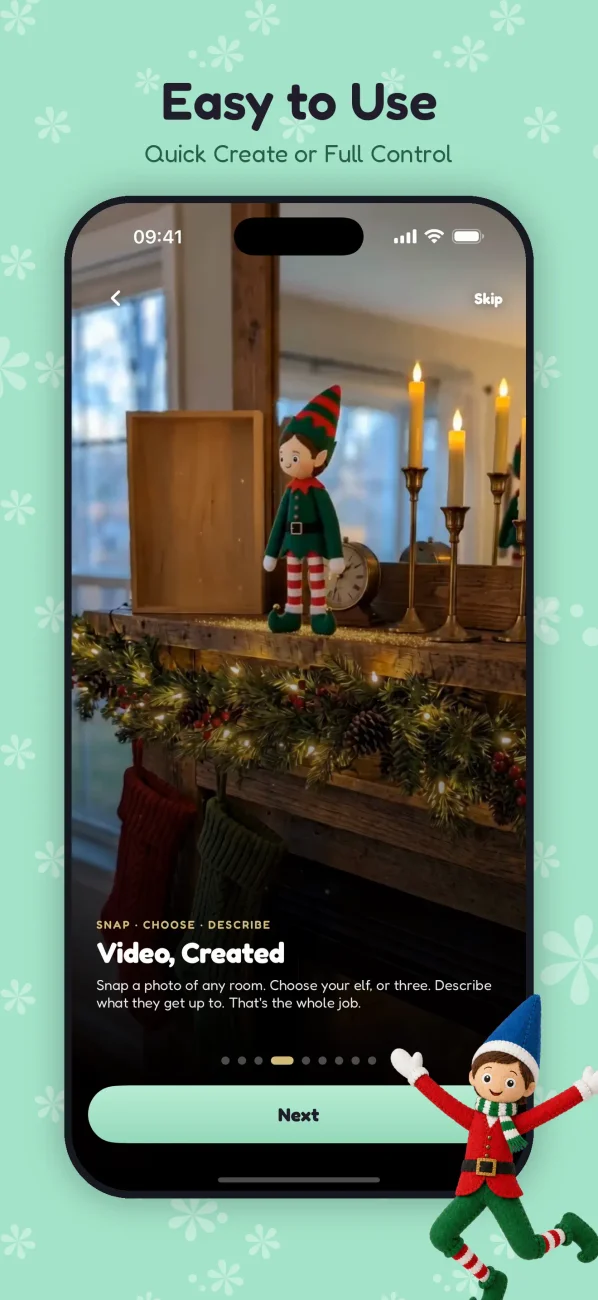
Turn your elf's Christmas mischief into photos and videos set in your own home! Put them under the tree, send them towards the cookie jar, or dream up a surprise of your own.
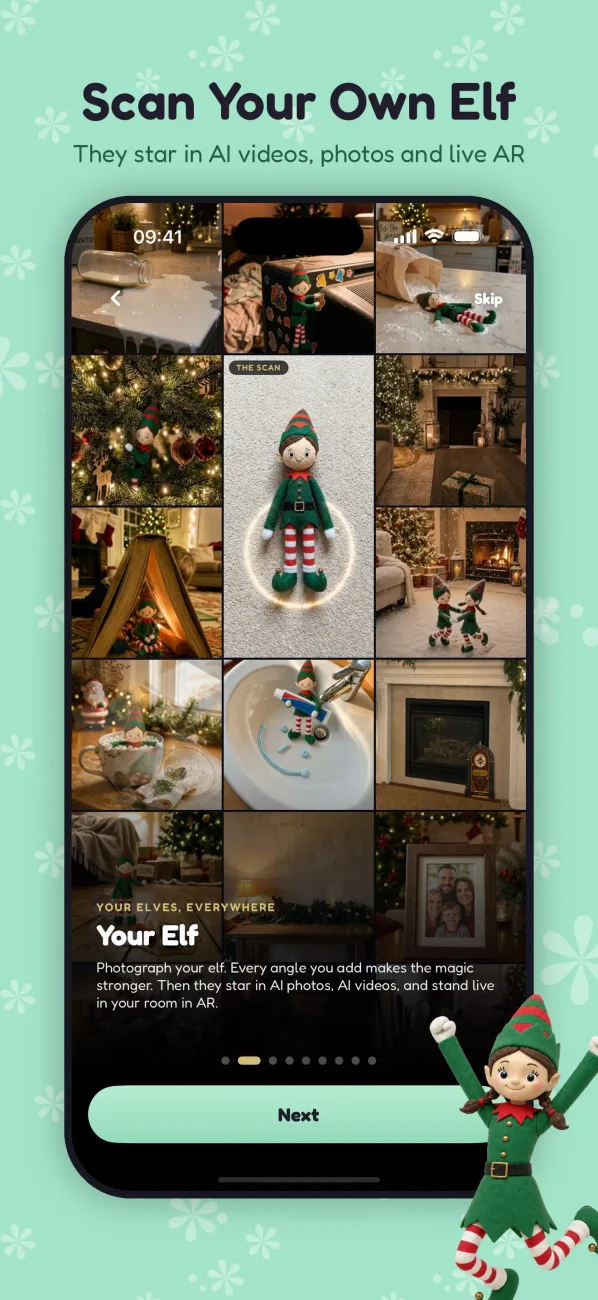
- SCAN YOUR OWN ELF! Start with one photo of your elf toy, with room for up to four views. Every account includes one elf scan. Elf Studio Pro includes ten a month, with no additional credit charge.
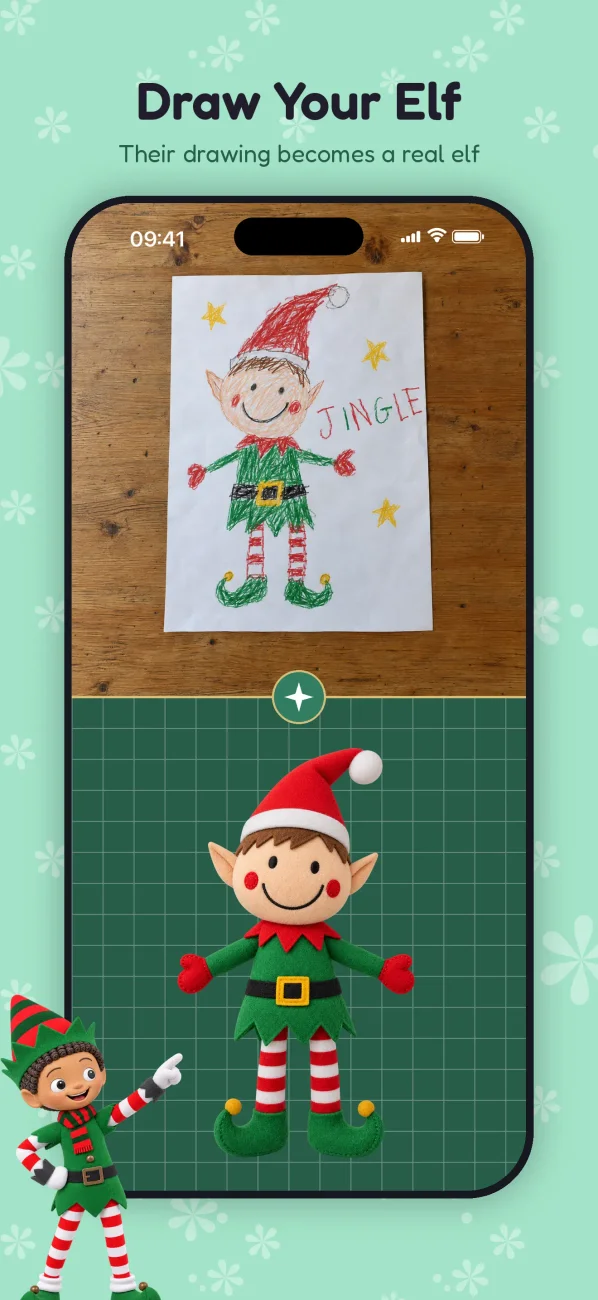
- NO TOY? DRAW OR DESCRIBE ONE! Sketch your elf on the drawing pad or describe it in words, and the AI turns it into an elf you can cast in any scene.
- QUICK CREATE OR STUDIO! Pick an elf and a photo, then describe the action, or stage your photo by dragging elves and props into place, choosing poses and adjusting sizes.
- GET HELP WITH THE WORDS! Studio builds a scene script from your layout. Get Ideas suggests actions for your photo, and Improve helps rewrite your prompt.
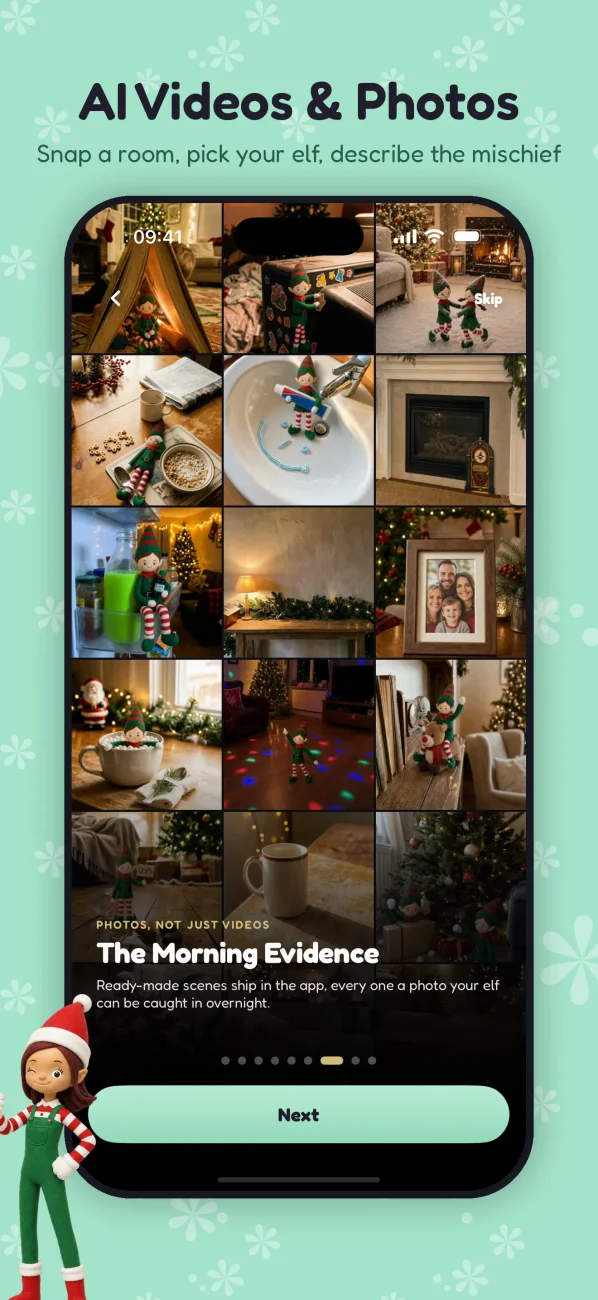
- AI PHOTOS & VIDEOS! Make photo takes, compare them and animate your favorite. Cast up to three elves with their own roles in the scene.
- DIRECT THE SHOT! Create five-second AI videos with Natural, Stop Motion or Storybook styling, camera movement, portrait or landscape framing and optional generated sound. Use start and end images to guide the action.
- MAKE AN EXAMPLE YOUR OWN! Browse scene ideas and use an example recipe with your chosen elf and your own photo.
- THE ELF WORKSHOP! Choose ready-made elves in classic and felt styles, or design one in 3D with hair, hats, outfits, gloves, shoes, glasses and colors, with a live preview.
- ENHANCE WITH AI! Give your elf a lifelike look and keep different looks to choose from.
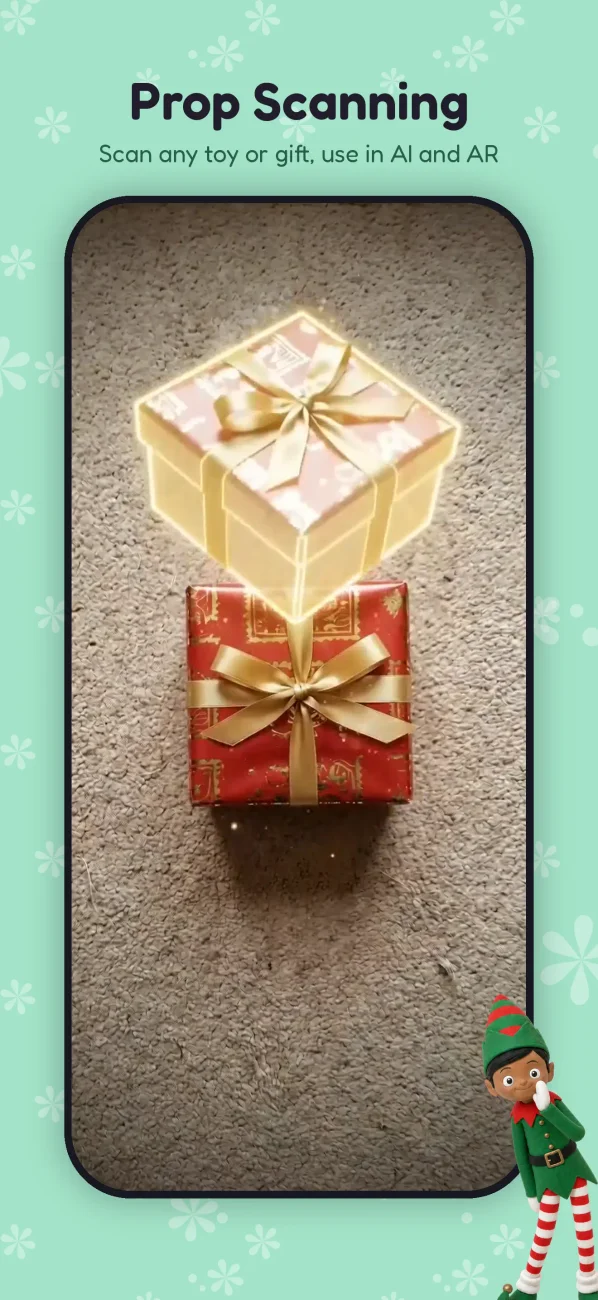
- BRING THE PROPS! Pick from the prop shelf, scan a toy or describe a prop for the AI to create reference pictures.
- STICKERS & POSES! Make AI stickers of your elf striking new poses, then use those poses in your Studio photos. Add a bust sticker of any custom elf, made right on your device.
- SEND THEM IN MESSAGES! Open Elf Studio® in the Messages app drawer to send the cast, your own elves and the stickers you have made.
- HOME SCREEN WIDGETS! Count the sleeps until Christmas or until your elf arrives, with a posed elf of your choice keeping watch.
- MAKE THEM AR-READY! Generate a 3D model of a scanned elf or prop before placing it in your room.
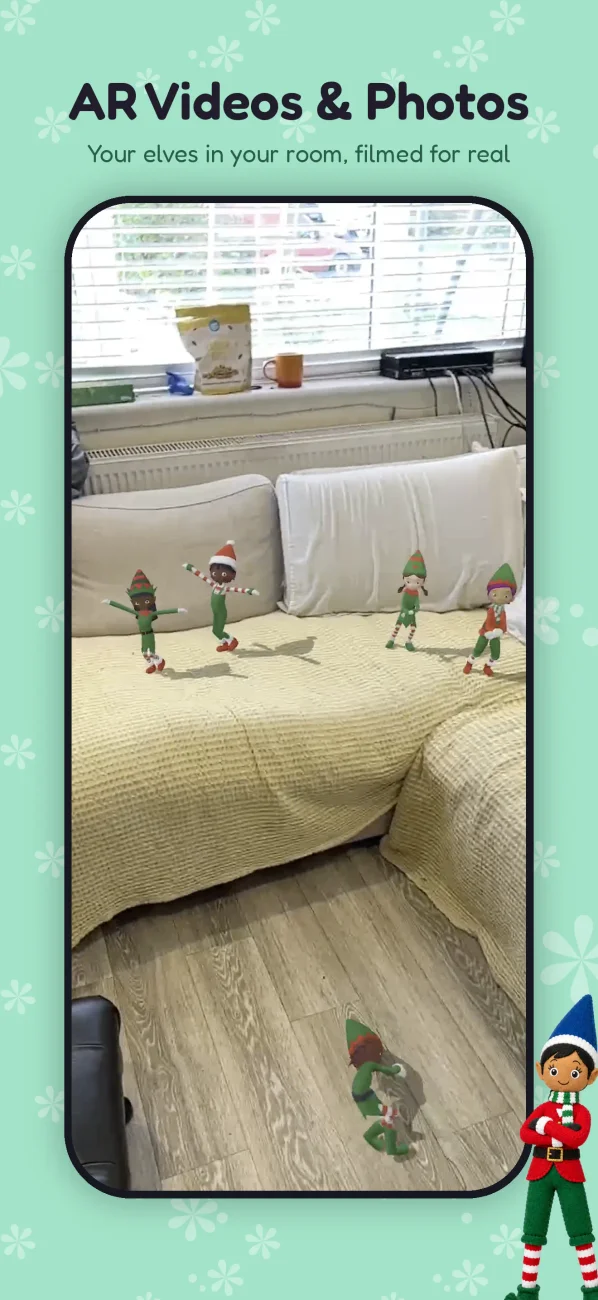
- FILM IN AUGMENTED REALITY! Place AR-ready elves and props on your floor, draw walking routes, add stops and choose animations. Capture AR photos and videos, with Look at Camera, footsteps, lighting and actions you can trigger while filming. AR needs a compatible device.
- CATCH THEIR FACES! Record the viewer's reaction as your video plays. Reaction recordings stay on your device and are not uploaded to Elf Studio®.
- ADD THE FINISHING TOUCH! Apply eight video looks and filters without changing the original. Find your creations in the Gallery, save them to Photos and share the files.
AI generation needs an internet connection. Once a job is sent, it can continue on our servers while you leave the app. Enable notifications to hear when it is ready.
Your Gallery is stored on this device. Elf Studio® does not provide cloud library backup, so export the memories you want to keep.
AI or AR. Photo or video. Your elf, your home, your Christmas story!
Elf Studio® is created by North Pole Command Centre Limited and works with any toy. Elf Studio® is not affiliated with, sponsored by, or endorsed by Elf on the Shelf®, but many families use Elf Studio® alongside their existing Elf on the Shelf traditions.
Made by the software elves here at the North Pole Command Center!
Elf Studio® is a registered trademark in the United Kingdom, the European Union and the United States. All rights reserved.
Có gì mới
Phiên bản 4.2.1 · 15/11/2026
Elf Studio® 4.2.1: when you add an elf from your photos, choose straight away between using your photos or creating AI views. Plus a fix for the photo cut-out tool on iOS 27.
Elf Studio® 4.2: with Pro, you can now make longer videos, up to 30 seconds. Reporting a result? You can now share its photos and video with us so we can look into it.
Elf Studio® 4.1: tap a countdown widget to open its elf, use Enhance with AI on elves made from your photos, see a preview of every style before you pick it, and enjoy the full unfolded display on iPhone Duo. You can also opt in to Christmas news and offers by email; it stays off unless you turn it on.
Elf Studio® 4.0.4: add Christmas and elf-arrival countdowns to your Lock Screen, and give Workshop elves new Plush, Vinyl Doll, Wooden and Knitted looks with Enhance with AI.
Elf Studio® 4.0.3: save up to four photos of your elf with on-device background removal, and add AI character views only if you want them.
Elf Studio® 4.0.2: about half the download size, with extra props, Workshop parts and previews downloaded when you need them.
Elf Studio® 4.0.1: welcome videos start instantly without using mobile data, photo results arrive sooner, and the app uses less battery and data in the background.
Elf Studio® 4 is our biggest update ever, bringing AI photos and videos alongside a rebuilt AR studio. Here is what you can create:
- SCAN YOUR OWN ELF! Save up to four photos of your elf toy with on-device background removal, then add AI character views if you want them.
- NO TOY? DRAW OR DESCRIBE ONE! Sketch your elf on the drawing pad or describe it in words, and the AI turns it into an elf you can cast in any scene.
- QUICK CREATE OR STUDIO! Pick an elf and a photo, then describe the action, or stage your photo by dragging elves and props into place, choosing poses and adjusting sizes.
- AI PHOTOS & VIDEOS! Make photo takes, compare them and animate your favorite. Cast up to three elves with their own roles in the scene.
- THE ELF WORKSHOP! Choose ready-made elves in classic and felt styles, or design one in 3D with hair, hats, outfits, gloves, shoes, glasses and colors, with a live preview.
- ENHANCE WITH AI! Give your elf a lifelike look or a new style, from Classic Toy and Felt to Plush, Vinyl Doll, Wooden and Knitted, and keep the looks you like.
- BRING THE PROPS! Pick from the prop shelf, scan a toy or describe a prop for the AI to create.
- STICKERS & POSES! Make AI stickers of your elf striking new poses, then use those poses in your Studio photos.
- SEND THEM IN MESSAGES! Open Elf Studio® in the Messages app drawer to send the cast, your own elves and your stickers.
- COUNTDOWN WIDGETS! Count the sleeps until Christmas or until your elf arrives, on your Home Screen or Lock Screen.
- MAKE THEM AR-READY! Generate a 3D model of a scanned elf or prop before placing it in your room.
- FILM IN AUGMENTED REALITY! Place AR-ready elves and props on your floor, draw walking routes, add stops and choose animations, then capture AR photos and videos. AR needs a compatible device.
- CATCH THEIR FACES! Record the viewer's reaction as your video plays. Reaction recordings stay on your device.
- ADD THE FINISHING TOUCH! Apply video looks and filters, find your creations in the Gallery, save them to Photos and share.
Some features need Pro or Elf Extras. Your Gallery is stored on this device with no cloud backup, so export the memories you want to keep.
Quyền riêng tư của ứng dụng
Những gì North Pole Command Centre Limited khai báo trên App Store về cách ứng dụng này xử lý dữ liệu.
-
Dữ liệu liên kết với bạn
Có thể được thu thập và liên kết với danh tính của bạn.
- Mục mua
- Vị trí
- Thông tin liên hệ
- Nội dung của người dùng
- Mã định danh
- Dữ liệu sử dụng
- Chẩn đoán
- Dữ liệu khác
-
Dữ liệu không liên kết với bạn
Có thể được thu thập nhưng không liên kết với danh tính của bạn.
- Thông tin liên hệ
- Chẩn đoán
Phương thức đảm bảo quyền riêng tư có thể khác nhau, chẳng hạn như tuỳ theo các tính năng bạn sử dụng hoặc độ tuổi của bạn.
Thông tin
- Người bán
- North Pole Command Centre Limited
- Danh mục
- Giải Trí
- Phiên bản
- 4.2.1
- Cập nhật
- 15/11/2026
- Phát hành
- 03/11/2022
- Kích thước
- 343,7 MB
- Yêu cầu
- iOS 17.0 trở lên
- Độ tuổi
- 4+
- Giá
- Miễn phí
- Mua hàng trong ứng dụng
- Có
- Ngôn ngữ
- Tiếng Anh, Tiếng Séc, Tiếng Đan Mạch, Tiếng Hà Lan, Tiếng Phần Lan, Tiếng Pháp, Tiếng Đức, Tiếng Ý, Tiếng Nhật, Tiếng Bokmål Na Uy, Tiếng Bồ Đào Nha, Tiếng Trung Giản thể + 3 ngôn ngữ khác
- Bản quyền
- © North Pole Command Centre Ltd
Có thể bạn cũng thích
-
 Elf Cam - Santa's elf trackerGiải Trí
-
 Scout Elf® IdeasGiải Trí
-
 Christmas Elf CallGiải Trí
-
 HoHoCall: Santa Claus MessageGiải Trí
-
 Video Call SantaGiải Trí
-
 Naughty or Nice Test MeterGiải Trí
-
 Santa Claus Call Video®Giải Trí
-
 ElfYourself®Giải Trí
-
 Santa Tracker - Track SantaGiải Trí
-
 Christmas Elf TrackerGiải Trí