- Độ tuổi4+
- Danh mụcTiện Ích
- Nhà phát triểnAvMap
- Ngôn ngữTiếng Anh+ 1 ngôn ngữ khác
- Kích thước2,4 MB
Liên kết đến trang App Store chính thức
Download.org không lưu trữ tệp nào của EngiBOX. Nút này mở trang ứng dụng trên App Store, nơi AvMap phát hành ứng dụng. Trang được kiểm tra lần cuối: 17/11/2026.
Ảnh chụp màn hình

Giới thiệu
Nhà phát triển chưa cung cấp nội dung này bằng ngôn ngữ của bạn.
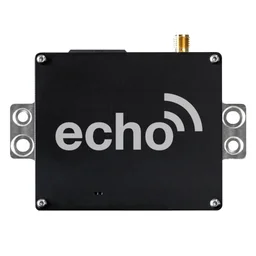
Download the data log of your Rotax aircraft engine from the AvMap EngiBOX engine monitoring system, with your smartphone / tablet via Bluetooth and store it on the EngiBOX Portal.
You can analyze your engine performance graphs, and also share engine logs with your Rotax Service center for an optimal maintenance and support service.
In case of engine performance problems send a notification to your Rotax Service Center to get Instant Support Service.
The engine parameters are recorded with an update rate of five times per second, and are stored in the AvMap EngiBOX internal memory (up to 160 hours). In case of any problem or for regular maintenance you can easily download and store these engine data and share them with your Rotax service Center.
The monitored parameters are: Exhaust Gas Temperature (EGT), Revolutions per Minute (RPM), Manifold Pressure (MAP), Oil Pressure, Oil Temperature / Air Temperature, Cylinder Head Temperature (CHT) / Coolant Temperature (CT).
Main functions:
- Download and store engine parameters data log
- Analyze performance graphs of each log on the EngiBOX Portal
- Enable a Rotax Service Center to see your saved logs
- Share data and send a notification to a Rotax Service to get Instant Support
- Invite a Service Center to join the program
How to use the EngiBOX App:
Connect your smartphone / tablet to your AvMap EngiBOX:
1. Activate the Bluetooth on your Smartphone / tablet
2. Power on the EngiBOX and activate the Bluetooth
3. Launch the EngiBOX App. The app will scan for EngiBOX in the surroundings and the list of found devices will appear in the left column.
4. Select your EngiBOX according to the EngiBOX ID.
5. In case of first use, follow the wizard to register your EngiBOX
Easily download your engine data log:
1. Launch the EngiBOX mobile App.
2. Select your EngiBOX from the left column to connect to it
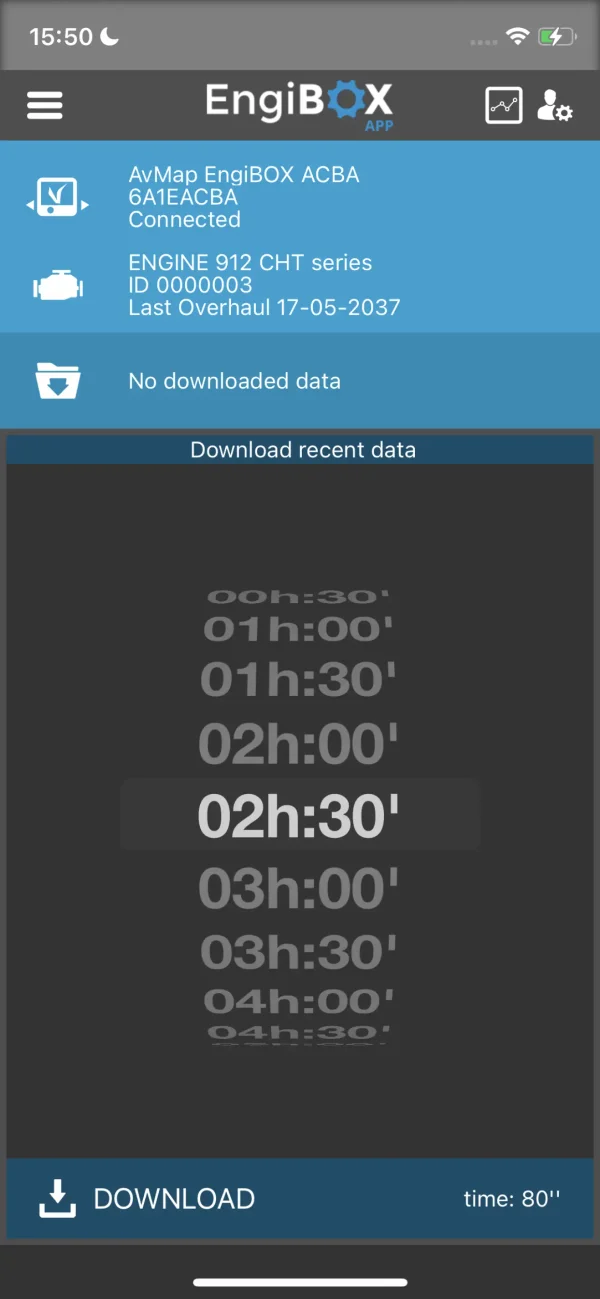
3. The App shows: EngiBOX ID, connection status, Engine model, Engine ID number and date of last overhaul.
4. Login
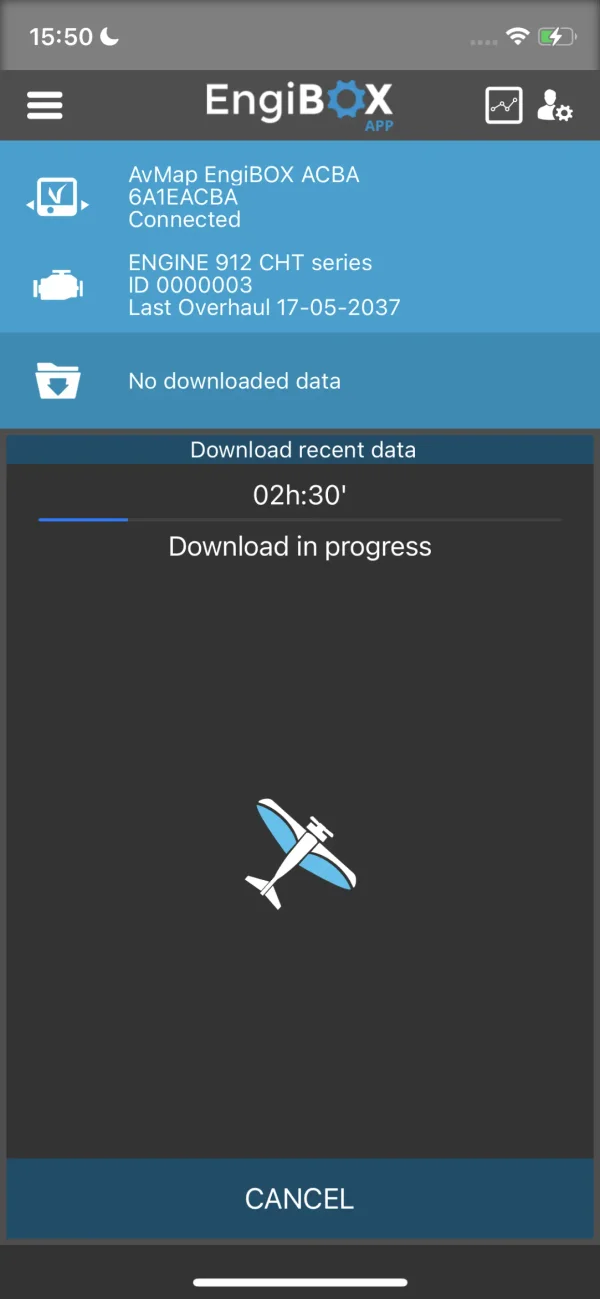
5. Tap DOWNLOAD DATA.
6. Choose how many minutes you want to download: the minimum is the last 30 minutes of activity, the maximum 10,5 hours (see the estimated time for download in the bottom right corner)
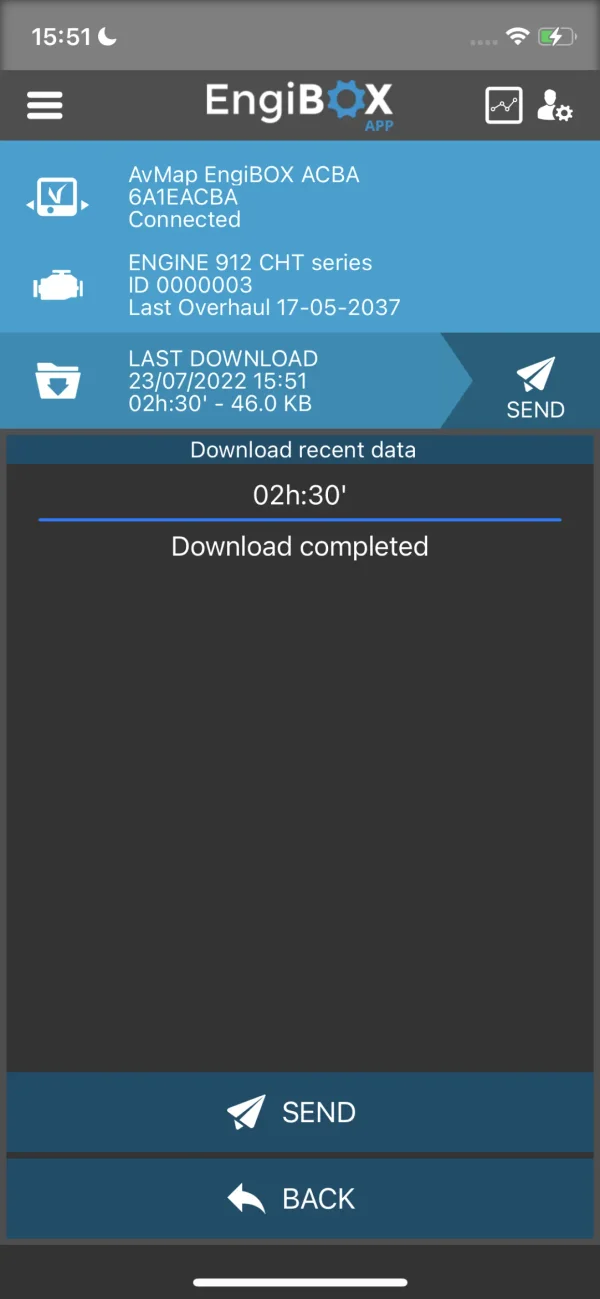
7. When the download is complete, press the SEND icon. The service center will be able to see all your engine logs.
8. Once the operation is completed, you can start using the EngiBOX portal http://engibox.avmap.it/ to analyze your data or contact the Service Center to get Instant Support.
Visit avionics.avmap.it/iss for the up-to-date list of companies qualified for Instant Support Service.
Có gì mới
Phiên bản 1.3.5 · 25/06/2026
minor fix
Quyền riêng tư của ứng dụng
Những gì AvMap khai báo trên App Store về cách ứng dụng này xử lý dữ liệu.
-
Dữ liệu liên kết với bạn
Có thể được thu thập và liên kết với danh tính của bạn.
- Thông tin liên hệ
Phương thức đảm bảo quyền riêng tư có thể khác nhau, chẳng hạn như tuỳ theo các tính năng bạn sử dụng hoặc độ tuổi của bạn.
Thông tin
- Người bán
- AvMap srl
- Danh mục
- Tiện Ích
- Phiên bản
- 1.3.5
- Cập nhật
- 25/06/2026
- Phát hành
- 25/06/2015
- Kích thước
- 2,4 MB
- Yêu cầu
- iOS 9.0 trở lên
- Độ tuổi
- 4+
- Giá
- Miễn phí
- Ngôn ngữ
- Tiếng Anh, Tiếng Ý
- Bản quyền
- © AvMap s.r.l.u. 2022