Enlighted
Control our LED art & apparel
Được thiết kế cho iPhone, iPad, iPod touch
Miễn phí
- Độ tuổi12+
- Danh mụcGiải Trí
- Nhà phát triểnEnlighted Designs Inc.
- Ngôn ngữTiếng Anh
- Kích thước3,8 MB
Liên kết đến trang App Store chính thức
Download.org không lưu trữ tệp nào của Enlighted. Nút này mở trang ứng dụng trên App Store, nơi Enlighted Designs Inc. phát hành ứng dụng. Trang được kiểm tra lần cuối: 16/11/2026.
Ảnh chụp màn hình
Giới thiệu
Nhà phát triển chưa cung cấp nội dung này bằng ngôn ngữ của bạn.
This app uses BLE to control custom LED clothing, costumes, and fine art created by Janet Hansen of Enlighted Designs, Inc.
It allows the user to see a menu of available LED effects and colors, and to select any of them wirelessly. The modes can also be customized with other colors and background graphics. To operate, it requires a piece of custom Enlighted art or clothing with the corresponding built-in Bluetooth Low Energy (BLE) hardware.
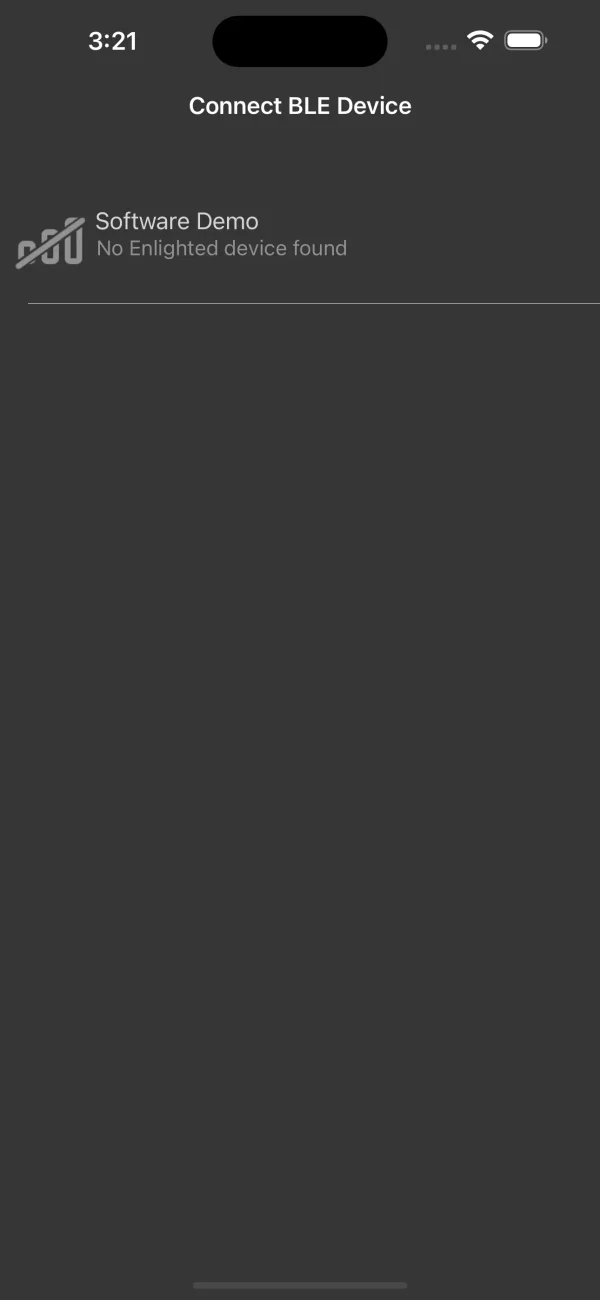
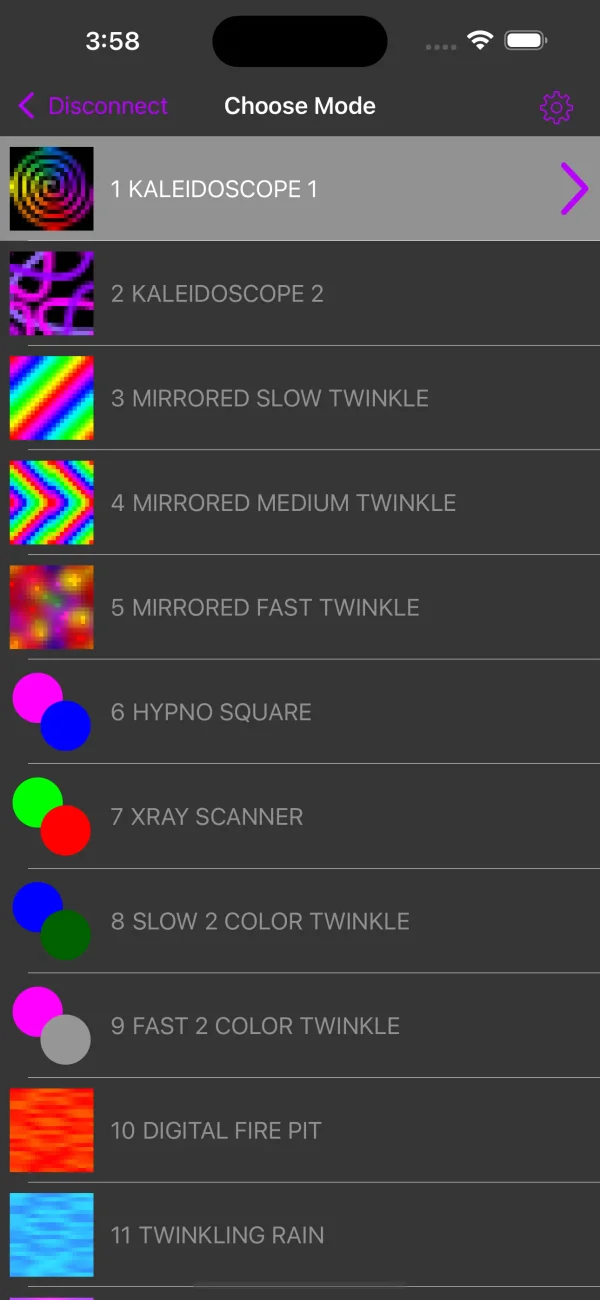
Upon startup, the app will display a list of active Enlighted BLE hardware within range of your iOS device. When you make a successful connection, the app will open the Choose Mode screen, which has a scrolling list of mode numbers, names, and thumbnail graphics indicating the background color for each mode, which may be defined by two sets of RGB color definitions or by a bitmap. Tapping any of these modes will instantly change the lighting effect on your LED garment or fine art object.
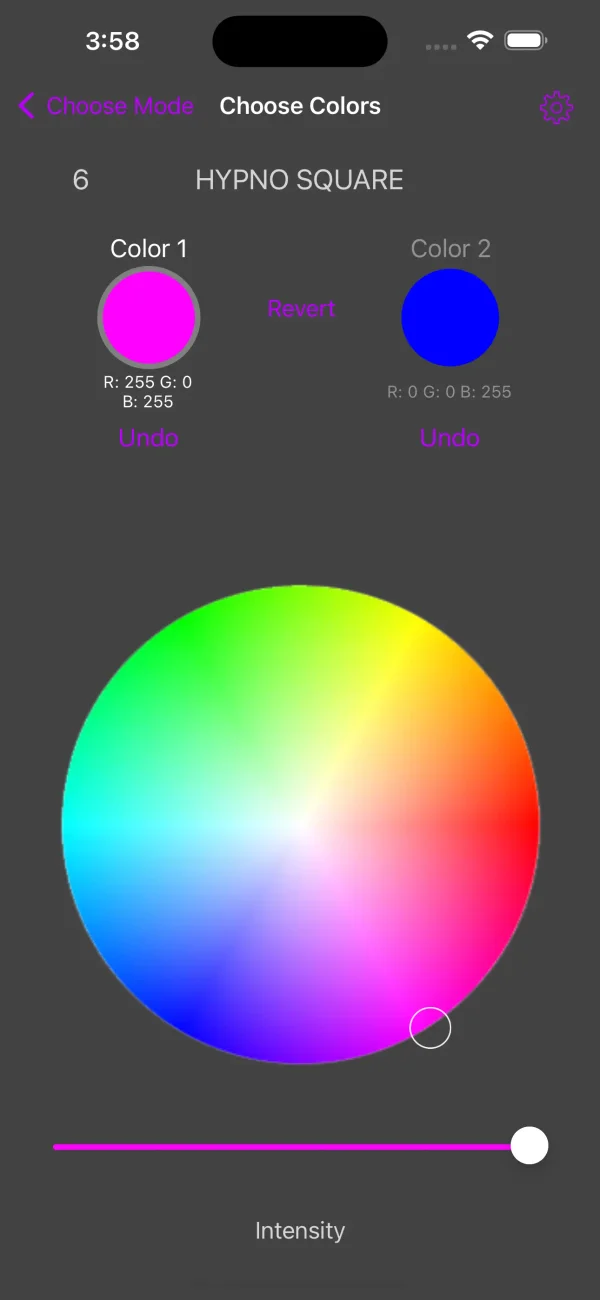
The user can customize a mode by selecting it, and then tapping on the right arrow that appears in that row. For modes that have their background colors defined by RGB values, tapping on the right arrow will open the Choose Colors screen. This will show the two colors that are currently active as round color swatches. The color that is highlighted with a white border is the one being modified, and any change in this color will be sent to the Enlighted hardware as soon as your finger is lifted from the color picker. Tapping on the other color will make that one editable. You can go backwards through previous color selections with the Undo command for either color, or you can return both colors to the original hardware settings with the Revert command.
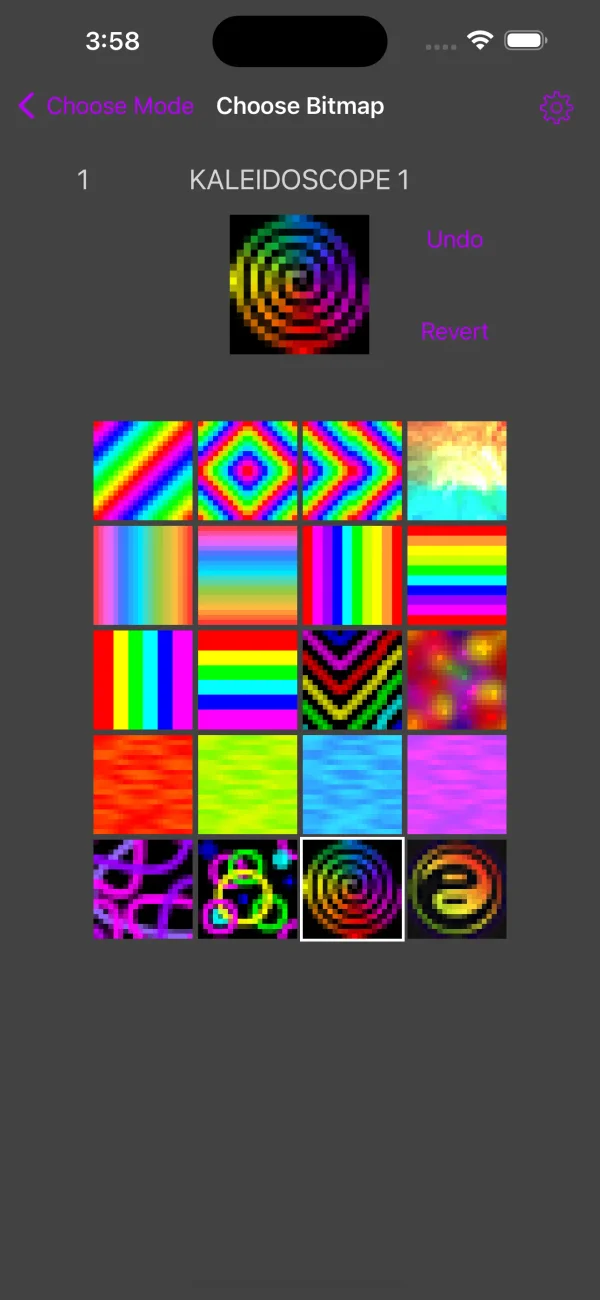
For complex modes that have colors defined by a bitmap, tapping on the arrow will open a Choose Bitmap screen that shows the current bitmap at the top, along with menu of available alternate bitmaps that can be picked by tapping on any of them. Changes in bitmap selection will be updated on the LED hardware as an instant preview. These choices can be reversed with the Undo command, and the effect can be returned to the original hardware settings with the Revert command.
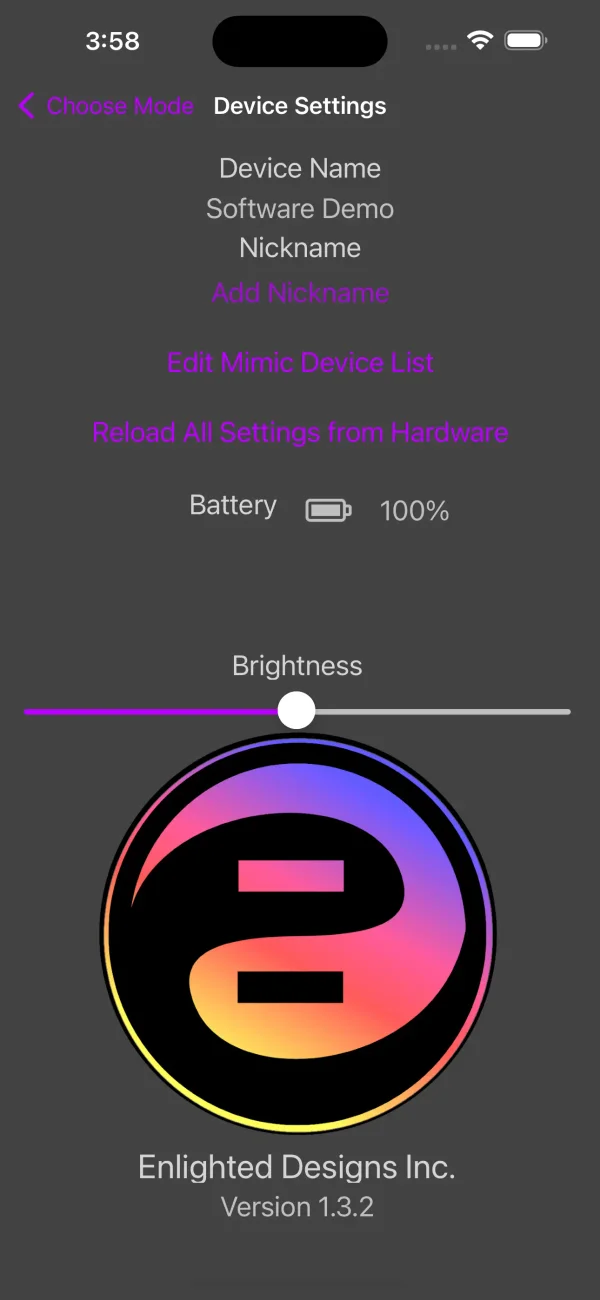
The Device Settings page (accessed with the gear symbol in the header) contains information that applies to all screens in the Enlighted app. This includes the Enlighted device name, an optional nickname, the battery level in the Enlighted hardware, and the version number of the Enlighted app. The master brightness is also shown on this screen, and can be changed with the slider. This screen also includes an option to “Reload All Settings from Hardware.” This command will delete any changes to custom bitmap or color selections, and will revert to the original mode definitions in the Enlighted hardware. This process can take several minutes, so it is normally only done the first time the app links to a new piece of hardware. Once the mode definitions are loaded (and/or edited), the app will remember the settings from the previous session unless the user performs another Reload operation.
The app also supports a Mimic option, where multiple devices can be controlled simultaneously. From the Device Settings page, choose “Edit Mimic Device List”. This will open a new screen that shows any available hardware in range, or any devices that were previously added to the Mimic List but are not currently powered up. Any of these can be toggled on or off, and those that are active on the mimic list will receive the same commands that are being sent to the primary hardware, including mode selection, colors, bitmap selection, and brightness.
Enlighted specializes in making high-quality custom lighted clothing, accessories, and fine art with lights embedded in textiles and other flexible materials. For more information about the artist, Janet Hansen, or the company, Enlighted Designs Inc., please see janethansen.com or enlighted.com.
Có gì mới
Phiên bản 1.6.1 · 14/07/2026
Bug fixes
Quyền riêng tư của ứng dụng
Những gì Enlighted Designs Inc. khai báo trên App Store về cách ứng dụng này xử lý dữ liệu.
-
Dữ liệu không được thu thập
Nhà phát triển không thu thập bất kỳ dữ liệu nào từ ứng dụng này.
Phương thức đảm bảo quyền riêng tư có thể khác nhau, chẳng hạn như tuỳ theo các tính năng bạn sử dụng hoặc độ tuổi của bạn.
Thông tin
- Người bán
- Right Brain Electronics, LLC
- Danh mục
- Giải Trí
- Phiên bản
- 1.6.1
- Cập nhật
- 14/07/2026
- Phát hành
- 09/01/2019
- Kích thước
- 3,8 MB
- Yêu cầu
- iOS 14.5 trở lên
- Độ tuổi
- 12+
- Giá
- Miễn phí
- Ngôn ngữ
- Tiếng Anh
- Bản quyền
- © 2019 Enlighted Designs, Inc.