eSign: Sign Documents & Forms
PDF Signer & Signature Maker
Được thiết kế cho iPhone, iPad
Miễn phí · Mua hàng trong ứng dụng
- Độ tuổi17+
- Danh mụcHiệu Suất
- Nhà phát triểnElevate Mobile Group LLC
- Ngôn ngữTiếng Anh+ 13 ngôn ngữ khác
- Kích thước32,9 MB
Liên kết đến trang App Store chính thức
Download.org không lưu trữ tệp nào của eSign: Sign Documents & Forms. Nút này mở trang ứng dụng trên App Store, nơi Elevate Mobile Group LLC phát hành ứng dụng. Trang được kiểm tra lần cuối: 12/11/2026.
Ảnh chụp màn hình
Giới thiệu
Nhà phát triển chưa cung cấp nội dung này bằng ngôn ngữ của bạn.
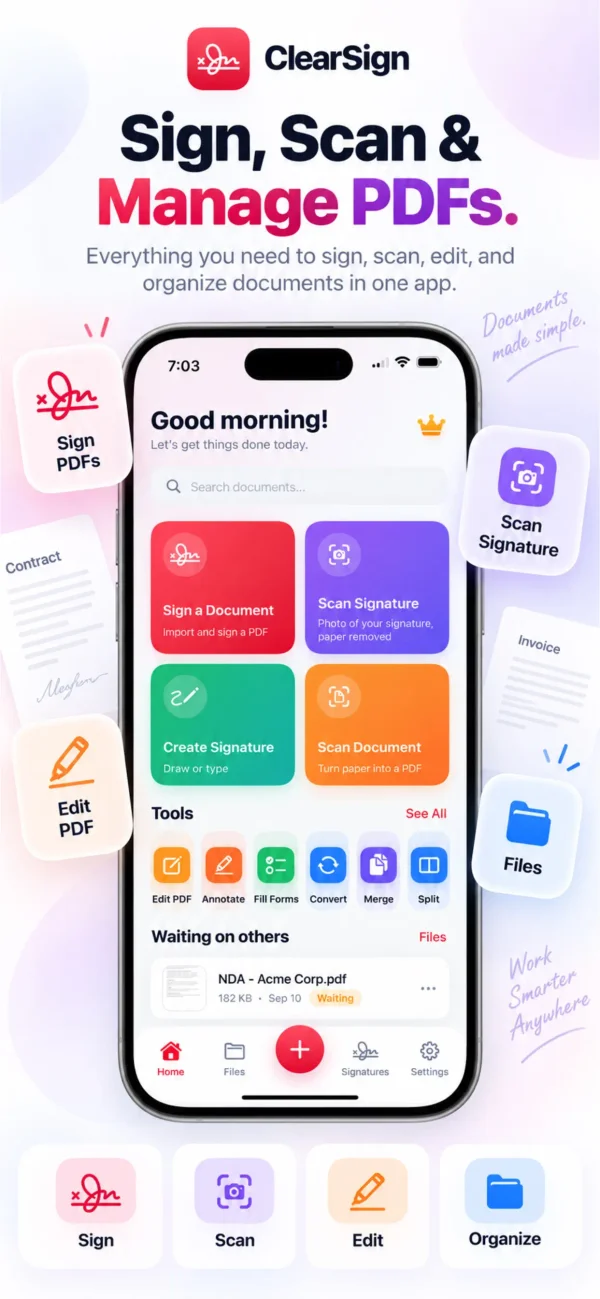
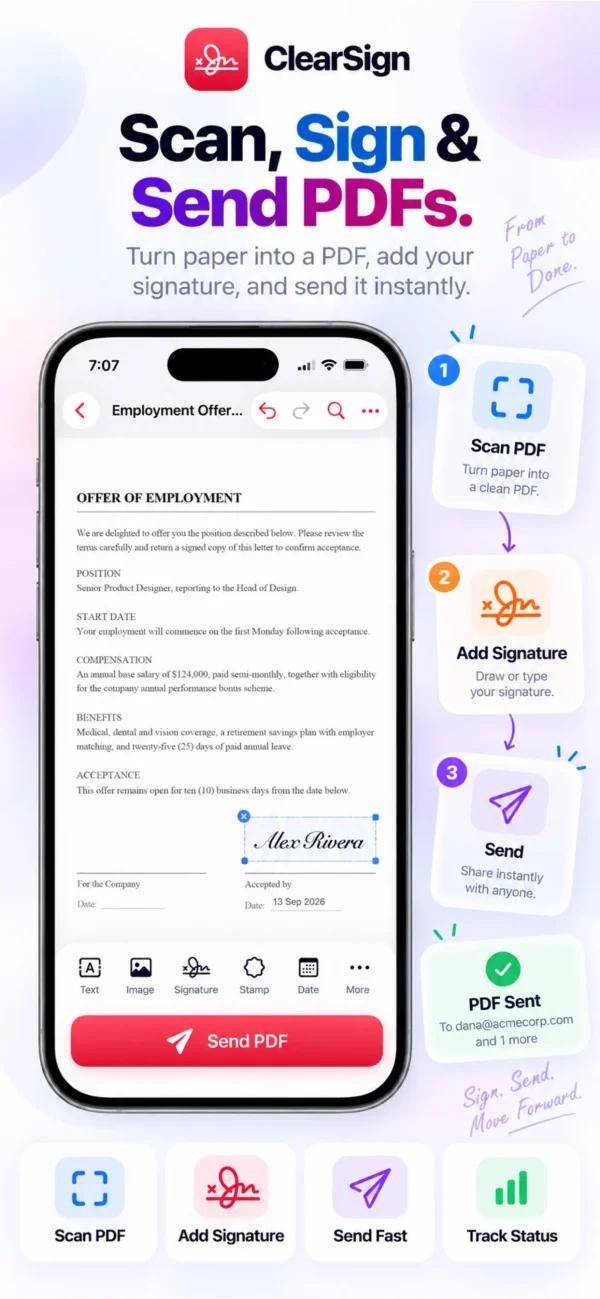
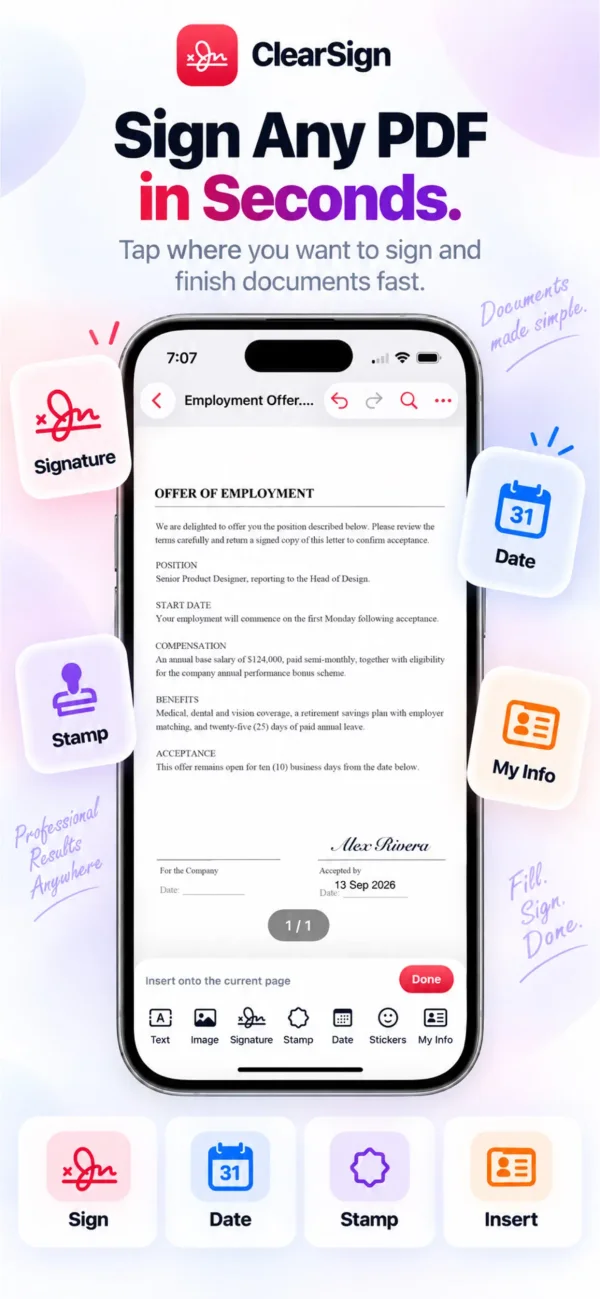
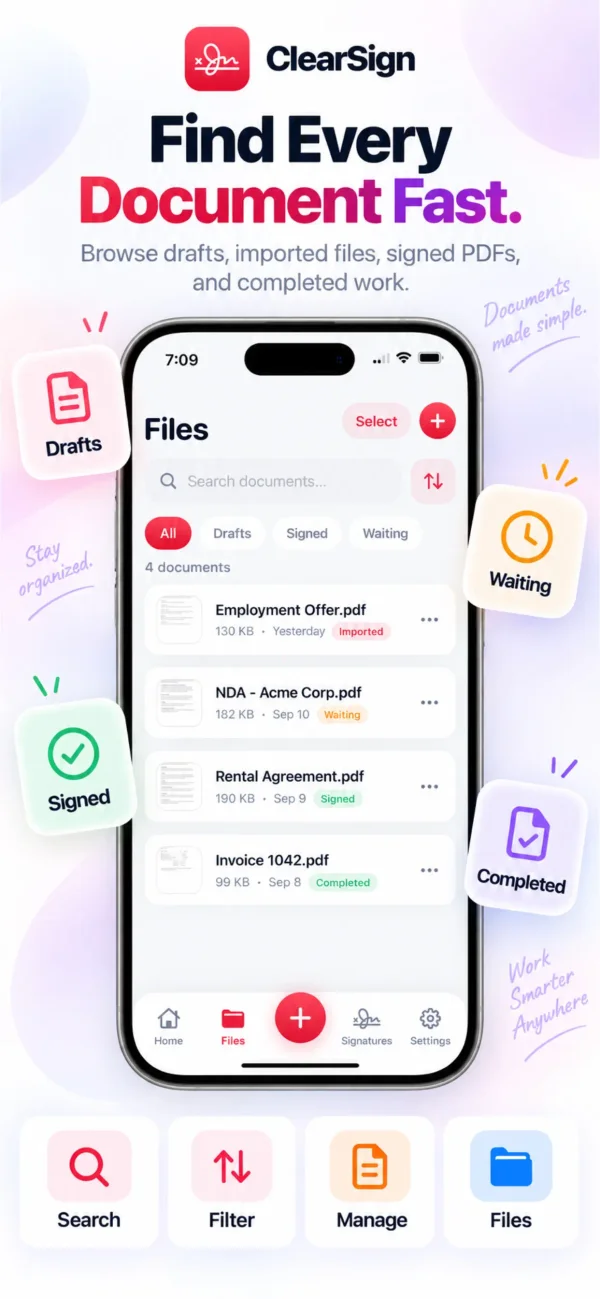
Sign any PDF in seconds: tap where you want to sign, and your signature lands right there.
Fill in forms, scan paper contracts and send documents out for signature, all from your iPhone.
SIGN DOCUMENTS FAST
• Tap anywhere on the page to place your signature, initials or date
• Drag, resize and rotate to line it up perfectly on the signature line
• Sign contracts, leases, offer letters, invoices, NDAs and permission slips
• Share the signed PDF or save it to Files when you're done
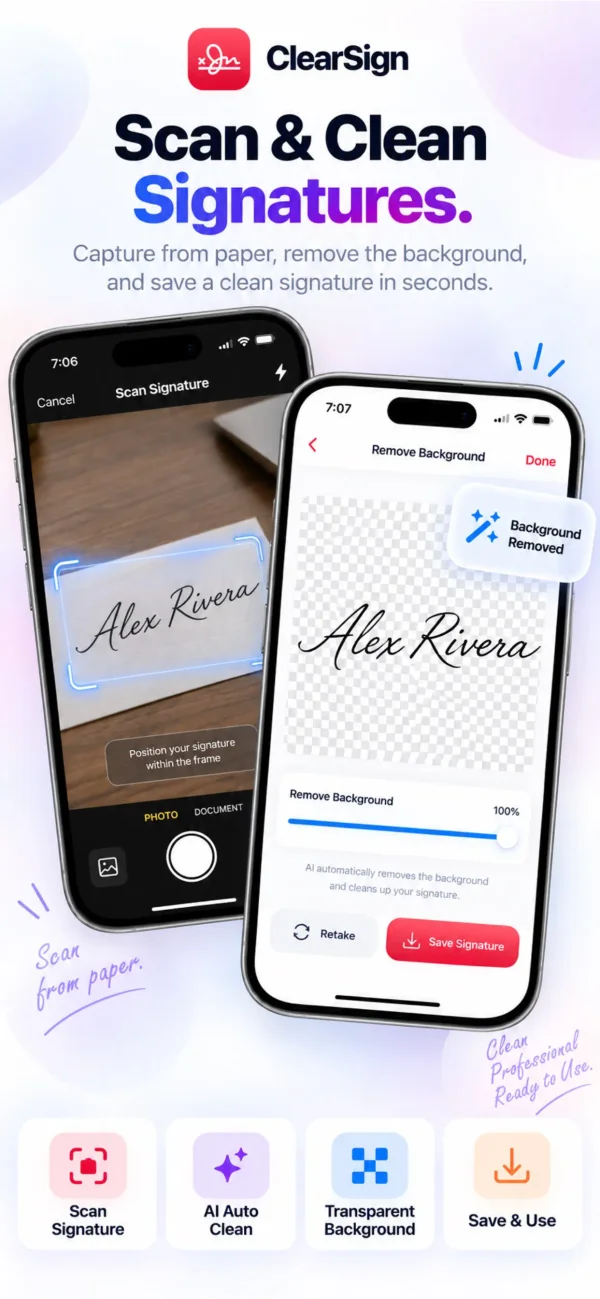
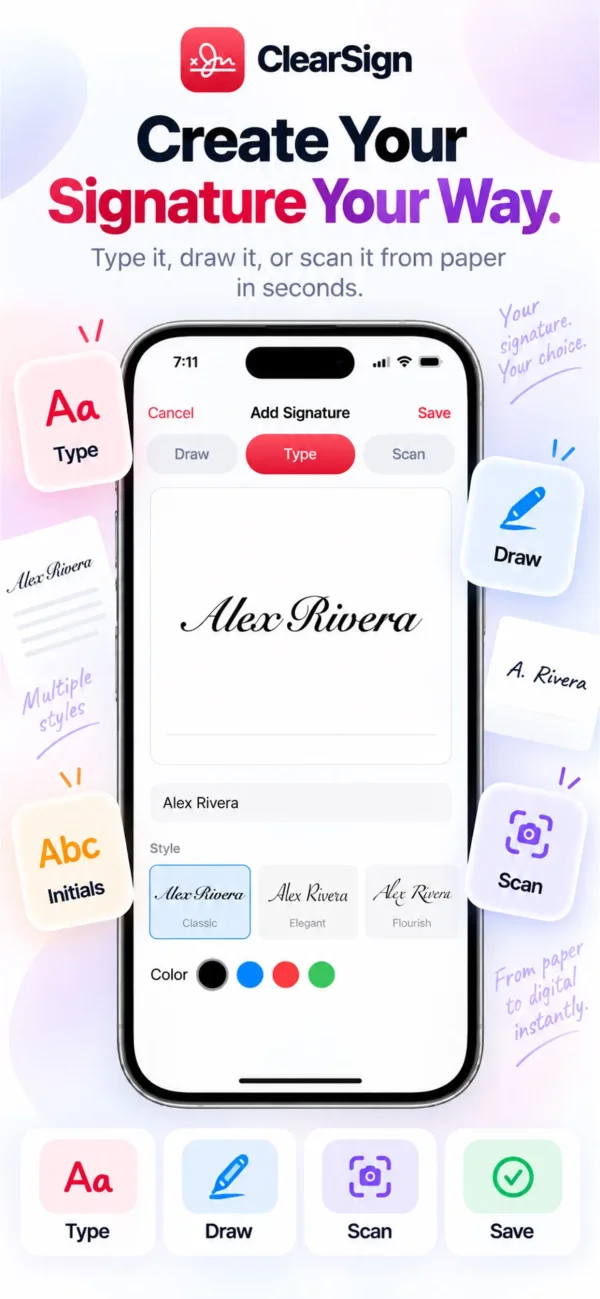
CREATE YOUR SIGNATURE YOUR WAY
• Draw it with your finger
• Type your name and pick from six handwriting styles
• Scan a signature written on paper; the background is removed automatically
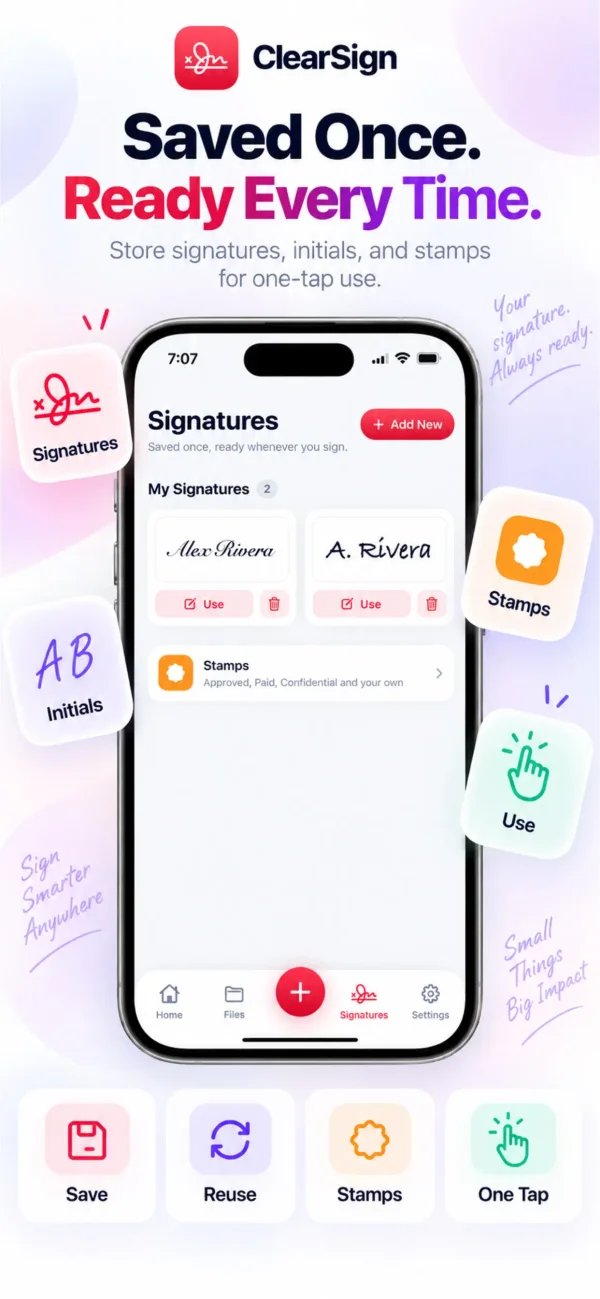
• Save several signatures and initials, ready whenever you sign
FILL FORMS
• Fill in PDF form fields, checkboxes and radio buttons
• Add text, dates, checkmarks and stamps anywhere on the page
• Save your name, email and company once and insert them with one tap
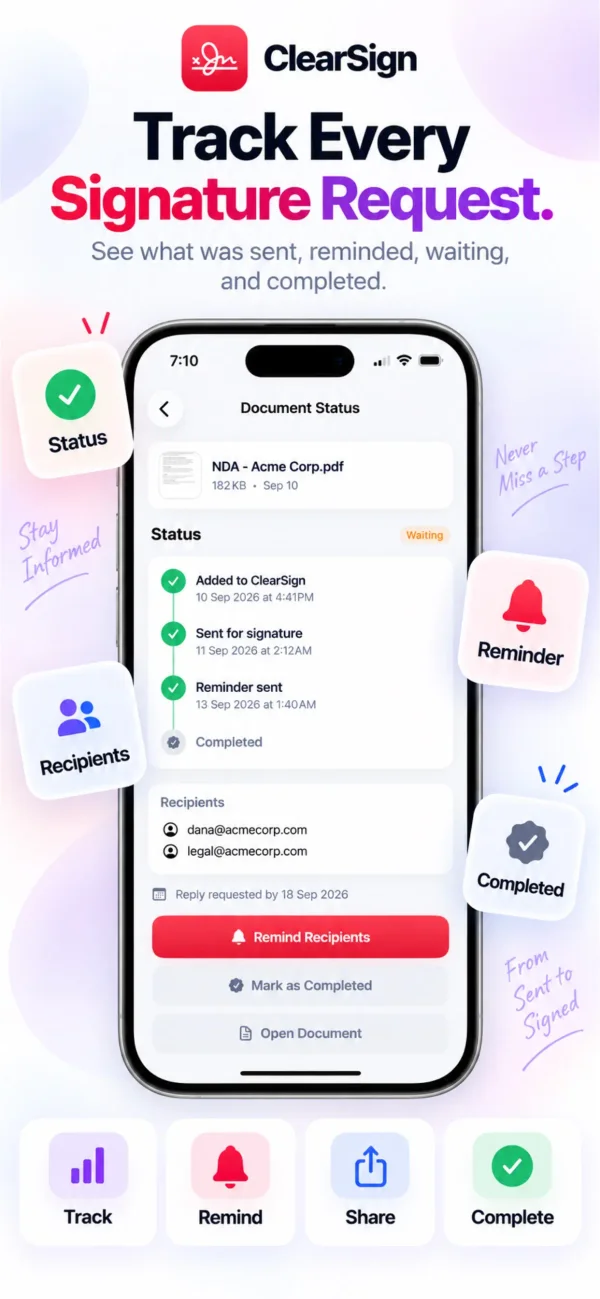
SEND FOR SIGNATURE
• Email a document to the people who need to sign it
• Add a message and a reply-by date
• See which documents are still waiting and send a reminder
• Mark a document completed when the signed copy comes back
SCAN PAPER TO PDF
• Scan contracts and receipts with your camera
• Automatic edge detection and perspective correction
• Open the scan straight away to sign it
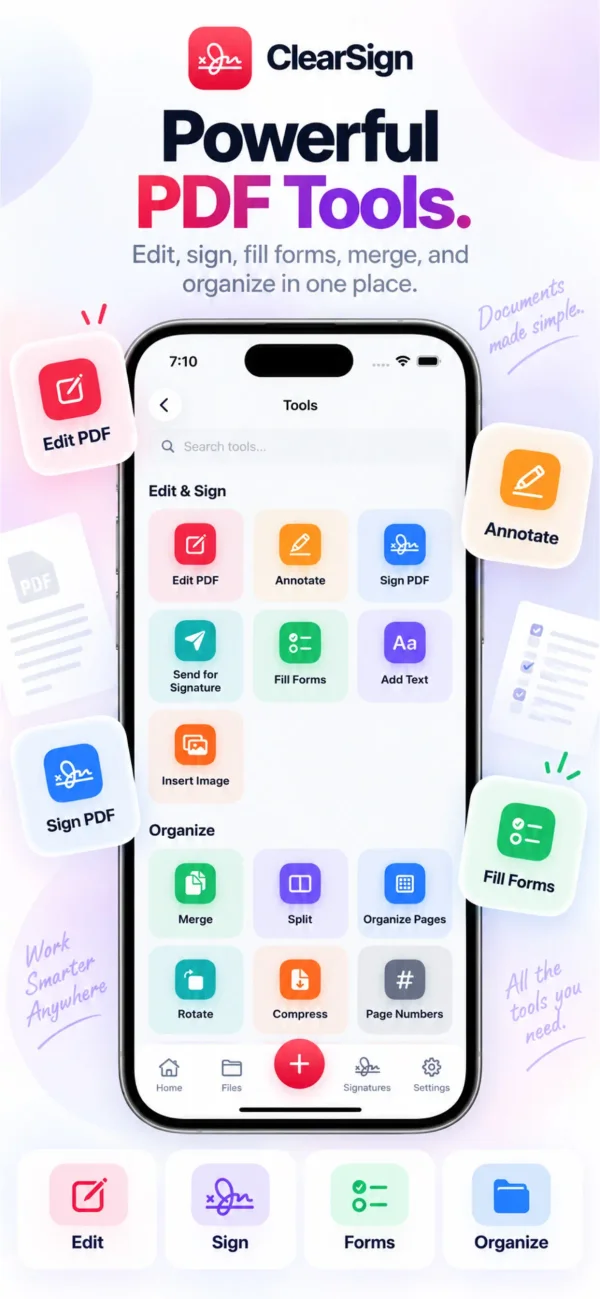
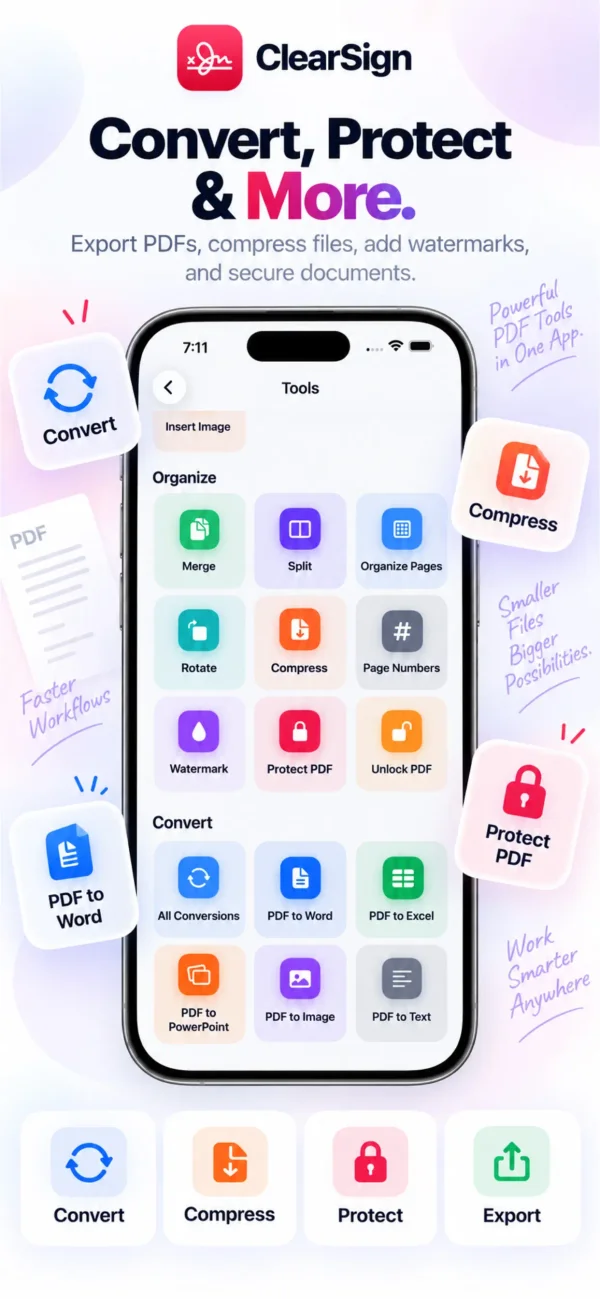
EVERY PDF TOOL YOU NEED
• Merge, split, compress and rotate PDFs
• Reorder, delete and insert pages
• Add watermarks and page numbers
• Protect a PDF with a password, or remove one from a file you own
• Convert PDF to Word, Excel, PowerPoint, images or text
• Turn photos and Word, Excel or PowerPoint files into PDFs
YOUR DOCUMENTS, ON YOUR DEVICE
Your documents and signatures are stored on your iPhone, with optional iCloud sync. PDF conversion and text recognition run on your device.
Available in English, Arabic, Chinese (Simplified), Dutch, French, German, Hebrew, Hindi, Japanese, Korean, Portuguese, Russian, Spanish and Turkish.
CLEARSIGN PRO
Signing is free and unlimited. The free version includes 2 exports (save, share or print), a daily scan limit and ads. ClearSign Pro removes the limits and the ads and unlocks every tool. Choose a weekly, monthly or yearly plan. The yearly plan starts with a 7-day free trial and the monthly plan with a 3-day free trial. Prices are shown in the app before you subscribe and may vary by region.
Payment is charged to your Apple ID account at confirmation of purchase. The subscription automatically renews unless it is canceled at least 24 hours before the end of the current period, and your account is charged for renewal within 24 hours before the end of the period. You can manage and cancel your subscription in your App Store account settings after purchase. Any unused portion of a free trial is forfeited when you purchase a subscription.
Terms of Use: https://aprstudiodev.com/terms-of-use.html
Privacy Policy: https://aprstudiodev.com/privacy-policy.html
Có gì mới
Phiên bản 80 · 06/11/2026
• New app icon
• Sign and stamp as many documents as you like, free
• See how many free exports you have left
• The Premium screen now closes with one tap
• Fewer ads and other fixes
Quyền riêng tư của ứng dụng
Những gì Elevate Mobile Group LLC khai báo trên App Store về cách ứng dụng này xử lý dữ liệu.
-
Dữ liệu được sử dụng để theo dõi bạn
Có thể được sử dụng để theo dõi bạn trên các ứng dụng và trang web do công ty khác sở hữu.
- Mã định danh
-
Dữ liệu liên kết với bạn
Có thể được thu thập và liên kết với danh tính của bạn.
- Nội dung của người dùng
-
Dữ liệu không liên kết với bạn
Có thể được thu thập nhưng không liên kết với danh tính của bạn.
- Mục mua
- Mã định danh
- Dữ liệu sử dụng
- Chẩn đoán
Phương thức đảm bảo quyền riêng tư có thể khác nhau, chẳng hạn như tuỳ theo các tính năng bạn sử dụng hoặc độ tuổi của bạn.
Thông tin
- Người bán
- Elevate Mobile Group LLC
- Danh mục
- Hiệu Suất
- Phiên bản
- 80
- Cập nhật
- 06/11/2026
- Phát hành
- 11/12/2024
- Kích thước
- 32,9 MB
- Yêu cầu
- iOS 16.4 trở lên
- Độ tuổi
- 17+
- Giá
- Miễn phí
- Mua hàng trong ứng dụng
- Có
- Ngôn ngữ
- Tiếng Anh, Tiếng Ả Rập, Tiếng Hà Lan, Tiếng Pháp, Tiếng Đức, Tiếng Do Thái, Hindi, Tiếng Nhật, Tiếng Hàn, Tiếng Bồ Đào Nha, Tiếng Nga, Tiếng Trung Giản thể + 2 ngôn ngữ khác
- Bản quyền
- © 2024 Ayoub EL. All rights reserved.
Có thể bạn cũng thích
-
 iSignature - Scan SignatureHiệu Suất
-
 Document Sign & PDF SignatureElectronic Signature Creator
-
 PDFEsign.com PDF E-SignHiệu Suất
-
 Signature Maker & Esign NowHiệu Suất
-
 JetSign: Fill & Sign PDF DocsHiệu Suất
-
 Secure Authenticator: OTP, MFAHiệu Suất
-
 Image to PDF Converter:ConvertHiệu Suất
-
 Air Print & Smart Printer ScanHiệu Suất
-
 Signature generator: Sign PDFHiệu Suất
-
 AI Phone Cleaner: Cleanup ProHiệu Suất