EV Dashboard
Beyond your factory dashboard
Được thiết kế cho iPhone, iPad
399.000đ
- Độ tuổi4+
- Danh mụcTiện Ích
- Nhà phát triểnGregory Burlingame
- Ngôn ngữTiếng Anh+ 9 ngôn ngữ khác
- Kích thước30,3 MB
Liên kết đến trang App Store chính thức
Download.org không lưu trữ tệp nào của EV Dashboard. Nút này mở trang ứng dụng trên App Store, nơi Gregory Burlingame phát hành ứng dụng. Trang được kiểm tra lần cuối: 24/11/2026.
Ảnh chụp màn hình
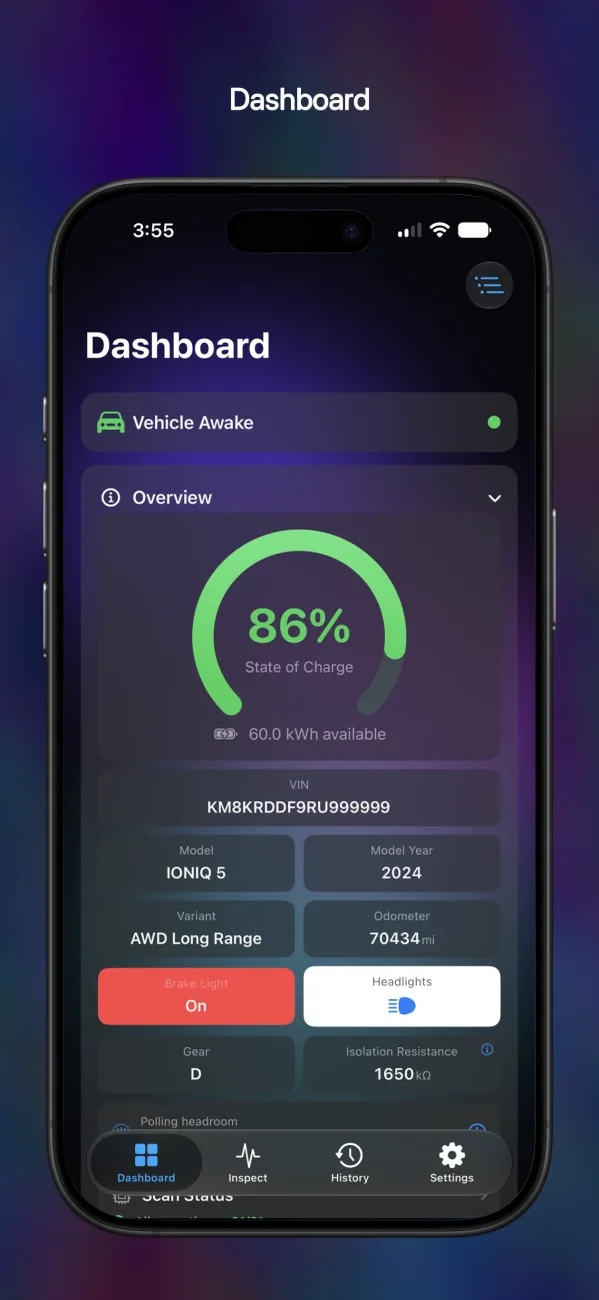
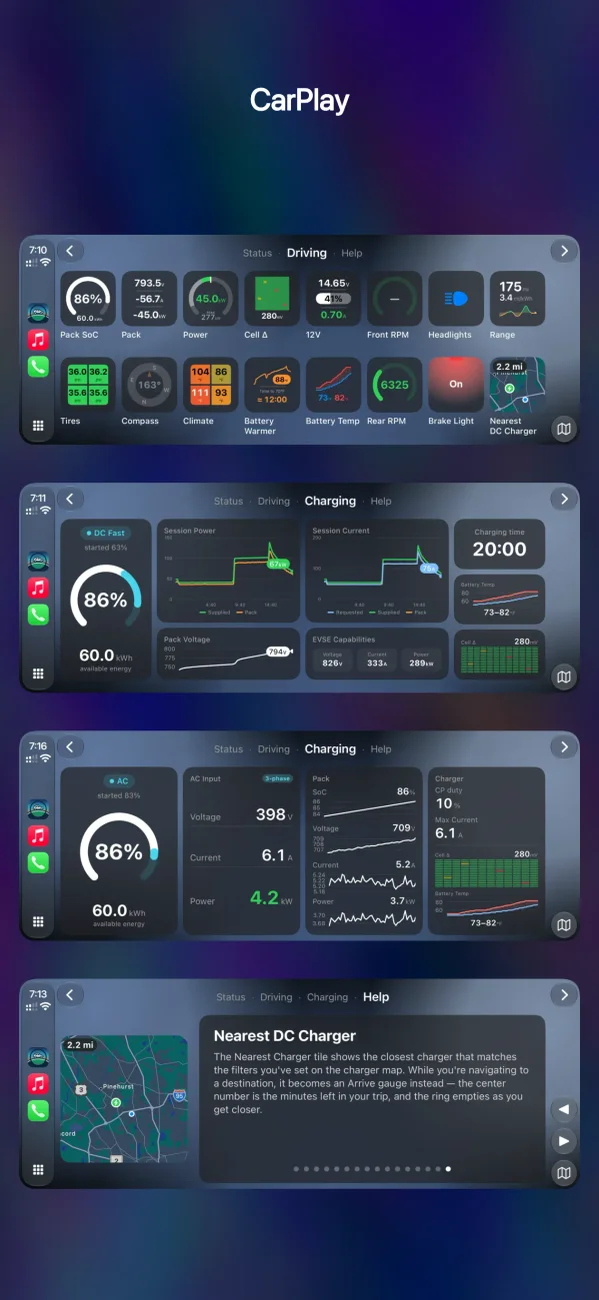
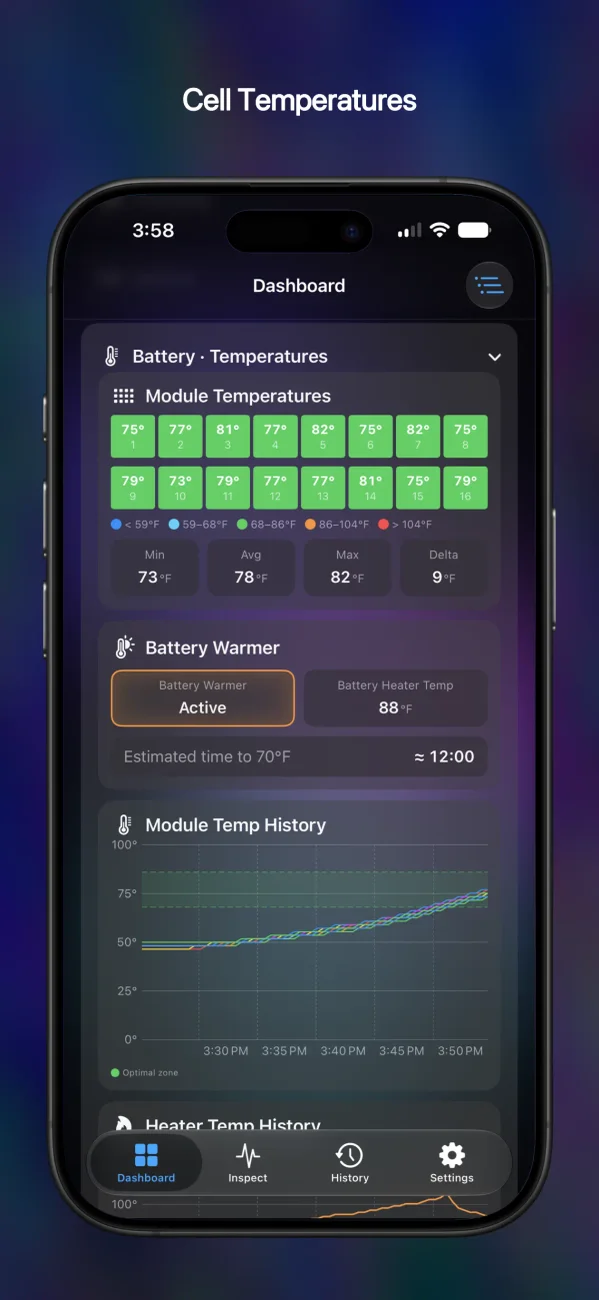
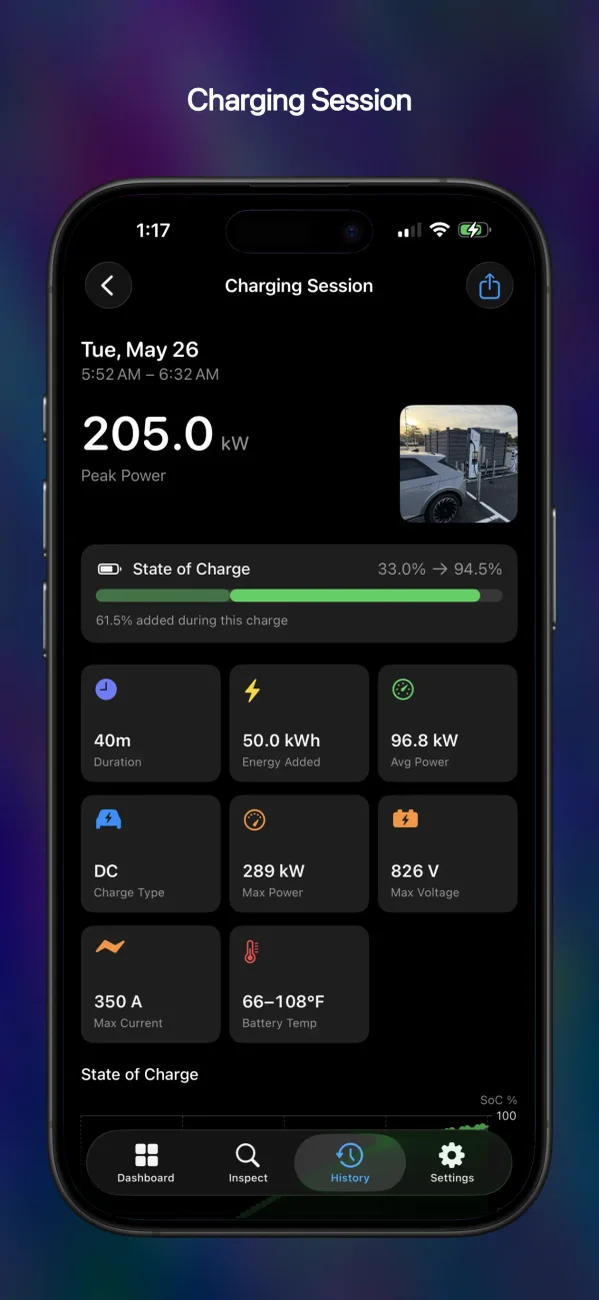

Giới thiệu
Nhà phát triển chưa cung cấp nội dung này bằng ngôn ngữ của bạn.
EV Dashboard is an independent OBD-II diagnostic tool for E-GMP electric vehicles: the Hyundai IONIQ 5, IONIQ 5 N, IONIQ 6 and IONIQ 9, the Kia EV3, EV6 and EV9, and the Genesis GV60.
REQUIREMENTS
- An ELM327-compatible BLE OBD-II adapter, OBDLink MX+, Vgate vLinker FS, or Vgate vLinker MS (see https://www.theburl.com/ioniq-app/support.html for tested adapters)
- Signal coverage varies by model, year and trim
CARPLAY
- A dashboard of live tiles you arrange yourself — 2x8 in full screen, 2x4 in split screen, where supported
- Power, state of charge, range, speed, elevation, tires, climate, battery health and more, each with its own Help page
- A graphics-rich charging page appears when you plug in: session power, pack voltage and current
- Full support for CarPlay's Dashboard — a live charger map beside two tiles of your choosing
NAVIGATION & CHARGERS
- More than 60,000 DC fast-charge sites ship inside the app — worldwide, instant, offline
- Filter by power level or network operator, anywhere in the world
- Turn-by-turn navigation to a charger or any address, with spoken guidance in a voice you choose
- Turn directions in your instrument cluster and head-up display, where supported
- Your estimated state of charge on arrival, so you know if you will make it
- Optional live data sharing with ABRP (A Better Routeplanner)
IN-DEPTH DATA
- State of charge, available energy, voltage, current, power, regeneration, and 12V and DC-DC telemetry
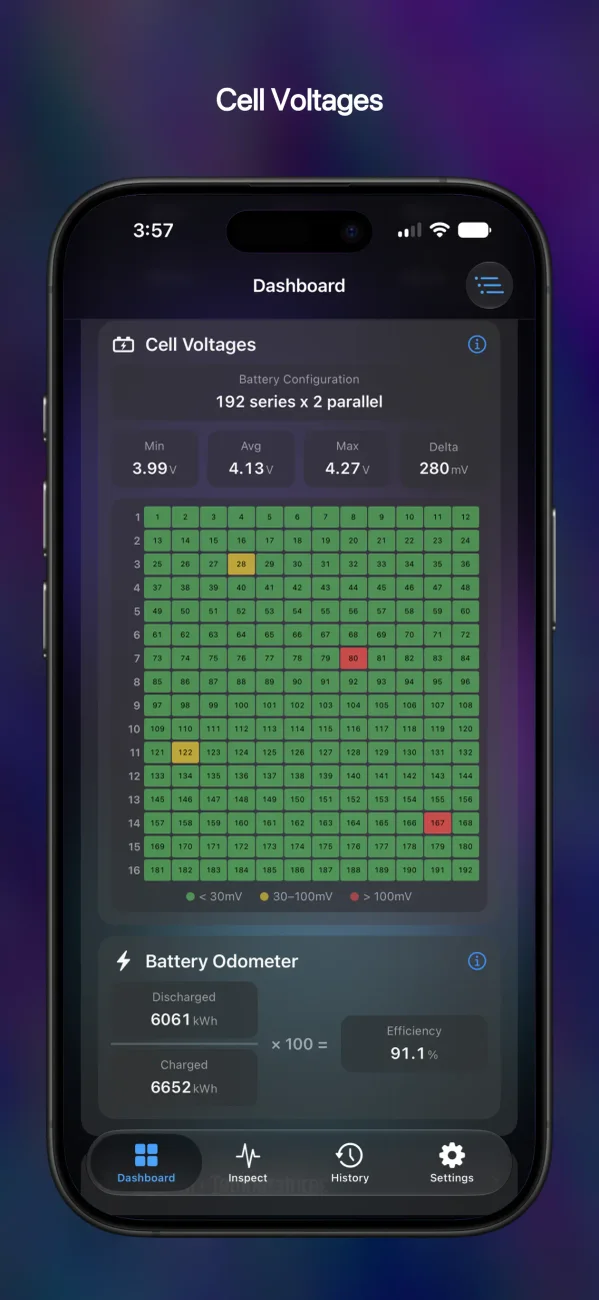
- Per-cell voltages and temperatures as color-coded heatmaps, with min, max and delta
- Tire pressures and temperatures, with per-axle warnings from your door placard, temperature-compensated
- Climate, humidity, motor RPM, gear, battery warmer and lighting indicators
CHARGING
- Charts for power, pack voltage, requested against delivered current and battery temperature
- The charging station's published maximum power, voltage and current (J1772 + CCS)
- Live "Time to 70°F / 21°C" battery ETA for DC fast charging
HISTORY & ICLOUD
- Every drive and charge recorded, with measured trip distance and efficiency
- Journey maps each drive's route, colored by efficiency, speed, elevation, grade or power
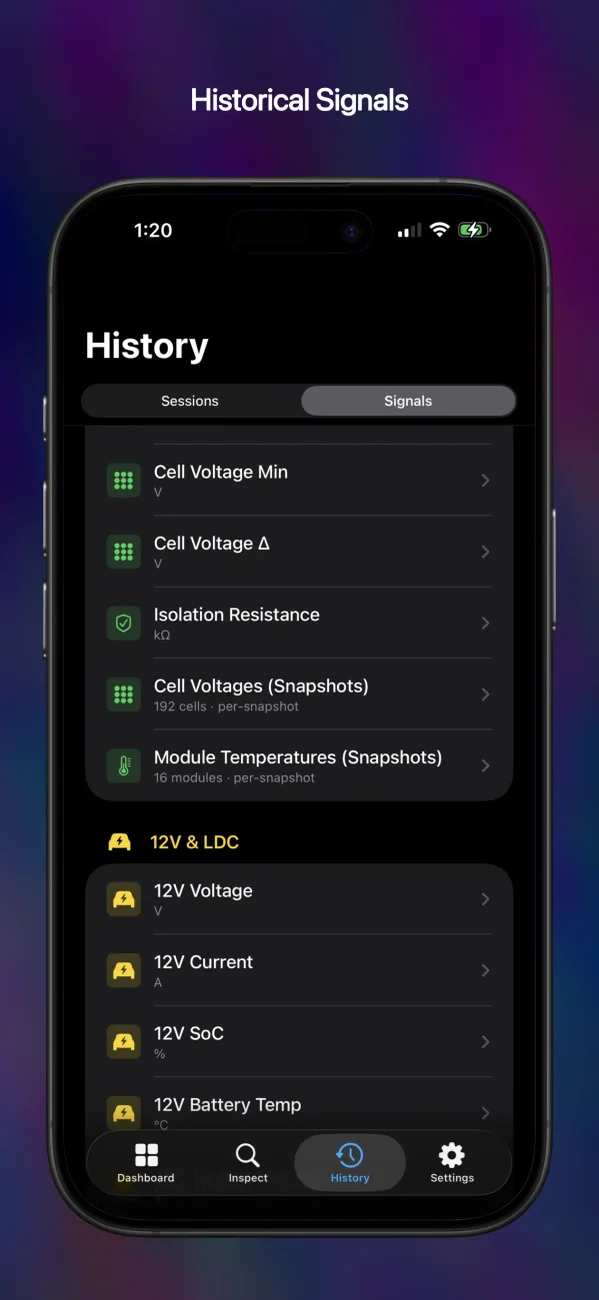
- 50+ signals on charts you can pinch, pan and scrub
- Optional iCloud sync keeps your history and settings in step across iPhone, iPad and Mac
- Attach a photo, share a report card, or export any session to CSV
DIAGNOSTICS
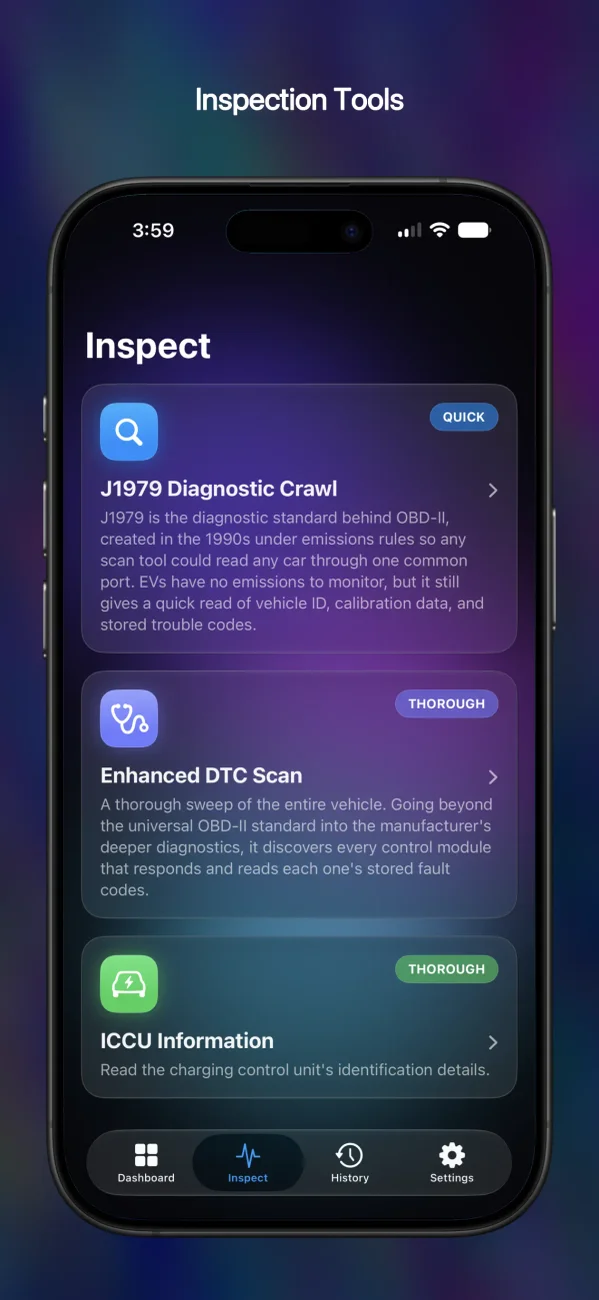
- Enhanced DTC Scan sweeps the whole vehicle bus, names every module that responds and reads its fault codes
- Connection Report, ICCU Information, J1979 Scanner, ECU Finder and DID Range Scan, with CSV and image sharing
PRIVACY BY DESIGN
No analytics, ads or accounts. Vehicle data stays on your device and your private iCloud unless you turn on ABRP sharing, which sends live data from the app directly to ABRP. Logs are exported only when you tap Share. Privacy policy: https://www.theburl.com/ioniq-app/privacy.html
NOT AFFILIATED
EV Dashboard is not affiliated with, endorsed by or sponsored by Hyundai, Kia or Genesis. IONIQ, EV3, EV6, EV9 and GV60 are trademarks of their respective owners. This independent tool reads your own vehicle's data using open OBD-II and UDS standards (ISO 15031, ISO 14229).
Charger data from Open Charge Map contributors (CC BY-SA 4.0) and the U.S. DOE / NRCan Alternative Fuels Data Center.
Có gì mới
Phiên bản 3.5 · 12/11/2026
Version 3.5
NEW: Journey
- Every drive now records its route on a map
- Color the route by efficiency, speed, elevation, grade or power
- Tap or scrub along the route to read any stretch's efficiency, speed, grade and power
- Export a drive as a GPX file; the journey also appears on the drive's share card
- Turn recording off under Settings → Drive Sessions
NEW: Bluetooth Classic adapters
- The OBDLink MX+, Vgate vLinker FS, and Vgate vLinker MS are now supported
- Pair once in iOS Settings → Bluetooth, then pick the adapter in the app
- "Adapter Out of Reach" shows when your adapter is asleep or out of range, and the app reconnects on its own
NEW: CarPlay tiles
- Elevation, using your device's barometer on vehicles whose CarPlay sends no altitude
- Internet Connection, with your data link's round-trip time and its last 10 minutes
- Drive Session and Drive Time, for the drive in progress
- Battery Health and Module Temps
- Add them under Settings → CarPlay → Customize Tiles
- The Speed tile now uses GPS when available
CarPlay navigation
- Switch between the map and your tiles while navigating
- Directions stay on your next turn until you make it
- Real roundabout, exit and fork symbols, in your head-up display(1) too
- A remaining time that keeps counting down, and offers of a faster route
- Arrival SoC in CarPlay's trip bar on iOS 27
- Rerouting starts in your direction of travel
- Starting from a driveway or parking lot, guidance begins when you reach the route
- Contacts in destination search, and a saved destination's pin can be manually adjusted
- The charger filter lists every network in your country
History
- Charging sessions show where you charged on a map
- Take a session photo with the camera
- New charts: charge-port temperatures, Elevation and Ambient Temp, plus a Final Energy tile
- Swipe between sessions; deleting one now asks first
- Choose a vehicle if you've connected more than one
- Uses up to 33% less storage
Settings
- NEW: Settings sync between your devices through iCloud
- NEW: Share live data with ABRP (A Better Routeplanner)
- NEW: MPGe efficiency unit
- Tire settings for each of your vehicles, connected or not
- A new Elevation screen
Vehicles and charging
- The North American Kia EV3 (2027) is now recognized
- FIX: Genesis GV60 Headlights indicator
- FIX: AC voltage on the IONIQ 9 and some 2022–2024 IONIQ 5s
- FIX: a false 20kW peak at the start of some AC charges
- FIX: charging from a household outlet no longer flips on and off
- Charging current turns negative when your vehicle draws more than the charger supplies
Look and reliability
- Solid panels and smoother scrolling throughout the app
- FIX: fewer false Adapter Interference alarms
- FIX: a second device on your iCloud account no longer cuts a drive short
- FIX: a finished charge no longer reopens hours later
- Readings show a dash until your vehicle reports them
(1) where supported by the vehicle
MFi PPID: 221699-0001 (OBDLink MX+), 649626-099130 (Vgate vLinker FS, vLinker MS)
Quyền riêng tư của ứng dụng
Những gì Gregory Burlingame khai báo trên App Store về cách ứng dụng này xử lý dữ liệu.
-
Dữ liệu liên kết với bạn
Có thể được thu thập và liên kết với danh tính của bạn.
- Vị trí
- Dữ liệu khác
Phương thức đảm bảo quyền riêng tư có thể khác nhau, chẳng hạn như tuỳ theo các tính năng bạn sử dụng hoặc độ tuổi của bạn.
Thông tin
- Người bán
- Gregory Burlingame
- Danh mục
- Tiện Ích
- Phiên bản
- 3.5
- Cập nhật
- 12/11/2026
- Phát hành
- 30/04/2026
- Kích thước
- 30,3 MB
- Yêu cầu
- iOS 26.0 trở lên
- Độ tuổi
- 4+
- Giá
- 399.000đ
- Ngôn ngữ
- Tiếng Anh, Tiếng Hà Lan, Tiếng Pháp, Tiếng Đức, Tiếng Ý, Tiếng Nhật, Tiếng Hàn, Tiếng Tây Ban Nha, Tiếng Thụy Điển, Tiếng Thổ Nhĩ Kỳ
- Bản quyền
- © 2026 Gregory Burlingame