Event Timers
Timers and schedules manager
Được thiết kế cho iPhone, iPad, Mac
Miễn phí · Mua hàng trong ứng dụng
- Độ tuổi4+
- Danh mụcHiệu Suất
- Nhà phát triểnAppseez
- Ngôn ngữTiếng Anh+ 9 ngôn ngữ khác
- Kích thước12,4 MB
Liên kết đến trang App Store chính thức
Download.org không lưu trữ tệp nào của Event Timers. Nút này mở trang ứng dụng trên App Store, nơi Appseez phát hành ứng dụng. Trang được kiểm tra lần cuối: 24/11/2026.
Ảnh chụp màn hình



Giới thiệu
Nhà phát triển chưa cung cấp nội dung này bằng ngôn ngữ của bạn.
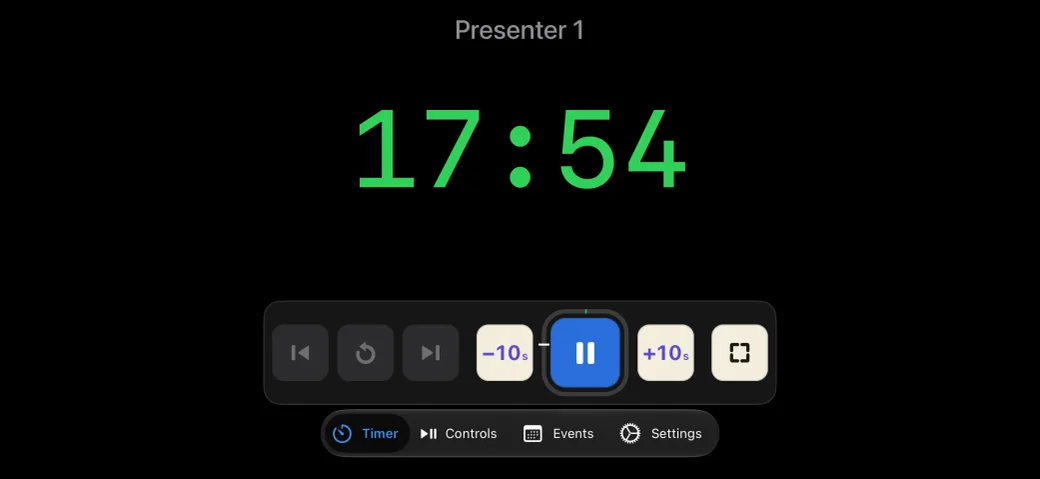
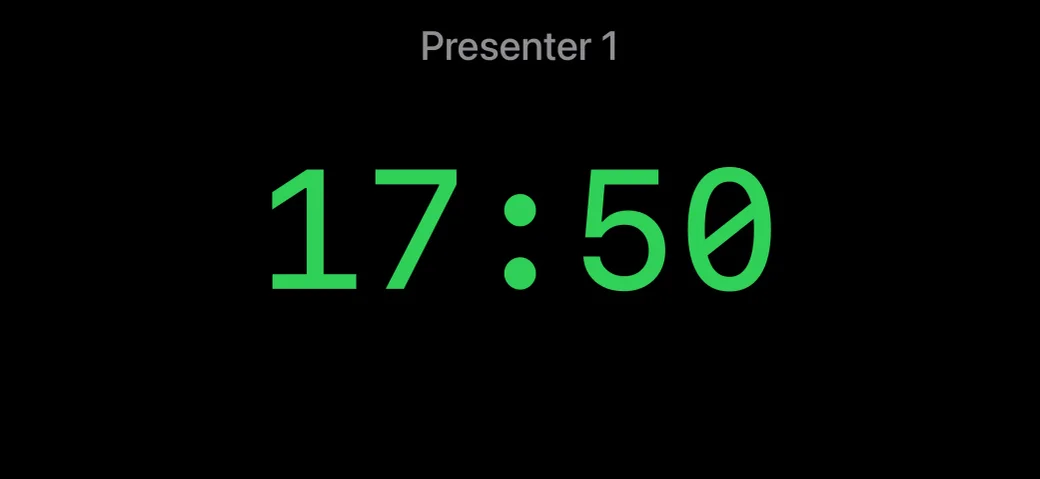
Display timers at your events.
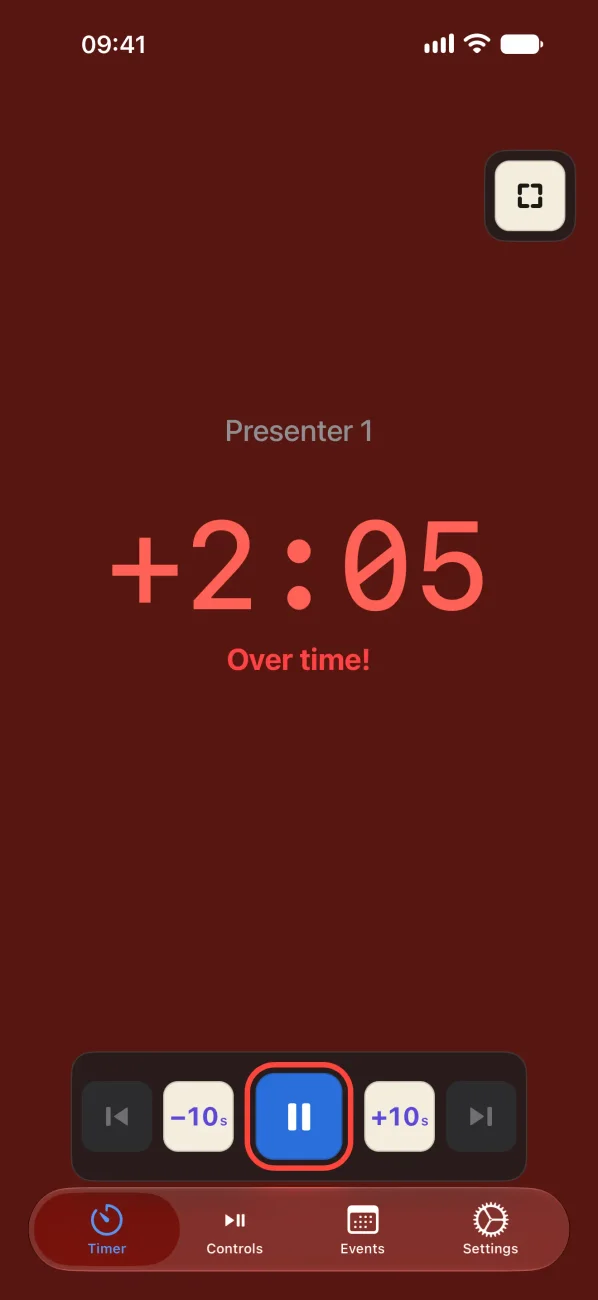
Show presenters, performers and event staff how much time is left.
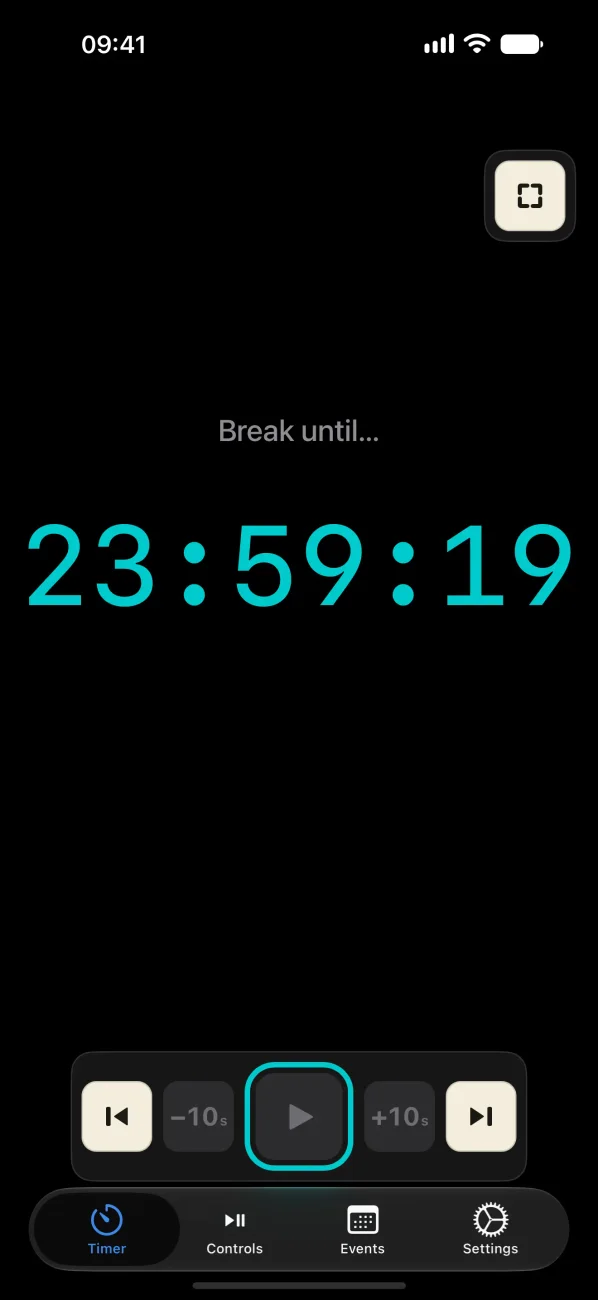
Each event can have multiple schedules. Each item on a schedule can contain a countdown timer, count to timer, count up timer or show a clock.
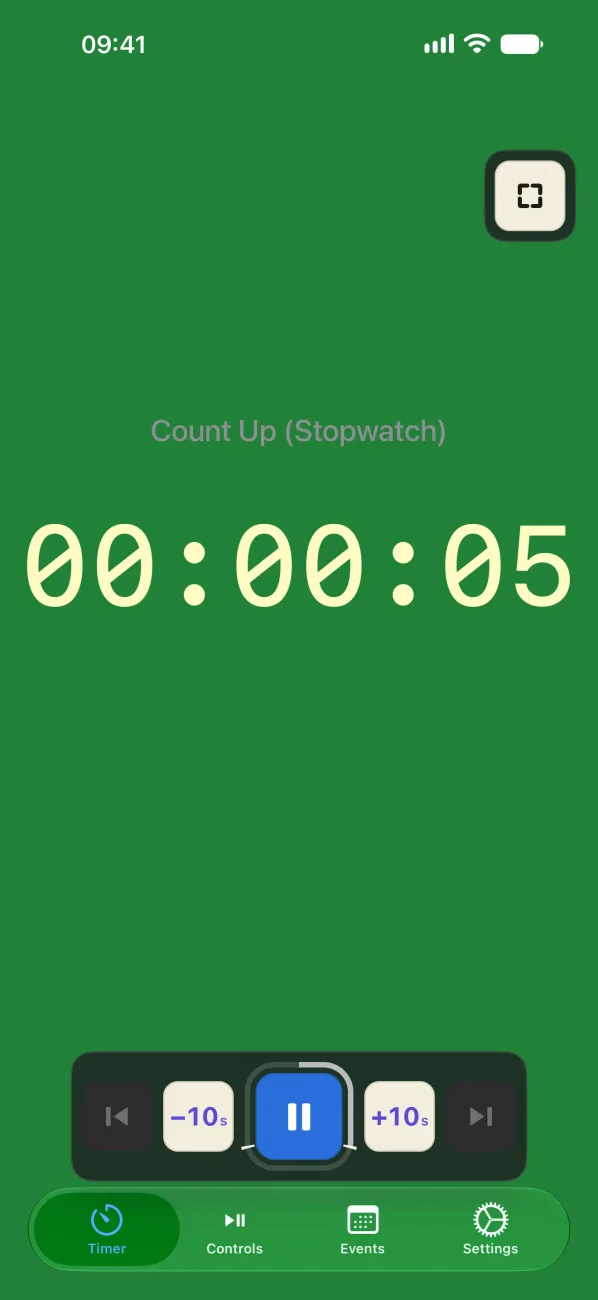
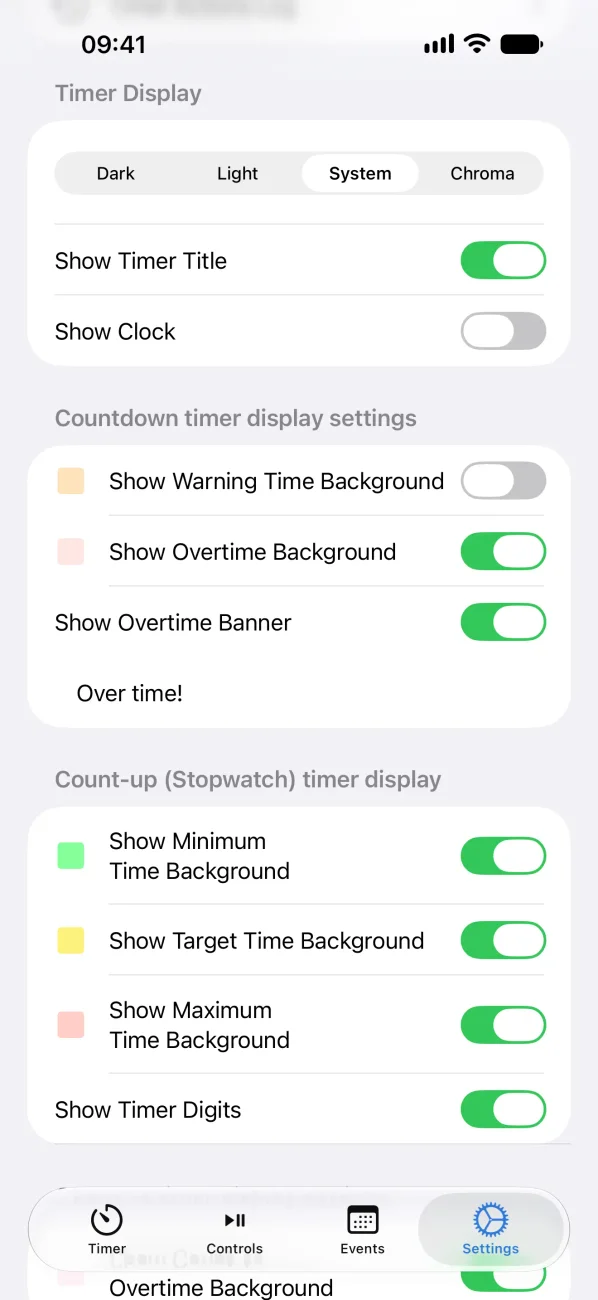
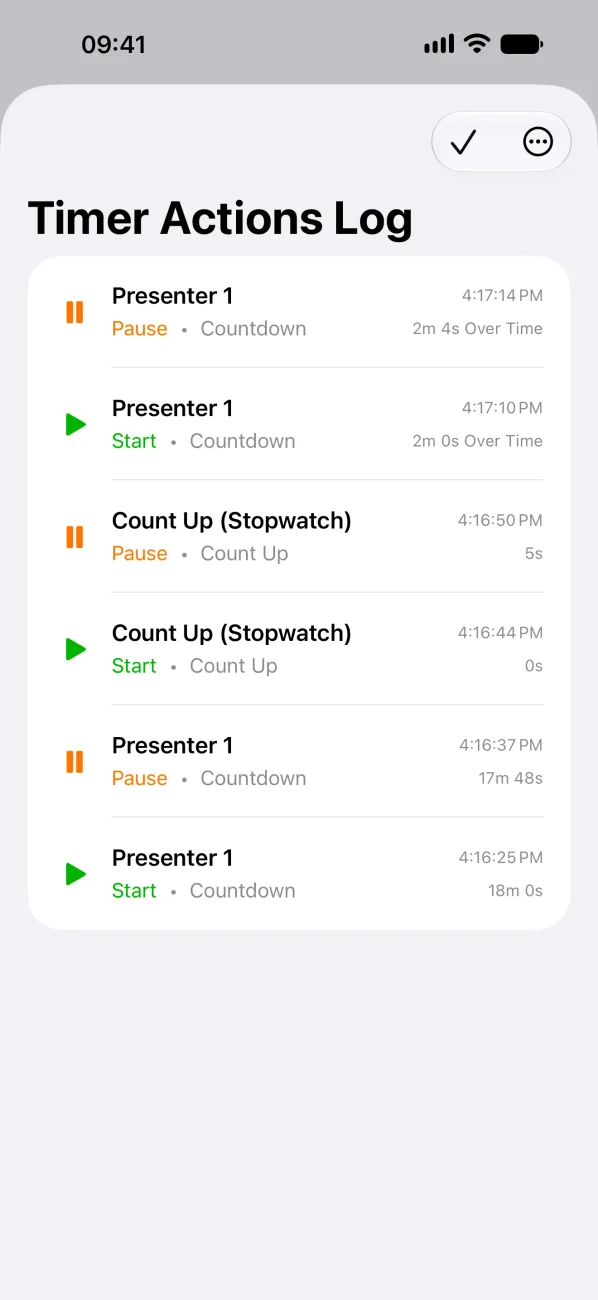
Perfect for Toastmasters meetings! The count up timers with colored backgrounds (green for minimum, yellow for target, red for maximum time) make it easy to signal speakers. Hide the timer digits to show just the colors, and use the Timer Actions Log to track all speaker times.
On iOS Devices, the timer can be shown full-screen on external displays (with option to turn this off), while the built-in display can be used for controls and editing schedules. Full-screen views are also available on Mac, iPad and Apple TV.
Events and schedules automatically sync between devices using the same iCloud account. (Requires an active internet connection.)
== Get started with the free version ==
The App is free for up to 5 Timers in one Schedule and one Event.
Get unlimited Events, Schedules and Schedule Items with a subscription.
Read the terms and conditions here:
https://www.apple.com/legal/internet-services/itunes/dev/stdeula/
Read the privacy policy here:
https://eventtimers.app/privacy-policy/
Có gì mới
Phiên bản 1.5.0 · 23/11/2026
NEW:
• Export and import (iPhone, iPad and Mac): save an event or a schedule as a file, as a backup or to pass it on, and import it again on any of your devices
• Export is in the menu of an event or schedule (touch and hold it) and in the toolbar of an event's schedules and of a schedule's items. Export All in the Events list puts every event into one file
• Import is in the toolbar of the Events list and of an event's schedules. You can also open an EventTimer file from Files or AirDrop. An import is added as a copy; your existing events are not changed
• Export and import are part of Standard. New subscribers can try Standard free for 14 days
• Controls tab: collapse the sections you do not need, and put them in your own order with Edit Layout or by holding a section's header and dragging it
• Controls tab on iPad and on iPhone in landscape: the control keys are in one row, with start/pause in the middle
• New timer controls on iPhone, iPad and Apple Watch: larger keys with clear symbols and more space between them
• A key is lit when you can use it now and dark when you cannot, for example Reset while the timer runs
• Start/pause turns blue while the timer runs; after a pause it stays light blue until you reset
• A ring around start/pause shows how far the current item is and where its next phase starts
• The nudge keys say what they do: −10 s, +30 s
• Start Previous and Start Next ask for a second press, so a wrong tap cannot replace a running timer
• iPhone: a short vibration when the timer reaches its warning time or goes into overtime (can be switched off in Settings)
• iPad with a keyboard: shortcuts for the timer; hold ⌘ to see them
Quyền riêng tư của ứng dụng
Những gì Appseez khai báo trên App Store về cách ứng dụng này xử lý dữ liệu.
-
Dữ liệu không được thu thập
Nhà phát triển không thu thập bất kỳ dữ liệu nào từ ứng dụng này.
Phương thức đảm bảo quyền riêng tư có thể khác nhau, chẳng hạn như tuỳ theo các tính năng bạn sử dụng hoặc độ tuổi của bạn.
Thông tin
- Người bán
- Hugo Schotman
- Danh mục
- Hiệu Suất
- Phiên bản
- 1.5.0
- Cập nhật
- 23/11/2026
- Phát hành
- 04/11/2022
- Kích thước
- 12,4 MB
- Yêu cầu
- iOS 18.6 trở lên
- Độ tuổi
- 4+
- Giá
- Miễn phí
- Mua hàng trong ứng dụng
- Có
- Ngôn ngữ
- Tiếng Anh, Tiếng Hà Lan, Tiếng Pháp, Tiếng Đức, Tiếng Ý, Tiếng Nhật, Tiếng Bồ Đào Nha, Tiếng Trung Giản thể, Tiếng Tây Ban Nha, Tiếng Trung Phồn thể
- Bản quyền
- © 2025 Hugo Schotman
Có thể bạn cũng thích
-
 Event Speaker TimerHiệu Suất
-
 PresiTimer: Presentation TimerHiệu Suất
-
 The Presentation TimerHiệu Suất
-
 Speaker Presentation TimerHiệu Suất
-
 Minimalistic Countdown TimerHiệu Suất
-
 Countdown Timer Nano (Legacy)Hiệu Suất
-
 The Presentation Timer -SimpleHiệu Suất
-
 Focus To Do - Pomodoro TimerHiệu Suất
-
 Presentation Timer PlusHiệu Suất
-
 Timer MachineHiệu Suất