- Độ tuổi4+
- Danh mụcHiệu Suất
- Nhà phát triểnRoberto Bonfa
- Ngôn ngữTiếng Anh+ 1 ngôn ngữ khác
- Kích thước115,4 MB
Liên kết đến trang App Store chính thức
Download.org không lưu trữ tệp nào của EveryJot. Nút này mở trang ứng dụng trên App Store, nơi Roberto Bonfa phát hành ứng dụng. Trang được kiểm tra lần cuối: 17/11/2026.
Ảnh chụp màn hình



Giới thiệu
Nhà phát triển chưa cung cấp nội dung này bằng ngôn ngữ của bạn.
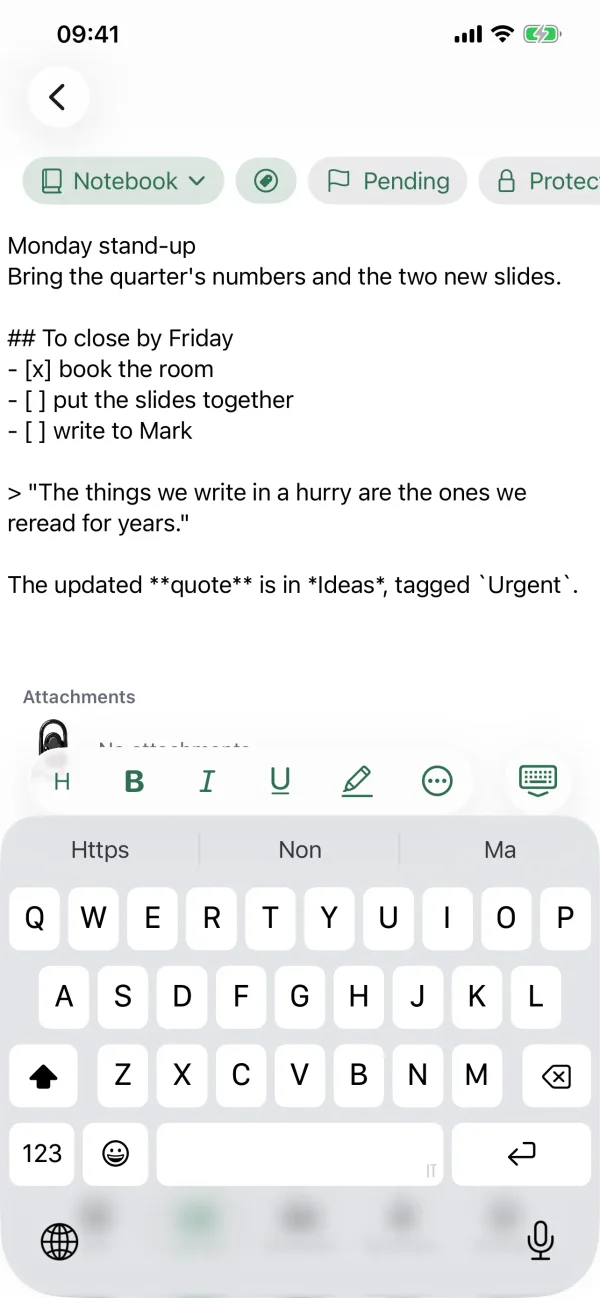
EveryJot is for writing something down before you forget it, with as little friction as possible.
It opens ready to write, with the keyboard already open and the cursor in place. No forms to fill in, no title to invent: the first line becomes the title by itself.
MARKDOWN, WITH A BAR YOU CHOOSE
Headings, bold, italic, underline, highlight, strikethrough, quotes, lists, checklists, code blocks, links and alignment.
Five formats sit above the keyboard: you pick which five out of thirteen and you reorder them by dragging. The rest stay one tap away in the panel, so none of them is lost.
NOTEBOOKS AND TAGS, TO FIND THINGS AGAIN
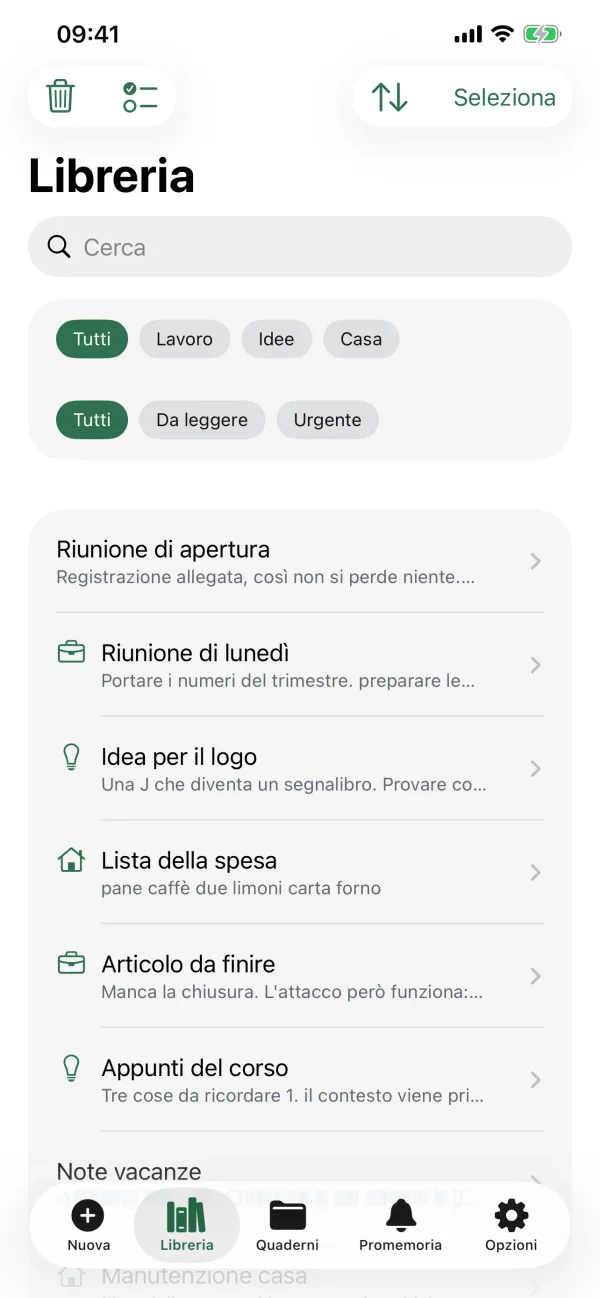
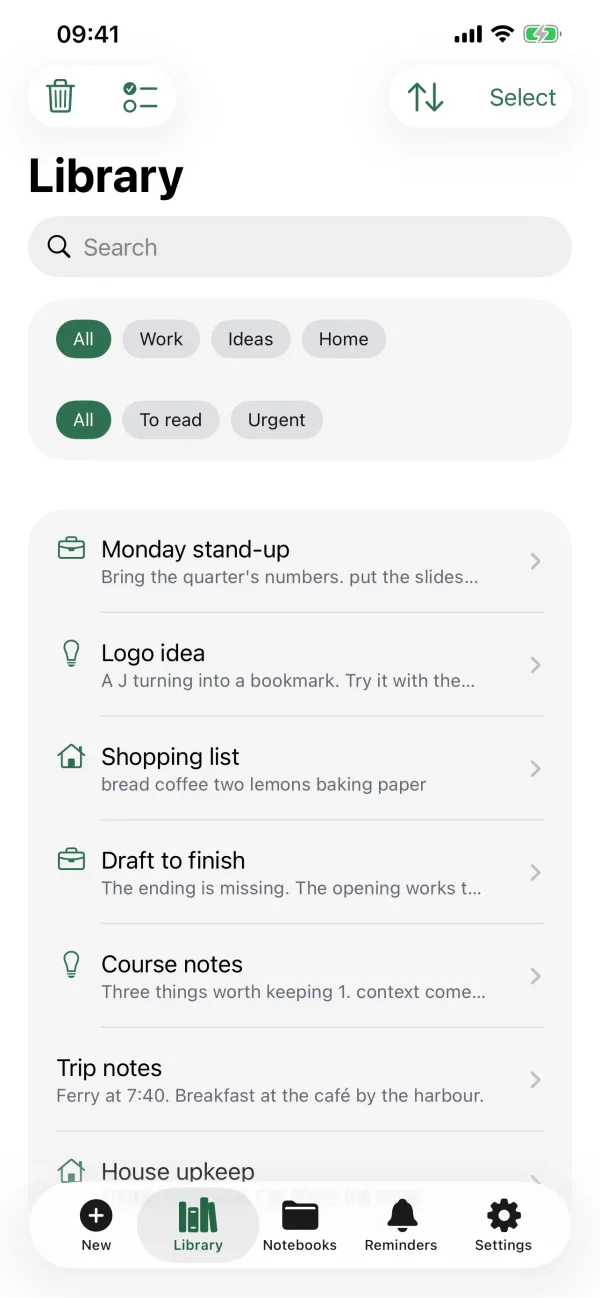
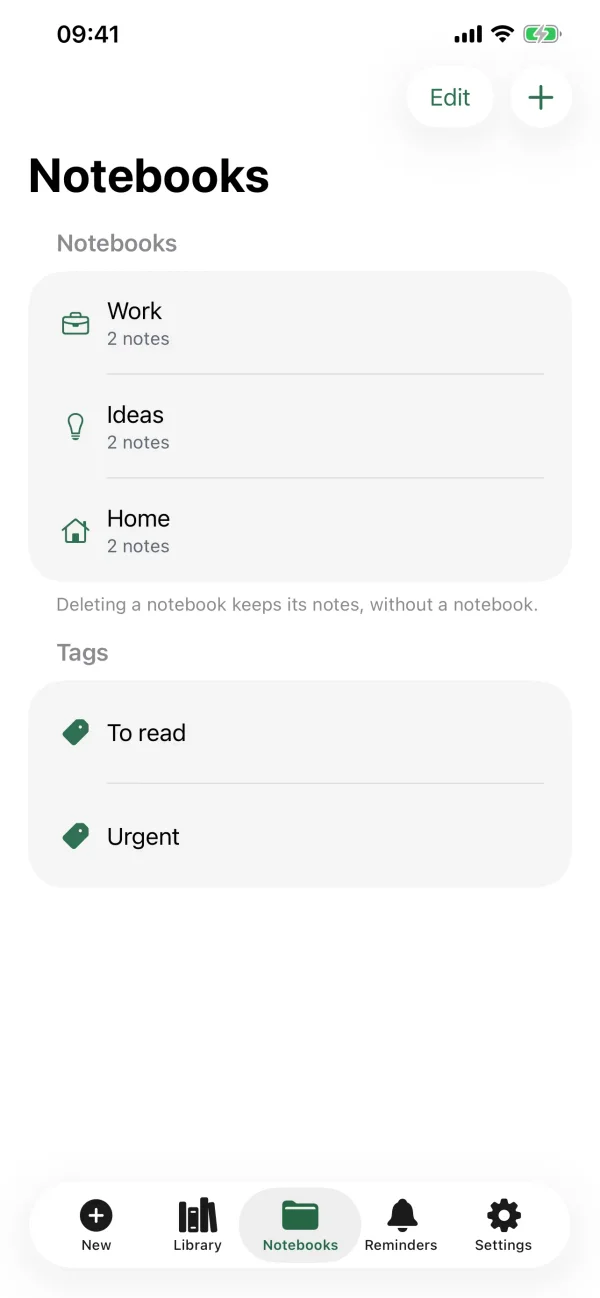
Every note can belong to a notebook and carry as many tags as you like. Your library shows them all, sorts them the way you prefer, filters them by notebook and by tag and searches inside the text.
Notes with an unfinished checklist appear in "To finish" by themselves and leave it when you tick the last box. The trash keeps what you delete for thirty days.
PROTECTED NOTES, GENUINELY ENCRYPTED
A protected note is not a note hidden behind a screen: its content is encrypted with AES-GCM and the key is derived from a PIN you choose. Anyone opening the database or the iCloud container would find ciphertext, not your words.
They open with Face ID, Touch ID or your PIN, whichever you prefer. The key syncs with your account, so a protected note can be read on your second iPhone too.
RECORD A MEETING INSIDE THE NOTE
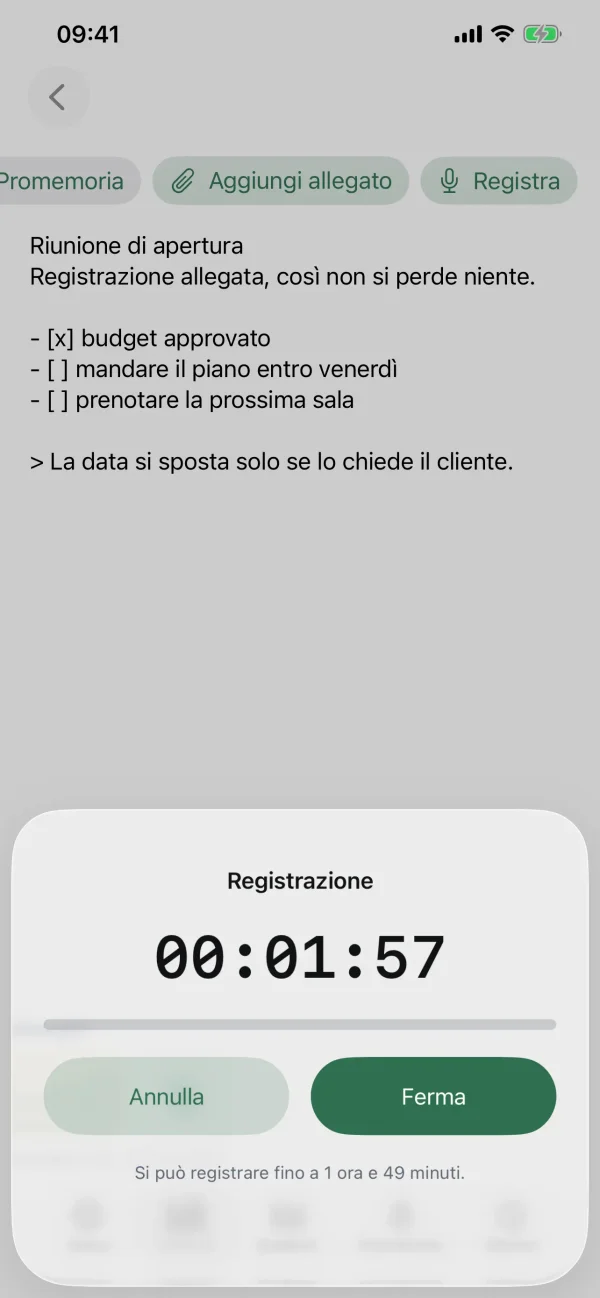
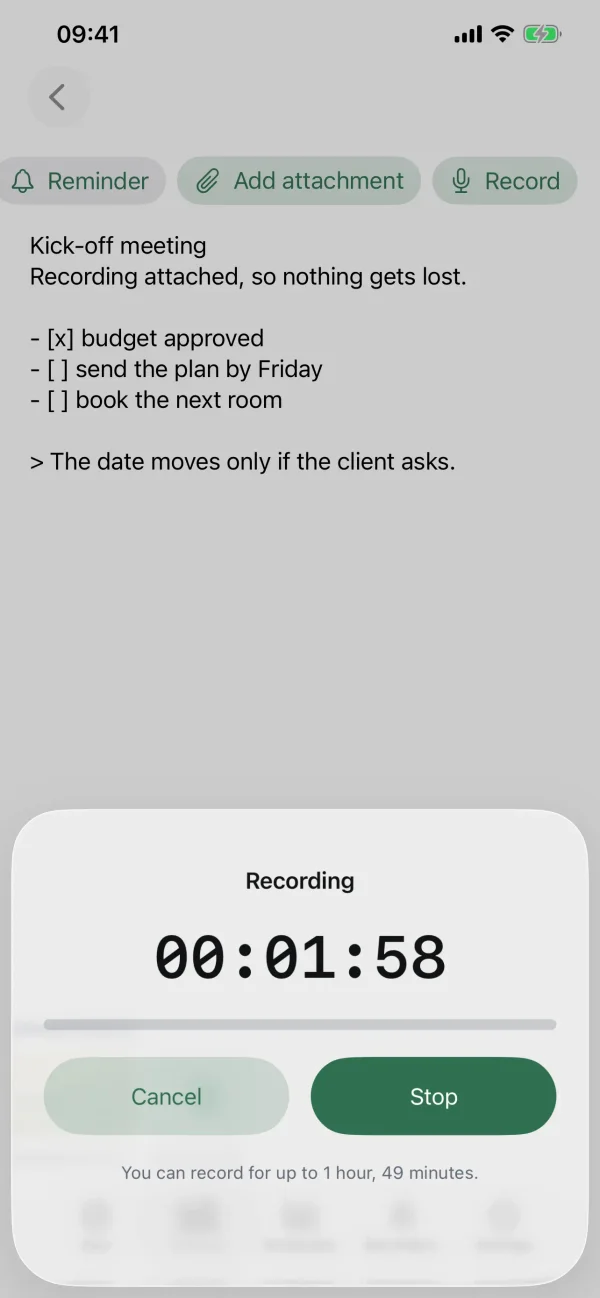
The microphone is right next to the text you are writing: tap it and recording begins, even with the screen locked. Up to one hour and forty-nine minutes per recording.
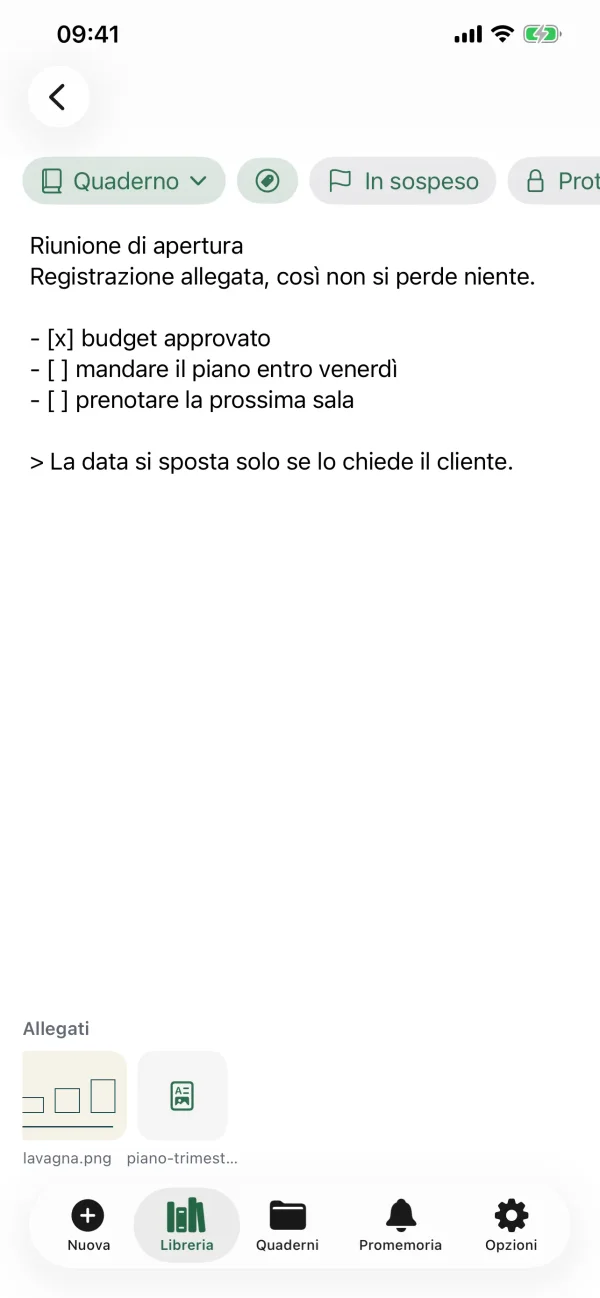
The clip is attached to the note, next to the notes you typed during the recording. When you need it, one tap shares or exports it, so you can listen elsewhere or have it transcribed.
ATTACHMENTS
Images, PDFs, documents, any file up to 25 MB: attach it to the note and open it again with the iOS preview, without leaving the app.
Attachments follow the note to iCloud and if the note is protected they are encrypted like the text. Recordings included: there is no separate path for audio.
REMINDERS, SHARING, EXPORT
Link a note to a system reminder and find it in Apple's Reminders app, with its notification and with the text of the note already inside. Change the note and the reminder realigns by itself.
Share a note as a PDF or as a Markdown file, or export it as an image or a Word document. From your library you can export several notes at once.
A .md file arriving from Mail or Files opens with EveryJot and becomes a note straight away.
SHORTCUTS
Touch and hold the icon on your Home Screen to write a new note, start a recording or search your notes, without going through the app. A new note also opens from Control Centre, from the Action button, with a double tap on the back of your iPhone, or by asking Siri.
There is an iMessage extension too: pick a note and send it without leaving the conversation.
FORTY-FIVE COMBINATIONS
Fifteen colour palettes and three visual styles that combine with each other: the classic card, translucent glass, two-colour print. The icon on your Home Screen follows the palette you pick.
YOUR DATA IS YOURS
No account to create, no sign-up, no ads, no tracking. Your notes stay on your iPhone and sync with your own iCloud: whoever wrote the app cannot see them and has no way to.
If you want, you can lock the whole app with Face ID, Touch ID or your phone passcode.
ALSO
- Italian and English
- Works offline and syncs when the connection returns
- Large tap targets and text that holds up at large sizes
Free, no in-app purchases.
Có gì mới
Phiên bản 3.1.3 · 09/10/2026
3.1.3: While waiting for EveryFlick (currently in testing), I've updated the “Contact” page with the new “EveryProCam” the pro camera app for iPhone.
Quyền riêng tư của ứng dụng
Những gì Roberto Bonfa khai báo trên App Store về cách ứng dụng này xử lý dữ liệu.
-
Dữ liệu không được thu thập
Nhà phát triển không thu thập bất kỳ dữ liệu nào từ ứng dụng này.
Phương thức đảm bảo quyền riêng tư có thể khác nhau, chẳng hạn như tuỳ theo các tính năng bạn sử dụng hoặc độ tuổi của bạn.
Thông tin
- Người bán
- Roberto Bonfa
- Danh mục
- Hiệu Suất
- Phiên bản
- 3.1.3
- Cập nhật
- 09/10/2026
- Phát hành
- 21/08/2026
- Kích thước
- 115,4 MB
- Yêu cầu
- iOS 18.0 trở lên
- Độ tuổi
- 4+
- Giá
- Miễn phí
- Ngôn ngữ
- Tiếng Anh, Tiếng Ý
- Bản quyền
- © 2026 Roberto Bonfà