Exam Countdown & Study Timer
Log, score & look back
Được thiết kế cho iPhone, iPad, iPod touch
Miễn phí · Mua hàng trong ứng dụng
- Độ tuổi4+
- Danh mụcLối Sống
- Nhà phát triểnBEAK,K.K.
- Ngôn ngữTiếng Anh
- Kích thước45,6 MB
Liên kết đến trang App Store chính thức
Download.org không lưu trữ tệp nào của Exam Countdown & Study Timer. Nút này mở trang ứng dụng trên App Store, nơi BEAK,K.K. phát hành ứng dụng. Trang được kiểm tra lần cuối: 16/11/2026.
Ảnh chụp màn hình

Giới thiệu
Nhà phát triển chưa cung cấp nội dung này bằng ngôn ngữ của bạn.
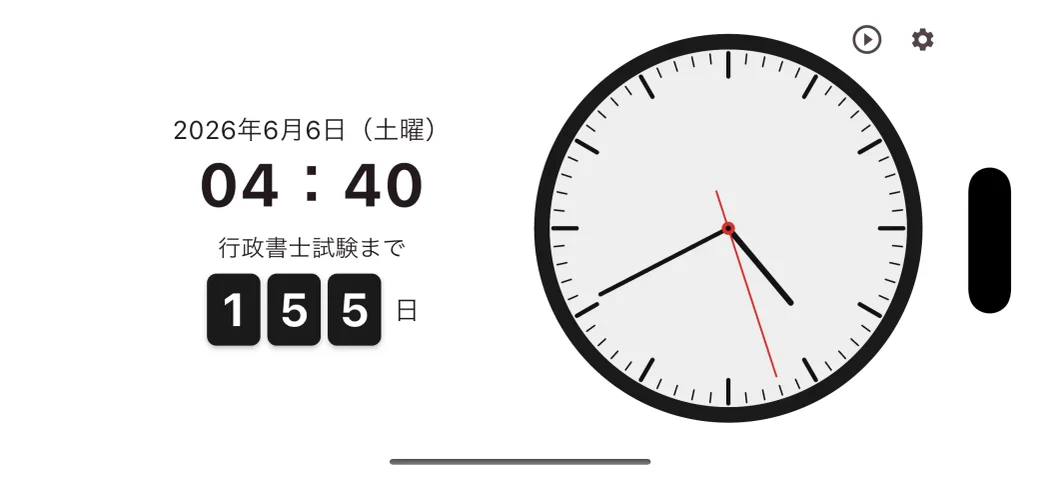
Keep the countdown to your exam in sight every day, and bring planning, study-time tracking and focus together in one place. Stand the device on your desk and it works as an always-on countdown clock. Entrance exams, professional qualifications, civil service tests, long studies in accounting or law, job-hunting deadlines: it adapts to your goal.
COUNTDOWN CLOCK
A large analog clock with the digital time and a days-left counter in bold flip-style digits that stay readable from across the room. The date is always calculated from the current time, so the number stays correct after the app sits untouched or the day rolls over.
MULTIPLE GOALS
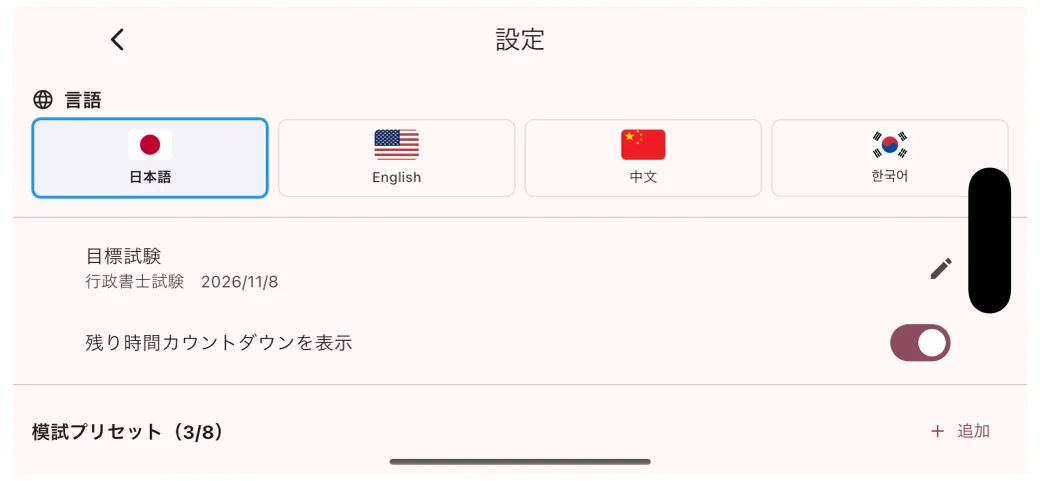
Alongside your main exam, add backup exams, mock-test dates and job-hunting deadlines. Each goal takes a type and a colour, and the clock shows the nearest one automatically.
STUDY PLANNER
Create colour-coded subjects and list tasks with due dates. The screen splits into Today and Upcoming, so it is clear what to work on now. Tasks can be grouped by goal, overdue ones are flagged by colour, and when today is done the app points to what comes next.
TRACK STUDY TIME
Enter the minutes by hand, or measure them live with the study timer. It counts upward while the current time and the days left stay on screen. Pause and resume freely; it auto-stops after a long stretch so a forgotten timer cannot ruin your record. Timing uses real elapsed time, so it stays accurate with the screen off.
FOCUS WITH POMODORO
A mode that alternates focused work with short breaks and signals each turn. The time you focus is added straight to your record.
LOOK BACK ON WHAT YOU DID
When you log time you can also add how it went, a score and a one-line note. All of it is optional, and one line is enough. The History tab brings it together: a score trend chart where tapping a point shows that session's note, a study calendar where the shade is the time you put in and the border is how the day felt, and the full list of records grouped by date and filterable by subject. Reading the note you wrote two weeks ago next to today's score is what makes progress feel real. Records can be edited or deleted later.
STAY CONSISTENT
See how many days in a row you have studied and how many days this week you took part, with the past seven days charted and broken down by subject. The weekly measure is forgiving, so a missed day is easy to recover from.
EXAM-STYLE TIMER
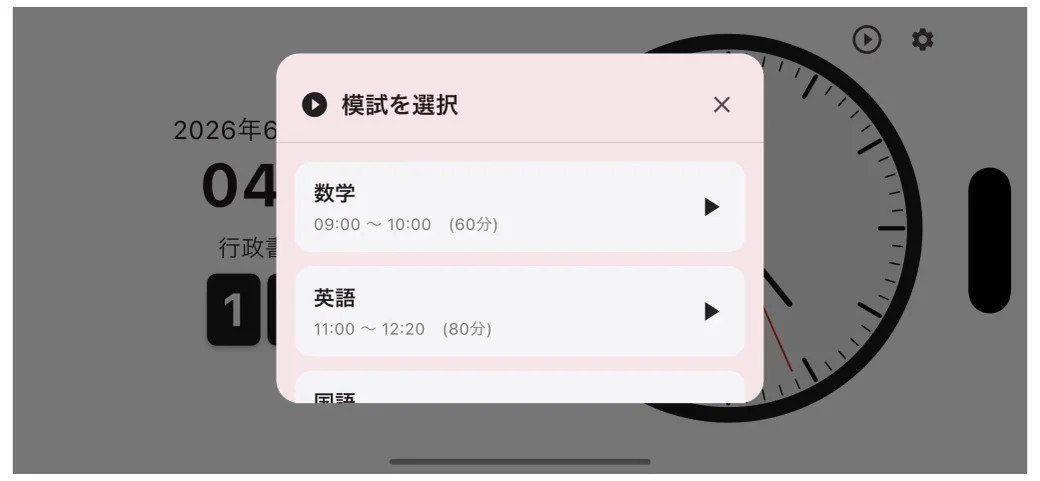
Register the start and end times of each section as a preset and rehearse with realistic timing.
REMINDERS
Get alerts for tasks whose due dates are near, plus a morning summary of the day. Set the time to fit your routine, or switch reminders off.
BACKUP YOUR DATA
Export your plan and records to a file and read it back to restore everything on a new device. Your data stays on your device: no account, nothing sent to a server. That also means a device change cannot be guaranteed to carry it over, so keeping your own file is easy, with an optional monthly reminder.
LANGUAGES AND PRICING
Available in English, Japanese, Chinese, Korean, Spanish, French, German and Portuguese. All core features are free. An ad is shown at the bottom, and a one-time purchase removes it. You can log unlimited records for free; the free plan shows the last fourteen days of detail, older records are never deleted, and the same purchase unlocks the full history, note search and CSV export.
Register your target exam, create your subjects, and list tasks with due dates. Then open the app each day, clear your tasks and log your time. The longer you keep it up, the longer your streak grows and the higher your chart climbs.
Có gì mới
Phiên bản 1.11.1 · 29/10/2026
You can now set preparation time before an exam and choose whether to sound a bell when it starts.
Quyền riêng tư của ứng dụng
Những gì BEAK,K.K. khai báo trên App Store về cách ứng dụng này xử lý dữ liệu.
-
Dữ liệu được sử dụng để theo dõi bạn
Có thể được sử dụng để theo dõi bạn trên các ứng dụng và trang web do công ty khác sở hữu.
- Mã định danh
- Dữ liệu sử dụng
-
Dữ liệu không liên kết với bạn
Có thể được thu thập nhưng không liên kết với danh tính của bạn.
- Mã định danh
- Dữ liệu sử dụng
Phương thức đảm bảo quyền riêng tư có thể khác nhau, chẳng hạn như tuỳ theo các tính năng bạn sử dụng hoặc độ tuổi của bạn.
Thông tin
- Người bán
- BEAK, K.K.
- Danh mục
- Lối Sống
- Phiên bản
- 1.11.1
- Cập nhật
- 29/10/2026
- Phát hành
- 10/06/2026
- Kích thước
- 45,6 MB
- Yêu cầu
- iOS 15.0 trở lên
- Độ tuổi
- 4+
- Giá
- Miễn phí
- Mua hàng trong ứng dụng
- Có
- Ngôn ngữ
- Tiếng Anh
- Bản quyền
- © KAZUYUKI IKUSHIMA