
- Độ tuổi4+
- Danh mụcTài Chính
- Nhà phát triểnSuresh Eberdoss
- Ngôn ngữTiếng Anh
- Kích thước7,5 MB
Liên kết đến trang App Store chính thức
Download.org không lưu trữ tệp nào của EXCOVE. Nút này mở trang ứng dụng trên App Store, nơi Suresh Eberdoss phát hành ứng dụng. Trang được kiểm tra lần cuối: 18/11/2026.
Ảnh chụp màn hình


Giới thiệu
Nhà phát triển chưa cung cấp nội dung này bằng ngôn ngữ của bạn.
EXCOVE is an acronym formed from the phrase - "EXpense inCOme inVEstment." It is a simple financial bookkeeper keeping records of your daily expenses, incomes, financial investments and various bills you pay on a daily, monthly or yearly basis. The fundamental premise of this app is simplicity of data entry and data access made possible by the integration of modern SwiftUI features with SwiftData.
The main functionalities of the app are grouped under four main Categories - Expense, Income, Investment and Bills depicted as Tabs on the main Tab Bar at the bottom of the app.
FEATURES
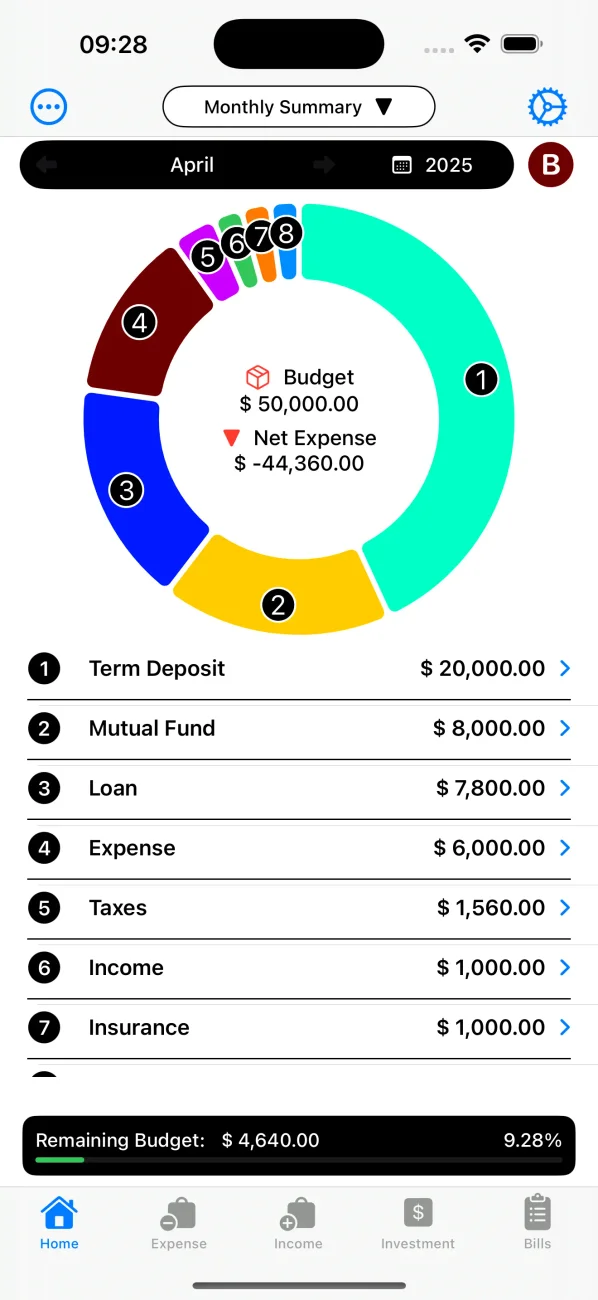
1. The HOME tab displays a pie chart depicting your expenses for the latest month and year. The user can change the year and month of display by tapping on the name of the year first to open a menu and selecting the required year and then tapping the name of the month to open a menu to select the required month. This method applies to all the records under all the categories and subcategories of the app. The Monthly summary can be changed to Yearly summary by tapping on the menu at the top of the app.
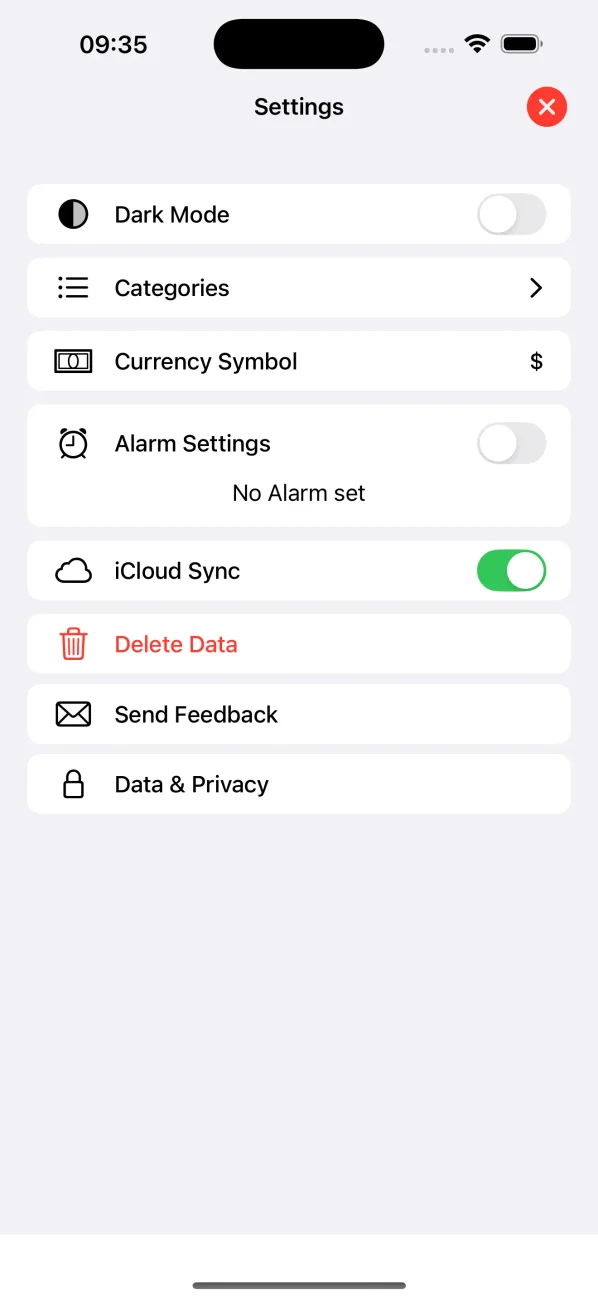
The "ellipsis" button on the top left corner can be tapped to open a menu to display "Expense Charts", "Income Charts", "Investment Charts", and "Bill Charts." The charts display a pie chart in the Portrait mode of the iPhone and changes to a bar chart when the orientation of the iPhone is flipped to the Landscape mode. The "gear" button on the top right corner opens the "Settings" view when tapped.
The encircled "B" button when tapped displays the Budget screen for the user to set a budget for the month displayed on the Home Screen. The bottom of the Home Screen displays a progression bar depicting the percentage of the budget used up for the month.
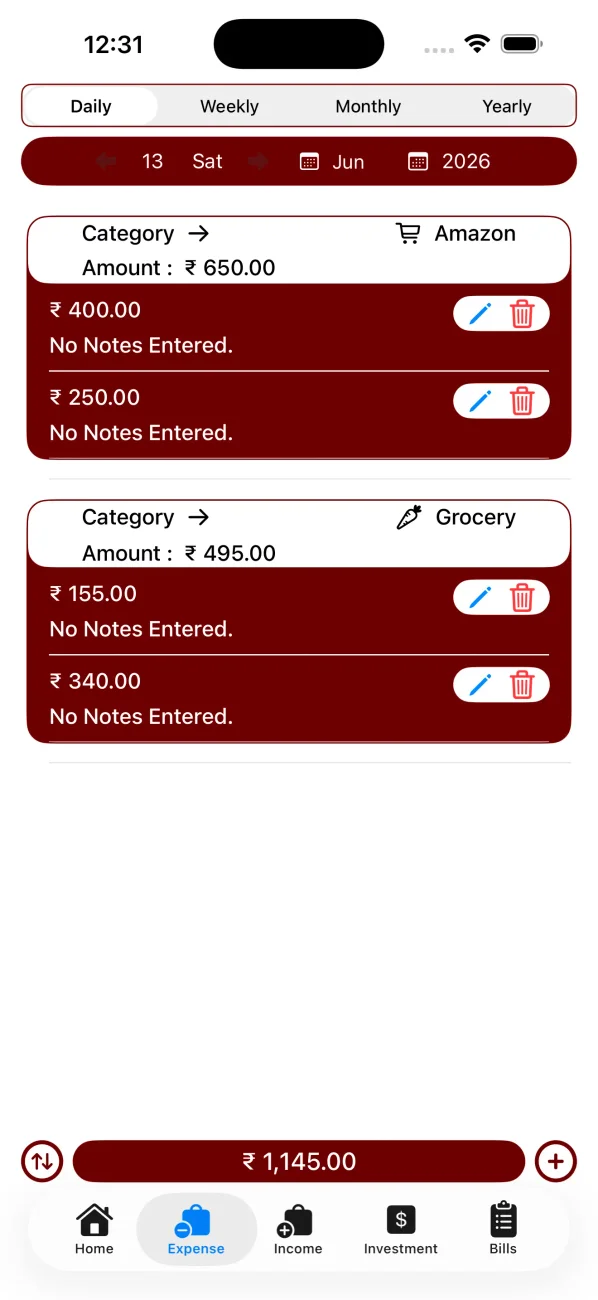
2. The EXPENSE tab displays "Daily", "Weekly", "Monthly" and "Yearly" tabs on the top. The view below the top Tab bar displays the last date and day, month and year when an expense transaction was made by the user. The total expense for the day, week month or year is displayed in the bottom portion of the screen above the bottom Tab bar. The "+" button offers a menu with two options - "Expense Categories" and "Add New Expense."
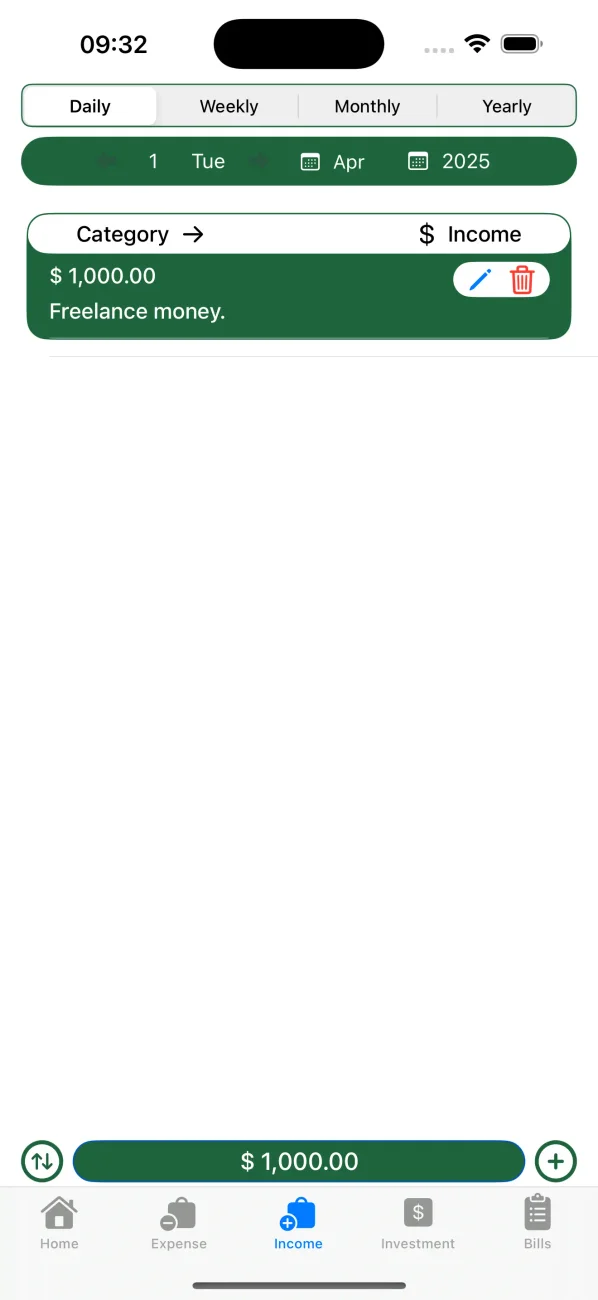
3. The INCOME tab displays the same features as the Expense tab, but deals with incomes generated by the user from various sources.
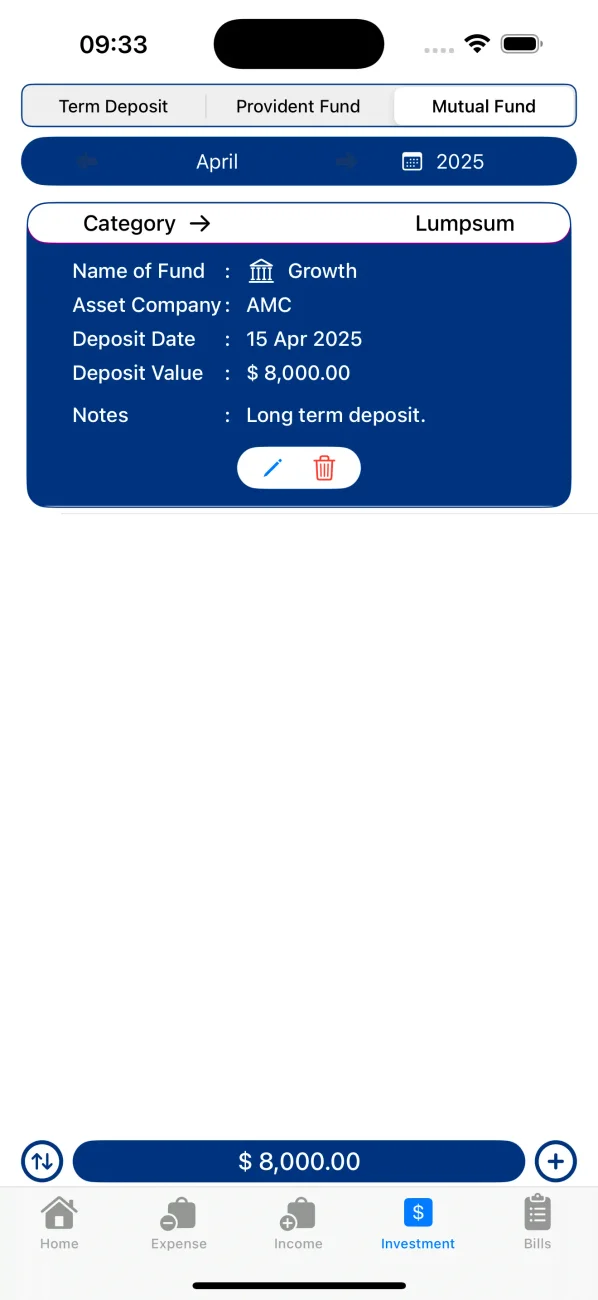
4. The INVESTMENT tab offers three subcategories - "Term Deposit", "Provident Fund" and "Mutual Fund." The Term Deposit tab allows a user to record all fixed tenure deposits made with banks and other financial institutions. The Provident Fund tab could be used to record user contribution to Public or Employee Provident Funds. The Mutual Fund tab allows a user to store their Mutual Fund investments an access information about their investments in an easily understandable user interface.
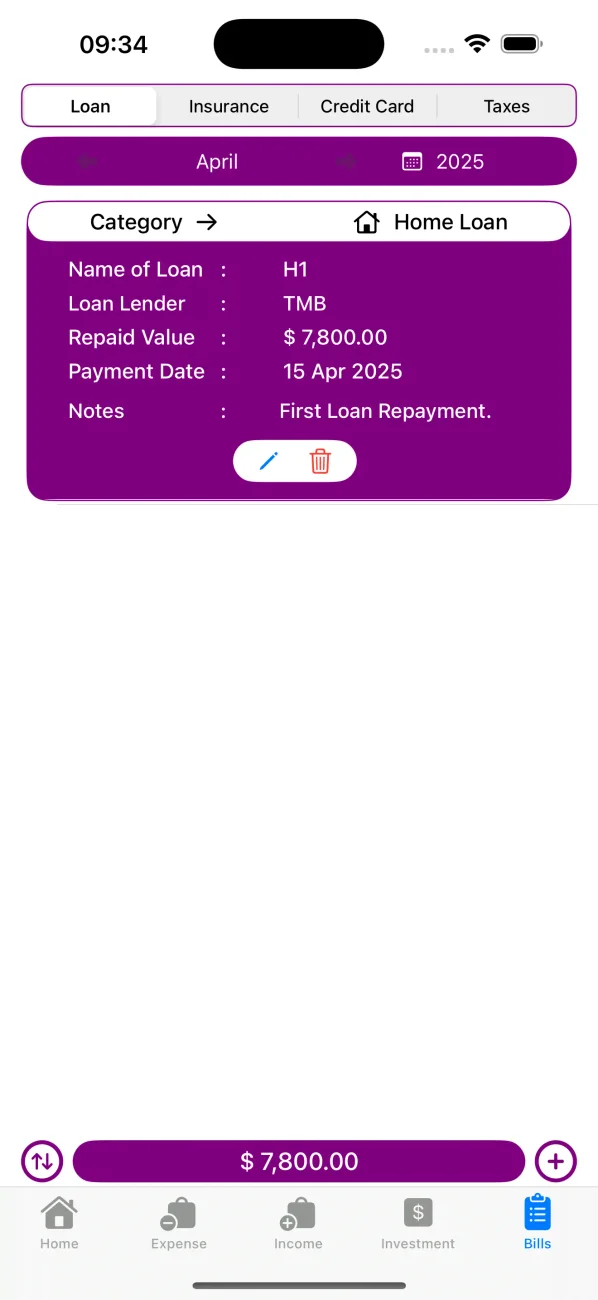
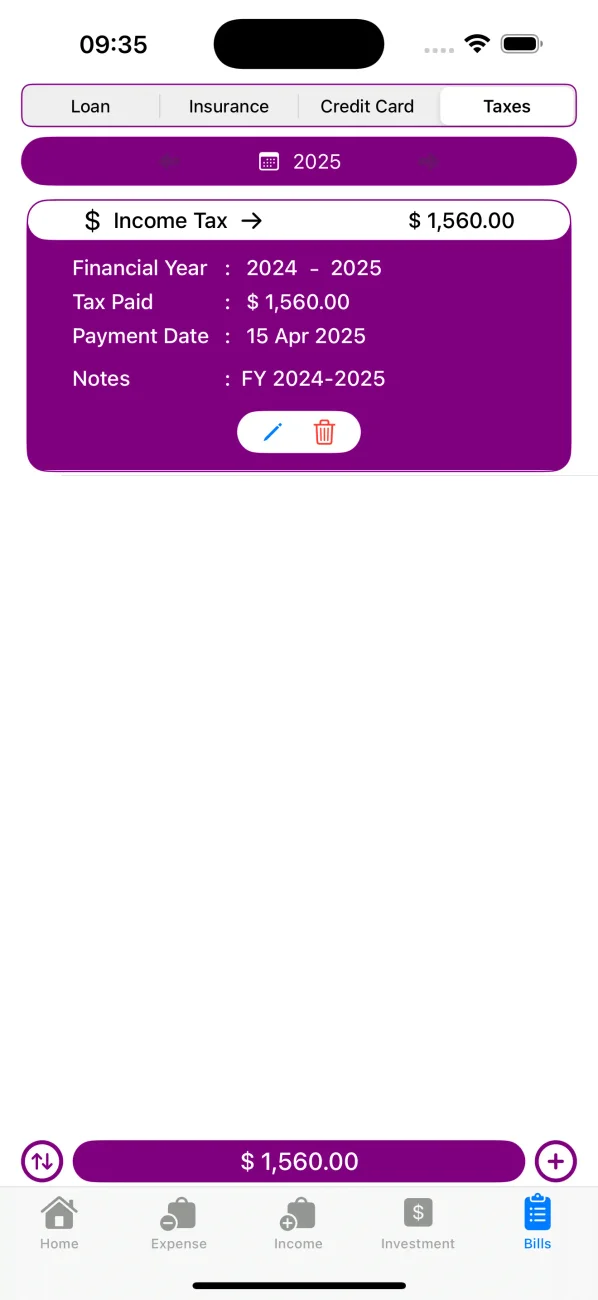
5. The BILLS tab offers four subcategories - "Loan", "Insurance", "Credit Card" and "Taxes." The Loan tab allows a user to record all the loans subscribed to by the user by allowing the user to create their own categories. The Insurance tab allows a user to create categories for all the Insurance policies subscribed to and record premiums paid to each policy on a monthly basis. The Credit Card tab allows a user to keep track of their Credit card spending on a monthly basis. The Credit Card spending is a standalone feature which does not account for the total expenses of a user. The Taxes tab allows a user to create different tax categories under which a user pays taxes on a yearly basis.
All the data is stored on the user's iCloud account enabling the user to access the data on all iOS devices connected to the iCloud account. It also allows the user to recover the data in the event of loss of the device.
Có gì mới
Phiên bản 1.0.2 · 13/06/2026
This version of EXCOVE has been updated to view the total expense amount for each category of expense under the Daily, Weekly, Monthly and Yearly navigation bars.
Quyền riêng tư của ứng dụng
Những gì Suresh Eberdoss khai báo trên App Store về cách ứng dụng này xử lý dữ liệu.
-
Dữ liệu không được thu thập
Nhà phát triển không thu thập bất kỳ dữ liệu nào từ ứng dụng này.
Phương thức đảm bảo quyền riêng tư có thể khác nhau, chẳng hạn như tuỳ theo các tính năng bạn sử dụng hoặc độ tuổi của bạn.
Thông tin
- Người bán
- Suresh Eberdoss
- Danh mục
- Tài Chính
- Phiên bản
- 1.0.2
- Cập nhật
- 13/06/2026
- Phát hành
- 20/03/2025
- Kích thước
- 7,5 MB
- Yêu cầu
- iOS 17.0 trở lên
- Độ tuổi
- 4+
- Giá
- Miễn phí
- Ngôn ngữ
- Tiếng Anh
- Bản quyền
- © 2025 Suresh Eberdoss
Có thể bạn cũng thích
-
 GhostBill – Smart FinanceTài Chính
-
 Expense Tracker - ETTài Chính
-
 HomeSum: Budget & ExpensesTài Chính
-
 Pocket Plan AppTài Chính
-
 Gelir Gider: Personal BudgetTài Chính
-
 MyMoney Finance TrackerTài Chính
-
 GeeMoon: A Bookkeeping AppTài Chính
-
 QarzGoTài Chính
-
 Moni: Trình theo dõi chi phílý tiền và kế hoạch ngân sách
-
 TadbirTài Chính