
EZReact
Reaction videos made easily
Được thiết kế cho iPhone, iPad, iPod touch
Miễn phí
- Độ tuổi4+
- Danh mụcẢnh & Video
- Nhà phát triểnMat Moura Technologies LLC
- Ngôn ngữTiếng Anh
- Kích thước1,3 MB
Liên kết đến trang App Store chính thức
Download.org không lưu trữ tệp nào của EZReact. Nút này mở trang ứng dụng trên App Store, nơi Mat Moura Technologies LLC phát hành ứng dụng. Trang được kiểm tra lần cuối: 18/11/2026.
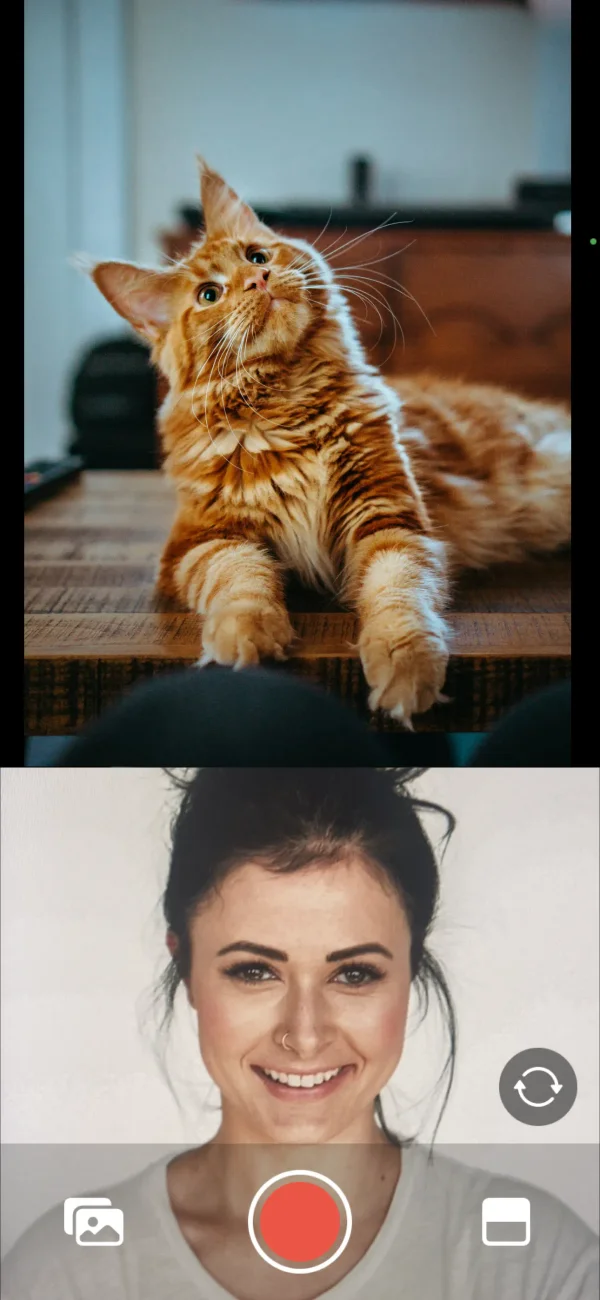
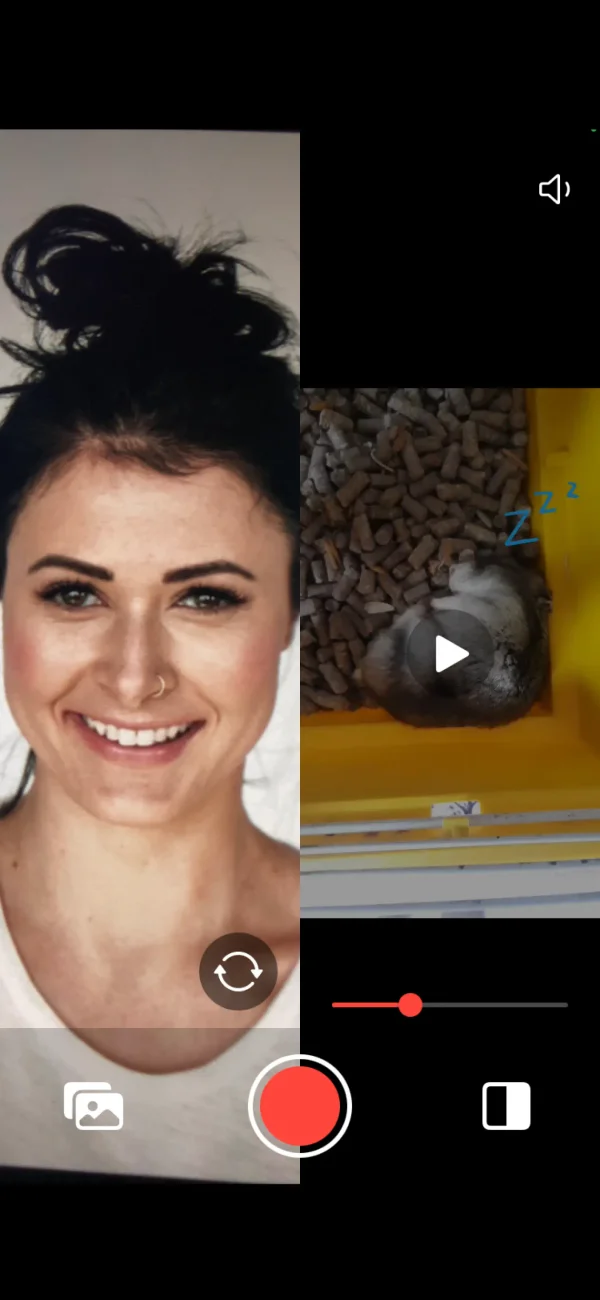
Ảnh chụp màn hình


Giới thiệu
Nhà phát triển chưa cung cấp nội dung này bằng ngôn ngữ của bạn.
Introducing EZReact: The Ultimate Reaction Video Creation Tool
Welcome to EZReact, where your creativity meets ease and versatility. EZReact is designed for content creators, social media enthusiasts, and anyone looking to add a personal touch to their videos through dynamic reactions or duets. With an intuitive interface and a wide array of layout options, EZReact empowers you to produce content that stands out. Here's what makes EZReact a game-changer in video creation:
Customizable Layouts for Every Style
Only Camera: Perfect for pure reaction videos, focusing solely on your expressions.
Camera & Content Combinations: Choose from layouts that place your camera feed and content in various configurations—bottom, top, left, right—to best suit the style of your video.
Camera at the Bottom/Top: Ideal for reaction or commentary videos, placing your face either at the bottom or the top with content playing opposite.
Camera on the Side: Position your reaction on the left or right, with the main content displayed on the opposite side, offering a side-by-side view.
Small Camera Overlay: Embed your camera feed in any corner (top left, top right, bottom left, bottom right) over full-screen content, ensuring your reaction enhances rather than obstructs the main video or image.
Frontal or Back Camera Flexibility
Whether you're aiming for a selfie-style reaction or capturing your environment, EZReact allows you to switch effortlessly between your device's frontal and back cameras, ensuring your videos always have the perfect angle.
Content Versatility
EZReact isn't just for video reactions. You can react to both images and videos, giving you the freedom to engage with a variety of content types. Whether it's a memorable photo or a trending video clip, EZReact has you covered.
Complete Playback Control
Take charge of video playback with complete control to start, pause, or mute the content as you film your reaction. This feature ensures that your reactions can be perfectly timed and tailored to the content you're interacting with.
Precise Video Cropping
Before you finalize and save your masterpiece, EZReact offers an intuitive cropping tool, allowing you to trim and refine the final output. Ensure your video is perfectly framed and focused on the highlights of your reaction and the content.
Có gì mới
Phiên bản 2.3 · 05/06/2026
Improved video loading performance and playback reliability. Fixed save-preview audio overlap and layout issues on newer iPhones.
Quyền riêng tư của ứng dụng
Những gì Mat Moura Technologies LLC khai báo trên App Store về cách ứng dụng này xử lý dữ liệu.
-
Dữ liệu không được thu thập
Nhà phát triển không thu thập bất kỳ dữ liệu nào từ ứng dụng này.
Phương thức đảm bảo quyền riêng tư có thể khác nhau, chẳng hạn như tuỳ theo các tính năng bạn sử dụng hoặc độ tuổi của bạn.
Thông tin
- Người bán
- Mat Moura Technologies LLC
- Danh mục
- Ảnh & Video
- Phiên bản
- 2.3
- Cập nhật
- 05/06/2026
- Phát hành
- 12/02/2024
- Kích thước
- 1,3 MB
- Yêu cầu
- iOS 14.0 trở lên
- Độ tuổi
- 4+
- Giá
- Miễn phí
- Ngôn ngữ
- Tiếng Anh
- Bản quyền
- © 2026 Mat Moura Technologies LLC
Có thể bạn cũng thích
-
 React - make reaction contentẢnh & Video
-
 Reacts: Reaction Video MakerẢnh & Video
-
 Reaction Video MakerẢnh & Video
-
 Reaction Cam: Video Phản ỨngReact với Facecam Overlay
-
 ReactCam: Reaction VideoFacecam, Quay Màn Hình & AI
-
 My Reaction: Video CutoutẢnh & Video
-
 Quay màn hình, chỉnh sửa videoFace Cam, GIF & phát trực tiếp
-
 ClipDuet: Reaction Video MakerẢnh & Video
-
 Reakt: Record Reaction VideosẢnh & Video
-
 Dual Camera Split Videos: RevoẢnh & Video