FieldAR
Precision AR for Construction
Được thiết kế cho iPhone, iPad, iPod touch
Miễn phí
- Độ tuổi17+
- Danh mụcHiệu Suất
- Nhà phát triểnKyle Louis Szostek
- Ngôn ngữTiếng Anh
- Kích thước239,4 MB
Liên kết đến trang App Store chính thức
Download.org không lưu trữ tệp nào của FieldAR. Nút này mở trang ứng dụng trên App Store, nơi Kyle Louis Szostek phát hành ứng dụng. Trang được kiểm tra lần cuối: 12/11/2026.
Ảnh chụp màn hình

Giới thiệu
Nhà phát triển chưa cung cấp nội dung này bằng ngôn ngữ của bạn.
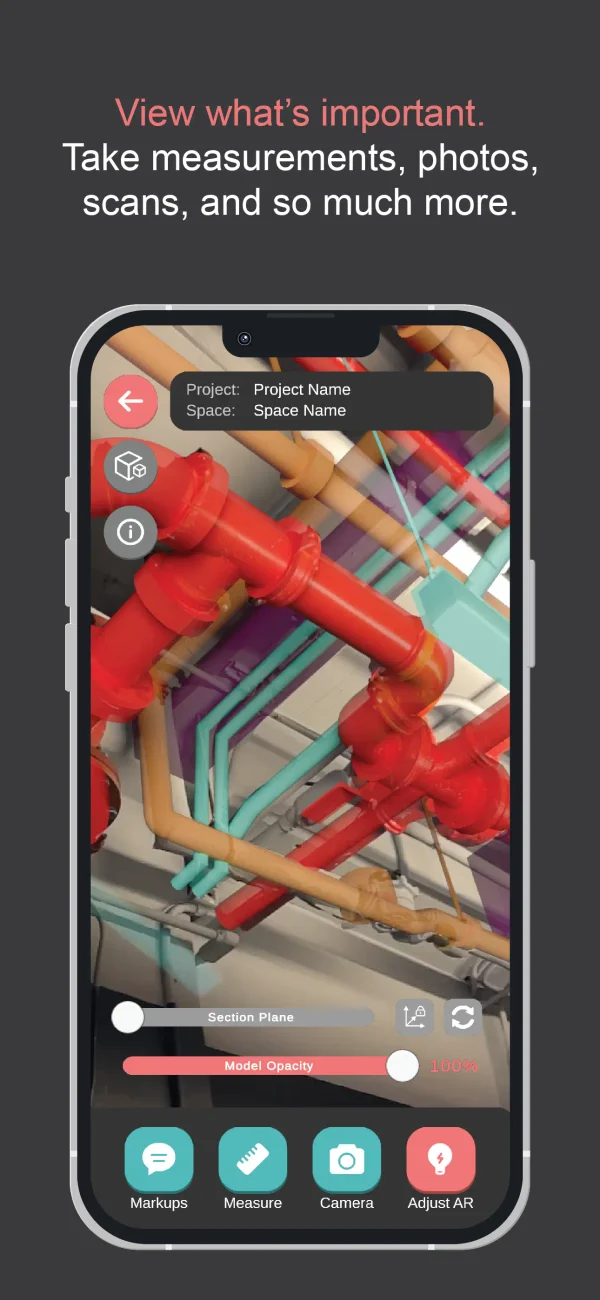
The FieldAR mobile app enables your entire project team to effortlessly view the latest BIM/3D design models overlaid onto your real-world construction site using precision augmented reality. FieldAR’s primary objective is to provide a central source of truth for quality assurance, quality control, and the precise locations of installed systems and equipment at active or completed construction sites.
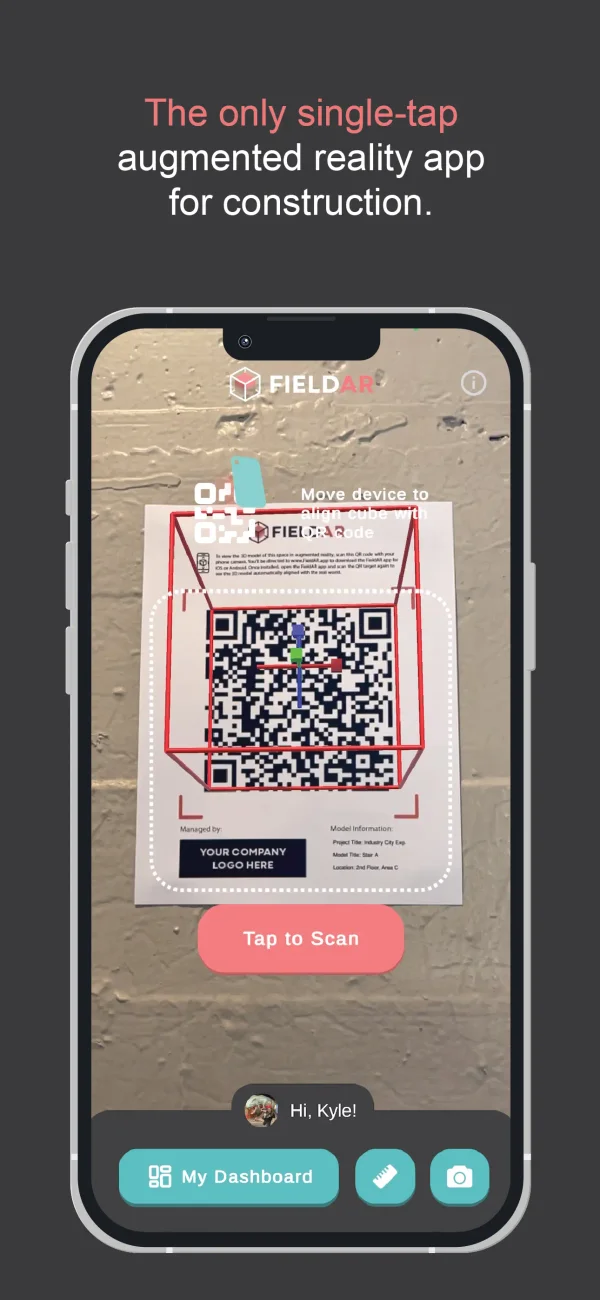
With FieldAR, users can visualize BIM/3D models overlaid onto real-world construction sites with a simple, single-tap operation, making it easy for even non-tech-savvy field staff to see the exact locations of designed building system elements.
BIM/VDC Managers can leverage the FieldAR plugins to easily upload and update models directly to the FieldAR mobile app, ensuring that the entire team is working with the most current information. Additionally, markups captured by team members using the mobile app on-site can be viewed back in the BIM platforms through the FieldAR plugins, creating a seamless workflow of information between off-site BIM management and the construction site.
FieldAR empowers your team to save money, reduce re-work, and optimize project schedules while enhancing productivity and collaboration.
FieldAR supports 8 languages: English, Spanish, French, German, Japanese, Polish, Russian, and Chinese (zh-Hans).
Core AR features:
-Single-tap model loading with automatic alignment to the real world
-BIM/3D models are automatically downloaded and aligned when users scan QR code targets at your physical jobsite
-AR Markups tool that enables your team to flag issues while on site
-Markup data can be viewed in the mobile app and in the FieldAR plugins for Navisworks Manage and Revit
-AR Measurements tool that can measure model elements and/or real world elements
-Built-in camera for taking photos and recording video
-Mesh scanner for capturing meshes of the real world
-Scanned meshes can be added to markups, and are automatically aligned to the model
-Scanned meshes can be viewed in the mobile app and in the FieldAR plugins for Navisworks Manage and Revit
-AR opacity adjustment to see more/less of the 3D model or the real world
-AR sectioning tool to “slice” the 3D model
-BIM/3D model details viewer for viewing model element details
-Model elements can be hidden, isolated, and highlighted
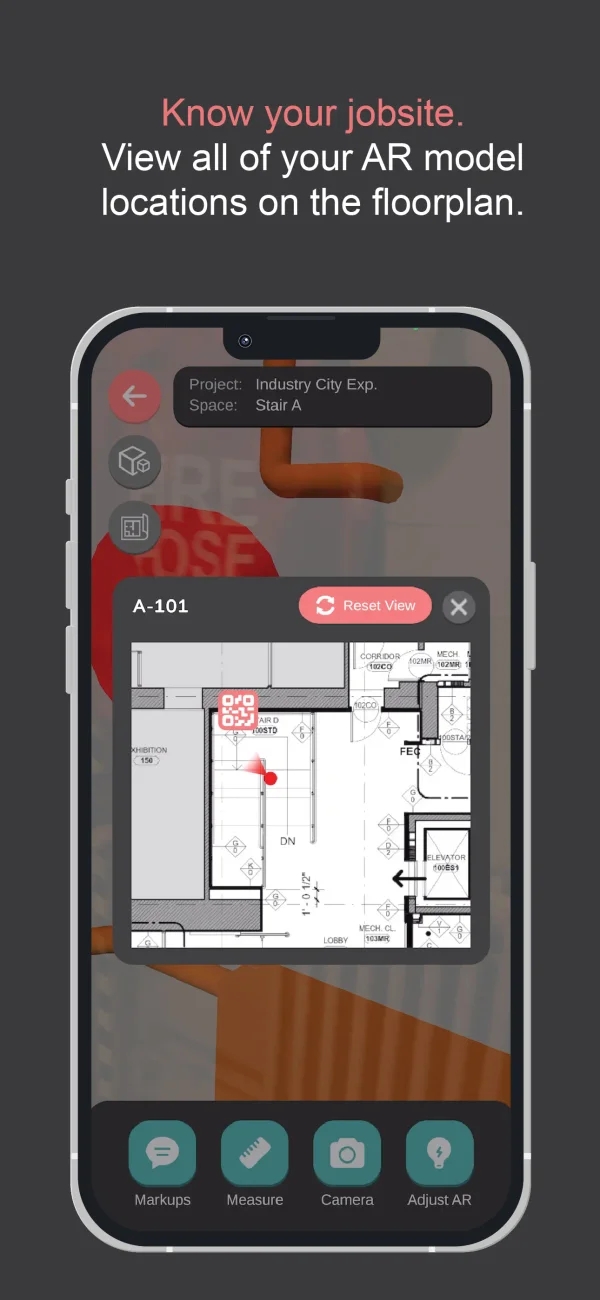
-AR floor plan mini-map that can be used to visualize where the user is at the jobsite
-AR Wireframe mode to see the wireframe of the model
-AR occlusion culling that will allow real-world elements to show through the model
For BIM/3D model managers:
-Upload/update 3D models directly from the mobile app or FieldAR plugins for Navisworks Manage and Revit
-Advanced 3D model viewer for viewing the model when away from the jobsite
-Generate custom-branded QR code targets that can be printed and installed at the physical jobsite
-QR code target placement tool in AR
-Cloud-based spatial anchor placement tool that helps automatically align the model when users view the model in AR
-View markup sketches, details, mesh scans, and conversations directly in the mobile app and in the FieldAR plugins for Navisworks Manage and Revit
-Upload floor plans, and locate models on the floor plan
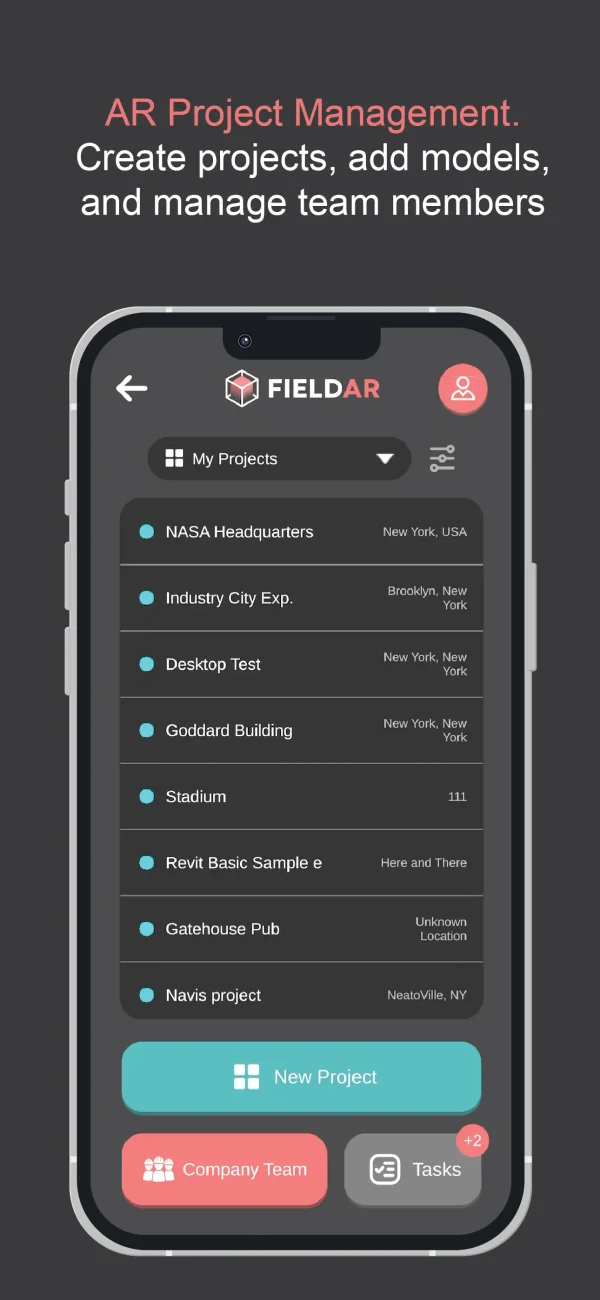
AR Project Management:
-View/edit your full project list in your Dashboard
-Navigate models within each project
-View all project activity, i.e. model updates, markup comments, etc.
-Easily create new projects and upload models from the mobile app
Có gì mới
Phiên bản 1.0.18 · 14/10/2026
-UI improvements
-Bug fix in dashboard model loading
-Optimizations in 3D model caching
Quyền riêng tư của ứng dụng
Những gì Kyle Louis Szostek khai báo trên App Store về cách ứng dụng này xử lý dữ liệu.
-
Dữ liệu không liên kết với bạn
Có thể được thu thập nhưng không liên kết với danh tính của bạn.
- Thông tin liên hệ
- Nội dung của người dùng
- Mã định danh
- Surroundings
Phương thức đảm bảo quyền riêng tư có thể khác nhau, chẳng hạn như tuỳ theo các tính năng bạn sử dụng hoặc độ tuổi của bạn.
Thông tin
- Người bán
- Kyle Louis Szostek
- Danh mục
- Hiệu Suất
- Phiên bản
- 1.0.18
- Cập nhật
- 14/10/2026
- Phát hành
- 30/07/2024
- Kích thước
- 239,4 MB
- Yêu cầu
- iOS 13.0 trở lên
- Độ tuổi
- 17+
- Giá
- Miễn phí
- Ngôn ngữ
- Tiếng Anh
- Bản quyền
- © 2026 FieldPlan, LLC