FinalWork: Time & Task Tracker
Recurring Employee Checklists
Được thiết kế cho iPhone, iPod touch
Miễn phí · Mua hàng trong ứng dụng
- Độ tuổi4+
- Danh mụcKinh Doanh
- Nhà phát triểnKolay Asistan Global Teknoloji A.Ş.
- Ngôn ngữTiếng Anh+ 1 ngôn ngữ khác
- Kích thước42,9 MB
Liên kết đến trang App Store chính thức
Download.org không lưu trữ tệp nào của FinalWork: Time & Task Tracker. Nút này mở trang ứng dụng trên App Store, nơi Kolay Asistan Global Teknoloji A.Ş. phát hành ứng dụng. Trang được kiểm tra lần cuối: 23/11/2026.
Ảnh chụp màn hình



Giới thiệu
Nhà phát triển chưa cung cấp nội dung này bằng ngôn ngữ của bạn.
Same jobs every day, every week… but something always gets forgotten and the routine falls apart? Add your tasks to FinalWork once and let recurring tasks do the rest: daily tasks renew every day, weekly tasks every week and monthly tasks every month. Your business settles into a routine, and nobody rewrites the same list again.
FinalWork brings recurring tasks, an employee time clock, task tracking and work tracking together in one simple app, and it takes about 10 seconds to set up. Staff don't need to sign up; they sign in with the username and password you give them. Say goodbye to paper checklists, end-of-month timesheet spreadsheets and messages lost in the group chat.
RECURRING TASKS: ADD ONCE, REPEAT FOREVER
• Daily tasks are ready again every morning: opening checks, cleaning, closing the till…
• Weekly tasks are ready again every week: stock counts, deep cleaning, weekly reports…
• Monthly tasks are ready again every month: maintenance, inventory, invoice checks…
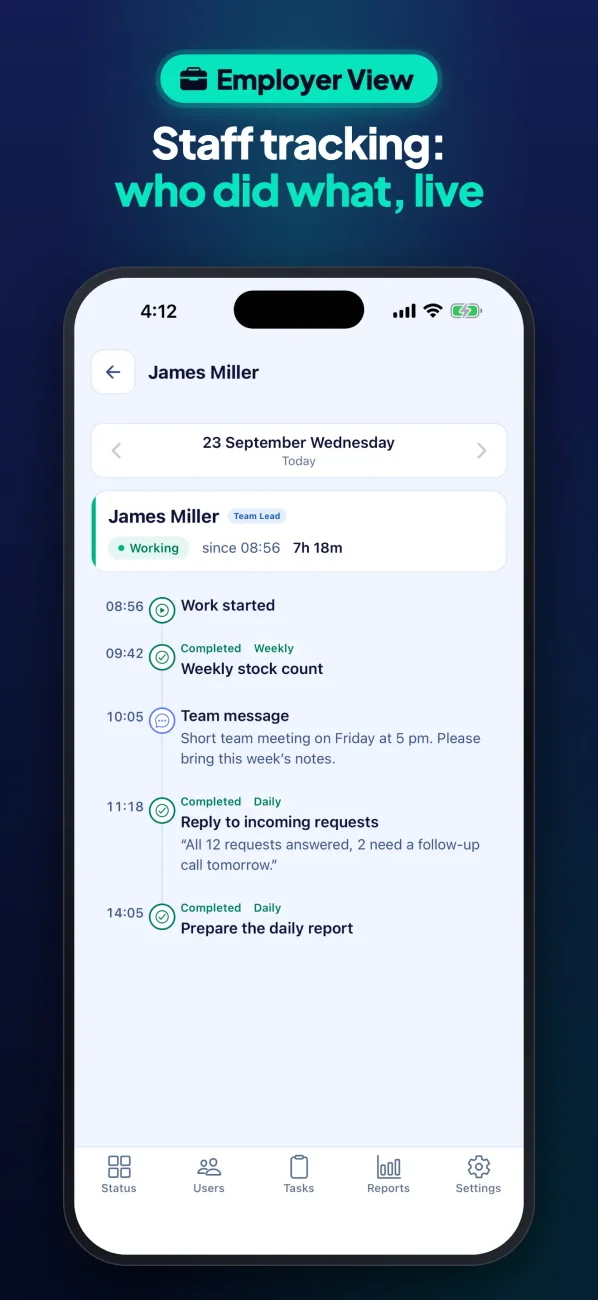
Employees tick off finished work and can leave a note. Unfinished tasks get a gentle reminder at the time you choose (promise, really gentle), and you get one summary showing whose work is still open. One-off jobs get a temporary task; task tracking handles both.
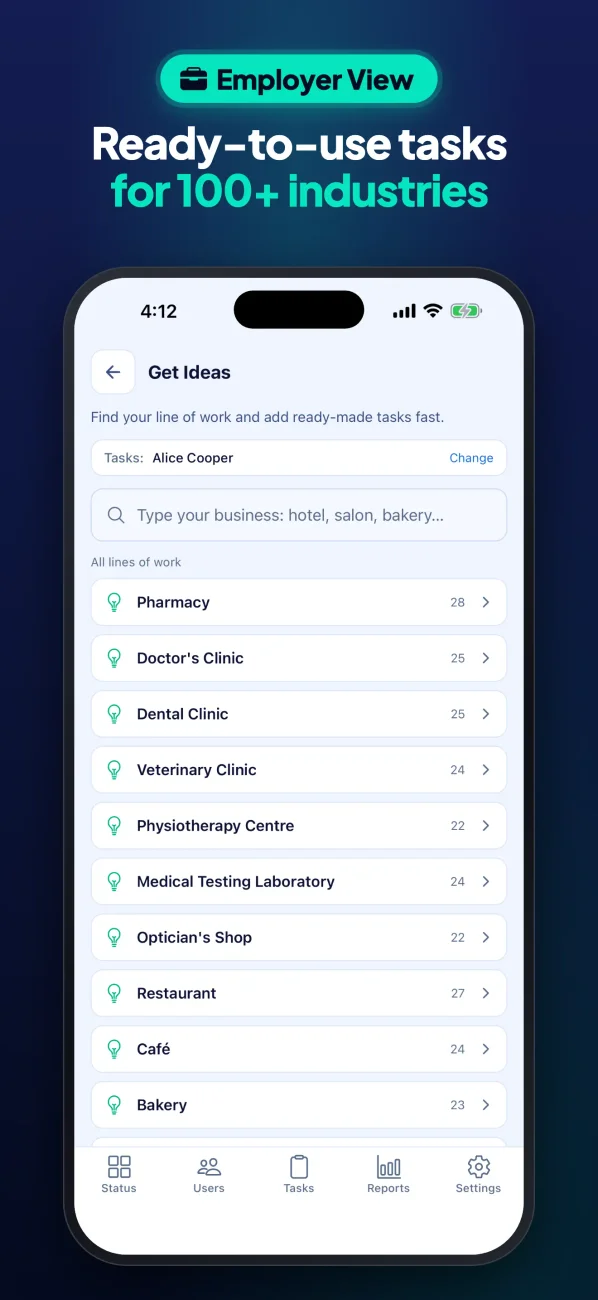
Not sure where to start? The “Get Inspired” library has ready-made lists for 100+ types of business; pick one, add it with one tap, done.
TIME TRACKING: CLOCK IN, BREAK, CLOCK OUT
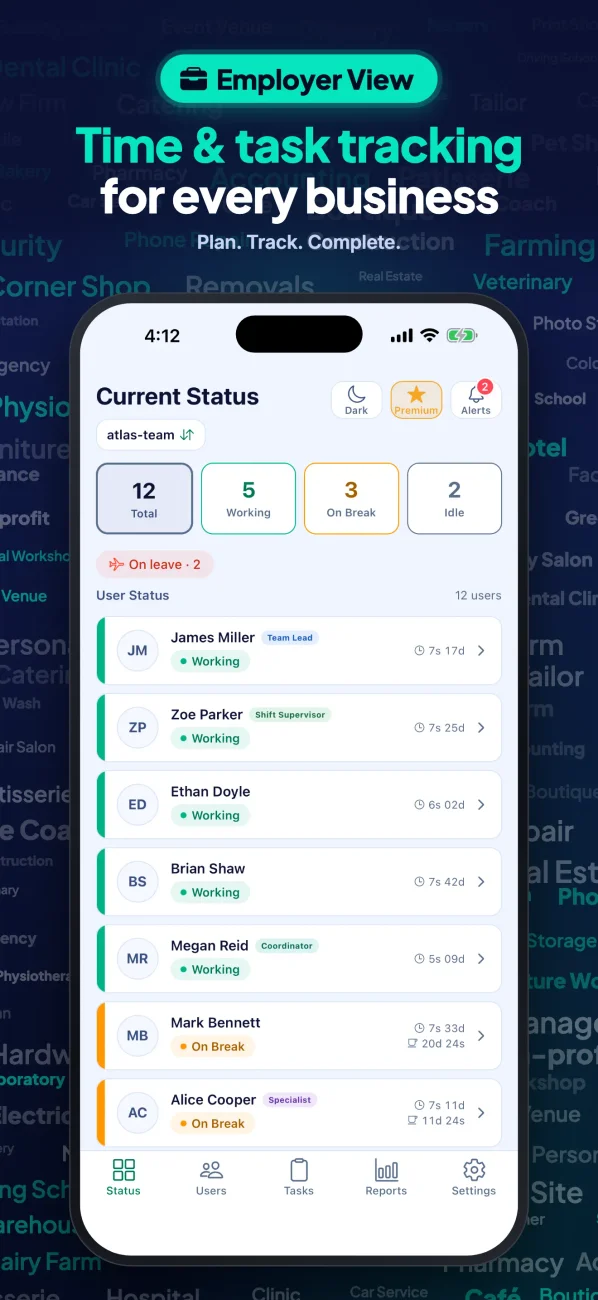
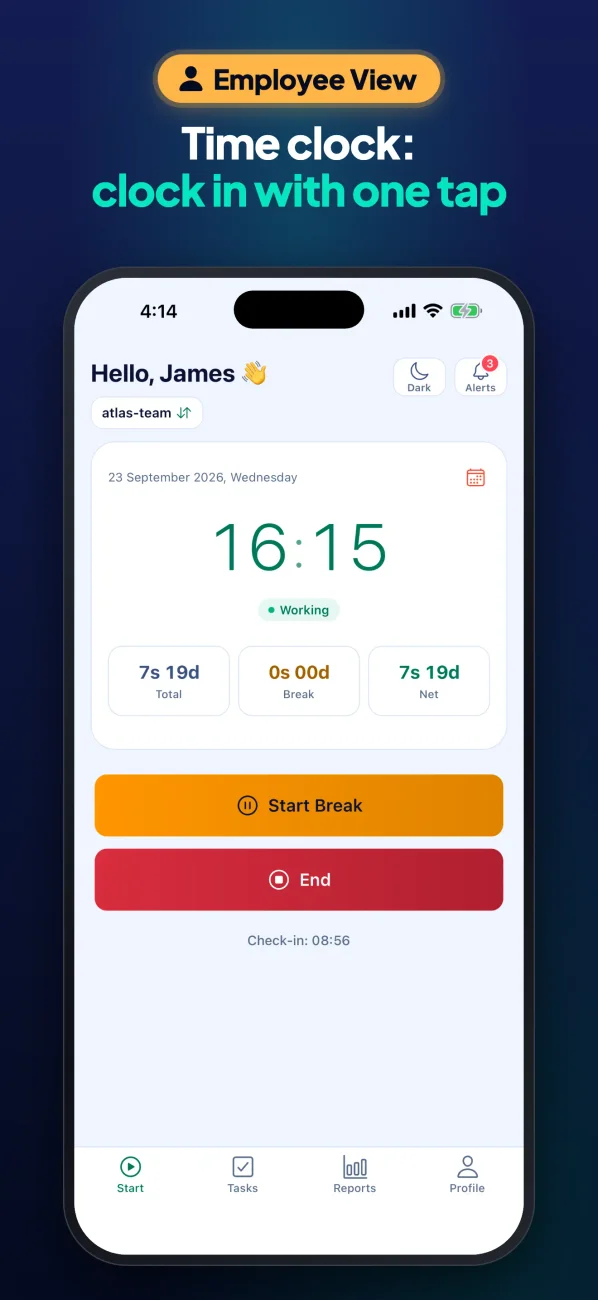
“Who opened up this morning?” “Who's off today?” Stop asking; the answers are on your phone before your coffee gets cold. Employees clock in, take a break and clock out with one tap while a live timer keeps count. You see who's working, who's on a break or on leave and who hasn't started yet, all on one screen.
WORK TRACKING AND TIMESHEET REPORTS
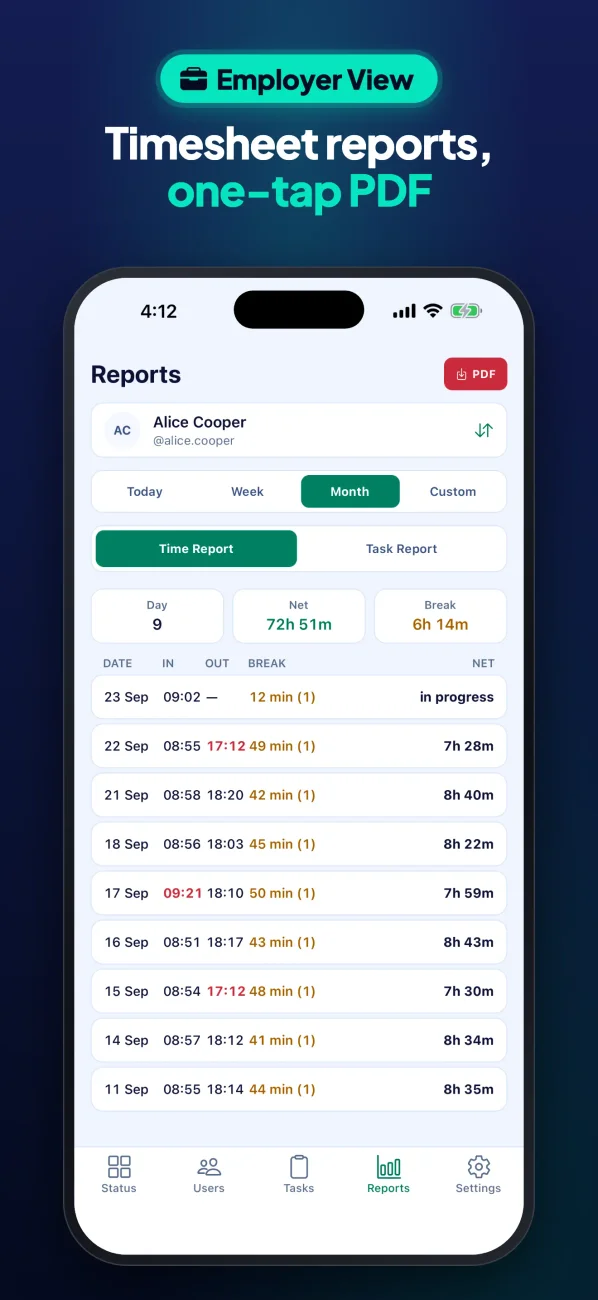
No more calculator, coffee and patience at the end of the month. The time report shows hours, breaks, late starts and early finishes. The task report shows what was done, what was missed and who did it. Share timesheet and task reports as PDF files with one tap; your accountant will thank you.
LEAVE, SHIFTS AND ANNOUNCEMENTS
• Employees send annual, sick or personal leave requests from their phones; you approve them or decline with a reason.
• A weekly schedule shows everyone's working days and hours, and shift plans can be shared as a card.
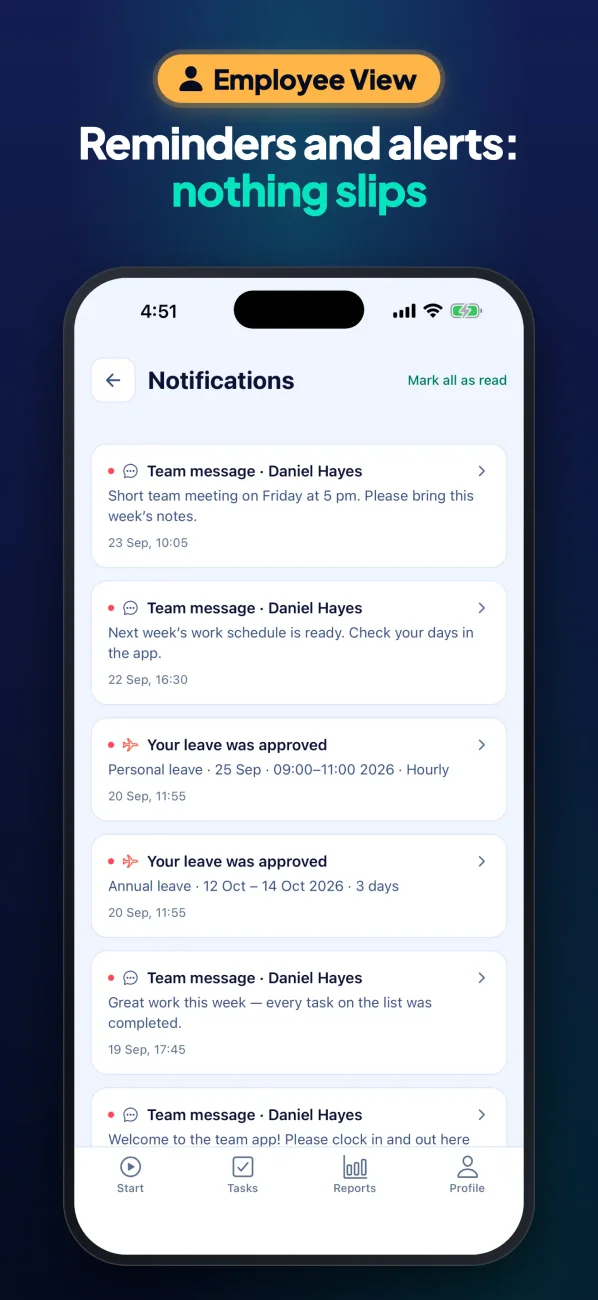
• Send team announcements from one place and see who has read them. The “I didn't see it” era is over.
WHO IS IT FOR?
Restaurants, cafés, shops, salons, clinics, pharmacies, hotels, offices, warehouses, building sites… From a three-person shop to a business with many branches. Several branches? Give each its own workspace and switch with one tap. Dietitians and coaches can also give clients recurring tasks and follow along.
FREQUENTLY ASKED QUESTIONS
What is a recurring task?
A task you add once that reopens by itself every day, week or month. For example, “Close the till” is waiting on the list every evening.
How do I track my staff's tasks?
Write the task once and choose who does it and how often. Staff tick it off when done, and you instantly see who finished what.
How do I track staff attendance, clock-in and clock-out?
Staff tap Start when they arrive and End when they leave. Hours are recorded automatically; no card reader or time clock hardware needed.
Can it replace my timesheet spreadsheet?
Yes. Hours and breaks add up on their own and the timesheet report is ready. No formulas, no copy and paste.
Is this time tracking app free?
Download FinalWork for free and get started right away; no credit card needed.
My team isn't great with technology. Can they use it?
Absolutely. There's a big Start button on the screen; FinalWork handles the rest.
Which devices does it work on?
Phones and computers (in the web browser), in Turkish and English.
Terms of Use: https://finalwork.net/en/terms
Privacy Policy: https://finalwork.net/en/privacy
FinalWork — Plan. Track. Complete.
Có gì mới
Phiên bản 1.3.0 · 20/11/2026
New: Sign in or create an account with your Google or Apple account in one tap.
New: Connecting Telegram alerts is now easy: tap “Add Telegram account”, then scan the QR code, share the link or add this phone, and tap START. No more hunting for IDs.
New: Year-end stock count, closing and new year checklists in Get Inspired.
Fix: Going to Settings from the getting-started card now brings you back to the Settings menu.
Quyền riêng tư của ứng dụng
Những gì Kolay Asistan Global Teknoloji A.Ş. khai báo trên App Store về cách ứng dụng này xử lý dữ liệu.
-
Dữ liệu được sử dụng để theo dõi bạn
Có thể được sử dụng để theo dõi bạn trên các ứng dụng và trang web do công ty khác sở hữu.
- Mã định danh
- Dữ liệu sử dụng
-
Dữ liệu liên kết với bạn
Có thể được thu thập và liên kết với danh tính của bạn.
- Mục mua
- Vị trí
- Thông tin liên hệ
- Nội dung của người dùng
- Mã định danh
- Chẩn đoán
-
Dữ liệu không liên kết với bạn
Có thể được thu thập nhưng không liên kết với danh tính của bạn.
- Vị trí
- Mã định danh
- Dữ liệu sử dụng
- Chẩn đoán
Phương thức đảm bảo quyền riêng tư có thể khác nhau, chẳng hạn như tuỳ theo các tính năng bạn sử dụng hoặc độ tuổi của bạn.
Thông tin
- Người bán
- KOLAY ASISTAN GLOBAL TEKNOLOJI ANONIM SIRKETI
- Danh mục
- Kinh Doanh
- Phiên bản
- 1.3.0
- Cập nhật
- 20/11/2026
- Phát hành
- 30/10/2026
- Kích thước
- 42,9 MB
- Yêu cầu
- iOS 15.1 trở lên
- Độ tuổi
- 4+
- Giá
- Miễn phí
- Mua hàng trong ứng dụng
- Có
- Ngôn ngữ
- Tiếng Anh, Tiếng Thổ Nhĩ Kỳ
- Bản quyền
- © 2026 Kolay Asistan Global Teknoloji A.Ş.