
Flashcard Pro: Study & Learn
Swipe-based flashcard maker
Được thiết kế cho iPhone, iPad
Miễn phí · Mua hàng trong ứng dụng
- Độ tuổi4+
- Danh mụcGiáo Dục
- Nhà phát triểnhirokazu murabe
- Ngôn ngữTiếng Anh+ 1 ngôn ngữ khác
- Kích thước6,2 MB
Liên kết đến trang App Store chính thức
Download.org không lưu trữ tệp nào của Flashcard Pro: Study & Learn. Nút này mở trang ứng dụng trên App Store, nơi hirokazu murabe phát hành ứng dụng. Trang được kiểm tra lần cuối: 12/11/2026.
Ảnh chụp màn hình
Giới thiệu
Nhà phát triển chưa cung cấp nội dung này bằng ngôn ngữ của bạn.
【Memorization, Made Faster & Smoother】
This is the flashcard app that pursues ultimate simplicity and incredible ease of use. Whether you're studying for an important exam, learning a new language, or mastering professional terminology, Flashcard Pro is designed to help you memorize more — in less time.
【Why Flashcard Pro?】
Most flashcard apps are cluttered, slow, or overly complicated. Flashcard Pro is different. Every detail has been carefully crafted to get out of your way and let you focus on what matters: learning.
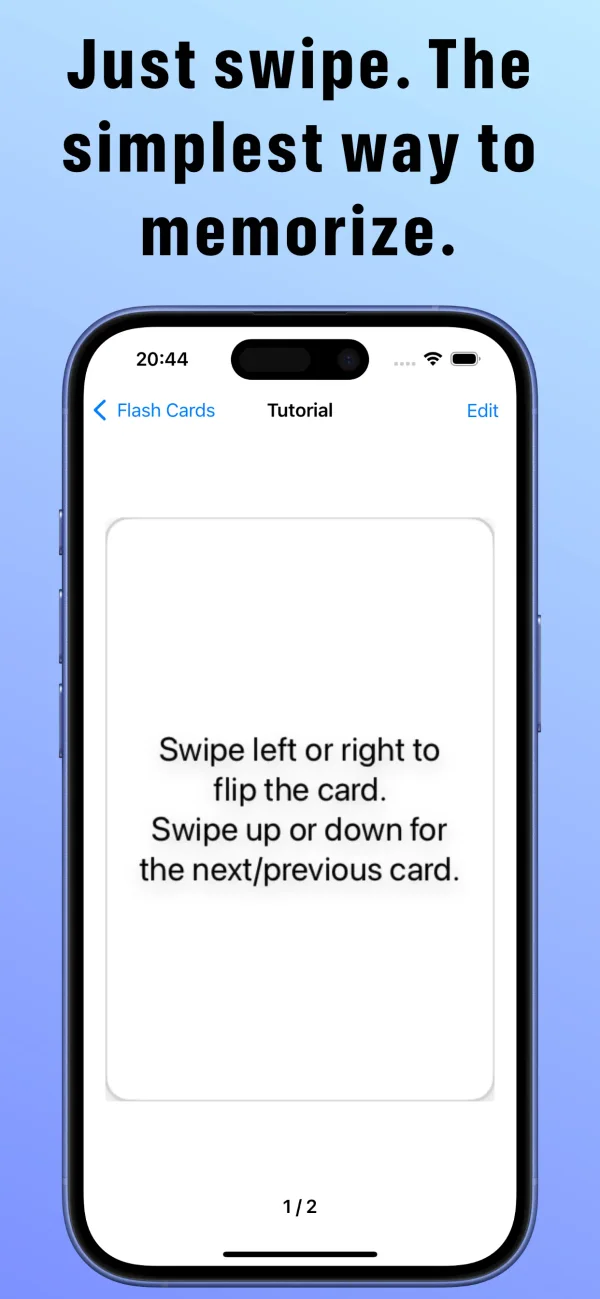
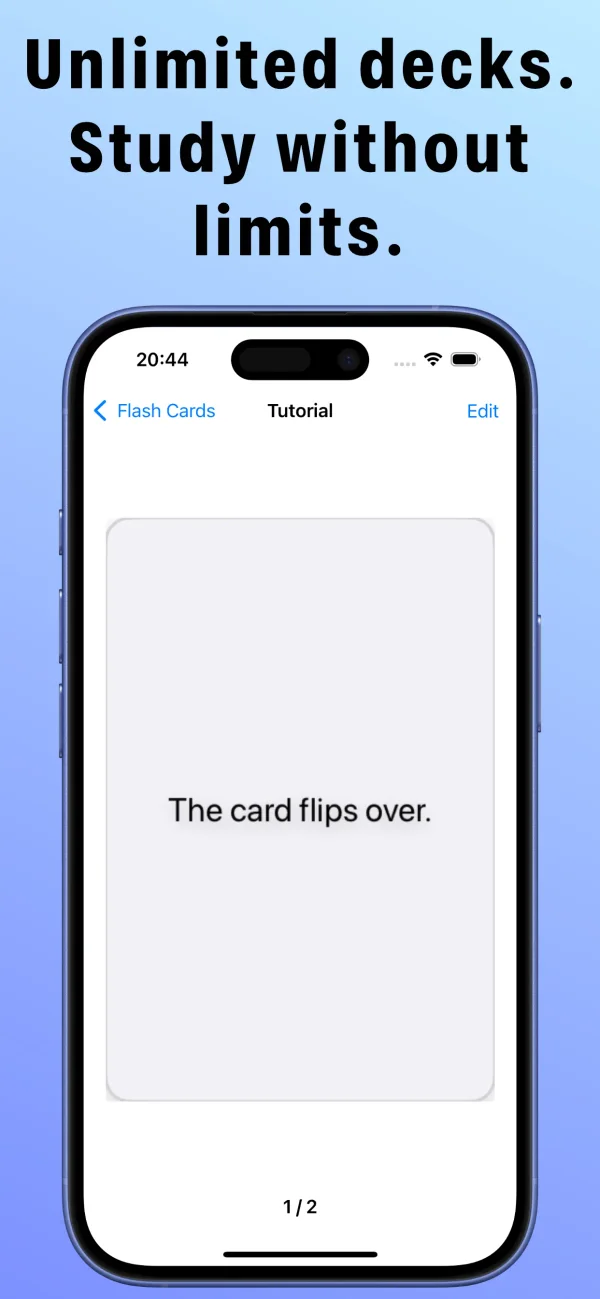
Swipe left or right to flip a card. Swipe up or down to move between cards. That's it. No buttons to tap, no menus to navigate. Just pure, frictionless studying.
【Key Features】
An intuitive, beautiful design with no clutter.
A snappy, responsive, and stress-free user experience.
Enhanced stability to protect your valuable study data.
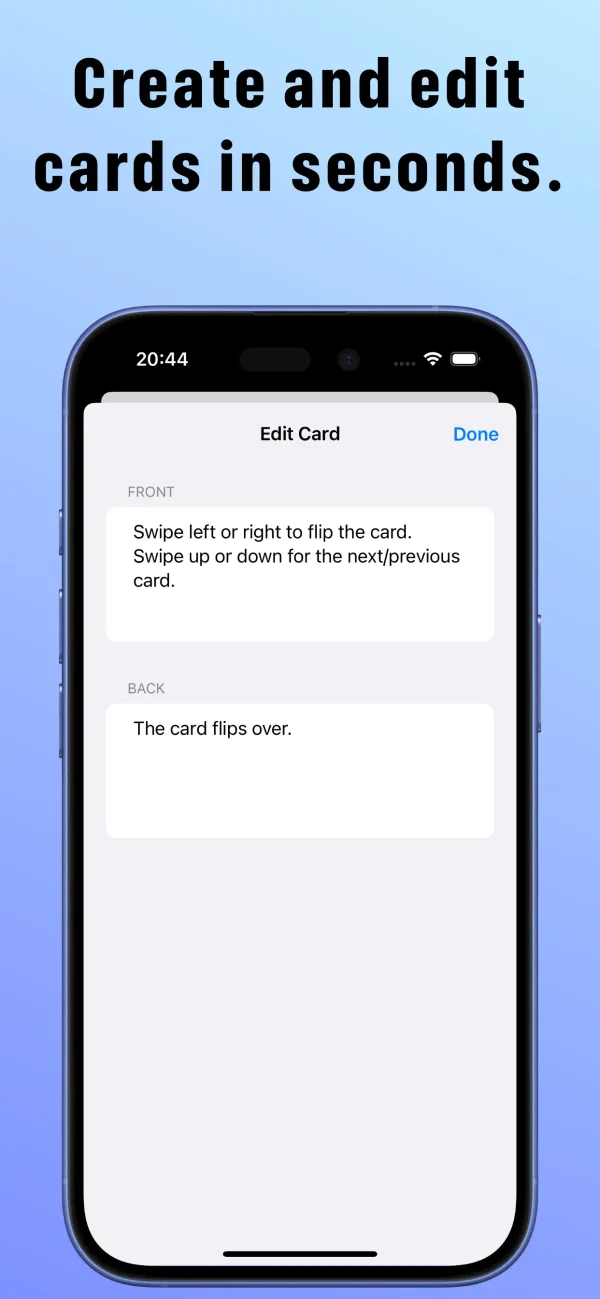
Effortless card creation, editing, and deletion.
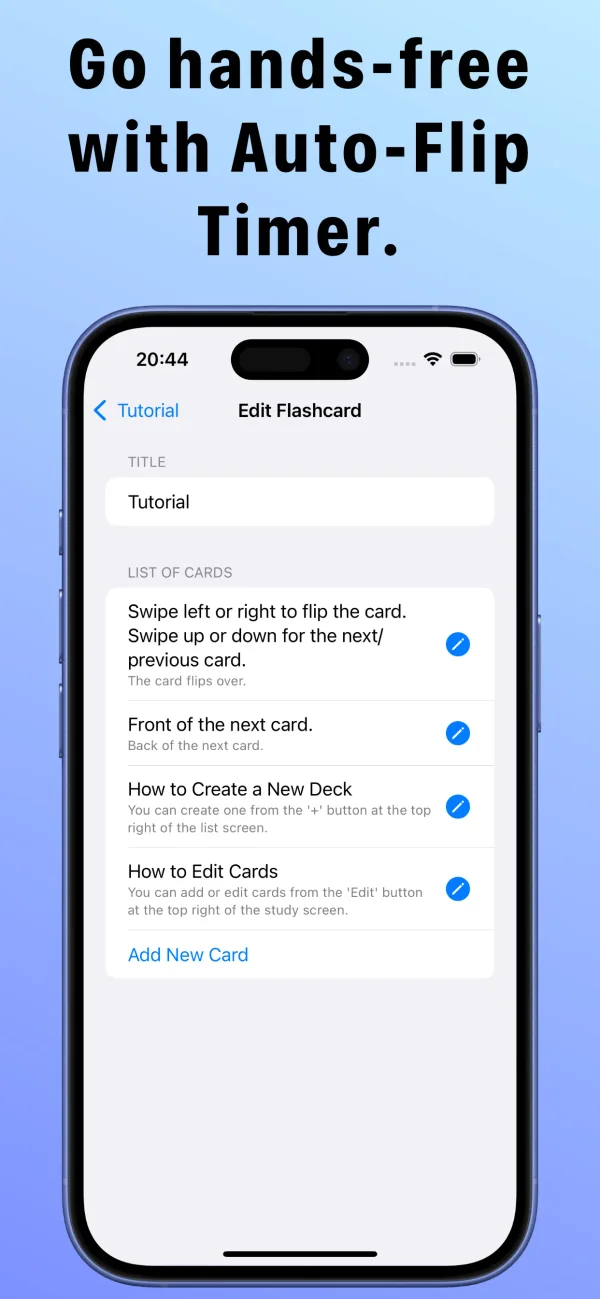
No limits on the number of flashcards or decks you can create.
【Perfect For】
Students preparing for exams and tests.
Language learners looking to efficiently build vocabulary.
Professionals memorizing terminology for certifications and qualifications.
Teachers and educators creating study materials for their students.
Anyone who wants to capture new knowledge and commit it to memory.
【Study Smarter, Not Harder】
Research shows that active recall — the act of testing yourself — is one of the most effective ways to retain information. Flashcard Pro is built around this principle. Every swipe is a memory exercise. Every flip brings you one step closer to mastering what you're learning.
With the Auto-Flip Timer, you can even set the app to run on its own, turning passive screen time into productive study sessions.
【Your Data, Always Safe】
Your flashcard decks are yours. Flashcard Pro is built with stability and data integrity as a top priority. Create as many decks as you need, with as many cards as you want — your data stays safe and organized.
Take your learning to the next level with an app that's built for performance.
【Premium Features】
Upgrade to Premium to unlock the full Flashcard Pro experience:
・Auto-Flip Timer — Cards automatically flip after a set interval, so you can study hands-free. Perfect for reviewing cards while commuting, exercising, or multitasking. Customize the timing to match your own pace.
・CSV Import — Already have a word list in Excel or Numbers? Import hundreds of cards in seconds with a single CSV file. Build an entire deck in moments, not hours.
・Ad-Free — Remove all banner ads for a clean, distraction-free study environment. Every pixel of your screen devoted to learning.
Premium is available as a monthly subscription. Payment is charged to your Apple ID account at confirmation of purchase. Your subscription automatically renews unless canceled at least 24 hours before the end of the current period. You can manage or cancel your subscription anytime in your Apple ID account settings.
Privacy Policy: https://ios-mac-a7694.web.app/privacy.html
Terms of Use (EULA): https://www.apple.com/legal/internet-services/itunes/dev/stdeula/
Download now and get the smoothest study experience ever.
Có gì mới
Phiên bản 19.1 · 05/03/2026
New Features
Auto-Flip — Cards automatically flip after a set number of seconds. The timer pauses when you swipe manually (Premium)
CSV Import — Create a full deck by importing a CSV file. Supports both UTF-8 and Shift-JIS encoding (Premium)
Premium Plan — Monthly subscription that removes ads and unlocks Auto-Flip and CSV Import
Settings Screen — Configure Auto-Flip on/off and the flip interval (in seconds)
Improvements
You can now rename a deck directly from the edit screen
You can now enter a name before creating a new deck
A Cancel button has been added to the card edit screen, so changes can be discarded
A warning is now shown if you try to save a card with the front or back side left empty
The app no longer freezes when opening a deck with no cards
A helpful message is now shown when a deck contains no cards
Quyền riêng tư của ứng dụng
Những gì hirokazu murabe khai báo trên App Store về cách ứng dụng này xử lý dữ liệu.
-
Dữ liệu được sử dụng để theo dõi bạn
Có thể được sử dụng để theo dõi bạn trên các ứng dụng và trang web do công ty khác sở hữu.
- Mã định danh
-
Dữ liệu không liên kết với bạn
Có thể được thu thập nhưng không liên kết với danh tính của bạn.
- Mã định danh
Phương thức đảm bảo quyền riêng tư có thể khác nhau, chẳng hạn như tuỳ theo các tính năng bạn sử dụng hoặc độ tuổi của bạn.
Thông tin
- Người bán
- hirokazu murabe
- Danh mục
- Giáo Dục
- Phiên bản
- 19.1
- Cập nhật
- 05/03/2026
- Phát hành
- 06/01/2016
- Kích thước
- 6,2 MB
- Yêu cầu
- iOS 17.6 trở lên
- Độ tuổi
- 4+
- Giá
- Miễn phí
- Mua hàng trong ứng dụng
- Có
- Ngôn ngữ
- Tiếng Anh, Tiếng Nhật
- Bản quyền
- © 2015 - 2025 Studio Magic
Có thể bạn cũng thích
-
 Flashcards - Swipe & LearnGiáo Dục
-
 Jottable Flash Cards LiteGiáo Dục
-
 Deck - Flashcard AppGiáo Dục
-
 Cardify — swipe and learnGiáo Dục
-
 Flashcards DIY: AI Quiz MakerGiáo Dục
-
 受験生のための英単語帳 ボキャリンGiáo Dục
-
 Flash cards Memorize Edu NotesGiáo Dục
-
 Flash Cards Maker: Study NotesGiáo Dục
-
 危険物取扱者 乙5 | 2026年対策問題Giáo Dục
-
 暗記ノートGiáo Dục