
Focus: Simple Timer with ToDo
Boost your productivity
Được thiết kế cho iPhone
Miễn phí · Mua hàng trong ứng dụng
- Độ tuổi4+
- Danh mụcHiệu Suất
- Nhà phát triểnHiroto Nakamura
- Ngôn ngữTiếng Anh+ 1 ngôn ngữ khác
- Kích thước8,0 MB
Liên kết đến trang App Store chính thức
Download.org không lưu trữ tệp nào của Focus: Simple Timer with ToDo. Nút này mở trang ứng dụng trên App Store, nơi Hiroto Nakamura phát hành ứng dụng. Trang được kiểm tra lần cuối: 18/11/2026.
Ảnh chụp màn hình

Giới thiệu
Nhà phát triển chưa cung cấp nội dung này bằng ngôn ngữ của bạn.
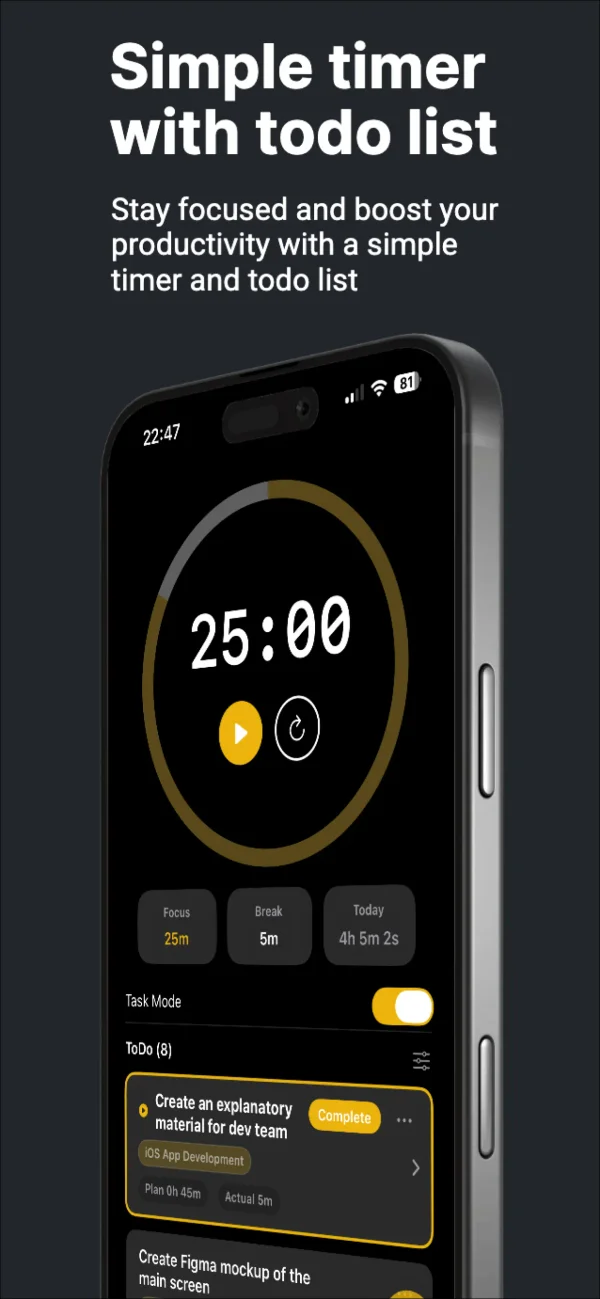
Focus is a clean and simple timer designed to help you start quickly, stay on track, and see your progress at a glance. It masterfully pairs a beautiful circular timer with lightweight task and project management, privacy‑first data handling, and rich Live Activities on your Lock Screen and Dynamic Island.
Why you’ll enjoy Focus:
A Timer You’ll Actually Want to Use:
Start, pause, and reset your sessions with deeply satisfying haptics. The elegant dual-segment ring visualizes both focus and break periods in a single, clear view. Time is rendered in a crisp, monospaced font, complemented by smooth animations that make every interaction a pleasure.
Effortless Preset Switching:
Swipe between your favorite timer configurations directly on the main screen. Set up different presets for various activities—like 'Deep Work,' 'Reading,' or 'Quick Review'—and switch between them instantly without navigating through menus.
Stay in the Flow:
Receive optional notifications for the end of Focus and Break sessions, plus a helpful reminder minutes before your focus time is up. Banners can be shown even while the app is open, and an option to "Keep Screen Awake" ensures your timer is always visible when you need it.
Rich Live Activity Support:
Track your remaining time directly from the Lock Screen and Dynamic Island (iOS 16.2+). The Live Activity is more than just a countdown; it beautifully reflects the current phase (focus or break), pause state, and your chosen theme color, keeping you informed without unlocking your device.
Tasks and Projects, Perfectly Integrated:
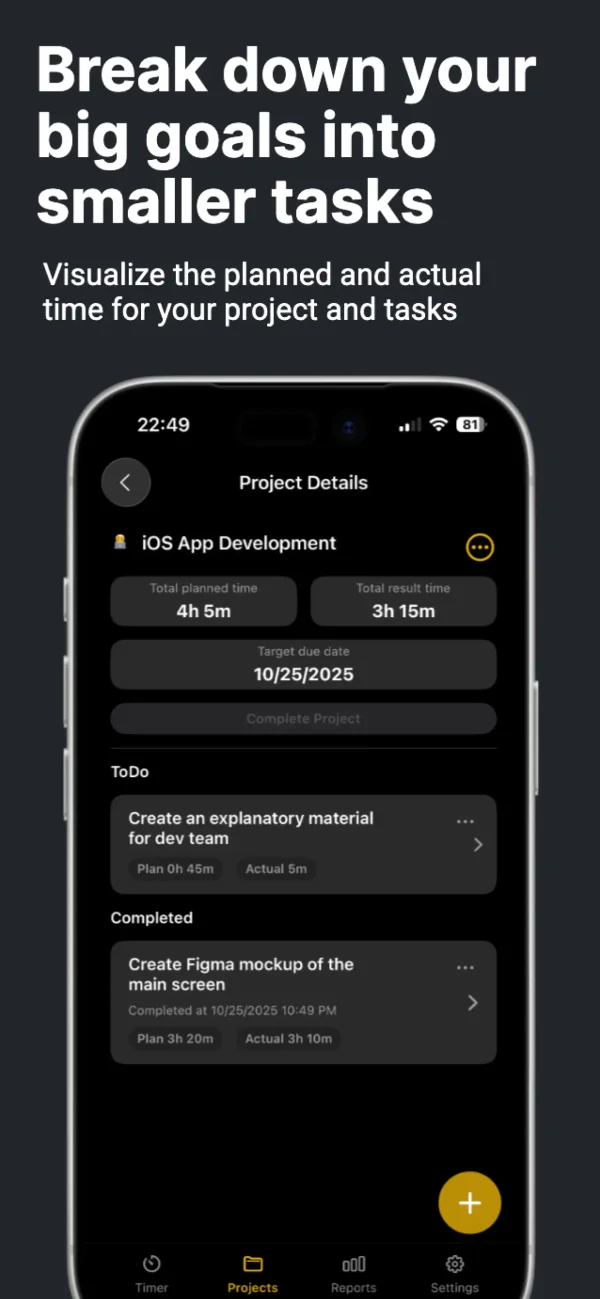
Go beyond a simple timer by adding tasks with optional memos and planned times. Group them under projects with custom emoji and due dates, and easily reorder everything with a long-press drag. Mark tasks as complete, restore them later, and review your recent accomplishments—all within a clean, unified interface.
Clear Progress, Every Day:
See today’s total focus time right on the timer screen. For a deeper analysis, a dedicated Reports tab provides daily, weekly, monthly, and yearly charts and totals. Use quick-jump buttons to navigate to "today," "this week," "this month," or "this year," and visualize your commitment with a color-coded calendar view that shows your focus history at a glance.
Focus Pro unlocks more for power users:
Unlimited Tasks and Projects:
Break free from limitations. Create as many tasks and projects as you need to manage everything from small to-dos to large, complex goals.
Full Focus History:
Go beyond the recent activity window. Unlock complete weekly, monthly, and yearly charts, and browse your entire focus history with the interactive calendar to identify patterns and celebrate your long-term progress.
Customizable Timer Duration:
Tailor every session to your exact needs. Adjust Focus and Break durations in precise 1-minute steps, allowing you to perfect your personal productivity rhythm.
Multiple Preset Timers:
Create and save up to 8 unique timer configurations for different activities. Switch between them with a simple swipe to instantly match the timer to your current task.
Expanded Theme Palette:
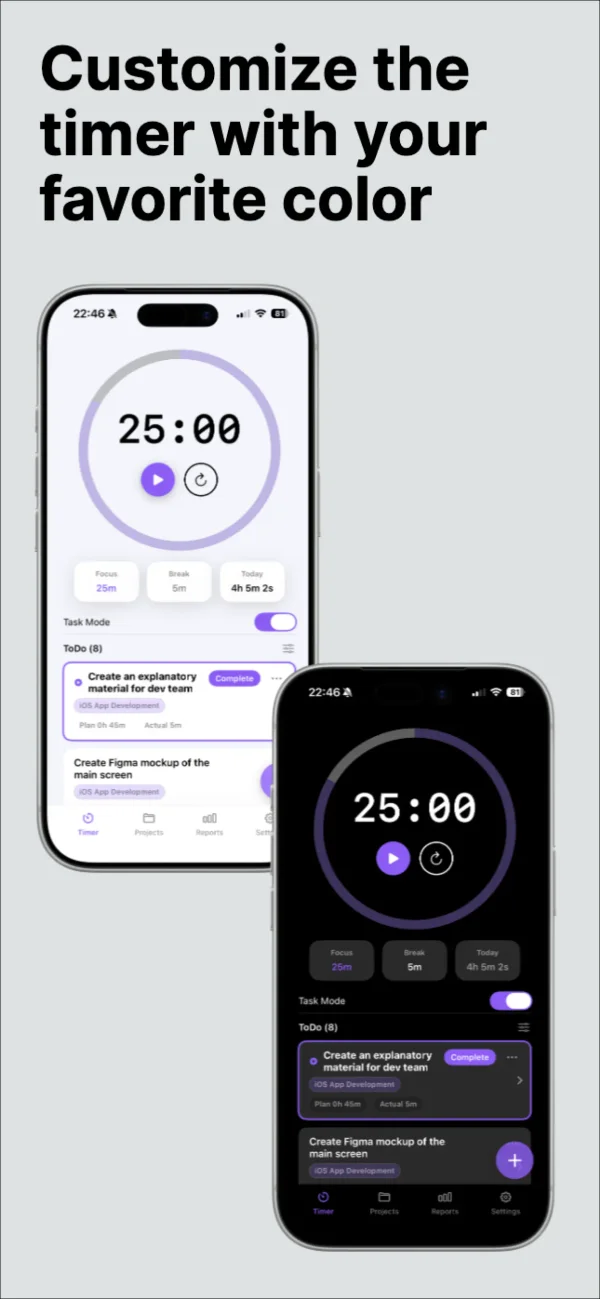
Personalize your experience by unlocking a full palette of 8 beautiful accent colors to match your mood, project, or home screen setup.
Advanced iCloud Backup & Restore:
Your data is always safe with automatic daily backups to your private iCloud account. Browse your backup history and restore your entire dataset from a specific version with a single tap, giving you complete peace of mind.
Whether you want a simple, reliable timer—or a focused workflow with tasks, projects, charts, and more—Focus keeps everything fast, clear, and distraction-free so you can do your best work, every day.
Terms of Use: https://nkmr35.github.io/terms_en.html
Privacy Policy: https://nkmr35.github.io/privacy_en.html
Có gì mới
Phiên bản 1.1.2 · 15/11/2025
Implemented minor UI adjustments and performance improvements
Quyền riêng tư của ứng dụng
Những gì Hiroto Nakamura khai báo trên App Store về cách ứng dụng này xử lý dữ liệu.
-
Dữ liệu không liên kết với bạn
Có thể được thu thập nhưng không liên kết với danh tính của bạn.
- Mục mua
Phương thức đảm bảo quyền riêng tư có thể khác nhau, chẳng hạn như tuỳ theo các tính năng bạn sử dụng hoặc độ tuổi của bạn.
Thông tin
- Người bán
- Hiroto Nakamura
- Danh mục
- Hiệu Suất
- Phiên bản
- 1.1.2
- Cập nhật
- 15/11/2025
- Phát hành
- 30/10/2025
- Kích thước
- 8,0 MB
- Yêu cầu
- iOS 17.0 trở lên
- Độ tuổi
- 4+
- Giá
- Miễn phí
- Mua hàng trong ứng dụng
- Có
- Ngôn ngữ
- Tiếng Anh, Tiếng Nhật
- Bản quyền
- © Hiroto Nakamura
Có thể bạn cũng thích
-
 Habit LightHiệu Suất
-
 LastDone: Habits & ChoresHiệu Suất
-
 SimplyTask: To-Do & ReminderQuản lý việc & chế độ Focus
-
 Focus Grid - Habit TrackerHiệu Suất
-
 Today: Live CalendarHiệu Suất
-
 Simple Pomodoro Timer + WatchHiệu Suất
-
 Stupid NotesHiệu Suất
-
 Ideao - Content Idea ManagerHiệu Suất
-
 My Steamworks DashboardHiệu Suất
-
 Habitude: Thói Quen & RoutineADHD, Kỷ Luật & Mục Tiêu