Focusoro
Next gen pomodoro timer
Được thiết kế cho iPhone, iPad
Mua hàng trong ứng dụng
- Độ tuổi4+
- Danh mụcHiệu Suất
- Nhà phát triểnRafal Denkiewicz
- Ngôn ngữTiếng Đức+ 3 ngôn ngữ khác
- Kích thước11,9 MB
Focusoro hiện có thể không có trên App Store
Ở lần kiểm tra gần nhất, chúng tôi không truy cập được trang trên cửa hàng. Liên kết vẫn dẫn đến trang App Store chính thức.
Ảnh chụp màn hình




Giới thiệu
Nhà phát triển chưa cung cấp nội dung này bằng ngôn ngữ của bạn.
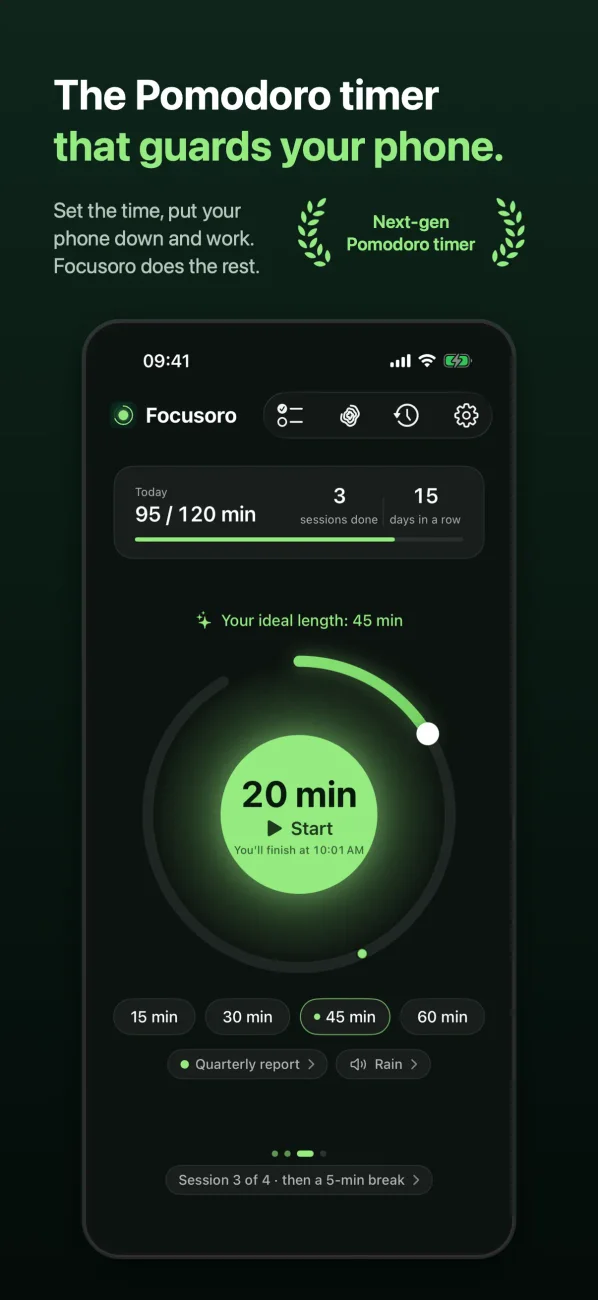
Focusoro is a Pomodoro timer that knows when you reach for your phone. An ordinary timer counts down and hopes your willpower holds. Focusoro keeps your phone on the desk, records every urge you resist and shows you getting better, week after week.
WHAT MAKES IT DIFFERENT
• It notices when you pick up your phone: motion sensors catch the lift, and you get a few seconds to put it back.
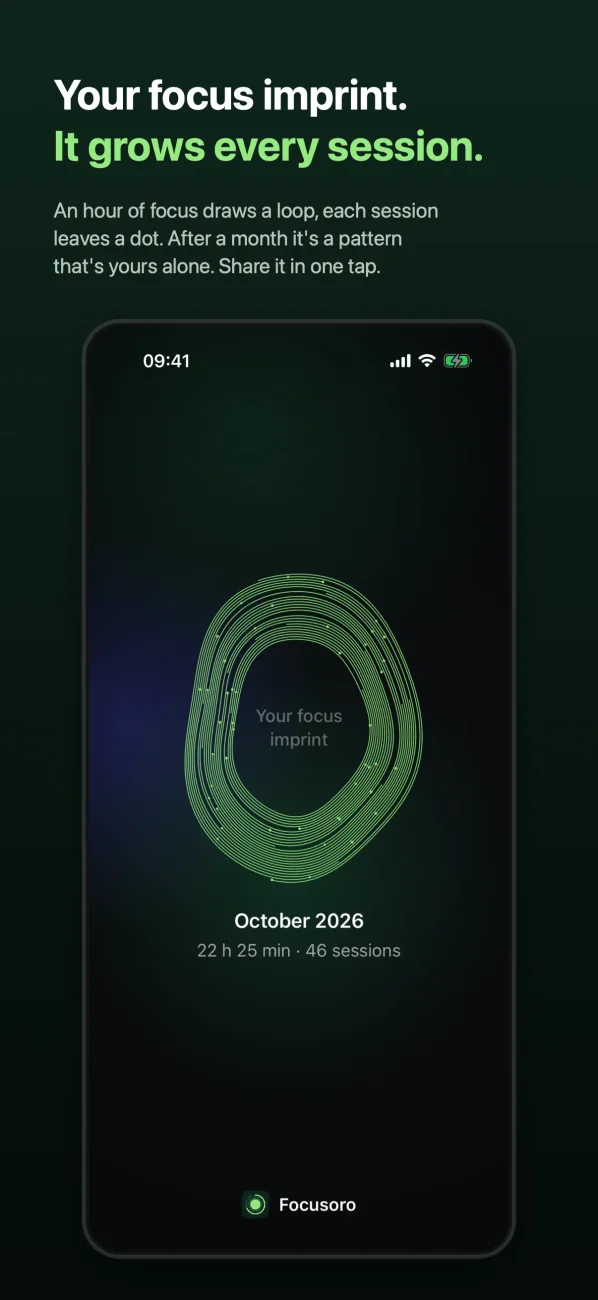
• Focus imprint: a month of work draws a pattern that's yours alone, like a fingerprint. Share it with one tap.
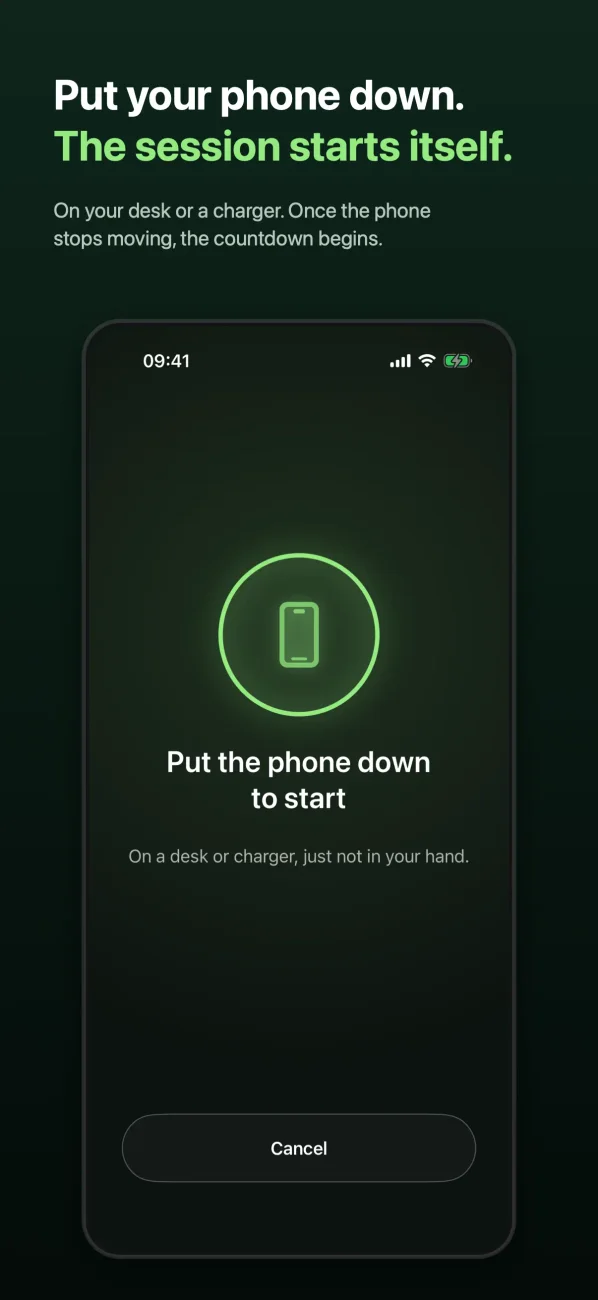
• The session starts itself: set the time, put your phone down, and the countdown begins once it stops moving.
• It counts the urges you beat, not just the minutes.
• Nine background sounds that keep playing with the screen locked.
• A session length tailored to you, worked out from your own history.
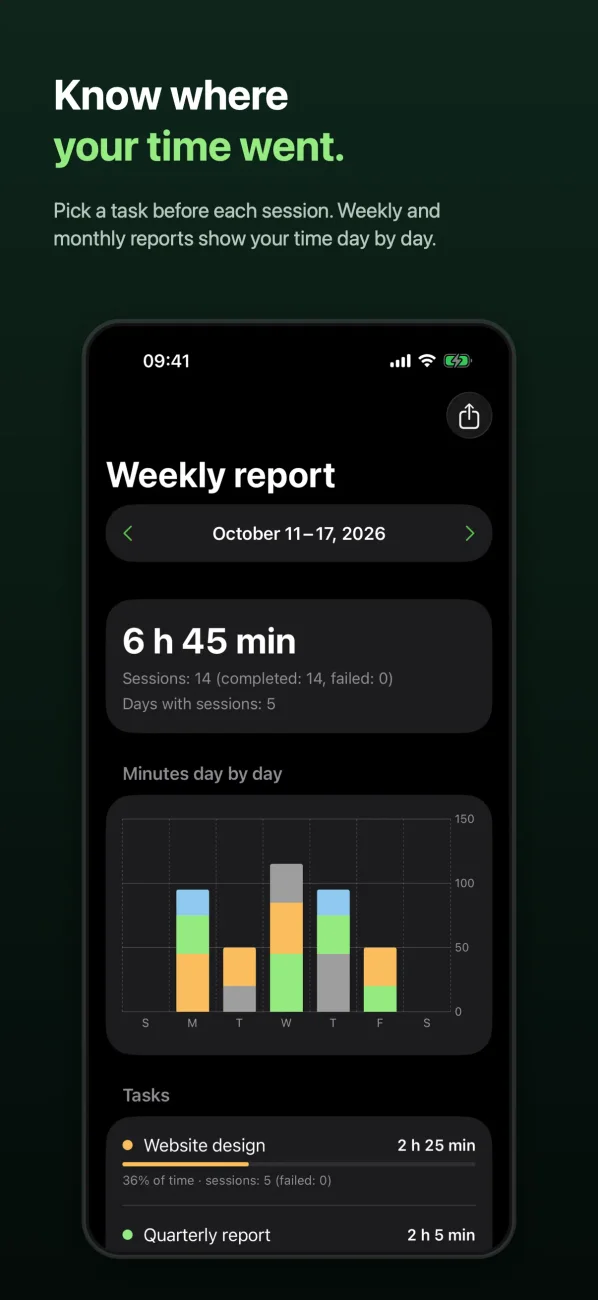
• Tasks and reports: see where your time went, week by week and month by month.
• Your history and tasks stay on your phone. No accounts, no ads, no tracking. We only send anonymous usage stats, which you can turn off.
HOW IT WORKS
Set the session length on the dial, down to the minute, tap Start and place your phone on your desk or a charger. As soon as it lies still, the countdown begins. The screen dims so it won't tempt you, and you're free to lock your phone: the session keeps going and the countdown stays on your Lock Screen.
Reach for your phone mid-session and the screen lights up while it vibrates, nudging you back to work. Leave the app and the session fails, no exceptions. An incoming call won't ruin it, though: the countdown waits until you're back and the phone is down again.
YOUR FOCUS IMPRINT
Every hour of focus draws one loop, and each completed session leaves a dot on it. Each day starts a new loop, so after a month you get a pattern that's yours alone, like a fingerprint. You see it after every session and in Progress, and you can share it as an image with one tap.
BACKGROUND SOUNDS
Rain, a thunderstorm, the sea, a forest, a café, an airplane cabin, or brown, pink and white noise. The sound plays for the whole session, even with the screen locked, fades out the moment you pick up your phone and never interrupts music from other apps.
BREAKS WITHOUT THE GUILT
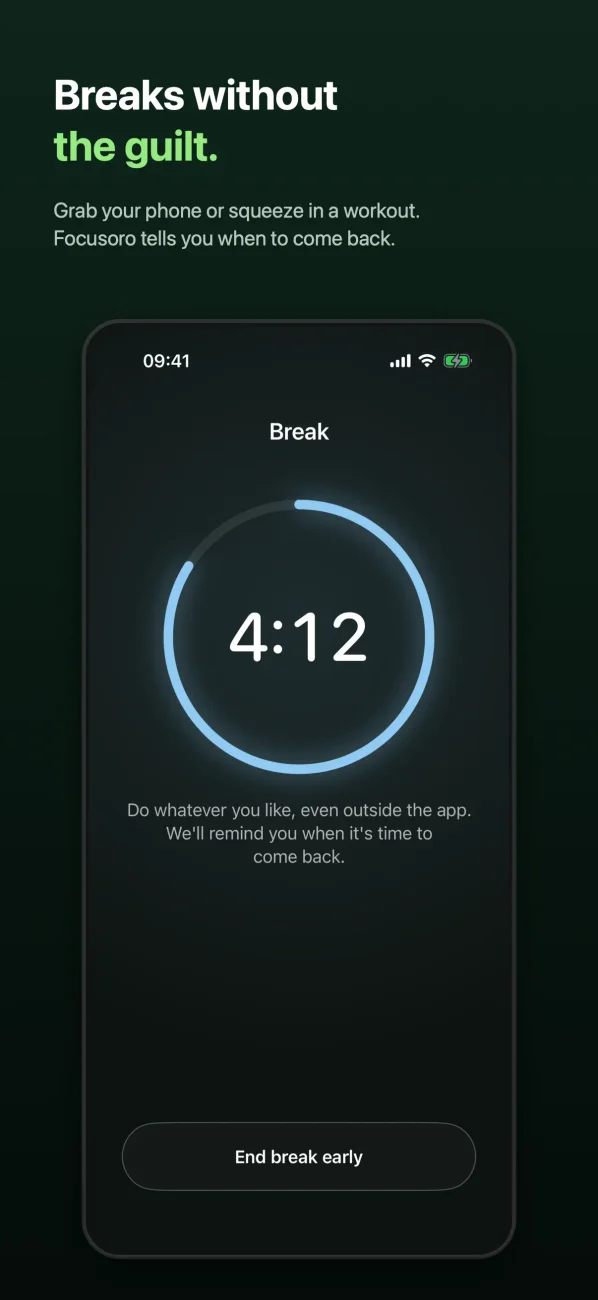
Finish a session and the break is all yours; every few sessions you get a longer one. The countdown sits on your Lock Screen and in the Dynamic Island.
STATS THAT ACTUALLY TELL YOU SOMETHING
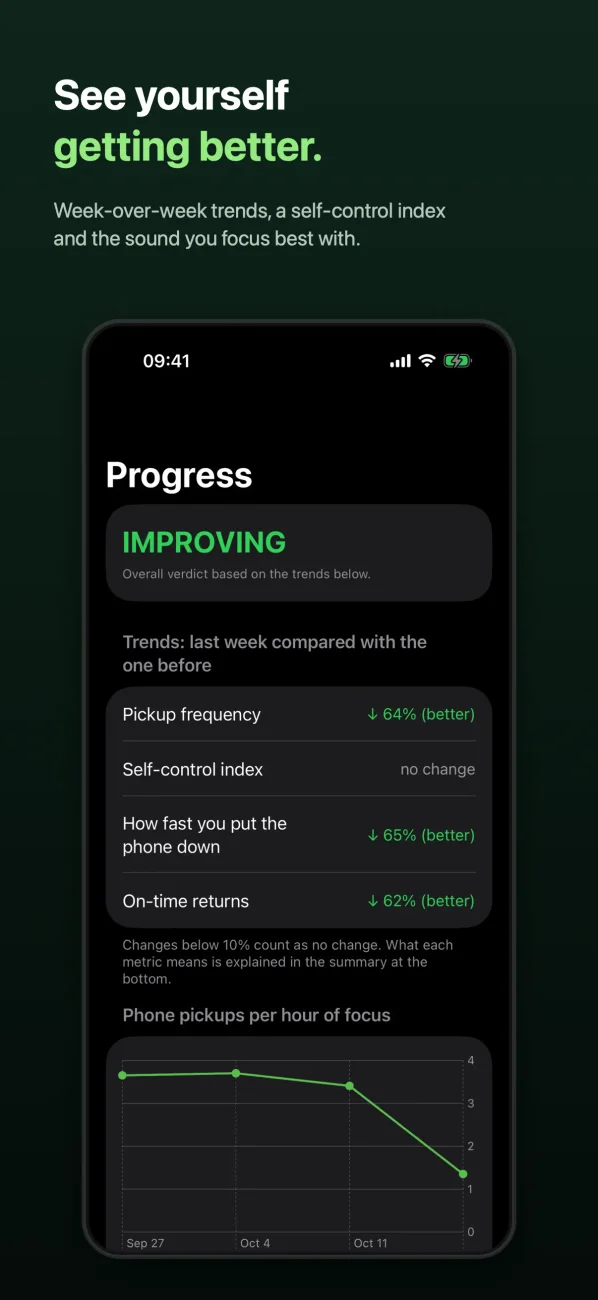
A week-over-week report shows whether you're improving: how often you pick up your phone, how quickly you put it back and your self-control index. Thirty-day breakdowns show what ends your sessions, which lengths you actually finish and which background sound helps you focus most. After a week, Focusoro also suggests a session length based on your own history.
TASKS AND TIME REPORTS
Pick a task before you start and Focusoro records how much time you spend on it, even in a failed session, up to the moment it broke. Weekly and monthly reports show your work time day by day and split by task. Share a report with one tap or export it to CSV.
APPLE WATCH, IPHONE AND IPAD
Your watch shows the session and break countdowns, and if you reach for your phone, the seconds left to put it down. Focusoro runs on iPhone and iPad.
PRIVACY
Your session history, tasks and reports are stored only on your device. We only send anonymous usage stats, without task names or sensor data, and you can turn them off in Settings. Detecting when you pick up the phone requires access to motion data.
PRICING
Your first 4 sessions are free, no account or payment needed. Then choose monthly or yearly. Yearly starts with seven days free, and you can cancel anytime in your Apple Account settings. Prefer to pay once? There's a lifetime purchase that never renews.
PRIVACY AND TERMS
Privacy policy: https://algowisent.com/en/privacy-policy/focusoro/index.php
Terms of use (Apple standard EULA): https://www.apple.com/legal/internet-services/itunes/dev/stdeula/
Có gì mới
Phiên bản 1.3.2 · 23/11/2026
Getting started is easier: the first minute of a session is now a trial run.
• Stopping a session in its first minute no longer fails it. It stays out of your history and doesn't use up a free session, so you can safely try out how putting your phone down works.
• After a trial run, one tap starts you again.
• A shorter first session for new users.
• A new tutorial: it shows what Focusoro can do and how your sessions draw your focus imprint.
• Now and then we'll ask one short question with ready answers. A single tap helps us improve Focusoro.
• Locking your phone with the side button while the app asks you to put it down no longer ends the session. After unlocking, just put your phone down again.
What makes Focusoro different: every reach for your phone that you resist counts, and a month of work draws your own focus imprint. Reports show how your focus changes week by week, and based on your history the app suggests the length of your next session.
Quyền riêng tư của ứng dụng
Những gì Rafal Denkiewicz khai báo trên App Store về cách ứng dụng này xử lý dữ liệu.
-
Dữ liệu không liên kết với bạn
Có thể được thu thập nhưng không liên kết với danh tính của bạn.
- Mục mua
- Mã định danh
- Dữ liệu sử dụng
- Chẩn đoán
Phương thức đảm bảo quyền riêng tư có thể khác nhau, chẳng hạn như tuỳ theo các tính năng bạn sử dụng hoặc độ tuổi của bạn.
Thông tin
- Người bán
- Rafal Denkiewicz
- Danh mục
- Hiệu Suất
- Phiên bản
- 1.3.2
- Cập nhật
- 23/11/2026
- Phát hành
- 05/09/2026
- Kích thước
- 11,9 MB
- Yêu cầu
- iOS 17.0 trở lên
- Độ tuổi
- 4+
- Mua hàng trong ứng dụng
- Có
- Ngôn ngữ
- Tiếng Đức, Tiếng Anh, Tiếng Nhật, Tiếng Ba Lan
- Bản quyền
- © 2026 AlgoWisent Rafał Denkiewicz
Có thể bạn cũng thích
-
 App Blocker & Focus - ReclaimHiệu Suất
-
 ScrollNinja: Screen Time GameHiệu Suất
-
 Nekodoro : Pomodoro Cat TimerHiệu Suất
-
 Focussimo: Focus & App BlockerHiệu Suất
-
 Halo: Pomodoro Focus TimerHiệu Suất
-
 Nod: Phone Pickup TrackerHiệu Suất
-
 Win 10 Minutes: Focus TimerHiệu Suất
-
 Habinity: Habit TrackerHiệu Suất
-
 FocusPro: App Blocker & FocusHiệu Suất
-
 Quote Focus - Study TimerHiệu Suất