Foredeck — Kubernetes Console
K8s cluster dashboard & logs
Được thiết kế cho iPhone, iPad
Miễn phí · Mua hàng trong ứng dụng
- Độ tuổi4+
- Danh mụcCông Cụ Nhà Phát Triển
- Nhà phát triểnAndrei Kozlovskii
- Ngôn ngữTiếng Anh
- Kích thước17,8 MB
Liên kết đến trang App Store chính thức
Download.org không lưu trữ tệp nào của Foredeck — Kubernetes Console. Nút này mở trang ứng dụng trên App Store, nơi Andrei Kozlovskii phát hành ứng dụng. Trang được kiểm tra lần cuối: 23/11/2026.
Ảnh chụp màn hình
Giới thiệu
Nhà phát triển chưa cung cấp nội dung này bằng ngôn ngữ của bạn.
Foredeck is the first touch-native Kubernetes console for iPhone and iPad.
Add a cluster from its kubeconfig and you get the view you would have on a laptop: what is running, what is wrong, and the actions your credential is allowed to take.
The Deck
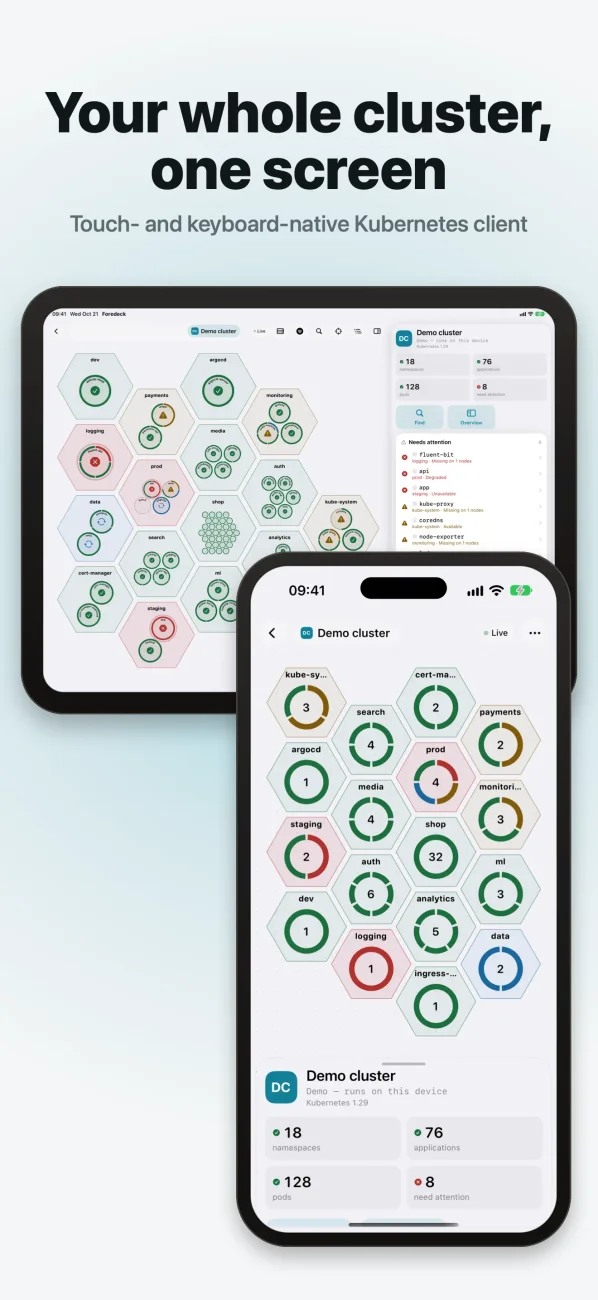
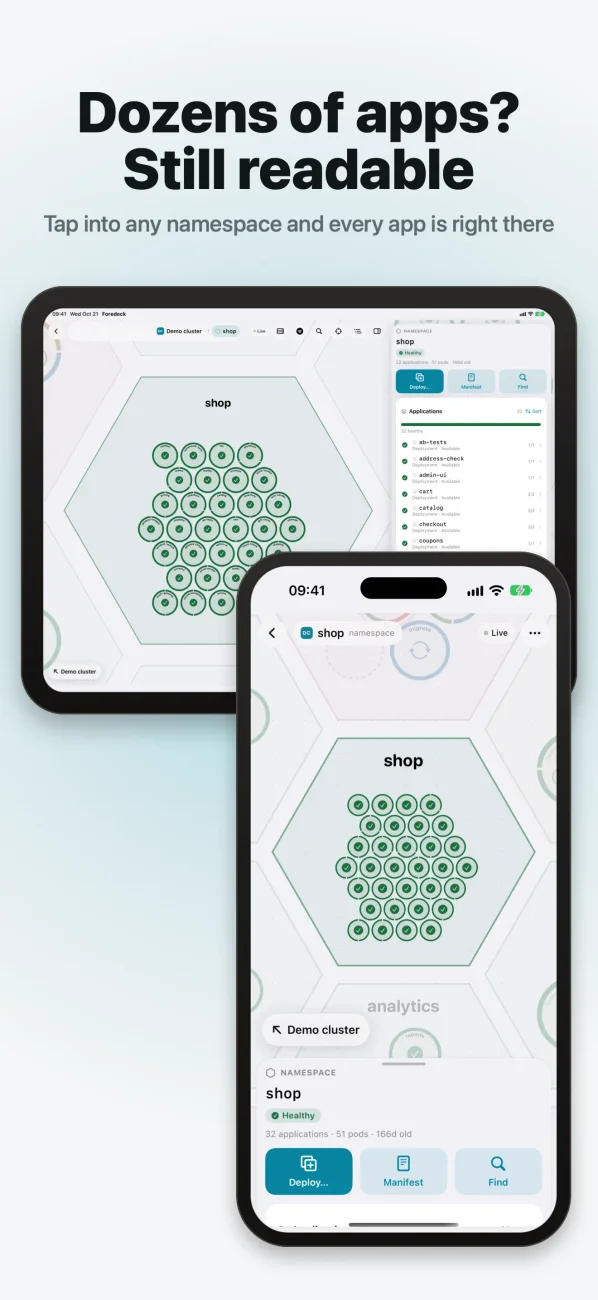
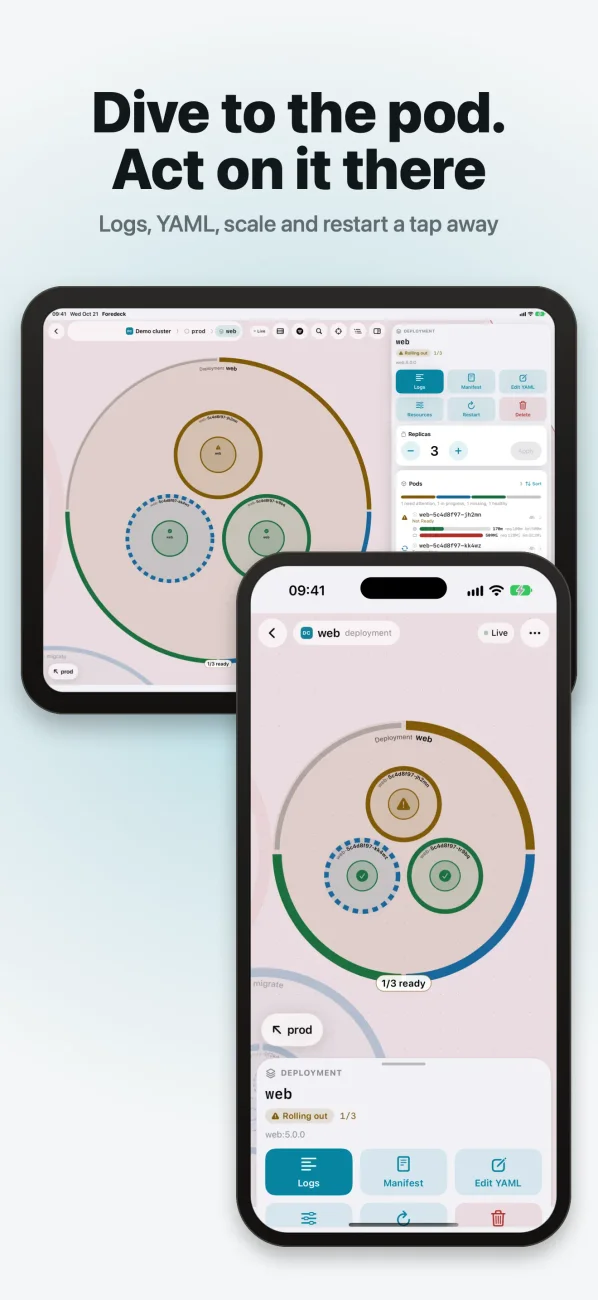
A cluster opens as a map. Namespaces are hexagons packed edge to edge, each application a ring split by the health of its replicas, each pod a ring split by its containers. Tap to fly into a namespace, an application, a pod, a container; the panel beside it shows usage against requests and limits, recent events, and how traffic reaches the thing you are looking at — Ingress, Gateway, HTTPRoute or VirtualService, through the Service and its endpoints, down to the pods. The same map can be grouped by node instead of by namespace.
The Overview
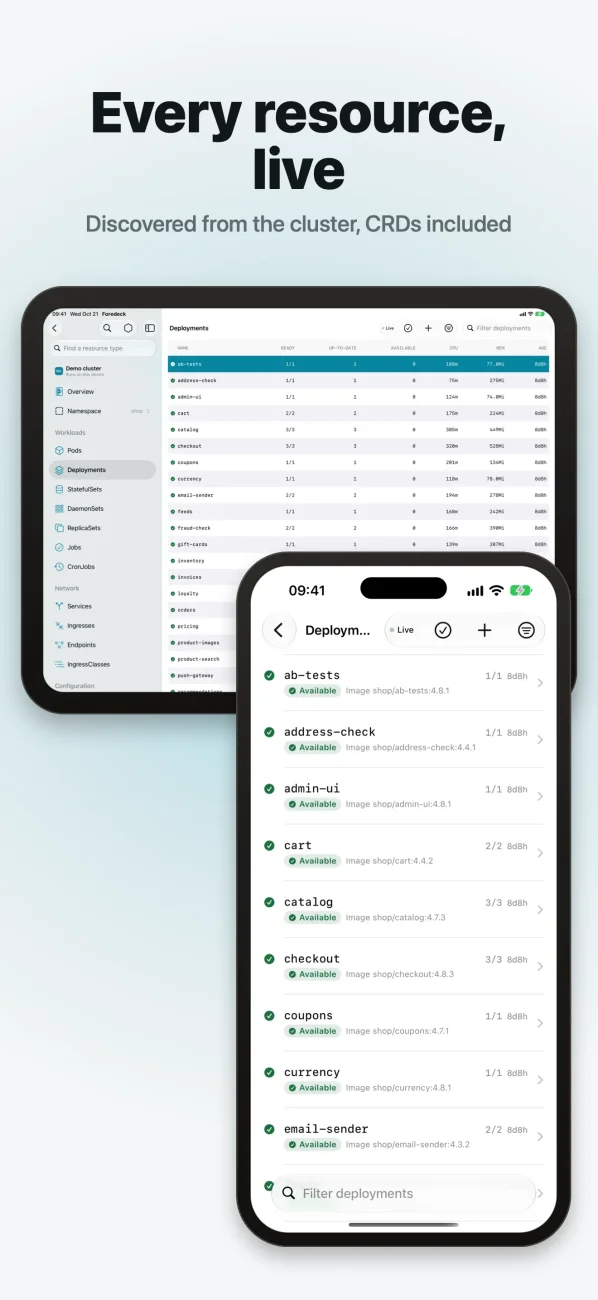
Every resource type the cluster serves, as lists: workloads, network, configuration, storage, RBAC, cluster resources, and your own custom resources. A CRD gets the same lists, details, YAML and health treatment as a Pod, because health is read from the conditions every controller publishes.
Watch live
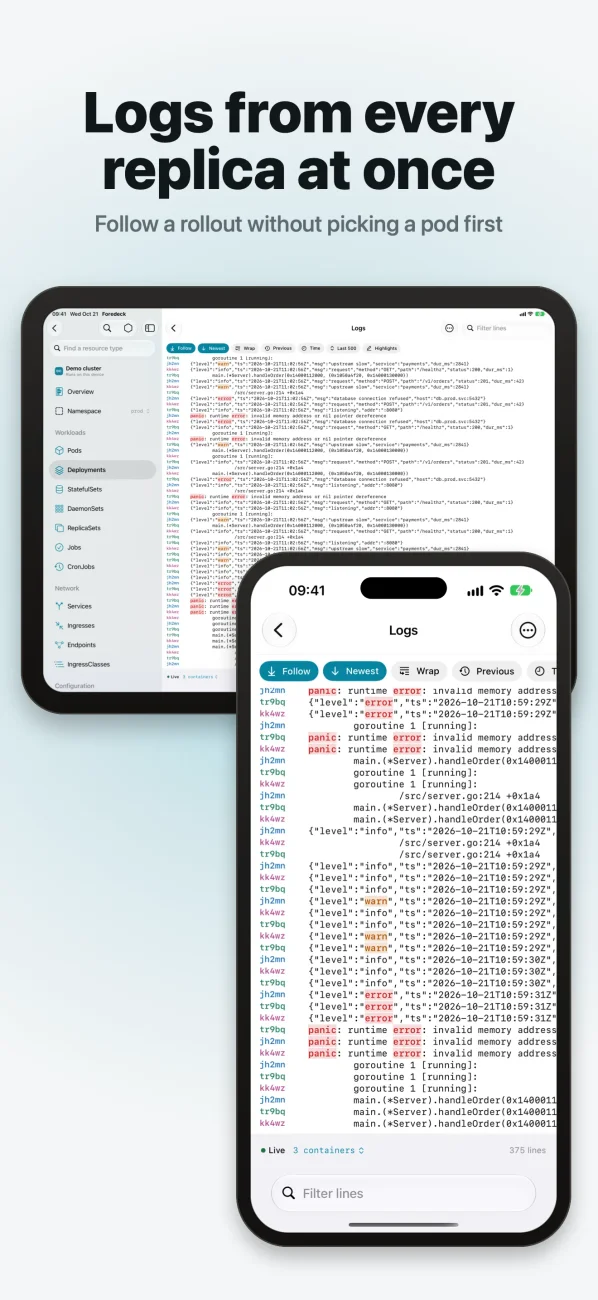
Foredeck lists once and then watches, applying changes as the API server sends them. Logs stream and follow, from one container or from every replica of a workload at once, with the previous instance readable after a crash.
Detailed statuses
CrashLoopBackOff, ImagePullBackOff, Init:0/2, Pending because nothing can schedule it — the container-level reason, not just "Running".
Work with the cluster - touch native
Scale, restart, roll out, cordon, evict, delete, edit YAML with syntax highlighting and search, tune requests and limits with sliders, deploy from a template. Each one appears only after the cluster confirms your credential may do it, and any cluster can be marked read-only.
Convenient best practices at your fingertips
One pass over a namespace checks the things that cause incidents: missing probes, absent resource requests, a single replica behind a Service, images pinned to latest, Pod Security Admission left unset — and sets the enforce, audit and warn levels for you, with the consequences spelled out before anything is applied.
New yet so familiar
Go to (Command-K on a keyboard) finds a namespace, an application, a pod, a resource type or an object by name, and understands the shorthands your fingers already know: ns, deploy, sts, svc, ing, cj.
Storing locally
Cluster addresses and preferences live in the app's own storage; tokens, passwords and client certificate keys live in the iOS Keychain, marked to stay on the device. Foredeck talks only to the clusters you add.
Demo cluster Built in
No cluster to hand? One runs on the device, with a few things going wrong in it, so you can see the whole app before connecting anything.
Note on kubeconfig
Credentials must be self-contained. A kubeconfig written by "aws eks update-kubeconfig" or by gcloud carries a command to fetch a token rather than a token, and iOS cannot run one; client certificates and bearer tokens work everywhere. Foredeck says so at import and shows the commands that produce a usable credential for EKS, GKE, AKS, DigitalOcean, Yandex Cloud and hand-built clusters. The cluster also has to be reachable from the phone — connect your VPN first.
FOREDECK PRO
$2.99 a month, $19.99 a year, or $39.99 once. Launch offer: the first year for $3.99, then $19.99 a year. Subscriptions renew automatically unless cancelled at least 24 hours before the period ends; manage or cancel in your Apple Account settings.
Terms of Use: https://foredeck.slonix.dev/terms
Privacy Policy: https://foredeck.slonix.dev/privacy
Kubernetes is a registered trademark of The Linux Foundation. Foredeck is an independent client, not affiliated with, endorsed by or sponsored by The Linux Foundation or the Kubernetes project.
Có gì mới
Phiên bản 1.8 · 17/11/2026
Sign in to your cloud, and your clusters are already there:
• Google Cloud (GKE): Sign in with Google, then pick a project and a cluster.
• AWS (EKS): an access key; clusters are found in every region.
• Azure (AKS) with a Microsoft Entra service principal, Linode (LKE) with a token, Yandex Managed Kubernetes with a service account key.
• OpenID Connect: kubeconfigs for OpenUnison, Dex, Keycloak and kubelogin work as they are. Tokens renew on their own; an expired sign-in offers Sign In Again.
• Open a kubeconfig from Files or the share sheet straight into Foredeck.
• A newly added cluster is announced and highlighted in the list.
• Re-importing a cluster keeps its credential.
Quyền riêng tư của ứng dụng
Những gì Andrei Kozlovskii khai báo trên App Store về cách ứng dụng này xử lý dữ liệu.
-
Dữ liệu không liên kết với bạn
Có thể được thu thập nhưng không liên kết với danh tính của bạn.
- Mục mua
- Vị trí
- Mã định danh
- Dữ liệu sử dụng
Phương thức đảm bảo quyền riêng tư có thể khác nhau, chẳng hạn như tuỳ theo các tính năng bạn sử dụng hoặc độ tuổi của bạn.
Thông tin
- Người bán
- Andrei Kozlovskii
- Danh mục
- Công Cụ Nhà Phát Triển
- Phiên bản
- 1.8
- Cập nhật
- 17/11/2026
- Phát hành
- 07/10/2026
- Kích thước
- 17,8 MB
- Yêu cầu
- iOS 18.0 trở lên
- Độ tuổi
- 4+
- Giá
- Miễn phí
- Mua hàng trong ứng dụng
- Có
- Ngôn ngữ
- Tiếng Anh
- Bản quyền
- © 2026 Andrew Kozlowskiy
Có thể bạn cũng thích
-
 TermiX: SSH & KubernetesCông Cụ Nhà Phát Triển
-
 Ploigos Kubernetes clientCông Cụ Nhà Phát Triển
-
 Roam - Kubernetes ManagementCông Cụ Nhà Phát Triển
-
 ContainerDesk: Docker & K8sCông Cụ Nhà Phát Triển
-
 KubeNodeCông Cụ Nhà Phát Triển
-
 Kube LiteCông Cụ Nhà Phát Triển
-
 K8Z - kubernetes server adminCông Cụ Nhà Phát Triển
-
 Mongon | MongoDB ClientCông Cụ Nhà Phát Triển
-
 Kubeterm - Kubernetes ClientCông Cụ Nhà Phát Triển
-
 Nautik for KubernetesCông Cụ Nhà Phát Triển