
Forge Database Manager
Native Database Manager
Được thiết kế cho iPhone, iPad, Mac
599.000đ
- Độ tuổi+4
- Danh mụcCông Cụ Nhà Phát Triển
- Nhà phát triểnMarco Tini
- Ngôn ngữTiếng Anh+ 9 ngôn ngữ khác
- Kích thước57,6 MB
Liên kết đến trang App Store chính thức
Download.org không lưu trữ tệp nào của Forge Database Manager. Nút này mở trang ứng dụng trên App Store, nơi Marco Tini phát hành ứng dụng. Trang được kiểm tra lần cuối: 08/11/2026.
Ảnh chụp màn hình
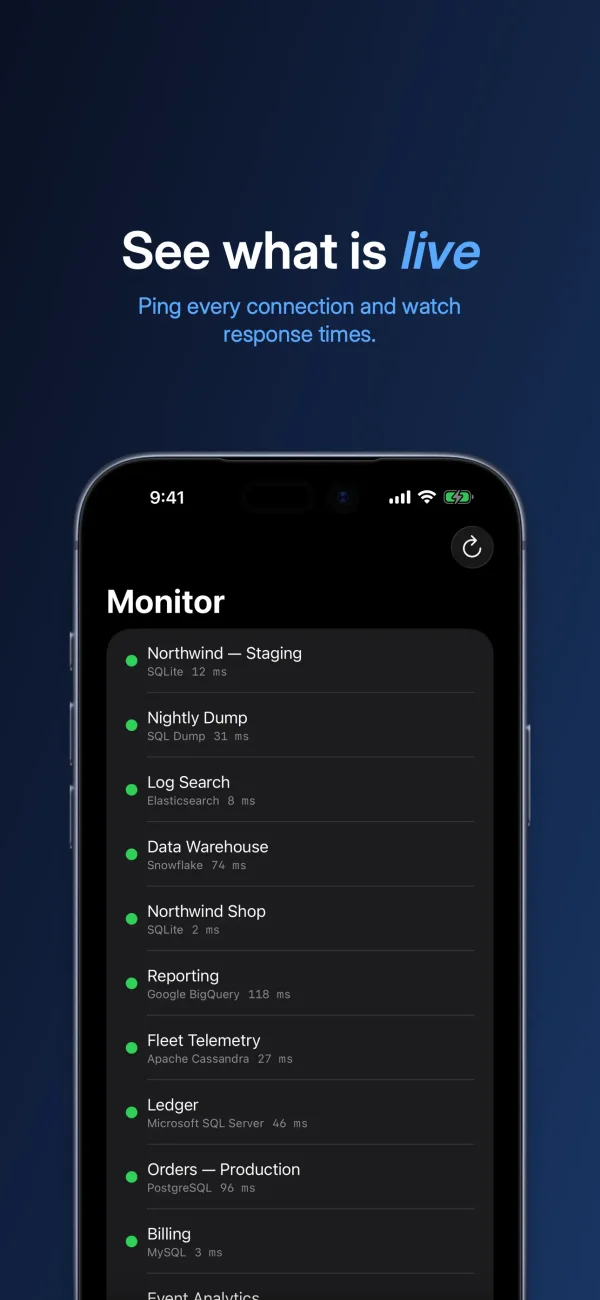
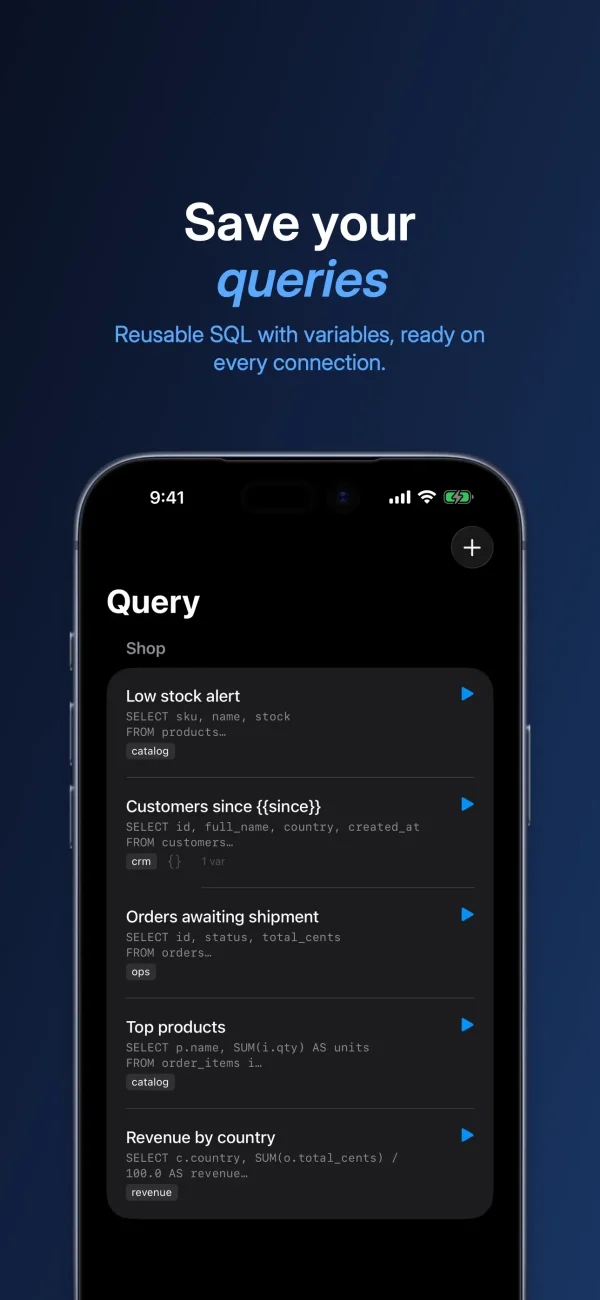
Giới thiệu
Nhà phát triển chưa cung cấp nội dung này bằng ngôn ngữ của bạn.
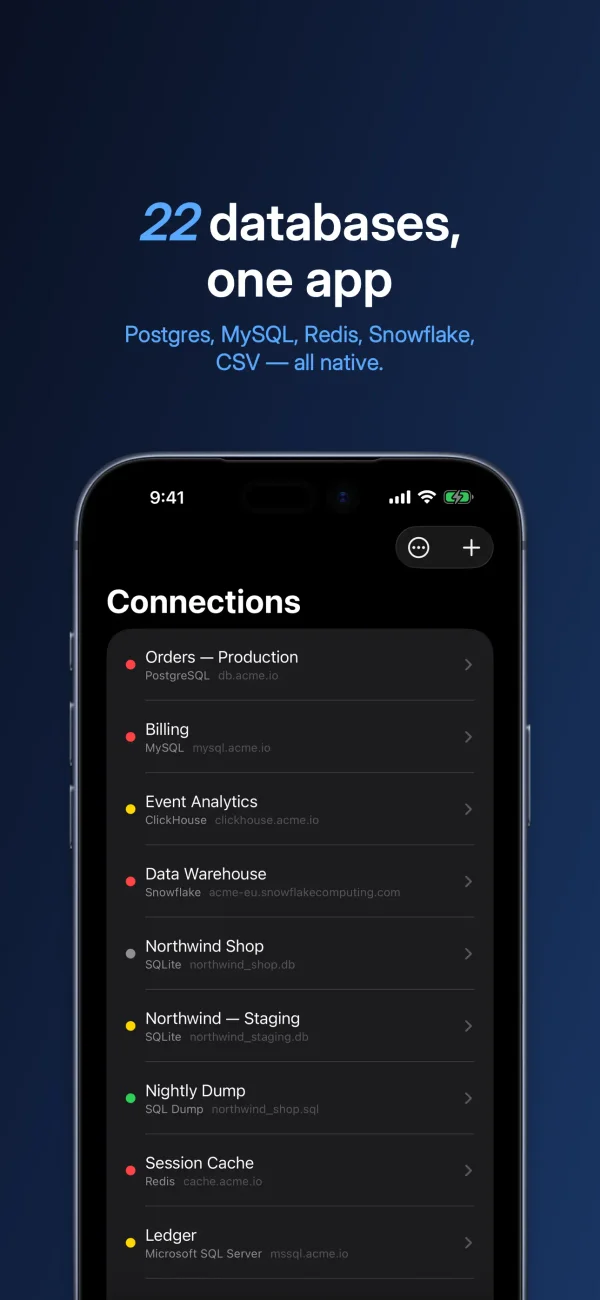
Stop paying for four tools. Forge opens SQL servers, cloud warehouses, NoSQL clusters, federated query engines, file dumps, and key/value stores in one native app — no Electron, no subscriptions.
Built with SwiftUI for iPhone, iPad, and Mac. One purchase, every Apple device.
NINETEEN DATABASE ENGINES
• PostgreSQL family — Postgres, CockroachDB, TimescaleDB, Amazon Redshift
• MySQL family — MySQL, MariaDB
• SQLite, libSQL, Turso (remote libSQL over Hrana HTTPS)
• Microsoft SQL Server, Azure SQL — pure Swift TDS, no driver
• Oracle — pure Swift, no Instant Client
• Snowflake — SQL API v2, key-pair JWT auth
• Google BigQuery — service account JWT
• Trino / Presto — federated queries
• Apache Cassandra, ScyllaDB
• DuckDB — embedded analytics over Parquet, CSV, JSON
• Redis — browse keys by type as tables
• ClickHouse — analytics via native HTTP
• Elasticsearch — indexes as SQL tables
THREE FILE FORMATS AS DATABASES
• CSV — auto-detected separators, quoted fields, duplicate headers handled
• JSON, NDJSON, JSON Lines — arrays and streaming
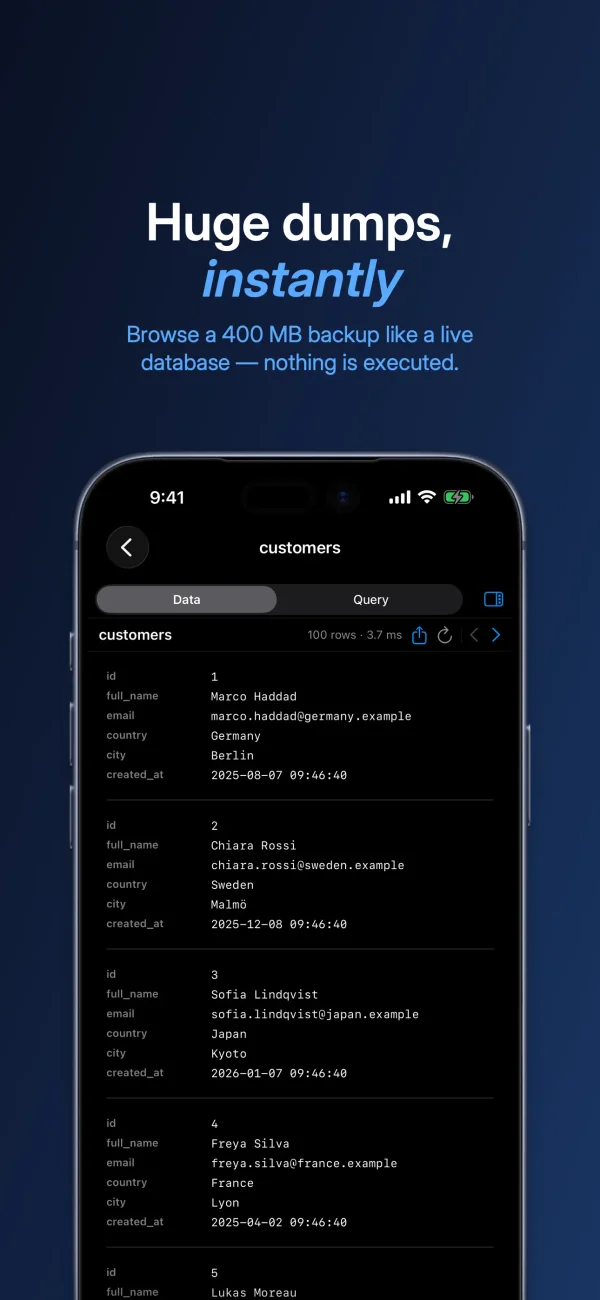
• SQL Dump — open mysqldump or pg_dump files and browse without executing a statement
DRY RESTORE — UNIQUE TO FORGE
Inspect any SQL dump as if it were a live database. Browse a 400 MB backup in seconds. No risk, no server, no restore.
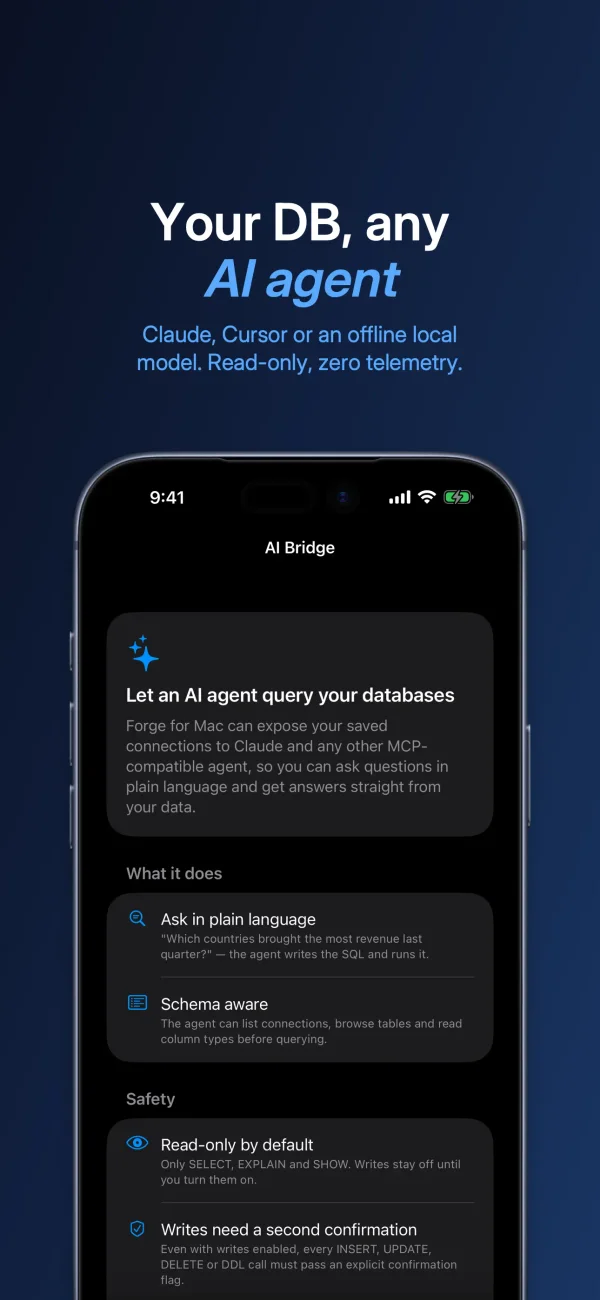
AI BRIDGE — UNIQUE TO FORGE
Run a local MCP server that exposes your databases as tools to Claude Desktop, Cursor, and any MCP-compatible assistant. List tables, inspect schemas, run queries — in plain English, on every supported engine. Read-only by default. Credentials never leave your Mac.
LIVE DATA WITH DIFF HIGHLIGHT
Toggle auto-refresh on any table to watch data change in real time. New rows light up green, changed cells light up yellow. Pauses automatically when you're editing.
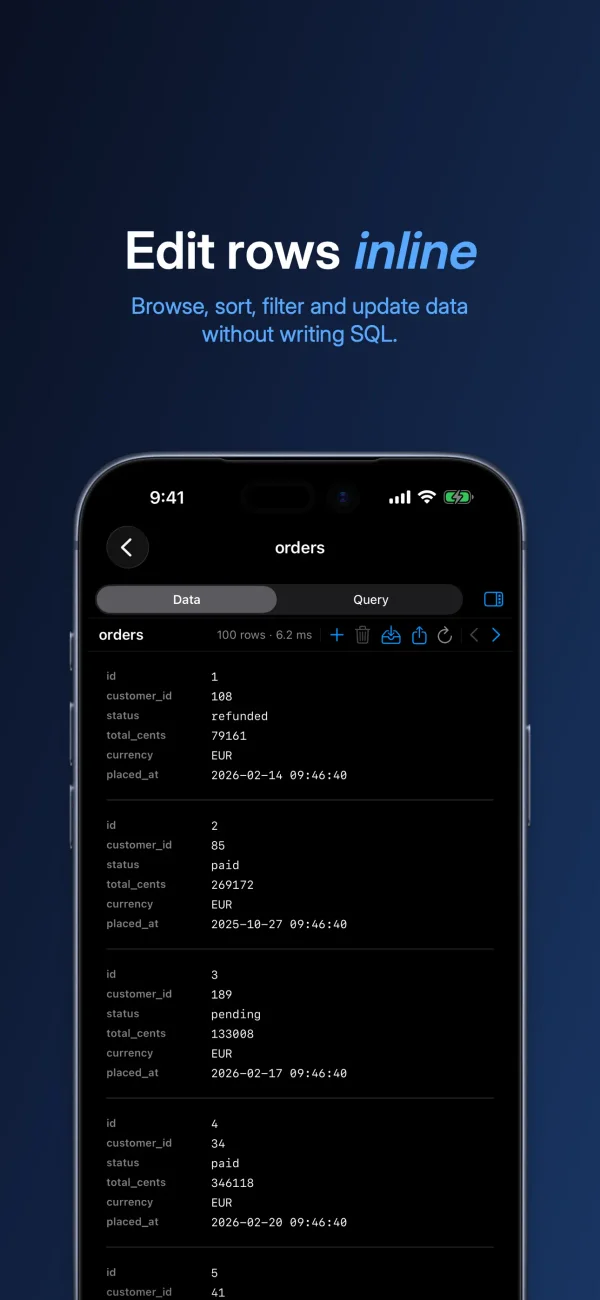
EDIT IN PLACE
Double-click a cell to edit. Save many cells across rows in one transaction. Schema-aware INSERT and DELETE. Import CSV/JSON straight into a SQL table. Every SQL engine, Oracle included.
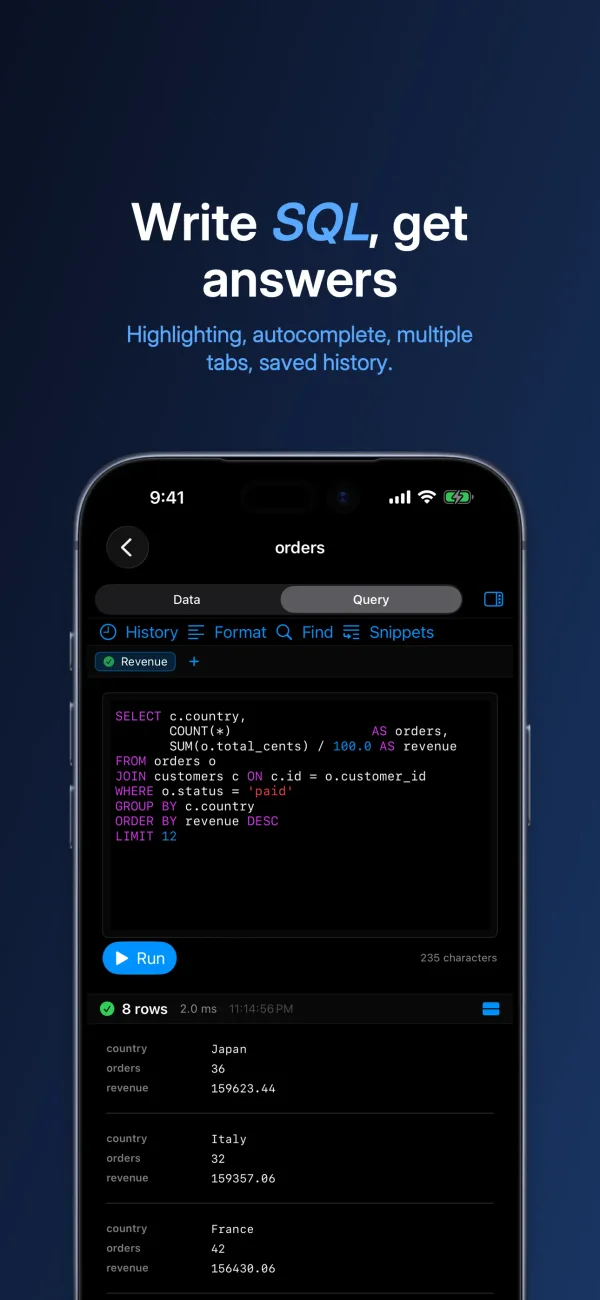
QUERY EDITOR
Syntax highlighting and context-aware autocomplete — keywords, table names, column names. SQL formatter and Find & Replace built in. Reusable queries with {{var}} placeholders. Snippet library: type `:name` and the template inserts.
SMART DATA GRID
Sort, filter, and export results as CSV, JSON, or SQL INSERT — on every engine.
SCHEMA COMPARE
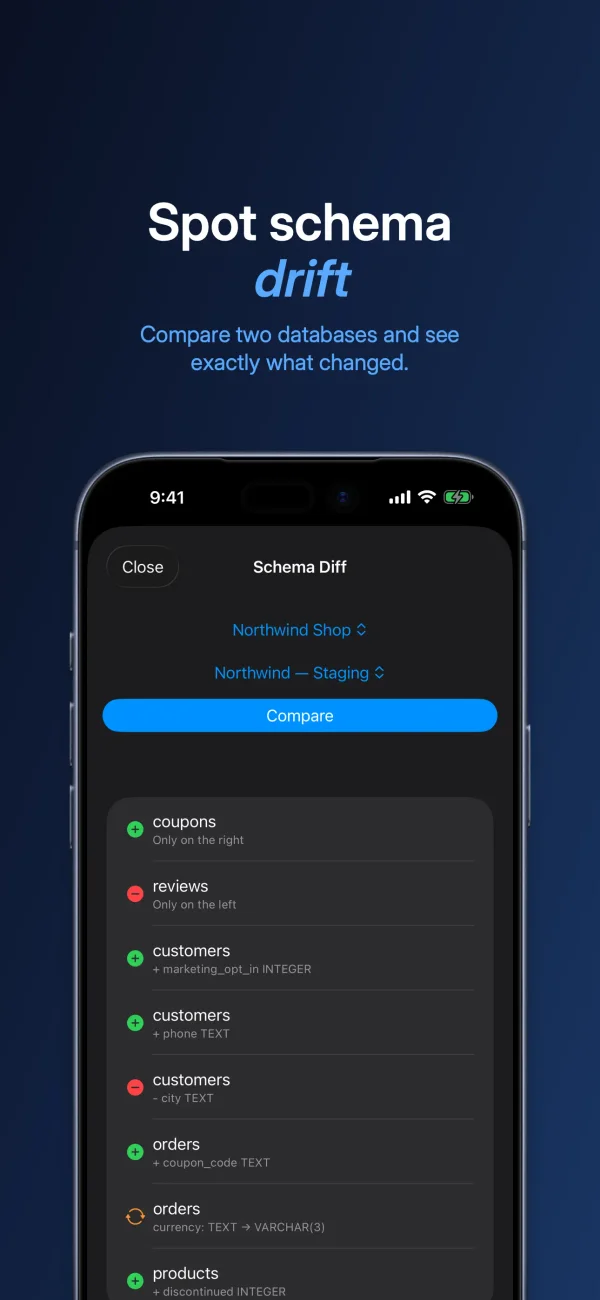
Diff tables and columns between two connections. Catch drift before it bites in production.
UNIVERSAL BACKUP
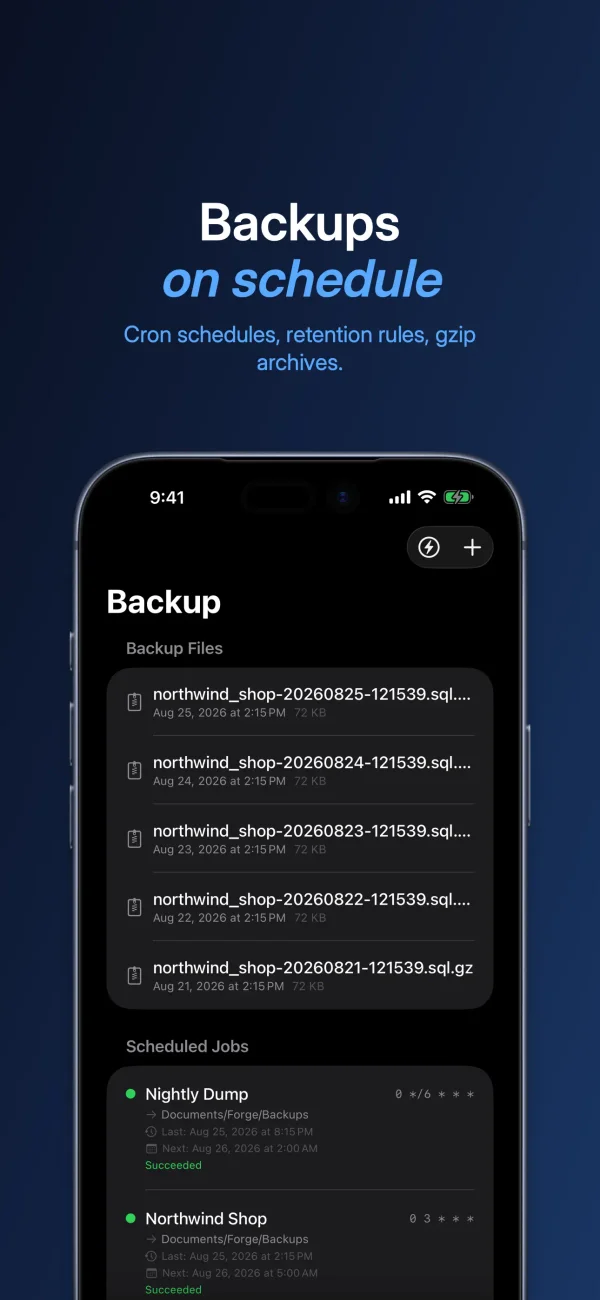
Scheduled backups for every engine: SQL dump for SQL, JSON for Redis. Cron expressions, retention, gzip. Runs in the background.
SSH TUNNEL
Reach databases behind a bastion host. Password or private-key auth (ed25519, RSA, with passphrase). Pure Swift, no openssh dependency.
PORTABLE & SECURE
Export connections as a single encrypted bundle (ChaCha20-Poly1305 + PBKDF2-SHA256), import elsewhere with a passphrase. Drag a .sqlite/.csv/.json/.sql.gz file onto the sidebar to open it. Passwords in Apple Keychain. SSL/TLS for remote connections. No telemetry, no cloud dependency.
SMALL & FAST
Around 50 MB installed on iPhone, even smaller on Mac. Native Swift code, no Electron runtime, instant cold start.
NATIVE APPLE
Spotlight indexes your saved queries and connections — search them from anywhere on macOS or iOS. Run saved queries with Siri or the Shortcuts app. Keyboard shortcuts everywhere. Multi-window on Mac with shared engine cache.
Twenty-two data sources. One app. Zero Electron.
Có gì mới
Phiên bản 1.3.4 · 17/09/2026
Forge 1.3.4 opens your files where they are, gives every statement its own result, and puts the results grid on the keyboard.
FILES OPENED IN PLACE
A DuckDB, SQLite, CSV, JSON, or SQL dump file you choose is no longer copied into Forge: it opens in place, and a file you move or rename is found again. When a dlt pipeline or a script writes to the same DuckDB or SQLite file, Refresh shows the new data; CSV, JSON, and SQL dump files are read when the connection opens. To write to a SQLite or DuckDB file outside Forge's own folder, allow access to its folder once (the button explains why). Connections created earlier keep their copy until you choose the file again.
QUERY EDITOR
Several statements separated by semicolons give one result per statement, with a selector above the grid. psql-style parameters :name, :'name', and :"name" work alongside {{name}} (on Oracle, :name stays a server bind variable). The autocomplete popup on Mac no longer replaces the schema you typed before the dot, and a semicolon typed while the popup is open leaves your text intact. Outside ClickHouse, a table or column named settings or format no longer breaks the default LIMIT.
RESULTS GRID
The selected row keeps keyboard focus: Up/Down, Home/End, and Page Up/Down move the selection, Left/Right pick a cell, Return edits that cell in an editable table, and Escape cancels. Command-C copies the selected row as tab-separated text, or the picked cell. The inspector has a Values pane showing every column of the selected row, in the data browser and in query results. On iPhone, Row Details in the long-press menu shows the same list.
Quyền riêng tư của ứng dụng
Những gì Marco Tini khai báo trên App Store về cách ứng dụng này xử lý dữ liệu.
-
Dữ liệu không được thu thập
Nhà phát triển không thu thập bất kỳ dữ liệu nào từ ứng dụng này.
Phương thức đảm bảo quyền riêng tư có thể khác nhau, chẳng hạn như tuỳ theo các tính năng bạn sử dụng hoặc độ tuổi của bạn.
Thông tin
- Người bán
- Marco Tini
- Danh mục
- Công Cụ Nhà Phát Triển
- Phiên bản
- 1.3.4
- Cập nhật
- 17/09/2026
- Phát hành
- 21/04/2026
- Kích thước
- 57,6 MB
- Yêu cầu
- iOS 17.0 trở lên
- Độ tuổi
- +4
- Giá
- 599.000đ
- Ngôn ngữ
- Tiếng Anh, Tiếng Pháp, Tiếng Đức, Tiếng Ý, Tiếng Nhật, Tiếng Hàn, Tiếng Bồ Đào Nha, Tiếng Trung Giản thể, Tiếng Tây Ban Nha, Tiếng Trung Phồn thể
- Bản quyền
- © Marco Tini
Có thể bạn cũng thích
-
 D1V - AI Coding WorkspaceCông Cụ Nhà Phát Triển
-
 MuxyCông Cụ Nhà Phát Triển
-
 CodeSSH - Code EditorCông Cụ Nhà Phát Triển
-
 Shine3D - STL GLB STP OBJ 3MFCông Cụ Nhà Phát Triển
-
 Bracket AI SSH ManagerCông Cụ Nhà Phát Triển
-
 Keyword Tracker ASO App TrendsCông Cụ Nhà Phát Triển
-
 AppIcon Maker - Developer ToolCông Cụ Nhà Phát Triển
-
 tunlrCông Cụ Nhà Phát Triển
-
 App Exhibit: Your App ShowcaseCông Cụ Nhà Phát Triển
-
 HTTP Debugger+Công Cụ Nhà Phát Triển