- Độ tuổi4+
- Danh mụcTiện Ích
- Nhà phát triểnFuelTech
- Kích thước282,2 MB
Liên kết đến trang App Store chính thức
Download.org không lưu trữ tệp nào của FuelTech Vision. Nút này mở trang ứng dụng trên App Store, nơi FuelTech phát hành ứng dụng. Trang được kiểm tra lần cuối: 23/11/2026.
Ảnh chụp màn hình


Giới thiệu
Nhà phát triển chưa cung cấp nội dung này bằng ngôn ngữ của bạn.
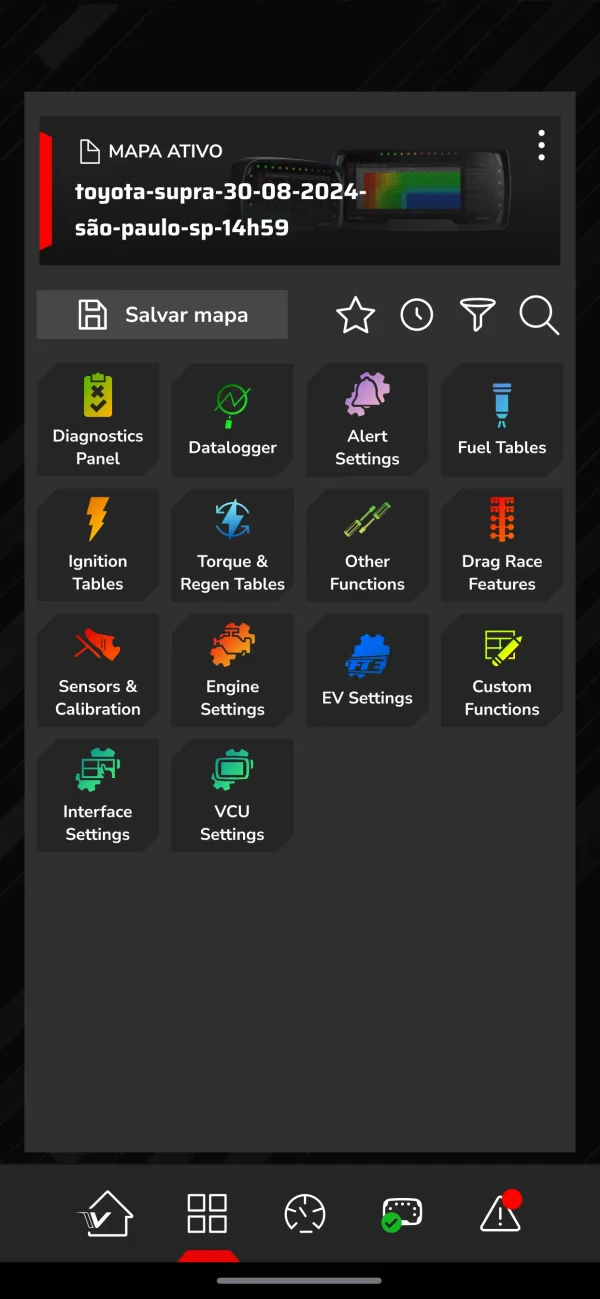
FuelTech Vision is the configuration app for the VisionFT line (FT700, FT700 Plus and FT470): map, internal datalogger and real-time telemetry of your VCU, straight from your iPhone, iPad or computer.
MAP
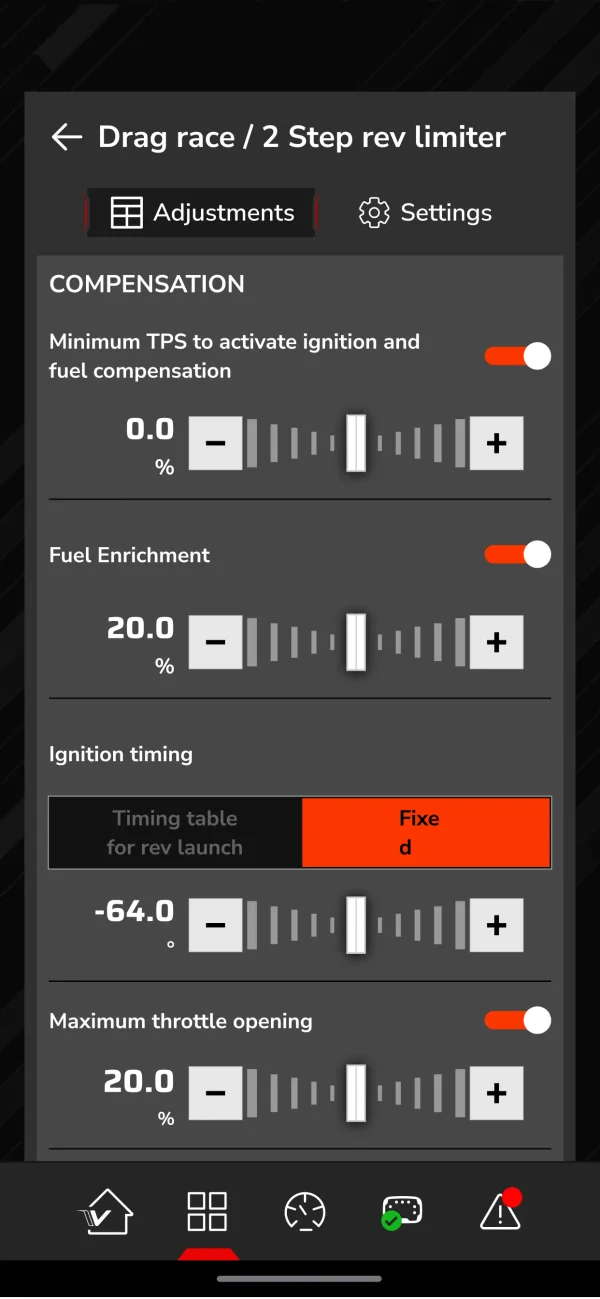
Adjust every function available on the VCU: fuel and ignition tables, corrections, ignition cuts, drag racing controls, VE learning, electronic throttle calibration, custom functions and CAN OEM. Changes are sent to the VCU in real time.
DATALOGGER
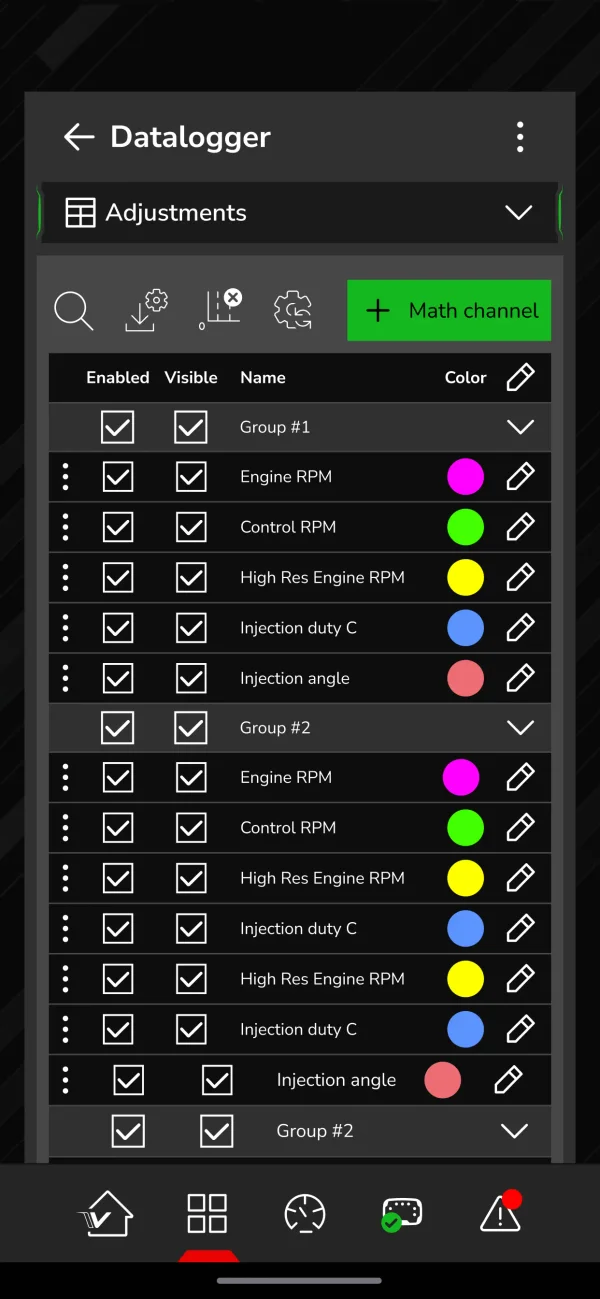
Download and analyze the internal datalogger logs, with charts, tables with horizontal scrolling and a compact channel list, on phone and tablet too.
TELEMETRY
Receive and transmit data in real time. Several team members can follow and adjust the same VCU at the same time, which speeds up the analysis and the adjustments needed.
CONNECTION
Protected Wi-Fi pairing, fixed IP connection with serial number verification and an Info tab with the VCU serial number and versions.
AND MORE
• App units independent from the map units, with an instant switch.
• Multiple selection of maps and logs.
• Screens adapted to narrow phones and 7-inch tablets.
The app requires a VisionFT line VCU.
Có gì mới
Phiên bản 00.03.12.00 · 18/11/2026
Version 00.03.12.00
CAN ACCESSORIES
• VisionFT Expander (dash, inputs and outputs): a PowerFT FT450, FT550 or FT600 connected to the CAN network now works alongside the VCU as a display and as an input and output expansion. The function is in "My VCU" > "VisionFT Expander (dash, inputs and outputs)", where you choose the "CAN port" (CAN A, CAN B or CAN C) and the "Power model".
– Display: the PowerFT shows the VCU readings, such as RPM, TPS, MAP, oil, fuel and water pressures, lambda, ignition timing, injection time and duty of banks A and B, engine, air, oil and transmission temperatures, four-wheel speed and battery voltage.
– Outputs: the PowerFT pins appear in the Blue, Gray and Yellow groups of the output selector of any function, with "(CAN)" in the name, for example "Blue 3 (CAN)". They switch on/off or work in PWM, using the frequency and inversion of the function itself. There are 32 pins on the FT600, 24 on the FT550 and 10 on the FT450.
– Injection, ignition, electronic throttle, stepper motor and analog outputs remain on the VCU's own outputs.
– The "Power CAN outputs in use" panel shows which function uses each PowerFT pin, and Diagnostic shows the state of each output.
– Inputs and buttons: the PowerFT presents itself on the CAN network as an Input Expander, and the VCU reads its inputs and the PowerFT display buttons like those of an Input Expander.
GOOD TO KNOW AFTER UPDATING
• Update the VCU together with FuelTech Vision. The VisionFT Expander requires the new VCU firmware.
• PowerFT firmware: to use the PowerFT as a VisionFT Expander, install the VisionFT Expander firmware on it through FTManager. Changing the firmware erases the PowerFT map and dashboards.
Quyền riêng tư của ứng dụng
Những gì FuelTech khai báo trên App Store về cách ứng dụng này xử lý dữ liệu.
-
Dữ liệu không được thu thập
Nhà phát triển không thu thập bất kỳ dữ liệu nào từ ứng dụng này.
Phương thức đảm bảo quyền riêng tư có thể khác nhau, chẳng hạn như tuỳ theo các tính năng bạn sử dụng hoặc độ tuổi của bạn.
Thông tin
- Người bán
- FuelTech Ltda EPP
- Danh mục
- Tiện Ích
- Phiên bản
- 00.03.12.00
- Cập nhật
- 18/11/2026
- Phát hành
- 13/08/2026
- Kích thước
- 282,2 MB
- Yêu cầu
- iOS 17 trở lên
- Độ tuổi
- 4+
- Giá
- Miễn phí
- Bản quyền
- © Copyright @ 2026 FuelTech