GEMBA Note Viewer 7
Empowering Mobile Workers
Được thiết kế cho iPhone, iPad
Miễn phí
- Độ tuổi4+
- Danh mụcKinh Doanh
- Nhà phát triểnMetaMoJi Corporation
- Ngôn ngữTiếng Nhật+ 1 ngôn ngữ khác
- Kích thước260,0 MB
Liên kết đến trang App Store chính thức
Download.org không lưu trữ tệp nào của GEMBA Note Viewer 7. Nút này mở trang ứng dụng trên App Store, nơi MetaMoJi Corporation phát hành ứng dụng. Trang được kiểm tra lần cuối: 12/11/2026.
Ảnh chụp màn hình

Giới thiệu
Nhà phát triển chưa cung cấp nội dung này bằng ngôn ngữ của bạn.
GEMBA Note Viewer is a clone app for GEMBA Note for Business. When you edit a note using GEMBA Note for Business, this app is used to view and edit a different note.
◆Dramatically improve the productivity of your team or organization
● Work that could only be done back in the office can now be done in the field.
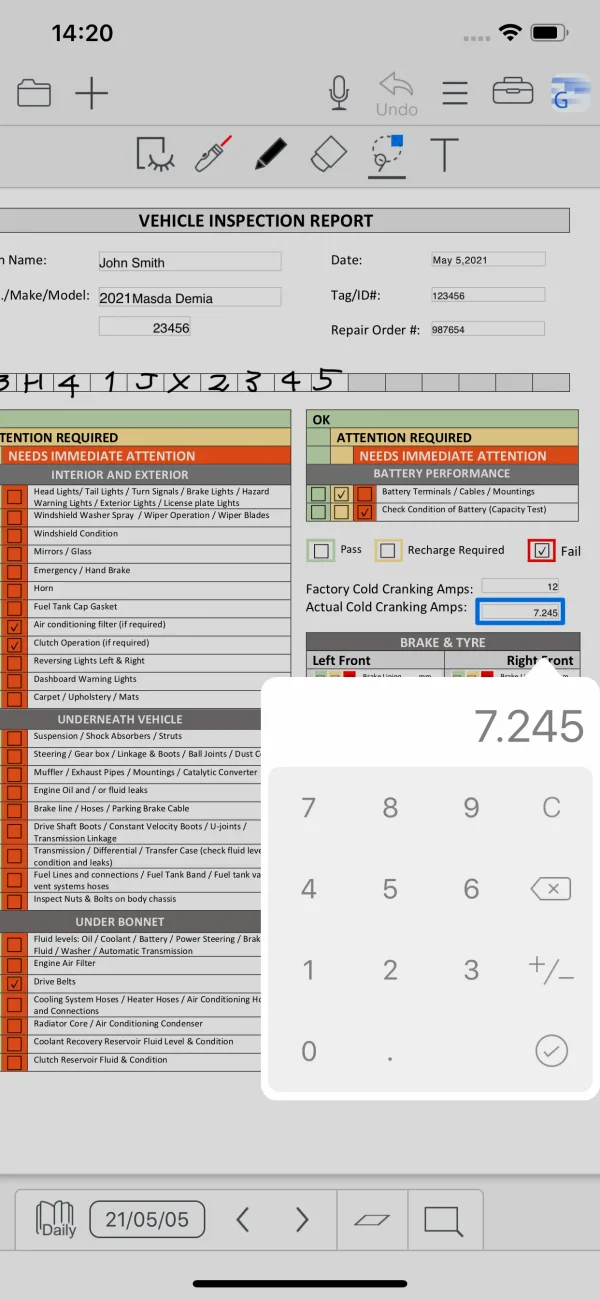
● Quickly and reliably record handwriting, voice recordings, photos and videos
● Diary and TODO management allow you to keep track of your schedule and tasks
◆An easy-to-use system that meets the needs of a wide variety of sites
● Create a toolbox of the specific functions you need for your job and share it with your team
● Data linkage with a wide range of equipment and devices
◆Easy and reliable communication in real-time, even at a distance
● Create shared documents where authorized users can collaborate in real-time or on-demand.
Feature Overview:
● Manage approvals using stamps and signatures with management of requests to specific authorizers.
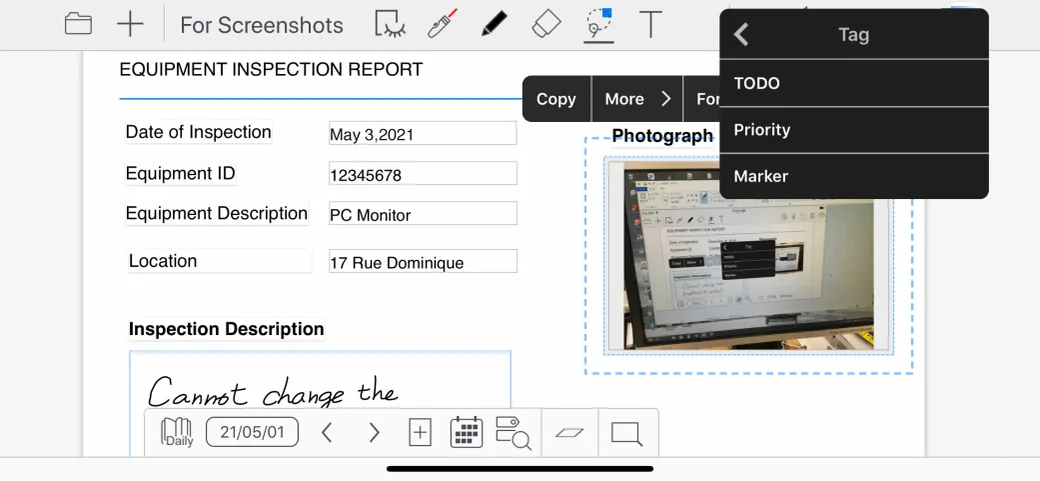
● Add photos of the area or object to be inspected and attach to pins on an imported drawing from PDF or image.
● Maintain a diary with pages automatically timestamped, allowing you to organize and view your records in a calendar view
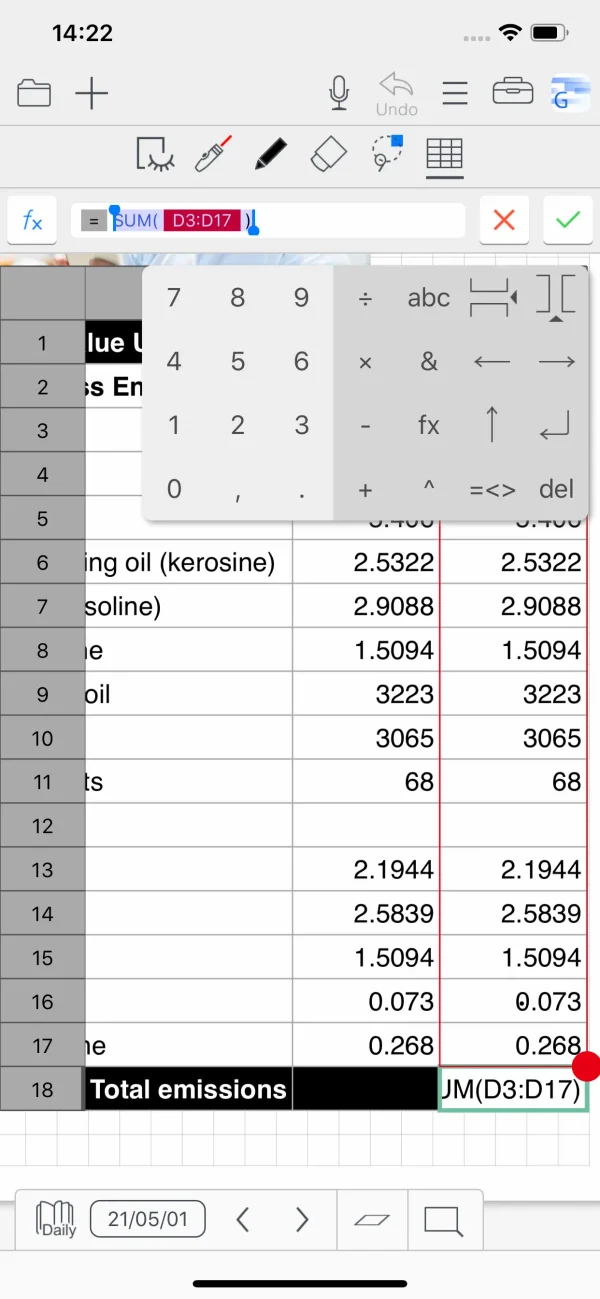
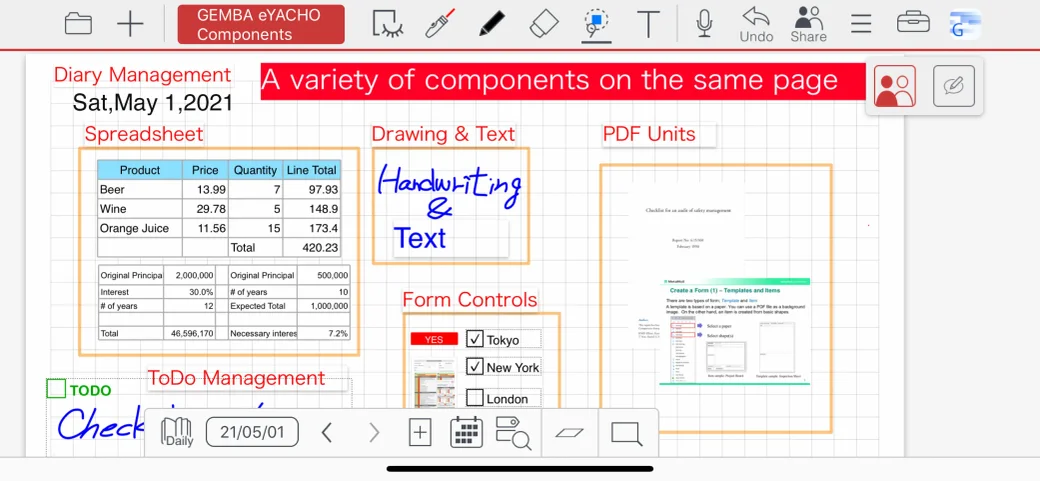
● Using the spreadsheet component enter data, automatically calculate results, and perform analysis
● Capture video and audio quickly. Easily play within your note pages
● Jump to notes taken on a specific day using the calendar view
● Search for target templates or content using tags, enabling to-do lists and much more
● Customize search and filter conditions
● Write, sketch, and draw notes with a variety of pens, paper layouts, and graphics. Includes calligraphy pens and special inks from a vast color palette
● Take photographs using the camera or import existing images straight into your documents
● A vector graphics system (as used in CAD applications) means you can fine tune and edit anything you add
● Move, scale, and rotate anything on your page without losing quality
● Import PDF documents as pages in a note, annotate and then save as a new PDF file
● Import multiple PDF documents on the same page for side-by-side information analysis
● Include web page links and visualizations within a note
● Smart cropping tool for photo editing
● Quickly access frequently used tools and commands, customized for different business scenarios
● Layers are stackable sheets of paper placed on top of each other
● Directly input measurement data from measuring instruments compatible with the BLuE integration.
● With the Interactive Mode in Safety AI, risk assessment analysis and implementation can be carried out more deeply and practically.
● Layer visibility and current page settings can be managed all at once.
● Synchronization performance has been improved:
- Expanded folder hierarchy management permissions
- Team archiving
- Disable note deletion
- Configuration of teams to be synchronized
Share Features:
● Push notifications to request approval of reports and other documents
● Create teams and share templates, items, and toolboxes between members
● Convert to a Share Note to allow multiple users to visually interact with the documents and add text, handwriting, photos, new pages, graphics, spreadsheets, and any other content types
● Equipped with “GEMBA Talk” for easy video calls directly from shared notes.
●Tools for managing meetings:
- Control a meeting by a presenter. The presenter can turn pages of the current Share Note and zoom in and out on the current editor screen
- Easily view planned and ad-hoc future and past meetings
Development Enterprise Edition Features (Option):
● Create a package including contents such as tag schemas, filters, items, and papers
● Deploy packages to users
● Customize user interface
● Data integration with other systems is possible via interfacing with their REST APIs
Có gì mới
Phiên bản 7.4.2 · 28/09/2026
- Fixed an issue where the Share Bar was hidden when switching tabs.
- Functionality improvements and bug fixes.
Quyền riêng tư của ứng dụng
Những gì MetaMoJi Corporation khai báo trên App Store về cách ứng dụng này xử lý dữ liệu.
-
Dữ liệu không được thu thập
Nhà phát triển không thu thập bất kỳ dữ liệu nào từ ứng dụng này.
Phương thức đảm bảo quyền riêng tư có thể khác nhau, chẳng hạn như tuỳ theo các tính năng bạn sử dụng hoặc độ tuổi của bạn.
Thông tin
- Người bán
- MetaMoJi Corporation
- Danh mục
- Kinh Doanh
- Phiên bản
- 7.4.2
- Cập nhật
- 28/09/2026
- Phát hành
- 08/09/2025
- Kích thước
- 260,0 MB
- Yêu cầu
- iOS 17.7 trở lên
- Độ tuổi
- 4+
- Giá
- Miễn phí
- Ngôn ngữ
- Tiếng Nhật, Tiếng Anh
- Bản quyền
- © Copyright 2025 MetaMoJi Corp