GenDec
General Declaration in seconds
Được thiết kế cho iPhone, iPad
Miễn phí · Mua hàng trong ứng dụng
- Độ tuổi+4
- Danh mụcKinh Doanh
- Nhà phát triểnFlavio Henrique Mesquita
- Ngôn ngữTiếng Anh
- Kích thước14,6 MB
Liên kết đến trang App Store chính thức
Download.org không lưu trữ tệp nào của GenDec. Nút này mở trang ứng dụng trên App Store, nơi Flavio Henrique Mesquita phát hành ứng dụng. Trang được kiểm tra lần cuối: 23/11/2026.
Ảnh chụp màn hình

Giới thiệu
Nhà phát triển chưa cung cấp nội dung này bằng ngôn ngữ của bạn.
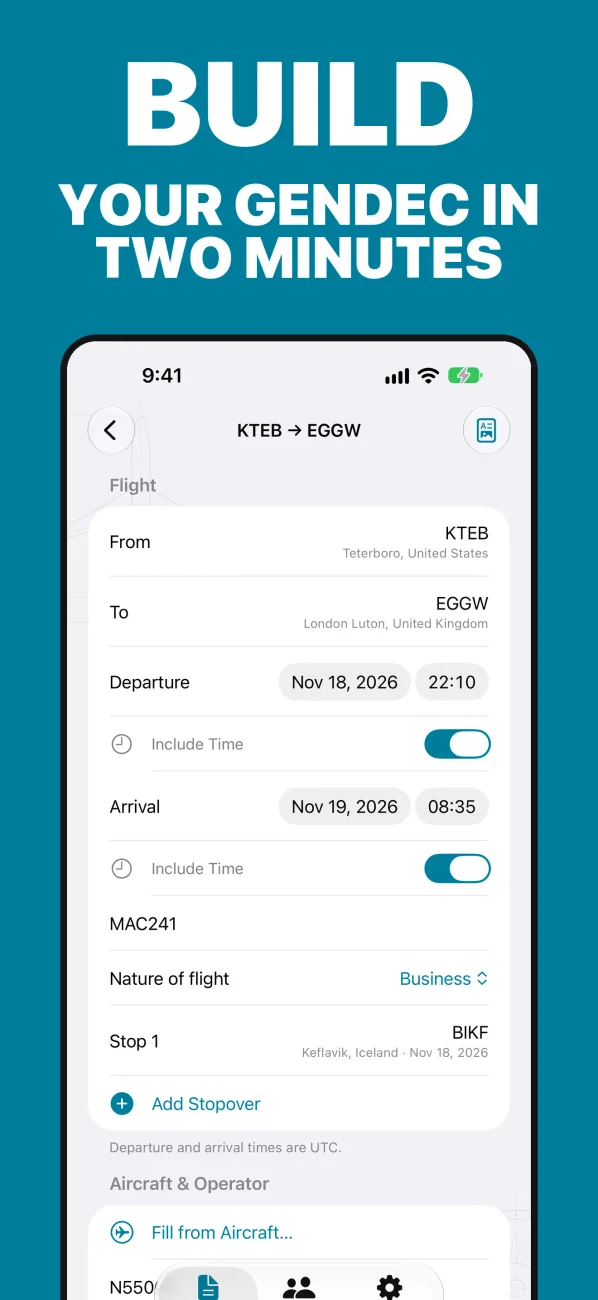
GenDec turns the most tedious part of international general aviation into a two-minute job. Build a complete General Declaration on your iPhone or iPad, sign it on screen, and send a clean, regulator-ready PDF before you start engines.
BUILT FOR FLIGHT CREWS AND OPERATORS
• Part-NCO/NCC private and corporate operations
• Handlers and dispatchers preparing arrival/departure documents
• Ferry, delivery, and charter flights crossing borders
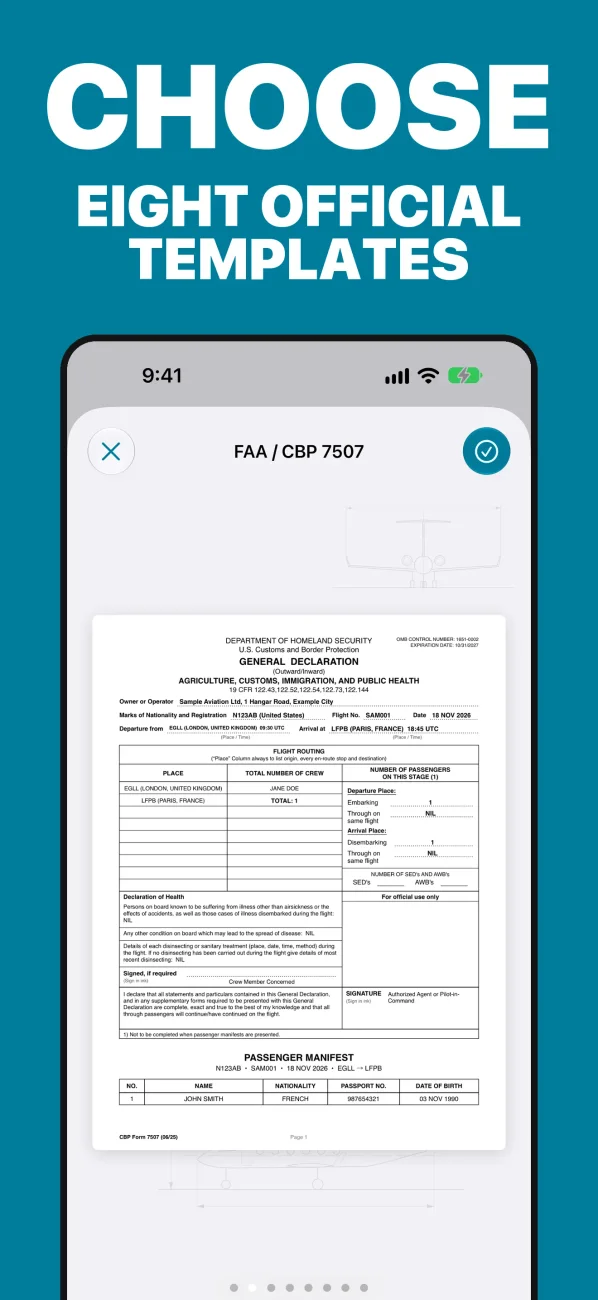
EIGHT PROFESSIONAL TEMPLATES
• ICAO Standard (Annex 9) — fits one page, even signed
• FAA / CBP Form 7507 for US arrivals and departures
• European (EN/FR), Asia, and four handler-style generic layouts
CDC EBOLA ATTESTATION FOR US FLIGHTS
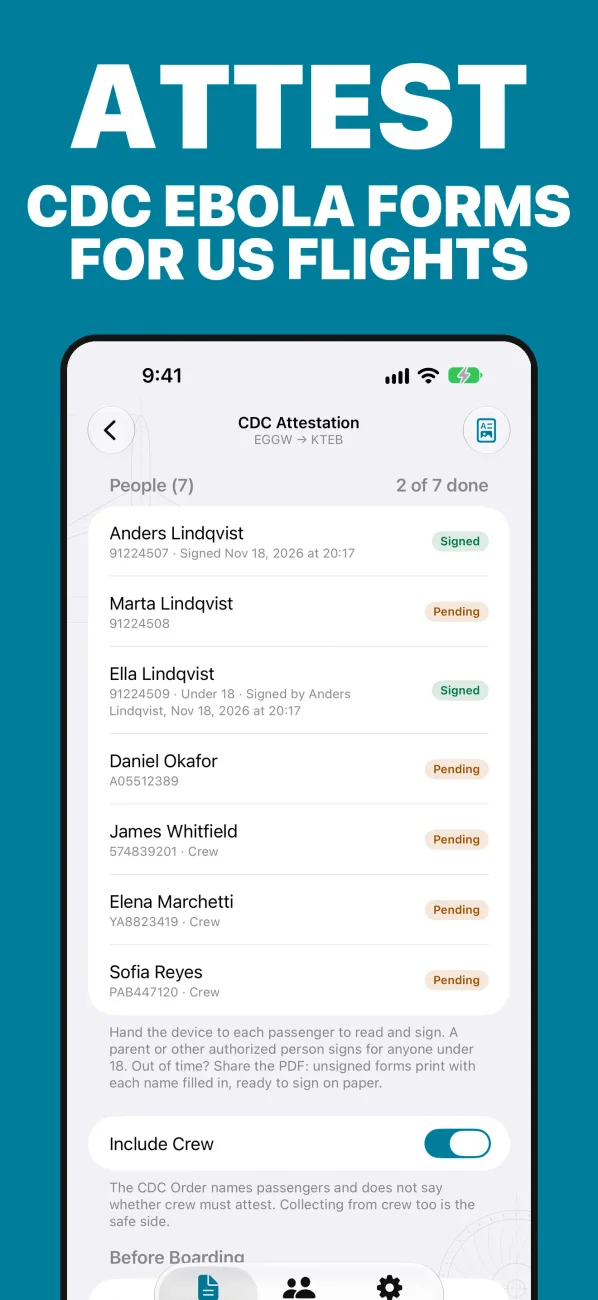
Flying to the United States? Every passenger must sign the CDC Ebola attestation before boarding, and the operator keeps it for 42 days. Switch it on in Settings and GenDec flags every flight into the US: passengers sign the official CDC form on your iPhone or iPad, parents sign for children, unsigned forms print pre-filled for paper, and one PDF holds the flight and every signature for the 42-day record.
PASSPORT SCANNING
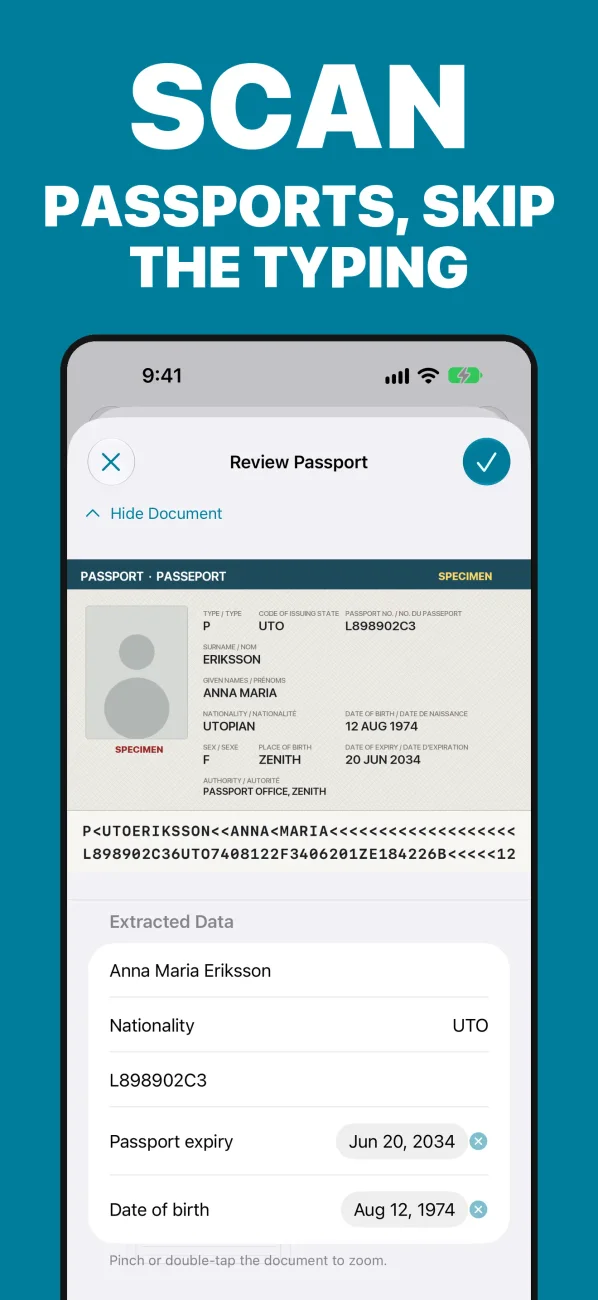
Scan a passport with the camera, or choose a photo or PDF, and GenDec fills in the crew or passenger details from its machine-readable zone. A person can hold several passports; choose which one each GenDec uses. Photos and passport data never leave your device.
EVERYTHING A GENDEC NEEDS
• Operator, aircraft, registration, flight number, routing, and stopovers
• Crew and passenger manifests with ranks and license numbers
• Declaration of Health, customs questionnaire, and disinsection details
• On-screen signature capture
• Offline airport lookup with a built-in worldwide database
ORGANISE WHAT YOU HAVE
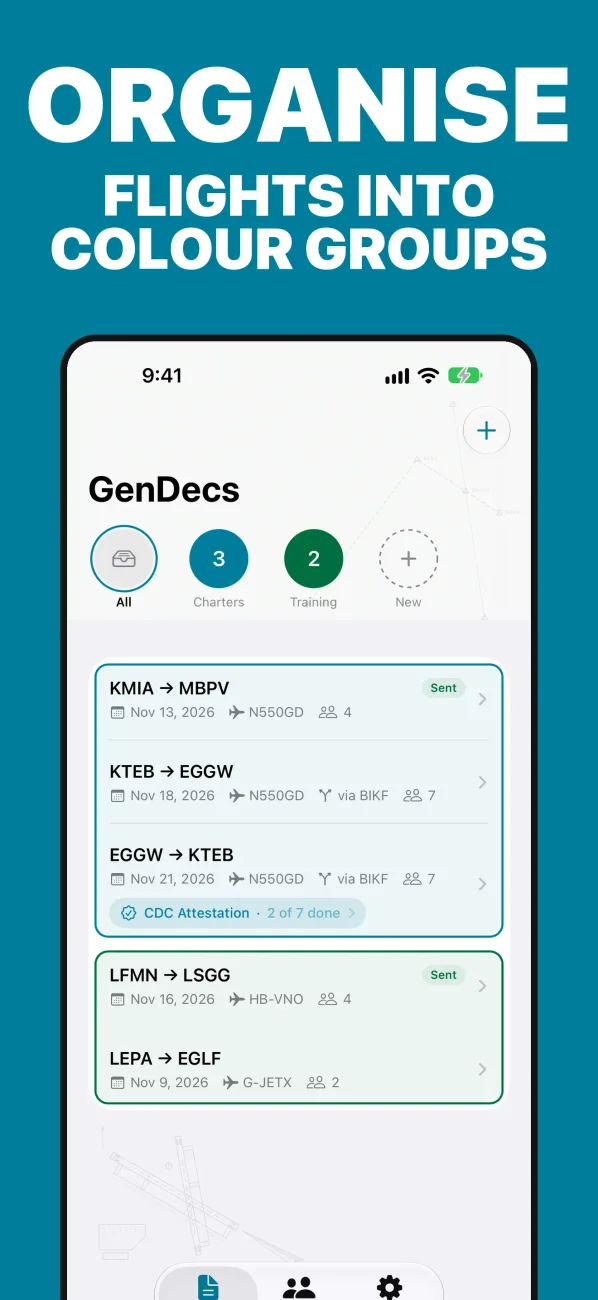
Group your GenDecs into colour bubbles — charters, training, one per aircraft. Drag a GenDec onto a bubble to file it, tap the bubble to see only those flights, and put them in whatever order suits you. Groups are saved in your backups.
SHARE INSTANTLY
Email the finished PDF to handlers, customs, or your ops team straight from the app. GenDec tells you what a GenDec still lacks before you send it, and keeps a record of what was sent.
PRIVATE BY DESIGN
Everything is stored locally on your device. No accounts, no cloud uploads, no analytics, no tracking. Optional Face ID lock protects your documents, and a backup you export can be protected with a passphrase.
FREE 30-DAY TRIAL
Every feature is free for 30 days. After that, a Pro subscription (monthly or yearly) or a one-time lifetime purchase unlocks document creation and export; viewing your existing documents stays free forever.
Terms of Use (EULA): https://www.apple.com/legal/internet-services/itunes/dev/stdeula/
Privacy Policy: https://fhmlabs.com/privacy/gendec
Có gì mới
Phiên bản 1.13 · 19/11/2026
SEVERAL PASSPORTS PER PERSON
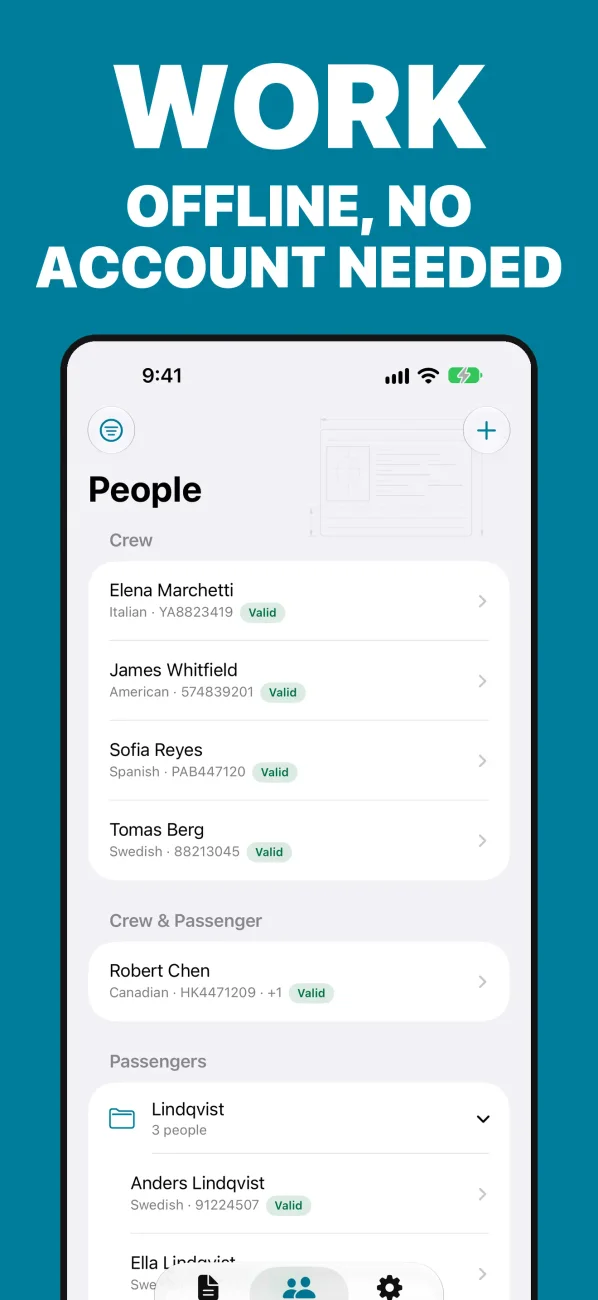
• A person in People can hold more than one passport. Choose which one each GenDec uses when you add them.
• The preferred passport is marked in the person's Passports list: tap another to prefer it, and edit it at the top. When you add a passport, GenDec asks which one new GenDecs should use.
• Reading a new passport for someone already saved adds it to that person.
PROTECT A BACKUP WITH A PASSPHRASE
• Export Backup can now encrypt the file with a passphrase you choose. Only that passphrase opens it, and GenDec does not keep it.
• An export without one says plainly that the file is not encrypted.
A CHECK BEFORE YOU SEND
• Send tells you what a GenDec still lacks (operator, registration, route, crew, signature) or that the arrival is before the departure. You can still send it as it is.
• "Sent" now means sent: it is marked when the PDF goes to Mail or to another app, not when you save or print it. A GenDec changed afterwards shows "Sent · Edited".
PASSPORT READING
• Scan with Camera now uses the document scanner: it outlines the passport, captures it, and GenDec reads it from the capture.
• A scan keeps the passport's data page alone, cropped from the open booklet.
• A field to compare with the document carries a mark; tap the mark and it says why.
• Identity cards and visas: GenDec says they are not read.
• Crop: a stored image can be cut to the part you want, beside Rotate in its viewer.
FORMS
• Generic 04 prints technical stops on a "Via" row.
• Generic 03 no longer ticks "Yes" for illness on board when the details are blank, and wraps a long operator name.
ALSO NEW
• Save to Aircraft: an aircraft typed into a GenDec can be saved to your aircraft with one tap.
• A new look: aviation line art behind every screen.
• Someone already on a GenDec is no longer offered a second time.
• CDC attestation records are kept for their full 42 days after the GenDec is deleted.
• GenDec says so when a change could not be saved, when an import was cut short, or when a PDF could not be shared.
Everything stays on your device. No account, no upload.
Quyền riêng tư của ứng dụng
Những gì Flavio Henrique Mesquita khai báo trên App Store về cách ứng dụng này xử lý dữ liệu.
-
Dữ liệu không được thu thập
Nhà phát triển không thu thập bất kỳ dữ liệu nào từ ứng dụng này.
Phương thức đảm bảo quyền riêng tư có thể khác nhau, chẳng hạn như tuỳ theo các tính năng bạn sử dụng hoặc độ tuổi của bạn.
Thông tin
- Người bán
- Flavio Henrique Mesquita
- Danh mục
- Kinh Doanh
- Phiên bản
- 1.13
- Cập nhật
- 19/11/2026
- Phát hành
- 18/08/2026
- Kích thước
- 14,6 MB
- Yêu cầu
- iOS 17.0 trở lên
- Độ tuổi
- +4
- Giá
- Miễn phí
- Mua hàng trong ứng dụng
- Có
- Ngôn ngữ
- Tiếng Anh
- Bản quyền
- © 2026 FHM Labs