Geometry Pad+
Plane geometry study companion
Được thiết kế cho iPhone, iPad, iPod touch
99.000đ
- Độ tuổi4+
- Danh mụcGiáo Dục
- Nhà phát triểnBytes Arithmetic LLC
- Ngôn ngữTiếng Anh
- Kích thước41,8 MB
Liên kết đến trang App Store chính thức
Download.org không lưu trữ tệp nào của Geometry Pad+. Nút này mở trang ứng dụng trên App Store, nơi Bytes Arithmetic LLC phát hành ứng dụng. Trang được kiểm tra lần cuối: 25/11/2026.
Ảnh chụp màn hình


Giới thiệu
Nhà phát triển chưa cung cấp nội dung này bằng ngôn ngữ của bạn.
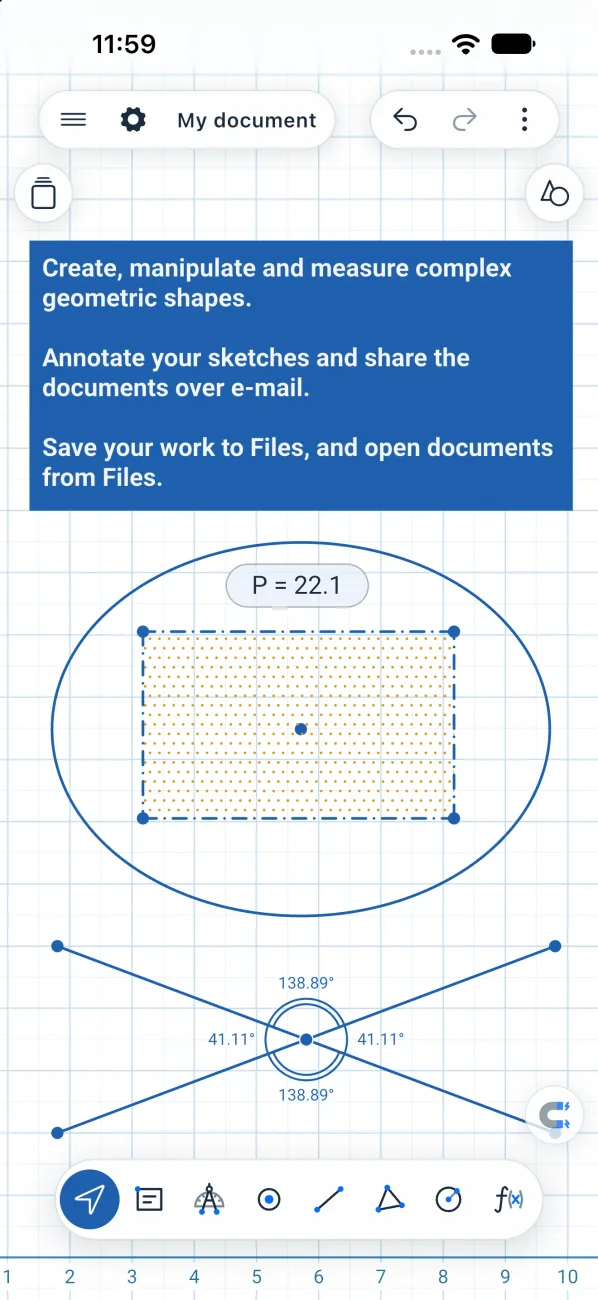
Geometry Pad+ turns your iPad or iPhone into an infinite canvas for exact plane geometry. Build points, lines, triangles, quadrangles, polygons, circles and conics with a few taps, and they stay exact: a square stays a square, a parallel stays parallel, and an intersection point stays on its crossing however you move things around.
Every feature is included. No subscriptions, no in-app purchases.
CONSTRUCTIONS THAT STAY CONNECTED
• Parallel and perpendicular lines, perpendicular bisectors, tangents, chords and intersection points follow their shapes as you drag them.
• Altitudes and medians update with their polygon, and angle bisectors follow any polygon corner, angle, sector or crossing of lines.
• Right, isosceles and equilateral triangles, squares, rectangles, parallelograms, rhombi, trapezoids, kites and regular polygons keep their kind when edited.
• Select, copy and paste shapes across pages and documents—or paste them into other apps as a cropped picture.
PRECISION BY TOUCH
• Points snap to the grid, vertices, midpoints, sides, curves and crossings; optional line snapping aligns sides onto lines or tangents on curves.
• A magnifying glass shows where each point lands.
• Type exact coordinates, lengths, radii and angles (up to 360° reflex angles) with the built-in calculator.
LIVE MEASUREMENTS
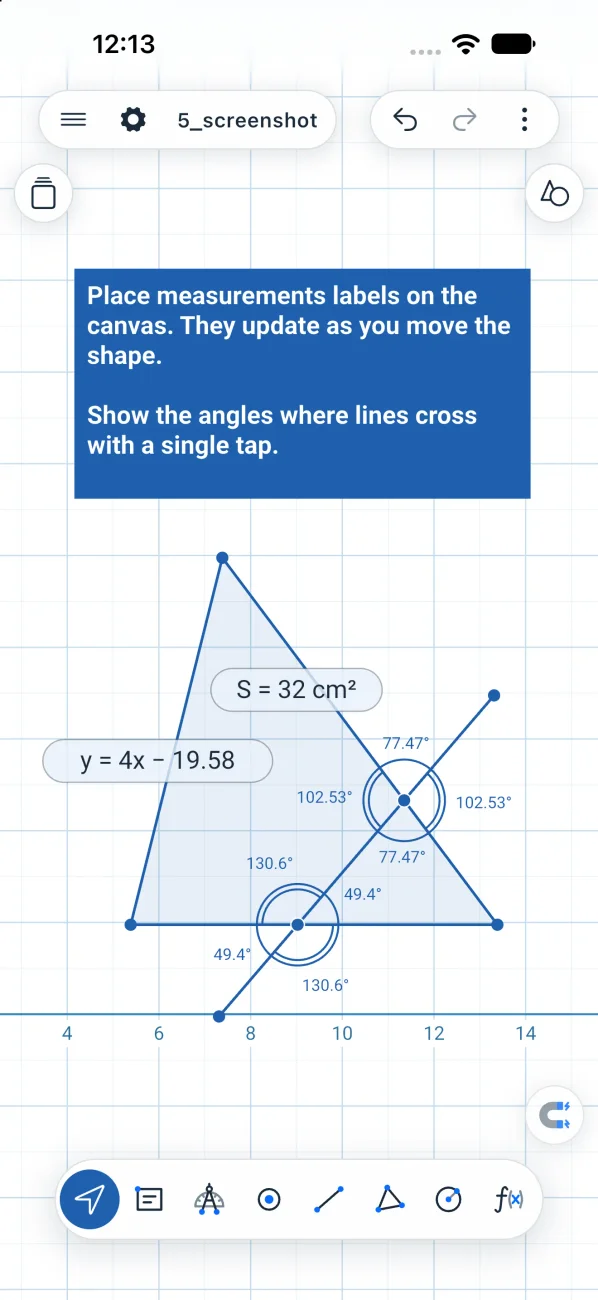
• View lengths, angles, slopes, equations, perimeter and area in a shape editor that keeps your drawing in view.
• Place live measurement labels on the canvas, or write algebraic labels like “x” for exercises.
• Show the angles where lines cross with one tap.
TEXTBOOK FIGURES AND ANNOTATIONS
• Add tick and parallel marks, mirror hatch strokes, and fill shapes with hatching, grids, dots or waves.
• Mark interior polygon angles with 1–5 arcs, right-angle squares and expressions, and style individual vertices or sides one at a time.
• Attach numbered or custom callouts to shapes, draw curved, elbow or block arrows, and mark lengths with dimension lines.
CLASSIC INSTRUMENTS AND TRANSFORMATIONS
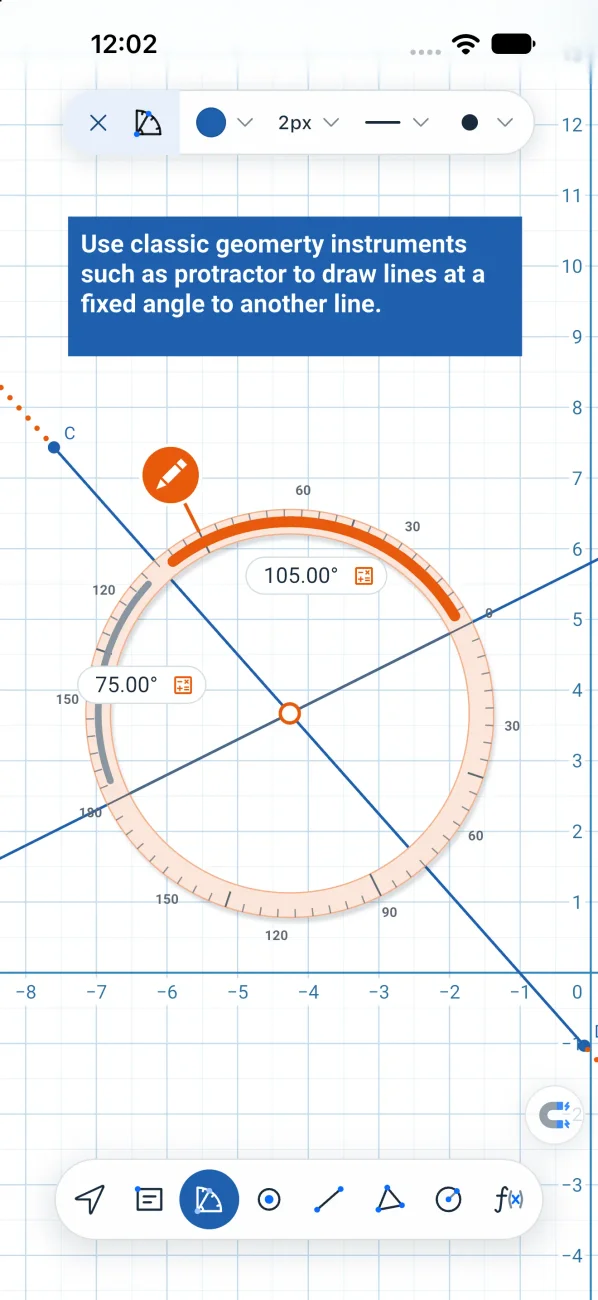
• A compass, protractor and straight angle (set square), with exact value entry on each.
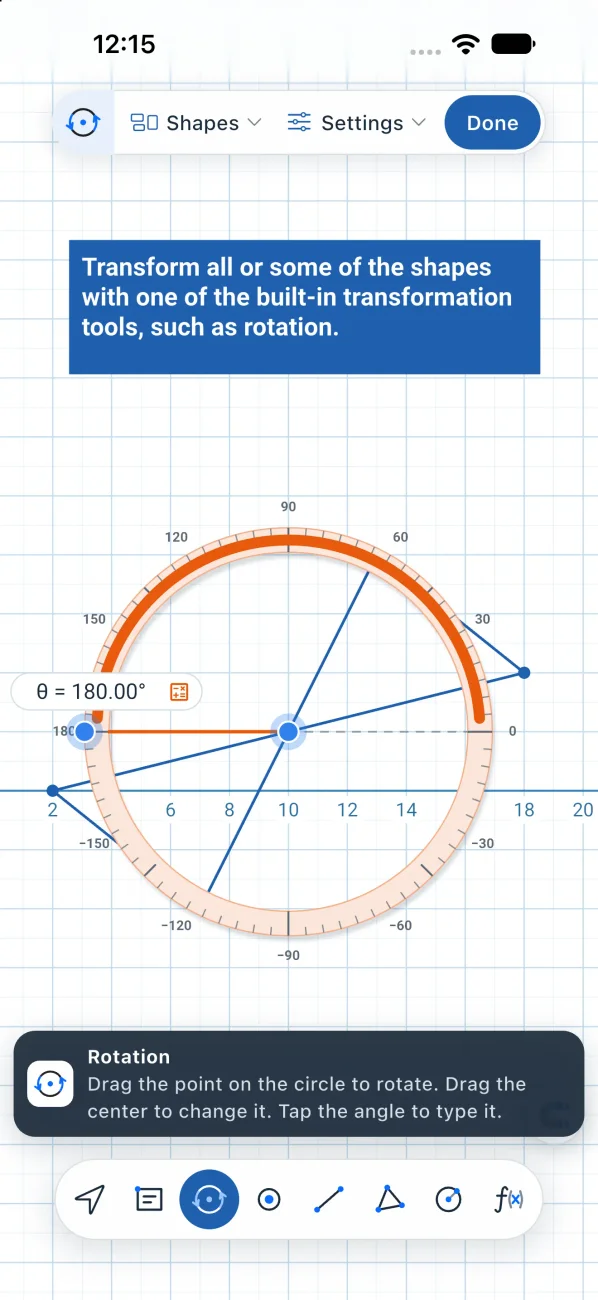
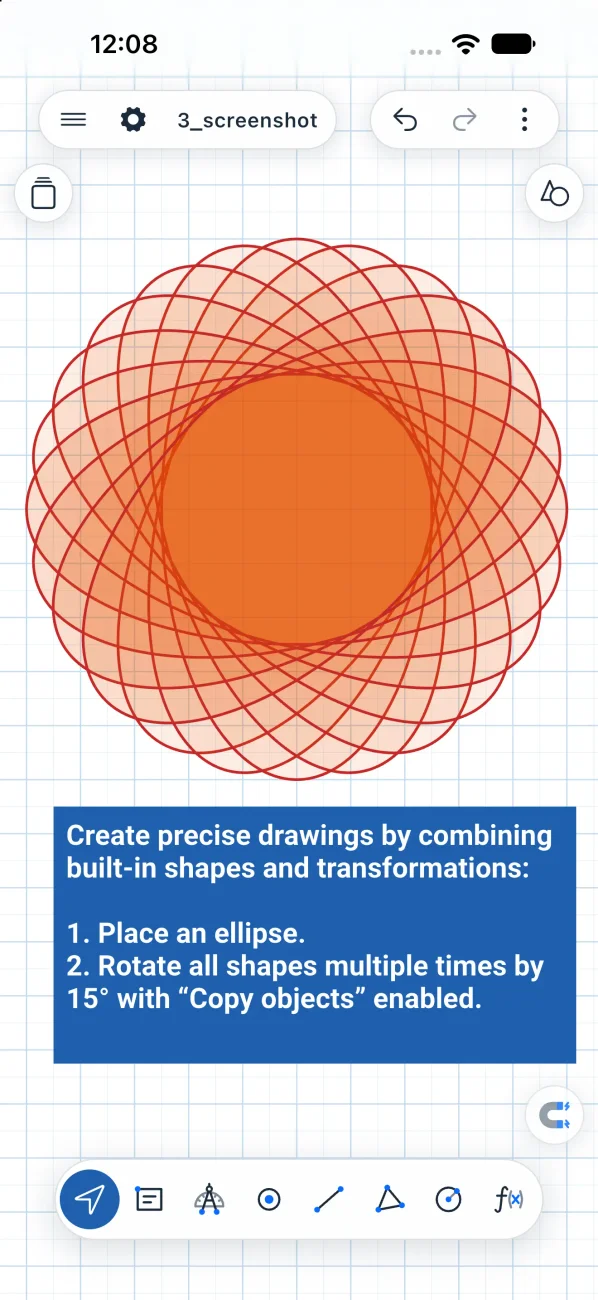
• Rotate, reflect, translate and dilate shapes, or copies of them.
SHAPES FROM NUMBERS
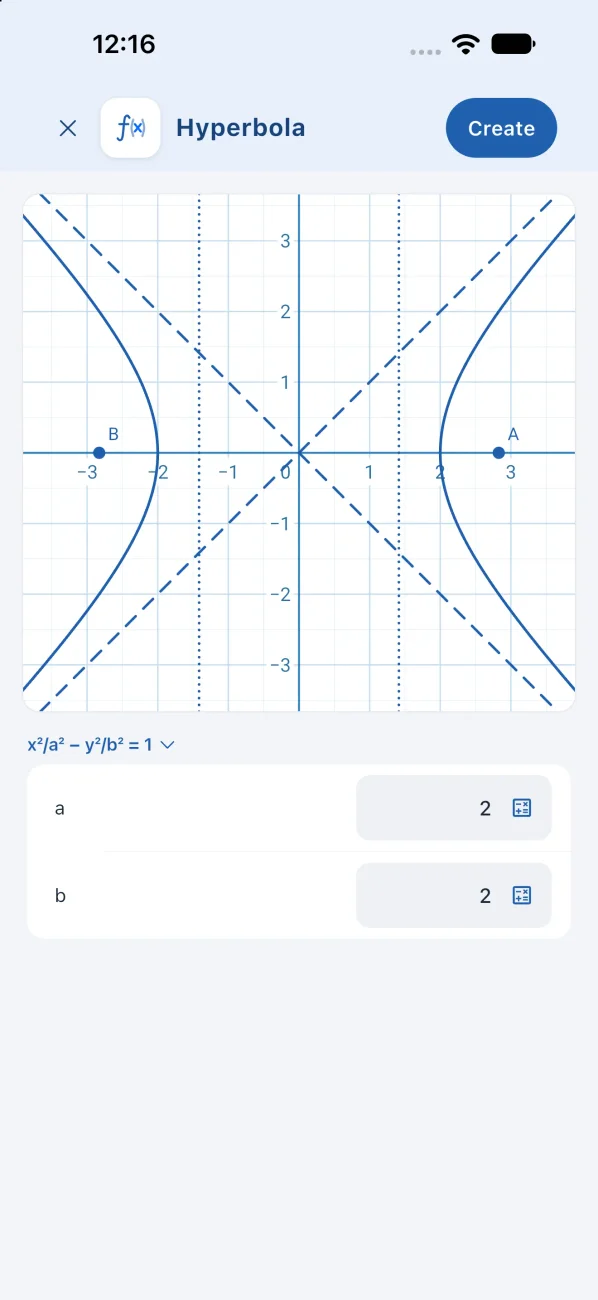
• Build triangles, squares, rectangles, parallelograms, rhombi, trapezoids and kites from sides, heights, diagonals or angles, and lines, parabolas and hyperbolas from equations, with a live preview.
WORKSHEETS AND DOCUMENTS
• Import a PDF to draw and measure on its pages, and create multi-page documents on an infinite canvas or A4 and A3 paper.
• Add pictures, formatted notes in bordered text boxes, and freehand sketches with your finger or Apple Pencil.
• Export as an image (with Crop to shapes), PDF or SVG, or share documents via the Files app and iCloud Drive. Previous Geometry Pad files open too.
MADE FOR THE CLASSROOM
• Works on iPad and iPhone (including iPhone Duo), with multitasking, Apple Pencil and keyboard shortcuts.
• Workspaces fit the tools, features and tool bar to each class, with a ready-made Student workspace or your own.
• Cartesian, polar and isometric grids, real centimeters and inches, automatic dark mode and seven themes including chalkboard and blueprint.
• Full hands-free Voice Control, VoiceOver, Speak Screen, Speak Selection, Larger Text and Reduce Motion.
Geometry Pad+ is for teachers preparing lessons and worksheets, and for students exploring geometry on their own.
We'd love to hear from you: tap Share feedback in the app's Help menu.
Có gì mới
Phiên bản 3.5.0 · 25/11/2026
Geometry Pad+ 3.5 lets you sign in to sync your purchase to the brand-new Geometry Pad Web, and to shape the app around each class with workspaces. Here’s what’s new:
SIGN IN TO SYNC PURCHASES
• Sign in under Settings → Account to sync your purchase, then sign in with the same account on Geometry Pad Web to unlock every Premium feature there too.
• Signing in only syncs purchases: your documents stay on your device. It’s for adults (18+); students never need an account.
WORKSPACES
• A workspace decides which tools and features the app offers and how the tool bar is arranged, so the app can fit each class, student or task.
• Switch between workspaces in Settings → Workspace. A ready-made Student workspace hides signing in, SVG sharing and customizing, and keeps pages from being added, deleted or renamed.
• Create your own workspaces: reorder the tool bar, pin a favorite tool or formula as its own button, and turn off tools, features and settings you don’t need. Phones and larger screens each keep their own tool bar order.
• Tap ⋮ in any tool menu and choose Customize toolbar… to jump straight into editing.
Quyền riêng tư của ứng dụng
Những gì Bytes Arithmetic LLC khai báo trên App Store về cách ứng dụng này xử lý dữ liệu.
-
Dữ liệu không liên kết với bạn
Có thể được thu thập nhưng không liên kết với danh tính của bạn.
- Dữ liệu sử dụng
- Chẩn đoán
Phương thức đảm bảo quyền riêng tư có thể khác nhau, chẳng hạn như tuỳ theo các tính năng bạn sử dụng hoặc độ tuổi của bạn.
Thông tin
- Người bán
- Bytes Arithmetic LLC
- Danh mục
- Giáo Dục
- Phiên bản
- 3.5.0
- Cập nhật
- 25/11/2026
- Phát hành
- 14/07/2012
- Kích thước
- 41,8 MB
- Yêu cầu
- iOS 15.0 trở lên
- Độ tuổi
- 4+
- Giá
- 99.000đ
- Ngôn ngữ
- Tiếng Anh
- Bản quyền
- © 2026 Bytes Arithmetic LLC
Có thể bạn cũng thích
-
 GeoGebra GeometryGiáo Dục
-
 GeoGebra ClassicGiáo Dục
-
 Geometry Solver ²Giáo Dục
-
 Explain Everything WhiteboardGiáo Dục
-
 Desmos Scientific CalculatorGiáo Dục
-
 GeoGebra 3D CalculatorGiáo Dục
-
 GeoGebra Calculator SuiteGiáo Dục
-
 Desmos Graphing CalculatorGiáo Dục
-
 TinkercadGiáo Dục
-
 Symbolab - AI Math Solver AppGiáo Dục