
Ghost Markdown
Markdown notes with AI
Được thiết kế cho iPhone, Mac, iPod touch
Miễn phí
- Độ tuổi4+
- Danh mụcHiệu Suất
- Nhà phát triểnMatt Wisniewski
- Ngôn ngữTiếng Anh
- Kích thước93,1 MB
Liên kết đến trang App Store chính thức
Download.org không lưu trữ tệp nào của Ghost Markdown. Nút này mở trang ứng dụng trên App Store, nơi Matt Wisniewski phát hành ứng dụng. Trang được kiểm tra lần cuối: 12/11/2026.
Ảnh chụp màn hình



Giới thiệu
Nhà phát triển chưa cung cấp nội dung này bằng ngôn ngữ của bạn.
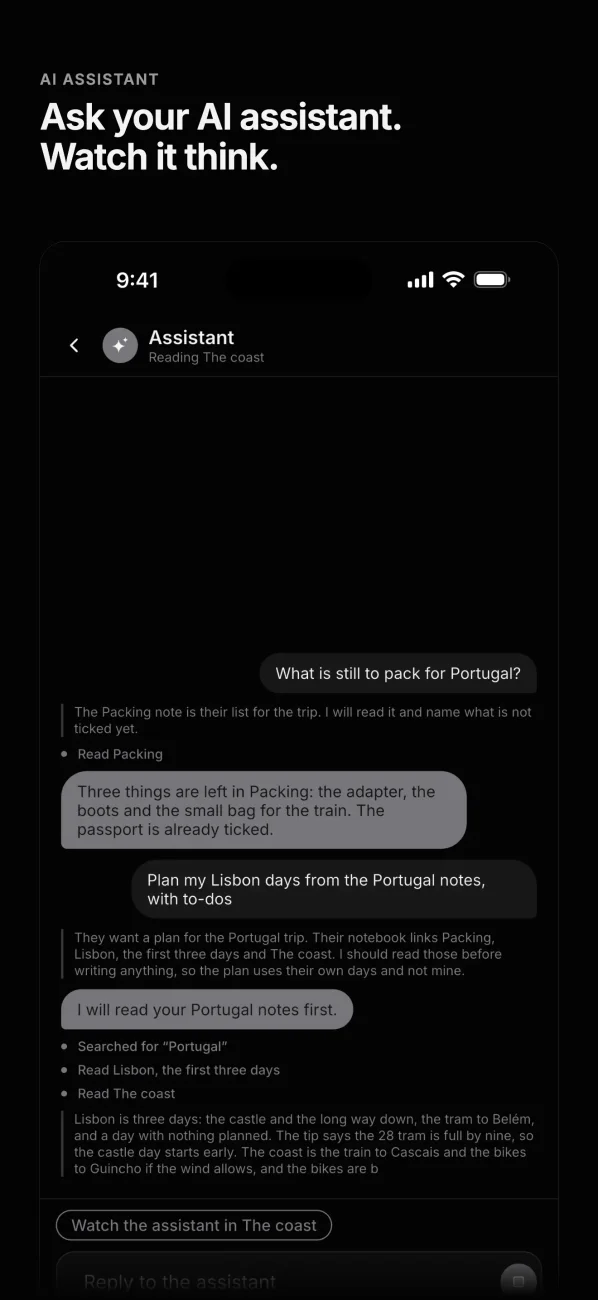
Ghost.md is a notes app in plain Markdown with an AI assistant built in. Every note is a Markdown file on your iPhone, and the assistant can read it, write in it and plan with it while you watch.
AN AI ASSISTANT, IN THE APP
Ask from the dock at the head of any page. Bring your own API key, kept on this iPhone, and choose the model and how much effort it puts in. The assistant searches and reads your notes, then makes and changes them: the note opens and the words are typed in as it writes them, and the chat shows its thinking as it goes. Write requests in a note of their own and the assistant works through them.
YOUR AI ASSISTANT'S OWN APP, CONNECTED
With an account, connect your AI assistant's own app to Ghost.md's connector. From there the assistant can list, search, read, write and add to your notes, and you see it at work in Ghost.md, on the note it is writing.
YOUR CALENDAR
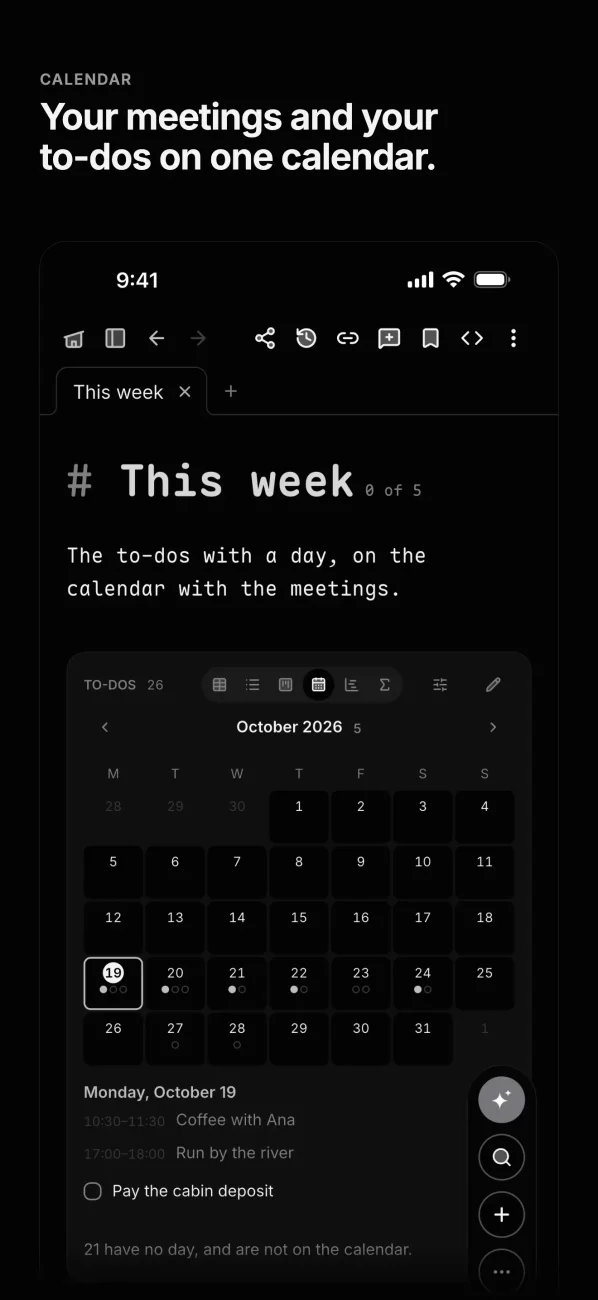
Sign in to your calendar, or add any calendar's subscription address. Today's events sit on the home page above your to-dos, and a query lists them or lays them on a calendar beside your to-dos. Switch it on and every to-do with a due date goes onto the calendar you signed in to, moved when its date changes and taken off when it is done.
PLUGINS FOR THE TOOLS YOU USE
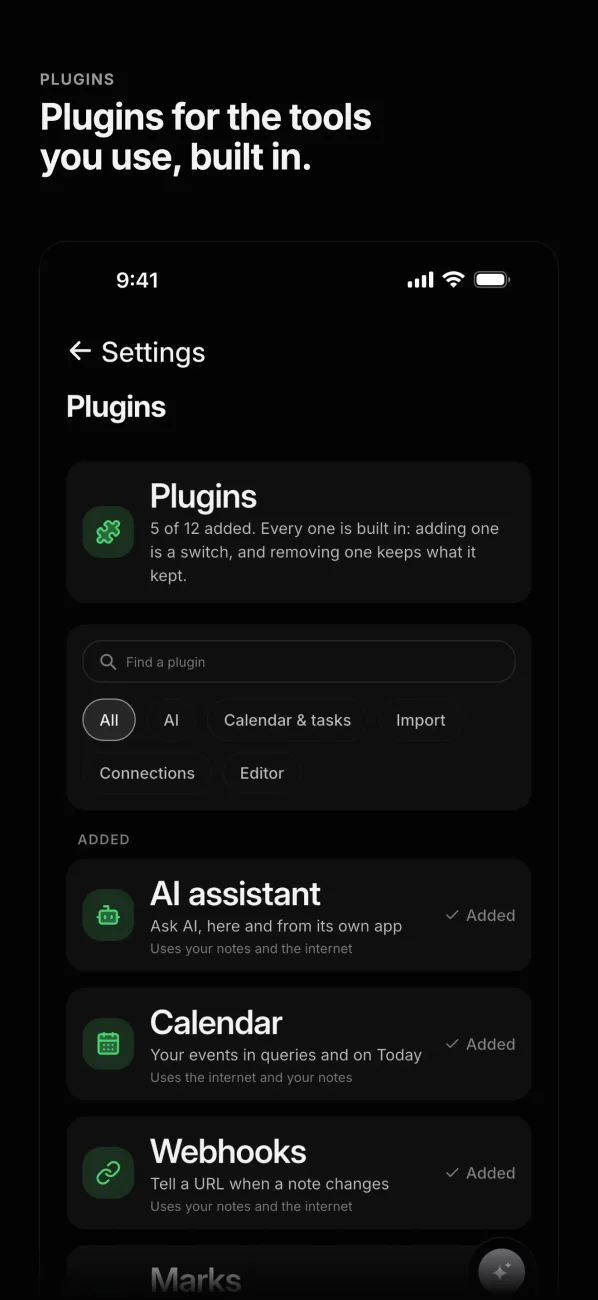
The AI assistant, Calendar, Contacts, Webhooks and code repositories are built in, each switched on or off on one page that says plainly what it reaches. Link a note to a code repository and its list items become issues you can tick off from either side. Contacts puts a person's picture on the to-dos that name them, a tap away from a call, a text or an email. Webhooks tell a URL of yours when a note changes, and give you URLs that add to a note, for the automations you already run.
THE MARKDOWN CORE
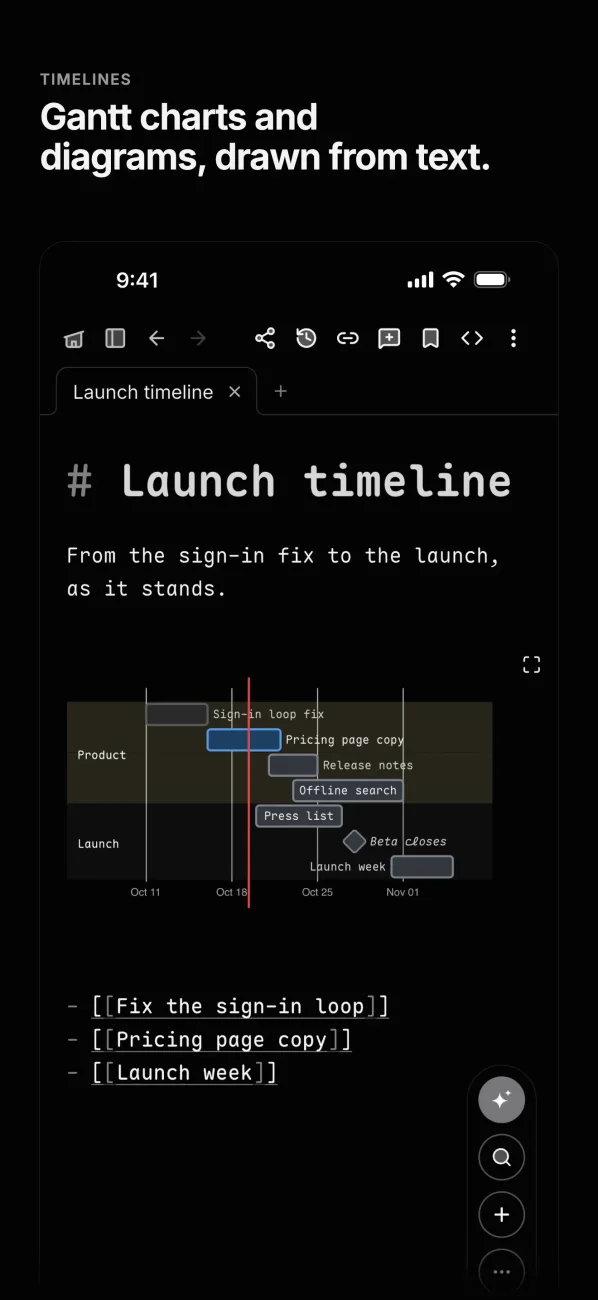
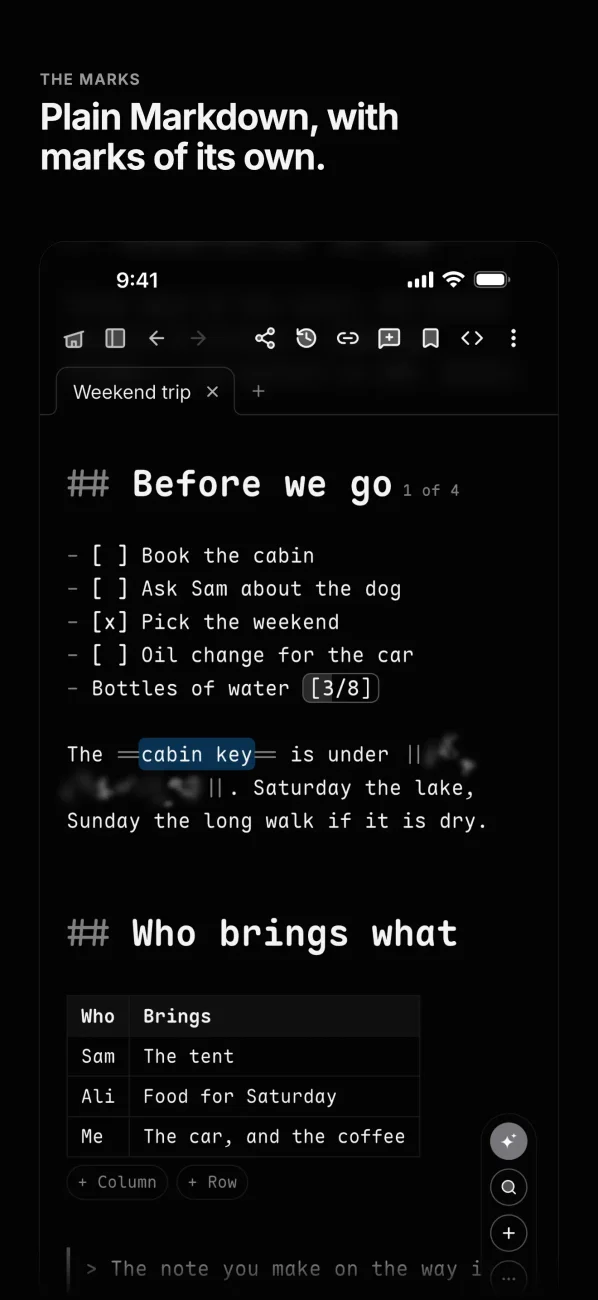
Headings, lists, to-dos, tables, code, footnotes and links between notes, drawn as you type with the marks left dimmed, so a note reads the same anywhere. Seven marks of Ghost.md's own: highlight, aside, unsure, redact, shout, added, and spoiler, which sits in smoke until you tap it. Diagrams and gantt timelines are drawn from text in the note and open full screen. Add pictures from your photos or the camera.
BOARDS, TICKETS AND QUERIES
A list can be a board, with cards you move between columns. A note can be a ticket, with its status, assignee, priority and due date kept at its top. A query gathers notes, to-dos, tickets or events from across your library and draws them live, as a board, a table, a list, a calendar or a timeline.
NOTEBOOKS, JOURNALS AND CANVASES
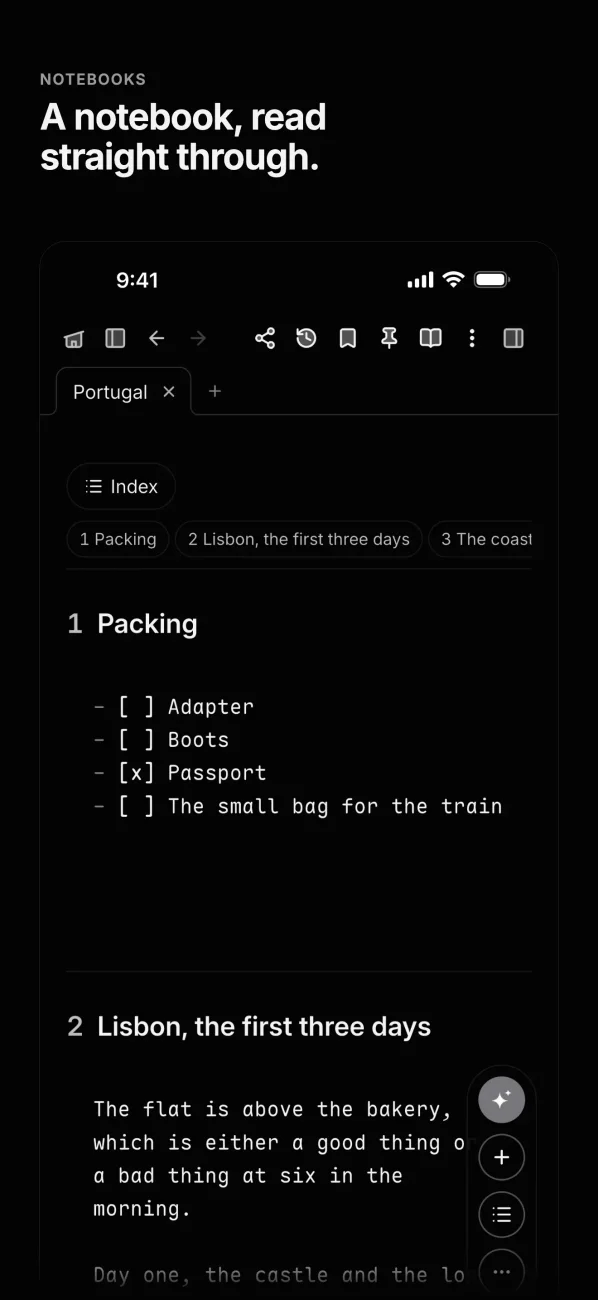
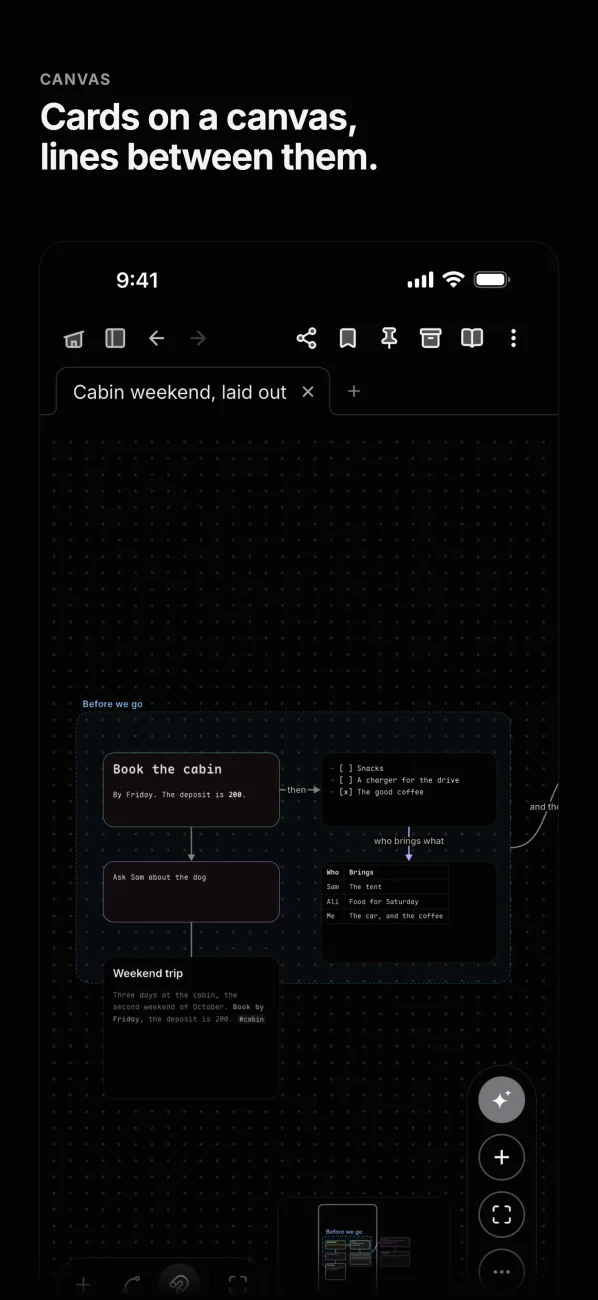
Notes gather into a notebook with an index, to read page by page or straight through. A journal keeps an entry for each time you write, named by the minute. A canvas puts cards on a page with lines between them, saved in an open file format.
WORKSPACES AND TEAMS
File notes under workspaces to keep work and home apart. With an account, make an organization and invite people by their handle. It gets a workspace of its own on each member's devices.
SYNC AND PRIVACY
No account is needed. Without one, your notes stay on your iPhone and none of them is on any server. Sign in and your notes are the same on your iPhone, on a Mac and in a browser, sealed on the device before they leave. The server cannot read them, and your password never leaves the device. The AI assistant sees only what you ask it and the notes it reads to answer, sent to your AI provider with your own key. Delete the account in Settings and everything it kept goes with it. No ads, no tracking; usage stats are anonymous and can be turned off.
Có gì mới
Phiên bản 2.4.19 · 06/11/2026
Anonymous usage statistics: counts of which features are used, never your notes or who you are, to help make Ghost.md better. They are on by default, and you can turn them off in Settings › Privacy or on the welcome walkthrough's privacy page.
Team spaces: a new sidebar switches between your own space and each organization, with Home, Search, Updates, Favorites and the space's pages. Pages nest inside each other and get an icon, a cover, an outline and who edited last. Follow a page to see its changes in Updates, and see who else is on it.
Docs, a new kind of notebook in parts and pages, made by you or by your AI assistant.
Invite people to an organization by email, by link or by handle. The invite link opens Ghost.md, or helps them get it, and asks to join.
Project tools are plugins now, off until you or your team turn them on: tickets, planning, gantt charts, boards, automations, time tracking and forms. Gantt charts are plain Markdown you can drag. Tickets get cycles, epics, milestones, labels, sub-tickets and a morning digest of what is due.
New in notes: Linked from at the foot of a note, a section of another note shown as a live card, headings that fold, toggles, @ mentions, buttons that run an action, templates for folders and notebooks, and comments on a line.
Back up your library to a code repository of your own as you write, and restore a new device from it. Pictures and files now live in the library folder beside the notes that use them.
An activity ring in the header shows what Ghost.md is working on, with a tray of running, waiting and finished work, and Live Activities while you are away from the app.
Gantt charts scroll sideways on a phone, with the names kept in view.
Header images: choose a style and an image model in the image generation plugin's settings, and the plugin looks up what a note is about before drawing it. Make an image again or remove it from its menu.
More AI providers can be added as plugins, and Settings › AI chooses which model answers your chats.
The command search finds every setting and every plugin, not just your notes.
The Trash comes in pages with Find, and a folder can be deleted with everything in it, with Undo.
What's new shows after every update, with the full list in Settings › About.
Links in a note open with a tap, and fixes for sync and for notes moved in and out of an organization.
Quyền riêng tư của ứng dụng
Những gì Matt Wisniewski khai báo trên App Store về cách ứng dụng này xử lý dữ liệu.
-
Dữ liệu không liên kết với bạn
Có thể được thu thập nhưng không liên kết với danh tính của bạn.
- Mã định danh
- Dữ liệu sử dụng
- Chẩn đoán
Phương thức đảm bảo quyền riêng tư có thể khác nhau, chẳng hạn như tuỳ theo các tính năng bạn sử dụng hoặc độ tuổi của bạn.
Thông tin
- Người bán
- Matt Wisniewski
- Danh mục
- Hiệu Suất
- Phiên bản
- 2.4.19
- Cập nhật
- 06/11/2026
- Phát hành
- 12/10/2026
- Kích thước
- 93,1 MB
- Yêu cầu
- iOS 15.0 trở lên
- Độ tuổi
- 4+
- Giá
- Miễn phí
- Ngôn ngữ
- Tiếng Anh
- Bản quyền
- © 2026 Matt Wisniewski
Có thể bạn cũng thích
-
 YearTracker: Year Activity MapHiệu Suất
-
 Memly - Notes, Tags, BackupHiệu Suất
-
 Relay OpsHiệu Suất
-
 Kalenda – All Your CalendarsHiệu Suất
-
 Note Cards : Stay OrganizedHiệu Suất
-
 Inkspire: The Journal AppHiệu Suất
-
 Return Visits – Field ServiceHiệu Suất
-
 All Email Login: Hộp ThưNhiều tài khoản email & AI
-
 Zoho Scanner - Scan PDFOCR, Dịch & Ký tài liệu