GlassCode - Code Editor
Your pocket code editor & IDE
Được thiết kế cho iPhone, iPad
Miễn phí · Mua hàng trong ứng dụng
- Độ tuổi9+
- Danh mụcCông Cụ Nhà Phát Triển
- Nhà phát triểnJUAN DE DIOS FRAUSTO RAMIREZ
- Ngôn ngữTiếng Anh+ 1 ngôn ngữ khác
- Kích thước13,4 MB
Liên kết đến trang App Store chính thức
Download.org không lưu trữ tệp nào của GlassCode - Code Editor. Nút này mở trang ứng dụng trên App Store, nơi JUAN DE DIOS FRAUSTO RAMIREZ phát hành ứng dụng. Trang được kiểm tra lần cuối: 12/11/2026.
Ảnh chụp màn hình
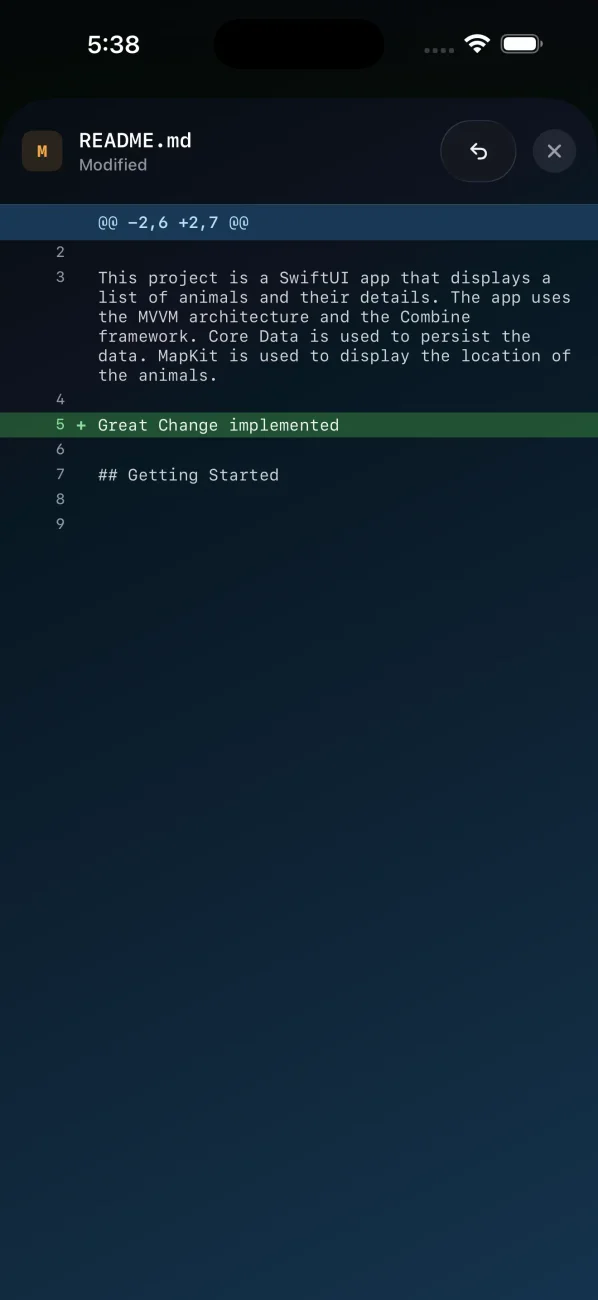
Giới thiệu
Nhà phát triển chưa cung cấp nội dung này bằng ngôn ngữ của bạn.
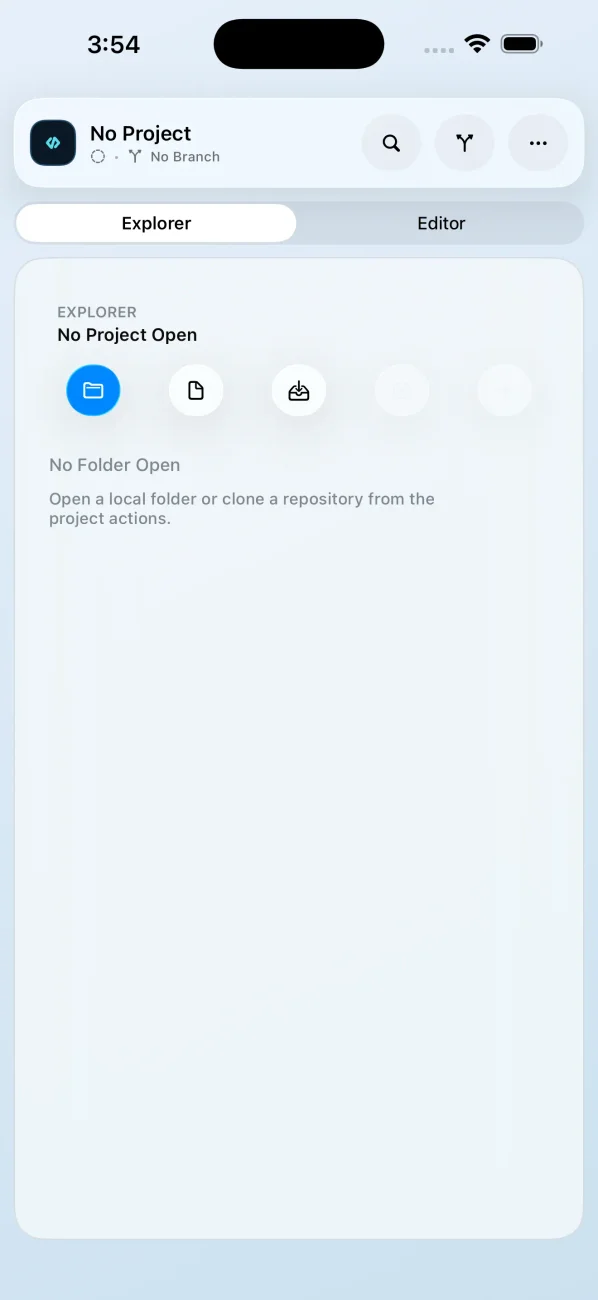
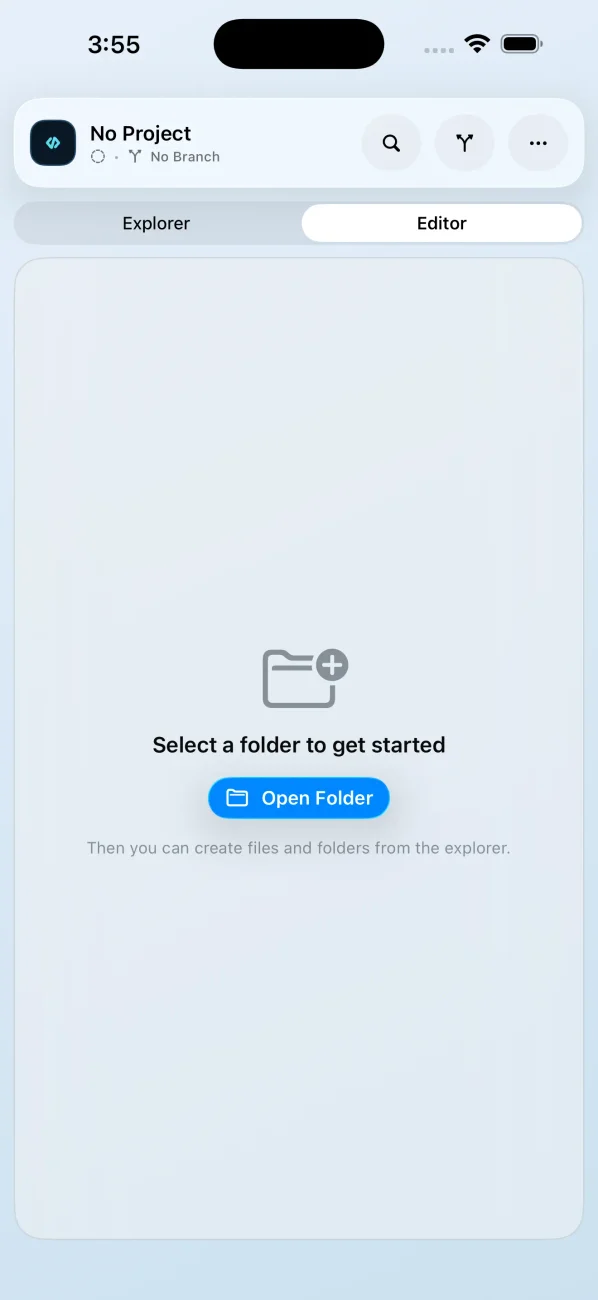
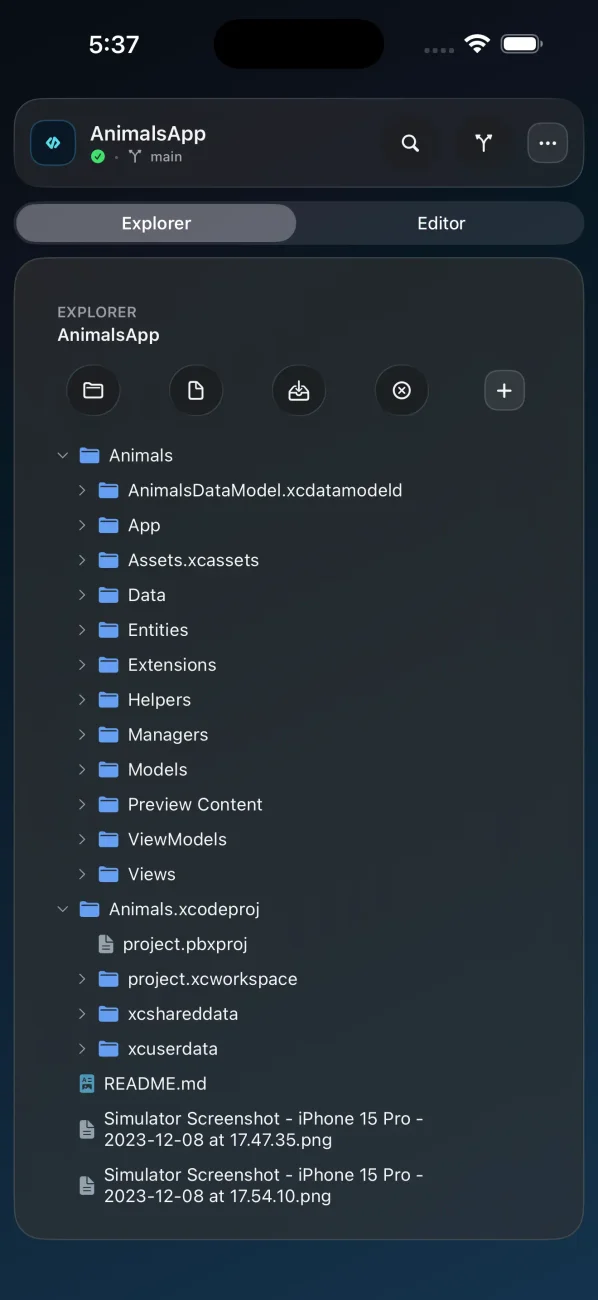
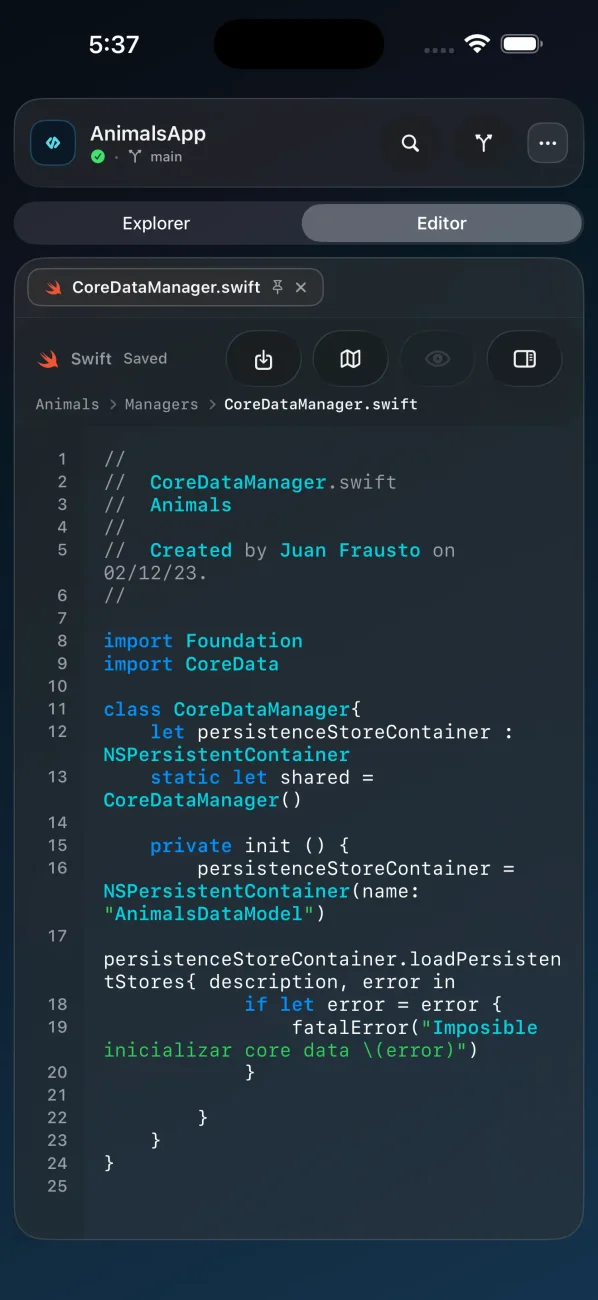
GlassCode is a native code editor for iPhone and iPad, designed around Apple's Liquid Glass interface and a real, on-device Git engine (libgit2) — not a web wrapper.
OPEN & EDIT
• Open any local folder and browse the file tree.
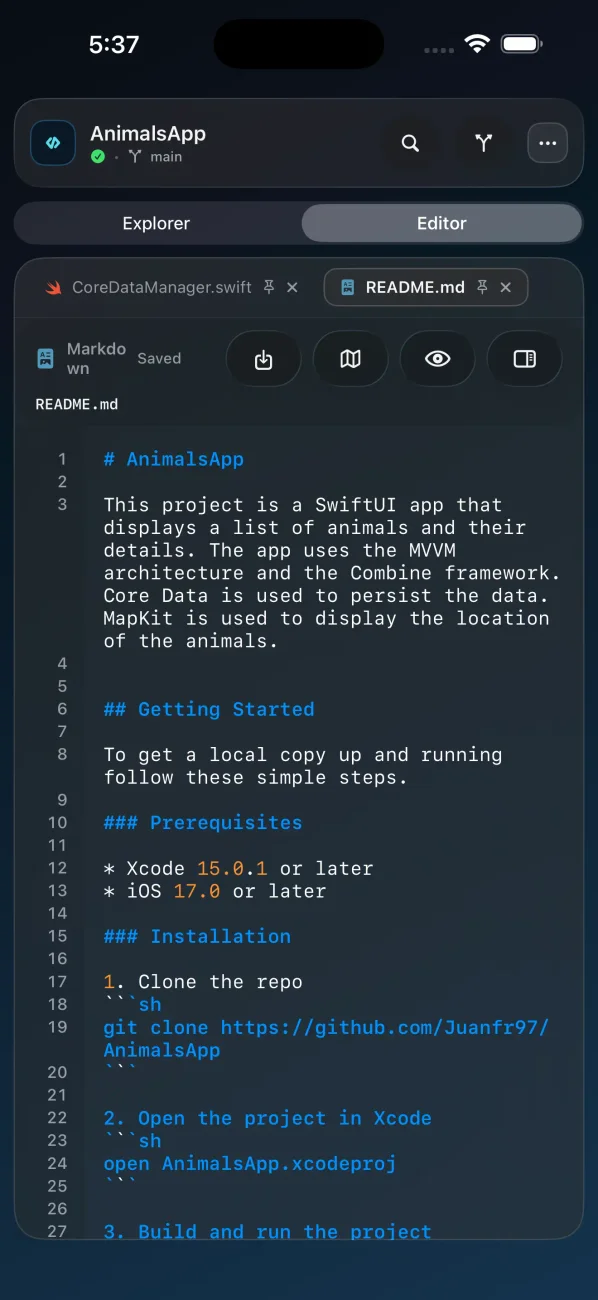
• Syntax highlighting for Swift, C/C++, C#, TypeScript, Kotlin, HTML, CSS, JSON, YAML, XML, Markdown and more.
• Auto-closing brackets and quotes, and indentation that follows your code.
• Line numbers, changed-line indicators and a scrollable minimap.
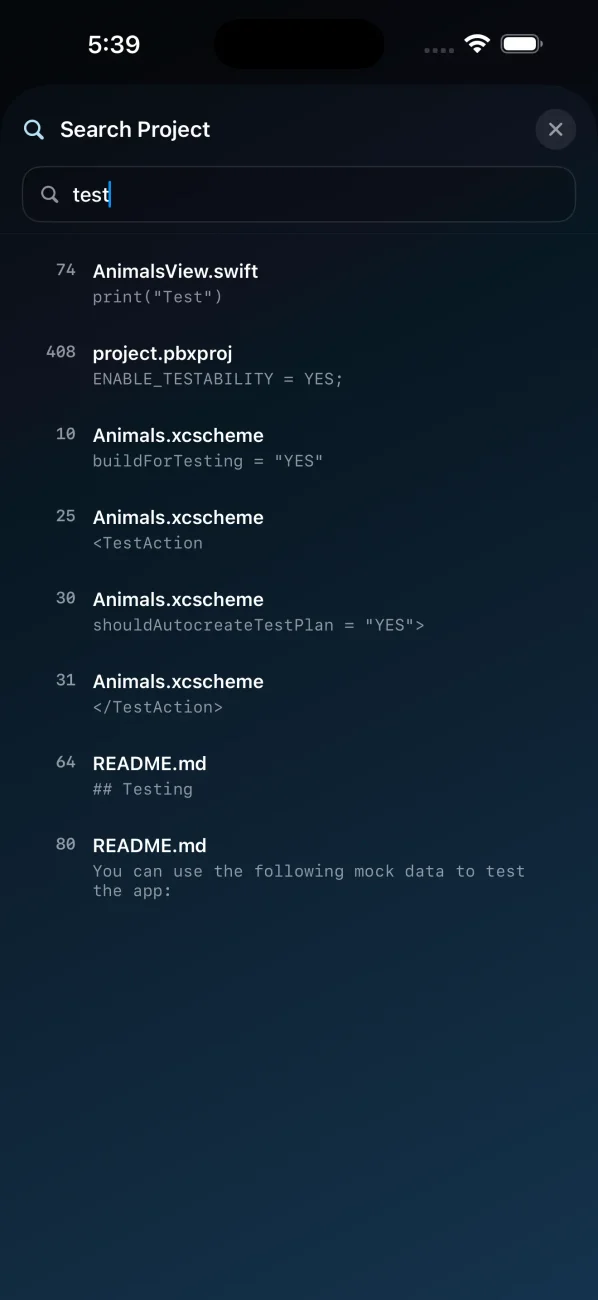
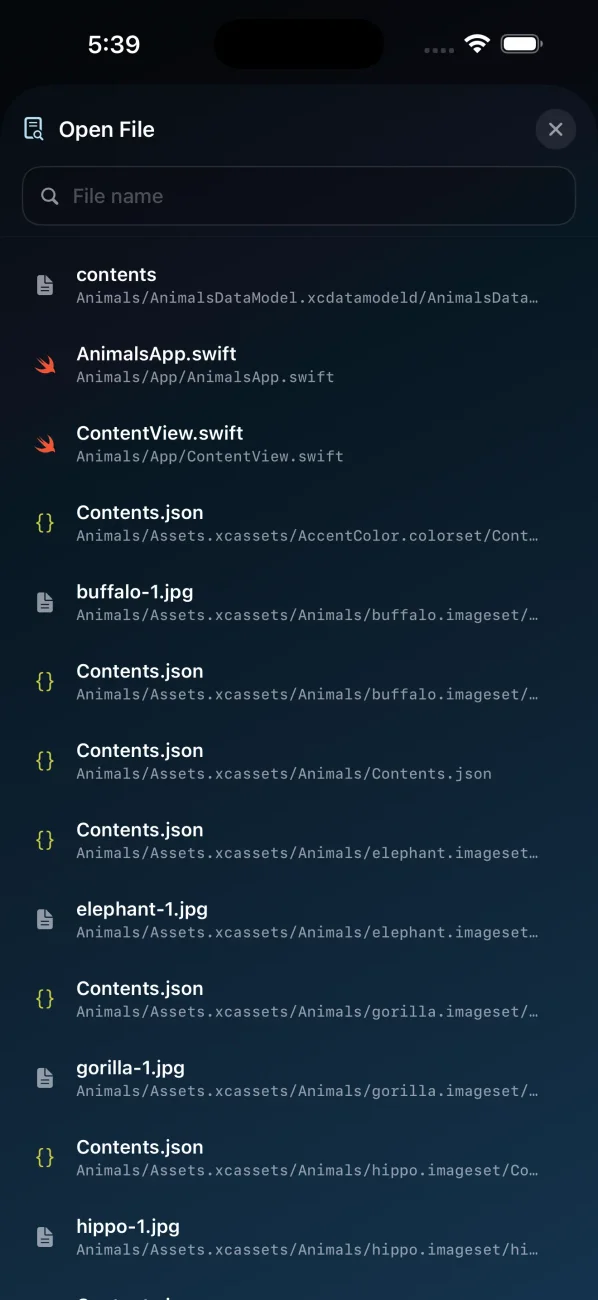
• Tabs, quick open, project-wide search and a command palette.
NATIVE GIT
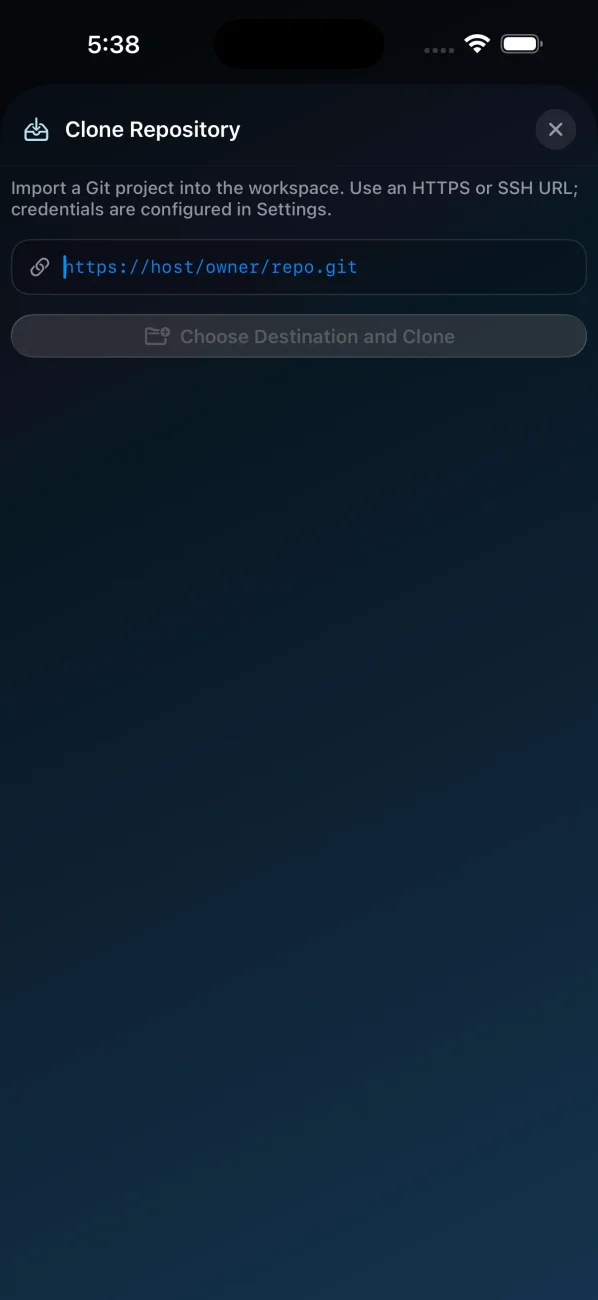
• Clone repositories over HTTPS (token/password) or SSH (private key).
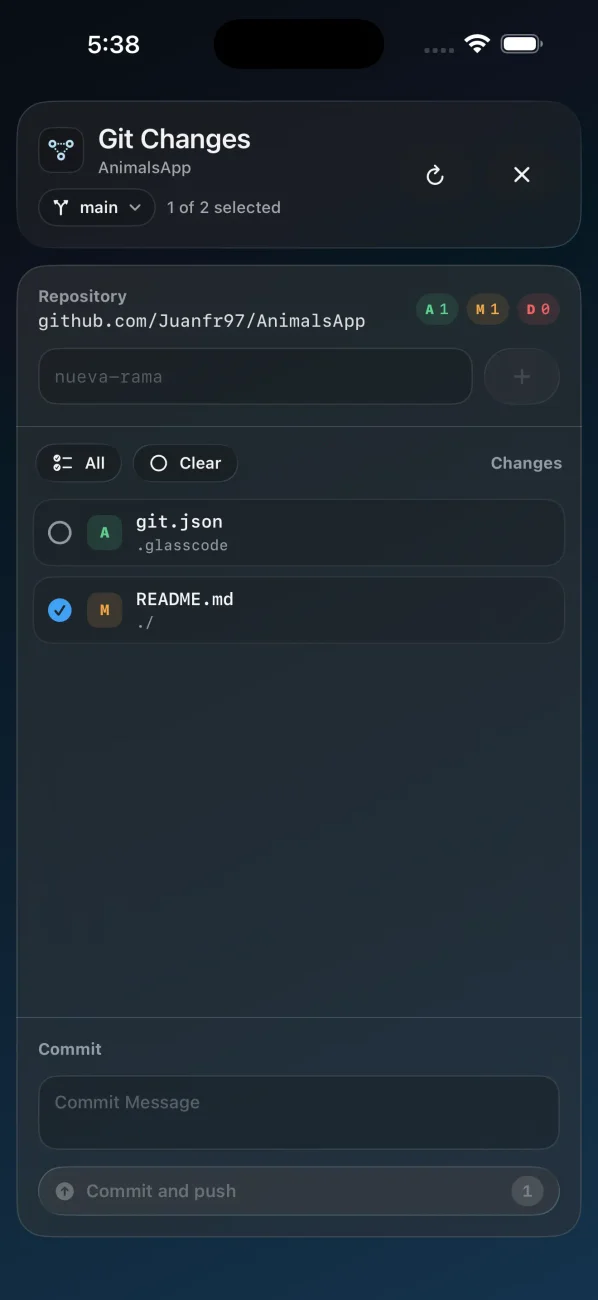
• View status, stage and commit, push and pull.
• Switch and create branches, review per-file diffs, discard changes.
• Browse commit history with the files and diff of each commit.
• Your credentials stay on your device.
THEMES
• Six editor color themes, each with a light and a dark variant.
LIVE PREVIEW
• Rendered preview for data and markup files (JSON, YAML, HTML, XML).
• Markdown live preview (Pro).
DESIGNED FOR iPHONE AND iPAD
• Side-by-side layout on iPad, single-column layout on iPhone.
GLASSCODE PRO
GlassCode is free to use. GlassCode Pro unlocks advanced Git (side-by-side diff, discard, branch management), commit history, clone & commit/push, project-wide search, advanced symbol outline,Markdown live preview and four premium editor themes.
Pro is available as a monthly subscription, an annual subscription, or a one-time Lifetime purchase.
Có gì mới
Phiên bản 1.3 · 11/10/2026
Added
- Commit messages written on device. The app reads the changes you selected and fills in the message field. It uses Apple's system model, so nothing leaves the device and it costs nothing. A full diff doesn't fit in the model, so the app sends a digest with only the added and removed lines and splits the space across files. That way one huge file doesn't crowd out the rest.
- Pull. You can now bring remote work down, so a repository on the iPad can finally catch up with a Mac. It uses the real common ancestor, so it doesn't flag conflicts on changes that don't overlap.
- Merge conflict resolution. When a pull has conflicts, the repository is left mid-merge, and it opens that way on a Mac too. For each file you can keep one side whole, or edit it by hand and mark it resolved. Finishing creates a merge commit with both parents. Aborting resets to HEAD and asks you to confirm first.
- Local repositories. You can initialise Git in the open folder (on main) and commit locally without a remote.
- Stash. Save, list, restore and discard, including untracked files. If you switch branches with uncommitted work, the app offers to stash it and switch in one step.
- Three new themes:
- Ocaso: warm and quiet, with amber keywords on near-black and turquoise strings.
- Papel: the first theme designed for light mode.
- Bosque: a green theme, which the lineup was missing.
Fixed
- The git panel showed no messages. Its alerts were hidden behind its full-screen view, so an error looked the same as a button that did nothing. The panel now has its own banner.
- Branches, diffs and status required a remote. They now work in local repositories. Creating a branch only needs a commit to point at.
- Branch names. They're now checked before they reach libgit2. If a name has spaces, the app suggests the name you probably meant.
- Legal links. The privacy policy URL shipped in 1.2 as a placeholder pointing at a domain that doesn't exist.
Improved
- The theme paints the whole app, not just the code. Each theme now sets a background tone, a hairline colour and an accent, and the controls, the logo and the editor caret follow them. Glass keeps its original colours.
- iPad actions moved down. Search, Git, Settings and Pro now sit at the bottom of the sidebar. When you close the sidebar, they go back to the toolbar.
- Pull is now a labelled button that shows the branch it tracks, instead of an unlabelled icon.
Quyền riêng tư của ứng dụng
Những gì JUAN DE DIOS FRAUSTO RAMIREZ khai báo trên App Store về cách ứng dụng này xử lý dữ liệu.
-
Dữ liệu không được thu thập
Nhà phát triển không thu thập bất kỳ dữ liệu nào từ ứng dụng này.
Phương thức đảm bảo quyền riêng tư có thể khác nhau, chẳng hạn như tuỳ theo các tính năng bạn sử dụng hoặc độ tuổi của bạn.
Thông tin
- Người bán
- JUAN DE DIOS FRAUSTO RAMIREZ
- Danh mục
- Công Cụ Nhà Phát Triển
- Phiên bản
- 1.3
- Cập nhật
- 11/10/2026
- Phát hành
- 03/07/2026
- Kích thước
- 13,4 MB
- Yêu cầu
- iOS 26.0 trở lên
- Độ tuổi
- 9+
- Giá
- Miễn phí
- Mua hàng trong ứng dụng
- Có
- Ngôn ngữ
- Tiếng Anh, Tiếng Tây Ban Nha
- Bản quyền
- © 2026 PJASoft
Có thể bạn cũng thích
-
 Text Editor : Code EditorCông Cụ Nhà Phát Triển
-
 Kodo: Trình soạn thảo mãAI ngoại tuyến, Python và SSH
-
 GoDoScript: GDScript EditorCông Cụ Nhà Phát Triển
-
 Visual Code Editor - vCodeRun Node.js,Python,JS,C & more
-
 Visual Claude: Vibe CodeCông Cụ Nhà Phát Triển
-
 Spck EditorCông Cụ Nhà Phát Triển
-
 Textastic Code EditorCông Cụ Nhà Phát Triển
-
 Carnets - JupyterCông Cụ Nhà Phát Triển
-
 Git client - Working CopyCông Cụ Nhà Phát Triển
-
 Code Editor - Compiler & IDECông Cụ Nhà Phát Triển