Guitar Visualizer
Scales, Chords, Modes & CAGED
Được thiết kế cho iPhone, iPad, iPod touch
Miễn phí · Mua hàng trong ứng dụng
- Độ tuổi4+
- Danh mụcNhạc
- Nhà phát triểnJuan Negron
- Ngôn ngữTiếng Anh+ 10 ngôn ngữ khác
- Kích thước38,9 MB
Liên kết đến trang App Store chính thức
Download.org không lưu trữ tệp nào của Guitar Visualizer. Nút này mở trang ứng dụng trên App Store, nơi Juan Negron phát hành ứng dụng. Trang được kiểm tra lần cuối: 24/11/2026.
Ảnh chụp màn hình
Giới thiệu
Nhà phát triển chưa cung cấp nội dung này bằng ngôn ngữ của bạn.
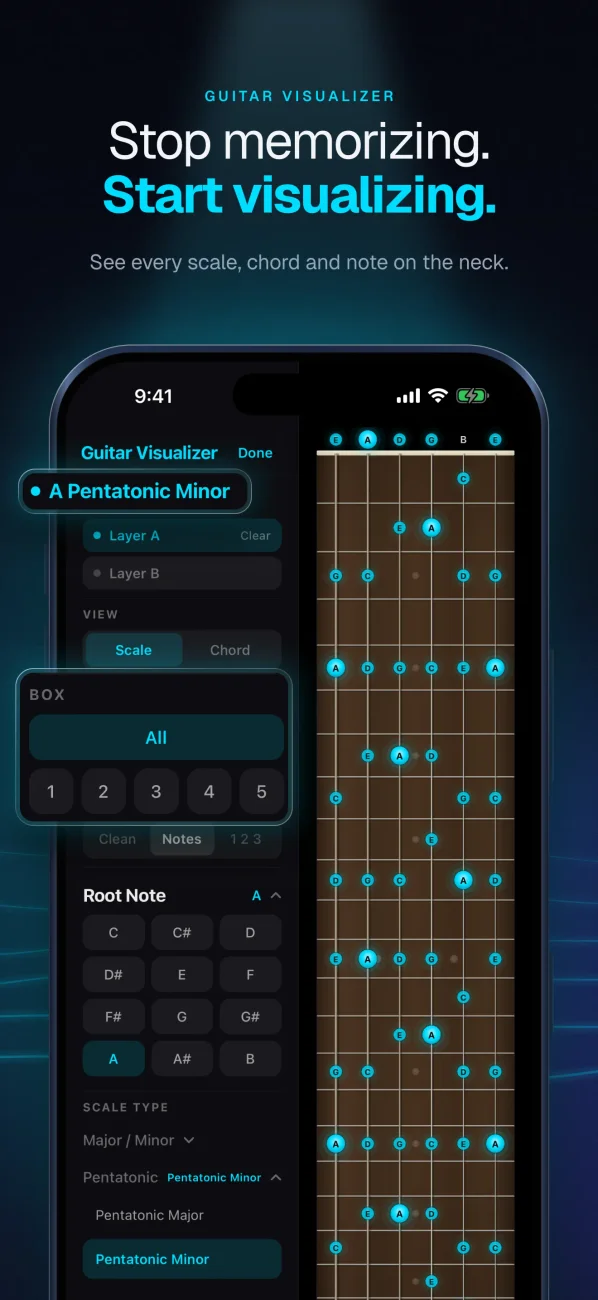
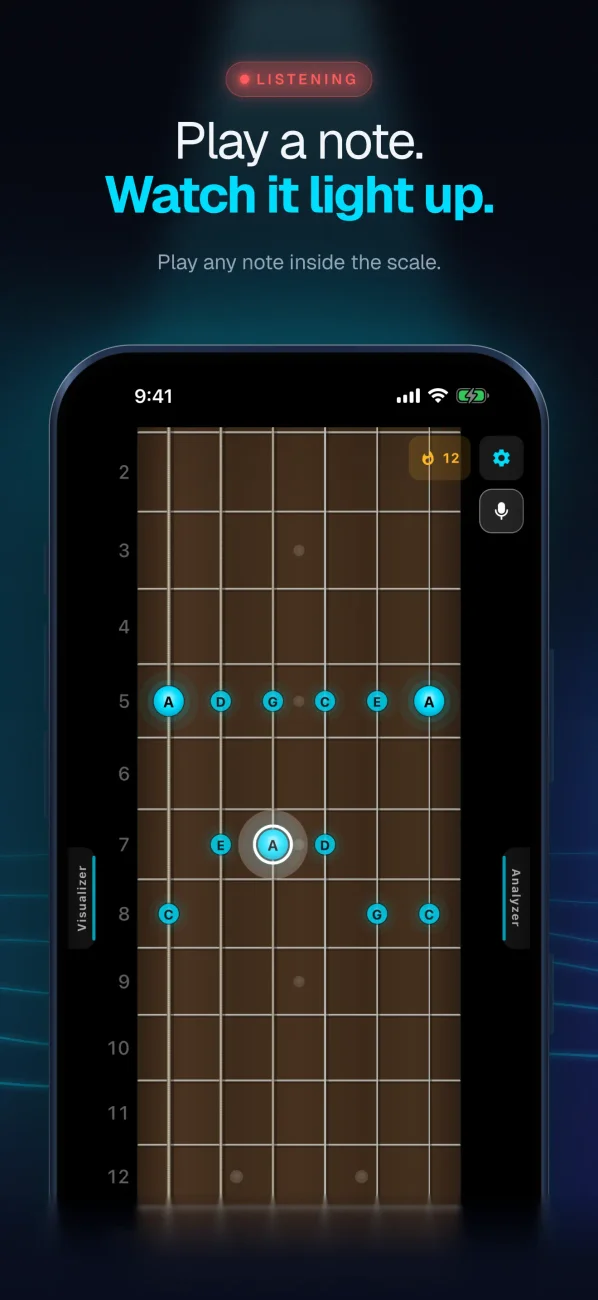
See the fretboard like never before. Guitar Visualizer is the intelligent fretboard tool that shows you every scale, chord, and mode in every position, in every key. No more googling chord diagrams. No more memorizing shapes one at a time. Just open the app and see it all.
SUBSCRIPTION:
Access to all features requires a paid subscription to Guitar Visualizer Pro, yearly or monthly ($19.99/year or $2.99/month in the US; prices vary by country and are shown in the app before you subscribe). New subscribers start with a 7-day free trial. Auto-renews unless cancelled at least 24 hours before the renewal date. Manage or cancel anytime in iPhone Settings → Apple ID → Subscriptions.
Key Features:
SCALES & MODES: Every scale across the entire neck. Pentatonic, Major, Minor, Dorian, Mixolydian, and more. Switch between clean view, note names, and interval numbers with one tap.
CHORDS & VOICINGS: Every chord type with real, playable voicings sourced from professional references. Major, Minor, 7ths, 9ths, diminished, augmented, sus chords, and more — all with multiple positions across the neck.
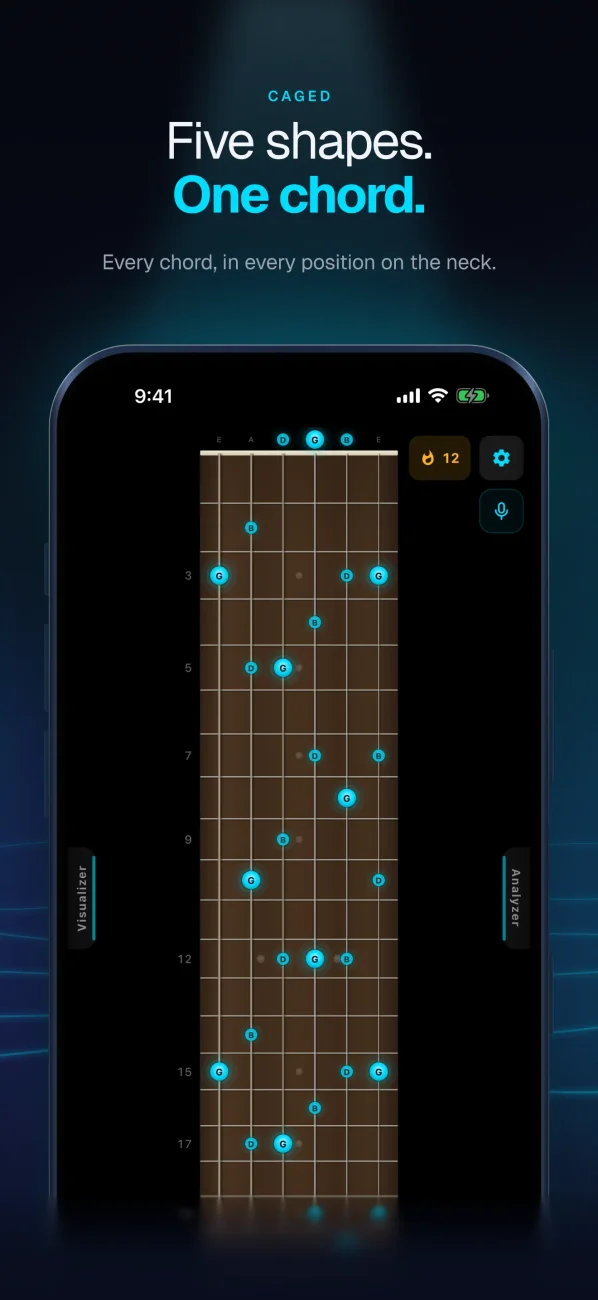
THE CAGED SYSTEM: See how chord shapes connect across the fretboard. The CAGED system, fully visualized — switch between C, A, G, E, and D positions instantly.
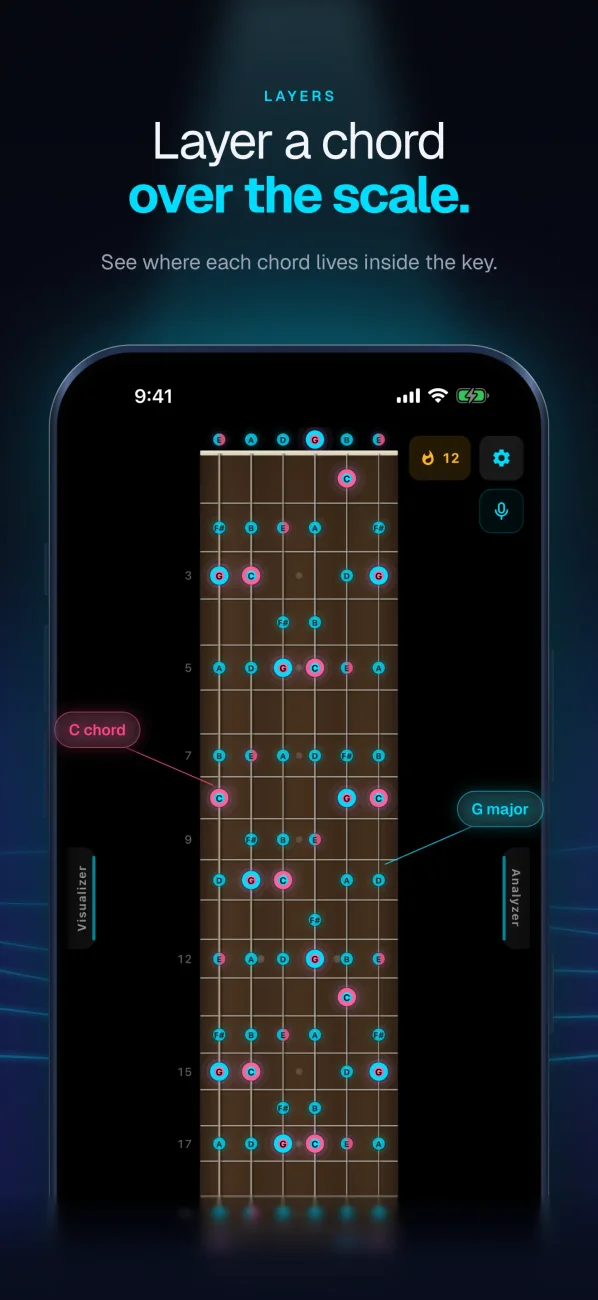
TWO LAYERS: See a scale and a chord at the same time. Layer them together to understand which notes overlap — the fastest way to connect theory to playing.
CHORD ANALYZER: Tap any notes on the fretboard and the analyzer identifies what chord you're playing. It even recognizes specific voicing shapes.
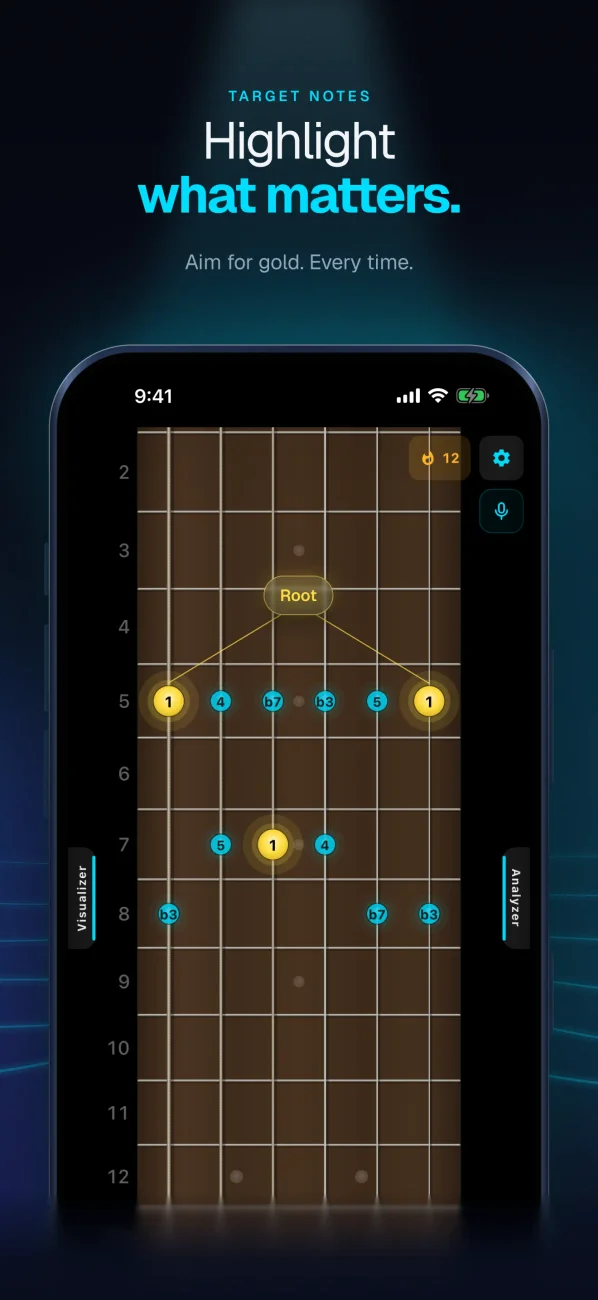
TARGET NOTES: Highlight specific scale degrees to focus your practice. See which notes are the 3rd, the 5th, the 7th — across every position.
DISPLAY MODES: Switch between clean fretboard, note names, or interval numbers. See the theory your way.
TUNINGS: 14 tunings, from Drop D and Open G to DADGAD. Scales, shapes and chords follow the tuning.
METRONOME: Set the tempo, beats per bar and subdivision; it keeps playing while you explore the neck.
TUNER: Tunes every tuning in the app. Tap a string to hear its note, let it find the string (Auto) or pick one, and set the reference pitch (A4).
BASS: 4, 5 and 6-string bass with bass tunings, bass Positions, one-octave shapes and Chord tones (root, 3rd, 5th, 7th), as arpeggios or double stops.
7- AND 8-STRING GUITARS: Standard, step-down and drop tunings, with boxes, CAGED shapes and power chords on the low strings.
Built for guitarists who want to understand what they're playing — not just memorize it.
Terms of Service: https://www.notion.so/Terms-of-Service-Guitar-Visualizer-341d65a2466a80aaadf2eea2a8e2cc66
Customer Support:
We really care about your experience! If you have any questions or suggestions, please reach out to hello@guitarvisualizerapp.com and we will reach out to you as soon as possible.
Có gì mới
Phiên bản 2.3.0 · 23/11/2026
Tuner: tunes every tuning in the app, on guitar and bass. It reacts the moment you play. Tap a string to hear its note (a real acoustic guitar sound, or a real bass sound on bass). A soft sound and a light vibration tell you when a string is in tune. Auto finds the string, or pick it yourself. Set the reference pitch (A4) in Tuner settings.
Bass: 4, 5 and 6-string bass with bass tunings. Bass Positions and one-octave shapes instead of CAGED, and Chord tones: root, 3rd, 5th and 7th across the neck, as an arpeggio or as double stops.
7- and 8-string guitars: Standard, Half Step Down, Full Step Down (8-string) and drop tunings. Boxes and CAGED shapes reach the low strings, with power chords on them.
Choose your instrument (top left of the main screen): 6, 7 or 8-string guitar, or 4, 5 or 6-string bass. Your key and scale stay when you switch.
Tools button: the mic, the metronome and the tuner in one place.
The mic catches more notes while the metronome plays. It works on the 6-string guitar for now; bass and 7- and 8-string guitars are coming soon.
iPad: smoother zoom and scrolling.
Clearer messages when the App Store can't complete a purchase, and other fixes.
Quyền riêng tư của ứng dụng
Những gì Juan Negron khai báo trên App Store về cách ứng dụng này xử lý dữ liệu.
-
Dữ liệu không liên kết với bạn
Có thể được thu thập nhưng không liên kết với danh tính của bạn.
- Mục mua
- Vị trí
- Mã định danh
- Dữ liệu sử dụng
Phương thức đảm bảo quyền riêng tư có thể khác nhau, chẳng hạn như tuỳ theo các tính năng bạn sử dụng hoặc độ tuổi của bạn.
Thông tin
- Người bán
- Juan Negron
- Danh mục
- Nhạc
- Phiên bản
- 2.3.0
- Cập nhật
- 23/11/2026
- Phát hành
- 30/04/2026
- Kích thước
- 38,9 MB
- Yêu cầu
- iOS 15.1 trở lên
- Độ tuổi
- 4+
- Giá
- Miễn phí
- Mua hàng trong ứng dụng
- Có
- Ngôn ngữ
- Tiếng Anh, Tiếng Pháp, Tiếng Đức, Tiếng Indonesia, Tiếng Ý, Tiếng Nhật, Tiếng Hàn, Tiếng Bồ Đào Nha, Tiếng Nga, Tiếng Tây Ban Nha, Tiếng Thổ Nhĩ Kỳ
- Bản quyền
- © 2026 Juan Negron