
HalfMoon Browser
The ideal browser
Được thiết kế cho iPhone, iPad
Miễn phí · Mua hàng trong ứng dụng
- Độ tuổi17+
- Danh mụcTiện Ích
- Nhà phát triểnKotaro Tominaga
- Ngôn ngữTiếng Nhật
- Kích thước5,5 MB
Liên kết đến trang App Store chính thức
Download.org không lưu trữ tệp nào của HalfMoon Browser. Nút này mở trang ứng dụng trên App Store, nơi Kotaro Tominaga phát hành ứng dụng. Trang được kiểm tra lần cuối: 21/11/2026.
Ảnh chụp màn hình
Giới thiệu
Nhà phát triển chưa cung cấp nội dung này bằng ngôn ngữ của bạn.
A browser that lets you do everything with one hand.
HalfMoon Browser is a lightweight web browser specifically designed for one-handed operation on iPhones. It consolidates operations such as back, search, and tab switching into a "dial" accessible from the edge of the screen, aiming for ultimate comfort by allowing you to complete browsing with just your thumb.
■ Unique dial operation for one-handed use
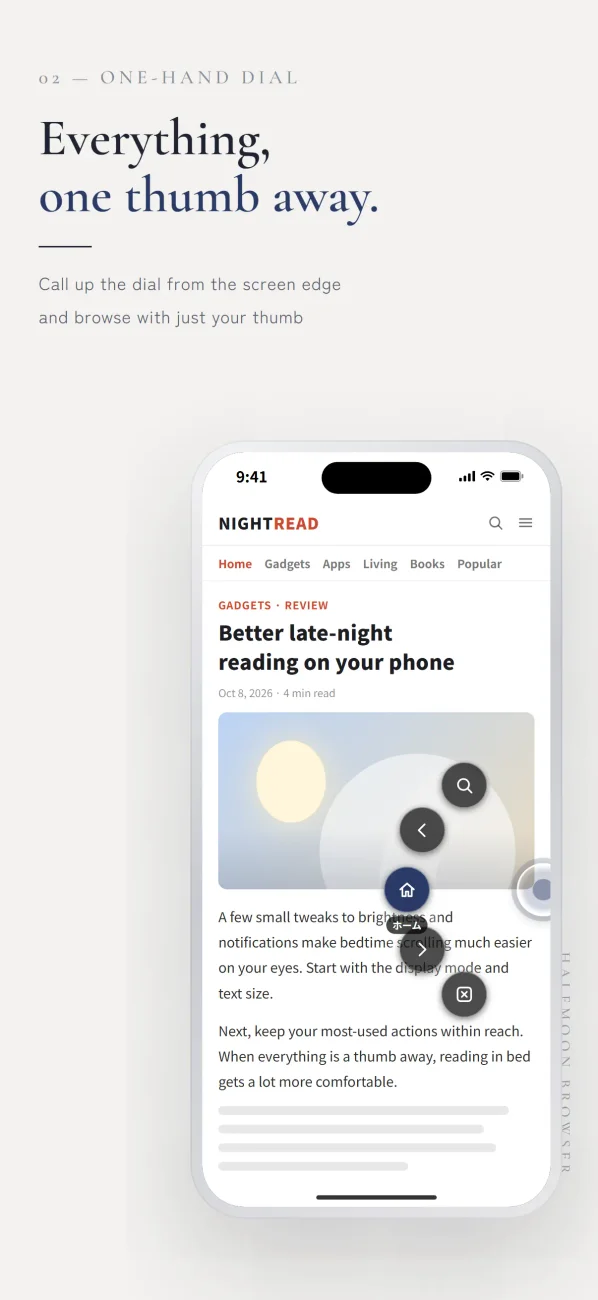
Place your finger on the left or right edge of the screen, and a semi-circular dial will unfold. Simply slide your finger up or down and release to execute the desired function.
• Back / Forward / Home
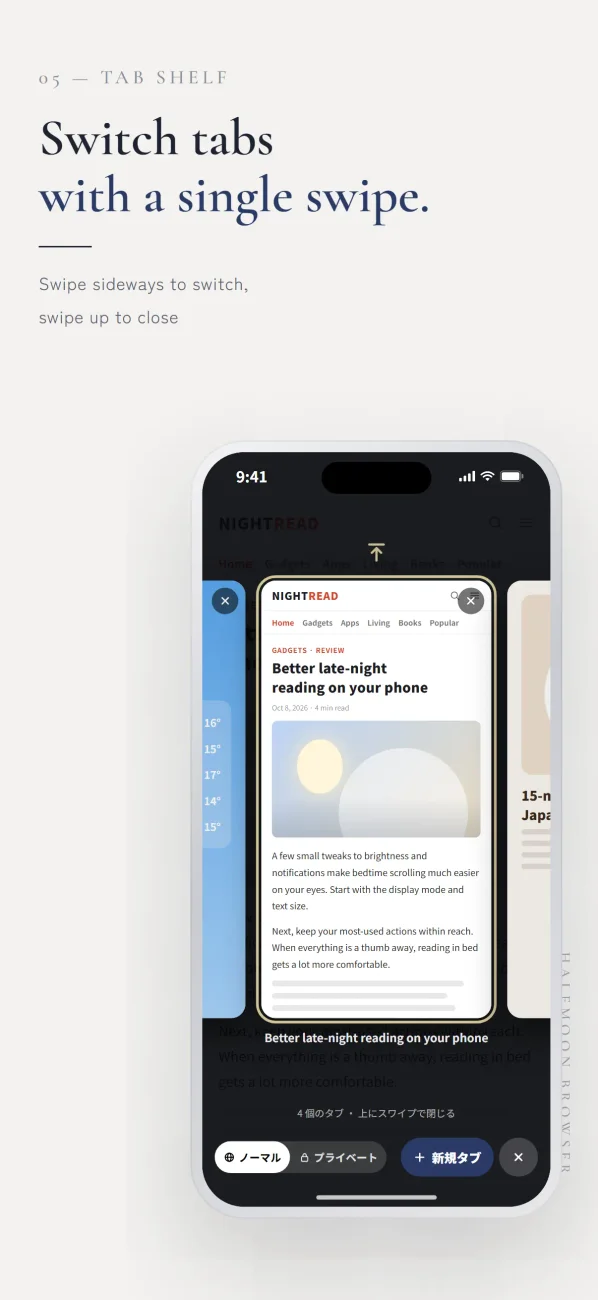
• New Tab / Tab Switch / Close Tab
• Search / URL Input
• Add Bookmark
• Instantly jump to the top/bottom of the page
• Remove Ads / Share / In-page Search / Auto-scroll / Settings (submenu)
Even on larger devices, there's no need to stretch your finger to the center or top of the screen.
■ Extensive customization to create your own preferences
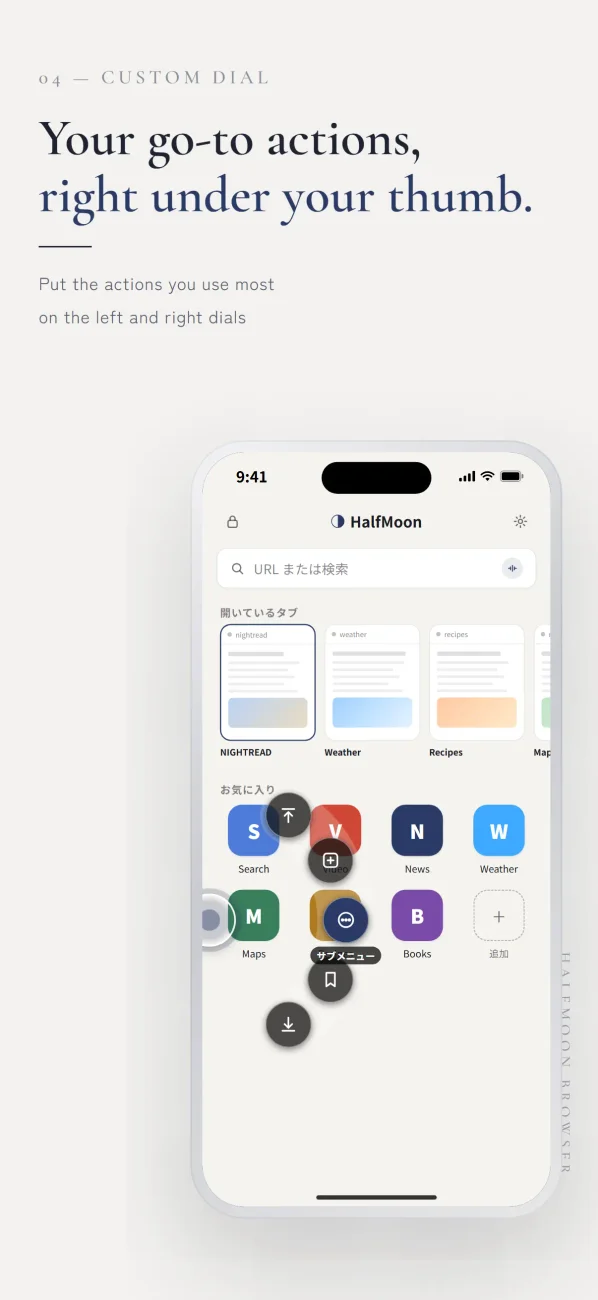
The contents of the dial can be edited at any time from the settings.
• Add, delete, and rearrange items
• Swap left and right dials (switch between dominant and non-dominant hands)
• Two operation modes (hold & release / tap switching)
• Adjust dial size from 0.8x to 1.8x
• Adjust haptic feedback intensity
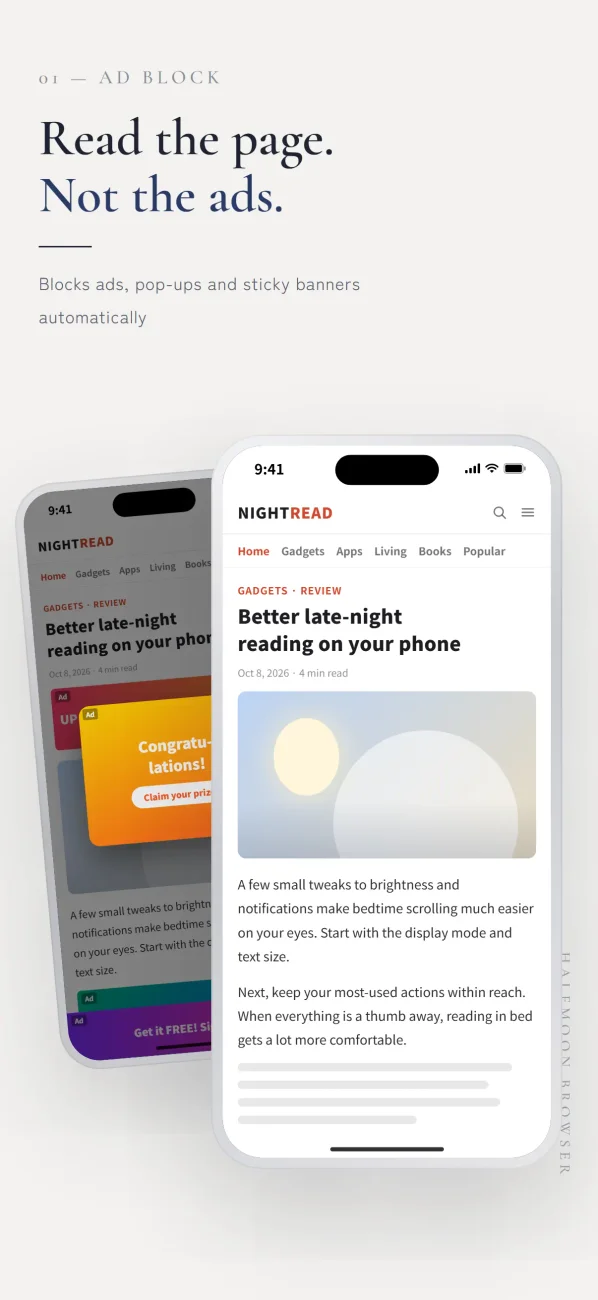
■ Unprecedentedly powerful ad blocking
HalfMoon's ad blocking operates with a three-layer structure.
• Layer 1: URL filtering blocks over 200 ad-delivery domains at the communication level
• Layer 2: CSS hiding removes ad containers from the screen
• Layer 3: Detection bypass (prevents "Please unblock ads" warnings and automatic ad reloads)
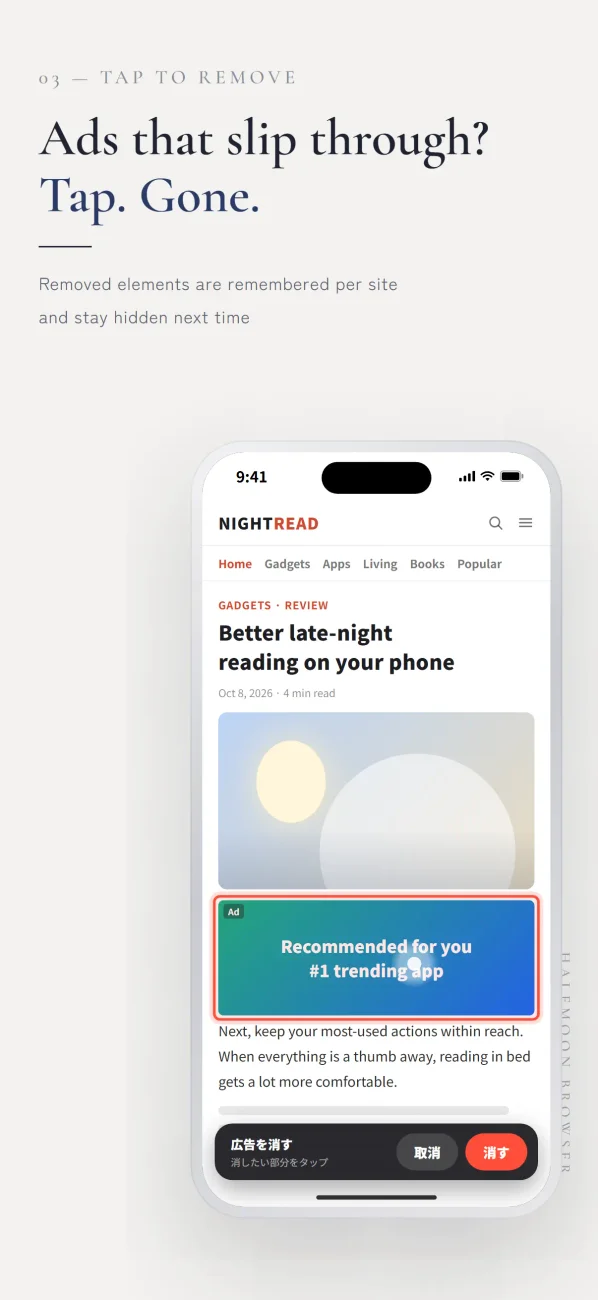
Furthermore, ads that were not completely blocked by the filter can be manually removed with a single tap from the "Remove Ads" submenu. Hidden selectors are remembered per site, so they will be hidden from the start the next time you open the site.
■ Other Features
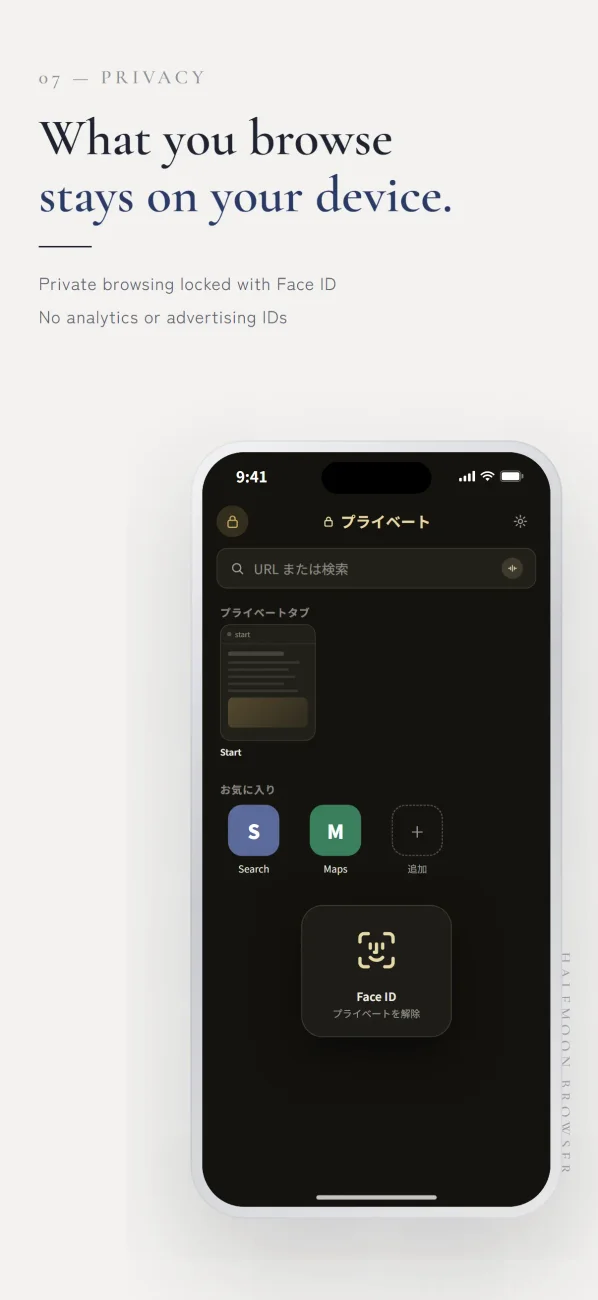
• Private Browser (Protected by Face ID / Touch ID)
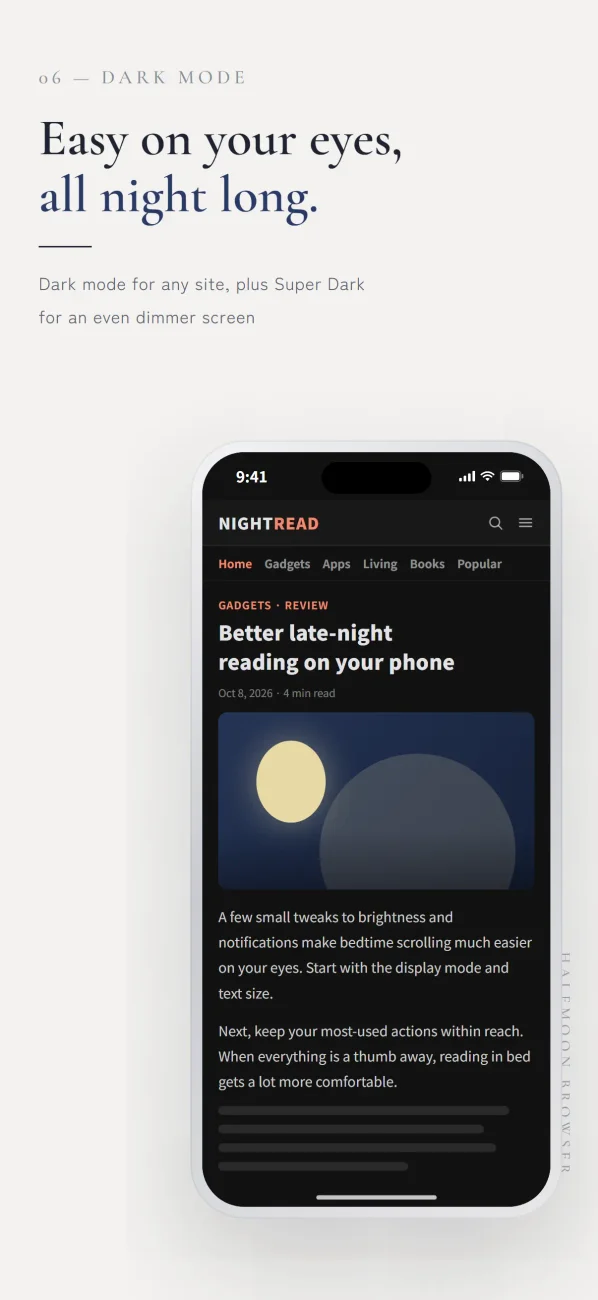
• Forced Dark Mode (Inverts white background sites to darker display)
• Super Dark (Darks the entire screen, adjustable from 10-85%)
• Password Save (Encrypted to Keychain on your device)
• Site Data / Download / History Management
■ About the Pro Version
Almost all features of HalfMoon Browser are available for free.
If you like it, please support us by purchasing the Pro version.
The following features are unlocked with a one-time purchase:
• Expands the number of dial items from 6 to 12 each
• Favorites exclusive to Private Mode
■ Privacy
This app does not send user browsing data to the developer's servers. History, bookmarks, and passwords are all stored on your device. We do not use analytics tools, crash report SDKs, or collect advertising IDs (IDFA).
Có gì mới
Phiên bản 1.3.4 · 11/11/2026
・Dial controls can now be turned off
- Added a setting to turn off dial controls (Settings › Dial & Controls › Dial Controls; on by default).
- When turned off, a Safari-style action bar is always shown at the bottom of the screen.
- You can choose and reorder the action bar buttons, from 1 to 6 (by default: Back, Forward, Tabs, Search/URL, Submenu).
- You can also keep the dial on and use the action bar alongside it (Settings › Tabs & Toolbar › Show Action Bar).
- If you were already using the action bar, your previous button layout is kept.
・Bug fixes
- Fixed the App Store not opening from pages that redirect to it right away, such as pages opened from a QR code scanned with the camera.
- Fixed another ad (a product card) appearing in place of a removed ad on some news-roundup sites.
- Fixed product image slideshows on some sites being shifted and cut off on the left.
- Fixed the bottom of the page being slightly hidden while the action bar or the tab strip is shown.
・Other
- Other stability improvements.
Quyền riêng tư của ứng dụng
Những gì Kotaro Tominaga khai báo trên App Store về cách ứng dụng này xử lý dữ liệu.
-
Dữ liệu không được thu thập
Nhà phát triển không thu thập bất kỳ dữ liệu nào từ ứng dụng này.
Phương thức đảm bảo quyền riêng tư có thể khác nhau, chẳng hạn như tuỳ theo các tính năng bạn sử dụng hoặc độ tuổi của bạn.
Thông tin
- Người bán
- Kotaro Tominaga
- Danh mục
- Tiện Ích
- Phiên bản
- 1.3.4
- Cập nhật
- 11/11/2026
- Phát hành
- 22/04/2026
- Kích thước
- 5,5 MB
- Yêu cầu
- iOS 16.0 trở lên
- Độ tuổi
- 17+
- Giá
- Miễn phí
- Mua hàng trong ứng dụng
- Có
- Ngôn ngữ
- Tiếng Nhật
- Bản quyền
- © 2026 Kotaro Tominaga