
- Độ tuổi4+
- Danh mụcDẫn Đường
- Nhà phát triểnJonas Hedberg
- Ngôn ngữTiếng Tây Ban Nha+ 46 ngôn ngữ khác
- Kích thước6,8 MB
Liên kết đến trang App Store chính thức
Download.org không lưu trữ tệp nào của Helm Aware. Nút này mở trang ứng dụng trên App Store, nơi Jonas Hedberg phát hành ứng dụng. Trang được kiểm tra lần cuối: 08/11/2026.
Ảnh chụp màn hình



Giới thiệu
Nhà phát triển chưa cung cấp nội dung này bằng ngôn ngữ của bạn.
Helm Aware gives you a clear view of speed and trip information on your iPhone, whether you are sailing or cruising under power.
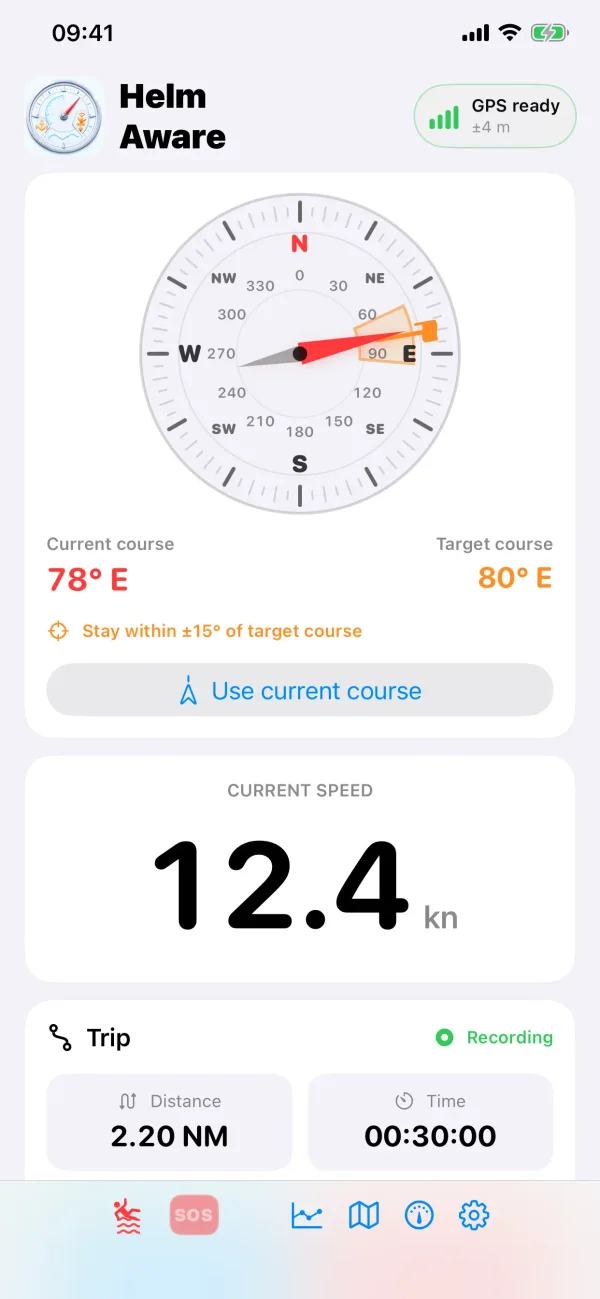
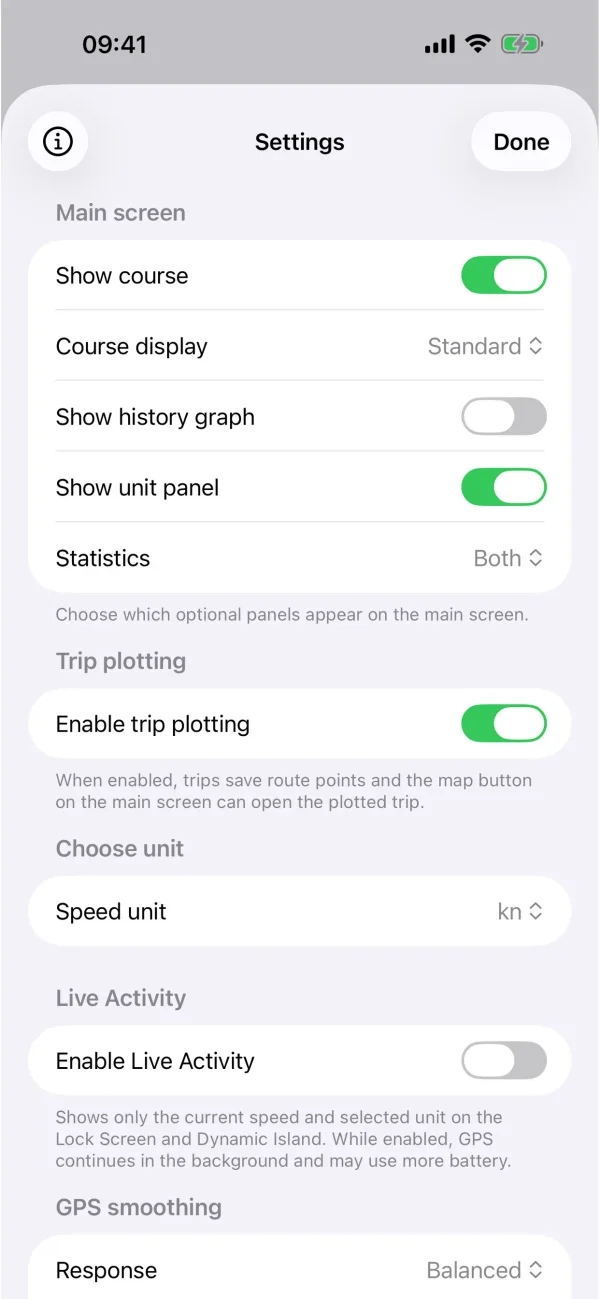
Read GPS speed over ground in knots, km/h, mph or m/s. Choose Direct, Balanced or Stable smoothing and check the GPS reception and accuracy status.
Start, pause, resume and stop a trip to measure distance and time. Enable trip plotting to see your recorded track on an Apple Maps map. Starting a new trip clears the previous track and speed history.
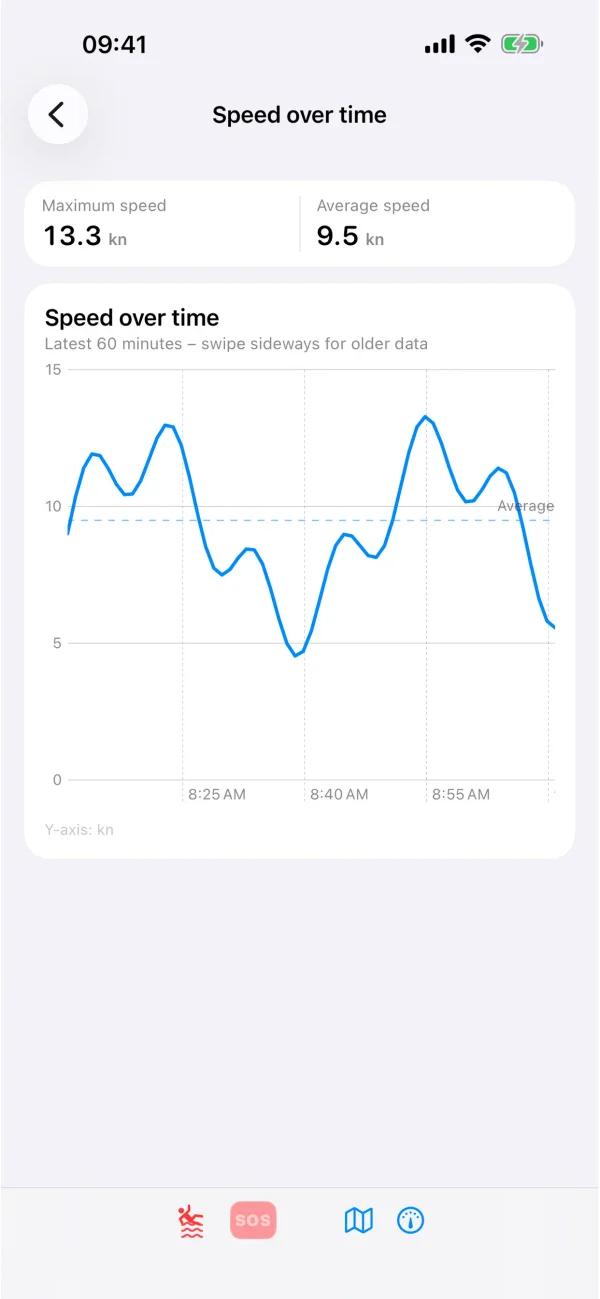
See maximum speed and time-weighted average speed, with separate resets. The speed graph shows a 60-minute window; swipe to browse older recorded samples. Open the dedicated history screen or keep the graph on your main screen.
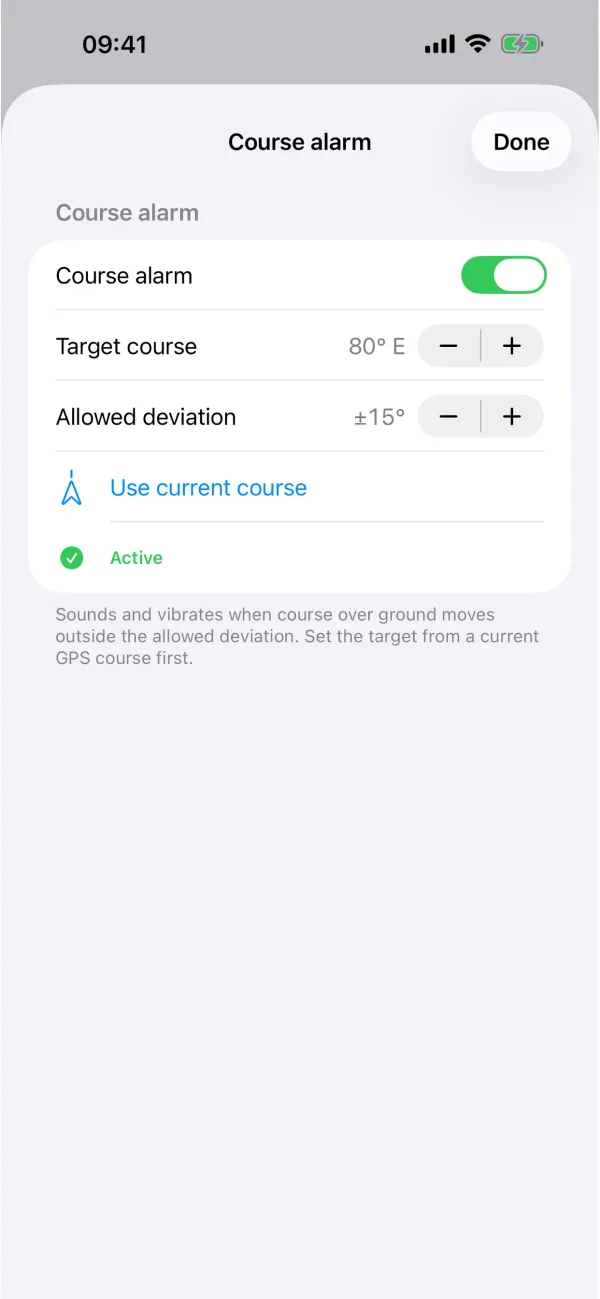
Choose a compact course display or a large compass. The app uses the iPhone’s compass heading when available and falls back to GPS course over ground. The compass reflects the phone’s orientation, which may differ from the boat’s course. Set a target and tolerance to see the allowed sector on the main compass.
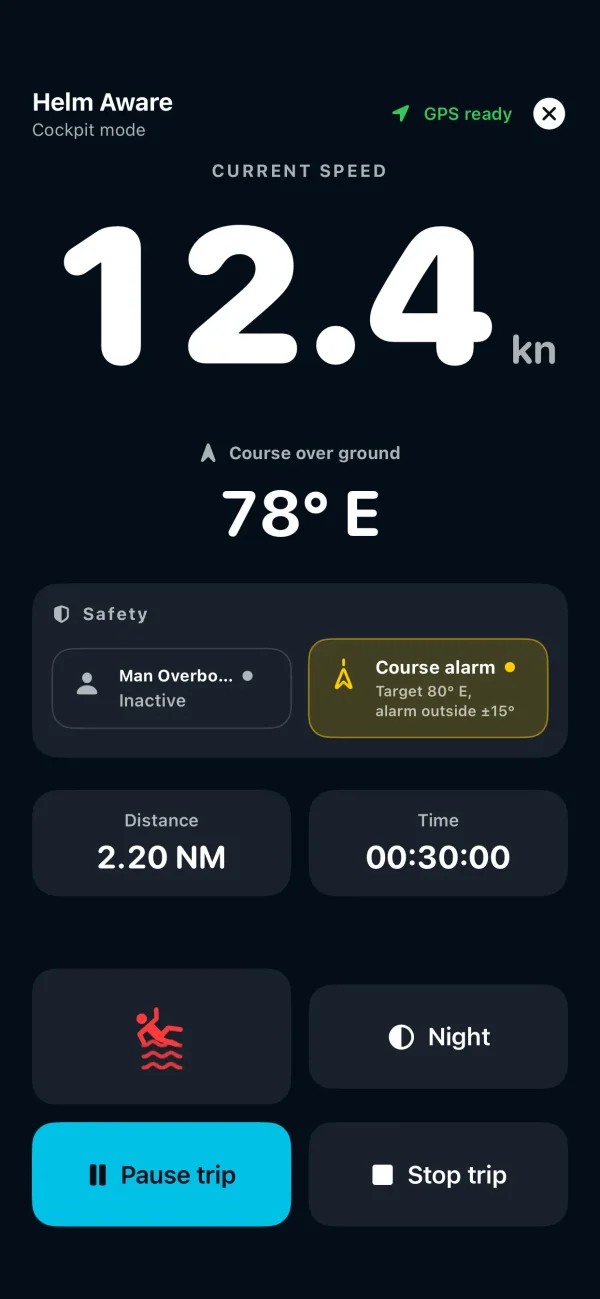
Cockpit mode keeps the screen awake and shows large instruments in portrait or landscape, with Day, Night and High Contrast styles. Customize the main screen by showing or hiding the course, graph and unit selector, and choose where maximum and average speed appear.
Set a speed limit, a course target with adjustable tolerance, or an anchor position with a radius from 10 to 500 meters. Speed, course and anchor alerts work only while the app is active in the foreground. Sound and vibration depend on your device settings.
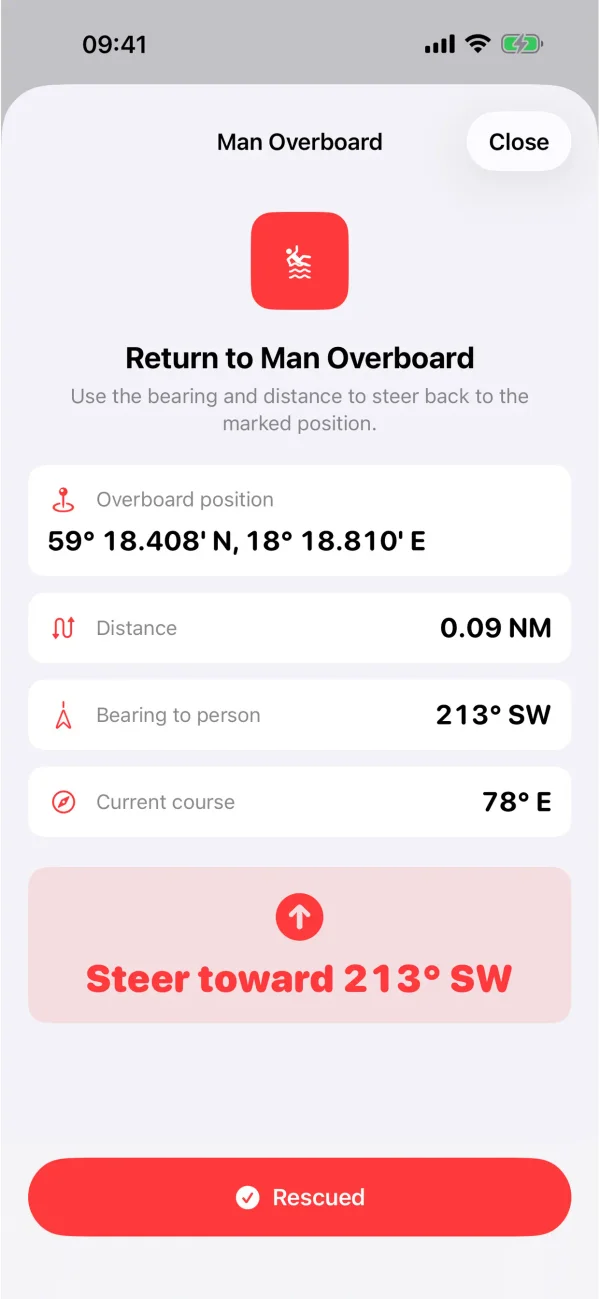
Man Overboard (MOB) saves a position and shows its coordinates, bearing and distance. If no fresh position is available, it waits for the next valid fix. It guides you to the saved point; it does not track a person. The SOS light flashes a Morse signal with the iPhone’s flashlight when available. Neither feature contacts emergency services.
Enable Live Activity in Settings to show current speed and the selected unit on the Lock Screen and, on compatible iPhones, in the Dynamic Island. GPS and an unpaused trip can continue in the background only while Live Activity is active. Background GPS can increase battery use. Alerts remain limited to the foreground.
No account, ads or analytics. Measurements and settings are stored locally; the developer does not collect them. The map uses Apple Maps, may require internet access and is subject to Apple’s privacy practices.
Requires iPhone with iOS 26 or later and location permission. Precise Location is recommended. Accuracy depends on GPS reception and compass conditions. Helm Aware is a supplementary information tool, not a certified navigation instrument, nautical chart or substitute for proper navigation and emergency equipment.
Có gì mới
Phiên bản 1.1 · 09/09/2026
Minor UI changes. Added flashlight SOS blinking feature.
Quyền riêng tư của ứng dụng
Những gì Jonas Hedberg khai báo trên App Store về cách ứng dụng này xử lý dữ liệu.
-
Dữ liệu không được thu thập
Nhà phát triển không thu thập bất kỳ dữ liệu nào từ ứng dụng này.
Phương thức đảm bảo quyền riêng tư có thể khác nhau, chẳng hạn như tuỳ theo các tính năng bạn sử dụng hoặc độ tuổi của bạn.
Thông tin
- Người bán
- Jonas Hedberg
- Danh mục
- Dẫn Đường
- Phiên bản
- 1.1
- Cập nhật
- 09/09/2026
- Phát hành
- 08/09/2026
- Kích thước
- 6,8 MB
- Yêu cầu
- iOS 26.0 trở lên
- Độ tuổi
- 4+
- Giá
- Miễn phí
- Ngôn ngữ
- Tiếng Tây Ban Nha, Tiếng Đức, Bengali, Tiếng Kannada, Tiếng Catalan, Tiếng Séc, Tiếng Trung Giản thể, Tiếng Trung Phồn thể, Tiếng Hàn, Tiếng Croatia, Tiếng Đan Mạch, Tiếng Slovak + 35 ngôn ngữ khác
- Bản quyền
- © 2026 Jonas Hedberg
Có thể bạn cũng thích
-
 PyNavDẫn Đường
-
 DriveDomeDẫn Đường
-
 Flight Velocity: Flight GPSDẫn Đường
-
 Rhumb: Boat GPS & Sea ChartDẫn Đường
-
 Guru Maps Pro: Outdoor TravelPlan routes with multi-stops
-
 Sổ nhật ký tàuSailor's Log & GPS Tracker
-
 SkyTimer: Log Flights & FuelDẫn Đường
-
 Västkustens NaturhamnarDu Lịch
-
 Yonder - Live Flight TrackerDu Lịch
-
 Mina TågDu Lịch