
Hinokoto Timer
Pomodoro, Intervals & Timers
Được thiết kế cho iPhone, iPad, iPod touch
Miễn phí
- Độ tuổi4+
- Danh mụcHiệu Suất
- Nhà phát triểnHirohisa Fujita
- Ngôn ngữTiếng Anh+ 11 ngôn ngữ khác
- Kích thước69,2 MB
Liên kết đến trang App Store chính thức
Download.org không lưu trữ tệp nào của Hinokoto Timer. Nút này mở trang ứng dụng trên App Store, nơi Hirohisa Fujita phát hành ứng dụng. Trang được kiểm tra lần cuối: 17/11/2026.
Ảnh chụp màn hình




Giới thiệu
Nhà phát triển chưa cung cấp nội dung này bằng ngôn ngữ của bạn.
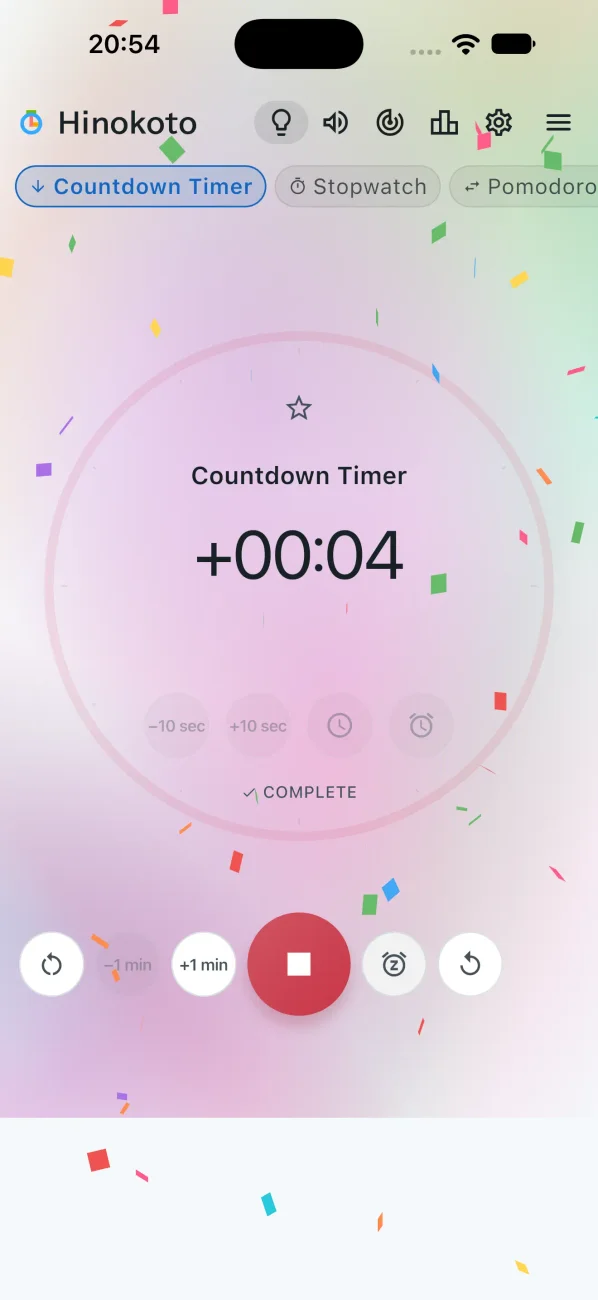
Hinokoto Timer is a timer and stopwatch app with a dedicated mode for each task: studying, focused work, workouts or cooking. Go from a quick countdown to interval rounds, up to 12 timers running at once or study time logged by subject, all in one app.
Timers for every task
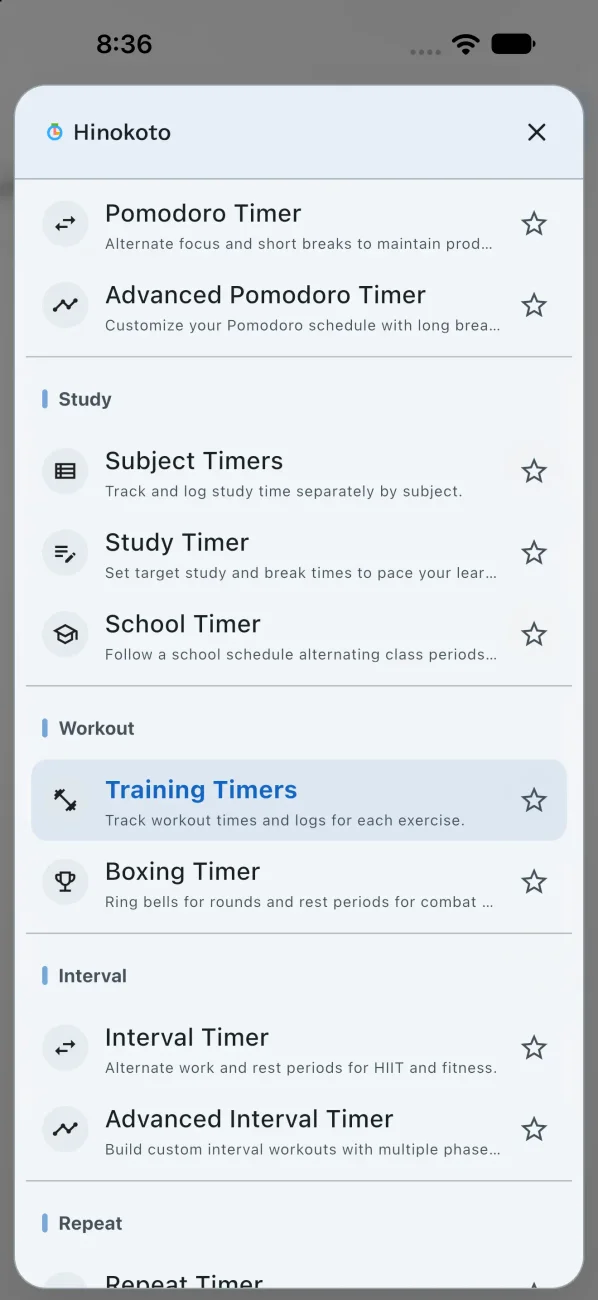
- Countdown: pick a common duration from the list and start; the finish time appears on screen
- Multi Timer: run up to 12 countdowns at once, each with its own name and duration
- Focus and break cycles: repeat 25 minutes of work and 5 minutes of rest, or combine stages of your own in the advanced version
- Study Timer and School Timer: divide study time into class-style periods and breaks
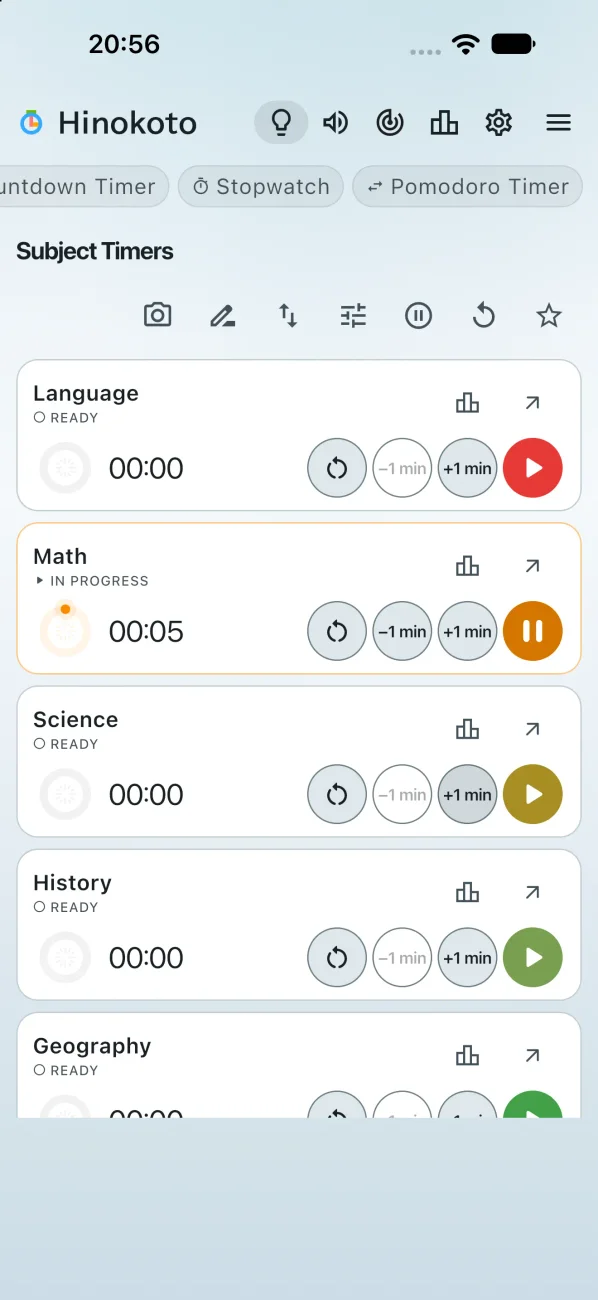
- Subject Timers: track study time for 12 subjects on one screen
- Interval, Boxing, Repeat and EMOM: set each interval, the number of rounds and a pre-start countdown
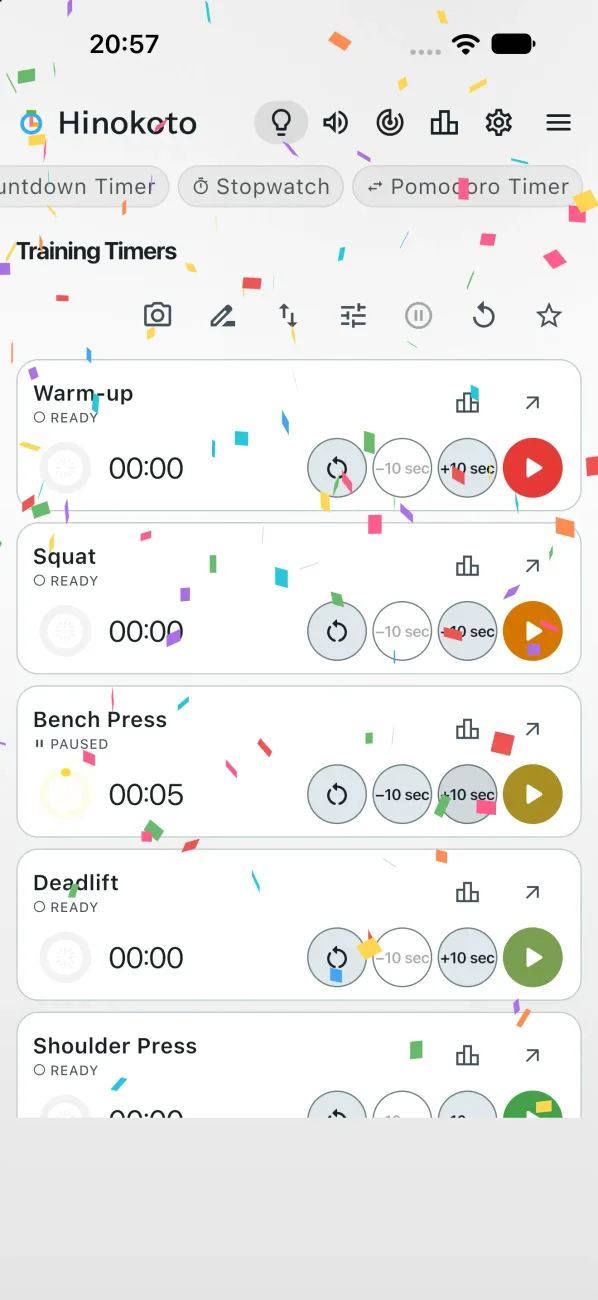
- Training Timers: log time for 12 exercises on one screen
- Stopwatch with laps and splits, plus a count-up timer
Alerts that get noticed
- 30 sounds, a 3-second countdown beep, vibration, a screen flash and confetti
- Optional voice cues announce each new segment, 10 seconds left, the final round and the end
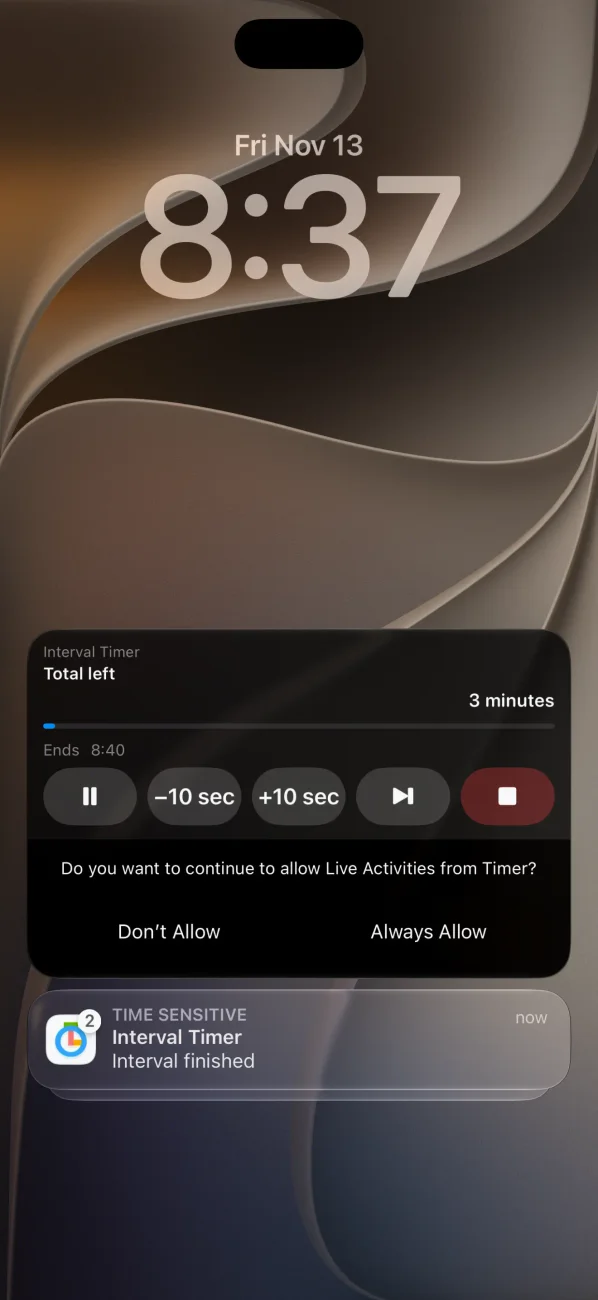
- A notification when a timer ends, even with the app closed
- On supported devices, the remaining time appears on the Lock Screen with controls such as pause and add time
- On iOS 26 or later, an optional setting rings the end as an alarm, even in Silent mode or a Focus
Easy to read mid-session
- Full-screen lock shows the time in large digits and guards against accidental taps; press and hold to unlock
- Keep the screen on while a timer runs
Records and stats
- Running time, a work log with memos, operation history and stopwatch laps are saved automatically
- Daily, weekly, monthly and yearly totals, comparison with the previous period and a breakdown by timer
- Set a daily goal and follow your progress and streak
- Save today's study record or a stopwatch result as an image
- Export your history as a CSV file
Ready when you are
- Save frequently used setups under a name in My Timers (up to 100) and find them by search
- Open a saved timer straight from a Home Screen or Lock Screen widget or a shortcut, and check it before you start
- Share a timer's time settings as a link; settings you receive are shown for review before you import them
- Pin favorite timers to the top of the menu
- Two designs, Classic and Circle, 16 backgrounds and dark mode support
- Back up settings and history to a file and restore them on a new device
When to use it
- Exam preparation and study sessions
- Working from home with regular breaks
- Strength training, HIIT and boxing rounds
- Timing several dishes or chores at once
- Keeping classes or meetings on schedule
Good to know
- The app shows ads.
- No account or sign-in is needed. Settings and history are stored on your device.
- To improve the app, investigate problems and show ads, usage and device information may be sent to third-party services. In some regions, you can choose in the app whether to share usage analytics and crash diagnostics.
- Notifications are used to tell you when a timer ends and how much time is left. You can still use timers on screen without allowing them.
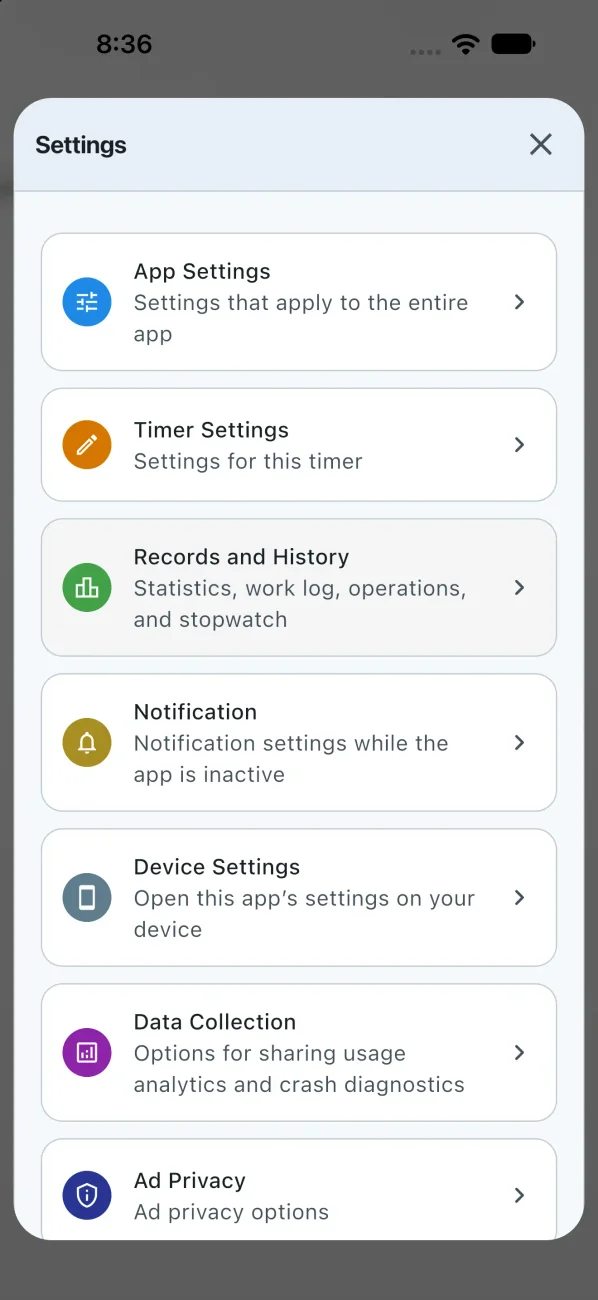
- Contact and privacy policy links are in the app menu.
Có gì mới
Phiên bản 1.10.0 · 13/11/2026
- Open My Timers from widgets, Control Center and Shortcuts.
- Voice Cues and Flash screen now signal phase changes by voice and on screen.
- Fullscreen Lock prevents accidental taps during a run.
- Countdown Timer adds Set by End Time and Pre-finish Warning, and − now shortens a running timer.
- Multi Timer now runs up to 12 timers. Save today's records and stopwatch results as images.
Quyền riêng tư của ứng dụng
Những gì Hirohisa Fujita khai báo trên App Store về cách ứng dụng này xử lý dữ liệu.
-
Dữ liệu liên kết với bạn
Có thể được thu thập và liên kết với danh tính của bạn.
- Vị trí
- Mã định danh
- Dữ liệu sử dụng
- Chẩn đoán
-
Dữ liệu không liên kết với bạn
Có thể được thu thập nhưng không liên kết với danh tính của bạn.
- Mã định danh
- Dữ liệu sử dụng
- Chẩn đoán
Phương thức đảm bảo quyền riêng tư có thể khác nhau, chẳng hạn như tuỳ theo các tính năng bạn sử dụng hoặc độ tuổi của bạn.
Thông tin
- Người bán
- Hirohisa Fujita
- Danh mục
- Hiệu Suất
- Phiên bản
- 1.10.0
- Cập nhật
- 13/11/2026
- Phát hành
- 22/07/2025
- Kích thước
- 69,2 MB
- Yêu cầu
- iOS 15.0 trở lên
- Độ tuổi
- 4+
- Giá
- Miễn phí
- Ngôn ngữ
- Tiếng Anh, Tiếng Hà Lan, Tiếng Pháp, Tiếng Đức, Tiếng Ý, Tiếng Nhật, Tiếng Hàn, Tiếng Bồ Đào Nha, Tiếng Nga, Tiếng Trung Giản thể, Tiếng Tây Ban Nha, Tiếng Trung Phồn thể
- Bản quyền
- © 2025 Hinokoto Studio
Có thể bạn cũng thích
-
 Timers – HIIT & Interval TimerHiệu Suất
-
 Simple Pomodoro Timer - DoroHiệu Suất
-
 Pomodoro Timer - Focus KeeperHiệu Suất
-
 DeltaAlert - Change MonitorHiệu Suất
-
 +1 Timer - Multiple timersHiệu Suất
-
 ポモドーロタイマー|勉強・作業の集中タイマーHiệu Suất
-
 Shake tally counterHiệu Suất
-
 Rerun TimerHiệu Suất
-
 Pomodoro! Focus & Study TimerHiệu Suất
-
 2Tap Timer - Simple & FastHiệu Suất