i-Ride
i-Ride Tracking & Analisys
Được thiết kế cho iPhone, iPod touch
Miễn phí · Mua hàng trong ứng dụng
- Độ tuổi4+
- Danh mụcDẫn Đường
- Nhà phát triểnG-Mobile
- Ngôn ngữTiếng Anh
- Kích thước6,6 MB
Liên kết đến trang App Store chính thức
Download.org không lưu trữ tệp nào của i-Ride. Nút này mở trang ứng dụng trên App Store, nơi G-Mobile phát hành ứng dụng. Trang được kiểm tra lần cuối: 09/11/2026.
Ảnh chụp màn hình



Giới thiệu
Nhà phát triển chưa cung cấp nội dung này bằng ngôn ngữ của bạn.
All motorcyclists are interested in knowing at which lean angle they have traveled a curve, what is the maximum speed reached in a straight line and where they have made the greatest lean to the right or to the left, where they have reached the highest speed. All this information can be accessed through the i-Ride app.
The use of i-Ride has two different moments:
- While riding the motorcycle
- After the motorcycle ride
In both situations, i-Ride makes the most important and exhaustive information available and usable for the motorcyclist.
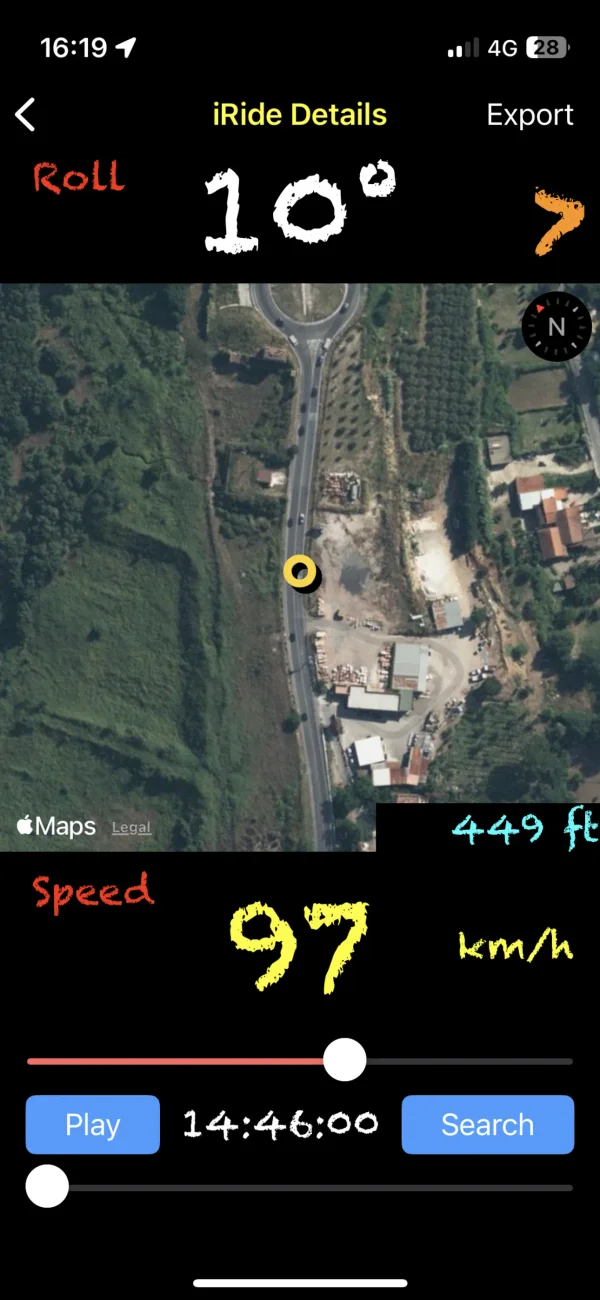
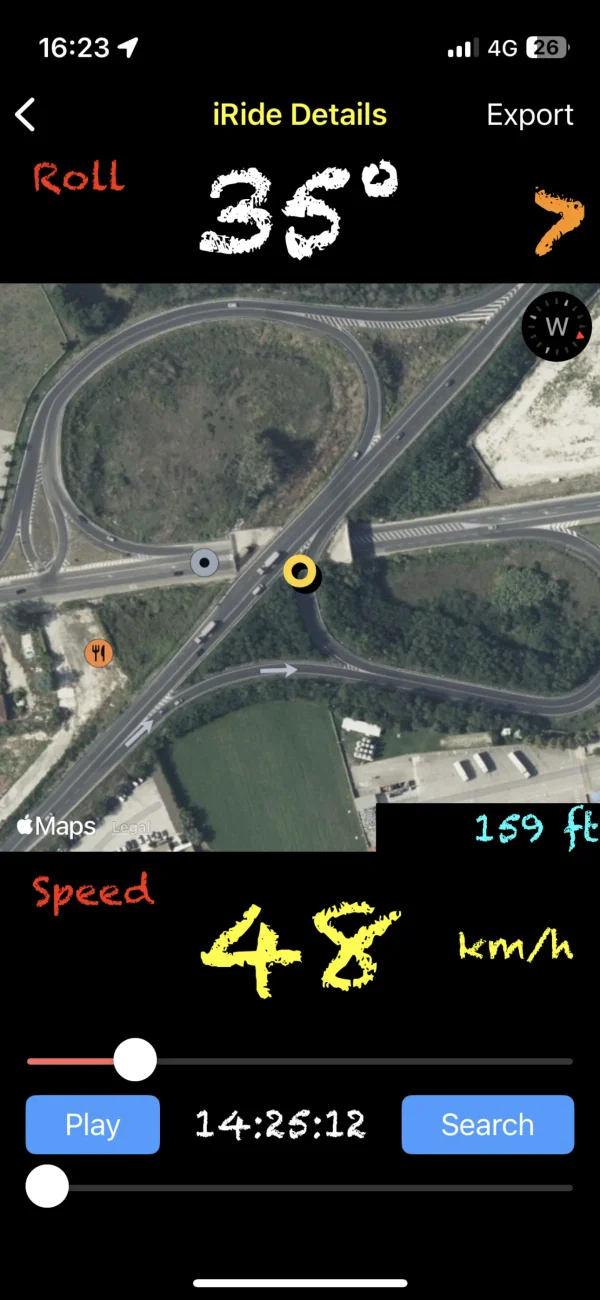
While riding the motorcycle, i-Ride provides the motorcyclist with 2 main information in numerical form, Lean Angle and Speed, and a moving map that allows you to see where you are and the road you are travelling; in this phase the motorcyclist can decide to record all the measured quantities and then analyze them when he has finished the ride.
To start recording, simply press the [Start] key with the bottom left of the time elapsed from the start of the recording, to end the recording, simply press the [Stop] key.
The data visible while driving are:
- in the upper part the bend angle (Roll) with indication of the side involved in the bend
- in the center you can see the map with the current position of the motorcycle
- at the bottom, the current speed indicator (Speed) in km/h.
For iPhones equipped with an altimeter, the altitude with respect to sea level in feet (ft) is available at the bottom right of the map.
The map rotates according to two directions, according to the Heading of the phone or according to the Course (Track) being followed, the choice can be made with the Switch (Course) available at the bottom right.
While driving it is advisable to keep your eyes on the road and to take just a few glances at the display, thanks to an available function it is possible to keep the main parameters of interest, Lean Angle and Speed, on the display for a few seconds with the maximum value reached in a curve, for lean (Roll), or along a straight line, for speed (Speed).
To activate this option, simply click on the value of the quantity of interest and a box will appear at the top right which will continue to keep the value of the quantity (Angle or Velocity) in real time, while the larger display will keep the maximum value reached in the last seconds.
In the hypothesis in which it is not possible to mount the iPhone so that it measures a lean angle of 0 degrees with the bike perfectly straight, it is possible to calibrate the lean angle measurement simply by positioning the bike in a straight position and, after fixing the 'iPhone in the appropriate rigid support, press on the map or on the 'Roll' label; at that point the Roll indicator will reset and a border will appear around the writing 'Roll' at the top left to indicate that the lean angle measured refers to a calibration performed by the user, pressing again on the map or on the 'Roll' label the situation returns to that previous and the border around the writing 'Roll' disappears.
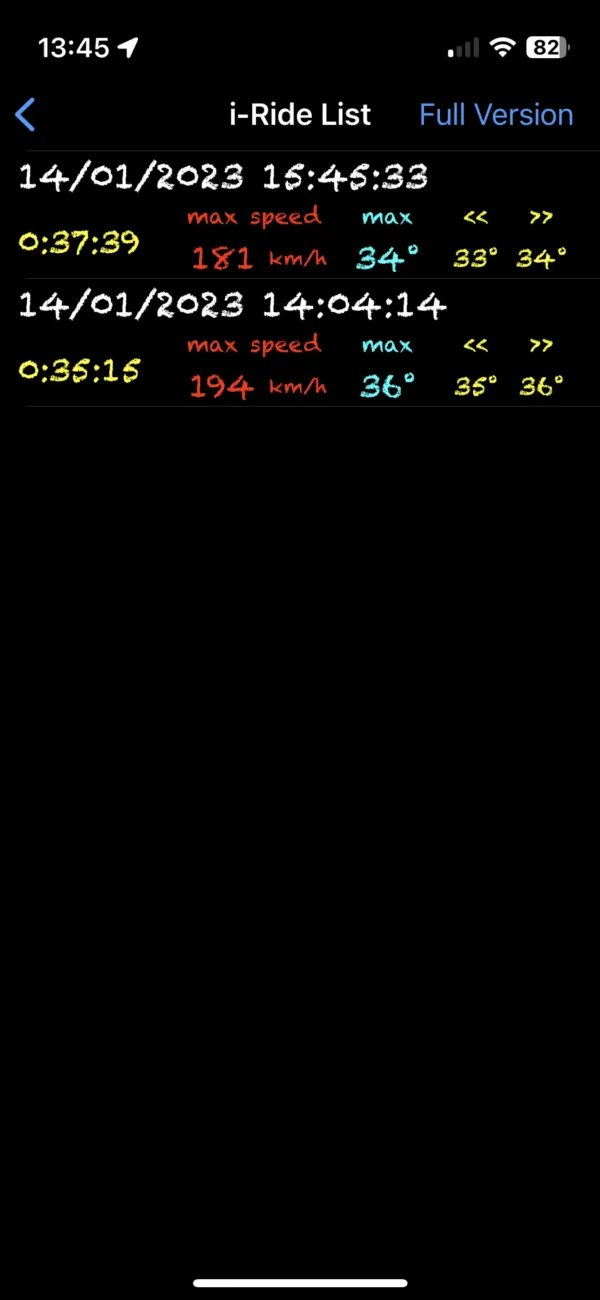
At the end of the recording it is possible to pass to the analysis phase by pressing the [i-Rides] key which will present a list of recordings ordered from the most recent to the oldest with a numerical summary of the main characteristics of the ride to which they refer. By pressing a row in the list it is possible to review all the parameters instant by instant of the recording.
The same quantities available while driving appear on the display and it is possible to go back and forth in time using the 2 spiders at the bottom, the second one has a finer time scale than the first.
It is possible to identify, including all the parameters, the places of maximum lean to the left or to the right and the place of maximum speed, just press the left lean indicator, the right lean indicator and the speed value respectively.
Có gì mới
Phiên bản 1.33 · 18/06/2026
Small bug fix
Quyền riêng tư của ứng dụng
Những gì G-Mobile khai báo trên App Store về cách ứng dụng này xử lý dữ liệu.
-
Dữ liệu không được thu thập
Nhà phát triển không thu thập bất kỳ dữ liệu nào từ ứng dụng này.
Phương thức đảm bảo quyền riêng tư có thể khác nhau, chẳng hạn như tuỳ theo các tính năng bạn sử dụng hoặc độ tuổi của bạn.
Thông tin
- Người bán
- Carlo Di Benedetto
- Danh mục
- Dẫn Đường
- Phiên bản
- 1.33
- Cập nhật
- 18/06/2026
- Phát hành
- 30/01/2023
- Kích thước
- 6,6 MB
- Yêu cầu
- iOS 15.0 trở lên
- Độ tuổi
- 4+
- Giá
- Miễn phí
- Mua hàng trong ứng dụng
- Có
- Ngôn ngữ
- Tiếng Anh
- Bản quyền
- © GMobile
Có thể bạn cũng thích
-
 MotoSema: Telemetry, GPS, LeanDẫn Đường
-
 MotoSpeed: Ride TelemetryDẫn Đường
-
 MapRaceDẫn Đường
-
 3pLevel: Off-Road InclinometerDẫn Đường
-
 TutorGo: Velocità Media TutorDẫn Đường
-
 Riccò del Golfo di SpeziaDu Lịch
-
 Riders4LifeDẫn Đường
-
 I Kawalieri di AkashiDu Lịch
-
 CoDrive CopilotDẫn Đường
-
 Fast Meter - GPS SpeedometerDẫn Đường