
- Độ tuổi4+
- Danh mụcHiệu Suất
- Nhà phát triểnCenk Celik
- Ngôn ngữTiếng Anh+ 3 ngôn ngữ khác
- Kích thước7,8 MB
Liên kết đến trang App Store chính thức
Download.org không lưu trữ tệp nào của iMeanIt. Nút này mở trang ứng dụng trên App Store, nơi Cenk Celik phát hành ứng dụng. Trang được kiểm tra lần cuối: 20/11/2026.
Ảnh chụp màn hình

Giới thiệu
Nhà phát triển chưa cung cấp nội dung này bằng ngôn ngữ của bạn.
iMeanIt – Highlight Words. Forever.
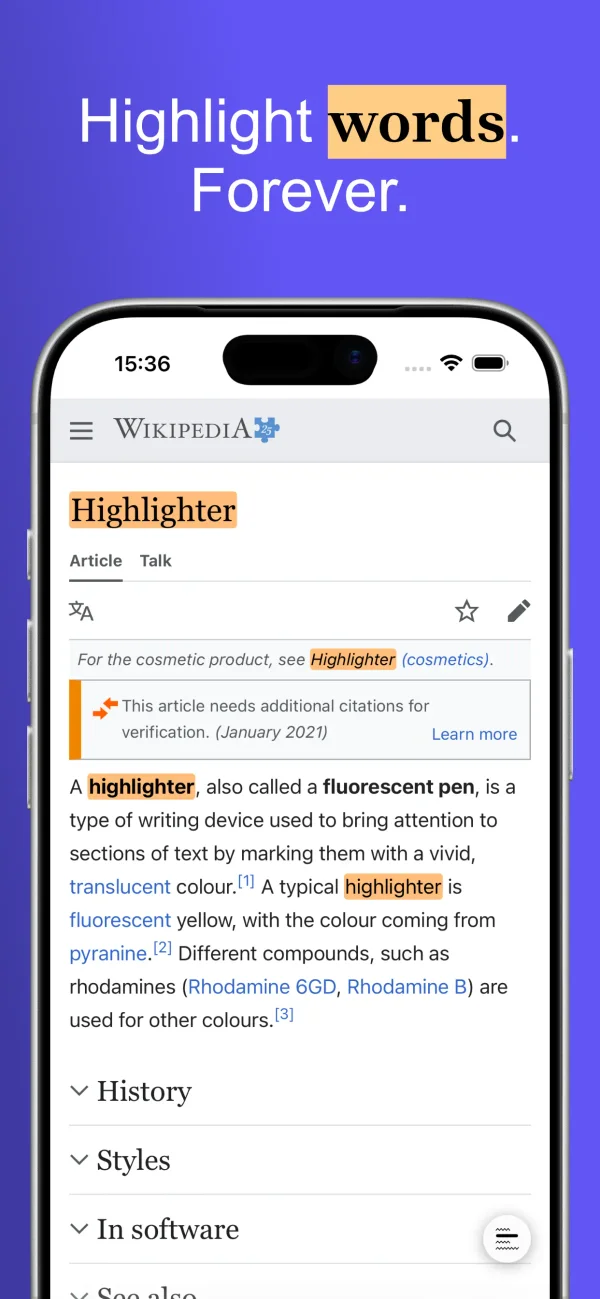
Effortlessly highlight words, look up definitions, add notes, quiz yourself and recall everything directly on any webpage.
iMeanIt is a Safari extension that helps you stay organised and learn while browsing. Whether you're building vocabulary, studying or tracking important information, iMeanIt lets you highlight words, look up definitions in 27 languages, add notes and keep them permanently. Your highlights stay visible even after refreshing or revisiting the page.
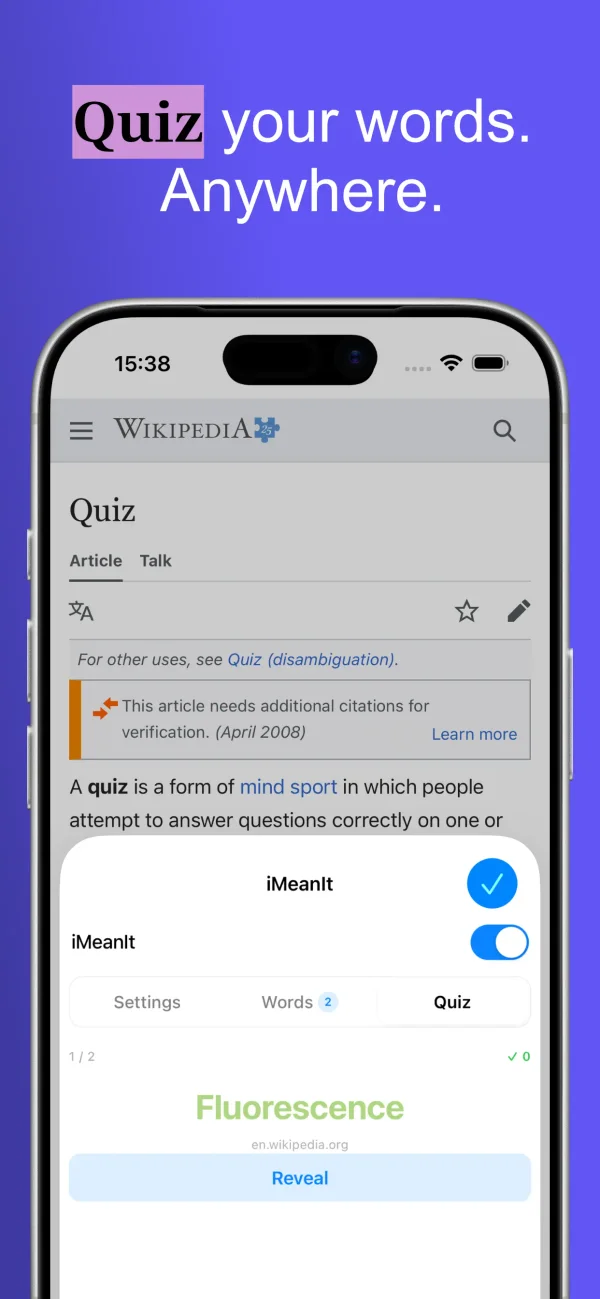
Browse your saved words, filter by category or source site, and test yourself with the built-in quiz. Export your vocabulary as a CSV for flashcard apps or import words from another source.
Key Features
Highlight words: Quickly highlight any word on any webpage with a tap or double-click
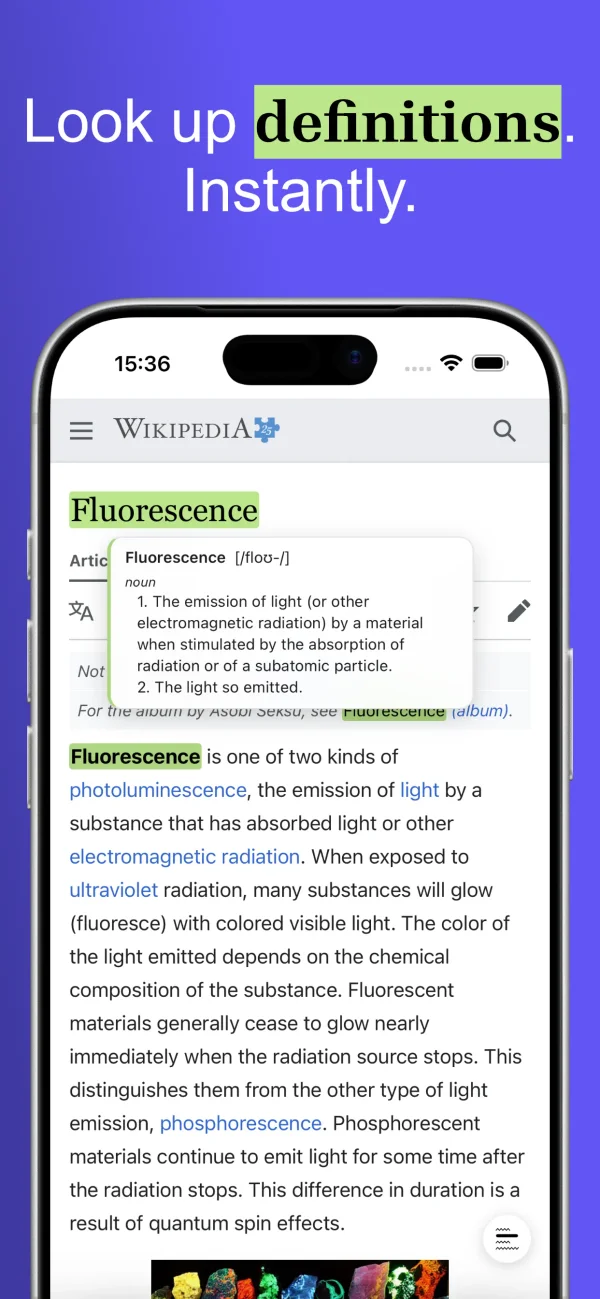
Look up definitions: Hover or tap a highlighted word to see its definition, phonetics, examples and synonyms — powered by Wiktionary's 8.5 million-word dictionary
Add notes and categories: Tap a highlighted word to add notes, organise words by category and see which site each word came from
Word list: Browse, search and manage all your saved words from the popup — filter by category or source site
Built-in quiz: Test yourself with flashcard-style review. See the word, reveal the definition, track your score
Permanent highlights: Annotations remain visible across pages — even after refreshing or navigating away
Undo: Accidentally removed a word? Tap Undo to restore it instantly
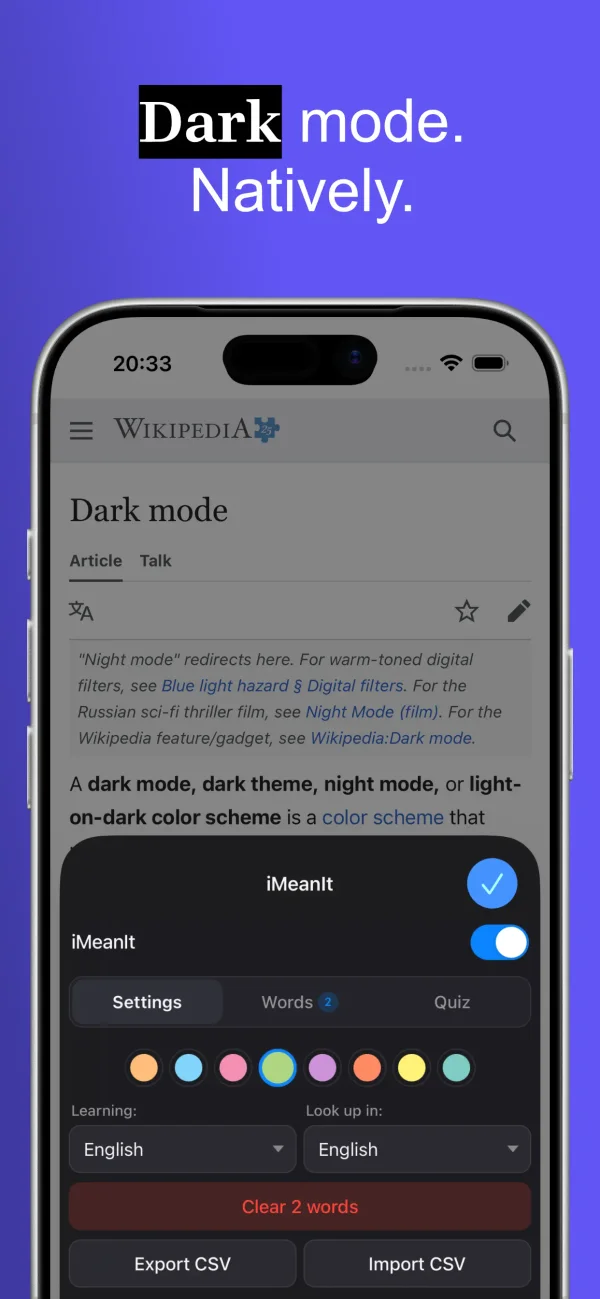
Export and import: Export your vocabulary as a properly formatted CSV with headers. Import words from CSV files to restore a backup or bring in vocabulary from another source
Works with dynamic content: Highlights appear on infinite-scroll pages, single-page apps and lazy-loaded articles
Offline definitions: Looked-up definitions are cached locally for instant access — even without an internet connection
Quick toggle on iOS: A floating button lets you pause highlighting so you can select and copy text normally, then resume with a single tap
Colourblind-friendly palette: Eight highlight colours designed to be distinguishable under all types of colour vision deficiency
Local and secure: Your data stays in your browser — no external servers, no tracking
Customisable: Edit notes, change highlight colours, switch between 27 languages for definitions
How It Works
- Tap and hold a word to highlight it
- Tap a highlighted word once to see its definition
- Tap again to add or edit notes, then Save and Close
- Tap and hold a highlighted word to remove the highlight
- Use the floating button to pause iMeanIt when you need to copy text
What iMeanIt Does NOT Do
- No clipboard access: iMeanIt respects your privacy — no access to your clipboard
- No external data transmission: All highlight and note data stays local — nothing is sent to external servers. Dictionary lookups and translations are fetched on demand and cached locally
- No impact on editors: iMeanIt doesn't interfere with dynamic tools like online word processors, code editors or form fields
- No tracking: iMeanIt doesn't track your browsing activity or collect personal data
Supported Languages
iMeanIt is built for language learners of all backgrounds. Definitions and translations are available in English, Turkish, Spanish, French, German, Chinese (Simplified), Greek, Arabic, Italian, Portuguese, Russian, Japanese, Korean, Hindi, Dutch, Swedish, Polish, Czech, Danish, Finnish, Hebrew, Vietnamese, Thai, Bengali, Tamil, Malay and Indonesian.
The app interface is localised in English, Turkish, Japanese and Chinese (Simplified).
Definitions powered by Wiktionary via FreeDictionaryAPI.com.
Có gì mới
Phiên bản 0.5.0 · 19/10/2026
iMeanIt 0.5 is our biggest update yet.
• A redesigned app, with a step-by-step guide to switching the extension on and a short tour of everything it can do
• Highlight phrases and idioms: select several words, then press “Highlight phrase”
• Look up the root: “broke” and “breaking” now show the meaning of “break”, across many languages
• Learn what you collect: a spaced-repetition quiz with flashcards and fill-in-the-blank cards, plus study streaks
• Every word remembers the sentence it came from
• Hear how a word is pronounced
• Manage your list: sort, select several words, then recolour, categorise or delete them together
• Export to your favourite flashcard app, or as CSV with sentences and pages
• Highlights no longer change how web pages are laid out, and selecting text on touch screens is smoother
Thank you for using iMeanIt!
Quyền riêng tư của ứng dụng
Những gì Cenk Celik khai báo trên App Store về cách ứng dụng này xử lý dữ liệu.
-
Dữ liệu không được thu thập
Nhà phát triển không thu thập bất kỳ dữ liệu nào từ ứng dụng này.
Phương thức đảm bảo quyền riêng tư có thể khác nhau, chẳng hạn như tuỳ theo các tính năng bạn sử dụng hoặc độ tuổi của bạn.
Thông tin
- Người bán
- Cenk Celik
- Danh mục
- Hiệu Suất
- Phiên bản
- 0.5.0
- Cập nhật
- 19/10/2026
- Phát hành
- 03/12/2025
- Kích thước
- 7,8 MB
- Yêu cầu
- iOS 18.6 trở lên
- Độ tuổi
- 4+
- Giá
- 119.000đ
- Ngôn ngữ
- Tiếng Anh, Tiếng Nhật, Tiếng Trung Giản thể, Tiếng Thổ Nhĩ Kỳ
- Bản quyền
- © 2026 Cenk Celik
Có thể bạn cũng thích
-
 NormactiveHiệu Suất
-
 MUNotes: AI Voice RecorderHiệu Suất
-
 Clipora·Đọc Sau & Học Ngôn NgữĐọc, nghe và dịch thông minh
-
 Calculator Keyboard - FasterHiệu Suất
-
 VPN Air - Bảo Mật Điện ThoạiChuyển Vùng và Đổi IP An Toàn
-
 Goal & Habit Tracker GridHiệu Suất
-
 SuperMind: Mind MappingProductivity,Planner,Organizer
-
 Chuyển ảnh sang pdf Và hìnhTạo file PDF từ JPG và PNG
-
 Day Counter & Tracker - SinceHiệu Suất
-
 LifeWheel Goal Habit TrackerHiệu Suất