ImgRef
Reference board, OCR Scanner
Được thiết kế cho iPhone, iPad, Mac, iPod touch
Miễn phí · Mua hàng trong ứng dụng
- Độ tuổi4+
- Danh mụcĐồ Họa & Thiết Kế
- Nhà phát triển文荣 李
- Ngôn ngữTiếng Anh+ 16 ngôn ngữ khác
- Kích thước75,9 MB
Liên kết đến trang App Store chính thức
Download.org không lưu trữ tệp nào của ImgRef. Nút này mở trang ứng dụng trên App Store, nơi 文荣 李 phát hành ứng dụng. Trang được kiểm tra lần cuối: 17/11/2026.
Ảnh chụp màn hình
Giới thiệu
Nhà phát triển chưa cung cấp nội dung này bằng ngôn ngữ của bạn.
「App Store Editor's Choice」 「98% 5-Star Ratings」 「Cross-Platform for iPhone/iPad/MacOS」
Redefine your creative workflow - an all-in-one tool combining mood boards, reference images, smart asset management, precise color picking, and free-form collaging across devices.
Designed for UI/brand/illustration/photography/architecture/video storyboard and other creative scenarios, this is your professional reference image and inspiration board on iPhone / iPad / macOS.
Core Features:
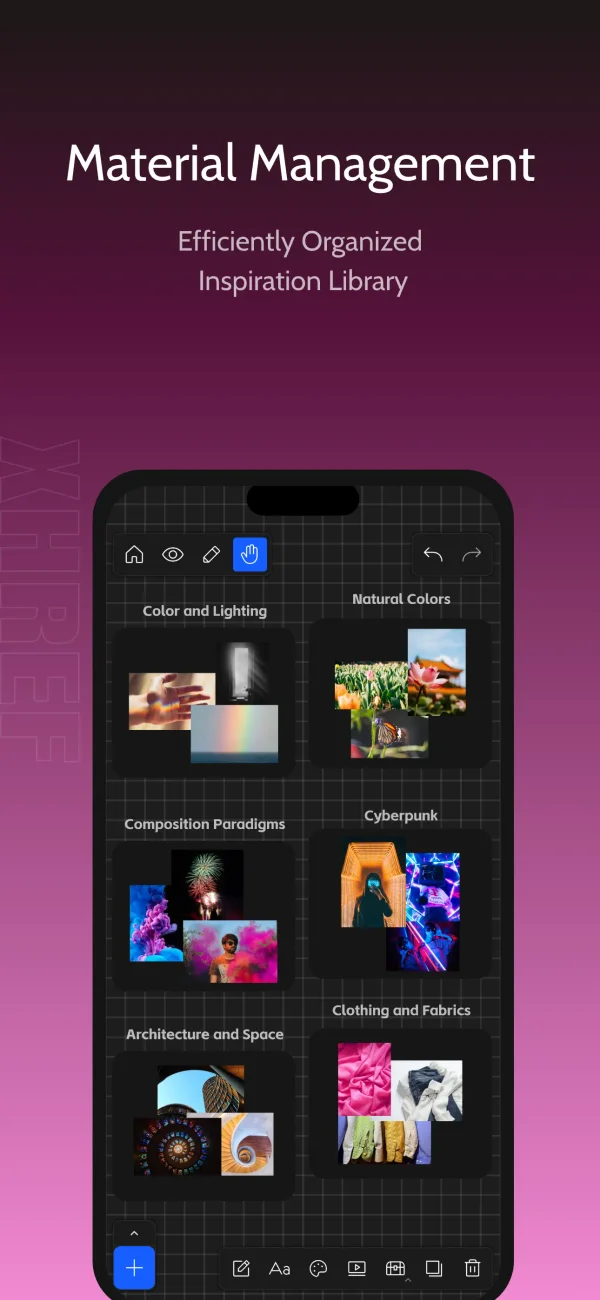
1. Unlimited Canvas: Smart caching and image management for large long-term libraries and smooth browsing.
2. Multi-Select Batch Processing: Select multiple images for adaptive scaling, smart layout, uniform size, copy, and alignment.
3. Professional Workflow: Full keyboard shortcuts (Mac / iPad keyboard) for faster frequent actions.
4. Image Editing: Rotate, crop, desaturate, flip, adjust opacity, layers, scale, and more.
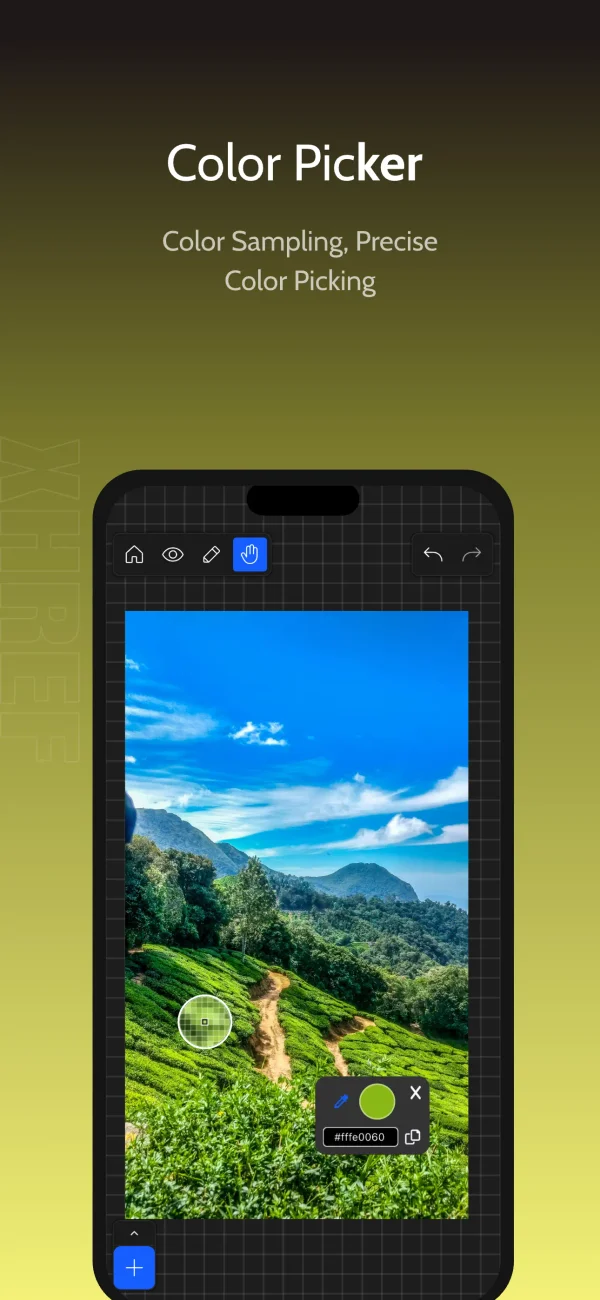
5. Dynamic Eyedropper: Pick any canvas color in real time and get common color codes.
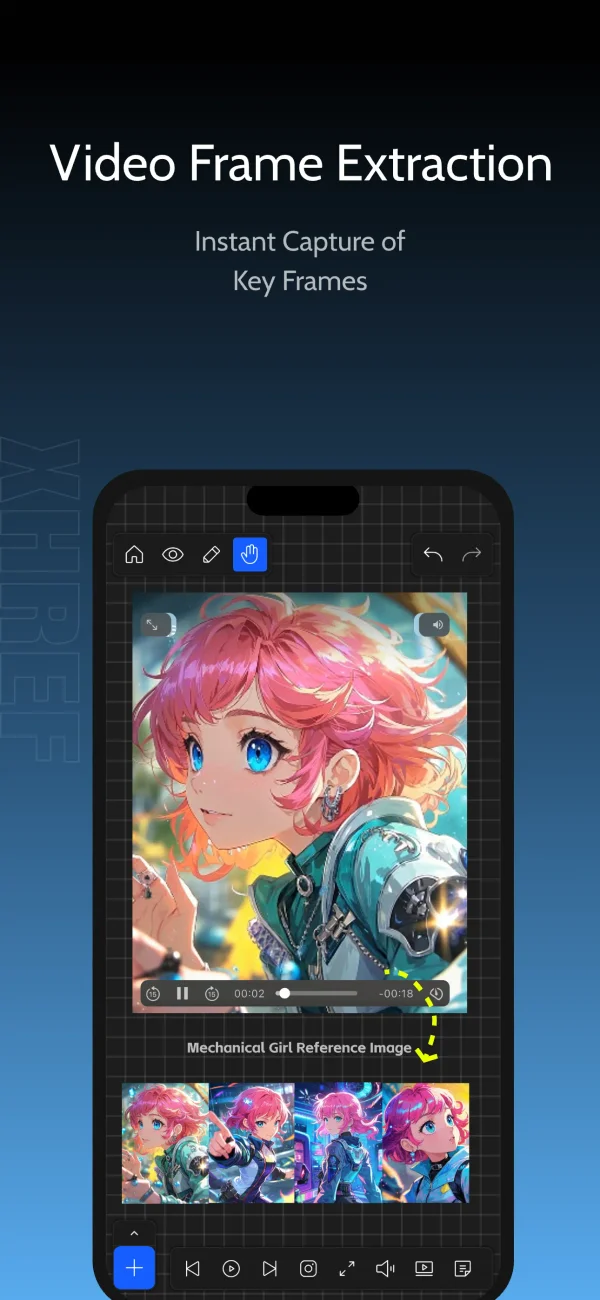
6. Video Processing: MP4 playback and 4K still extraction for faster storyboards, covers, and video references.
7. Stylized Text: Built-in fonts and styles make notes, titles, and labels clearer on the canvas.
8. Magnetic Guides: Alignment hints and smart snapping for precise layouts.
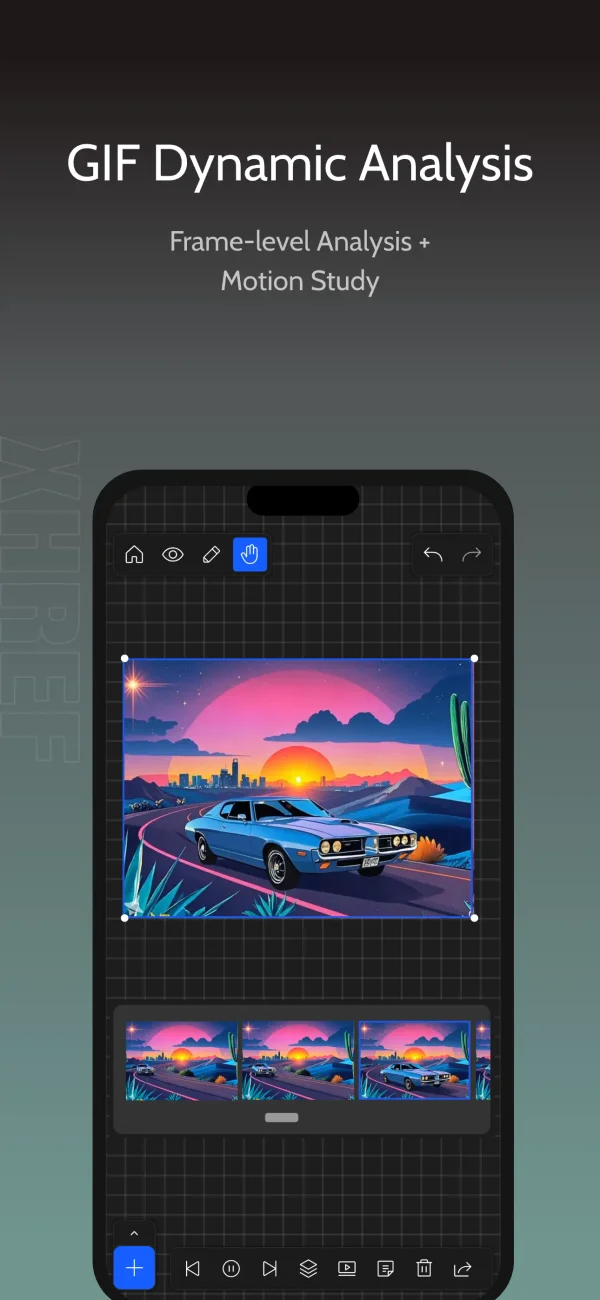
9. GIF Decomposition: Break animations into frames for clearer detail references.
10. Import & Backup: Clipboard, photos, folders, drag & drop, export, full backup.
11. Web Drag & Drop: Drag images from Pinterest / ArtStation / Midjourney / Pixiv / Instagram and more.
12. Multiple Modes: View, lock, and edit modes keep browsing and editing separate.
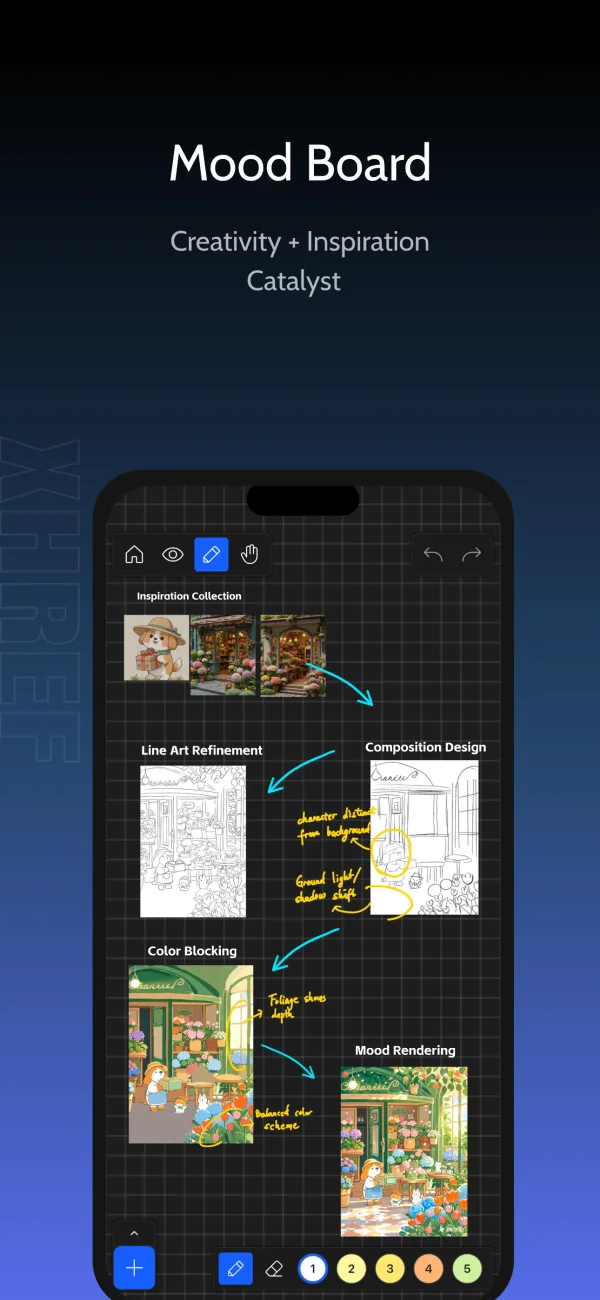
13. Brush Tools: Annotate and highlight key areas for more intuitive communication.
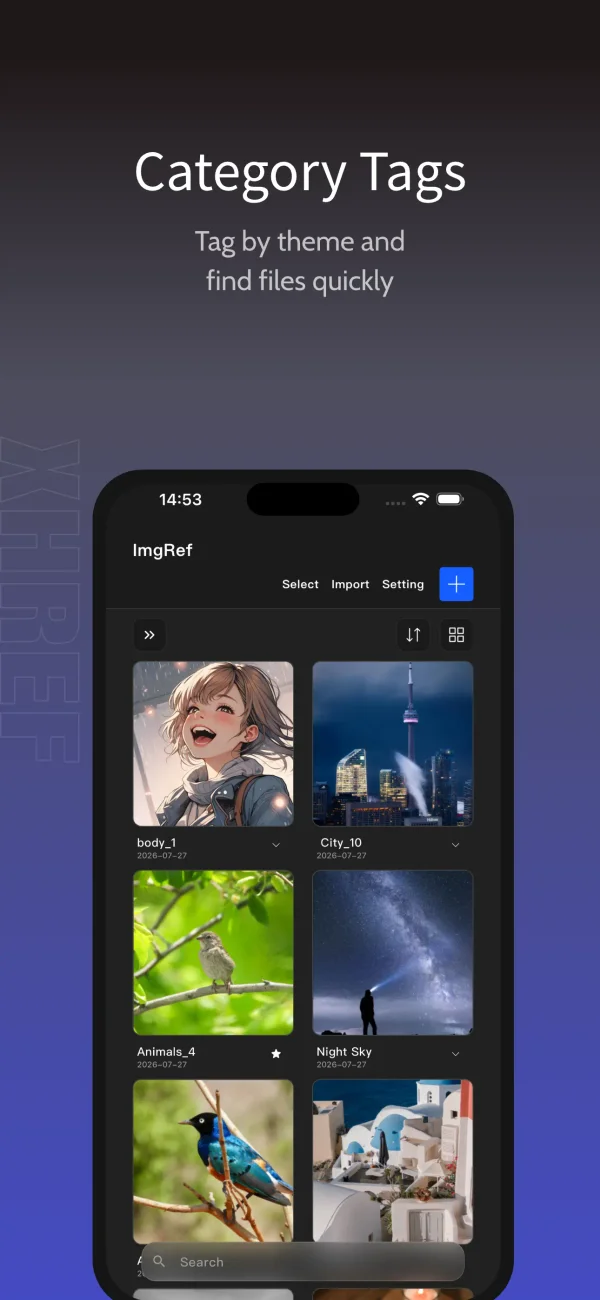
14. File Management: Grid/list views with multiple sorting options.
15. Canvas Zoom: Smooth zoom and pan for comfortable detail viewing.
Enhanced Features:
1. Image/GIF/Video Notes: Add notes to capture ideas and key points.
2. Preview Mode: Switch to a clean preview for focused viewing and presentations.
3. Advanced Crop: Fit different aspect ratios and compositions faster for cleaner output.
4. Image Blur: Blur images for privacy protection and richer visual layering.
5. High-Resolution Scene Export (PNG): Export full scenes as HD PNG for sharing and delivery.
6. File Favorites: Save frequent files for quick access to key references.
7. Category Tags: Tag files by use, project, or status for faster filtering.
8. Dotted Background: Toggle a dotted background for clearer edge contrast.
9. Canvas Grayscale: Focus on tone and composition with grayscale view.
10. Image Color Analysis: Extract dominant colors to understand palette relationships.
11. Layer Panel: Preview names, reorder, and quick select for efficient layer management.
12. Scheduled Playback: Timed switching, playback controls, and countdown.
13. Layer Search: Filter by type and keyword to quickly locate target content among many layers.
14. Brush Presets: Switch stroke width, color, and opacity for annotation, highlighting, and sketching.
15. Canvas RGB Single-Channel Preview: View R/G/B channels separately to analyze color distribution, tone, and detail.
16. Link Cards: Turn webpages into cover cards pinned on the canvas; one tap to open
17. Image OCR: One tap reads the text in an image and creates text beside it, so titles, copy, and labels can be lifted without retyping.
18. Classify/Find by Color: Basic, nearby, and fine families. Group canvas images by color family, or find from an image’s color family, for clearer palette comparison.
You can subscribe to ImgRef Pro. Charged to your iTunes account on confirmation. Auto-renews unless canceled 24+ hours before period end. Manage in iTunes Store.
Privacy Policy: https://xunhuaref.cn/index.php/privacypolicy/
Terms of Use: https://xunhuaref.cn/index.php/privacypolicy/eula-en/
Download now and experience the smoothest creative tool in the Apple ecosystem!
Thank you for reading. Contact us:
Email: imgref@163.com
Có gì mới
Phiên bản 5.5.6 · 02/11/2026
- Support customizing features by graphic type
- Cropping supports two modes: crop while keeping the original image, and crop into a new image
- Support canvas R/G/B single-channel preview to help observe color distribution, tonal layers, and detail differences
- Added one-tap image OCR to quickly capture titles, copy, and annotations from posters, interfaces, and screenshots
- Classify/find by color family: basic, nearby, and fine tiers. Group and arrange canvas images by color family, or search using an image as the reference color family, for more intuitive palette comparison.
- Added resource info menu to view and edit creation/modification time, color info, external links, and notes
- Added link cards that turn webpages into cover cards pinned on the canvas; one tap to open
- Fixed email feedback and other known issues.
Quyền riêng tư của ứng dụng
Những gì 文荣 李 khai báo trên App Store về cách ứng dụng này xử lý dữ liệu.
-
Dữ liệu không được thu thập
Nhà phát triển không thu thập bất kỳ dữ liệu nào từ ứng dụng này.
Phương thức đảm bảo quyền riêng tư có thể khác nhau, chẳng hạn như tuỳ theo các tính năng bạn sử dụng hoặc độ tuổi của bạn.
Thông tin
- Người bán
- 文荣 李
- Danh mục
- Đồ Họa & Thiết Kế
- Phiên bản
- 5.5.6
- Cập nhật
- 02/11/2026
- Phát hành
- 03/03/2025
- Kích thước
- 75,9 MB
- Yêu cầu
- iOS 15.6 trở lên
- Độ tuổi
- 4+
- Giá
- Miễn phí
- Mua hàng trong ứng dụng
- Có
- Ngôn ngữ
- Tiếng Anh, Tiếng Ả Rập, Tiếng Pháp, Tiếng Đức, Hindi, Tiếng Indonesia, Tiếng Ý, Tiếng Nhật, Tiếng Hàn, Tiếng Mã Lai, Tiếng Ba Lan, Tiếng Bồ Đào Nha + 5 ngôn ngữ khác
- Bản quyền
- © 李文荣
Có thể bạn cũng thích
-
 Poster Maker Flyer Maker PostaĐồ Họa & Thiết Kế
-
 Charging Animation LiteHoạt hình sạc
-
 Sketch Tree Pro - My Art PadĐồ Họa & Thiết Kế
-
 Cava AI: Logo, Poster & BannerĐồ Họa & Thiết Kế
-
 DarkRef - Art Reference BoardĐồ Họa & Thiết Kế
-
 Background Remover: BG EraserĐồ Họa & Thiết Kế
-
 Blend PhotosĐồ Họa & Thiết Kế
-
 RefCanvasĐồ Họa & Thiết Kế
-
 Frame It UpĐồ Họa & Thiết Kế
-
 Flowpaper: Drawing & AnimationĐồ Họa & Thiết Kế