
imiwa?
Japanese dictionary ++
Được thiết kế cho iPhone, iPad
Miễn phí · Mua hàng trong ứng dụng
- Độ tuổi4+
- Danh mụcTham Khảo
- Nhà phát triểnPierre-Phi di Costanzo
- Ngôn ngữTiếng Anh+ 8 ngôn ngữ khác
- Kích thước331,1 MB
Liên kết đến trang App Store chính thức
Download.org không lưu trữ tệp nào của imiwa?. Nút này mở trang ứng dụng trên App Store, nơi Pierre-Phi di Costanzo phát hành ứng dụng. Trang được kiểm tra lần cuối: 22/11/2026.
Ảnh chụp màn hình




Giới thiệu
Nhà phát triển chưa cung cấp nội dung này bằng ngôn ngữ của bạn.
A complete Japanese dictionary that lives entirely on your device. No internet connection, no subscription, no ads — just fast, powerful lookup whenever you need it.
SEARCH ANY WAY YOU THINK
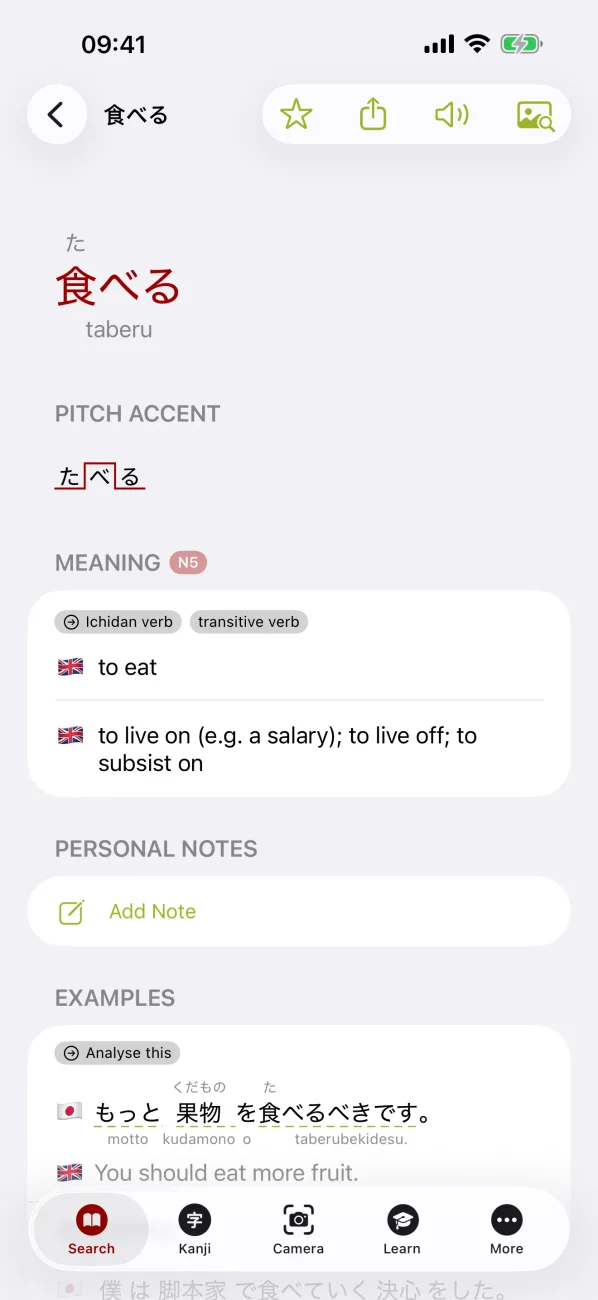
Type in kanji, kana, or romaji for Japanese, or search directly in English, French, German, Spanish, Italian, Portuguese, or Russian — imiwa? finds the word you mean. Only English is guaranteed for every entry, but on supported devices, imiwa? uses Apple Intelligence, entirely on-device, to translate the rest into your language.
MASTER KANJI YOUR WAY
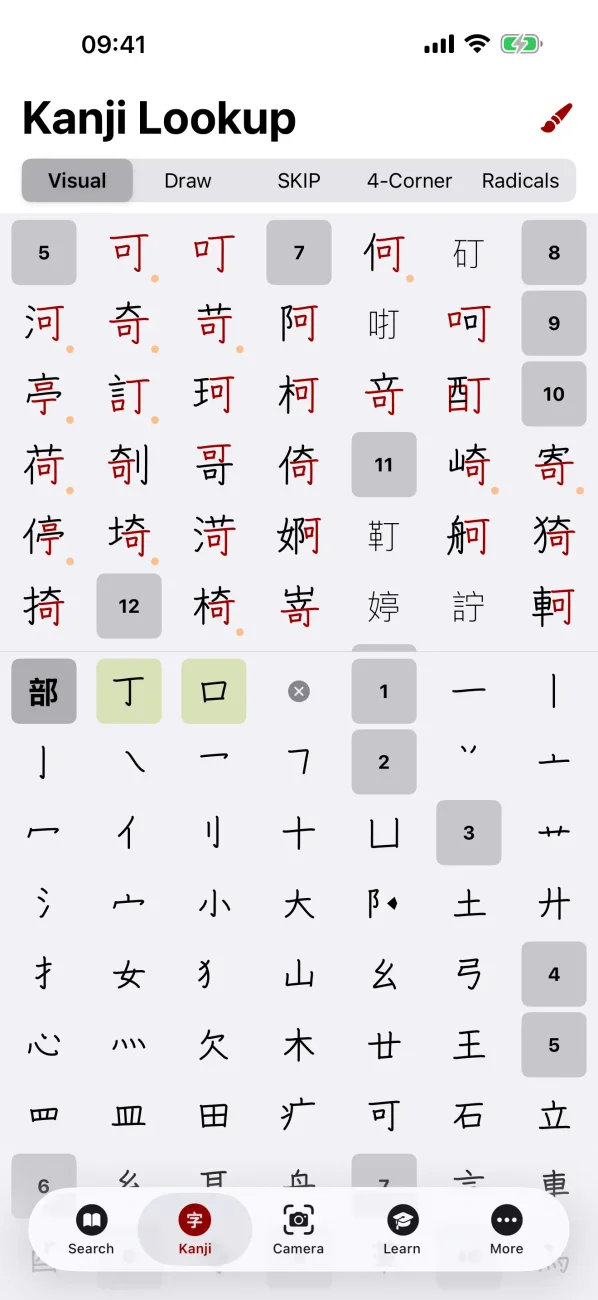
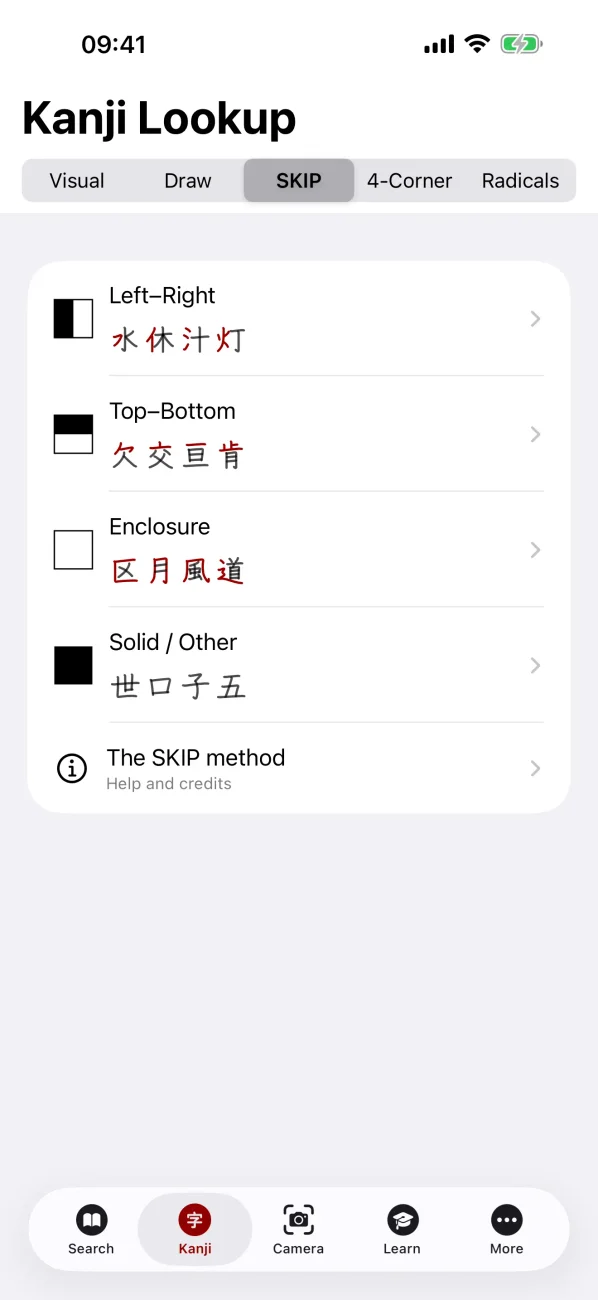
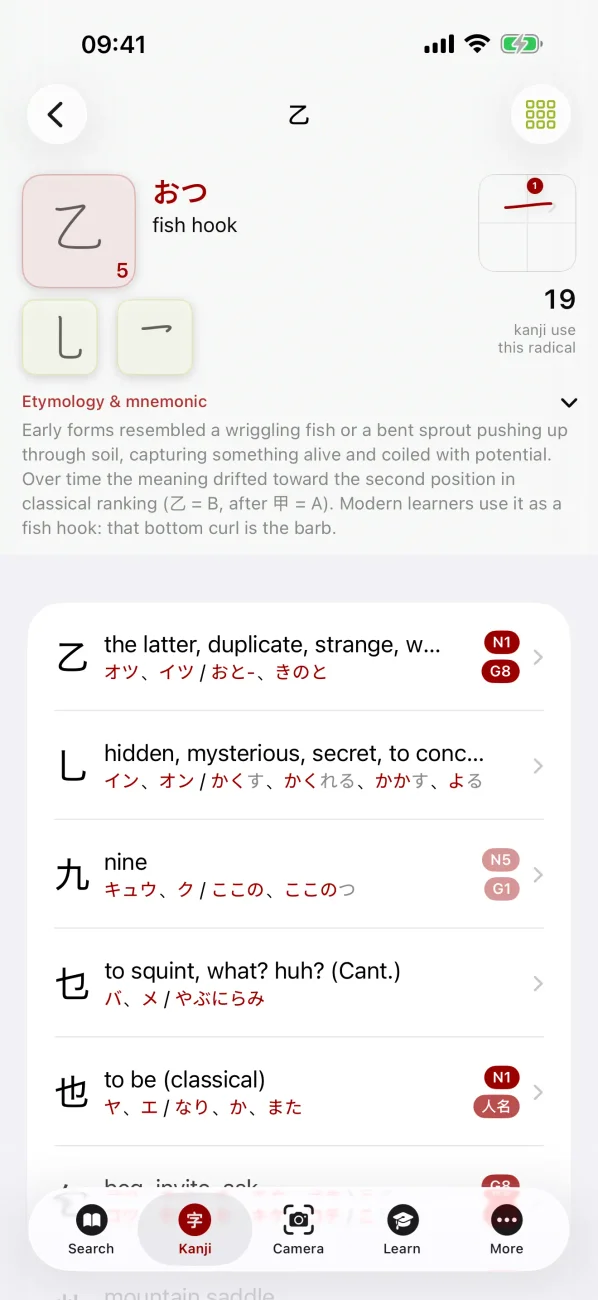
Don't know the reading? Draw it by hand, search by radical, or use SKIP and Four Corner codes. Every kanji page shows correct stroke order, calligraphic styles, JLPT level, school grade, and every word that uses it.
POINT YOUR CAMERA AT ANY TEXT
Scan a menu, a sign, a manga, or a page of a book and look up any word instantly. imiwa? reads horizontal and vertical Japanese alike, column by column and right to left, leaving the furigana out, and document scanning corrects the perspective on photographed pages. On supported devices, AI mode writes a translation of each block of text right over the picture, entirely on-device.
UNDERSTAND WHOLE SENTENCES
Paste or type any Japanese sentence into the Analyser and watch it break down into dictionary-linked words, with every conjugation explained and traced back to its base form. A built-in copy of Tae Kim's Guide to Japanese Grammar links directly from the words and grammar points you look up.
LEARN AT YOUR OWN PACE
Study with flashcards built on a proven spaced-repetition algorithm — from your own vocabulary lists, JLPT levels, school grades, or favorites. Browse full Hiragana and Katakana charts, a searchable counters reference, real example sentences for nearly every word, and keep personal notes, saved vocabulary lists, and a full search history, all exportable. Coming from another dictionary app? Import your word lists and pick up where you left off.
COMFORTABLE TO READ
imiwa? adapts to the largest accessibility text sizes, so it stays clear and easy to read however large you like your text.
AT A GLANCE
Add a Word of the Day or Kanji of the Day widget to your Home Screen, and use Siri Shortcuts to jump straight to the app's tools. On Apple Watch, put today's kanji and word right on your watch face.
imiwa? was built on the JMDict and KanjiDic dictionary files from the Electronic Dictionary Research and Development Group, continuing the work of Jim Breen's EDICT project, with example sentences from tatoeba.org.
imiwa? is and will always remain free and fully functional. Optional in-app purchases let you support its development — no feature is ever locked behind a paywall.
Terms of Use (EULA): https://www.apple.com/legal/internet-services/itunes/dev/stdeula/
Có gì mới
Phiên bản 5.7.0 · 21/11/2026
A camera that reads vertical Japanese and translates what it sees, a Visual Search that knows where each radical sits, words spoken with their real accent, and an app that adapts to the largest text sizes.
CAMERA
The camera now reads vertical text, from novels to manga and signs, column by column and right to left, leaving the furigana out. Freeze the picture with the new shutter button to see words and translations, and switch on AI mode to have each block of text translated right over the picture (requires Apple Intelligence). Text held close, like a book page, now comes into focus on its own.
VISUAL SEARCH
Say where a radical sits: touch and hold it, then slide to a place, from top left to the middle, to keep only the kanji with the radical there. Ask for the same radical twice, like 口 on the left and on the right. Find a radical by typing its meaning, reading or name ("water", "mizu", "みず"). Many more radicals now light the right strokes, and many rare kanji are drawn better.
SIRI, SHORTCUTS AND VISUAL INTELLIGENCE
Ask Siri to look up a word or a kanji and hear the answer. Shortcuts can look things up without opening the app, and Visual Intelligence shows imiwa?'s matches for what your camera sees, each as a word card.
BRING YOUR LISTS
Import your word lists from more apps in Backup & Restore. A list whose name you already use can now come in under another name instead of being merged. Kana saved in a list can now become flashcards too.
LARGER TEXT
Lists, Learn, Flashcards, Kanji, Settings and the Analyser now stay clear and readable at the largest accessibility text sizes.
SEARCH
Words mixing hiragana and katakana, like ハモる, are now found by romaji and hiragana, inflected forms included. Copying a long text now looks up its first Japanese words, and text from poor OCR has its look-alike characters turned back into real kanji. Pick any colour for the search highlight in Preferences. The dictionary data has been updated too.
DICTIONARY PACKS
Optional pack downloads are more reliable on iOS 26.
AND SEVERAL FIXES
We listen to your feedback and have fixed a number of problems in this release too.
Quyền riêng tư của ứng dụng
Những gì Pierre-Phi di Costanzo khai báo trên App Store về cách ứng dụng này xử lý dữ liệu.
-
Dữ liệu không được thu thập
Nhà phát triển không thu thập bất kỳ dữ liệu nào từ ứng dụng này.
Phương thức đảm bảo quyền riêng tư có thể khác nhau, chẳng hạn như tuỳ theo các tính năng bạn sử dụng hoặc độ tuổi của bạn.
Thông tin
- Người bán
- Pierre-Philipp di Costanzo
- Danh mục
- Tham Khảo
- Phiên bản
- 5.7.0
- Cập nhật
- 21/11/2026
- Phát hành
- 12/02/2019
- Kích thước
- 331,1 MB
- Yêu cầu
- iOS 26.0 trở lên
- Độ tuổi
- 4+
- Giá
- Miễn phí
- Mua hàng trong ứng dụng
- Có
- Ngôn ngữ
- Tiếng Anh, Tiếng Pháp, Tiếng Đức, Tiếng Ý, Tiếng Nhật, Tiếng Hàn, Tiếng Bồ Đào Nha, Tiếng Nga, Tiếng Tây Ban Nha
- Bản quyền
- © Pierre-Philippe di Costanzo 2008-2026, François Cogne 2012-2020
Có thể bạn cũng thích
-
 Nihongo - Japanese DictionaryTham Khảo
-
 Yomiwa - Từ Điển Tiếng Nhậtvới Nhận Dạng Quang Học
-
 Shirabe JishoTham Khảo
-
 Japanese Dictionary TakobotoGiáo Dục
-
 Kanji Teacher - Learn JapaneseGiáo Dục
-
 Todaii: Học tiếng Nhật N5-N1Học tiếng Nhật, luyện thi JLPT
-
 Satori ReaderGiáo Dục
-
 Kanji LookupTham Khảo
-
 Mazii: Từ điển tiếng NhậtNhật Việt, ngữ pháp & AI dịch
-
 Learn Japanese: SenseiGiáo Dục