
Keging: Kegel Timer
Haptic cues, Watch & stats
Được thiết kế cho iPhone
Miễn phí · Mua hàng trong ứng dụng
- Độ tuổi4+
- Danh mụcSức Khỏe & Thể Dục
- Nhà phát triểnYECHAN SONG
- Ngôn ngữTiếng Hàn+ 2 ngôn ngữ khác
- Kích thước7,5 MB
Liên kết đến trang App Store chính thức
Download.org không lưu trữ tệp nào của Keging: Kegel Timer. Nút này mở trang ứng dụng trên App Store, nơi YECHAN SONG phát hành ứng dụng. Trang được kiểm tra lần cuối: 22/11/2026.
Ảnh chụp màn hình



Giới thiệu
Nhà phát triển chưa cung cấp nội dung này bằng ngôn ngữ của bạn.
Keging — a Kegel timer that guides you by feel
Squeeze. Relax. Repeat.
Keging runs your squeeze-and-relax cycles for the seconds and reps you choose, and tells you each phase with a vibration.
Every feature is free — no ads, no account. The small heart up top is an optional tip jar; tipping changes nothing.
■ How it works
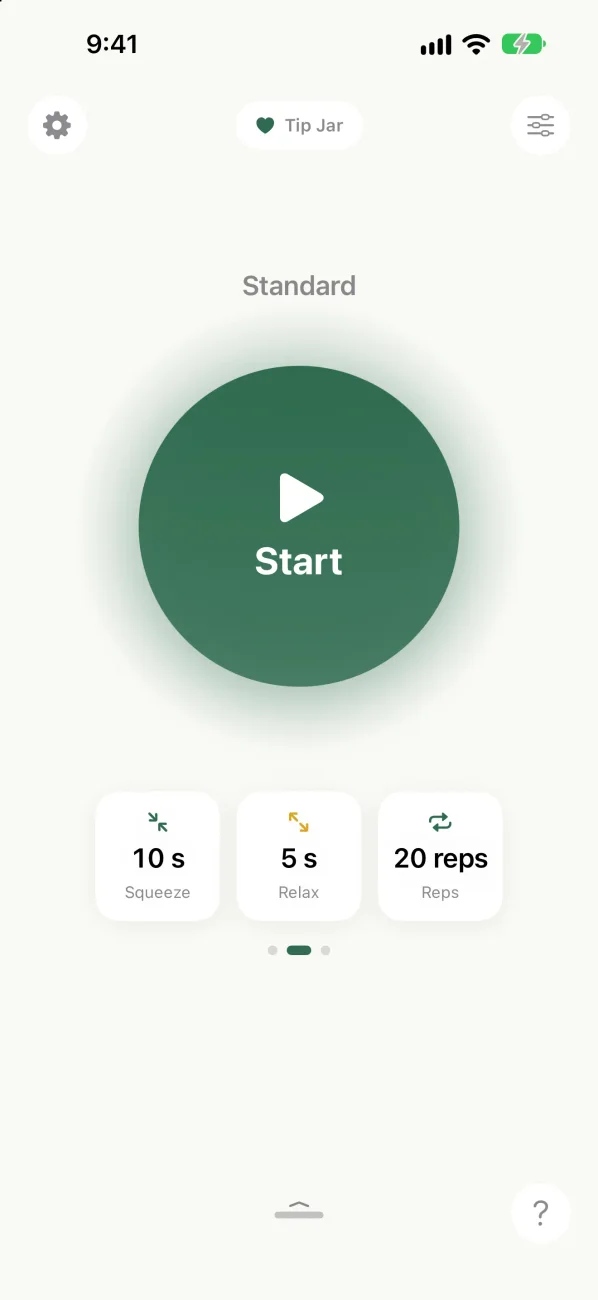
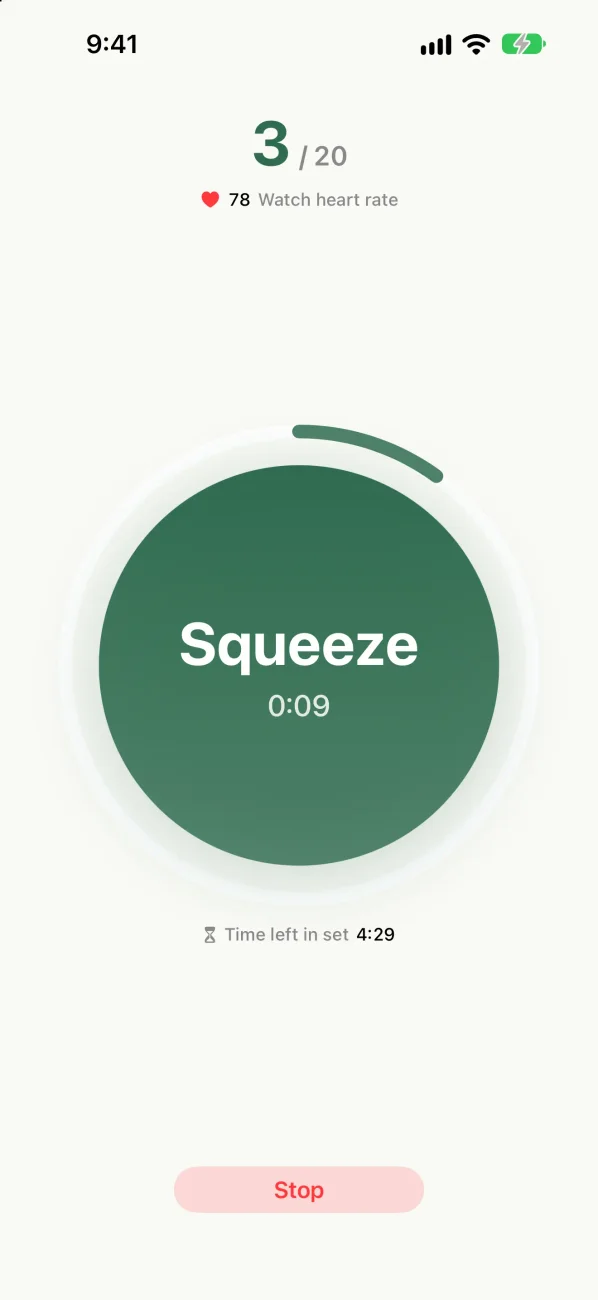
• One big Start button. A short countdown, then your first squeeze begins
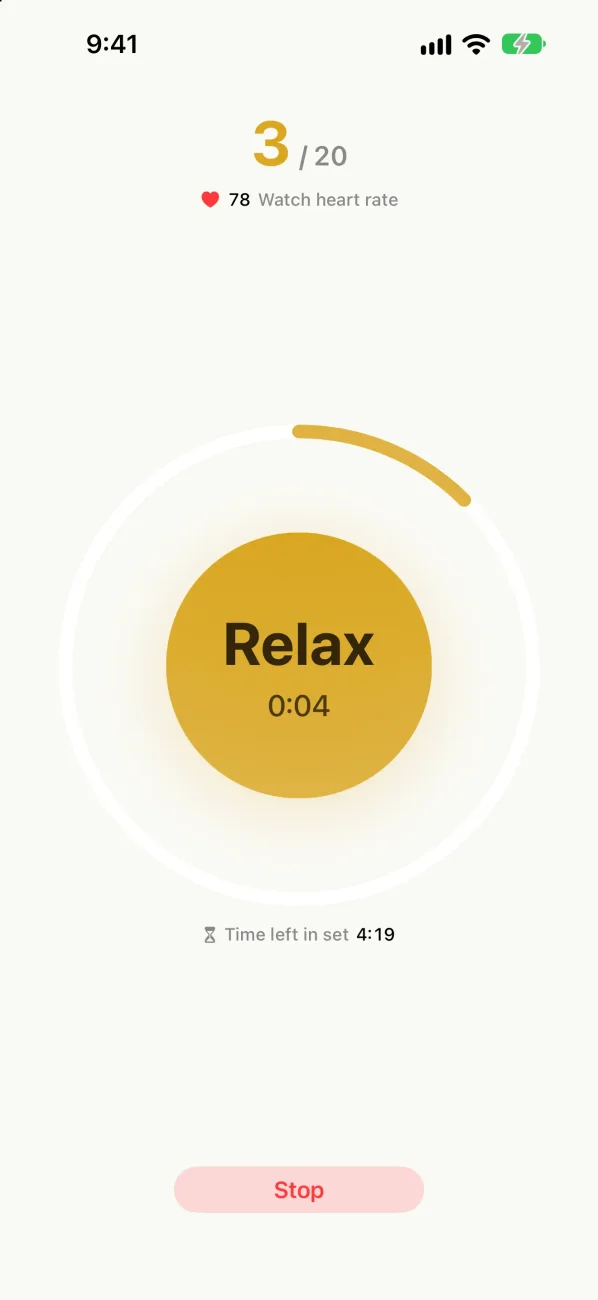
• Squeeze as the circle shrinks, let go as it swells
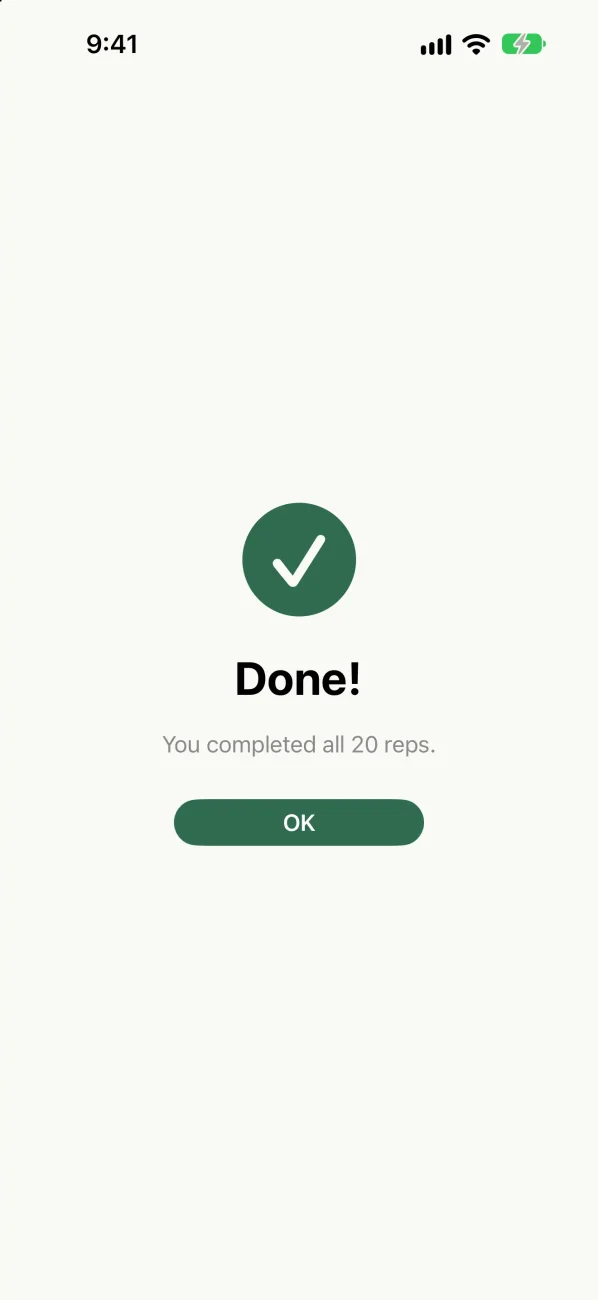
• Finish every rep and the set is saved. A set you stop midway isn't recorded
■ Pick a preset
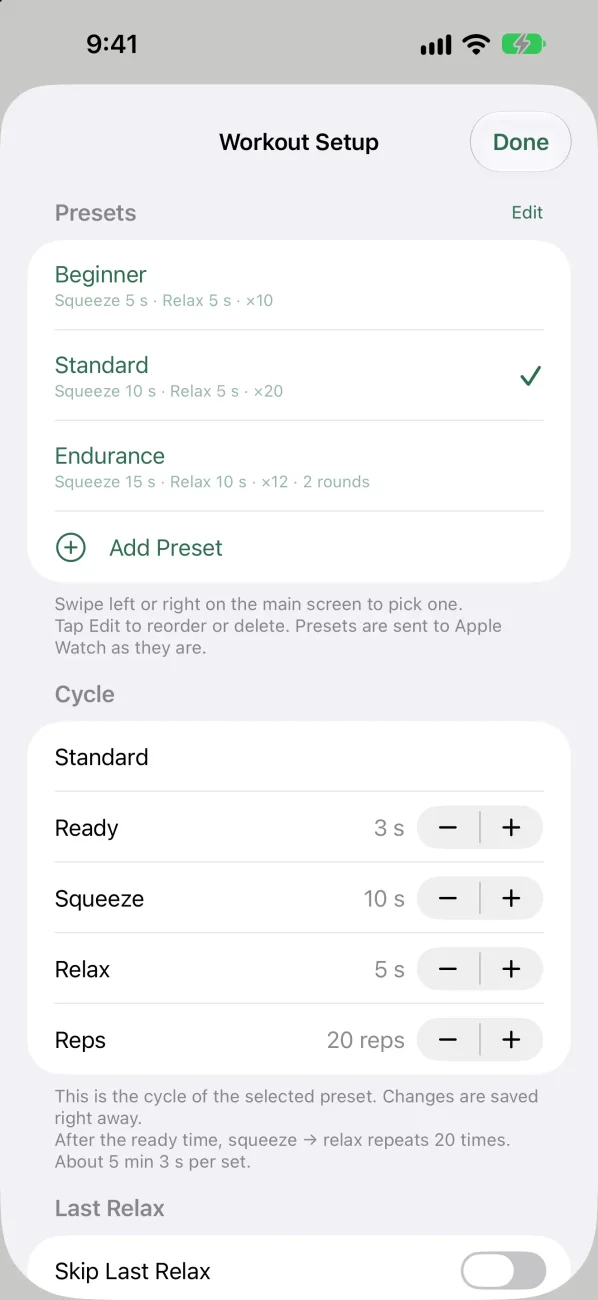
• A preset is one cycle: ready time, squeeze, relax, reps, rounds. You start with "Default" (10 s squeeze, 5 s relax, 20 reps, about 5 min)
• Swipe left or right on the main screen to switch presets, then tap Start
• Ready 0–10 s, squeeze and relax 1–60 s, 1–100 reps. Unlimited presets
• Rounds — do several sets in a row with a rest in between. Each set is recorded
• Your presets are sent to Apple Watch as they are
• Skip Last Relax: end the set right after the last squeeze (each set, with rounds)
■ Haptic cues — no need to look
• Squeeze and relax start with different vibrations, so you know what to do with the phone in your pocket
• Three patterns (Standard, Two Taps, Long Buzz) for squeeze and relax, with a preview
• Sound cues (chime, beep or voice) or silent for haptics only; optional 3-second countdown
• A long celebratory buzz when you finish
• Timer and haptics keep going in other apps or with the screen off
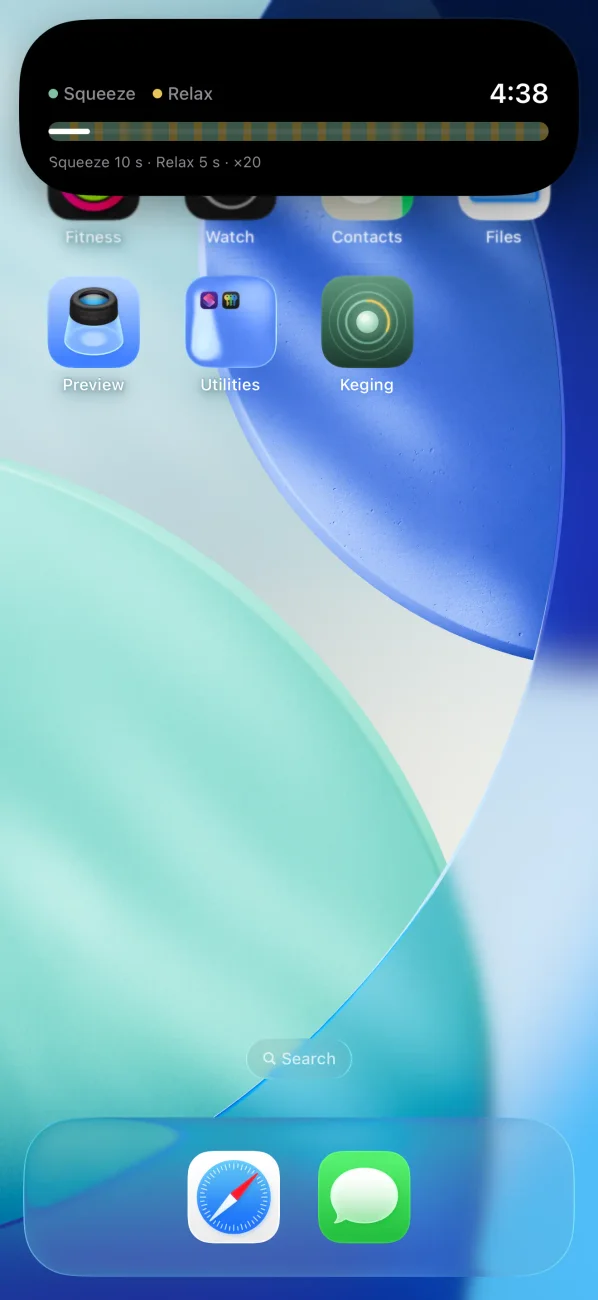
■ Dynamic Island and Lock Screen
• Leave the app mid-set and live status appears in the Dynamic Island and on the Lock Screen
• The set is a timeline in squeeze (mint) and relax (amber); a line moves in real time, with the remaining time
• A Stop button on the Lock Screen and in the island — end a set without opening the app
• A "Discreet Display" with the timeline only, and optional phase banners in other apps
■ Widgets and Control Center
• Widgets (three sizes): today's sets and reps, the last 7 days, recent records and a Start button
• Add a Start control to Control Center or the Lock Screen
• Assign a preset to a widget or control, or tell Siri "Start (preset) in Keging"
■ Apple Watch
• Open the watch app and tap Start. The workout runs on your wrist, haptics included. Double Tap works too
• Swipe up or down to pick a preset — the same list as on your iPhone
• Start on iPhone and the watch app opens by itself to measure heart rate. Haptics play only where you started
• Haptic and Health settings live on the watch itself (swipe left); a complication opens the app
• Sets finished on the watch flow into your iPhone stats
■ Statistics
• Swipe up from the main screen: daily, weekly, monthly
• The day timeline shows your sets as dots on a 24-hour axis, with arrows and a calendar for past days
• Weekly: reps by day plus a 7-day timeline. Monthly: reps by day and totals
• Swipe a record left to delete it, along with its Health workout
• Totals include exercise time, and every record can be exported as CSV
■ Apple Health and Shortcuts
• Completed sets are saved to Apple Health as workouts (type and effort adjustable, or turn it off)
• With a watch on, the watch measures heart rate and active energy whichever device you start from
• The "Start Kegel Workout" action in Shortcuts starts from a Home Screen icon, Back Tap or Siri
• Run a shortcut after a completed set
■ And more
• Light and dark themes, in-app language choice (한국어 · English · 日本語)
■ Works well with
Haru Danim (time and habit tracker, same developer): Keging's Apple Health workouts count toward its exercise quests automatically.
■ Privacy
Keging collects no personal data. Records stay on your iPhone and Apple Watch and never reach any server. Apple Health entries are written only if you allow it.
Privacy Policy: https://github.com/notalentprogrammer/Keging/blob/main/PRIVACY.md
※ Keging is an exercise timer, not medical advice. If you have pain, discomfort or a medical condition, consult a professional first.
Có gì mới
Phiên bản 1.2.4 · 20/11/2026
• New in Workout Setup: Skip Last Relax. Turn it on and the set ends the moment the last squeeze ends — with rounds it applies to every set, and Apple Watch follows
• A small heart now sits at the top of the main screen. If you like Keging, you can support it with a tip — nothing in the app changes
• Home Screen widgets now show the preset you'll start — its name, squeeze, relax and reps — and the small widget no longer cuts off the summary line
Quyền riêng tư của ứng dụng
Những gì YECHAN SONG khai báo trên App Store về cách ứng dụng này xử lý dữ liệu.
-
Dữ liệu không được thu thập
Nhà phát triển không thu thập bất kỳ dữ liệu nào từ ứng dụng này.
Phương thức đảm bảo quyền riêng tư có thể khác nhau, chẳng hạn như tuỳ theo các tính năng bạn sử dụng hoặc độ tuổi của bạn.
Thông tin
- Người bán
- YECHAN SONG
- Danh mục
- Sức Khỏe & Thể Dục
- Phiên bản
- 1.2.4
- Cập nhật
- 20/11/2026
- Phát hành
- 08/09/2026
- Kích thước
- 7,5 MB
- Yêu cầu
- iOS 18.0 trở lên
- Độ tuổi
- 4+
- Giá
- Miễn phí
- Mua hàng trong ứng dụng
- Có
- Ngôn ngữ
- Tiếng Hàn, Tiếng Anh, Tiếng Nhật
- Bản quyền
- © 2026 Yechan Song. All rights reserved.
Có thể bạn cũng thích
-
 Pip: Kegel ReminderSức Khỏe & Thể Dục
-
 5-Minute Abs & Core WorkoutSức Khỏe & Thể Dục
-
 Fjara – Let Habits GoSức Khỏe & Thể Dục
-
 NO, DON'T DO IT - BehaviorsSức Khỏe & Thể Dục
-
 Elite Tabata HIIT TimerSức Khỏe & Thể Dục
-
 VibeCraft TimerSức Khỏe & Thể Dục
-
 Ynter — Interval TimerSức Khỏe & Thể Dục
-
 Bedletics: Sex TrackerSức Khỏe & Thể Dục
-
 Nghỉ mắt: Nhắc nhở & Hẹn giờQuy tắc 20 20 20 giúp bớt mỏi