keyboard2
Private autocorrect & swipe
Được thiết kế cho iPhone
Miễn phí · Mua hàng trong ứng dụng
- Độ tuổi4+
- Danh mụcTiện Ích
- Nhà phát triểnTechAmigos
- Ngôn ngữTiếng Anh+ 40 ngôn ngữ khác
- Kích thước122,3 MB
Liên kết đến trang App Store chính thức
Download.org không lưu trữ tệp nào của keyboard2. Nút này mở trang ứng dụng trên App Store, nơi TechAmigos phát hành ứng dụng. Trang được kiểm tra lần cuối: 16/11/2026.
Ảnh chụp màn hình


Giới thiệu
Nhà phát triển chưa cung cấp nội dung này bằng ngôn ngữ của bạn.
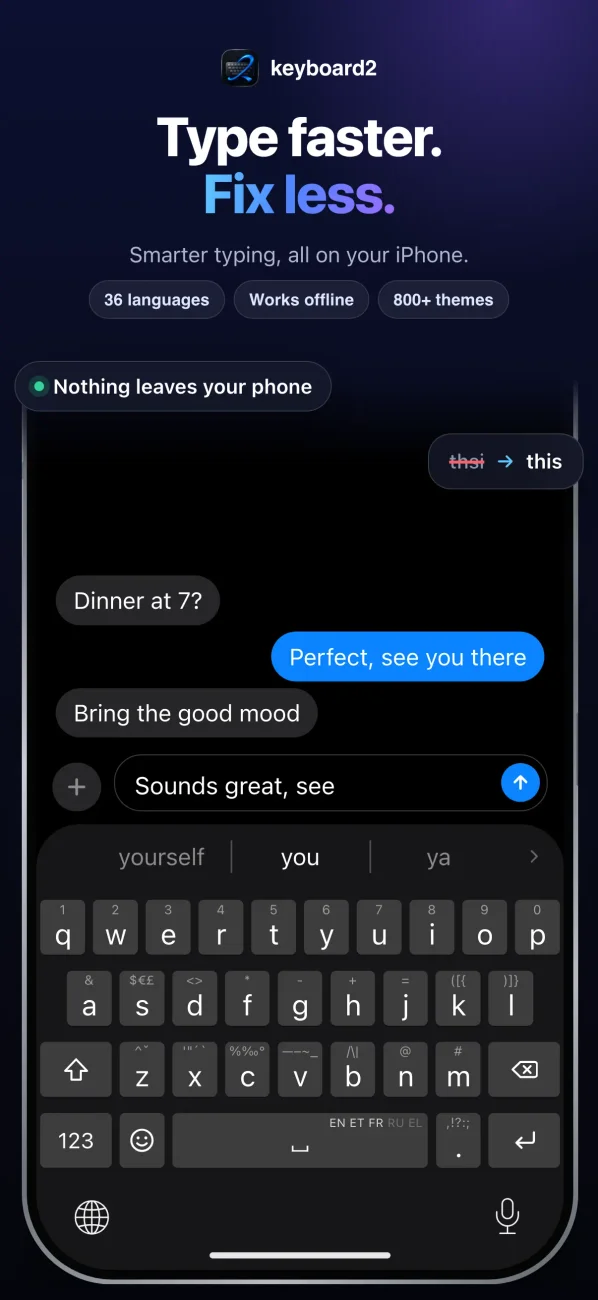
keyboard2 is a smart, private keyboard for iPhone. Autocorrect that fixes what you meant, swipe typing, predictions in 70+ languages and tools under your thumb. The keyboard uses no internet at all, so nothing you type ever leaves your device.
TYPE SMARTER
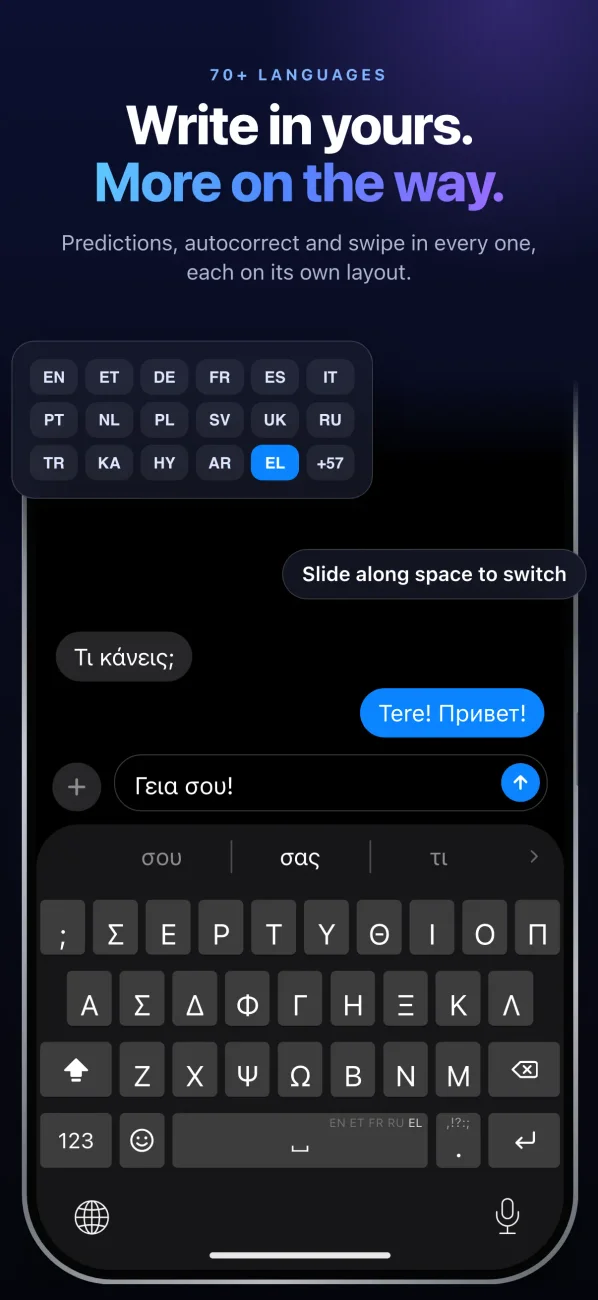
- Predictions, autocorrect and autocomplete in 70+ languages: 13 built in, the rest download once when you add them
- Arabic typed right to left, or in Latin letters ("mar7aba" becomes مرحبا)
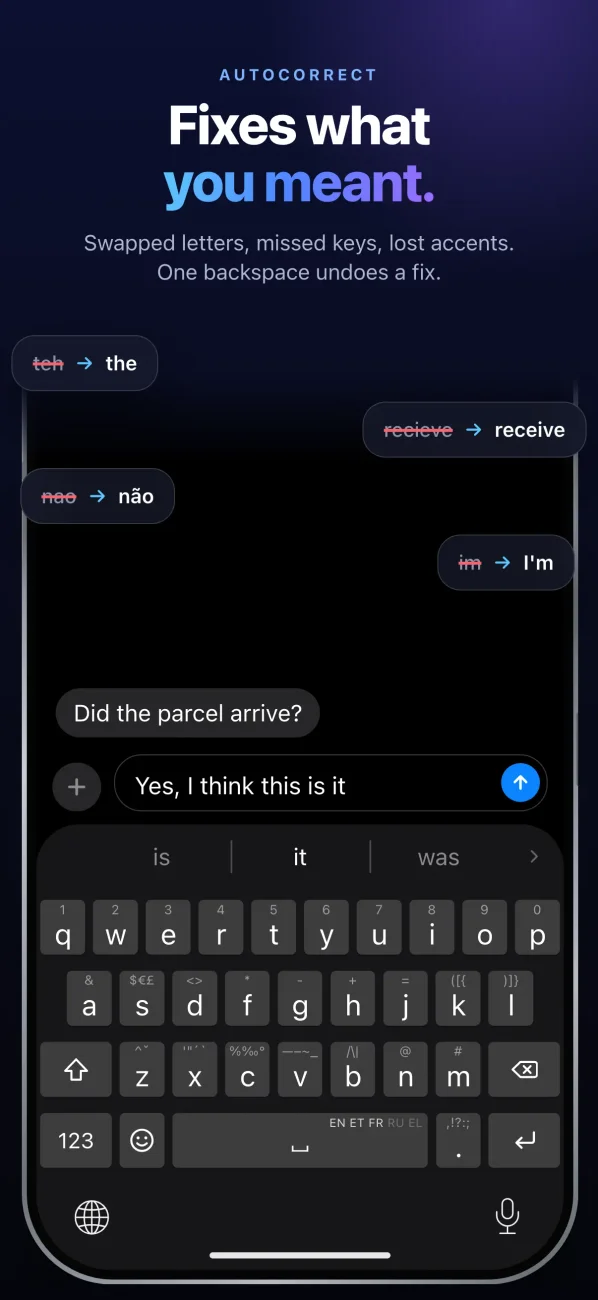
- Autocorrect that fixes swapped, missing and extra letters, and puts back missing accents and apostrophes
- Swipe typing with an on-device model that learns how you swipe
- Write in two languages at once: keyboard2 follows you word by word
- Suggestions that read the whole sentence, not just the last word
- Learns your words on your device, and one backspace undoes a fix and teaches it
- Learns where you tap each key and moves the key borders to match
- Fixes capitalization, including German nouns
- Smart punctuation that follows your language: quotes, ¿ ¡, French spacing
- Emoji suggestions while you type
TOOLS UNDER YOUR THUMB
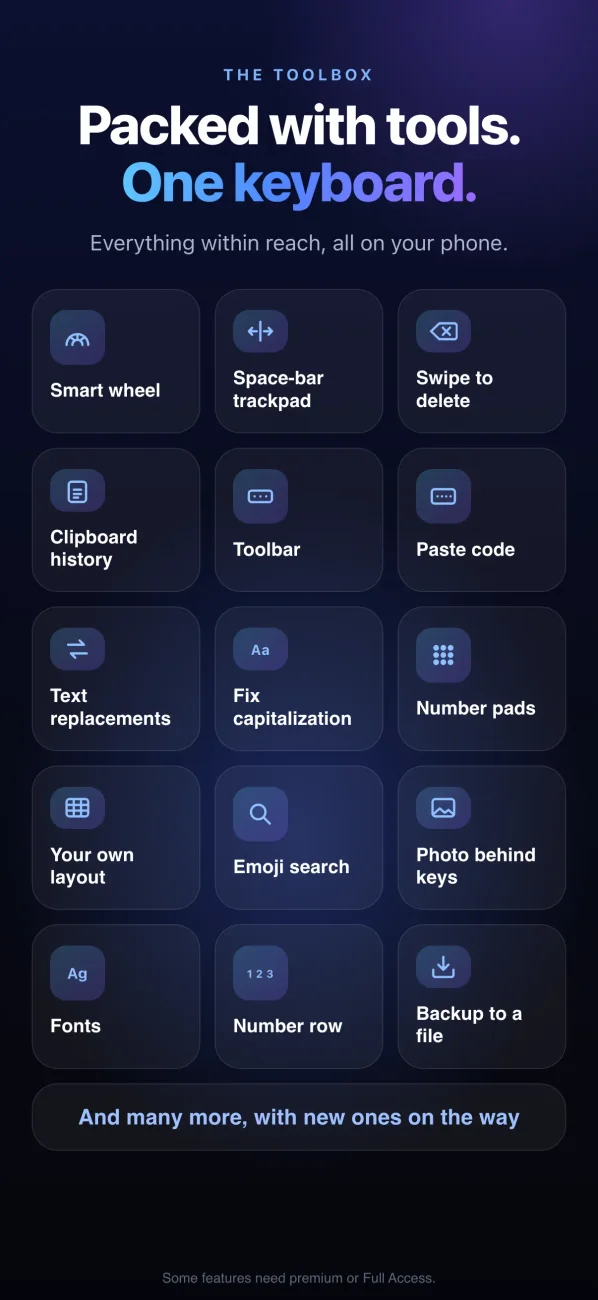
- Smart wheel: swipe up from the space bar to switch language or reach any tool
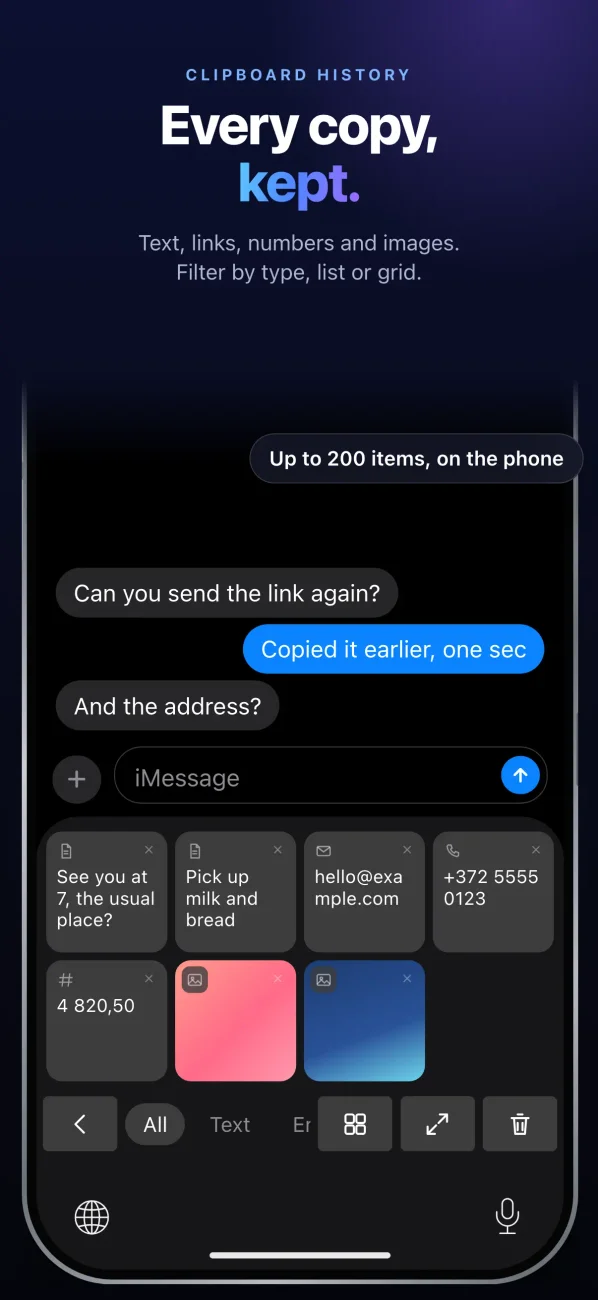
- Clipboard history with text and images, as a list or a grid
- Toolbar with cut, copy, paste, clipboard and emoji, one swipe from the suggestions
- Text replacements, including the shortcuts you set up in iOS
- Hold the space bar to move the cursor like a trackpad, flick to jump a sentence
- Swipe left from delete to remove whole words
- Paste a copied one-time code with one tap
- Layouts that fit the field: number pads, email and web address keys
- Emoji search in 70 languages that forgives typos
PRIVACY FIRST
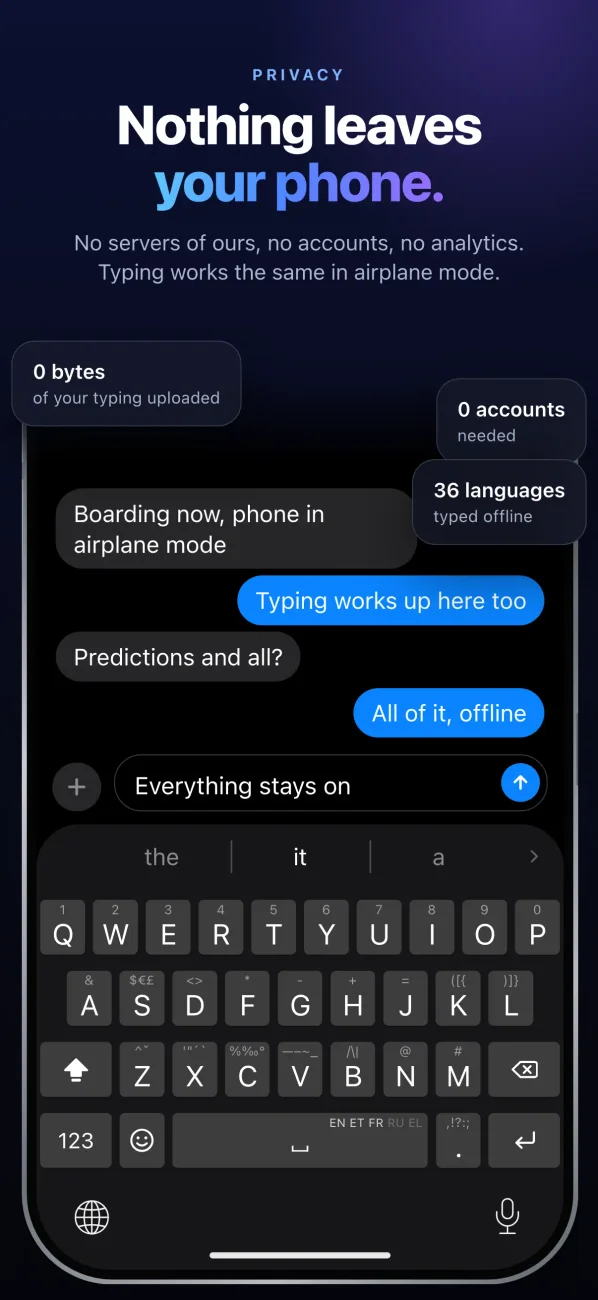
- The keyboard never connects to the internet. Everything you type stays on your device
- Extra languages come from Apple's App Store. Nothing of yours is sent
- No tracking, no data collection
MAKE IT YOURS
- 50+ keyboard layouts in Latin, Cyrillic, Greek, Georgian, Armenian and Arabic script, or build your own
- Your own font, size and weight for every part of the keyboard
- Set key height, key gaps and the suggestion bar's height
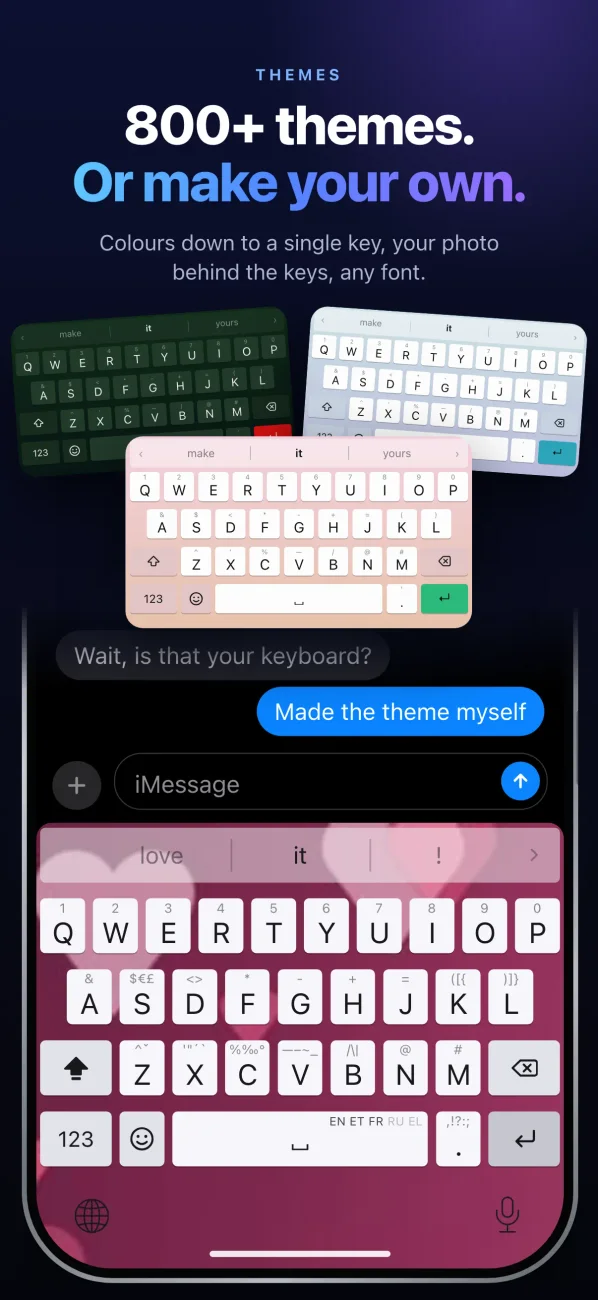
- 100+ themes in the app, or build your own and share it
- The app and the keyboard in 40+ languages
- A split keyboard on the unfolded iPhone Duo, held sideways
KEEP YOUR SETUP
- Save your settings and themes to a file you choose, and put them back on a new phone
- Optional automatic backups to a folder you pick. It never comes to us
- Settings only. Never the words the keyboard learned, your clipboard or your emoji history
PREDICTION LANGUAGES (70+)
English (US, UK, Australia, Canada), Estonian, German, Finnish, Dutch, Spanish, Swedish, Romanian, Hungarian, French, Italian, Afrikaans, Breton, Bosnian, Catalan, Czech, Esperanto, Basque, Galician, Indonesian, Icelandic, Lithuanian, Latvian, Malay, Norwegian, Polish, Portuguese (Portugal and Brazil), Slovak, Slovenian, Albanian, Tagalog, Turkish, Vietnamese, Russian, Ukrainian, Danish, Croatian, Bulgarian, Macedonian, Serbian (Latin and Cyrillic), Norwegian Nynorsk, Greek, Azerbaijani, Georgian, Armenian, Kazakh, Belarusian, Welsh, Uzbek, Swahili, Hinglish, Irish, Maltese, Faroese, Luxembourgish, Turkmen, Kurdish (Kurmanji), Hausa, Igbo, Māori, Tongan, Kyrgyz, Tajik, Mongolian, Roman Urdu, Roman Telugu, Navajo, Arabic, Malay (Jawi)
FREE AND PREMIUM
keyboard2 is free to download, and everything is unlocked for your first hour of typing. After that, basic typing stays free forever; premium features (predictions, swipe typing, most themes, custom themes, custom layouts, the toolbar and long-press alternates) need a subscription or a one-time lifetime purchase. Subscriptions start with a 7-day free trial. Backing up your settings is free. Requires iOS 26.
Bought keyboard2 when it was a paid app? You keep premium for free. Open the app once after updating.
We love feedback: info@techamigos.ee, or reddit.com/r/keyboard2 for updates, ideas and bug reports.
TechAmigos OÜ, Estonia
Có gì mới
Phiên bản 6.2 · 06/11/2026
70+ languages
- 38 new typing languages: Arabic, Ukrainian, Danish, Croatian, Bulgarian, Macedonian, Serbian (Latin and Cyrillic), Norwegian Nynorsk, Azerbaijani, Georgian, Armenian, Kazakh, Belarusian, Welsh, Uzbek, Swahili, Hinglish, Irish, Maltese, Faroese, Luxembourgish, Turkmen, Kurdish (Kurmanji), Hausa, Igbo, Māori, Tongan, Kyrgyz, Tajik, Mongolian, Roman Urdu, Roman Telugu, Navajo, Malay in Jawi, and English for the UK, Australia and Canada.
- Each comes with its own layout, predictions, autocorrect and swipe. Turn one on and it downloads once from the App Store.
- Bigger word lists for the languages you already had, so fewer words go unrecognised.
- The app is now also in Arabic, Ukrainian, Danish, Croatian, Bulgarian and Kazakh.
Arabic, right to left
- Arabic Standard and PC layouts with the vowel-mark key, Arabic numbers and your region's currency.
- Arabic in Latin letters: type "mar7aba" and get مرحبا, on a QWERTY or AZERTY layout with the digit row always there. One backspace brings back what you typed.
- Malay in Jawi, with its own layout and shift page. Arabic and Jawi each suggest words in their own language.
- Popups and the suggestion bar read right to left, the cursor moves the way the text runs, and delete and return point the way they do on iOS.
- Symbols on the letter keys, and ، ؟ ؛ « » under the dot key.
- Custom layouts in Arabic letters work like the built-in ones.
Smarter typing
- Learning keeps your words, not your typos. A new word is learned once you use it on another day, or right away when you pick it from the suggestions. Typos, words run together and stray punctuation are left out, and the list you already have is tidied once.
- Common typos like "thr" are corrected now. Hundreds of them had slipped into the word lists of 30 languages as if they were words.
- Swipe words with ß and other letters that live under a long press: "Straße" comes out right.
- No more stray capitals from another of your languages in the middle of a sentence.
- Fast typing no longer turns into a swipe, and a quick tap on the space bar always types a space.
- Shift works like the iOS keyboard: a tap toggles it, a double tap is caps lock.
- A suggestion tapped in the middle of a sentence replaces just that word.
- Dictated and pasted text is never learned as if you typed it.
- Apps that ask the keyboard for its language, like Translate, get the language you are typing.
Backspace and editing
- Hold or swipe backspace to delete word by word or letter by letter, your choice.
- Swipe backspace to the edge and it keeps deleting, across paragraphs too. Swipe back to restore.
- Typing shortcuts: three dots become an ellipsis, two hyphens a long dash, and two apostrophes a quote mark.
- Hold 0 for ° and %, and the dot for …
Keyboard
- Switching layouts by sliding along the space bar needs a deliberate slide now, with a tick each time the layout changes.
- A slide from 123 or shift that rests on a key opens its alternatives.
Quyền riêng tư của ứng dụng
Những gì TechAmigos khai báo trên App Store về cách ứng dụng này xử lý dữ liệu.
-
Dữ liệu không được thu thập
Nhà phát triển không thu thập bất kỳ dữ liệu nào từ ứng dụng này.
Phương thức đảm bảo quyền riêng tư có thể khác nhau, chẳng hạn như tuỳ theo các tính năng bạn sử dụng hoặc độ tuổi của bạn.
Thông tin
- Người bán
- TechAmigos OU
- Danh mục
- Tiện Ích
- Phiên bản
- 6.2
- Cập nhật
- 06/11/2026
- Phát hành
- 04/12/2022
- Kích thước
- 122,3 MB
- Yêu cầu
- iOS 26.0 trở lên
- Độ tuổi
- 4+
- Giá
- Miễn phí
- Mua hàng trong ứng dụng
- Có
- Ngôn ngữ
- Tiếng Anh, Afrikaans, Albanian, Tiếng Ả Rập, Basque, Bosnian, Breton, Bulgarian, Tiếng Catalan, Tiếng Croatia, Tiếng Séc, Tiếng Đan Mạch + 29 ngôn ngữ khác
- Bản quyền
- © TechAmigos
Có thể bạn cũng thích
-
 EFKey – Bàn phím Swipe & AIDịch, đọc chính tả, cử chỉ
-
 Photo2Calendar: Calendar ScanTiện Ích
-
 MyKeyboard LegacyTiện Ích
-
 Klava KeyboardTiện Ích
-
 Quick Kibo: Bàn phím cơGõ nhanh, bộ nhớ tạm, chủ đề
-
 SimpleFT8Tiện Ích
-
 Keyz KeyboardTiện Ích
-
 Keymoji – Emoji KeyboardTiện Ích
-
 The Browser - Private AITiện Ích
-
 Length ConverterTiện Ích