- Độ tuổi4+
- Danh mụcTiện Ích
- Nhà phát triển宇 刘
- Ngôn ngữTiếng Anh+ 11 ngôn ngữ khác
- Kích thước8,9 MB
Liên kết đến trang App Store chính thức
Download.org không lưu trữ tệp nào của KeyLilt – Split Keyboard. Nút này mở trang ứng dụng trên App Store, nơi 宇 刘 phát hành ứng dụng. Trang được kiểm tra lần cuối: 14/11/2026.
Ảnh chụp màn hình
Giới thiệu
Nhà phát triển chưa cung cấp nội dung này bằng ngôn ngữ của bạn.
KeyLilt brings a flexible keyboard, reusable text and your clipboard together. Type comfortably, keep useful information close, and paste it where you need it.
A KEYBOARD THAT FITS YOUR HANDS
On wider keyboard surfaces, use two separate halves and adjust the width and height of each side. Keep them synchronized or customize them independently. Your sizes are remembered separately for split and full layouts in portrait and landscape. Narrower surfaces use a full keyboard.
SWITCH LANGUAGES WITHOUT LEAVING YOUR KEYBOARD
KeyLilt follows your primary supported system language and lets you switch to English. Basic input supports Simplified Chinese, Traditional Chinese, English, Japanese, Korean, French, German, Spanish, Portuguese, Italian, Russian and Arabic.
Chinese offers pinyin candidates, Japanese offers romaji-to-kana and word conversion, and Korean combines jamo into syllables. Long-press supported Latin letters for accented characters. Latin-language layouts retain QWERTY. Word suggestions depend on the selected language and available system support; conversion and prediction do not match the full capabilities of Apple's native input methods.
FUZZY INPUT AND PERSONAL PHRASES
Compose Chinese phrases with continuous pinyin, mixed initials and fuzzy sounds. Candidates use nearby context, and learned words can form part of new phrases. Select a word to keep composing the remaining pinyin. English offers spelling and phrase suggestions, including missing spaces; it does not silently replace your text. Optional Chinese word learning remembers accepted words and phrases locally and prioritizes frequent choices. Turn learning off or clear its records in keyboard settings. Key haptics can be switched on or off.
KEEP USEFUL TEXT CLOSE
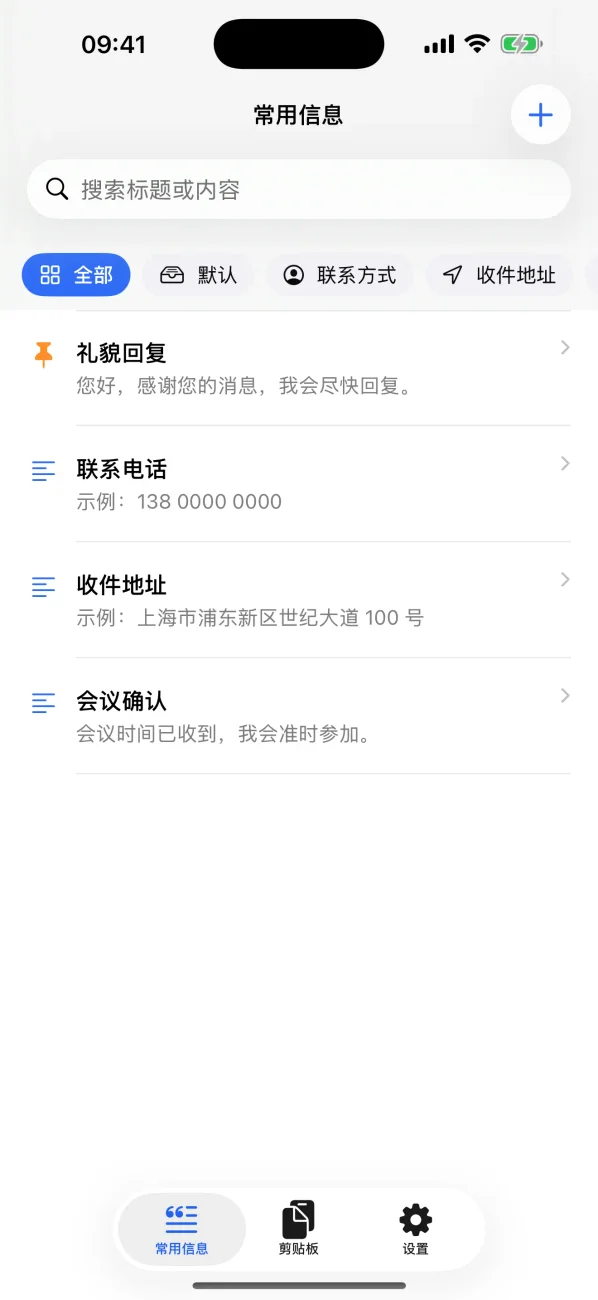
Save, search, pin, sort and categorize common replies, addresses, contact details and work notes. Insert saved text directly from the keyboard. Your own content is not translated.
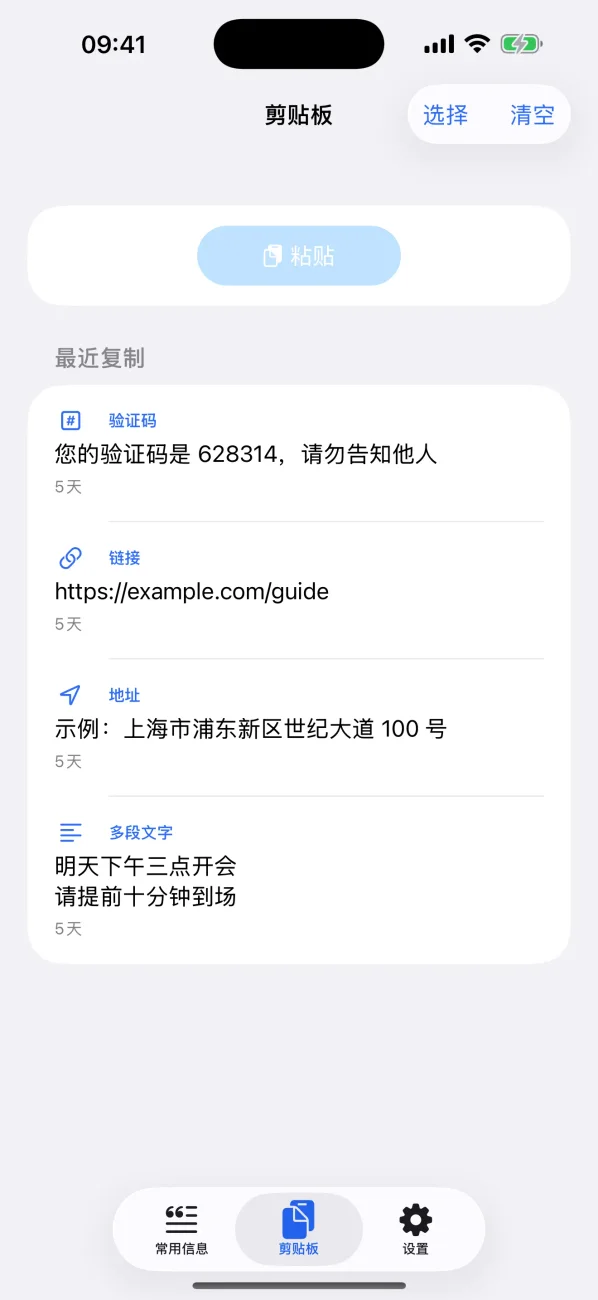
A CLIPBOARD YOU CONTROL
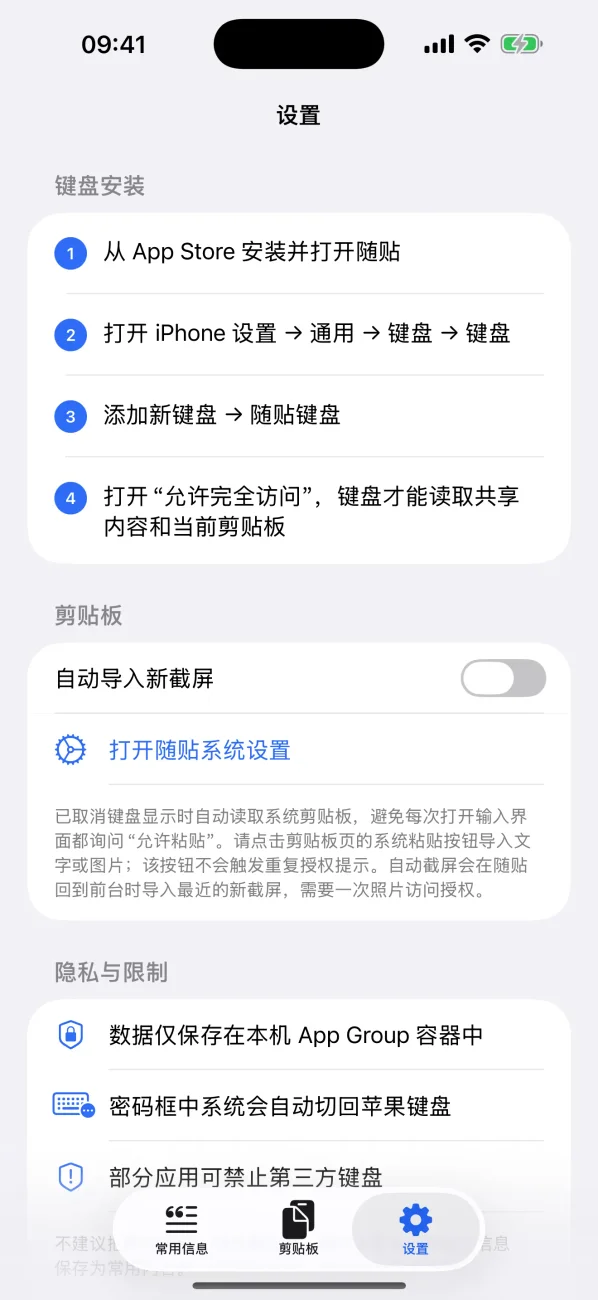
Import copied text and images when you choose. Keep text history and only the latest clipboard image or screenshot. To paste an image, copy it from KeyLilt and use Paste in an app that supports images. Optional screenshot import requires Photos permission and runs when the main app returns to the foreground.
ON-DEVICE BY DESIGN
No account, ads, analytics or tracking. Saved content stays on your device, and KeyLilt does not send what you type to a server.
GET STARTED
Open iPhone Settings > General > Keyboard > Keyboards > Add New Keyboard, then choose KeyLilt Keyboard. Use the globe key to switch keyboards. Basic typing works without Full Access; enable it to use content shared locally with the main app and to import clipboard items from the keyboard.
iOS may ask for permission to paste. KeyLilt cannot continuously capture every copy action in the background. Secure fields and some apps use the system keyboard. Keyboard width is controlled by iOS, so the available layout can vary between apps and devices.
Có gì mới
Phiên bản 1.1.0 · 27/10/2026
• Introducing KeyLilt, the new international name for SuiTie.
• Resizable split keyboard with independent width and height, saved for each layout and orientation.
• Basic input in 12 languages, with a shortcut between your system language and English.
• Optional key haptics, fuzzy pinyin and English spelling suggestions.
• Multiword Chinese and English suggestions. Learn frequently selected Chinese words and phrases on device; turn learning off or clear it in keyboard settings.
• Quick access to reusable text and clipboard items.
• Chinese continuous composition combines full pinyin, initials and fuzzy input into multiword candidates. Learned words can participate in new phrases.
• Improved context-based Chinese ranking and English phrase completion, including suggestions for missing spaces.
Quyền riêng tư của ứng dụng
Những gì 宇 刘 khai báo trên App Store về cách ứng dụng này xử lý dữ liệu.
-
Dữ liệu không được thu thập
Nhà phát triển không thu thập bất kỳ dữ liệu nào từ ứng dụng này.
Phương thức đảm bảo quyền riêng tư có thể khác nhau, chẳng hạn như tuỳ theo các tính năng bạn sử dụng hoặc độ tuổi của bạn.
Thông tin
- Người bán
- 宇 刘
- Danh mục
- Tiện Ích
- Phiên bản
- 1.1.0
- Cập nhật
- 27/10/2026
- Phát hành
- 03/09/2026
- Kích thước
- 8,9 MB
- Yêu cầu
- iOS 17.0 trở lên
- Độ tuổi
- 4+
- Giá
- Miễn phí
- Ngôn ngữ
- Tiếng Anh, Tiếng Ả Rập, Tiếng Pháp, Tiếng Đức, Tiếng Ý, Tiếng Nhật, Tiếng Hàn, Tiếng Bồ Đào Nha, Tiếng Nga, Tiếng Trung Giản thể, Tiếng Tây Ban Nha, Tiếng Trung Phồn thể
- Bản quyền
- © 2026 Liu Yu