
KnowledgeBase Builder
Mind Maps & Knowledge Graph
Được thiết kế cho iPhone, iPad, iPod touch
299.000đ
- Độ tuổi4+
- Danh mụcHiệu Suất
- Nhà phát triểnIngo Straub
- Ngôn ngữTiếng Anh+ 2 ngôn ngữ khác
- Kích thước21,8 MB
Liên kết đến trang App Store chính thức
Download.org không lưu trữ tệp nào của KnowledgeBase Builder. Nút này mở trang ứng dụng trên App Store, nơi Ingo Straub phát hành ứng dụng. Trang được kiểm tra lần cuối: 17/11/2026.
Ảnh chụp màn hình

Giới thiệu
Nhà phát triển chưa cung cấp nội dung này bằng ngôn ngữ của bạn.
The infinite mind map for iPhone & iPad: millions of connected ideas in a single file.
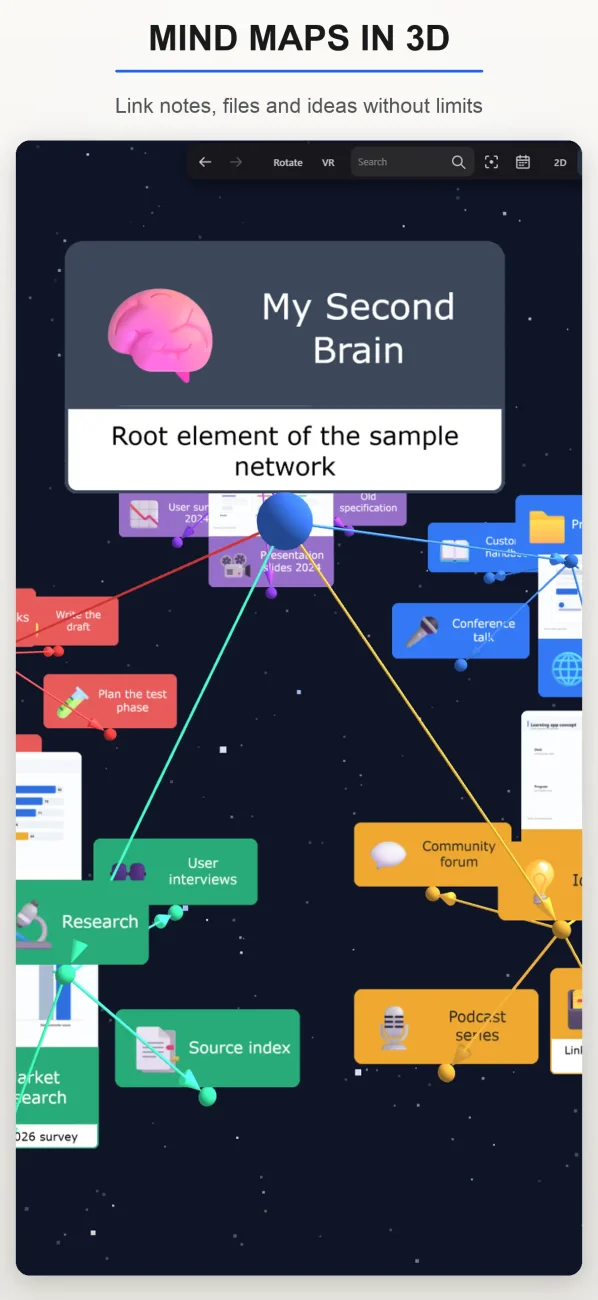
Traditional mind mapping tools hit their limits at 50 to 100 nodes and force you into a rigid tree. InfoRapid KnowledgeBase Builder is a true knowledge network for personal knowledge management and your digital "second brain": any item can be linked to any other, every connection carries its own label, and your database grows to millions of entries without becoming cluttered. Just like in Google Earth, you always see exactly the area you are interested in – a tap smoothly centers any item.
SPECTACULAR 3D VIEW
Experience your knowledge in space: the interactive 3D view arranges your network as a sphere, an orrery or a planetarium. Fly from item to item with smooth camera moves, or let presentation mode take you on a guided tour – perfect for talks, teaching and videos.
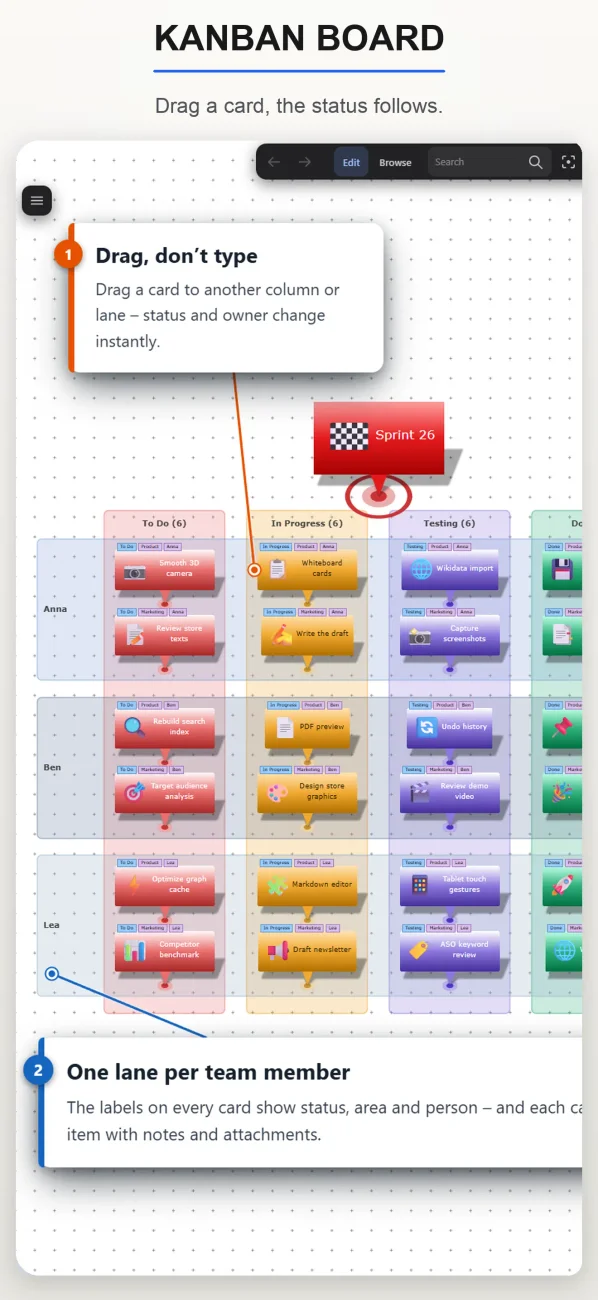
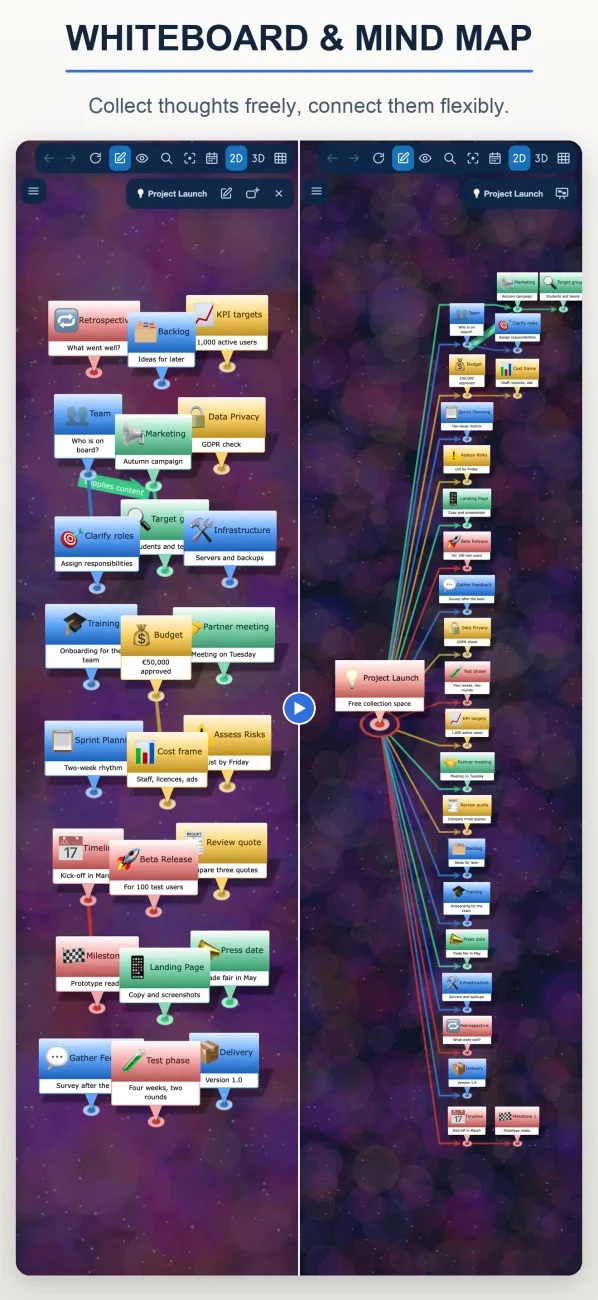
WHITEBOARD, MIND MAP AND KANBAN IN ONE APP
Start freely on the whiteboard: ideas, notes and tasks float on an infinite canvas. As your thoughts take shape, arrange them as a mind map with one tap – or as a Kanban or Scrum board for projects and tasks. Drag a card into the next column with your finger or Apple Pencil and its status follows automatically.
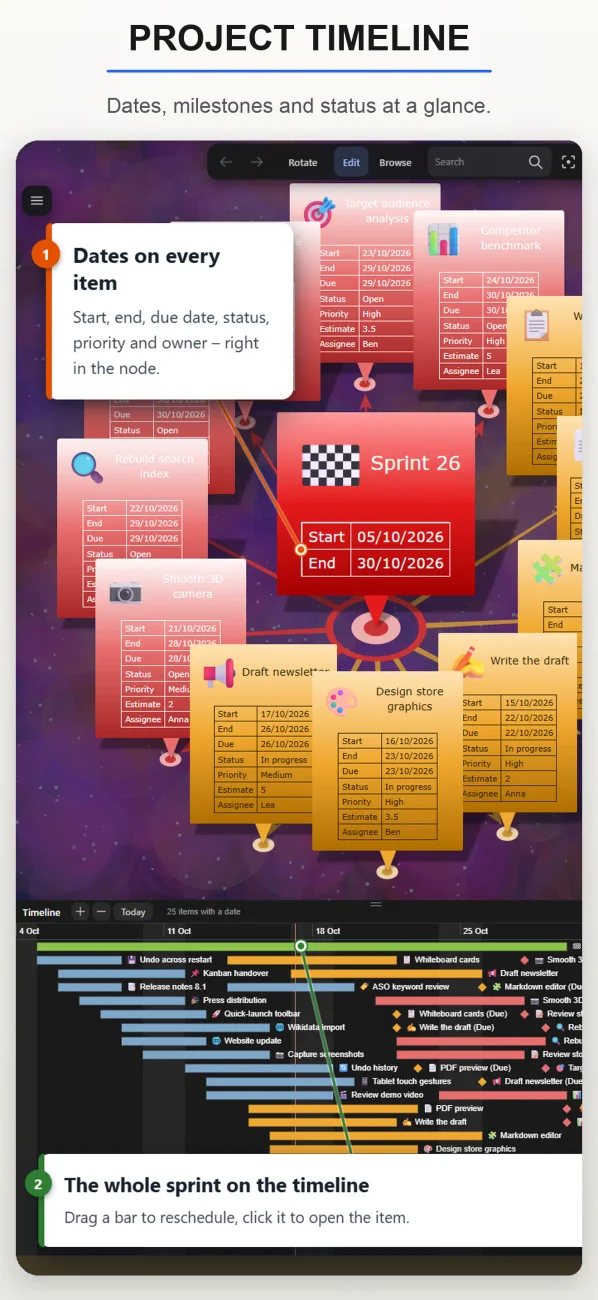
TIMELINE FOR DATES AND DEADLINES
Give every item a start, end, due date, status, priority and owner. The timeline shows your whole project at a glance; drag a bar with a swipe to reschedule, tap it to open the item.
EVERY DIAGRAM TYPE, AUTOMATICALLY ARRANGED
Connect items by drag and drop using touch or Apple Pencil and label every relationship. A single tap arranges the whole network radially, symmetrically, hierarchically or as a table. Create mind maps, concept maps, flowcharts, org charts, family trees and even mathematical formulas (LaTeX). The app can also draw flowcharts straight from pseudocode.
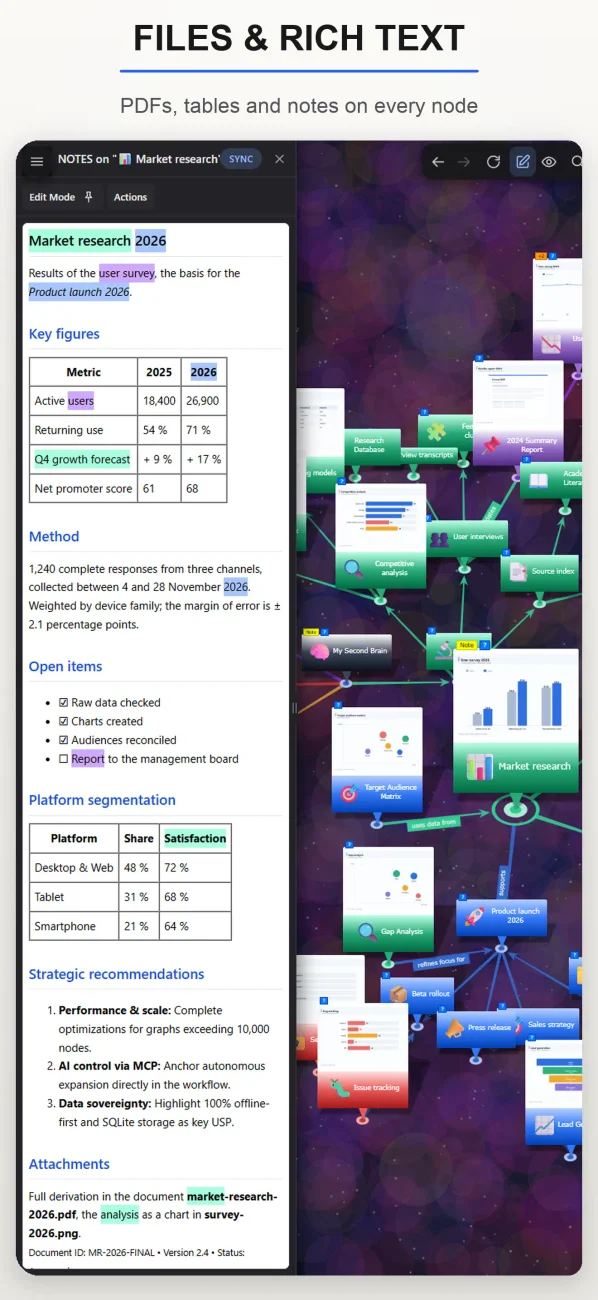
NOTES, RICH TEXT AND ATTACHMENTS
Every item holds more than a title: formatted notes with tables, checklists and links to other items. Attach PDFs, Word and Excel files, images or web links directly – with automatic previews.
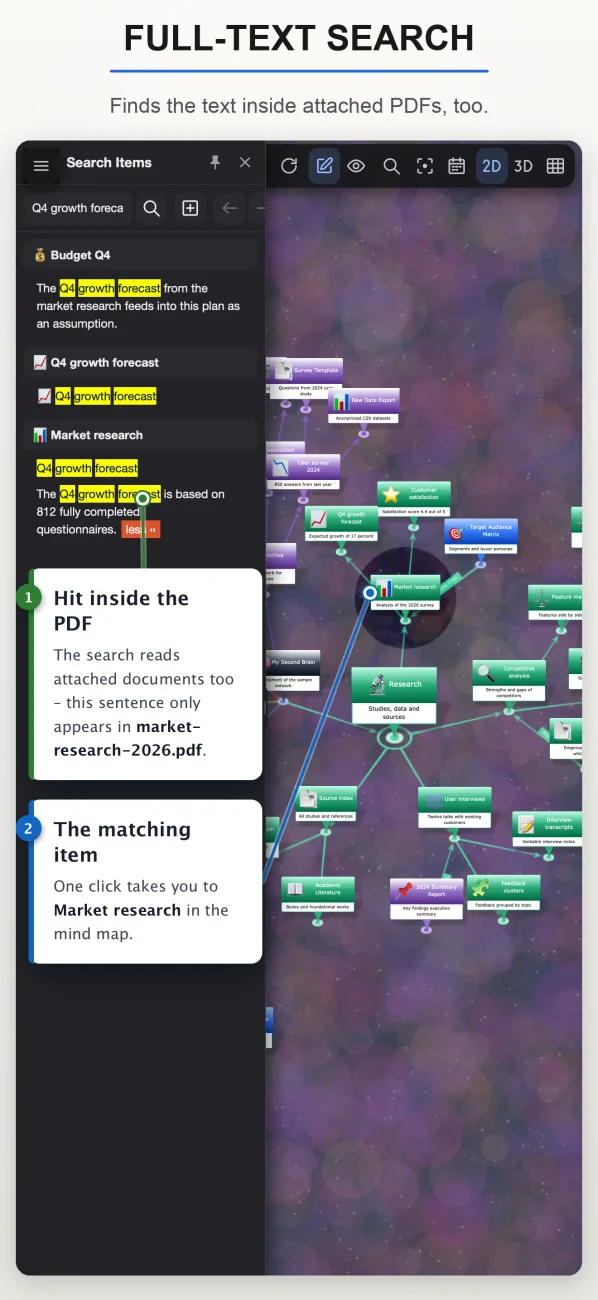
FULL-TEXT SEARCH INSIDE YOUR DOCUMENTS
The lightning-fast search finds not only item names but also the text in your notes and attached documents.
OPTIMIZED FOR TOUCH & APPLE PENCIL
Interact with your knowledge base naturally and fluidly: navigate with pinch-to-zoom, draw and connect thoughts directly with your finger or Apple Pencil. Whether on the go with your iPhone or on the expansive canvas of the iPad Pro, the interface adapts effortlessly to your device.
WIKIPEDIA, WIKIDATA AND OBSIDIAN IMPORT
Search Wikipedia or Wikidata right inside the app and turn entire articles, including their relationships, into a ready-made mind map. Text analysis automatically extracts the key terms from your own texts. Complete Obsidian vaults can be imported, too.
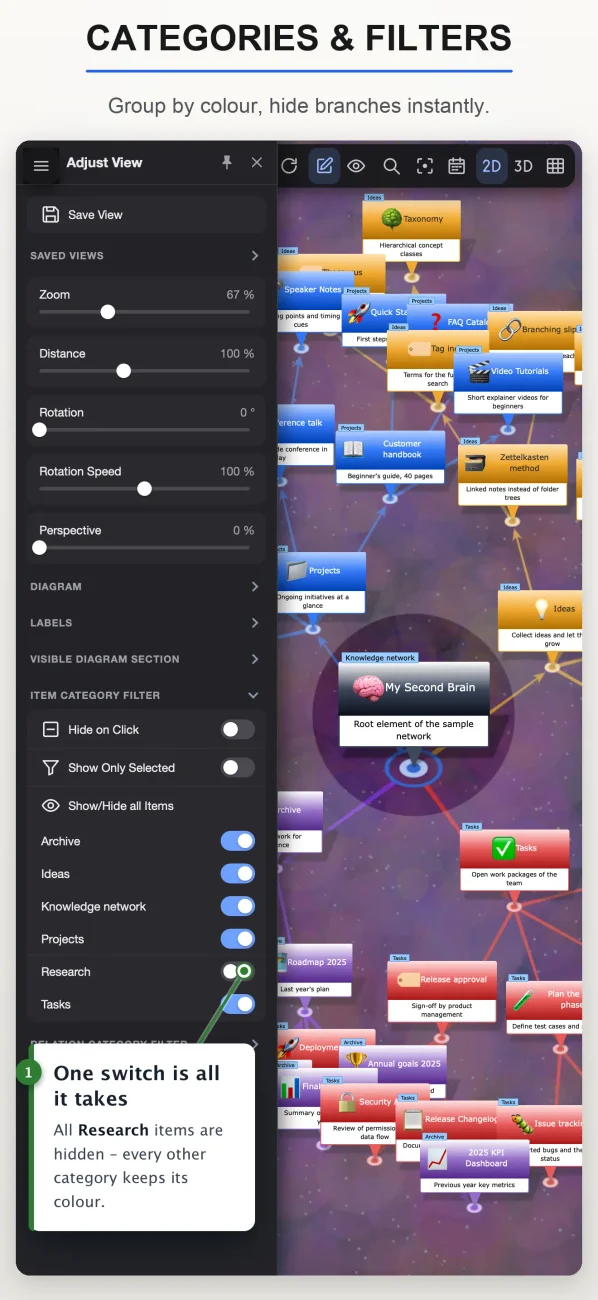
CATEGORIES, TAGS AND FILTERS
Group items by color and topic and hide entire branches with a single switch.
ALSO INCLUDED
• Learn with flashcards: the app turns your mind maps into flashcards and cloze tests for school, university and work.
• Undo without worry: up to 200 steps are kept – even after a restart.
• Open formats: import and export as JSON, XML, CSV, text document, image or 3D model.
• Your data stays with you: every knowledge base is a fast SQLite file (.kdb) stored directly on your device. 100% offline, no account, no cloud lock-in, no tracking.
• Seamless sync via iCloud Drive: share and edit the exact same .kdb file across iPhone, iPad, and your Mac or PC.
Có gì mới
Phiên bản 8.5.0 · 11/11/2026
• New: Editing in 3D – Create and edit items and connections directly in the 3D view, with smoothly animated transitions.
• New: Symbols and emojis – Insert symbols and emojis into names, descriptions and notes. Categories can carry symbols, and diagram icons are now crisp vector graphics.
• Improved: 3D presentation – Show image attachments full screen and zoom into them, depth fog, category labels in 3D and a new card design with data fields as chips.
Quyền riêng tư của ứng dụng
Những gì Ingo Straub khai báo trên App Store về cách ứng dụng này xử lý dữ liệu.
-
Dữ liệu không được thu thập
Nhà phát triển không thu thập bất kỳ dữ liệu nào từ ứng dụng này.
Phương thức đảm bảo quyền riêng tư có thể khác nhau, chẳng hạn như tuỳ theo các tính năng bạn sử dụng hoặc độ tuổi của bạn.
Thông tin
- Người bán
- Ingo Straub
- Danh mục
- Hiệu Suất
- Phiên bản
- 8.5.0
- Cập nhật
- 11/11/2026
- Phát hành
- 13/01/2019
- Kích thước
- 21,8 MB
- Yêu cầu
- iOS 15.0 trở lên
- Độ tuổi
- 4+
- Giá
- 299.000đ
- Ngôn ngữ
- Tiếng Anh, Tiếng Đức, Tiếng Tây Ban Nha
- Bản quyền
- © 2026 Ingo Straub
Có thể bạn cũng thích
-
 HeadspaceHiệu Suất
-
 VisuallyMind: Mind MappingHiệu Suất
-
 Inclr: Sơ Đồ Tư DuySắp xếp ý tưởng và cuộc sống
-
 Lucid Mind: Brainstorm IdeasHiệu Suất
-
 Escape - Mind Map & OutlineHiệu Suất
-
 Cardflow+ Mind Map StoryboardHiệu Suất
-
 Bản đồ tư duy - Đa dạngLập bản đồ tư duy và động não
-
 MindThreadHiệu Suất
-
 SimpleMind Pro - Mind MappingHiệu Suất
-
 TheBrain: Smart Notes & LinksHiệu Suất