KVM
Control a computer via KVM
Được thiết kế cho iPhone, iPad, Mac
Miễn phí · Mua hàng trong ứng dụng
- Độ tuổi4+
- Danh mụcTiện Ích
- Nhà phát triểnemmanuel grand
- Ngôn ngữTiếng Anh+ 4 ngôn ngữ khác
- Kích thước32,6 MB
Liên kết đến trang App Store chính thức
Download.org không lưu trữ tệp nào của KVM. Nút này mở trang ứng dụng trên App Store, nơi emmanuel grand phát hành ứng dụng. Trang được kiểm tra lần cuối: 23/11/2026.
Ảnh chụp màn hình
Giới thiệu
Nhà phát triển chưa cung cấp nội dung này bằng ngôn ngữ của bạn.
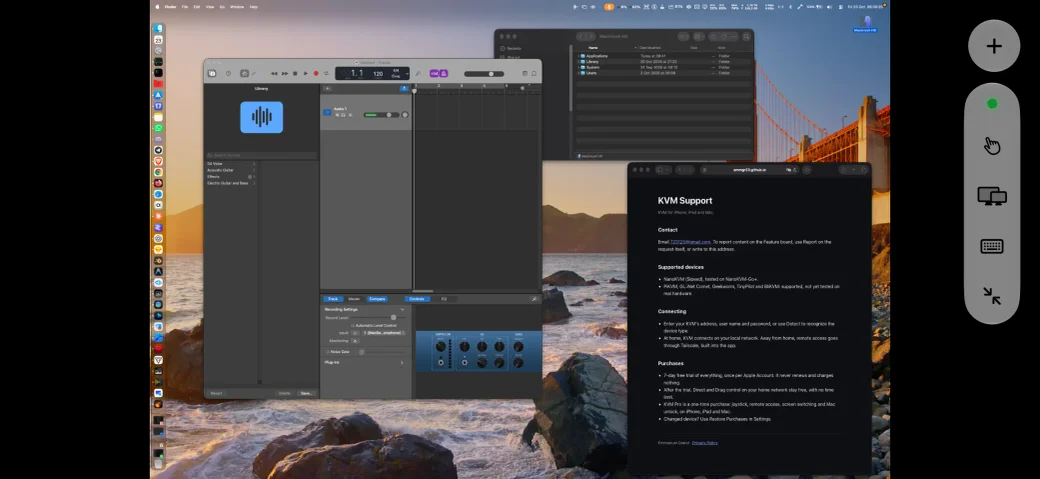
KVM controls a computer from your iPhone, iPad or Mac through a KVM-over-IP device plugged into that computer, such as a NanoKVM.
The KVM device acts as the computer's real screen, keyboard and mouse. You see its screen live and use it even when it is asleep, locked, or still starting up, with nothing to install on the controlled computer.
NO KVM DEVICE? CONTROL YOUR MAC DIRECTLY
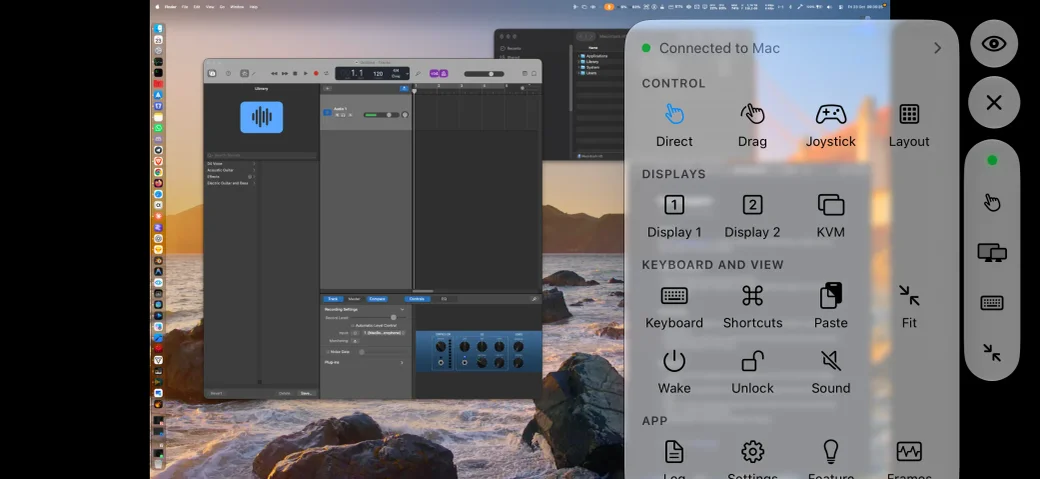
Install the KVM app on your Mac, turn on “Let iPhone and iPad control this Mac”, then choose “My Mac, no KVM” on your iPhone or iPad. Same iCloud account, nothing to pair. Screen, keyboard, mouse, shortcuts and on-screen buttons work as with a KVM device. At home over Wi-Fi, from anywhere through built-in Tailscale (KVM Pro). Macs only, not Windows or Linux. The Mac must be on and awake: to see a Mac that is off or starting up, you still need a KVM device.
CONTROL
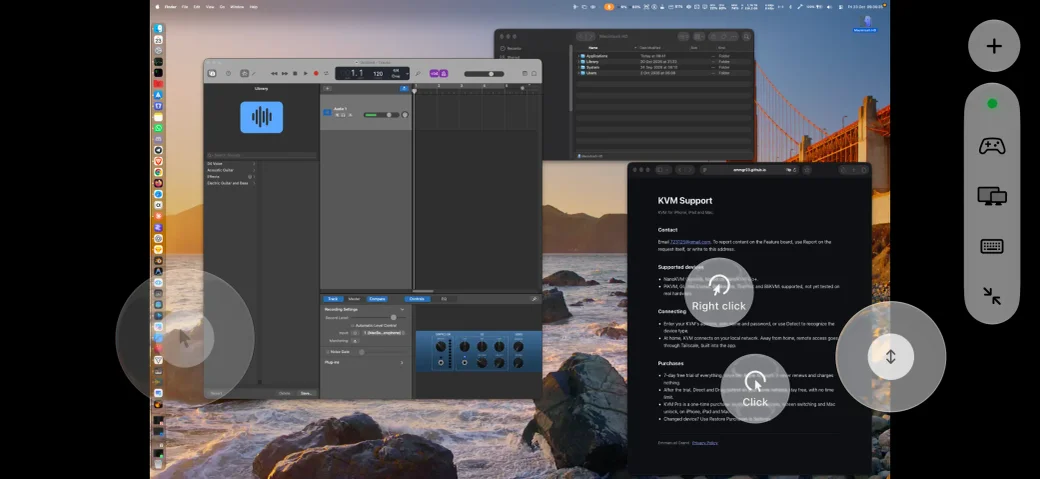
• Two pointer modes: Direct (the cursor follows your finger, tap to click, hold a button to drag) and Joystick (on-screen sticks for the cursor and scrolling).
• On-screen buttons in both modes: place any action, then move, resize and fade it, with separate layouts for portrait and landscape.
• Launchers: one button that opens a list of actions you choose, as a grid or a list.
• Shortcuts for macOS, Windows and Linux, and your own shortcuts and sequences, with different keys on Mac and PC if needed. The controlled computer's system is recognized on screen.
• Keyboard with F1 to F12, 7 keyboard layouts, and clipboard text typed for you by the KVM.
• Screen photo of the computer, saved to Photos.
• Pinch to zoom into the image.
• A bar with your favorite actions, the rest one tap away.
YOUR MAC
• Wake: wakes a sleeping Mac as soon as you connect.
• Unlock: after Face ID, KVM types your Mac's login password on its lock screen. The password stays in the Keychain of your device and is never synced.
• Screens: with KVM for Mac open on the controlled Mac, choose which of its screens the KVM shows, up to four.
ANYWHERE
• Remote access through Tailscale, built into the app: no other app to install, works over 5G.
AI ASSISTANT (OPTIONAL)
• Use the AI provider you choose (Claude, ChatGPT, Gemini, Mistral, local models and more) with your own API key.
• Ask it to do a task on the controlled computer: it sees the screen through the KVM, and you approve each click and keystroke.
• Nothing is sent before you give permission, and you can revoke it in Settings.
NANOKVM TOOLS
• Apps: install open source apps on your NanoKVM, and let the AI check their code first.
• Scripts: describe a script, the AI writes it, you read it, then run it on the NanoKVM.
• Terminal: the NanoKVM's own shell, as on its web page.
KVM FOR MAC
• The same control from another Mac, and the screen companion for the Mac plugged into the KVM.
DEVICES
• NanoKVM (Sipeed), tested on NanoKVM-Go+.
• Also built for PiKVM (including GL.iNet Comet and Geekworm), TinyPilot and BliKVM.
PRICING
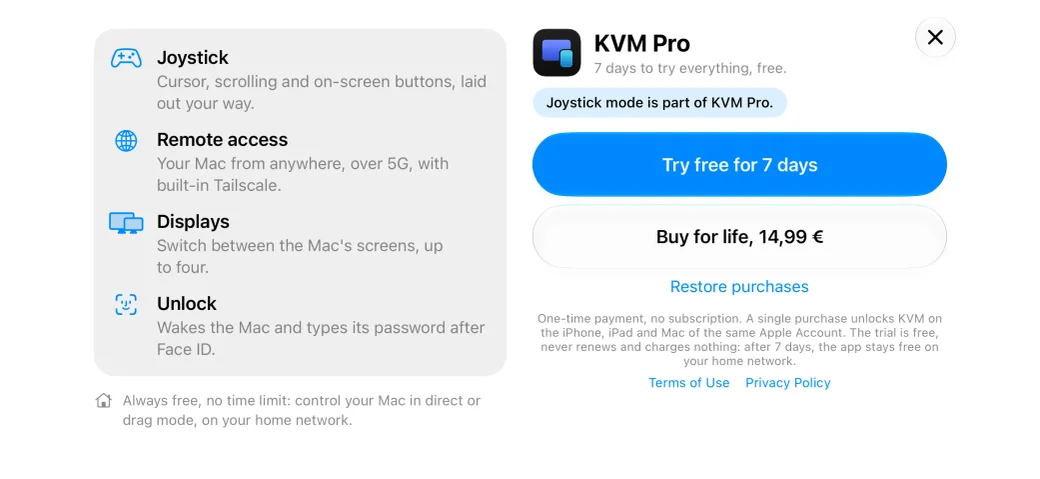
• 7-day free trial of everything, once per Apple Account. It never renews and charges nothing.
• After the trial, Direct control on your home network stays free, with no time limit.
• KVM Pro, one-time purchase, no subscription: Joystick, remote access, screen switching, Unlock, custom shortcuts beyond the first, AI Assistant and NanoKVM tools. One purchase covers iPhone, iPad and Mac with the same Apple Account.
ALSO
• Your devices share settings, layout and KVM password through iCloud.
• Feature board: suggest features and vote for the ones you want.
• English, French, Spanish, Italian and German.
Có gì mới
Phiên bản 1.3.1 · 20/11/2026
• Report: describe a problem from the menu, your log goes with it, privately. Known issues are listed with “Me too”.
• Fixed: remote access to NanoKVM through Tailscale could fail right after signing in.
• “My Mac, no KVM”: the Screens buttons now show the chosen screen of the Mac.
• The connection comes back by itself after the app returns from the background.
• Zoomed in: drag with two fingers to move around the computer's screen.
Quyền riêng tư của ứng dụng
Những gì emmanuel grand khai báo trên App Store về cách ứng dụng này xử lý dữ liệu.
-
Dữ liệu liên kết với bạn
Có thể được thu thập và liên kết với danh tính của bạn.
- Nội dung của người dùng
- Mã định danh
Phương thức đảm bảo quyền riêng tư có thể khác nhau, chẳng hạn như tuỳ theo các tính năng bạn sử dụng hoặc độ tuổi của bạn.
Thông tin
- Người bán
- emmanuel grand
- Danh mục
- Tiện Ích
- Phiên bản
- 1.3.1
- Cập nhật
- 20/11/2026
- Phát hành
- 06/11/2026
- Kích thước
- 32,6 MB
- Yêu cầu
- iOS 26.0 trở lên
- Độ tuổi
- 4+
- Giá
- Miễn phí
- Mua hàng trong ứng dụng
- Có
- Ngôn ngữ
- Tiếng Anh, Tiếng Pháp, Tiếng Đức, Tiếng Ý, Tiếng Tây Ban Nha
- Bản quyền
- © 2026 Emmanuel Grand