
- Độ tuổi4+
- Danh mụcĐồ Họa & Thiết Kế
- Nhà phát triểnadam rogan
- Ngôn ngữTiếng Anh
- Kích thước12,8 MB
Liên kết đến trang App Store chính thức
Download.org không lưu trữ tệp nào của Layer-Art. Nút này mở trang ứng dụng trên App Store, nơi adam rogan phát hành ứng dụng. Trang được kiểm tra lần cuối: 17/11/2026.
Ảnh chụp màn hình
Giới thiệu
Nhà phát triển chưa cung cấp nội dung này bằng ngôn ngữ của bạn.
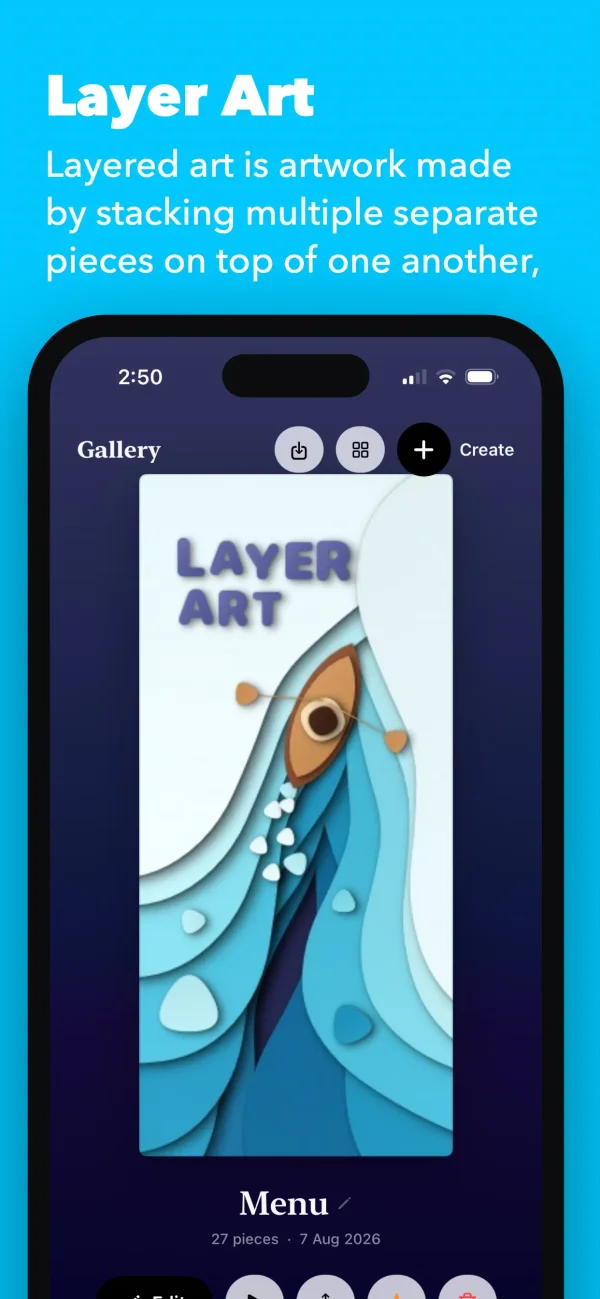
Layer Art- is a studio for layered paper art. Choose a colour, place a shape, and watch a shadow fall exactly where it should.
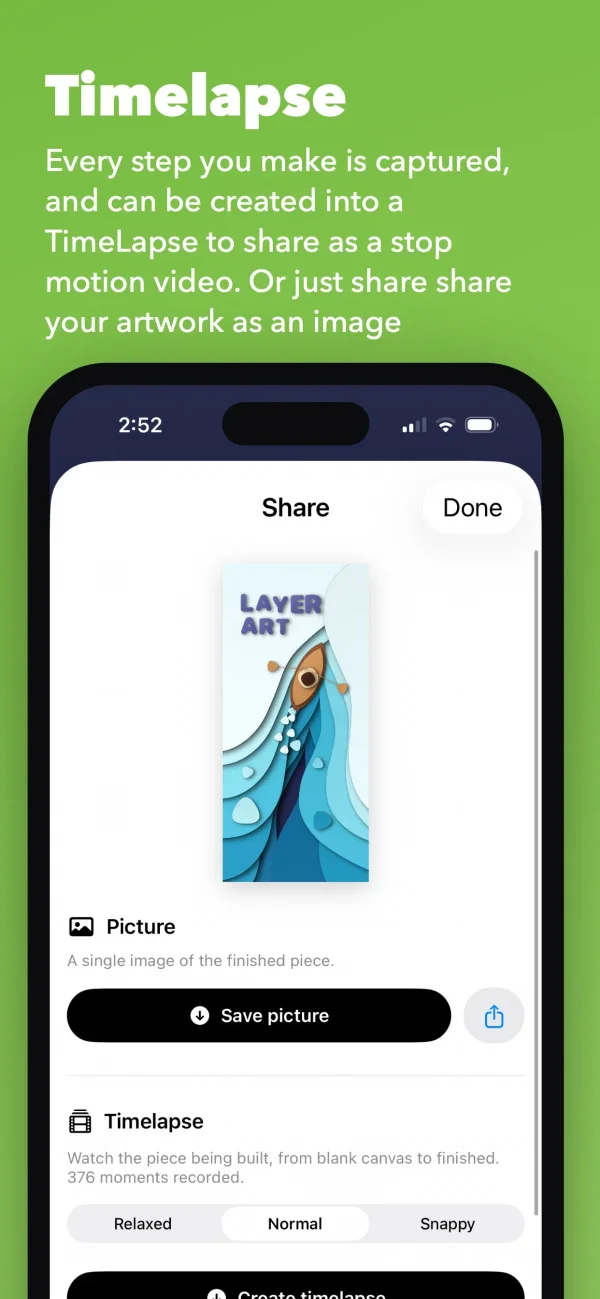
Every piece you place is remembered. When you're finished, play the whole build back as a stop-motion film — pieces springing into place, sliding into position, the artwork assembling from a blank page.
It isn't a screen recording. Nothing is captured while you work, so there's no quality loss and no wasted space. The film is drawn fresh from your artwork, which means it's razor sharp at any size and you choose the pace afterwards. Save it, share it, or just watch it.
Pick a piece up again next week and the film keeps growing with it.
REAL DEPTH, NOT A DROP SHADOW
Layer Art works because of light. Every shape you place sits at its own height above the page — measured in millimetres, like foam tape behind real card.
• One light source for the whole piece, so nothing ever looks pasted on
• A soft depth shadow and a tight contact shadow, the way paper actually behaves
• Move the sun and every shadow in the artwork turns to follow it
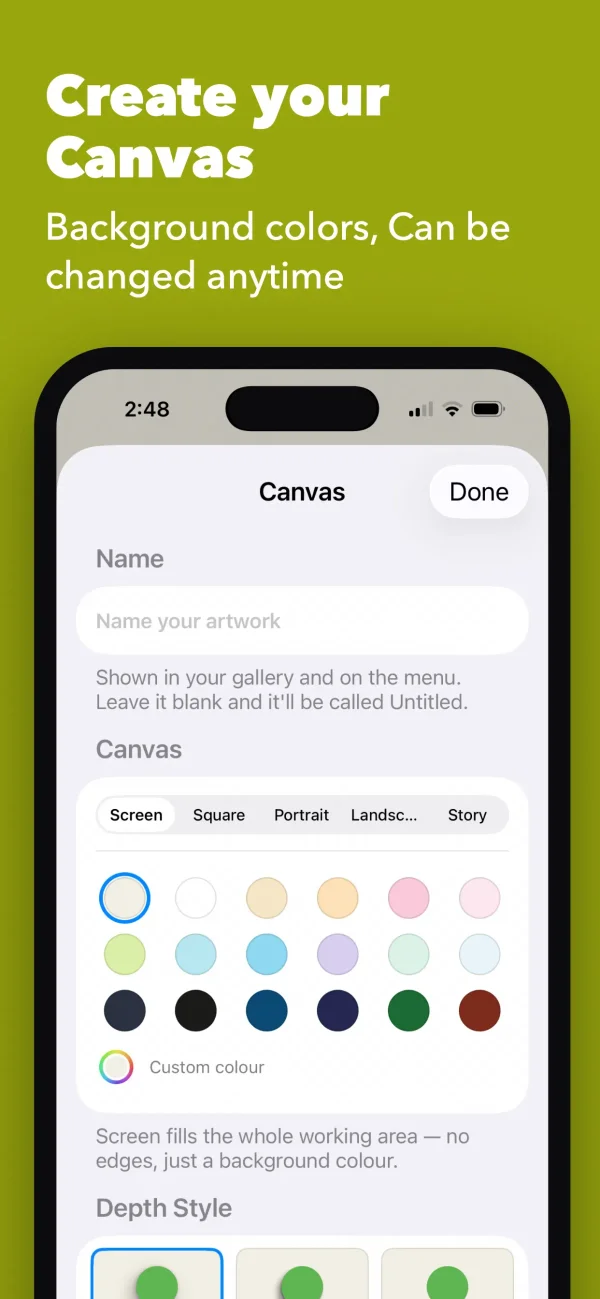
• Three depth styles: Soft, Crisp and Flat
• Fine control over shadow size, distance and opacity when you want it
HUNDREDS OF SHAPES
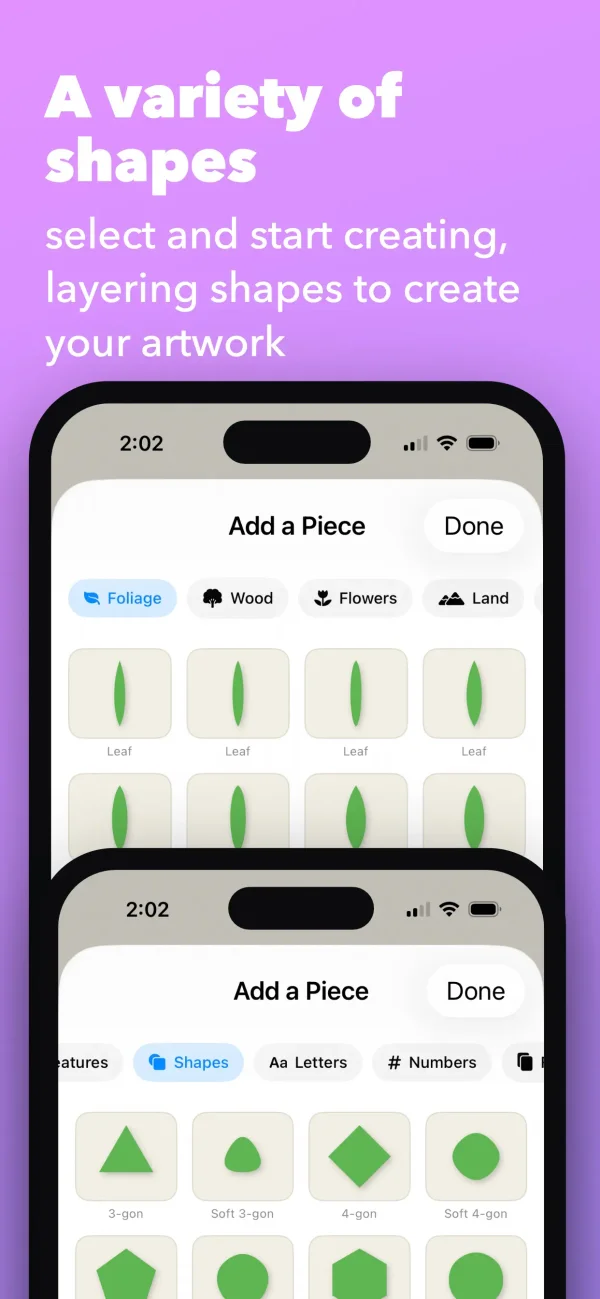
Nearly 400 pieces to cut from, all vector, all recolourable, all sharp at any size.
Ferns, leaves, split leaves, grass, tendrils, branches • Trunks, sticks, logs, driftwood • Flowers, clover, mushrooms • Mountains, hills, pebbles • Clouds, suns, moons • Waves, fish, whales • Birds, butterflies, cats, owls, bunnies • Arches, frames, rings • Stars, blobs, hearts, sparkles
WORDS, CARDS AND MESSAGES
The full alphabet and numbers, cut from paper in two styles. Not typed text — real letterforms you colour, rotate, layer and lift like any other piece.
Which makes something rather good possible: build a card, spell a message, and the timelapse becomes the reveal. The words appear one letter at a time.
BUILD FROM A PHOTO
Bring in a photo two ways. Trace mode sits it faintly underneath as a guide and never appears in the export. Frame mode makes it part of the artwork, so you can build a paper frame around a photo you love.
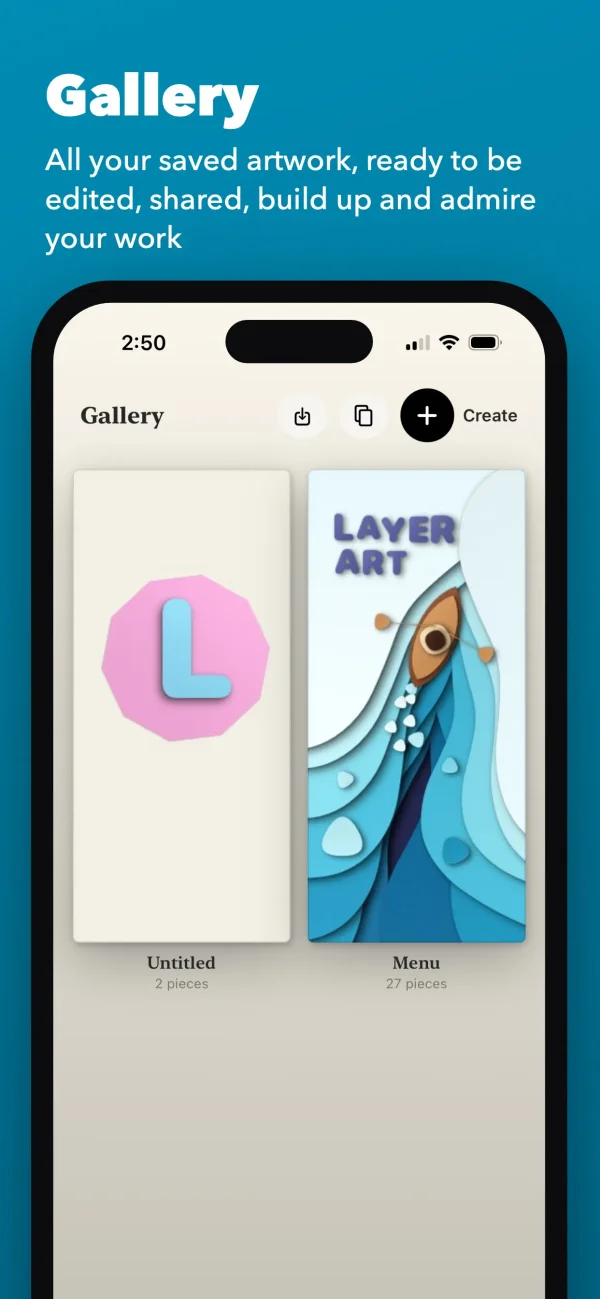
A GALLERY WORTH SCROLLING
Your work lives on a wall, not in a list. Cards keep each piece's real proportions and carry the same paper shadow the artwork does. Tap one and it grows into full screen, where the background takes on that artwork's own colour.
THE WALL, USER SHOWCASE
Users can submit there artwork for display on the wall, All artwork submitted is moderated for approval before going on the wall, all images uploaded, are kept 100% private and never shared anywhere besides inside the App. Users can report images, all reports are moderated as well, and reviewed. Then action taken.
Users can also add there social media link, if maybe they are doing creative tutorials, any form of art channels. Users may wish have a look.
Artwork in the Showcase, can be tapped and then watched how that user put it all together. Showcase is designed for showing of created artwork and also a great way for other users to see how it was made.
PRIVACY
All artwork images , created in the App stay on your device, only exception is if you choose to have your work displayed in the show case then that is submitted to a secure database as a file not an image, all images are sent by file and encrypted. For privacy.
MADE FOR MAKING
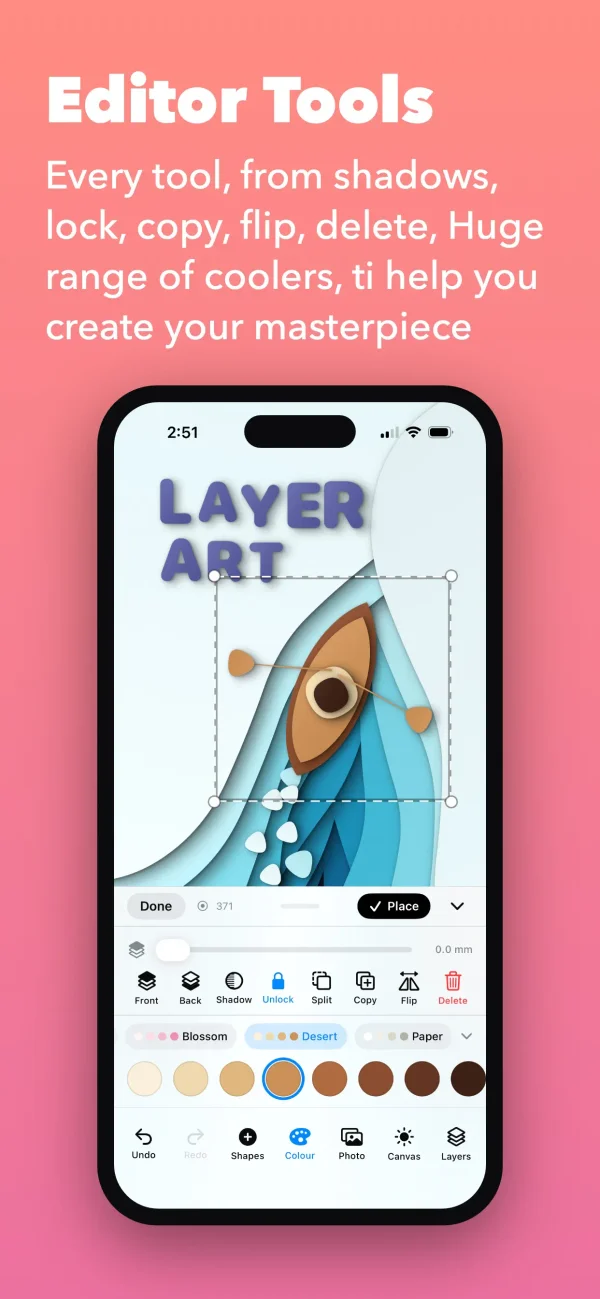
• Curated tonal palettes, because five greens beat five hundred
• Merge pieces into one and move them together
• Layers you can drag, lock, reorder and unlock
• Snapping to centre lines and angles, switchable
• Full undo and redo
• Autosaves constantly — nothing is ever lost
• Send an artwork to a friend as a file they can open and keep building
• Export a picture or a film straight to your photos
Có gì mới
Phiên bản 1.1 · 15/09/2026
updates and enhancements to make use of IOS27
Quyền riêng tư của ứng dụng
Những gì adam rogan khai báo trên App Store về cách ứng dụng này xử lý dữ liệu.
-
Dữ liệu không được thu thập
Nhà phát triển không thu thập bất kỳ dữ liệu nào từ ứng dụng này.
Phương thức đảm bảo quyền riêng tư có thể khác nhau, chẳng hạn như tuỳ theo các tính năng bạn sử dụng hoặc độ tuổi của bạn.
Thông tin
- Người bán
- adam rogan
- Danh mục
- Đồ Họa & Thiết Kế
- Phiên bản
- 1.1
- Cập nhật
- 15/09/2026
- Phát hành
- 25/08/2026
- Kích thước
- 12,8 MB
- Yêu cầu
- iOS 18.6 trở lên
- Độ tuổi
- 4+
- Giá
- 59.000đ
- Ngôn ngữ
- Tiếng Anh
- Bản quyền
- © aroganthing
Có thể bạn cũng thích
-
 Munus PaintĐồ Họa & Thiết Kế
-
 VectoraĐồ Họa & Thiết Kế
-
 Rindraw: Vẽ & tô màu tranhMinh họa và hoạt hình
-
 PaintlustratorĐồ Họa & Thiết Kế
-
 Stick Figure 3D PoseĐồ Họa & Thiết Kế
-
 InkWaveĐồ Họa & Thiết Kế
-
 Storyboard CreatorĐồ Họa & Thiết Kế
-
 Clio Infinite PaintĐồ Họa & Thiết Kế
-
 Animatya - Animation CreatorĐồ Họa & Thiết Kế
-
 BladeDraw – Vẽ vectorMọi nét vẽ đều sửa lại được