
Learn Word Processing Course
Document Tutorial & Shortcuts
Được thiết kế cho iPhone, iPad, iPod touch
Miễn phí · Mua hàng trong ứng dụng
- Độ tuổi4+
- Danh mụcGiáo Dục
- Nhà phát triểnJakir Hossain
- Ngôn ngữTiếng Anh
- Kích thước13,6 MB
Liên kết đến trang App Store chính thức
Download.org không lưu trữ tệp nào của Learn Word Processing Course. Nút này mở trang ứng dụng trên App Store, nơi Jakir Hossain phát hành ứng dụng. Trang được kiểm tra lần cuối: 17/11/2026.
Ảnh chụp màn hình




Giới thiệu
Nhà phát triển chưa cung cấp nội dung này bằng ngôn ngữ của bạn.
Learn Word step by step, from your first document to a finished resume, thesis, book or business proposal. For beginners and anyone who wants to work faster.
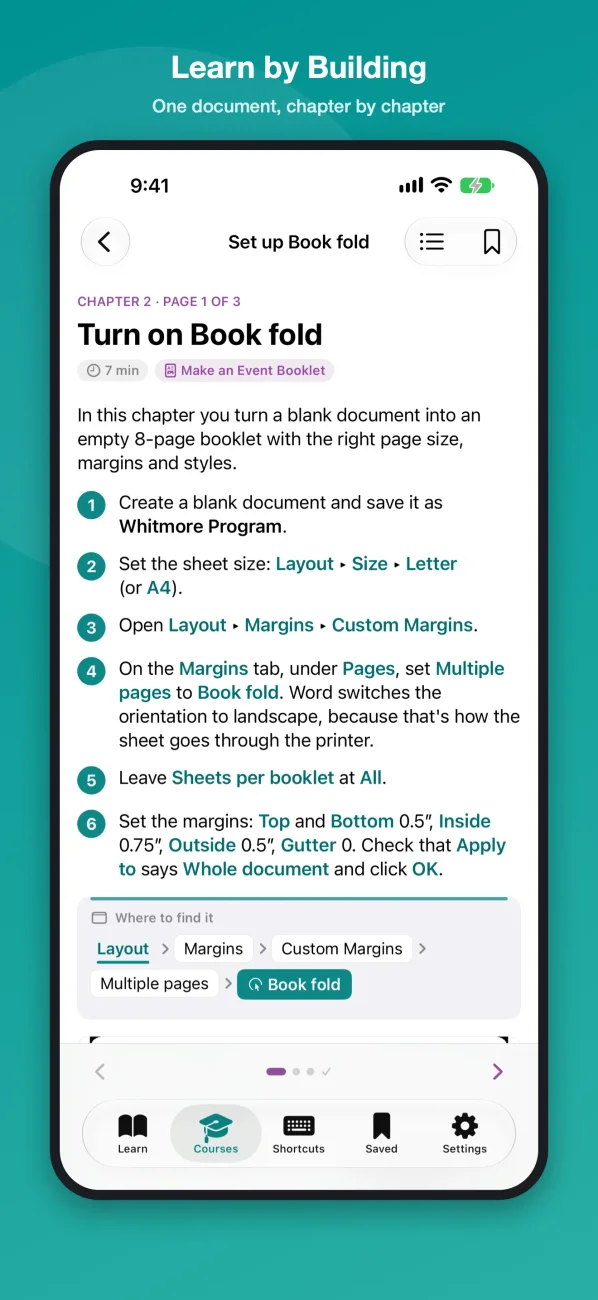
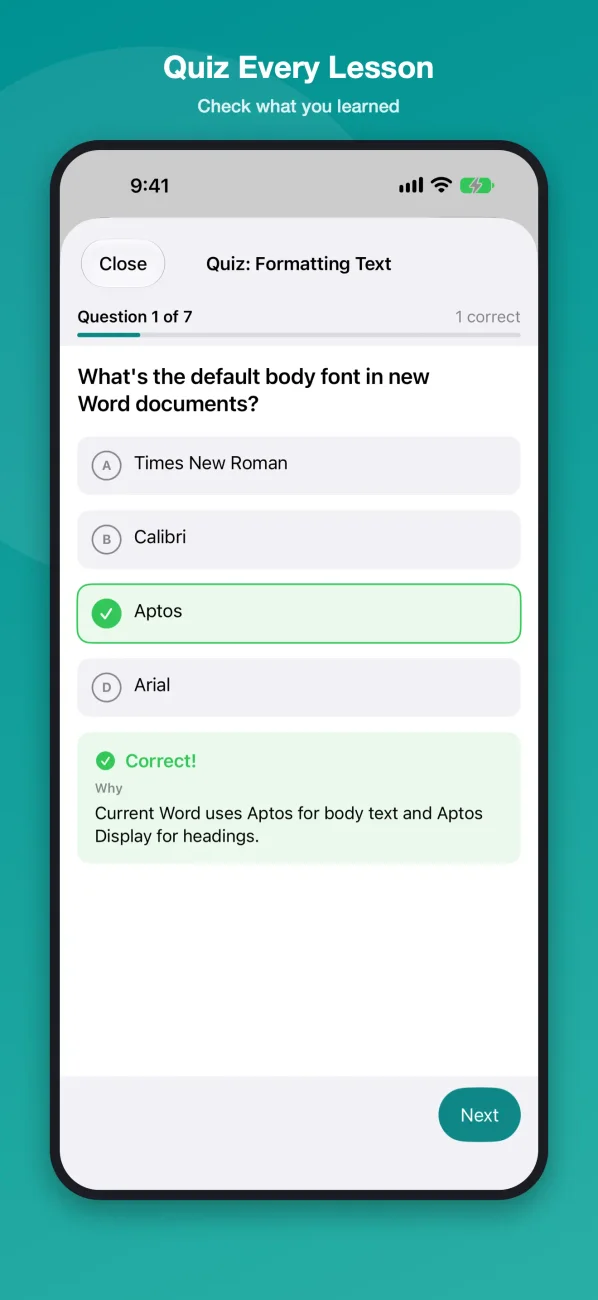
Learn Word Processing Course is a complete, up-to-date course for Microsoft Word on Windows and Mac. 51 clear lessons explain each skill in short pages with real screenshots, then let you check what you learned with a quiz and a hands-on practice task. Step-by-step courses then take you from a blank page to a real, finished document.
WHAT YOU WILL LEARN
• Getting started: the ribbon, creating, saving and AutoSave, selecting and editing text, views and navigation
• Formatting: fonts, paragraphs, indents and tabs, lists, styles, themes
• Page layout and printing: margins, breaks and sections, columns, headers and footers, page numbers, PDF
• Pictures and graphics: pictures, cropping, shapes, icons, text boxes, SmartArt, arranging objects
• Tables and charts: building and styling tables, formulas, charts and spreadsheet data
• Long documents: table of contents, footnotes, citations, captions, cross-references, bookmarks, templates
• Review and collaborate: spelling and Editor, Track Changes, comments, sharing, protecting a document
• Work smarter: Copilot, Dictate and Transcribe, Read Aloud, accessibility, mail merge, customizing
• Guided projects: build a resume, business letter, flyer, report, labels, book, brochure, fillable form and invoice
COURSES: MAKE A REAL DOCUMENT, START TO FINISH
• Format a Thesis: front matter, two page-number systems, numbered headings, lists of figures, PDF
• Self-Publish a Paperback: trim size, mirror margins, chapter openers, running heads, print-ready PDF
• Job Application Kit: matching résumé, cover letter, references and thank-you note
• Make an Event Booklet: a folded 8-page program for weddings, memorials and events
• Certificates and Awards: a certificate template, then a named copy for every winner
• Build a Printable Planner: monthly, weekly, daily and habit-tracker pages
• Write a Business Proposal: cover, contents, timeline and a pricing table that totals itself
• Cards and Invitations: folded greeting cards, party invitations and envelopes
Every course has a free first chapter, a checklist at the end of each chapter and a final quiz.
FEATURES
• Steps for both Windows and Mac, with Mac differences called out
• Real screenshots you can open full screen and zoom
• A quiz and a practice checklist in every lesson
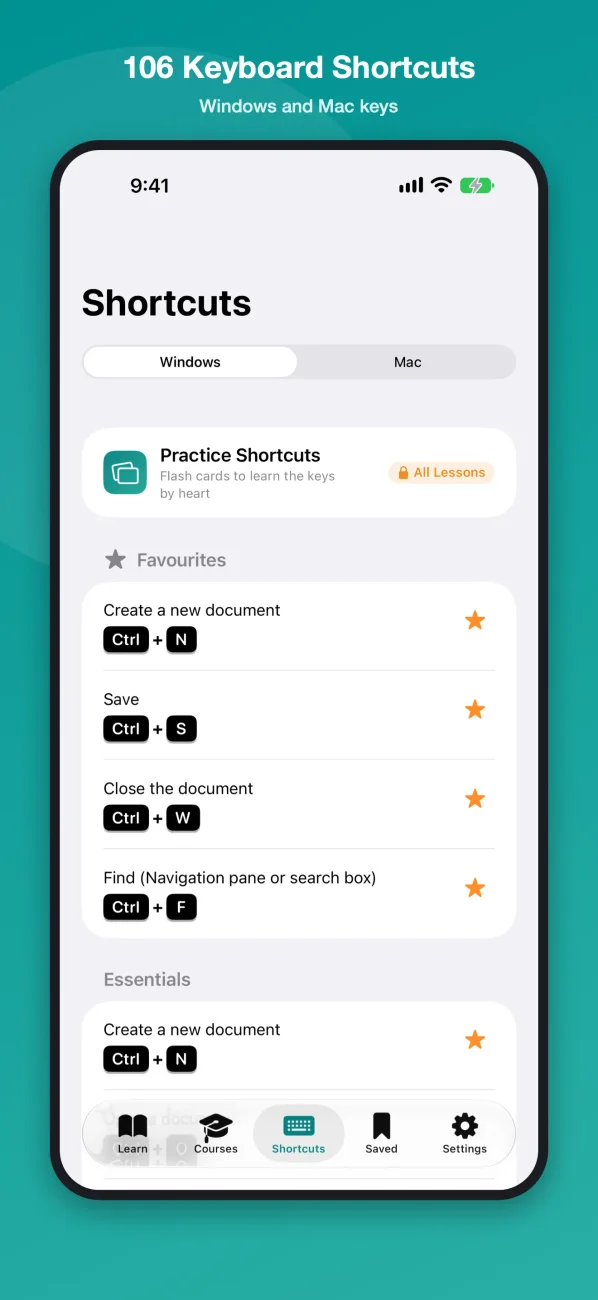
• 106 keyboard shortcuts for Windows and Mac, with examples and flash-card practice
• Search every lesson and shortcut
• Bookmarks, saved pages and progress tracking
• Light and dark mode, adjustable text size
ONE-TIME PURCHASES, NO SUBSCRIPTION
• Free: 33 lessons, all 106 shortcuts and the first chapter of every course
• All Lessons: every lesson and guided project, plus shortcut practice
• Each course: unlock one course
• Everything: all lessons and every course, including courses added later
Any purchase removes ads.
This is an independent learning app. It is not affiliated with, endorsed by or sponsored by Microsoft Corporation. Microsoft and Microsoft Word are trademarks of the Microsoft group of companies.
Có gì mới
Phiên bản 2.0.1 · 04/11/2026
Purchases now unlock straight away, and anything you already own opens without an error. The Shortcuts tab has a clearer new look, with details and examples behind the info button.
Quyền riêng tư của ứng dụng
Những gì Jakir Hossain khai báo trên App Store về cách ứng dụng này xử lý dữ liệu.
-
Dữ liệu được sử dụng để theo dõi bạn
Có thể được sử dụng để theo dõi bạn trên các ứng dụng và trang web do công ty khác sở hữu.
- Vị trí
- Mã định danh
- Dữ liệu sử dụng
- Chẩn đoán
-
Dữ liệu liên kết với bạn
Có thể được thu thập và liên kết với danh tính của bạn.
- Vị trí
- Mã định danh
- Dữ liệu sử dụng
- Chẩn đoán
Phương thức đảm bảo quyền riêng tư có thể khác nhau, chẳng hạn như tuỳ theo các tính năng bạn sử dụng hoặc độ tuổi của bạn.
Thông tin
- Người bán
- Jakir Hossain
- Danh mục
- Giáo Dục
- Phiên bản
- 2.0.1
- Cập nhật
- 04/11/2026
- Phát hành
- 15/01/2015
- Kích thước
- 13,6 MB
- Yêu cầu
- iOS 15.0 trở lên
- Độ tuổi
- 4+
- Giá
- Miễn phí
- Mua hàng trong ứng dụng
- Có
- Ngôn ngữ
- Tiếng Anh
- Bản quyền
- © Jakir Hossain
Có thể bạn cũng thích
-
 Learn keyboard Shortcut keysGiáo Dục
-
 Excel formulas: Learn & TryGiáo Dục
-
 office interactive tutorialsGiáo Dục
-
 Learn computer fundamentalsGiáo Dục
-
 Lets's Learn ComputersGiáo Dục
-
 Learn Keyboard ShortcutsGiáo Dục
-
 HTML Code PlayGiáo Dục
-
 SQL Code Play: Learn SQLGiáo Dục
-
 Tech TermsTham Khảo
-
 ps tutorials for PhotoshopGiáo Dục