Light Layout Pro
Recessed Lights Around Joists
Được thiết kế cho iPhone
Miễn phí · Mua hàng trong ứng dụng
- Độ tuổi4+
- Danh mụcTiện Ích
- Nhà phát triểnToyz2k LLC
- Ngôn ngữTiếng Anh
- Kích thước8,5 MB
Liên kết đến trang App Store chính thức
Download.org không lưu trữ tệp nào của Light Layout Pro. Nút này mở trang ứng dụng trên App Store, nơi Toyz2k LLC phát hành ứng dụng. Trang được kiểm tra lần cuối: 14/11/2026.
Ảnh chụp màn hình

Giới thiệu
Nhà phát triển chưa cung cấp nội dung này bằng ngôn ngữ của bạn.
Plan recessed lights around the framing and ceiling items you measure, before you mark or cut.
Light Layout Pro is an iPhone planning tool for electricians working on remodel, retrofit, and new-construction lighting layouts. Compare fixture spacing, review modeled conflicts, and carry wall-to-fixture measurements to the ceiling.
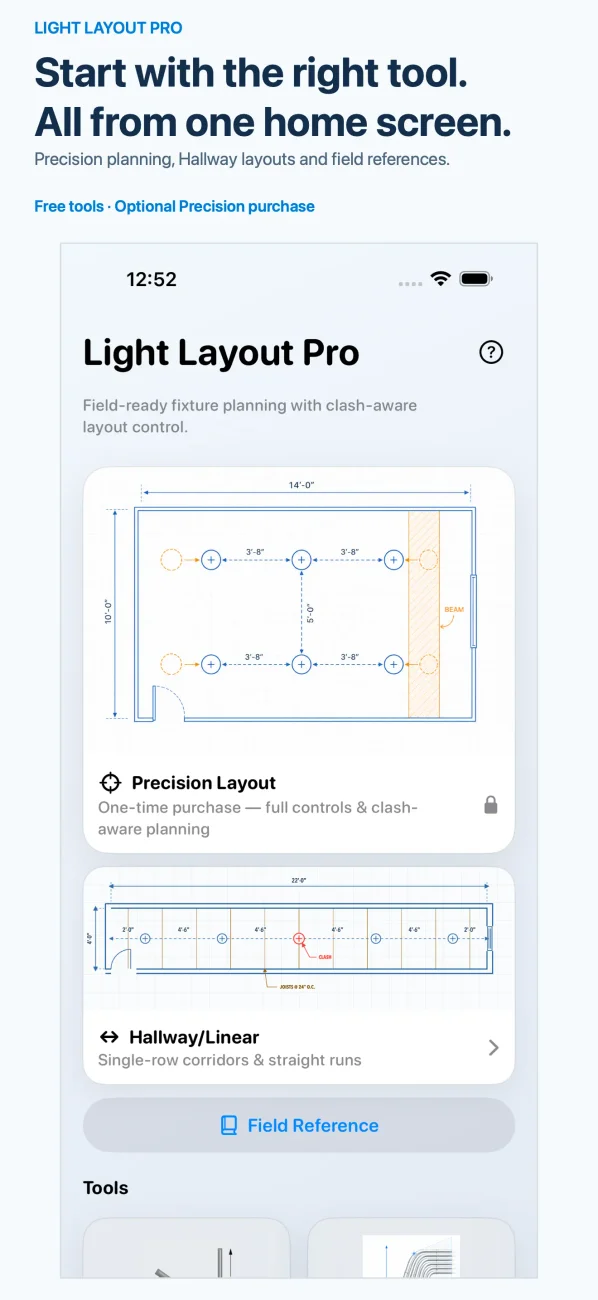
Hallway/Linear, six field tools, and the Field Reference are free. Precision Layout unlocks with one in-app purchase. No subscription, no account, and no ads.
PRECISION LAYOUT
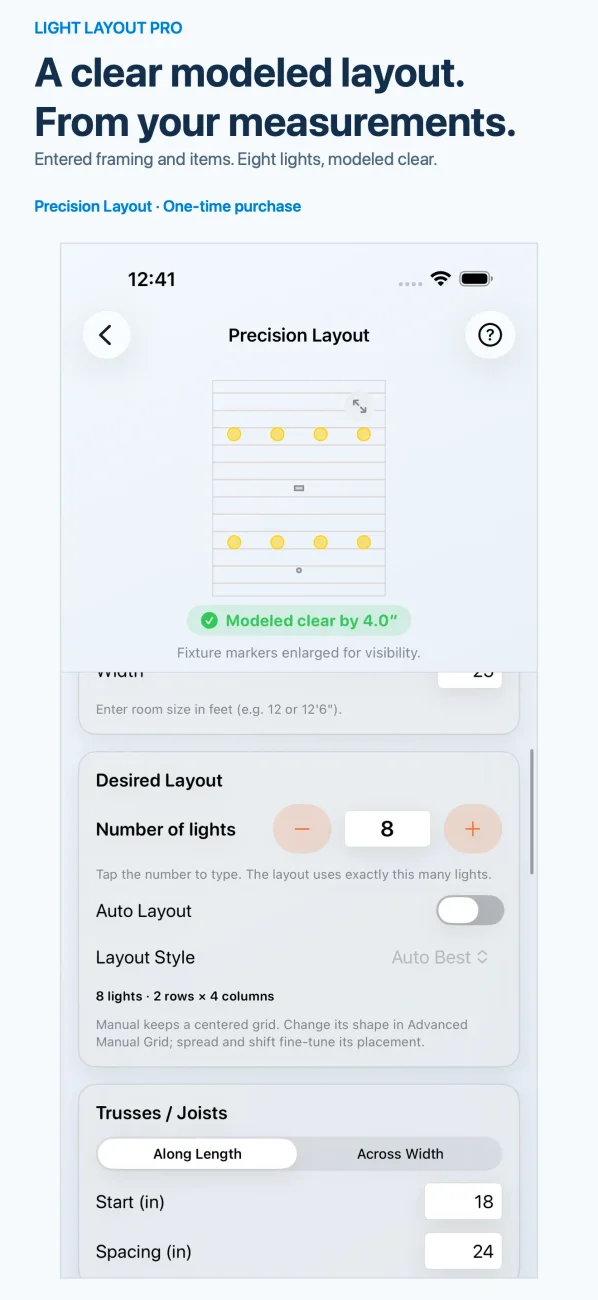
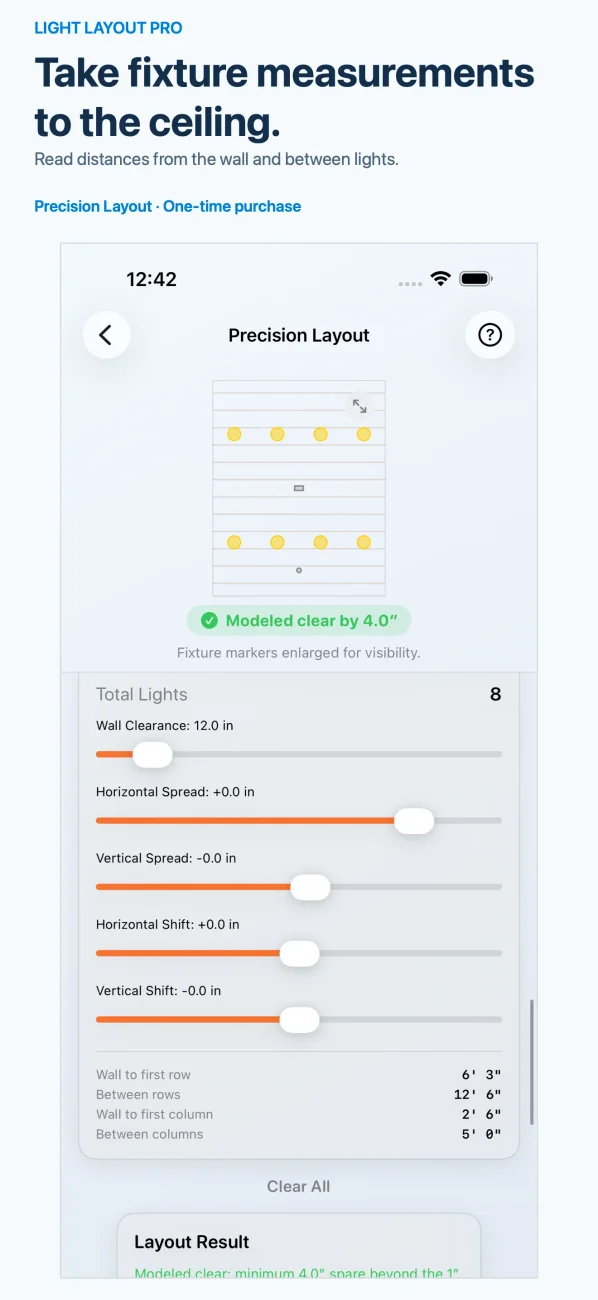
• Enter room dimensions, fixture count or grid dimensions, measured joist or truss lines, can diameter, and Safety Buffer.
• Compare centered single-row, multi-row, and grid patterns.
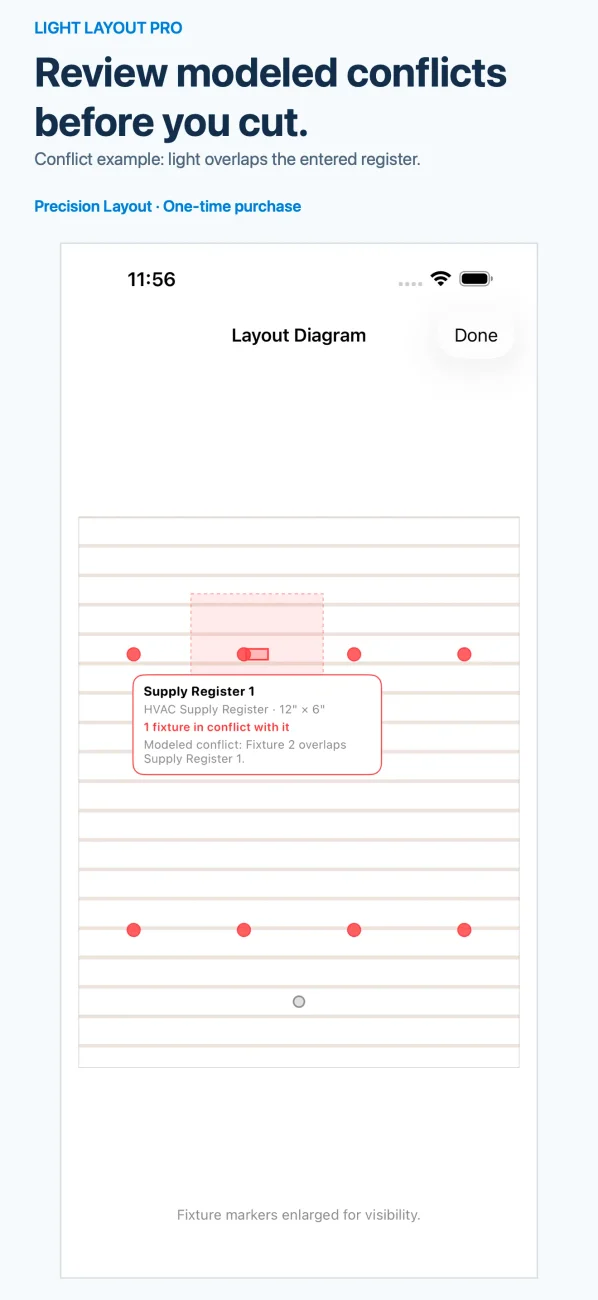
• Add measured HVAC registers, return grilles, access panels, speakers, detectors, and other rectangular or round ceiling items, including their sizes, positions, and coordination clearances.
• Review modeled fixture-to-framing and fixture-to-ceiling-item conflicts, spacing, clearances, and wall measurements.
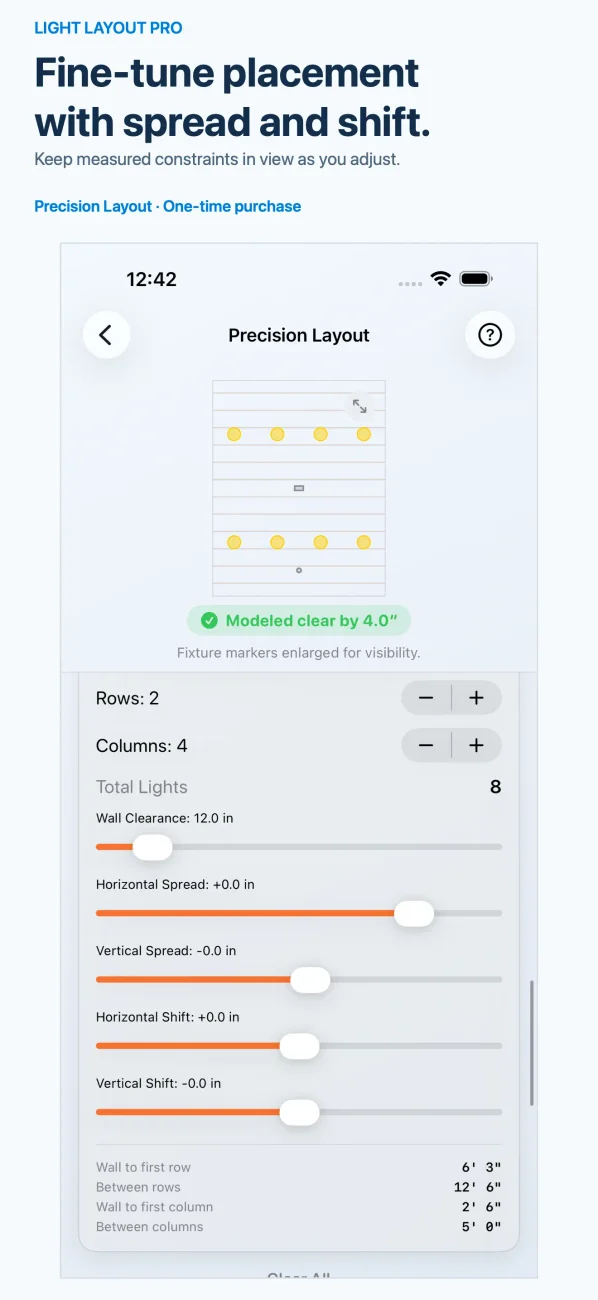
• Fine-tune spread and whole-layout shift while the diagram and measurements update together.
• Share your result as text or an image.
HALLWAY / LINEAR
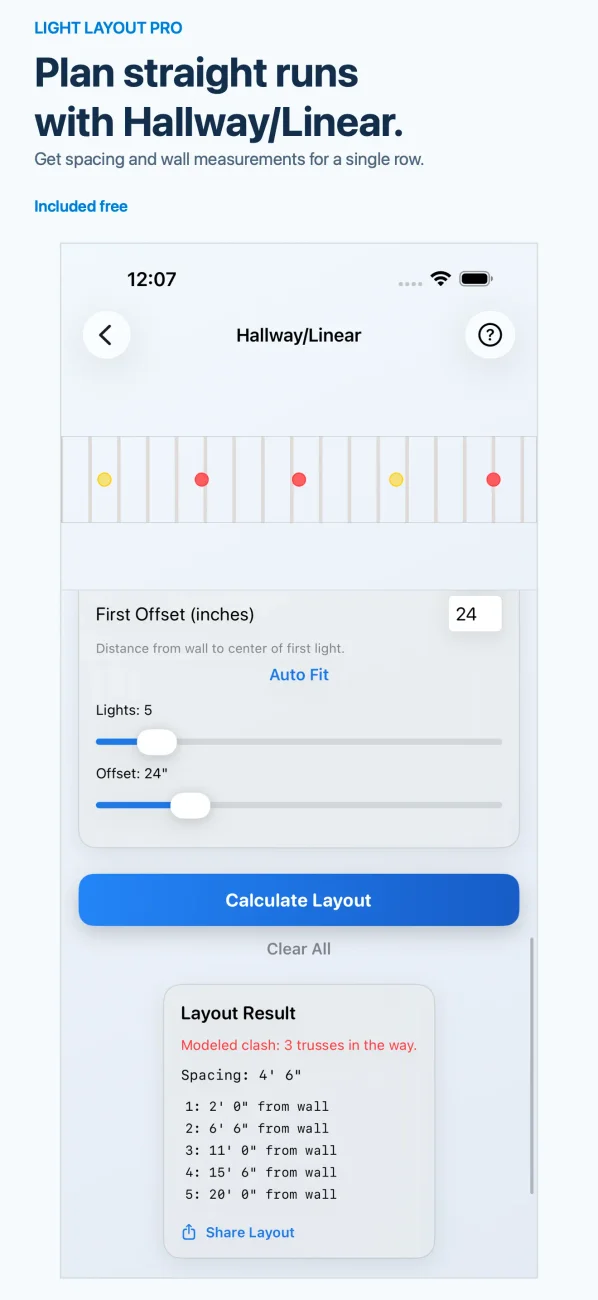
Plan a centered row through a corridor or straight run. Enter the first-light offset you measured, compare alternate offsets and nearby fixture counts with Auto Fit, and review each fixture position.
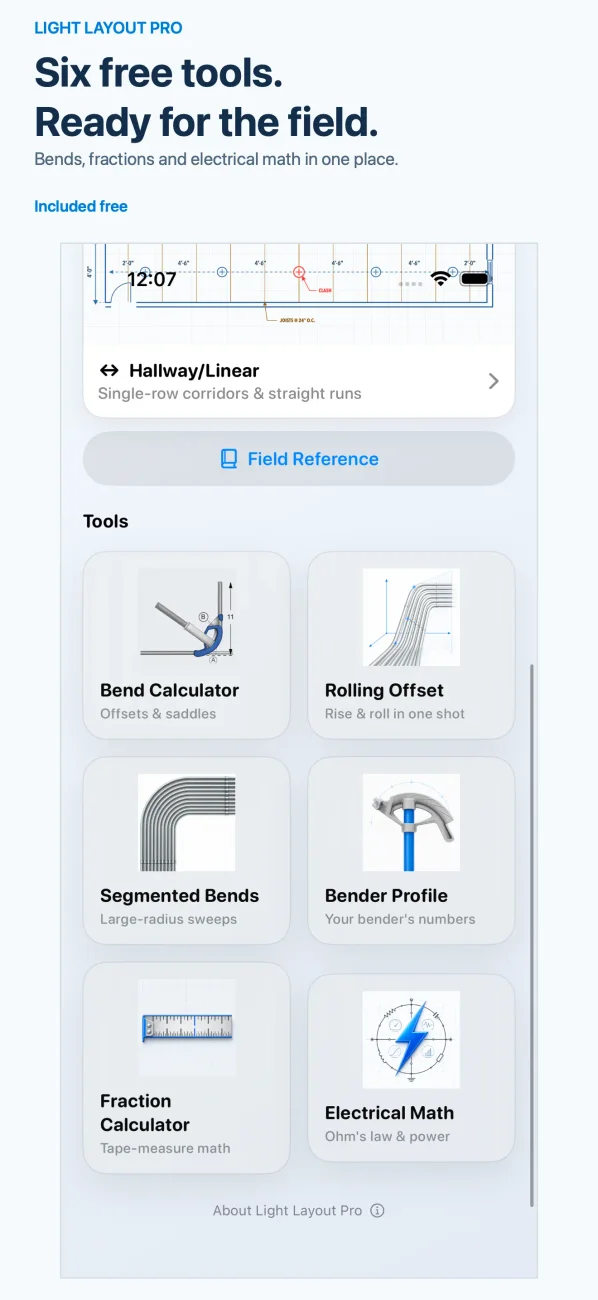
SIX FREE FIELD TOOLS
• Bend Calculator: offsets, three-point saddles, and four-point saddles.
• Rolling Offset: rise and roll in one layout.
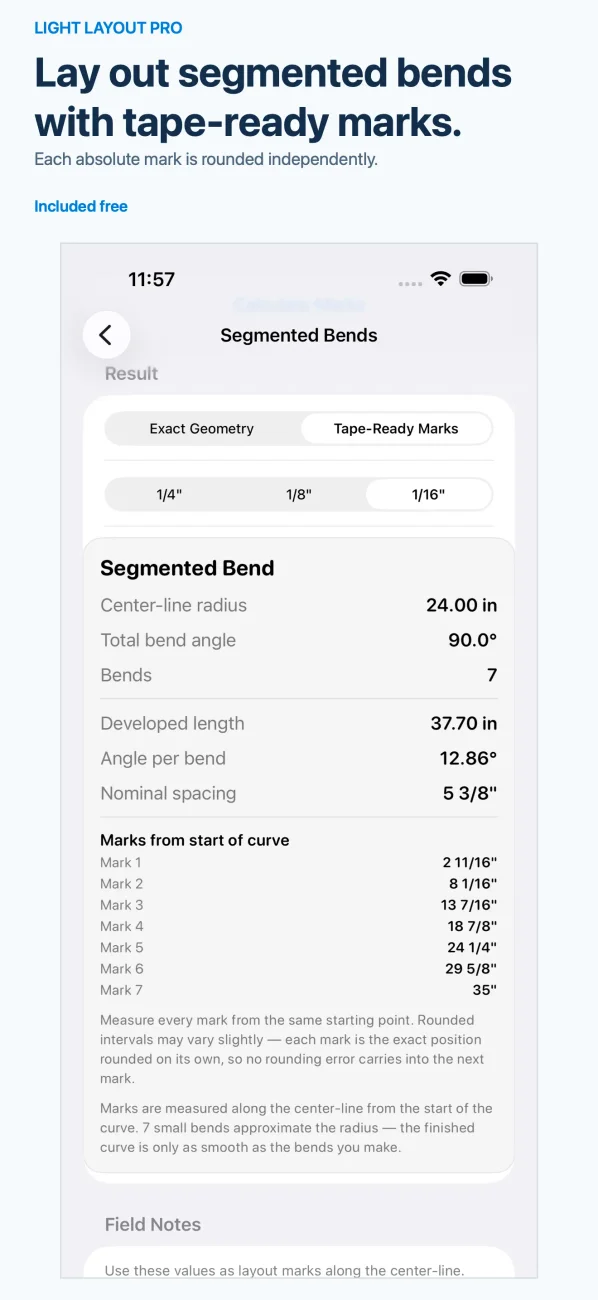
• Segmented Bends: equal bend shots and tape-ready marks from your radius and angle.
• Fraction Calculator: tape-measure arithmetic with fractional inches.
• Electrical Math: single-phase volts, amps, ohms, watts, VA, power factor, and VAR.
• Bender Profile: your own take-up, gain, and deduction values.
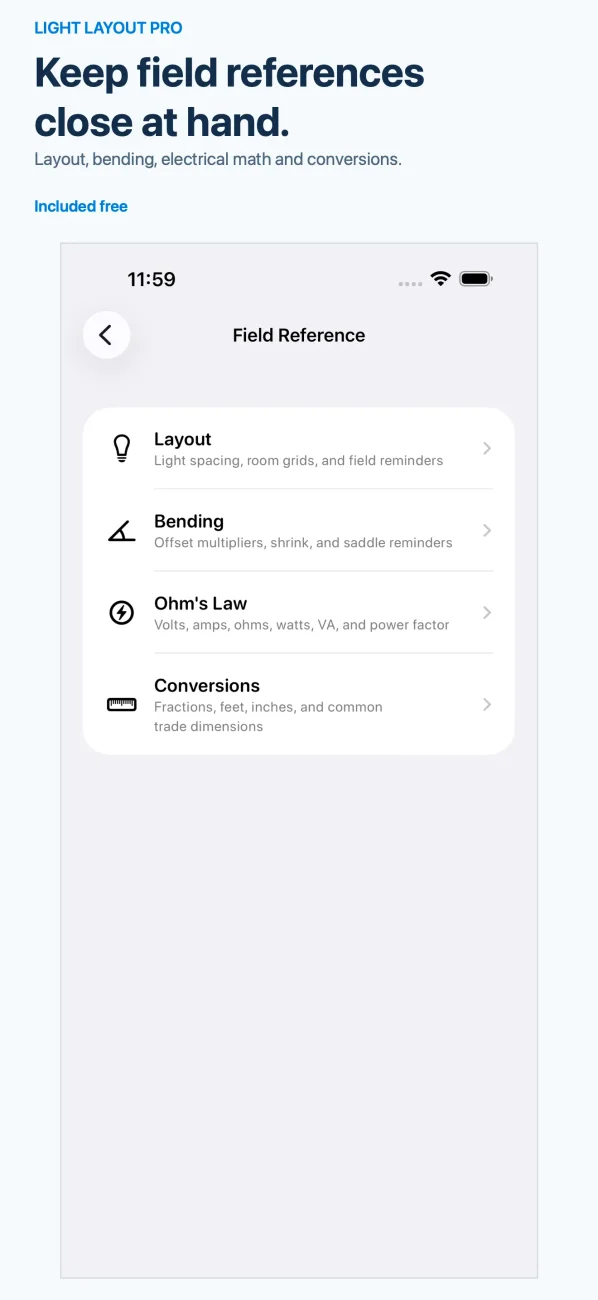
The Field Reference includes layout methods, bend multipliers, Ohm's law, and common trade conversions.
The free tools use geometry, arithmetic, or physics from values you enter. Verify results against your bender, materials, plans, job specifications, and applicable local requirements.
IMPORTANT LIMITS
Light Layout Pro models only the measurements you enter. It does not scan for or detect concealed framing, and a clear modeled result does not confirm hidden conditions. Verify framing, piping, ductwork, wiring, manufacturer clearances, adopted codes, local amendments, plans, and job specifications before installation.
Fixture count is your input, not a lighting-design recommendation. The app does not calculate illumination levels.
Calculations run on your device. There are no analytics or tracking. Your current layout stays on your device unless you choose to share it.
Có gì mới
Phiên bản 1.0.1 · 02/10/2026
Set Number of lights directly in Desired Layout, or use the minus and plus buttons to update your layout live. Requested counts stay exact, including odd numbers. If your selected arrangement cannot fit that count, Precision explains why and offers an explicit alternative.
Saved Grid rows and columns now survive reopening the planner. Clear All resets the Grid controls, and a layout that cannot be calculated clears the previous preview.
Quyền riêng tư của ứng dụng
Những gì Toyz2k LLC khai báo trên App Store về cách ứng dụng này xử lý dữ liệu.
-
Dữ liệu không được thu thập
Nhà phát triển không thu thập bất kỳ dữ liệu nào từ ứng dụng này.
Phương thức đảm bảo quyền riêng tư có thể khác nhau, chẳng hạn như tuỳ theo các tính năng bạn sử dụng hoặc độ tuổi của bạn.
Thông tin
- Người bán
- Toyz2k LLC
- Danh mục
- Tiện Ích
- Phiên bản
- 1.0.1
- Cập nhật
- 02/10/2026
- Phát hành
- 10/09/2026
- Kích thước
- 8,5 MB
- Yêu cầu
- iOS 18.4 trở lên
- Độ tuổi
- 4+
- Giá
- Miễn phí
- Mua hàng trong ứng dụng
- Có
- Ngôn ngữ
- Tiếng Anh
- Bản quyền
- © 2026 Toyz2k LLC