
- Độ tuổi12+
- Danh mụcGiải Trí
- Nhà phát triểnMeipath LLC
- Ngôn ngữTiếng Anh+ 8 ngôn ngữ khác
- Kích thước77,5 MB
Liên kết đến trang App Store chính thức
Download.org không lưu trữ tệp nào của Limerino. Nút này mở trang ứng dụng trên App Store, nơi Meipath LLC phát hành ứng dụng. Trang được kiểm tra lần cuối: 30/11/2026.
Ảnh chụp màn hình
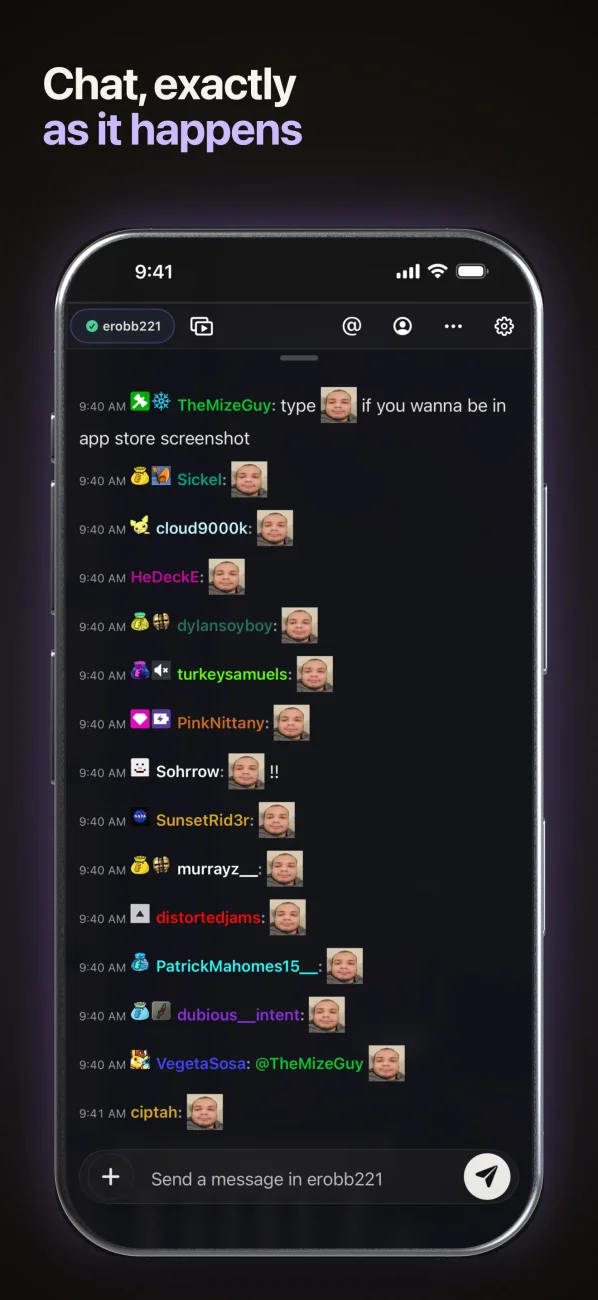
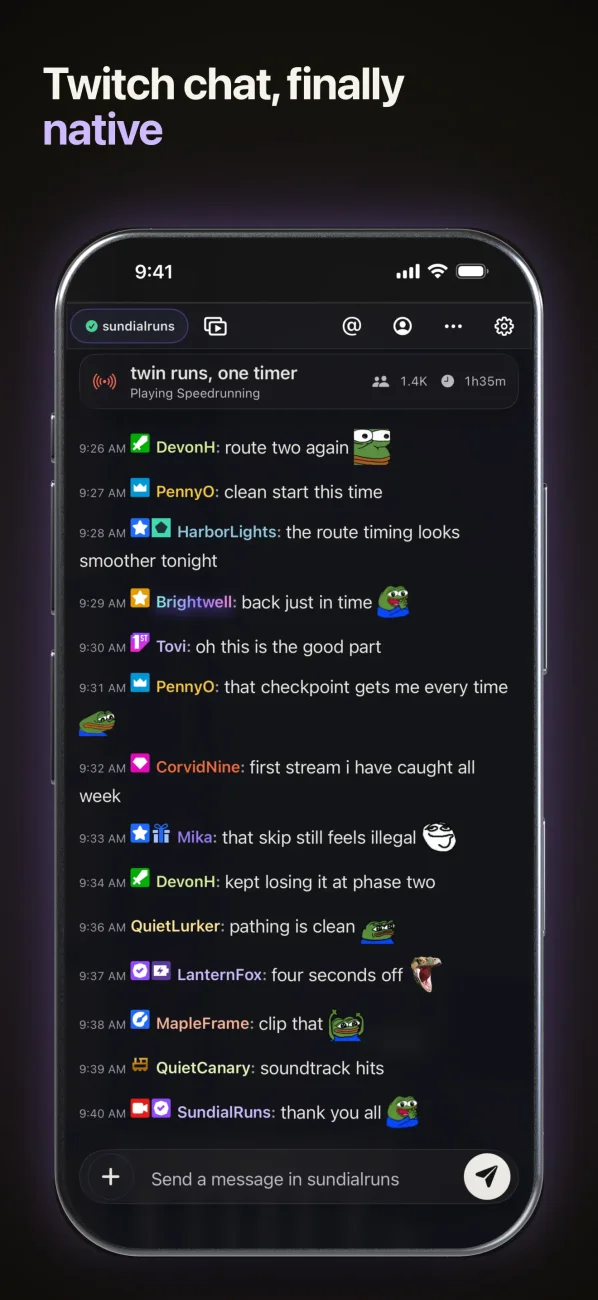
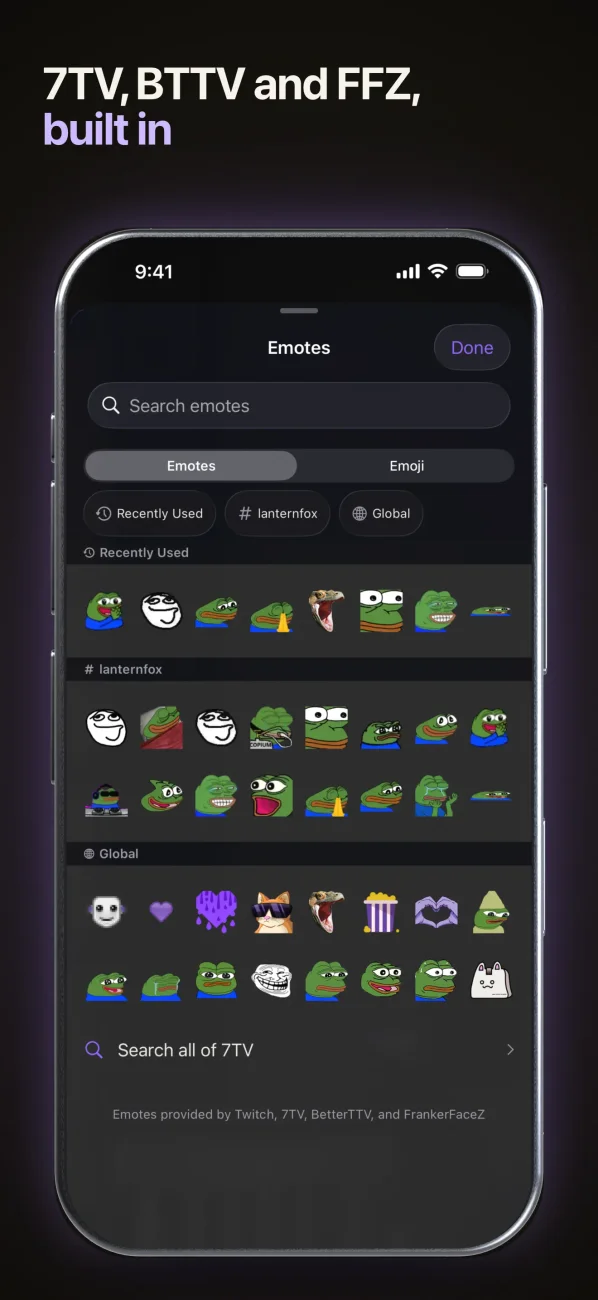

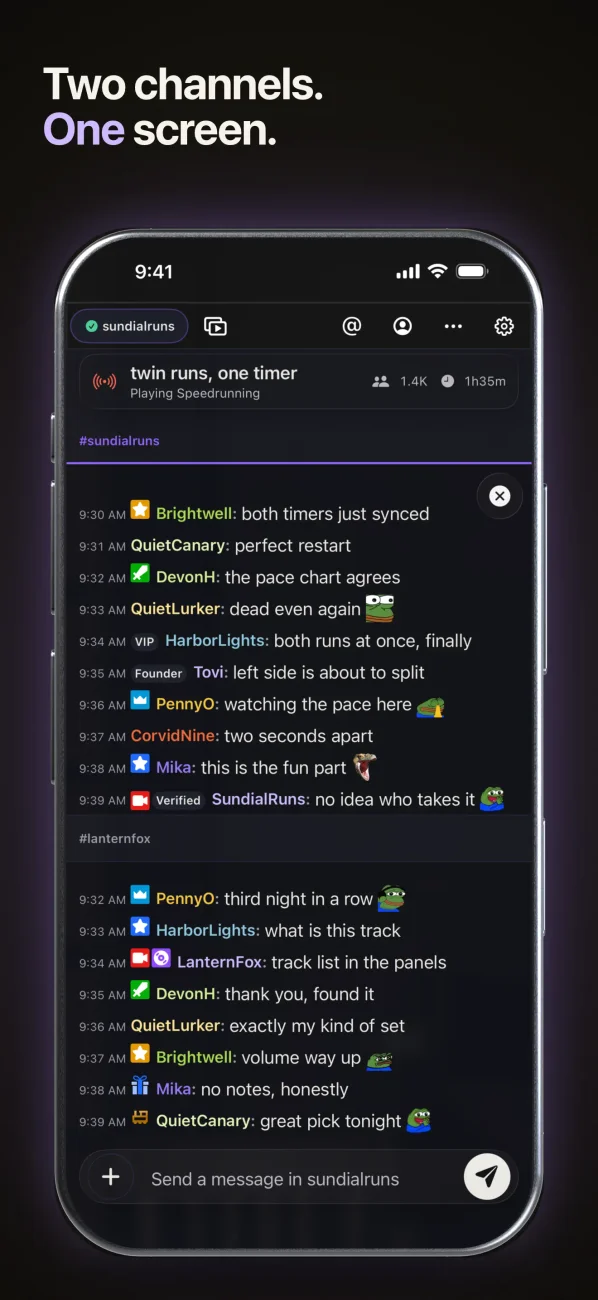

Giới thiệu
Nhà phát triển chưa cung cấp nội dung này bằng ngôn ngữ của bạn.
Limerino is a fast, native Twitch chat client for iPhone and iPad — and clips and past broadcasts play inside the app, with the chat that was live at that moment replaying right beside them.
CHAT, BUILT NATIVE
• Emotes from Twitch, 7TV, BTTV, and FrankerFaceZ render inline — animated, wide, and zero-width emotes included, with badges.
• Tap any emote to enlarge it and see its name, its provider, and its creator credit when the provider publishes one.
• Supporter name colors from 7TV render on chat usernames.
• Replies, reply threads you can follow, and Twitch's own pinned messages in a banner at the top of chat.
• Whispers built in. Read and reply to private messages.
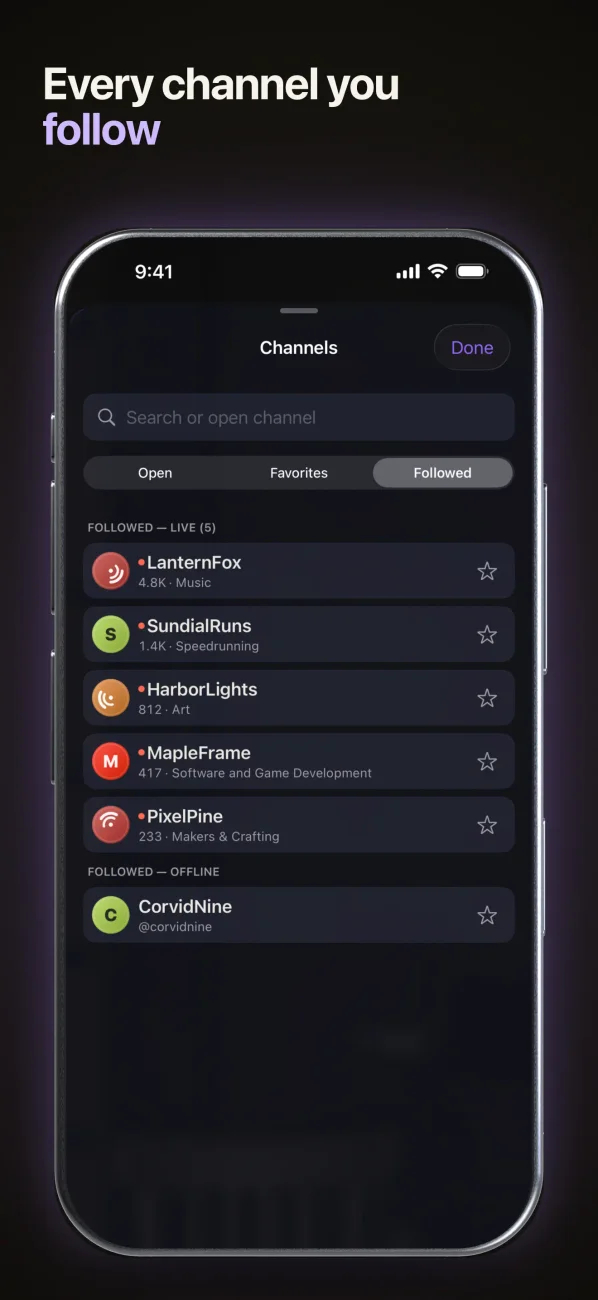
• Open several channels, keep favorites close, and read two at the same time in split view.
• Chat history is backfilled when you join, so you land mid-conversation.
CLIPS, VIDEOS, AND CHAT REPLAY
• Tap a clip or video link in chat and it opens in a full-screen player instead of Safari. Timestamped links open at the right moment, and a clip can jump to its source broadcast.
• Browse any channel's videos and clips from the videos button in the chat header — sort videos by newest, trending, or most viewed, and filter clips by date.
• Past broadcasts and clips replay the stream's own chat, paced to playback: video on top with chat below in portrait, a side column in landscape. Replay is read-only.
• Share a clip or video link from Safari, or from any app's share sheet, straight into Limerino.
WATCH AND CHAT AT ONCE
• Pop the live stream in above chat and never miss a message.
• In landscape on iPhone the top bar steps aside so video and chat get the whole screen, and stream title cards tuck themselves away once you have read them.
MENTIONS AND NOTIFICATIONS
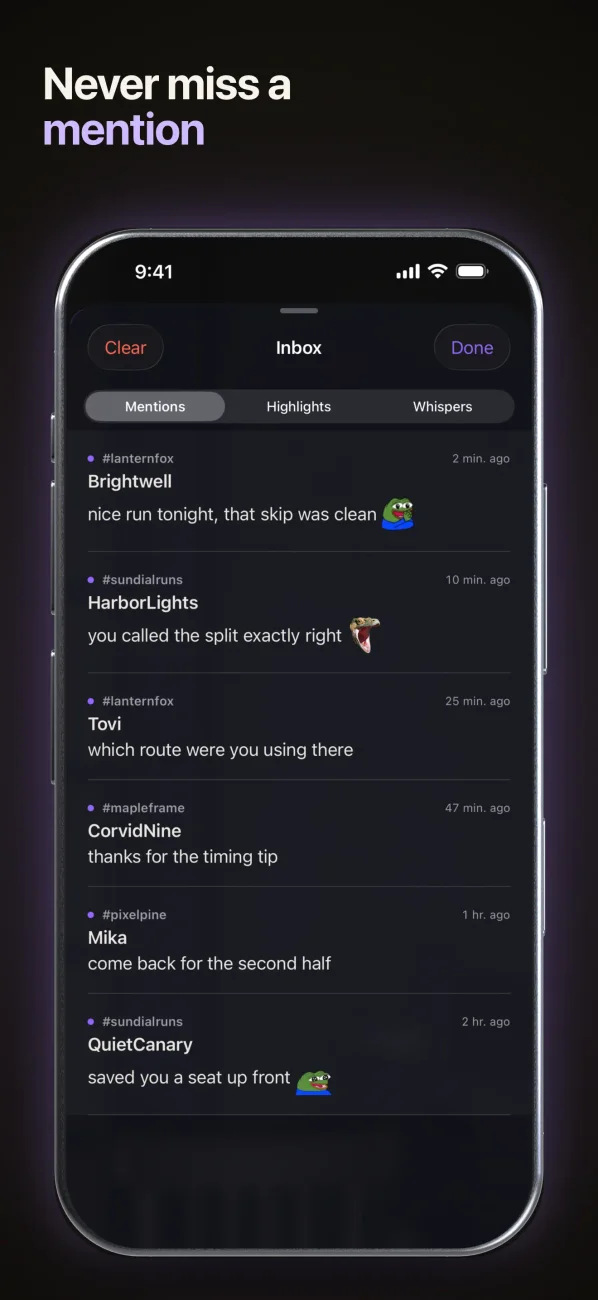
• Get a push when someone @mentions you, even while Limerino is closed. Alerts cover the channels you follow by default, and an optional wider scope reaches across the channels Limerino's monitoring network covers.
• Your full mention history lives in one Mentions list you can sort, filter by time, and search by sender — and a single inbox holds mentions, highlights, and whispers together.
• Stream, whisper, and chat-event alerts each get their own style — Prominent, Quiet, or Off — and bursts like sub trains and raid waves collapse into a single counted notification.
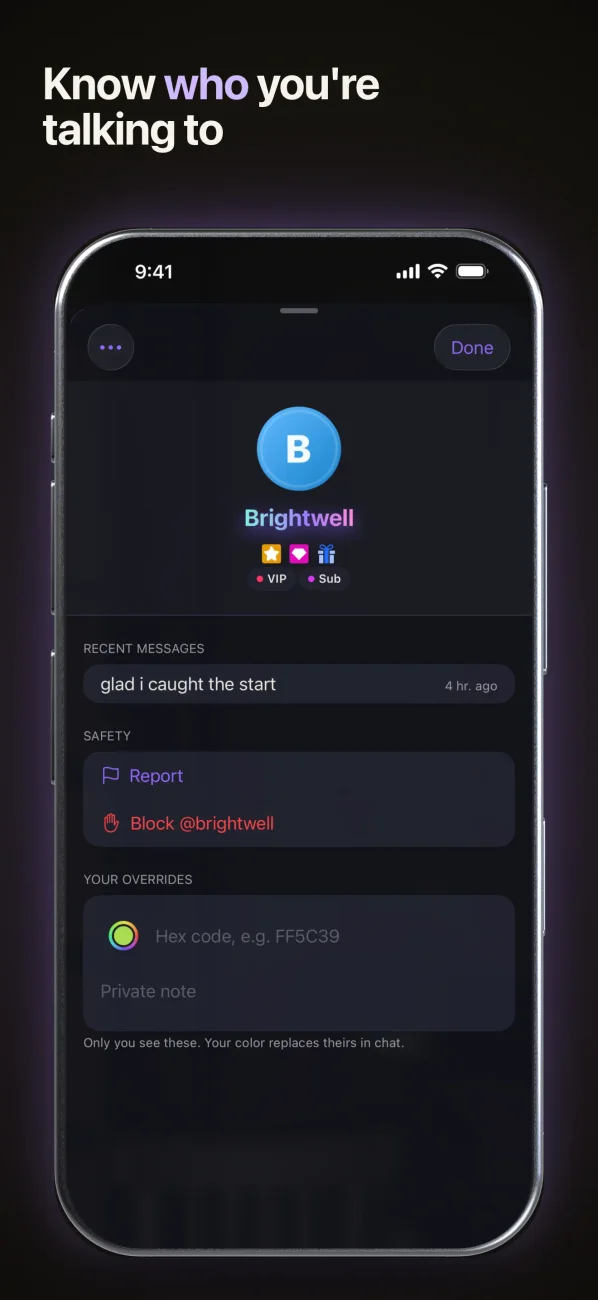
• Mute one person's notifications from their user card, or straight from a notification.
MODERATION AND COMMANDS
• In channels you moderate: timeouts, bans, an AutoMod queue, and a moderation log — with editable timeout presets that drive both the user card and the chat swipe.
• Poll and prediction lifecycle commands, colored announcements, and custom command macros with your own placeholders.
• Report or block anyone — every viewer, not just moderators. Block a user or mute a phrase and matching messages disappear, in live chat and in replay.
BUILT FOR IPHONE AND IPAD
• Sign in on Twitch's own page — Limerino never sees or stores your password. A Twitch account is required to read and send chat.
• On iPad, the channel list can sit beside the conversation while video and chat share the screen. A hardware keyboard, the menu bar and right-click all work, and a channel can open in its own window.
• A Home Screen or Lock Screen widget tracks the channel you were last watching, and an optional Live Activity follows a live stream.
• Per-channel themes, adjustable auto-hide timings, and controls for nearly everything.
• Accessible by design: Dynamic Type, VoiceOver, Switch Control, and Reduce Motion support.
Limerino does not host or stream any content: live chat and video are delivered by Twitch, and the chat history shown when you join a channel comes from the community recent-messages service. Limerino is a third-party app and is not affiliated with, endorsed by, or sponsored by Twitch or Amazon.
Privacy: https://limerino.com/privacy
Terms: https://limerino.com/terms
Support: hello@meipath.com
Có gì mới
Phiên bản 1.1.9 · 01/11/2026
Browse and follow Twitch channels, watch up to four streams at once on iPad, translate and search chat, pick Audio only, and use Limerino in eight more languages.
BROWSE AND FOLLOW
The channel switcher's Browse button opens Categories and Live channels, with a language filter. Tap the heart to follow a channel; unfollowing asks first. User cards have Follow too, and /follow and /unfollow work in the message box.
VIDEO
Audio only now plays off screen with a Lock Screen card. Pick it from Quality in the player controls, or tap Hide video in portrait. Turn your iPhone sideways and tap Full Screen to give the stream the whole screen. To watch one channel while chatting in another, hold a live channel you have open in the channel list and choose Watch stream here.
CHAT
Hold a message and tap Translate to read it in your language, translated on your device; emotes stay as they are. ⋯ > Search chat finds words, phrases or people (from:name) in the loaded messages and jumps to them. Double-tap a message to copy it, and give anyone a nickname from their card that only you see. Emotes show in whispers, and a whisper alert opens its conversation.
EMOTES
The emote picker puts Emotes and Emoji in the title bar and your draft at the bottom, with a delete key and Refresh Twitch emotes. Hold an emote to see it large. Emotes look sharper on high-resolution screens, and ffzSlide, ffzArrive and ffzLeave move. Save Image in the share sheet adds an emote, GIF or image to Photos.
CHANNEL POINTS, DROPS AND BADGES
When Twitch offers a watch bonus, Claim bonus sits beside your balance; nothing is claimed for you. ⋯ > Channel Points shows your watch streak, and Profile > Your Drops shows your progress with Claim. Earnable now marks a badge whose Twitch drop is running, says what to do and counts down to its end.
BOT CONTROLS
Profile > Connections links your chat bot service. In your own channel, and where that service gives you a role, the bot button at the top of chat opens the bot's controls: mute or invite it, and edit its commands, timers and spam filters.
MODERATORS
Settings > Behavior > Delete without asking skips the confirmation, and your own messages offer Delete. Each timeout or ban shows one notice naming who did it, and a message AutoMod holds for a link says so.
ALERTS AND SIRI
Settings > Mention alerts > Pause alerts pauses mention and chat alerts for an hour, 8 hours or until tomorrow. Siri and Shortcuts understand "Pause Limerino alerts for an hour" and "Unpause Limerino alerts".
LANGUAGES
Limerino now comes in German, Spanish, French, Italian, Japanese, Portuguese (Brazil), Russian and Chinese (Traditional). It follows your iPhone's language, or the one you choose in the Settings app under Apps > Limerino > Language.
iPAD AND iPHONE DUO
On iPad, or iPhone Duo opened like a book, Add to multi-view in the channel list puts up to four live channels beside chat in a wide window, and up to four can play at once, as many as the device has memory for. Each tile starts muted, and Watch here moves the sound and chat to it. iPad mini, iPad Air and 11-inch iPads show the channel list in portrait. On iPhone Duo half open, a soft glow from the stream fills the space beside the picture.
SETTINGS AND ACCESSIBILITY
Settings groups its screens under Chat look, Chat behavior and Account & data, and search finds more. With Show Borders on, buttons keep their shape with a thin outline or underline. At the largest text sizes the player bar, user cards, Browse and Settings rearrange to fit.
ALSO
Block also blocks on Twitch, and Unblock reverses both. Unblocking someone or removing a clip offers Undo for a few seconds, and Sign out asks first. Your clips includes clips you made on twitch.tv. From November 1 the Home Screen icon is the purple speech bubble again. iOS tells you once when it changes.
Quyền riêng tư của ứng dụng
Những gì Meipath LLC khai báo trên App Store về cách ứng dụng này xử lý dữ liệu.
-
Dữ liệu liên kết với bạn
Có thể được thu thập và liên kết với danh tính của bạn.
- Mục mua
- Nội dung của người dùng
- Mã định danh
- Chẩn đoán
Phương thức đảm bảo quyền riêng tư có thể khác nhau, chẳng hạn như tuỳ theo các tính năng bạn sử dụng hoặc độ tuổi của bạn.
Thông tin
- Người bán
- Meipath LLC
- Danh mục
- Giải Trí
- Phiên bản
- 1.1.9
- Cập nhật
- 01/11/2026
- Phát hành
- 24/06/2026
- Kích thước
- 77,5 MB
- Yêu cầu
- iOS 18.0 trở lên
- Độ tuổi
- 12+
- Giá
- Miễn phí
- Ngôn ngữ
- Tiếng Anh, Tiếng Pháp, Tiếng Đức, Tiếng Ý, Tiếng Nhật, Tiếng Bồ Đào Nha, Tiếng Nga, Tiếng Tây Ban Nha, Tiếng Trung Phồn thể
- Bản quyền
- © Meipath LLC 2026
Có thể bạn cũng thích
-
 Twick: Watch Twitch & KickGiải Trí
-
 vChat! - Chat for TwitchGiải Trí
-
 ChatsenGiải Trí
-
 ViewGrid - Multi Stream ViewerGiải Trí
-
 KulveGiải Trí
-
 7TV Stickers from TwitchGiải Trí
-
 MultiStreamer TVGiải Trí
-
 Rippit - Twitch Emotes & GIFsGiải Trí
-
 Frosty for TwitchGiải Trí
-
 TwiX: Live for TwitchXem Live Twitch, chat, Tải VOD